International fares move fast. A Chicago to Tokyo round trip can swing a few hundred dollars in a week, and nobody has time to refresh a search tab every morning. Flight price tracker apps do the watching for you, but they don’t all work the same way, and several big names quietly assume you live in the US.
That last part trips people up. This list ranks 10 trackers by how well they handle long-haul, cross-border trips in 2026, and flags the paid add-ons that pay out less often than the ads suggest.
Quick answer: For most international trips, run Google Flights and Skyscanner side by side. Both are free and global. Add Trip.com if you fly around Asia, Kiwi.com for odd multi-airline routes, and a paid deal club (Going or Jack’s Flight Club) only if you depart the US or UK.
Flight Price Tracker Apps Compared at a Glance
The last column matters most if your home airport isn’t in North America.
| App | What it does best | Cost | Works outside the US? |
|---|---|---|---|
| Google Flights | Route tracking and price history | Free | Yes (Price Guarantee is US only) |
| Skyscanner | Global coverage, budget airlines | Free | Yes, 180 countries |
| KAYAK | Unlimited alerts, buy or wait forecast | Free | Yes |
| Trip.com | Target price alerts, Asia routes | Free | Yes |
| Hopper | Short-term predictions | Free app, paid add-ons | Yes, but read checkout |
| Kiwi.com | Self-transfer route combos | Free alerts | Yes |
| Going | Curated deal alerts | Free, $49 or $199 a year | US departures only |
| Jack’s Flight Club | Curated deal alerts | Free, paid tier | UK, Europe, and US departures |
| Expedia | Paid price drop protection | Fee on select flights | Varies |
| Airfarewatchdog | Hand-checked fares | Free | Mainly US and Canada |
Notice the pattern. The free, search-based tools travel well. The deal clubs mostly don’t.
The 10 Best Flight Price Tracker Apps [Ranked]
These 10 flight price tracker apps stand out for their alerts, fare insights, route coverage, and practical booking tools. I ranked them by how effectively they help international travelers find better fares while avoiding unnecessary fees.
1. Google Flights
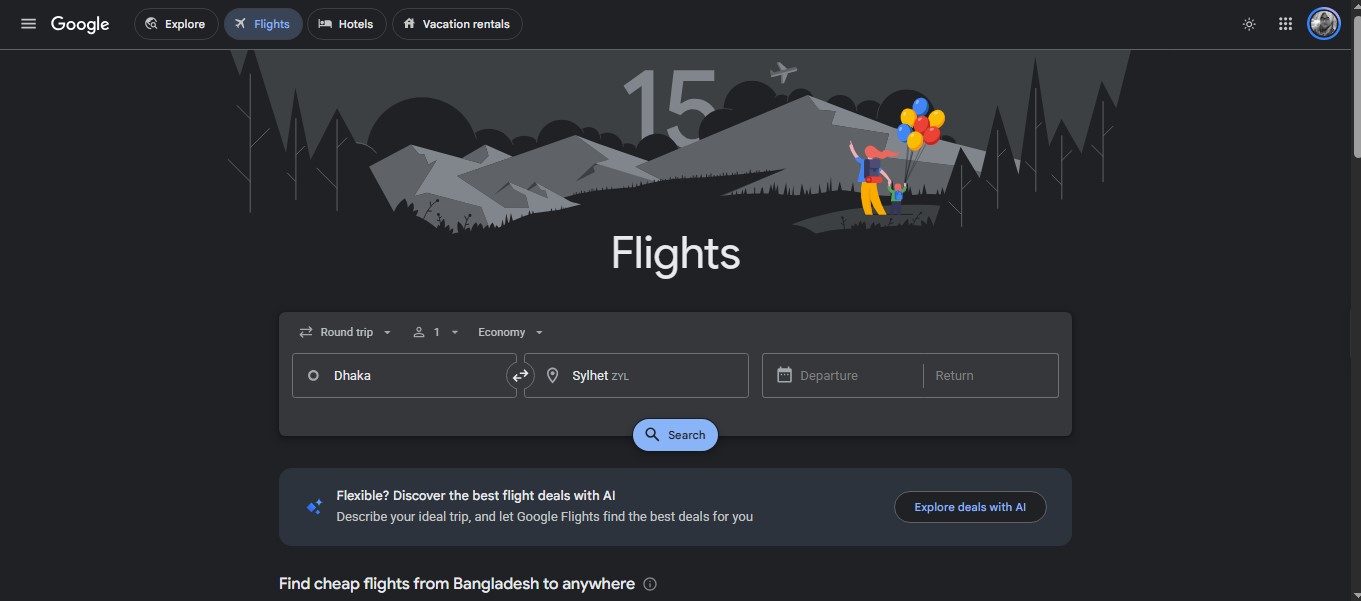
Start here. Google Flights tells you whether today’s price is low, typical, or high and lets you track exact dates or switch on “Any dates” to watch a route for months. Among flight price tracker apps, its date grid and price graph are the fastest way to spot a cheaper day.
Here’s the catch: Google emails you when a price changes significantly, and you can’t set your own trigger number. Want an alert at exactly $650? You’ll need another app.
The Price Guarantee badge gets plenty of hype. It only appears on select “Book on Google” itineraries leaving the US; the drop must be $5, and payouts cap at $500 a year across three open bookings. Flying out of Dhaka, London, or Sydney? You won’t see the badge at all.
2. Skyscanner
Skyscanner is the default almost everywhere outside the US. It runs in 180 countries and 37 languages and surfaces low-cost carriers other searches skip.
Set an alert on any route, and Skyscanner emails you when the price moves. One detail most people miss: alerts for drops of 20% or more come through the app only. Turn on push notifications or you’ll miss the biggest ones.
The weak spot is booking. You’ll often land on agents you’ve never heard of, and a refund from a tiny agent after a cancellation can drag on for weeks (pay a few dollars more and book with the airline).
3. KAYAK
KAYAK suits people who watch ten routes at once. There’s no cap on price alerts, and you can get them daily or the moment a price shifts. You’ll need a free account.
Its Price Forecast gives a plain “buy now” or “wait” call on most search pages; no login is needed. Small catch: the forecast graph only shows up on round-trip searches. One-way and open-jaw travelers won’t see it.
No destination yet? Its “Top 25 Cities” alert makes it the best of these flight price tracker apps for the “I just want to get away” itch.
4. Trip.com
Most US-written lists skip Trip.com. That’s a mistake if you travel around Asia.
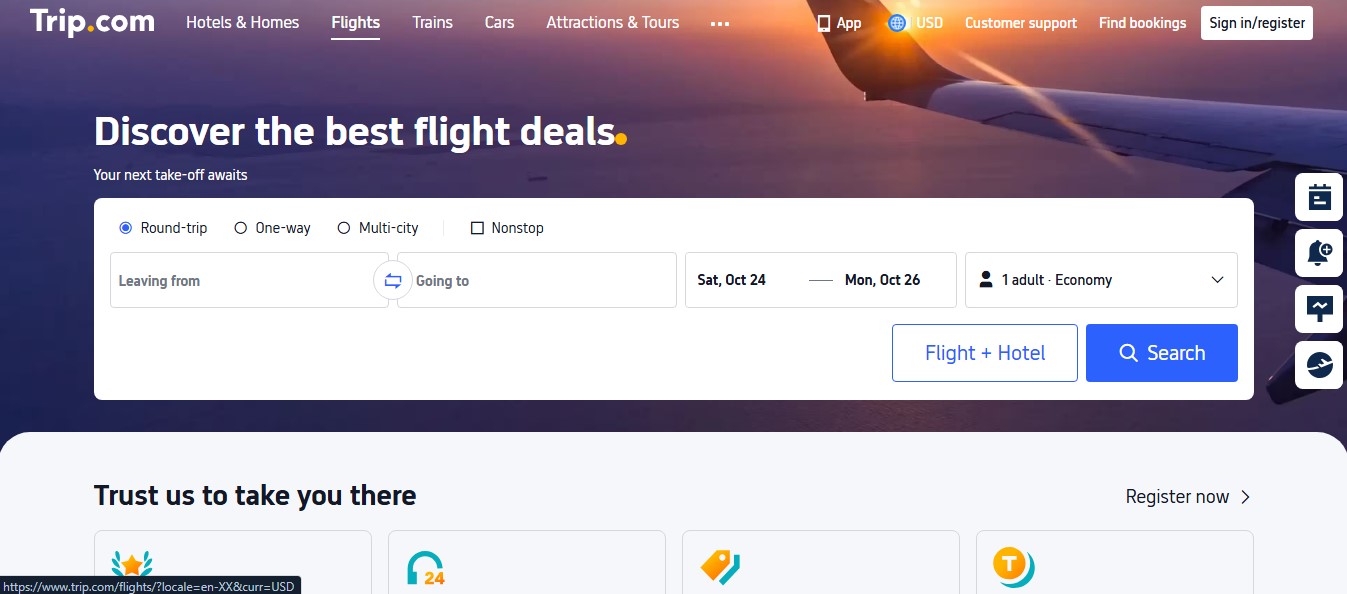
Its free Price Alert lets you set a price range and shows a success rate for it, a rough read on how likely fares are to get there. That’s more honest than most flight price tracker apps. Alerts arrive by email or push.
It’s a booking agent too. Compare its final price with the airline’s own site before you pay.
5. Hopper
Hopper made a famous fare prediction and claims up to 95% accuracy on its buy-or-wait calls. The prediction part is free and useful. The upsells are where people get burned.
In July 2026, Hopper agreed to a $35 million settlement with the FTC. The agency alleged hidden pre-selected fees and a misrepresented price freeze that only covered increases up to $300 per traveler, only if the booking was still available, for a non-refundable fee. Hopper kept calling a “deposit.” Hopper called the claims narrow and tied to practices it dropped in mid-2023.
Use Hopper as a forecast tool. Read every line at checkout and untick any add-on you didn’t ask for.
6. Kiwi.com
Kiwi.com stitches together airlines that don’t normally cooperate (virtual interlining), which can cut real money off awkward trips like Lisbon to Bali. Alerts are free but need a specific destination.
The cheapest routes often include self-transfers: you re-check bags and sometimes clear immigration mid-trip, so check transit visa rules for every stop. Some travelers learn this at a passport desk.
Big mistake. On a tight self-transfer, a longer layover protects you better than any add-on.
7. Going
Going (formerly Scott’s Cheap Flights) isn’t a route tracker. It’s a deal club that alerts you to unusually cheap fares from your home airports. Pricing in 2026:
- Limited (free): domestic economy deals only
- Premium ($49 a year): international economy deals and mistake fares
- Elite ($199 a year): adds premium economy, business, and first class
Both paid tiers come with a 14-day free trial.
Geography is the dealbreaker: Going only covers departures from 180+ US airports (including Hawaii, Alaska, and Puerto Rico). Live anywhere else? Skip it. For more services like this, see our roundup of the best cheap flight alert apps.
8. Jack’s Flight Club
Think of it as going for the UK and Europe. Jack’s Flight Club sends deal and mistake-fare alerts for flights from the UK, mainland Europe, and the US, and most deals land 2 to 11 months before departure.
There’s a free tier and a paid one. Live in Manchester or Dublin? It beats any US deal club.
9. Expedia
Expedia earns a spot for one feature: Price Drop Protection. On select flights, you pay a fee at booking; Expedia checks your exact itinerary every 24 hours until departure, and it pays you the difference if that fare drops on Expedia. It’s app-only.
The cheaper price has to show up for the exact same itinerary on Expedia’s own site. An NBC Los Angeles investigation followed a traveler who paid $55 per ticket for this protection and found it far harder to claim than she expected.
10. Airfarewatchdog
Airfarewatchdog pairs free fare alerts with deals that real people check by hand, and it’s one of the few flight price tracker apps that lists Southwest fares. It ranks last for one reason: its free route alerts mainly cover the US and Canada. Great for Denver to Toronto. Weak for Nairobi to Paris.
Paid Add-Ons You Can Skip (and Where to Spend Instead)
Most flight price tracker apps are free. The money gets made on add-ons.
- Price freezes: You pay a non-refundable fee for protection with a cap. If the fare jumps past that cap, you cover the rest.
- “VIP” support tiers: You’re paying for a promise of faster help, not a refund. This was part of the FTC’s case against Hopper.
- Paid price drop protection: It only pays when the same itinerary drops on that same site.
- Elite deal-club plans: $199 a year is a bargain for business-class flyers and wasted money for everyone else.
The truth is, the best “freeze” is already free. On flights to or from the US booked at least a week before departure, US rules require airlines to either hold your fare for 24 hours or let you cancel within 24 hours without a penalty. Spend the add-on money on a fare with free changes instead.
How to Set Up Flight Price Tracker Apps in 10 Minutes
Most beginners make the mistake of hunting for one perfect app. Instead, pair flight price tracker apps that see different parts of the market.
- Search your route on Google Flights. Note whether the price reads low, typical, or high, and turn on tracking (“Any dates” if your plans can bend).
- Run the same search on Skyscanner and switch on app notifications.
- Add one regional tool: Trip.com for Asia, Kiwi.com for complex routes.
- Set a target price from the history graph, not from hope. Fixed dates and a low or typical fare? Book it.
- Keep one alert running after you buy. If the fare drops and your ticket allows free changes, rebook for credit.
Once the ticket’s sorted, think about the 14 hours in the seat. A pair of noise-cancelling earbuds for long flights matters more on a long-haul trip than shaving another $20 off the fare. And if your connection goes sideways, one of the best flight delay compensation apps can help you claim what you’re owed.
What Long-Term Users Complain About
Ask anyone who’s used these tools for six months and the same gripes come up:
- Alert overload: Track 12 routes and your inbox fills up within days. Delete alerts the minute your plans change.
- Late emails: “Significant change” alerts can land after a good fare has already sold out, which happens fast on busy international routes.
- Prediction overconfidence: No forecast sees the future. A “wait” call is a guess with data behind it.
Frequently Asked Questions (FAQs) on Flight Price Tracker Apps
Which flight price tracker app is the most accurate?
None can see the future. Hopper’s 95% figure is its own claim. Treat every forecast as a hint.
Is Google Flights better than Hopper?
For most people, yes: more filters, clearer price history, and no checkout add-ons.
Do international flight prices drop closer to departure?
Rarely on popular routes. Google Flights shows when fares for your trip have usually been lowest, which beats guessing.
Does searching the same flight over and over raise the price?
Skyscanner says it doesn’t adjust prices based on cookies or history. What you’re usually seeing is the cheaper seats selling out.
Are flight price tracker apps free?
Tracking is free on Google Flights, Skyscanner, KAYAK, Trip.com, Hopper, and Kiwi.com. You pay for deal clubs and add-ons like price freezes.
Final Thoughts
You don’t need a subscription to stop overpaying for international flights. Two free flight price tracker apps, Google Flights and Skyscanner, cover most routes, and one regional tool fills the gaps. Set alerts this week for your next big trip, pick a target price from the history graph, and book when it hits.
Then handle the boring stuff early. Grab a data plan from one of the best eSIM apps for international travel before you land, and you’ll walk out of arrivals already connected.