

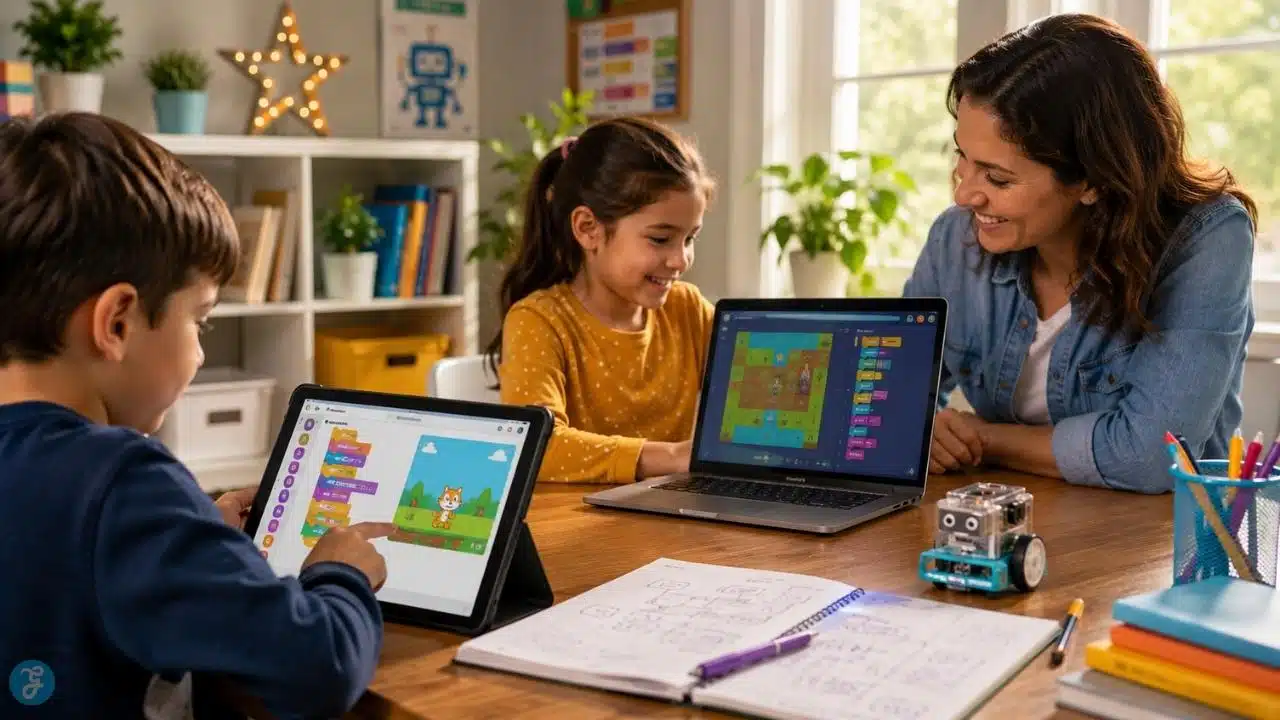
Let’s be honest: telling a kid to get off their tablet and do something educational usually ends in an argument. But what if the tablet time was the education? Teaching programming for kids used to mean staring at boring black screens filled with green text and hunting for a missing semicolon. Today, the best coding apps for kids look and feel like high-end video games.
They use colorful puzzles, animated characters, and dungeon-crawling quests to secretly teach critical concepts like sequencing, loops, variables, and debugging.
Whether your five-year-old is just starting to understand spatial logic or your middle schooler wants to build their own Roblox games, there is an app built for their exact brain development. To save you from wasting money on clunky educational software, I tested and ranked the top seven kids coding apps worth downloading today.
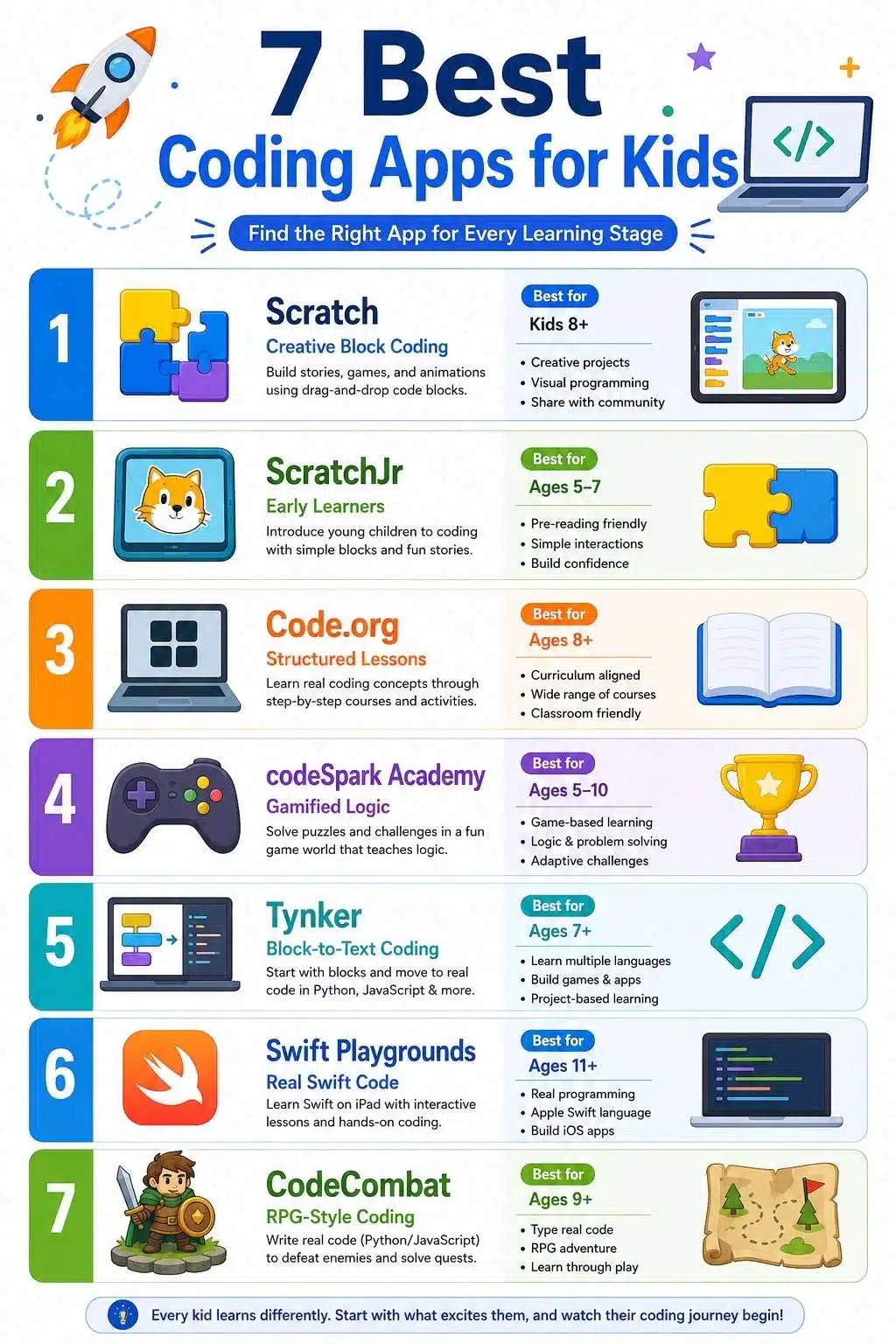
1. Scratch: Best Overall for Creative Freedom and Community
If there is a hall of fame for kids coding apps, MIT’s Scratch takes the center trophy. It’s not just an app; it is the world’s largest coding community for young creators.
Instead of typing text, kids drag and drop color-coded logic blocks that snap together like digital LEGO bricks. Want a cartoon cat to jump across the screen, play a meow sound, and spin around ten times when clicked? You just snap those three blocks together.
What makes Scratch truly unbeatable is its remix culture. Kids can browse millions of games, animations, and interactive stories built by other children around the globe. If they like a game, they can look under the hood to see how it was coded, modify the blocks, and make it their own.
Key Features
- Snap-Together Logic: Visual drag-and-drop blocks make syntax errors impossible so kids can focus purely on logic and problem-solving.
- Massive Global Library: Access to millions of free, kid-created projects to play, inspect, and remix.
- Offline & Web Access: Runs smoothly directly in a web browser or as a downloadable offline app on desktop and Chromebooks.
The Verdict: Scratch is the undisputed king of visual coding. It is completely free, backed by MIT, and endlessly creative. If your child is around 8 to 12 years old, start them here.
2. ScratchJr: Best for Non-Readers and Early Learners
Little kids want to build things too, but full block coding can be frustrating if they aren’t reading fluently yet. ScratchJr solves this problem brilliantly.
Designed specifically for ages 5 through 7, ScratchJr strips away reading requirements completely. The coding blocks don’t use written words like “Repeat” or “Move Right.” Instead, they use graphical arrows, running icons, and simple numerical bubbles.
Kids can choose interactive backgrounds, design their own characters, and use visual command chains to make their characters dance, talk via recorded audio bubbles, and jump over obstacles.
Key Features
- Zero Reading Required: Every programming block is represented by a clear, universally understood visual symbol.
- Custom Artwork: Kids can use the built-in paint editor to draw their own characters or even snap a photo of their own face to put onto a cartoon astronaut.
- Early Logic Building: Gently introduces sequencing, cause-and-effect relationships, and multi-character interaction.
The Verdict: It’s the ultimate pre-cursor to serious coding. Download this free tablet app for kindergartners and early elementary students to get them thinking like engineers before they can even spell “engineer.”
3. Code.org: Best Structured Curriculum for School-Age Kids
You might recognize Code.org from the famous annual “Hour of Code” initiative used in schools worldwide. If your child thrives on structured lessons rather than an open sandbox, this is one of the most comprehensive code learning apps on the web.
Code.org divides its lessons into structured, grade-appropriate pathways (Courses A through F). Kids start by solving linear puzzle courses featuring beloved pop culture characters like Minecraft Steve, Elsa from Frozen, and BB-8 from Star Wars. As they advance, the platform smoothly peels back the training wheels, transitioning students from visual snap-blocks into real, typed JavaScript.
Key Features
- Grade-Leveled Tracks: Clear, step-by-step progress pathways engineered to align with national computer science school standards.
- Pop Culture Partnerships: High-engagement coding puzzles built around Minecraft, Star Wars, and Disney characters.
- App Lab & Game Lab: Advanced sandboxes where older kids can design and publish working smartphone apps and web games.
The Verdict: Code.org feels like a world-class computer science curriculum wrapped in a fun, gamified package. And because it’s a non-profit initiative, every single course is 100% free.
4. codeSpark Academy: Best Gamified Logic for Pre-Readers
How do you teach variables, loops, and conditional statements to a six-year-old? You hide them inside a puzzle game featuring adorable, clumsy characters called “The Foos.”
codeSpark Academy is a subscription-based tablet app that feels much more like Super Mario than homework. There are zero words on the screen. Kids solve puzzles by laying down visual command tiles on a pathway to help their Foo character jump over hazards, collect coins, and defeat donuts. Without realizing it, they are writing sequential algorithms. Once they master the puzzle campaign, they unlock a game creator where they can design their own levels to share with other players safely.
Key Features
- Wordless Design: A purely visual interface that allows younger children to play independently without asking parents to read instructions aloud.
- Daily Quests: Keeps engagement high by offering daily logic challenges and mini-games.
- Safe Game Maker: A walled-garden sandbox where kids design custom platformer games using the coding mechanics they learned.
The Verdict: If your young child struggles to focus on standard educational tools, codeSpark Academy’s highly polished, video-game aesthetic will hook them instantly.
5. Tynker: Best Bridge From Block Coding to Real Code
At some point, kids outgrow visual coding blocks and want to build real software. Tynker is specifically designed to manage that awkward growth spurt.
Tynker starts kids out in a friendly, block-based visual environment similar to Scratch. However, at any moment during a project, kids can hit a toggle switch to see what their visual blocks look like as actual typed Python or JavaScript code. As they progress through the app’s interactive courses, Tynker gradually removes the blocks, teaching them how to write text syntax from scratch to mod Minecraft servers, control hardware drones, or build web apps.
Key Features
- Side-by-Side Translation: Instantly toggle between visual logic blocks and raw text code (Python/JavaScript) to demystify syntax.
- Minecraft Modding: A wildly popular dedicated track that teaches kids how to code custom skins, items, and behaviors directly into Minecraft.
- STEM & Robotics Integration: Easily connect Tynker to real-world educational toys like Sphero robots, micro:bit boards, and LEGO Mindstorms.
The Verdict: Tynker is the best long-term investment for kids aged 7 to 15. Its ability to scale from simple picture blocks all the way up to real-world software engineering justifies the subscription cost.
6. Swift Playgrounds: Best for iPad Owners Ready for Real Code
If you own an Apple iPad or Mac and your kid is 10 or older, skip visual blocks entirely and download Swift Playgrounds immediately.
Developed directly by Apple, this app teaches Swift, the exact, professional programming language software engineers use to build top-charting iOS apps for the iPhone and iPad. But it doesn’t read like a dry textbook. Kids guide an adorable character named Byte around a 3D isometric world by typing actual Swift commands (moveForward(), turnLeft(), collectGem()).
Key Features
- Real Professional Syntax: Teaches industry-standard Apple developer code from day one in a supportive environment.
- Interactive 3D Puzzles: Kids immediately see the real-time physical consequences of their typed code as Byte navigates obstacle courses.
- Hardware Sensors: Access real iPad hardware, kids can write code that reacts to the tablet’s camera, touch screen, gyroscope, and microphone.
The Verdict: It is astonishing that Apple gives this software away for free. For middle and high schoolers serious about app creation, Swift Playgrounds is the absolute gold standard.
7. CodeCombat: Best RPG Game for Mastering Python & JavaScript
Try telling a 12-year-old to sit down and type Python exercises for an hour, and they’ll probably walk away. Tell them they need to type hero.attack(“Ogre”) to save their medieval wizard from getting crushed in a dungeon, and they will type for hours.
CodeCombat is a web-based role-playing game (RPG) where the only way to control your character is by writing real, typed code. There are no drag-and-drop blocks here. Kids pick their programming language, either Python, JavaScript, or C++, and write actual syntax to navigate mazes, equip armor, build defensive walls, and battle goblins across hundreds of levels.
Key Features
- Pure Gameplay Integration: The code is the game controller. If there is a typo in your syntax, your hero doesn’t swing their sword.
- Industry-Standard Languages: Direct immersion in Python and JavaScript, the two most practical languages in the tech industry today.
- Multiplayer Coding Arenas: Advanced players can enter esports-style coding tournaments where their automated coded algorithms battle against other students’ heroes in real-time.
The Verdict: CodeCombat is brilliant for older kids and teens aged 9+. By disguising hard computer science syntax as a classic fantasy adventure game, it turns frustrating syntax errors into exciting gameplay challenges.
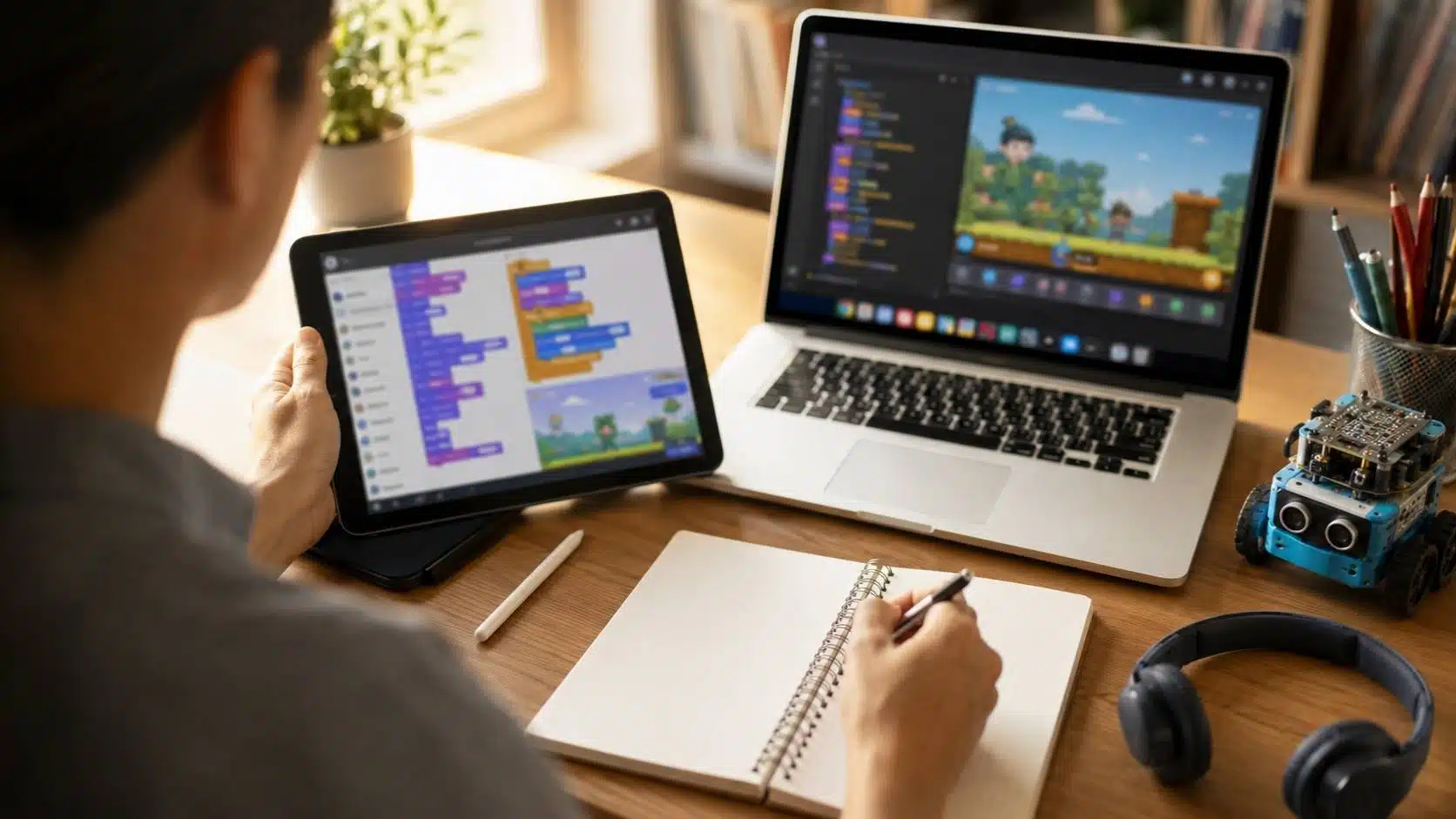
Quick Comparison: Top Code Learning Apps Ranked
| App Name | Best Age Range | Coding Style | Cost |
| Scratch | Ages 8–16 | Block-based visual coding | 100% Free |
| ScratchJr | Ages 5–7 | Wordless visual block icons | 100% Free |
| Code.org | Ages 4–18 | Block to text progression | 100% Free |
| codeSpark Academy | Ages 5–9 | Wordless gamified logic | Monthly/Annual Subscription |
| Tynker | Ages 7–15 | Blocks to Python/JavaScript | Freemium / Subscription |
| Swift Playgrounds | Ages 10+ | Typed Apple Swift code | 100% Free (Mac/iPad only) |
| CodeCombat | Ages 9+ | Typed Python/JavaScript RPG | Freemium |
How to Choose the Right App for Your Child
Not sure which app to download first? Use these three simple rules to match the right platform to your child:
- Check Their Reading Readiness: If your child is still learning to read, avoid text-heavy interfaces. Stick strictly to wordless apps like ScratchJr or codeSpark Academy.
- Match Their Primary Interest: What do they already love doing on screens? If they love drawing and storytelling, Scratch gives them a blank canvas. If they love playing fantasy games, drop them into CodeCombat. If they live inside Minecraft, grab Tynker.
- Don’t Rush Typed Code: Block-based coding isn’t “baby stuff”, it teaches the core logical architecture of computer science without the frustration of missing commas and spelling errors. Let them master visual blocks on Scratch or Code.org before forcing them to type raw syntax.
Frequently Asked Questions About Coding Apps for Kids
1. What is the best age for a child to start learning to code?
Children can start learning the foundational logic of coding as early as age 4 or 5 using wordless, visual puzzle apps like ScratchJr or codeSpark Academy. At this age, they aren’t memorizing syntax; they are learning sequential problem-solving, cause-and-effect relationships, and directionality, skills that mirror early math and reading development.
2. Are block-based coding apps actually teaching real programming?
Yes, absolutely. Professional computer scientists spend their time solving logical problems, like structuring conditional loops (if/then/else) and managing variables. Block-based apps teach these exact logical structures without bogging kids down in punctuation typos. Once a child understands the underlying logic through blocks, transitioning to typed code like Python takes a fraction of the time.
3. Do I need to know how to code to help my kid with these apps?
No. Almost all modern kids coding apps are built for independent learning. Apps like Code.org, Tynker, and Swift Playgrounds include built-in AI hints, visual tutorials, and step-by-step correction tools that guide children through their mistakes without parent intervention.
4. Are free coding apps just as good as paid subscription apps?
In the coding space, yes! Some of the absolute best tools on the planet, including Scratch (MIT), Code.org, and Swift Playgrounds (Apple), are 100% free and carry zero advertisements. Paid apps like Tynker or codeSpark are fantastic for extra polish and specific brand tie-ins (like Minecraft modding), but you can build a world-class education using only free platforms.
5. What device do I need for kids’ coding apps?
Most early visual coding apps (ScratchJr, codeSpark, Tynker) perform best on touch-screen tablets like iPads or Android devices because dragging and dropping blocks with a finger is intuitive for young kids. Older web-based platforms (Scratch, Code.org, CodeCombat) work wonderfully on inexpensive Chromebooks, Macs, or Windows PCs with a mouse and keyboard.
Final Thoughts: Start With Play, Let the Skills Follow
When introducing your kids to programming, remember that the goal isn’t to force an eight-year-old to become a Silicon Valley software engineer. The goal is to demystify technology. We want our children to realize that digital devices aren’t just magical boxes for consuming content, they are creative tools they can control.
Start small. Download a free app like Scratch or Swift Playgrounds, let them mess around without strict expectations, and celebrate the first time they make a cartoon cat spin across the screen. Once they taste the joy of creating something from nothing, their natural curiosity will do the rest.






















