


Finding the best budget-friendly web hosting providers for startups is crucial for entrepreneurs looking to establish their online presence without overspending.
A reliable hosting provider ensures smooth website performance, scalability, and security—key factors for startup success.
In this article, we will explore the 7 Best Budget-Friendly Web Hosting Providers for Startups, comparing their features, pricing, and performance to help you make the best decision.
Why Startups Need Budget-Friendly Web Hosting
A startup’s website acts as its digital storefront, and poor hosting can lead to downtime, slow loading speeds, and security vulnerabilities. Choosing the right budget-friendly hosting ensures:
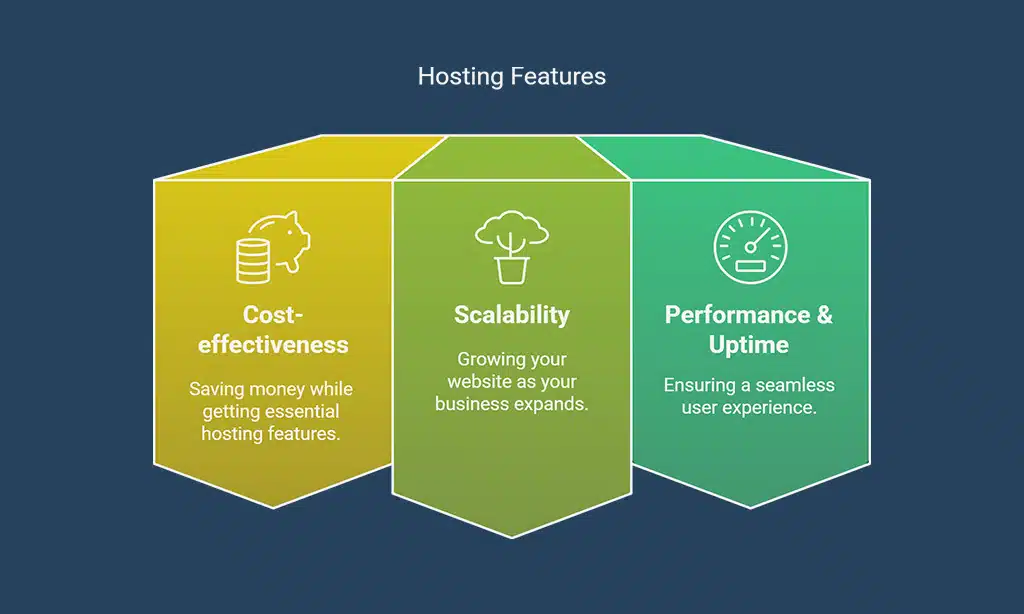
- Cost-effectiveness – Saving money while getting essential hosting features.
- Scalability – Growing your website as your business expands.
- Performance & Uptime – Ensuring a seamless user experience.
- Customer Support – Quick resolution of technical issues.
Key Factors to Consider for Startup Web Hosting
Before choosing a hosting provider, startups should assess the following factors:
Affordability and Pricing Plans
- Look for transparent pricing with no hidden fees.
- Consider renewal rates and any introductory discounts.
Performance and Uptime Guarantees
- Ensure at least 99.9% uptime for minimal downtime.
- Check for fast loading speeds to enhance user experience.
Scalability for Future Growth
- Opt for hosting that supports easy upgrades as traffic increases.
- Choose providers with VPS or cloud hosting options for expansion.
Customer Support and Reliability
- 24/7 customer support via live chat, phone, or ticket system.
- Access to a knowledge base and tutorials.
Comparison Table of Budget-Friendly Hosting Providers
| Hosting Provider | Starting Price | Free Domain | Uptime Guarantee | Best For | Key Features |
| Bluehost | $2.95/mo | Yes | 99.9% | WordPress Hosting | 1-click WordPress install, Free SSL, 24/7 support |
| Hostinger | $1.99/mo | Yes | 99.9% | Cheapest Hosting | SSD storage, Free website builder, Easy control panel |
| SiteGround | $3.99/mo | No | 99.99% | Performance & Security | Free CDN & SSL, Excellent customer support |
| DreamHost | $2.59/mo | Yes | 99.95% | Beginners | 97-day money-back guarantee, Free domain & SSL |
| A2 Hosting | $2.99/mo | No | 99.9% | Speed Optimization | Turbo Servers, Free website migration |
| HostGator | $2.75/mo | Yes | 99.9% | Scalability | Unlimited bandwidth & storage, Free SSL |
| GreenGeeks | $2.95/mo | Yes | 99.9% | Eco-Friendly Hosting | 300% green energy match, Free website migration |
Top 7 Best Budget-Friendly Web Hosting Providers for Startups
Finding the right hosting solution is essential for startups aiming to establish a strong online presence while staying within budget. The following list highlights the best budget-friendly web hosting providers for startups, ensuring optimal performance, scalability, and support. These hosting services offer affordable pricing plans, excellent uptime, and essential features to help your business grow.
1. Bluehost – Best Overall Affordable Hosting
Bluehost is a well-known hosting provider trusted by millions worldwide. It is particularly great for startups looking for an easy-to-use platform with robust support for WordPress websites.
Key Features:
- Free domain for the first year
- 1-click WordPress installation
- 24/7 customer support
- Free SSL certificate
Pricing and Plans:
- Basic Plan: $2.95/month
- Plus Plan: $5.45/month
Pros and Cons:
✔ Reliable uptime and performance
✔ Free SSL certificate
✘ Higher renewal rates
2. Hostinger – Best for Cheapest Pricing
Hostinger offers one of the most affordable hosting solutions without compromising performance. It’s perfect for startups on a tight budget looking for reliable features at a low price.
Key Features:
- Free website builder and domain
- SSD storage and optimized speed
- Easy-to-use control panel
Pricing and Plans:
- Single Shared Hosting: $1.99/month
- Premium Shared Hosting: $2.99/month
Pros and Cons:
✔ Extremely low-cost plans
✔ User-friendly control panel
✘ No free daily backups
3. SiteGround – Best for Performance and Security
SiteGround is a premium hosting provider focused on security and high-performance hosting. It is a great choice for startups needing a strong hosting infrastructure.
Key Features:
- High-speed performance with SSDs
- Free CDN and SSL
- 24/7 expert customer support
Pricing and Plans:
- StartUp Plan: $3.99/month
- GrowBig Plan: $6.69/month
Pros and Cons:
✔ Excellent customer support
✔ Advanced security features
✘ No free domain
4. DreamHost – Best for Beginners
DreamHost is beginner-friendly, offering straightforward plans and an industry-leading 97-day money-back guarantee. It’s a great option for startups launching their first website.
Key Features:
- 97-day money-back guarantee
- Free domain and SSL
- No setup fees
Pricing and Plans:
- Shared Starter Plan: $2.59/month
- Shared Unlimited Plan: $3.95/month
Pros and Cons:
✔ Great for beginners
✔ No setup fees
✘ Limited data center locations, which may affect loading speeds based on user geography. DreamHost’s server locations are primarily in the United States, making it an excellent choice for businesses targeting North American audiences. However, those catering to international users may want to consider a provider with a more diverse data center presence.
5. A2 Hosting – Best for Speed Optimization
A2 Hosting is known for its high-speed performance, thanks to its Turbo Servers that offer up to 20x faster page loads than standard hosting. This makes it an excellent choice for startups that prioritize website speed and performance.
Key Features:
- Turbo Servers for 20x speed improvement
- Free website migration
- SSD storage for faster data retrieval
- Anytime money-back guarantee
Pricing and Plans:
- Startup Plan: $2.99/month
- Drive Plan: $5.99/month
Pros and Cons:
✔ High-performance hosting
✔ Free automatic backups
✘ Turbo speed available only on higher plan.
6. HostGator – Best for Scalability

HostGator is a well-known hosting provider that offers unlimited bandwidth and storage, making it perfect for startups planning to scale their websites over time. With flexible hosting solutions, it is a great choice for businesses looking for long-term growth.
Key Features:
- Free domain and SSL
- Unlimited bandwidth and storage
- One-click WordPress installation
- 45-day money-back guarantee
Pricing and Plans:
- Hatchling Plan: $2.75/month
- Baby Plan: $3.50/month
Pros and Cons:
✔ Affordable and scalable
✔ Easy-to-use cPanel
✘ Additional fees for backups
7. GreenGeeks – Best for Eco-Friendly Hosting
GreenGeeks stands out by providing environmentally friendly hosting with a 300% green energy match. This means for every unit of power consumed, GreenGeeks invests three times that amount in renewable energy, making it a great option for eco-conscious startups.
Key Features:
- 300% green energy match
- Free website migration
- High-speed SSD storage
- Free nightly backups
Pricing and Plans:
- Lite Plan: $2.95/month
- Pro Plan: $4.95/month
Pros and Cons:
✔ Environmentally friendly
✔ Fast and secure servers
✘ Slightly higher renewal rates
Takeaways
By selecting one of the best budget-friendly web hosting providers for startups, you can build a strong foundation for your online success while keeping costs low. Need help choosing the right hosting?
If you’re starting your online business, Bluehost is the best choice due to its affordability, reliability, and features.
Next Steps to Get Started with a Hosting Provider:
- Choose a provider from the list above.
- Sign up for a hosting plan.
- Launch your startup website successfully!
Drop your queries in the comments!

























