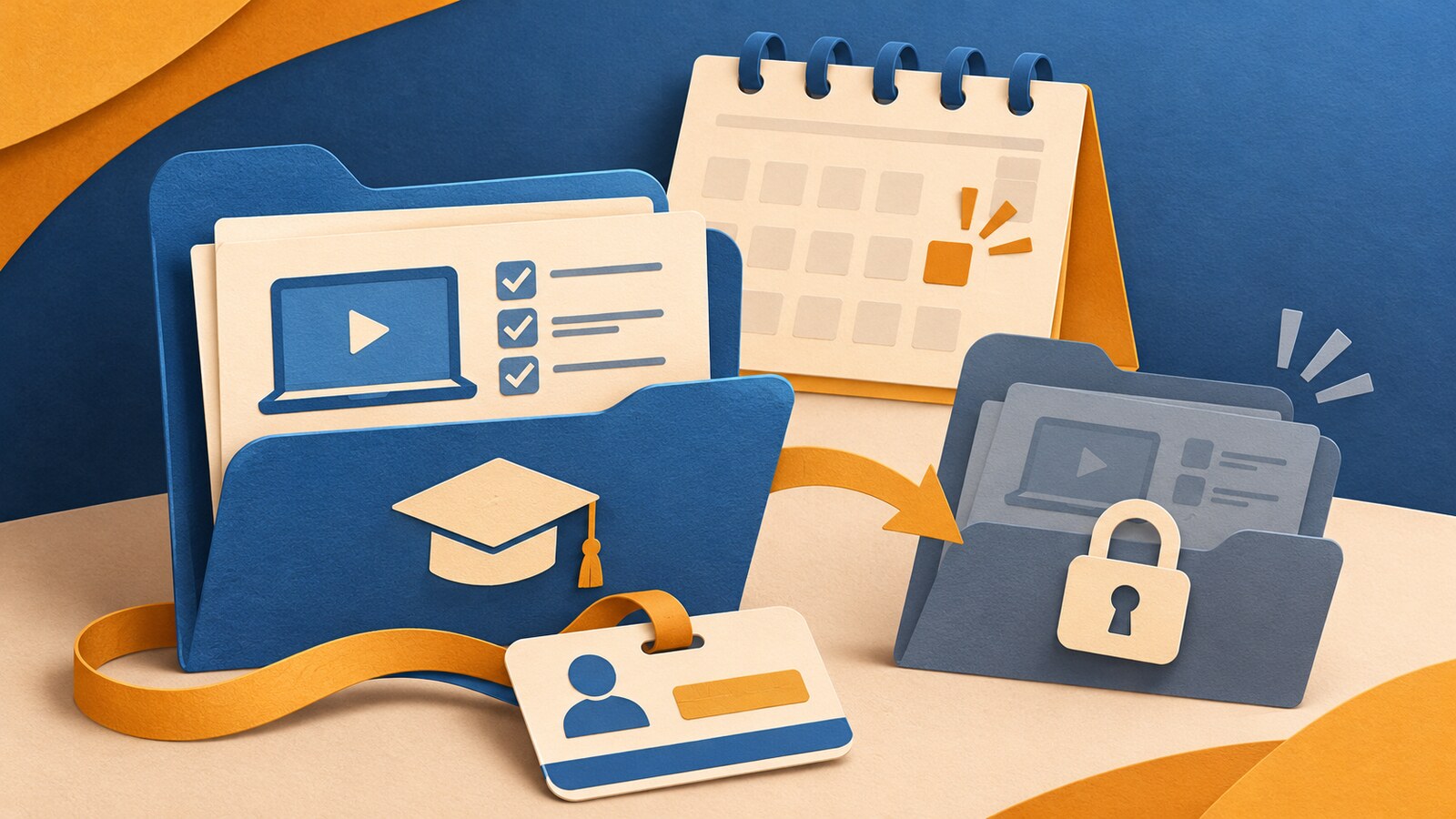

Did a free trial roll into a paid plan, or did you get stuck in a loop of “Are you sure?” screens when you tried to cancel? Those are subscription traps. Companies use 8 of them: trials that turn paid, hidden costs, last-screen fees, price hikes, maze cancel paths, forced calls, chat and offer loops, and saved cards that keep getting charged.
Your bank app, a tracker app, and a virtual card can help you find these charges and stop the next payment. You still have to cancel with the company, because blocking a payment may not end the contract. The federal click-to-cancel rule was struck down in July 2025. That ruling ended one rule, not every consumer law.
Below, each trap is matched to its fix. You’ll also find your rights, a side-by-side tool table, and a 5-step plan to cancel what you don’t want.
What Is a Subscription Trap?
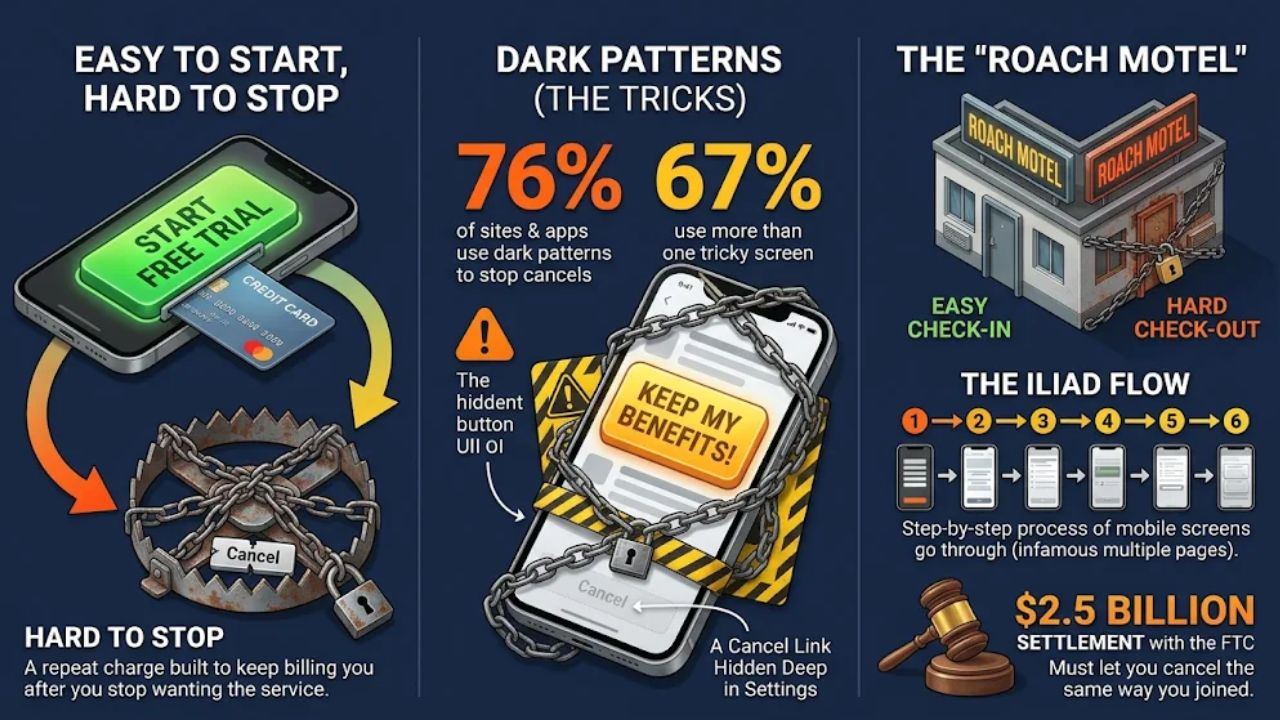
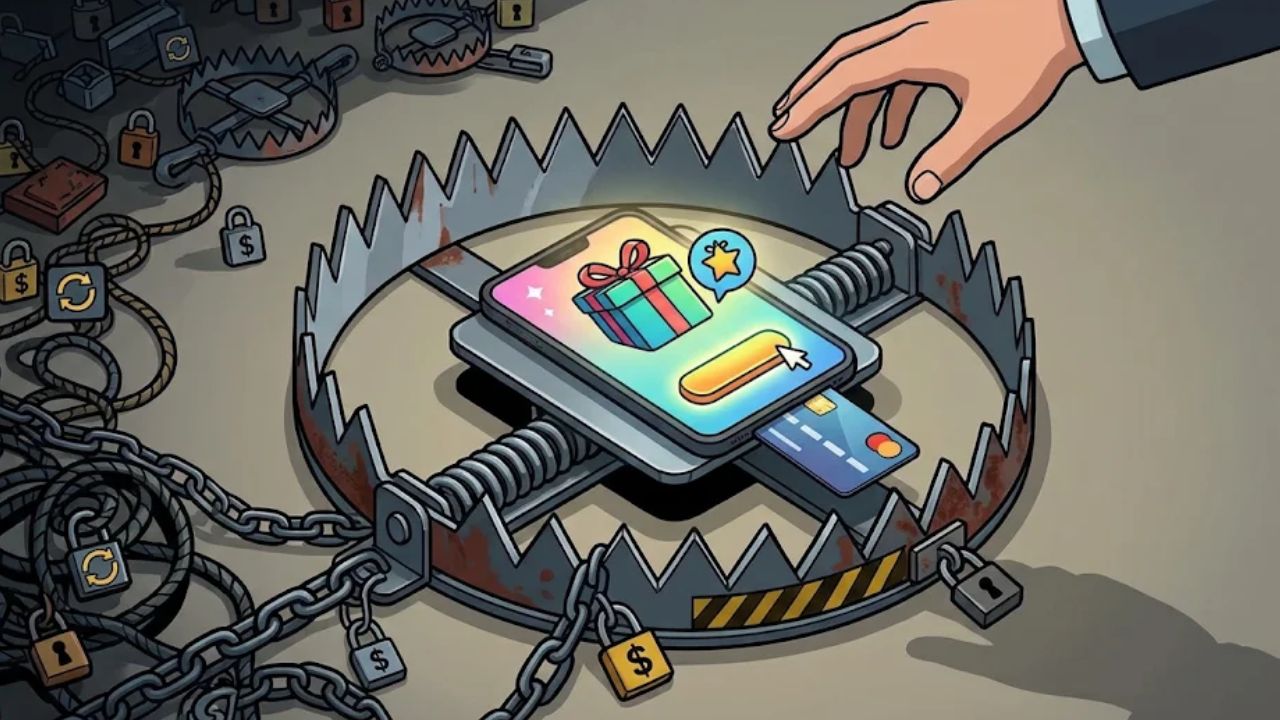
A subscription trap is a repeat charge that is easy to start and hard to stop. It is built to keep billing you after you stop wanting the service.
Australia’s government described it this way. Too many people “found themselves locked into subscriptions that are far easier to start than to stop.” Signing up takes one tap, but leaving takes real work.
The trick often starts with a free trial or a low first price. You enter your card number at sign-up. Now the company can bill you every month without asking again.
Most traps use dark patterns. These are screens designed to confuse you or wear you down. Over 76% of subscription sites and apps use at least one dark pattern tied to canceling, and nearly 67% use more than one.
A cancel link might sit deep in your settings. Or a button might say “Keep my benefits” in big letters while “Cancel” hides in small gray text.
Amazon Prime is the best-known case. Its cancel flow was nicknamed “The Iliad” inside the company. Customers reportedly had to click through five pages on desktop or six on mobile to get out.
Amazon agreed to a $2.5 billion settlement with the FTC, with $1 billion in civil penalties and $1.5 billion in refunds to customers. It must now add a clear button to decline Prime and let you cancel the same way you joined. That’s the classic “roach motel”: you check in easily, but checking out is hard.
The 8 Subscription Traps and the Fintech Fix for Each
Here’s the full list. Each trap gets three parts: how it gets you, how to find or prevent it, and how to cancel or stop more billing. Some tools stop a trap before it costs you. Others only show you a charge after it posts. We’ll be clear about which is which.
Free trials that turn into paid plans
How it gets you: Streaming services, music apps, and AI tools like ChatGPT often ask for your card before the trial starts. The trial ends, and the paid plan starts on its own.
Find or prevent it: Set a calendar reminder two days before the trial ends. Save the sign-up email so you know the exact date. Cancel or stop billing: Cancel inside the trial as soon as you decide. If your card provider lets you lock a virtual number or set a low limit, use that for trials as a backup.
How it gets you: The real renewal price sits deep in long legal text. The ad shows one price, but the fine print says the price changes after the first month or year.
Find or prevent it: Before you sign up, search the terms for “renew,” “after,” and “cancel.” Write down the renewal price and date.
Cancel or stop billing: A tracker app linked to your bank shows what you actually pay. If the amount jumps, cancel before the next cycle.
Extra charges on the last screen (drip pricing)
How it gets you: You see a low price, click through, and only find extra fees at the end. Australia’s government said too many people “clicked ‘buy’ only to discover extra charges at the final screen.”
Find or prevent it: Read the final repeat total before you hit pay. If it’s higher than the ad, close the page. Cancel or stop billing: Spending alerts in your bank or card app ping you when a charge posts. That’s after the fact, but it means a bigger bill can’t slip by for months.
Price hikes after you sign up
How it gets you: Some people call this “subscrip-flation.” A company raises prices once you’re settled in, and the notice is easy to miss. Find or prevent it: Some tracker apps send alerts on your spending. Snoop’s paid tier, Snoop Plus, adds spending alerts, for example. A monthly look at your bank’s repeat-payments list catches hikes too. Cancel or stop billing: Decide if the service is still worth the new price. If not, cancel before the next renewal date.
The maze cancel flow (roach motel)
How it gets you: You click through page after page to cancel. Each page asks if you’re sure or shows what you’ll “lose,” like Amazon’s five-to-six-page flow.
Find or prevent it: Before you join, check how canceling works. If you can’t find a cancel path, think twice.
Cancel or stop billing: Some bank apps link straight to the company’s cancel page. Others let you stop the payment inside the app. Screenshot each step until you see a “canceled” screen.
Forced phone calls to cancel
How it gets you: You can sign up online, but the company makes you call to cancel. You wait on hold, then get a sales pitch to stay. Find or prevent it: Check the terms for “call to cancel” before you sign up.
Cancel or stop billing: Some tracker apps offer cancel-for-you help, though no service can promise every company will cooperate. If you call, write down the date, time, and agent’s name. If the charge still shows up, contact your card issuer with your notes.
Chatbot and retention-offer loops
How it gets you: You click “cancel,” and a chatbot opens. It offers a discount, then a pause, then another offer. Find or prevent it: Turn on alerts for the card you used, so a new charge after you quit gets noticed right away.
Cancel or stop billing: Say no to every offer and ask for a cancellation confirmation in writing. Take screenshots. If you’re billed again, send your proof to your bank or card company and ask them to stop the charges.
Saved card numbers that keep getting charged
How it gets you: When you save your card, the company uses the long card number to take payments. A UK consumer group warns that with these recurring card payments, “you don’t have the same protections as you would with a direct debit.” That comparison is about UK rules, but the lesson travels: a saved card is hard to watch and easy to forget.
Find or prevent it: Keep a list of which card each service bills. Use one card or one virtual number just for subscriptions. Cancel or stop billing: Cancel with the company first. Then lock or delete that one number if your provider allows it. Blocking the payment may not end the contract, so keep proof you asked to cancel.
Notice the pattern. The tools help you see a charge or stop the next one. You still have to cancel at the source.
How Much Do Subscription Traps Cost You?
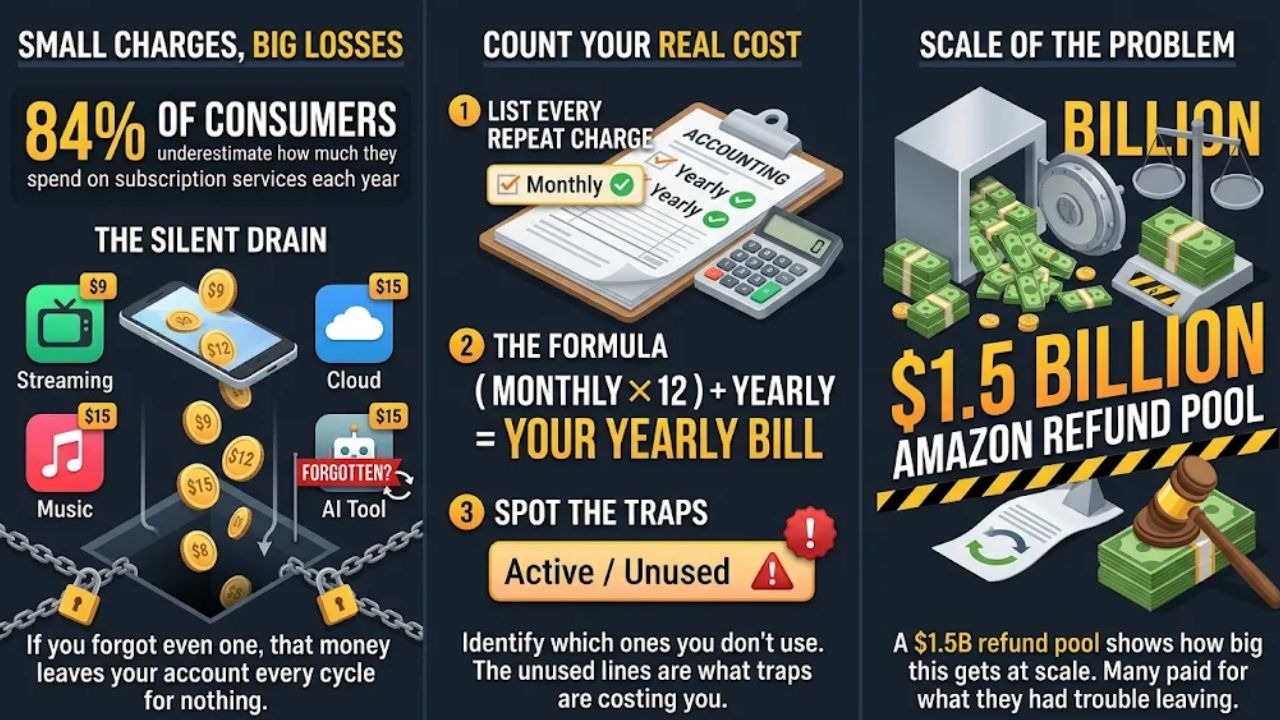
Each charge looks small, and that’s the point. Research shows that 84 percent of consumers underestimate how much they spend on subscription services each year.
Say you pay for two streaming services, a music app, cloud storage, and an AI tool like Canva or Cursor. If you forgot even one, that money leaves your account every cycle for nothing.
Here’s how to count your real cost. List every repeat charge, and note if it bills monthly, yearly, or on some other cycle. Multiply monthly charges by 12, then add yearly charges as they are.
That total is your yearly subscription bill. Next to each line, mark if you still use it. The unused lines are what traps are costing you. The Amazon refunds show how big this can get at scale. A $1.5 billion refund pool tells you a lot of people paid for something they had trouble leaving.
What the Law Says Now: Your Rights When You Can’t Cancel
Many articles still say a federal “click-to-cancel” rule protects you. It doesn’t, but that’s not the whole story. The FTC’s click-to-cancel rule was set to take effect on July 14, 2025. On July 8, 2025, a federal appeals court, the Eighth Circuit, struck it down before it started. The court said, “The procedural deficiencies of the Commission’s rulemaking process are fatal here.”
In plain words, the court found that the FTC made this rule the wrong way. The ruling ended this one rule. It did not wipe out other consumer laws, and the FTC still brought its case against Amazon.
US Rules That Apply to You
| Where | Rule or case | Status | What it means for you |
| United States (federal) | FTC click-to-cancel rule | Struck down by the Eighth Circuit on July 8, 2025, before it took effect | This rule won’t help you. Other consumer laws were not part of the ruling. |
| California | Updated automatic renewal law | In effect since July 1, 2025 | State law covers auto-renewals. Name it when you complain to a company or the state. |
| Massachusetts | Similar auto-renewal rule | In effect since September 2, 2025 | Massachusetts residents have a similar state rule to point to. |
| New York City | Department of Consumer and Worker Protection rule | In place | Companies must offer simple click-to-cancel options. |
| Amazon Prime (US) | $2.5 billion FTC settlement | Settled in September 2025 | Amazon must add a clear button to decline Prime, show cost, billing dates, auto-renewal, and cancel terms up front, and let you cancel the same way you joined. |
Rules Outside the US
These don’t protect US readers directly. They show where rules are heading, and big subscription companies often work in all these places.
| Where | Rule | Status | What it does |
| Australia | Draft laws on hidden fees and subscription traps | Announced by Minister Andrew Leigh in February 2026. Public comments closed on February 23, 2026. | Businesses would have to share key facts before sign-up, notify you at key points, and give a clear way to cancel. |
| Australia | Competition and Consumer Amendment (Unfair Trading Practices) Act 2026 | Takes effect July 1, 2027 | Bans unfair trading practices and targets dark patterns, drip pricing, and subscription traps. |
| Australia | ACCC priorities | 2026-27 focus | The watchdog is targeting subscription traps and dark patterns in digital markets. |
| United Kingdom | Government rules on subscription traps | Take effect January 2027 | UK subscribers get new protections. |
Australia’s draft laws aim to “outlaw harmful business conduct that unreasonably manipulates or distorts consumer decision‑making.” That’s a direct shot at dark patterns.
What to Do When a Company Won’t Let You Cancel
First, try to cancel the same way you signed up. If you joined online, look for an online cancel option. The Amazon settlement made this a rule for Prime, and it’s the best place to start with any company.
Second, keep proof of everything. Take screenshots of each cancellation page and save every email. Write down the dates and times of any calls.
Third, ask the company for a written cancellation confirmation and a refund of any charge after the date you asked to quit. Keep that request in writing too.
Fourth, if charges keep coming, contact your bank or card company. Show your proof and ask them to stop future charges and review the ones you didn’t agree to.
Fifth, file a complaint with your state’s consumer protection office, especially if you live in California or Massachusetts. The Better Business Bureau also provides guidance on subscription issues and cancellation fees.
Even after the federal rule fell, lawyers still tell companies to be clear about auto-renewals and make canceling straightforward. So if a company makes you jump through hoops, say so plainly in your complaint.
Which Fintech Tools Find and Cancel Subscriptions?
You have five kinds of tools. Some are already on your phone, and others cost a monthly fee.
No single tool sees everything. Use them together.
Your Bank App
Start here because you already have it. Many bank apps now list your repeat payments in one place. UK banks offer good examples of what to look for. Barclays and Monzo show repeat payments in a “scheduled payments” section, and Revolut shows them under a payments or calendar icon.
Some banks go further. Starling lets you stop payments right inside the app. NatWest and Santander give you links to the subscription company so canceling is easier.
These are UK banks, but US readers can look for the same features. Open your bank app and search for “recurring,” “scheduled,” “subscriptions,” or “bills.” If you find a list, you have a basic tracker already.
Subscription Tracker Apps
Tracker apps help you see repeat charges in one place. They’re most useful if you have more than one bank or card.
Rocket Money, Copilot, and PocketGuard link to your bank accounts and spot repeat charges from your transactions. TrackMySubs and Subtracker show the due dates, costs, and renewal dates of your subscriptions. Subby tracks subscriptions, due dates, and renewal fees in one light app.
No tracker is perfect. A linked app only sees accounts you connect, and it can’t spot a trial that hasn’t billed yet.
In the UK, Little Birdie Plus costs £2.99 a month and uses open banking to find subscriptions for you. Open banking lets you give an app access to your bank data, so check what each app can see. Snoop Plus costs £5.99 a month and adds spending alerts.
Before you pay for any tracker, check three things. Does it link to all your banks and cards? Does it warn you before a renewal, or only after a charge posts?
Cancel-for-You Features
Some tracker apps offer to cancel subscriptions for you. You pick the service, and the app sends the cancellation request.
This can save you a long phone call. But a cancel-for-you service only tries to cancel on your behalf, and it can’t promise every company will cooperate.
So treat it as help, not a guarantee. After the app says it’s done, check your next statement. If the charge shows up again, follow up with the company yourself.
Spending Alerts
Alerts are your early warning system. Most bank and card apps let you get a ping for every charge or for charges over a set amount.
Turn on alerts for every card you use for subscriptions. These alerts come after a charge posts, so you’ll know the same day a trial turns paid or a price goes up.
Some tracker apps also send reminders before a renewal date. That gives you time to cancel before any money leaves your account.
Virtual and Masked Cards
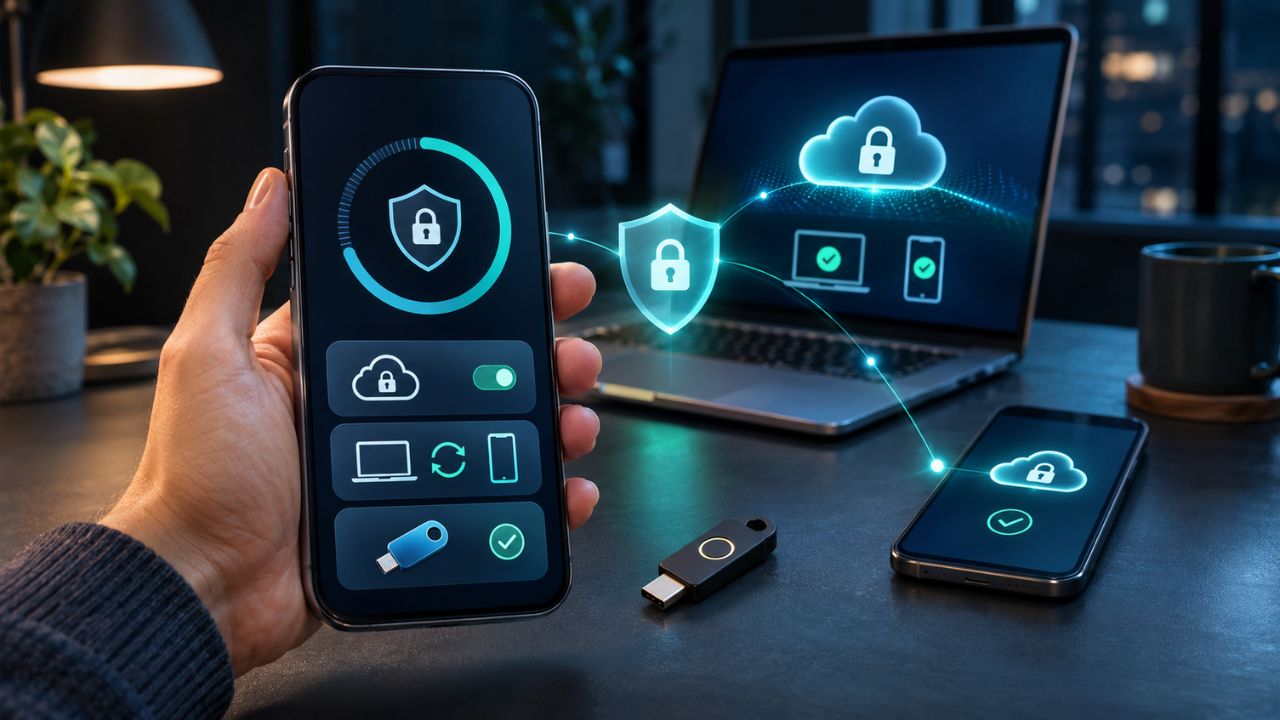
A virtual card is a separate card number linked to your real account. Many card companies and some fintech apps let you create one in seconds.
The number hides your main card, but charges still draw from the account behind it. What blocks a charge is the control your provider offers, like a lock, a spending limit, or a limit to one merchant.
Use one virtual number per subscription or trial if your provider allows it. Then you can lock just that number without touching your other bills.
A blocked card stops the payment, but it may not end the contract. The company might still say you owe money. So always cancel with the company as well.
Why Card Payments Give You Less Protection
When you save a debit or credit card on a site, the company uses that long card number to pull money each cycle. In the UK, a consumer group warns that with recurring card payments “you don’t have the same protections as you would with a direct debit.”
US rules are different, so ask your own bank or card company how it handles repeat charges and disputes. The safe habit is the same either way.
Swapping or canceling your card is a backup, not a full exit. A new card number doesn’t always stop a repeat charge, and the company may say you still owe money under the contract.
The safe order is simple. Cancel with the company first, keep proof, and then block the card number if the charges don’t stop.
Bank Tools vs. Tracker Apps: Side by Side
| Tool | Market | Example | What it finds | Can it stop a charge? | Cost |
| Your bank app | US | Look for “recurring” or “scheduled” views | Varies by bank | Varies by bank | Ask your bank |
| Bank-linked tracker | US | Rocket Money | Repeat charges from linked accounts | Check the app’s cancel options | Check the app’s current price |
| Bank-linked tracker | US | Copilot | Repeat charges from linked accounts | Check the app’s cancel options | Check the app’s current price |
| Bank-linked tracker | US | PocketGuard | Repeat charges from linked accounts | Check the app’s cancel options | Check the app’s current price |
| Subscription list app | Check the app | TrackMySubs, Subtracker | Due dates, costs, and renewal dates | Helps you plan cancels | Check the app’s current price |
| Subscription list app | Check the app | Subby | Subscriptions, due dates, and renewal fees | Helps you plan cancels | Check the app’s current price |
| Virtual card | US and others | From your card company or a fintech app | Does not discover subscriptions; controls payments using that number | If your provider offers locks or limits. The contract may still stand. | Check with your provider |
| Bank app: scheduled payments list | UK | Barclays, Monzo | Repeat payments in a “scheduled payments” section | Shows them. Check your bank for stop options. | Ask your bank |
| Bank app: payments calendar | UK | Revolut | Repeat payments under the payments or calendar icon | Shows them. Check your bank for stop options. | Ask your bank |
| Bank app: stop payment | UK | Starling | Repeat payments | Yes, you can stop payments in the app | Ask your bank |
| Bank app: cancel links | UK | NatWest, Santander | Repeat payments | Links you to the company to cancel | Ask your bank |
| Open banking tracker | UK | Little Birdie Plus | Finds subscriptions on its own | Helps you find them | £2.99 a month |
| Tracker with alerts | UK | Snoop Plus | Spending, with alerts | Warns you | £5.99 a month |
Which should you pick? If you use one bank and its app lists repeat payments, start there. If you use several banks or cards, add a tracker that links to all of them.
For new sign-ups, a virtual card with a lock or limit gives you one more layer of control.
How to Avoid Subscription Traps in 5 Steps
This is your working plan. The first pass takes the most work, and each monthly check after that is short.
- Find every repeat charge: Check at least 12 months of every bank and card account so yearly charges show up. Open your bank app’s scheduled or recurring list too, like the “scheduled payments” section UK banks such as Barclays and Monzo use.
Then check your Apple and Google subscription settings, your PayPal automatic payments, and any store accounts you use. Search your email for “receipt,” “trial,” and “renew” to catch trials that haven’t billed yet.
For each one, write down the company, how you pay, the amount, the renewal date, and the cancellation deadline. Leave a column for “canceled, confirmed.” - Sort them into keep, cancel, and check: Ask one question for each: would you sign up for this again today? If not, it goes on the cancel list.
Watch for overlap, like two streaming services you rarely use or two AI tools that do the same job. - Cancel in the right order: Start with trials and renewals whose deadlines are closest. Next, cancel the most costly services you don’t use, then the overlaps.
Cancel where you pay. If an app store bills you, cancel in that app store’s settings, not just on the company’s site.
If your bank links to the company or lets you stop payments, use that too. Starling allows stopping payments in the app, and NatWest and Santander provide links to subscription companies. Take screenshots and save every cancellation email. - Lock down future trials: Set a reminder two days before each trial ends. Turn on spending alerts for every card.
If your provider offers virtual cards with locks or limits, use one for each new trial. It’s a backup, so still cancel with the company. - Review once a month: Pick a set day, like the first Friday of each month. Check your bank’s repeat-payments list or your tracker app for new charges and price changes. If a company makes canceling hard, keep your proof and use the escalation steps above. Companies are still advised to make canceling straightforward.
Start with step 1 today. You can’t cancel what you can’t see.
Take Back Control of Your Subscriptions
Subscription traps work because they’re quiet. Now you know all 8 tricks by name.
The federal click-to-cancel rule was struck down on July 8, 2025. State laws like California’s and Massachusetts’s still apply to people who live there, and other consumer laws were not part of that ruling.
Your bank app shows repeat payments, a tracker helps across many accounts, and a virtual card adds control over new sign-ups. Today, list every repeat charge and cancel the first one you don’t need. Then set up alerts and a monthly check.
Frequently Asked Questions About Subscription Traps
1. What is a subscription trap?
A subscription trap is a service that’s easy to sign up for, typically through online ads on Facebook, but deliberately difficult to cancel once they start billing you monthly. Retail expert Louise Grimmer highlighted these deceptive practices on the radio program Life Matters.
2. How do fintech tools help you cancel?
Fintech apps scan your bank transactions, automatically identify recurring subscription charges, and provide a simple interface to cancel them directly.
3. Can phone plans hide paid add-ons too?
Yes, mobile carriers can add small recurring charges for premium services like games or ringtones without clear disclosure. Tech writer Andi Syafrianda has documented how to spot and remove these charges on plans like Telkomsel.
4. Where can I learn more about fintech and subscriptions?
You can read articles on Medium by Ketharaman Swaminathan, who leads GTM360 Marketing Solutions and writes about fintech and subscription management strategies.