Ever stare into the fridge and feel like you have food, but no actual plan for dinner? A free AI meal planner can take some of that pressure off by turning your goals, food preferences, and available ingredients into a starting point.
The word “free” needs a closer look. Some tools offer a fully free planner, while others give you a free daily plan, recipe generator, or trial before paid features begin. Use this guide to find the option that fits how you eat, shop, and cook.
8 Free AI Meal Planner for Personalized Meals
A useful free tool should help you make a real decision about your next meal, not just show you a screen full of upgrade prompts. Before you spend time setting up a profile, check whether the free tier includes meal generation, nutrition details, grocery lists, or pantry planning.
| Tool | Best For | What You Can Do Free |
|---|---|---|
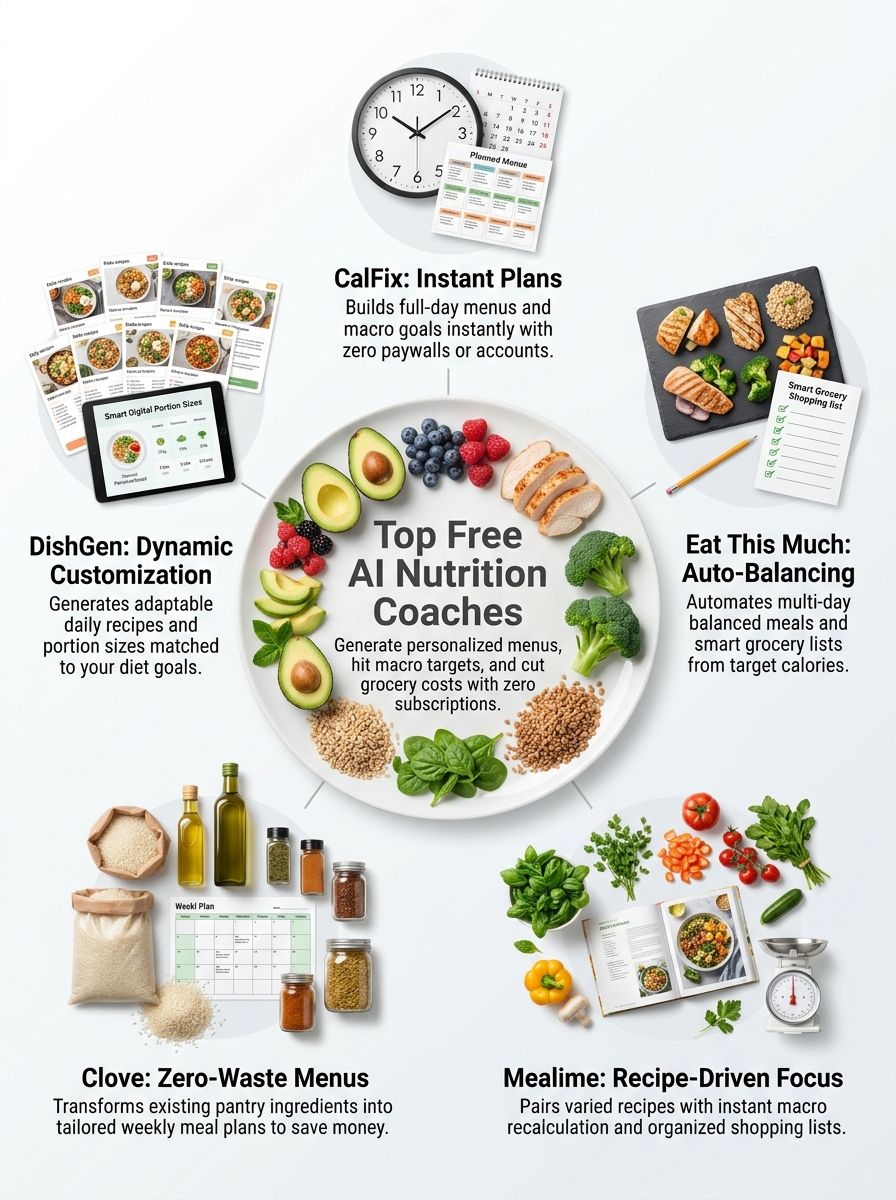
| CalFix | Calorie and macro tracking | Log meals, set goals, view nutrition guidance, and save meal ideas |
| Eat This Much | Macro-focused daily plans | Generate and customize a single-day meal plan |
| Mealime | Simple recipe planning | Choose recipes and build a grocery list |
| Clove | Using food already at home | Create weekly AI plans around pantry and fridge items |
| DishGen | Fast AI recipe ideas | Try recipe and meal-plan prompts without an account or card |
| Samsung Food | Recipe saving and household planning | Build meal plans and shopping lists from saved recipes |
| Live Better AI | Weekly dinners and grocery lists | Plan, swap meals, and create one grocery list without a subscription |
| Make Meal Plan | Quick calorie and macro templates | Use nutrition calculators and ready-made seven-day plans |
One practical rule helps across every app: read the generated meal before adding it to your week. AI can suggest a recipe that fits a calorie number, but you still need to check portions, ingredients, cooking time, and food allergies.
1. CalFix: Calorie Tracking With Meal Planning Support
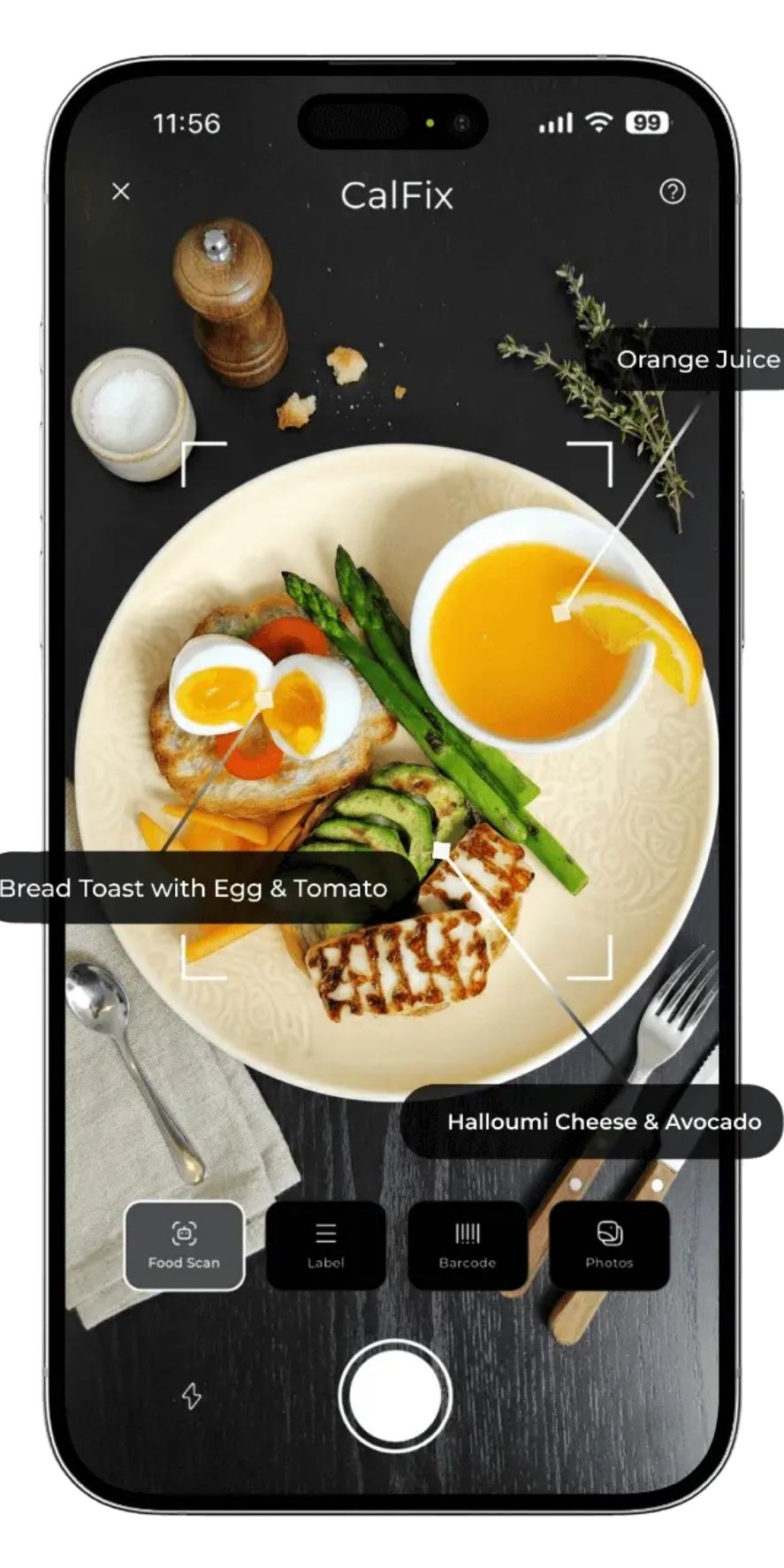
CalFix works best if you want to start with food tracking and then use that information to shape future meals. Its app listing highlights photo-based food logging, barcode scanning, macro estimates, vitamin tracking, progress charts, and personalized calorie and macro goals.
Key Features & Benefits (CalFix)
CalFix is a better fit for readers who want visibility into what they already eat before following a strict menu. That can make its suggestions feel more realistic than starting with a meal plan full of foods you never buy.
- Photo food logging: Take a picture of a meal to get a quick calorie and macro estimate. Use this as a starting estimate, then adjust the portion if the result looks too large or too small.
- Barcode and label scanning: Scan packaged foods when you want to log a familiar item faster than searching a database.
- Macro calculator: Set calorie, protein, carbohydrate, and fat targets so your meal ideas have a clear target to follow.
- Saved meals: Save repeat breakfasts, lunches, or snacks. This cuts down on daily logging if you eat the same foods often.
- Progress tracking: Review weekly patterns instead of reacting to one high-calorie day or one missed workout.
CalFix can help you spot routines, such as a low-protein breakfast or an afternoon snack that leaves you hungry before dinner. Use those patterns to ask for meal ideas that solve one problem at a time, rather than changing your whole diet overnight.
Best use: Track a few normal days first, then build meal ideas around the foods and portions you already enjoy.
2. Eat This Much: Automated Meal Planner for Macro Targets
Eat This Much is one of the strongest choices for people who want a plan built around calorie and macro targets. You enter your goal, food preferences, budget, schedule, and diet style, then the planner fills in meals to match.
Key Features & Benefits (Eat This Much)
As of November 2026, Eat This Much says its free tier lets you generate and customize a single day of meals, set detailed nutrition targets, block foods you dislike, create foods and recipes, and track what you actually ate. Its automated weekly generator and advanced grocery tools sit behind the paid plan.
- Single-day planning: Build one full day at a time for free. This works well if you prefer flexibility over a fixed seven-day calendar.
- Detailed macro settings: Set targets down to the gram, which helps if you already follow protein or calorie goals for fitness.
- Food exclusions: Block ingredients and recipes you dislike so the planner has fewer chances to suggest meals you will skip.
- Recipe edits: Customize a recipe, then let it replace the original in your plan.
- Food tracking: If your day changes, remove a planned meal, log what you ate, and regenerate the remaining meals.
The main catch is simple: the free version works best for daily planning, not fully automated weekly meal prep. If you want a no-cost routine, generate tomorrow’s plan each evening and save recipes you would happily repeat.
3. Mealime: Recipe-Focused Meal Planning for Busy Cooks
Mealime is a practical pick if your biggest problem is deciding what to cook and building a shopping list that makes sense. It focuses more on recipe selection and weekly dinners than strict calorie coaching.
Key Features & Benefits (Mealime)
Mealime lets you choose food preferences, allergies, dislikes, and meal styles before it shows recipe options. Once you add recipes to a plan, it creates a grocery list for the ingredients you need.
- Preference filters: Filter recipes for eating styles, allergies, and foods you do not enjoy before you start planning.
- Automatic grocery lists: Add recipes to your week, then use the generated list as your shopping checklist.
- Recipe instructions: Follow short, guided cooking steps when you need an easy weeknight dinner plan.
- Flexible portions: Adjust serving sizes before shopping so you do not buy food for four people when you are cooking for two.
- Free starting point: The free version gives you access to meal planning, while paid features add more recipe choices and extra planning tools.
Mealime works well if you want less food waste from forgotten produce. Pick recipes that share ingredients, such as spinach, bell peppers, or Greek yogurt, so one grocery trip supports several meals.
4. Clove: Weekly Meal Plans Built Around Your Pantry
Clove is built for the moment when you have half a bag of rice, vegetables in the crisper, and no idea how to connect them. You add what is in your pantry or fridge, then ask the app to plan meals around those ingredients.
Key Features & Benefits (Clove)
Clove states that its Smart Plan feature is free to use and can build a weekly meal plan around your food, preferences, and schedule. That makes it a strong option if duplicate grocery purchases are your biggest frustration.
- Pantry-first planning: Enter ingredients you already own before generating meals. This gives the planner a reason to use food that could otherwise go to waste.
- Weekly meal plans: Plan several days at once when you want a clearer grocery trip and fewer last-minute takeout decisions.
- Ingredient-based recipes: Use leftover vegetables, grains, proteins, and sauces as the starting point for meal suggestions.
- Gap-based grocery lists: Shop only for missing ingredients instead of rebuilding your list from scratch.
- Preference controls: Share dietary needs and meal preferences so the plan better matches what you will actually cook.
Be specific when you list pantry food. “Chicken breast, frozen broccoli, brown rice, and soy sauce” gives Clove far more useful information than “meat and vegetables.”
5. DishGen AI Recipe Ideas and Flexible Meal Plans
DishGen is useful when you want to type a simple request and get recipe ideas quickly. You can describe your diet, goals, ingredients, cooking style, or meal schedule in plain language.
Key Features & Benefits (DishGen)
DishGen says you can try its AI meal planner without creating an account or entering a credit card. It can generate three- to seven-day plans, and you can edit a meal by asking for changes in the chat.
- Prompt-based planning: Ask for meals based on ingredients, cooking time, diet needs, or a goal such as higher protein.
- Three- to seven-day plans: Request a short plan for a few busy days instead of committing to a long menu.
- Recipe changes in chat: Ask for a dairy-free, vegetarian, lower-calorie, or simpler version of a recipe.
- Ingredient ideas: Enter foods from your fridge when you need a meal before your next grocery trip.
- Fast testing: Try prompts without an account before deciding whether the tool matches your cooking habits.
DishGen is best for brainstorming, so review every recipe before cooking. Check that the ingredient amounts, cook times, and nutrition details make sense for your kitchen and your needs.
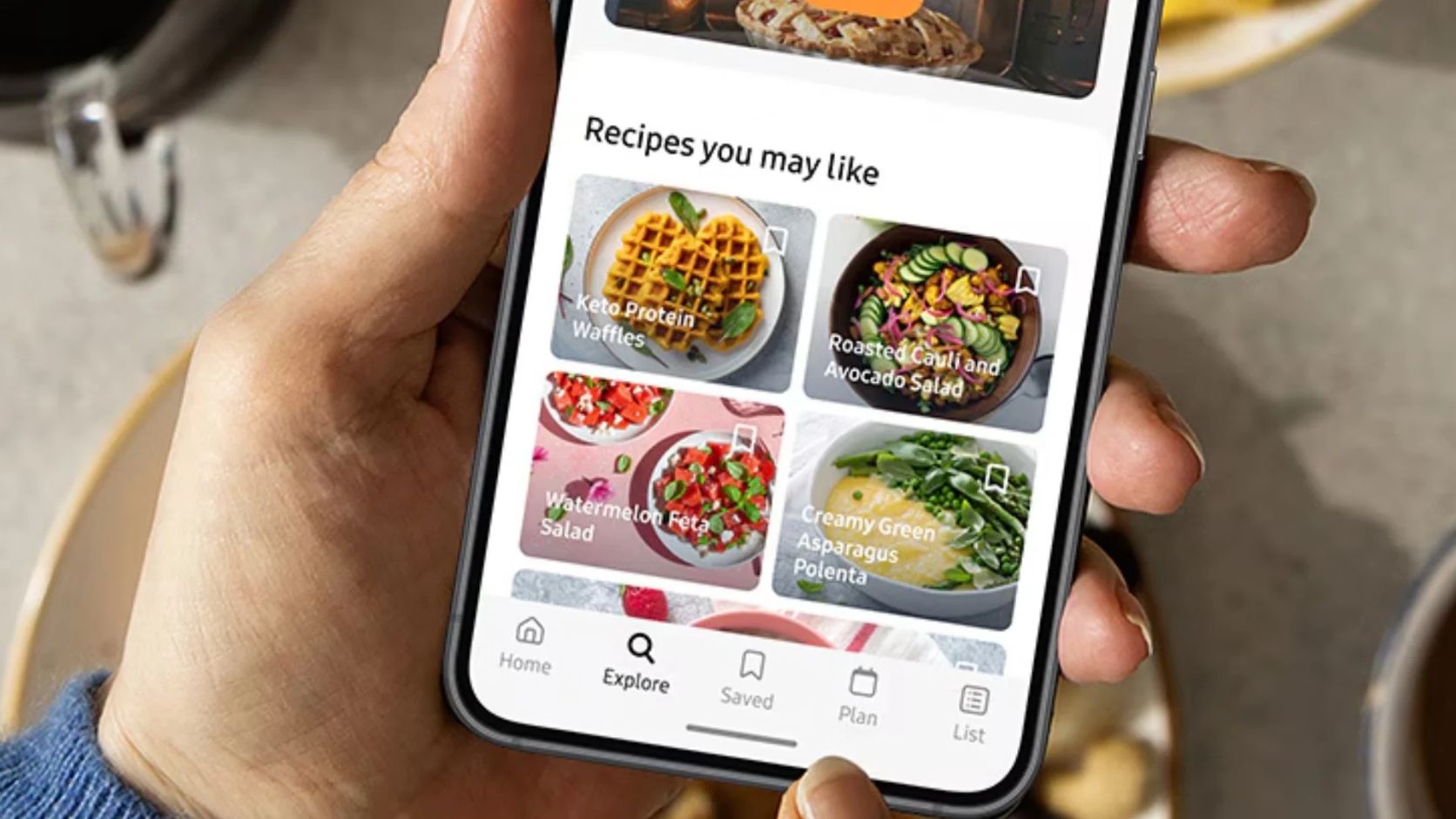
6. Samsung Food: Recipe Saving, Meal Plans, and Shopping Lists
Samsung Food suits readers who collect recipes from different places and want one home for them. You can save recipes, arrange them on a meal calendar, and turn the plan into a shopping list.
Key Features & Benefits (Samsung Food)
Samsung Food offers free meal planning and grocery-list tools, while its help center separates some personalized AI planning and expanded plan storage into Food+ features. Start with the free planner if you prefer choosing recipes yourself.
- Recipe collection: Save recipes you want to make again instead of losing them in browser tabs or social feeds.
- Meal calendar: Place recipes into your week so you can see busy nights, leftovers, and cooking days at a glance.
- Shopping list: Turn planned recipes into a list before you shop.
- Household sharing: Share recipes and meal plans with family members who help shop or cook.
- Free plan storage: Save up to three meal plans on the free tier, which is enough for a simple rotation of favorite weeks.
This tool shines when you already have recipes you love. Build a short rotation of dependable meals instead of asking AI to invent every dinner from zero.
7. Live Better AI: Free Weekly Plans With Swaps
Live Better AI is a good match if you want a weekly dinner plan without a monthly subscription. You rate or swipe through meal ideas, and the planner learns from the choices you make.
Key Features & Benefits (Live Better AI)
Live Better AI lists its planning, recipe, meal-swap, and grocery-list features as free with no subscription or card requirement. It uses the Mifflin-St Jeor equation to estimate calorie and macro targets from the details you enter.
- Preference-based weekly menus: Choose meals you like, then use those choices to guide future suggestions.
- Meal swaps: Replace a dinner you do not want without rebuilding the full week.
- One combined grocery list: Get a single list for the week instead of checking ingredients recipe by recipe.
- Recipe-based planning: The service says its recipes are written and maintained by its team, rather than invented on the spot by AI.
- Optional grocery checkout: Use the list on its own if you prefer to shop at your usual store.
For better results, rate meals honestly. Skipping dishes you dislike teaches the planner more than accepting a week of meals you know you will not cook.
8. Make Meal Plan: Free Calculators and Seven-Day Templates
Make Meal Plan is less like a daily food diary and more like a quick planning toolkit. It gives you a nutrition calculator, a macro quiz, and ready-made seven-day meal plans that list meals, calories, macros, and a grocery list.
Key Features & Benefits (Make Meal Plan)
Make Meal Plan offers its nutrition calculators and 20 ready-made seven-day plans at no cost. This is useful when you want a clear starting structure before you spend time customizing every meal.
- Macro quiz: Use the quiz to get a starting calorie and macro target based on the information you provide.
- Ready-made plans: Browse plans when you need a fast structure for the week.
- Calories and macros: Review the nutrition figures for each meal before adding it to your routine.
- Grocery lists: Use the included weekly list to shop once and cook from the same plan.
- Simple customization: Swap a recipe if an ingredient, prep time, or flavor does not work for you.
A template is a starting point, not a rulebook. Adjust portions and food choices so the plan fits your appetite, budget, culture, and schedule.
Wrapping Up
These free AI meal planners give you different ways to make meal planning less tiring. Some focus on calorie tracking and macro targets, while others help you use pantry food, collect recipes, or build a grocery list.
Start with one small win, such as planning three dinners or logging your usual breakfast for a few days. That is often enough to show you which kind of nutrition guidance fits your routine.
If you manage diabetes, kidney disease, food allergies, an eating disorder, pregnancy nutrition, or another medical concern, use AI as a planning helper rather than medical advice. Nutrition.gov recommends working with a doctor or registered dietitian nutritionist for personalized guidance that accounts for your health needs.