A typeface catches your eye on a poster. You want the colour code from a wall, the name of a song playing in a cafe, or the model of a product seen in a video. The right apps that identify fonts, colours, songs, and products can turn a photo, screenshot, camera view, audio sample, hum, or barcode into a useful answer.
The difficult part is choosing the correct tool. Font finders compare letter shapes. Colour apps analyse pixels captured by a camera. Music tools match either a recording or a melody. Product lenses search visual features, labels, and shopping catalogues. One app rarely performs all four jobs equally well.
This guide is based on current official product information and app listings checked in November 2026.
How Apps That Identify Fonts, Colours, Songs, and Products Work
An identification result depends on both the app and the input it receives.
- Font finders compare visible letterforms with typefaces in a database. They usually return possible matches rather than proof of the original font.
- Colour tools sample digital values from a photo or live camera feed. Lighting, shadows, glare, white balance, and camera processing can change the result.
- Song identifiers may create a fingerprint from a recording or compare the shape of a hummed melody with known music.
- Product lenses analyse logos, packaging, text, barcodes, shapes, and other visual clues. Some find an exact item, while others return similar products.
Visual identification is also different from tracing where an image first appeared online. Readers who need that second task can use these image search techniques to compare visual search with reverse image search.
Quick Comparison of the 8 Apps that Identify Fonts, Colours, Songs, and Products
| App | What It Identifies | Input | Platform | Main Limitation |
|---|---|---|---|---|
| WhatTheFont | Fonts | Photo or saved image | iOS and Android | Returns possible matches, not proof of the exact font |
| Adobe Capture | Fonts and colour themes | Camera or image | iOS; existing Android installations may continue | No longer available for new Google Play installations |
| Color Grab | Colour names and digital codes | Camera or photo | Android | Lighting and camera processing affect readings |
| Shazam | Recorded music that is playing | Microphone or in-app audio | iOS and Android | Does not identify a hummed melody |
| SoundHound | Recorded music, humming, or singing | Microphone | iOS and Android | Humming needs a clear and recognisable phrase |
| Google Lens | Products and general visual searches | Camera, image, or screenshot | Google app, Chrome, and selected Android cameras | May return similar items rather than the exact model |
| Amazon Lens | Products sold through Amazon | Camera, image, or barcode | Amazon Shopping app | Searches inside Amazon’s catalogue |
| Pinterest Lens | Style, decor, food, and product ideas | Camera or uploaded image | Pinterest app | Better for inspiration than exact model identification |
1. WhatTheFont: Find a Typeface From an Image
WhatTheFont is a focused tool for the question, “Which font is this?” Take a photo or select an existing image, allow the app to locate the text, and tap the type you want to investigate. It can recognise several text areas in one image and display a list of possible matches. You can then preview your own words in the suggested typefaces.
This works well for posters, packaging, signs, screenshots, and social graphics. It becomes less certain when the lettering is highly stylised. Logos often contain custom characters. Designers may also stretch, outline, shadow, or reshape a commercial font until it no longer matches the original cleanly.
Give the app a better sample by cropping away unrelated graphics, keeping the text straight, and including several different letters. Compare distinctive details such as the lowercase “a” or “g,” the width of the letters, and the ends of strokes.
A successful match does not include permission to use the typeface. Check its licence before using it commercially. Once the font is known, these graphic design tools for non-designers can help turn it into a finished layout.
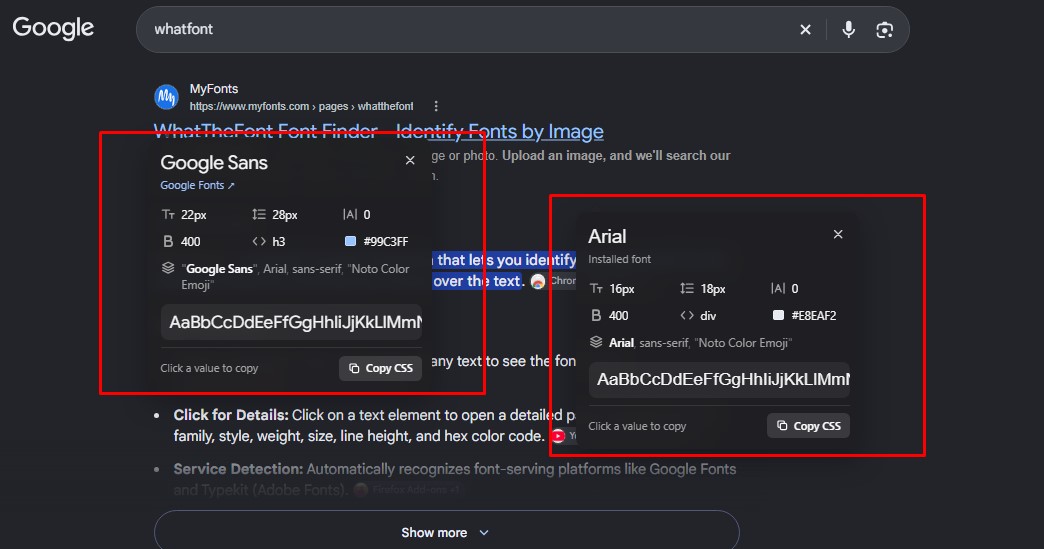
2. Adobe Capture: Turn Type and Colour Into Design Assets
Adobe Capture is more useful than a basic identifier when the result needs to enter a design workflow. It can turn a camera view or imported image into type suggestions, colour themes, patterns, shapes, brushes, and other reusable assets. Those assets can move through Creative Cloud Libraries into compatible Adobe software.
For type, Capture suggests similar fonts available through Adobe’s ecosystem. For colour, it builds a palette from selected points in an image. A designer can photograph a sign or object, collect its visual elements, and use them in a project without manually recording every value.
Platform availability is the main concern. Adobe’s July 2026 documentation says Capture remains available as a free iOS download but is no longer offered for new installations through Google Play. Existing Android users may continue using an installed copy, although reinstalling it may not be possible after deletion. The app also requires a free or paid Creative Cloud membership.
Capture makes the most sense for iPhone and iPad users who already work with Adobe products. Its colour themes are digital references, not certified matches for paint, fabric, print, or product manufacturing.
3. Color Grab: Read Colour Names and Codes on Android
Color Grab turns an Android camera into a detailed colour picker. Point it at an object, lock the reading, and view a colour name with values such as HEX, RGB, HSL, CMYK, and Lab. It can also extract colours from saved photographs, generate palettes, and provide white-balance controls.
That range makes it useful for designers, developers, artists, decorators, and people who need something more precise than “dark blue” or “warm grey.” A HEX value can move into a website mock-up, while a saved palette can become a reference for later work. If the colour will be applied to photographs or social graphics, this comparison of photo editing apps for mobile offers suitable next-step tools.
The camera remains the weak point. Warm lighting may make a neutral wall look yellow. A glossy surface can reflect nearby colours. Automatic exposure may brighten a dark material, and different phones can produce different readings.
Use neutral light, avoid glare, fill the sampling area with one surface, and use a white reference when the app’s calibration controls permit it. Color Grab is still available on Google Play, although its displayed developer-update date is old. Check compatibility before building a professional workflow around it. Confirm important paint, print, textile, or brand decisions with a physical swatch or calibrated instrument.
4. Shazam: Identify Music That Is Playing Now
Shazam is the direct choice when the actual recording is audible. Open the app and let it listen to music in the room, or use it to recognise audio playing inside another supported app. Identified tracks are saved to a history. Auto Shazam can continue listening and record several discoveries until it is switched off.
On Apple devices, Shazam Music Recognition can be added to Control Centre, and Siri can respond to questions such as “What song is this?” The Shazam app is also available on Android.
Its limitation is easy to understand. Shazam matches recorded music. It is not designed to identify a tune hummed by the user. Covers, live performances, remixes, speech over music, and very short or noisy clips can also be harder to match.
Use Shazam when a song is playing in a cafe, shop, television programme, social video, or another app. For lyric searches, browser tools, and more specialist situations, see this comparison of apps to identify songs.
5. SoundHound: Search With a Hum or Sung Melody
SoundHound can recognise music playing nearby, but its distinctive feature is melody search. When the recording is unavailable, sing or hum the part you remember. SoundHound recommends using one voice and continuing for at least 10 seconds.
This makes it useful for an earworm, a tune remembered from years ago, or a song that stopped before another app could listen. The app also keeps a discovery history and connects identified music with lyrics and supported streaming services.
A hummed melody provides less evidence than a clean recording. Pitch, rhythm, background noise, and the part of the song you choose can all affect the result. Use a recognisable chorus or hook, keep the tempo steady, and try a longer phrase if the first suggestion is unrelated.
SoundHound can save an attempt as pending when the phone is offline, but matching must be retried once an internet connection is available. Its current Android listing includes advertising and in-app purchases. If the original track is playing, Shazam is usually the simpler first step. SoundHound earns its place when only the melody remains.
6. Google Lens: Search Broadly From a Product Photo
Google Lens is the broadest option for a product found in a photograph, screenshot, website, or physical setting. The official Google Lens overview explains that users can search with a camera, image, or screenshot, look up product details, and refine a visual query with words such as a preferred size, colour, or material.
This helps when you cannot describe the item well enough for a text search. A clear logo, label, connector, model number, or distinctive package can lead to a specific product. A generic chair, bag, or lamp may produce a group of visually similar alternatives instead.
Lens is available through the Google app, Chrome, Google Photos, and selected Android camera experiences. Shopping features vary by country and device.
Crop closely around the product, but keep useful clues such as labels and ports. Adding a word like “replacement part,” “leather,” “2019,” or a visible model number can narrow the search. Before buying, confirm the dimensions, material, compatibility, and manufacturer information. A convincing visual match is not always the same item.
7. Amazon Lens: Find an Item Inside Amazon’s Catalogue
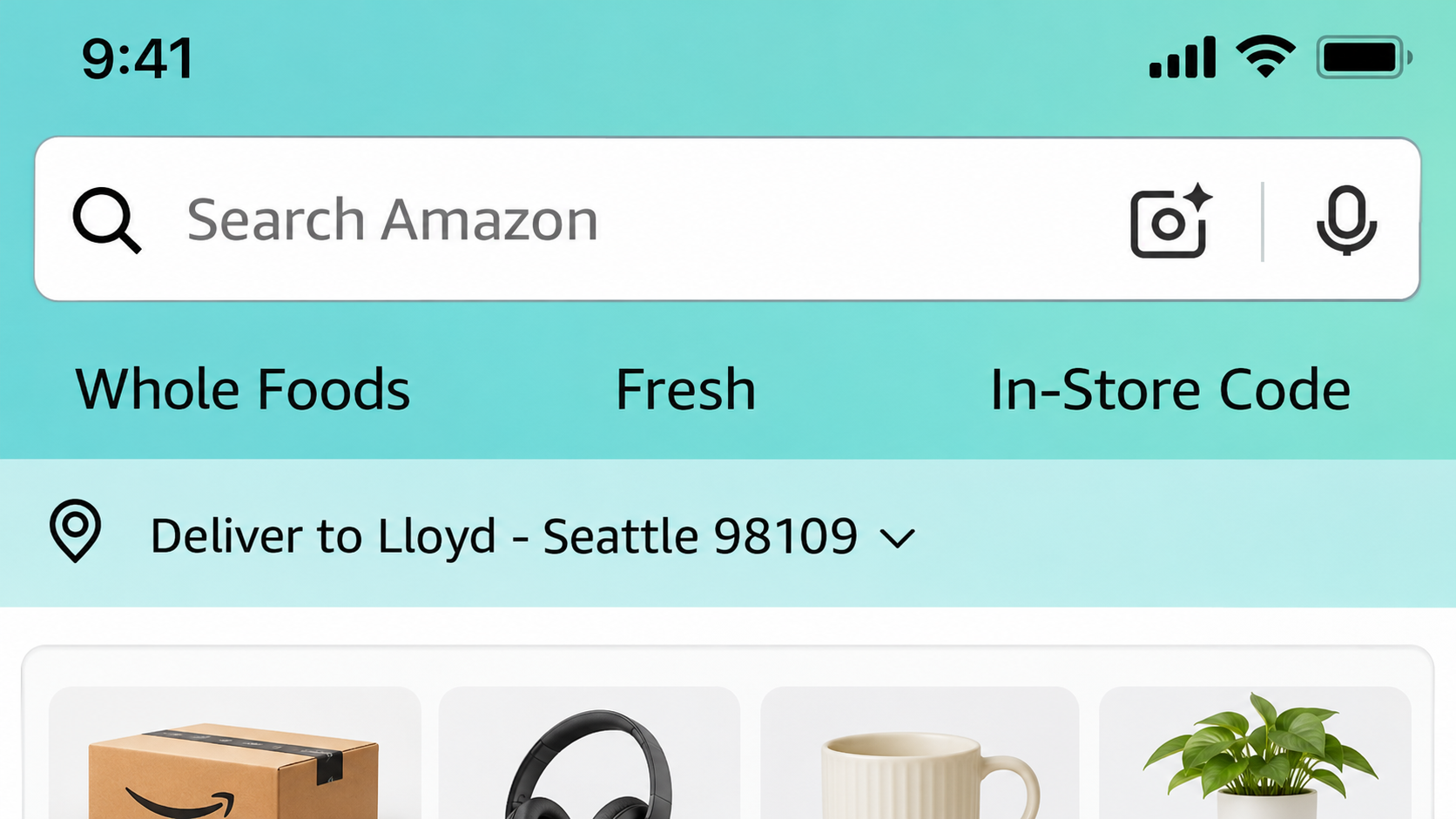
Amazon Lens is not a separate app. It is a visual-search feature inside the Amazon Shopping app. Open the scan or camera control in the search bar, take a photo, choose an existing image, or scan a barcode. Amazon then looks for an exact or related listing in its own catalogue.
The narrow search area can be useful. A barcode may lead directly to the correct household product or package size. Clear photos of books, cables, kitchen tools, electronics, and branded packaging may also produce precise matches. Unbranded fashion and home items are more likely to return similar alternatives.
Check more than the main image. Compare model numbers, quantity, dimensions, compatibility, seller details, and return terms. Similar packaging may contain a different capacity or regional version.
Choose Amazon Lens when the goal is to restock or buy something already sold on Amazon. Google Lens is the better starting point when you need a manufacturer’s page, repair documentation, or results from several retailers.
8. Pinterest Lens: Find a Look Rather Than an Exact Model
Pinterest Lens treats identification as visual discovery. Point the Pinterest camera at an item or upload an image, then focus on one object. The app returns related Pins, styles, recipes, ideas, and, where available, products that can be purchased.
It is especially useful when there may be no single correct answer. A room photo can lead to similar lamps, furniture, and colour combinations. A street-style image may surface related clothes. A food photograph can suggest recipes with a similar appearance.
Pinterest Lens is less suitable for confirming a precise model, technical part, or authentic branded product. Its strength is similarity. Use it when the question is “How can I recreate this look?” rather than “What is the exact product number?”
Crop or tap the particular object you want to explore. A full room, outfit, or table may contain too many competing elements for a focused result.
How to Get More Accurate Matches
Even strong apps that identify fonts, colours, songs, and products can only work with the evidence they receive.
- Keep the original: Save an unedited copy before cropping. Filters, compression, sharpening, and generative cleanup can alter letters, labels, textures, and colours. These AI photo editing tools belong later in the workflow, after the source has been preserved.
- Isolate the subject: Crop to one word, object, or colour area. A crowded image can pull the search in several directions.
- Do not remove useful clues: Keep logos, model numbers, barcodes, packaging text, and distinctive connectors when they could confirm a result.
- Use neutral light for colour: Avoid coloured bulbs, deep shadows, glare, and reflective surfaces.
- Give music apps a clean sample: Reduce conversation and move closer to the speaker. When humming, use one voice and a steady, recognisable phrase.
- Verify before acting: Compare font details, product specifications, colour swatches, or a second music result when the first answer seems uncertain.
- Protect private material: Remove names, messages, addresses, payment details, and confidential client information before uploading a screenshot or photograph.
Frequently Asked Questions about Apps that Identify Fonts, Colours, and Songs
Can Google Lens identify a font from a screenshot?
Google Lens may find pages or images containing similar lettering, but it is not a dedicated font matcher. WhatTheFont or Adobe Capture is more suitable when the goal is to identify a typeface.
Can Shazam identify a song playing inside another app?
Yes, Shazam supports identifying music playing in other apps on compatible iOS and Android setups. Headphone routing, permissions, and device settings can still affect the result.
Can a phone identify an exact paint colour?
A colour app can provide a useful digital estimate, but a normal phone camera cannot certify an exact physical paint match. Lighting, exposure, surface texture, and camera processing all influence the reading. Use a physical swatch or calibrated measuring tool for an important purchase.
Is Amazon Lens a separate app?
No. Amazon Lens is built into the Amazon Shopping app. Its camera and scan controls can search from a live photo, an existing image, or a barcode.
Choose the App by the Input You Have
Most people do not need all eight tools. WhatTheFont covers quick typography questions. Adobe Capture is more useful when type and colour must move into an Adobe project. Color Grab serves Android users who need digital colour values. Shazam handles a recording that is playing, while SoundHound covers a remembered melody. Google Lens starts the broadest product search, Amazon Lens narrows the hunt to a marketplace, and Pinterest Lens finds a similar visual style.
The most useful apps that identify fonts, colours, songs, and products shorten the search, but they do not remove the need to verify the result. Treat the first match as evidence to examine, not an automatic final answer.