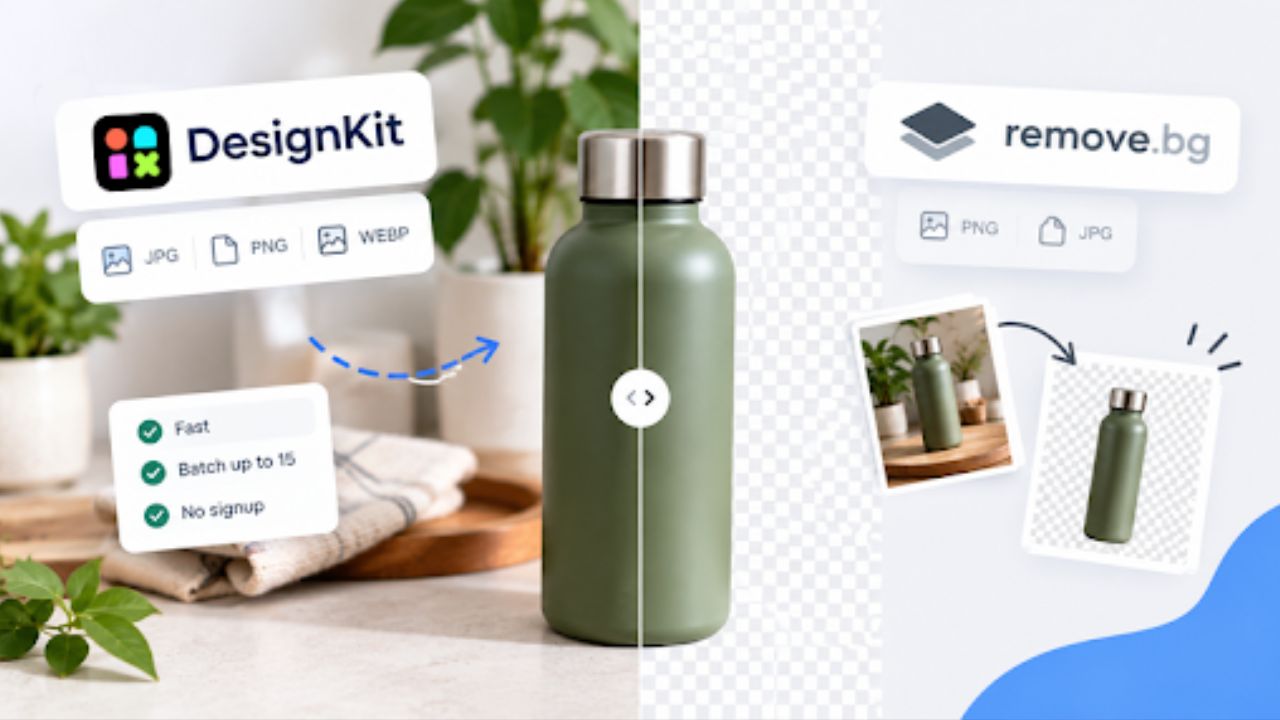
Remove.bg owned quick background removal for years. The process was always simple: upload your image and download a clean transparent PNG. But that workflow is slowly shifting.
Per remove.bg’s own FAQ, the standalone site is “scheduled to end” on December 1, 2026, at 9:00 AM CET, with web background removal moving to Canva and API users directed to Leonardo.Ai.
The tool isn’t gone, but the standalone experience is. For teams and creators who just want a dedicated cutout tool without moving everything into a full design suite, that shift has sparked a real search for a remove.bg alternative.
Designkit has come up a lot in that search. To see if it actually holds up, the tool was tested across three common scenarios: portrait, product, and object against a complex background. The same images were run through both Designkit and remove.bg for direct comparison. Here is how it went.
Testing Designkit on Different Images
The quality of background removal can vary significantly between images. It largely depends on lighting and scene complexity. For example, a product with well-defined edges is typically much easier to isolate than a person with loose hair photographed against a busy background.
So, we used three different types of real-world images for this test:
- A standard office portrait with mild background clutter
- A product shot – matte bottle on a wooden surface with props
- An object against a complex background – a chair with open spaces in a living room
The idea was to cover easy, medium, and structurally complex cases. The same files were run through both Designkit and remove.bg on free plans, same device, same connection. Speed, edge accuracy, and workflow were logged.
Designkit background remover: First impressions
Designkit’s background remover lets you upload images and remove backgrounds without logging in. You only need to log in to download. This gives you a “no-pressure way” to test the tool before creating an account. It supports JPG, PNG, and WEBP files, covering the formats commonly used for web graphics and product photography.
The removal process is simple, JUST upload your image to remove.bg alternative. The free plan allows up to 100 background removals per day, with batches of up to 15 images.
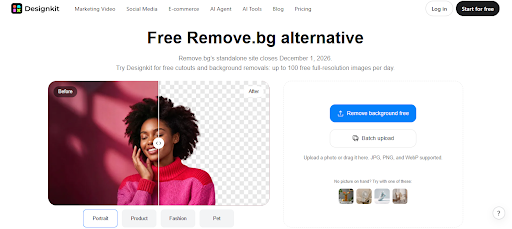
Within seconds, you get results. You have the option to download the transparent PNG, switch to a white background, or pick a custom color.
You have the option to compare before and after results as well with Before / After toggle shown in the interface.

If you’re not satisfied with the results, you can make quick fixes without leaving the editor. You have options like Crop, Filters, and Edit in Designkit.

Once you’re happy with the results, you can download your image. Users can download all processed images with the Download All option instead of saving each file separately.
Test 1: Simple portrait
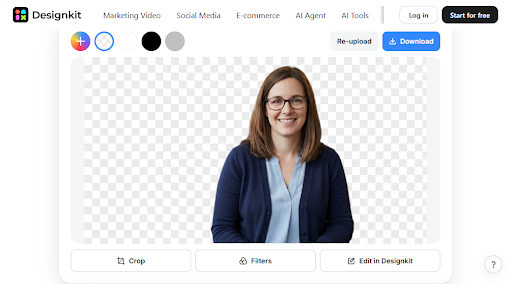
This is the baseline test where all removers should pass. Here is the original image we used:

While testing Designkit, detection took under 3 seconds. Shoulder and face edges were clean at normal view. HD preview is available without login and without a watermark.
One limitation noticed right away: there is no zoom-in review after cutout. remove.bg offers that – Designkit does not- so fine edge checks require downloading first.
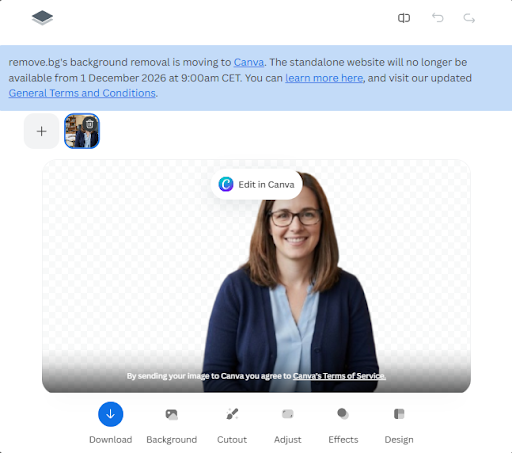
remove.bg on the same portrait took around 4-5 seconds. At 100% view, edge quality was very close. The only difference we noticed instantly was that the image quality of the free preview is soft. It does provide high-res results. But you will need to upgrade to check the high-res results.
Test 2: Product – matte bottle on wood
This is the typical ecommerce case: a product with a clear shape sitting on a textured surface with small props around it.
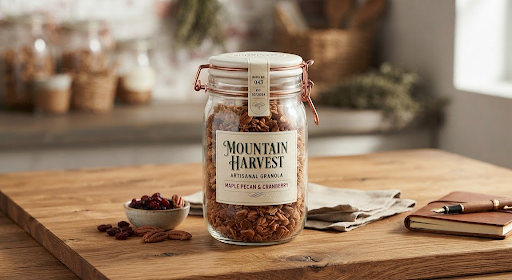
While testing this image, Designkit performed very well. Processing stayed under 3 seconds, and the result was excellent. The hard edge of the bottle stayed intact, highlights were preserved, and the background tiles and shadow were fully removed. No leftover fringing.
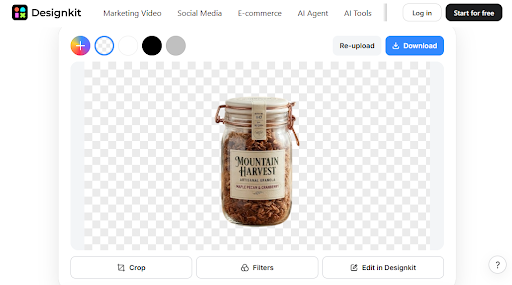
After cutout, the tool stays in the same workflow – keep transparent, switch to white, pick a custom color, or resize with presets for Amazon, Shopify, Etsy, eBay. That white background + 2000×2000 resize for the marketplace can be done without opening another app.
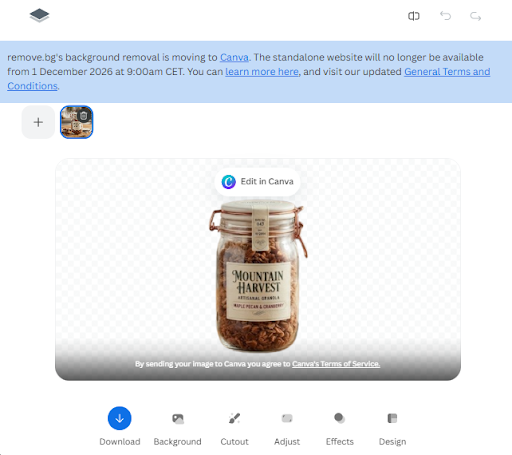
remove.bg also produced an excellent cutout on the bottle. Quality on objects is strong on both sides – which makes sense, since Canva and remove.bg now share the same engine. The workflow gap is on limits: remove.bg free offers unlimited low-res previews (0.25MP) but only 1 free full-resolution download, then credits. Batch is possible but requires adding images one by one with a + button, not simultaneous upload.
Test 3: Object against complex background
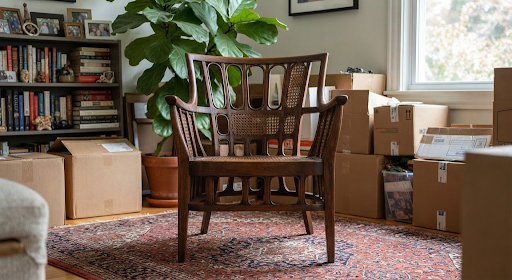
For this structural test – we used an image of a chair with open spaces between legs and armrests, photographed in a living room with plants and boxes behind. Open gaps often leave background islands inside the subject.
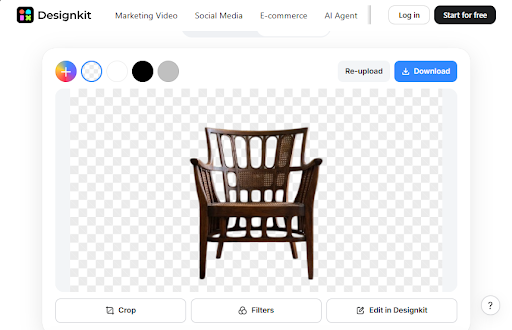
While testing Designkit on this chair, the gaps were cleared properly. As seen in the screenshot, the transparent checker shows through all the open areas – between the backrest slats, between the legs, and under the seat. No gray patches were left between the legs or under the armrest.
Processing took around 3 seconds
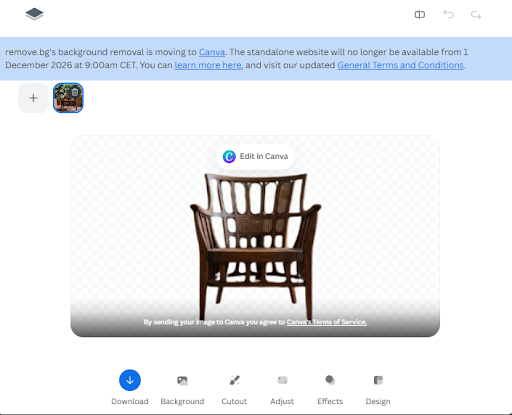
remove.bg was run on the same chair file for comparison. It also cleared the open gaps correctly and kept the frame intact. At normal listing size, both results are usable, with all interior spaces fully transparent.
Quick side-by-side
| Area | Designkit | remove.bg |
| Free full-resolution images per day | 100 | No |
| Batch processing on web | Up to 15 images at once, free | Add images one by one using the + button |
| Login required | No login needed for previews | Required for full-resolution preview |
| Observed processing speed | Under 3 seconds | Around 3–5 seconds |
| Object and product quality | Excellent | Excellent |
| People and hair on complex backgrounds | Fair, with some rough edges | Better results with softer edges |
| Zoom for detail review | Not available | Available |
| Editing after background removal | Change the background to white or a color, replace it, or resize within the same workflow | Use transparent or colored backgrounds and templates, then edit in Canva |
Is Designkit a serious remove.bg alternative in 2026?
For everyday work, YES. For product photography, it is more than an alternative.
Across our tests, Designkit was excellent on objects – clean edges, fast processing, and a real free batch up to 15. With 100 free full-res exports per day after login, no watermark, and no signup to start, it fits high-volume catalog work better than the current free remove.bg plan.
One clear win is preview quality. Designkit shows a clear full-resolution preview without login, while remove.bg free only shows a 679×369 px low-res preview.
Where remove.bg / Canva still leads is people cutouts, plus its zoom-in review.
For anyone evaluating due to the December 2026 change, the best check takes two minutes: upload one hard image with hair and one regular product shot to both tools, then compare at 200%. That tells more than any feature list.