The most useful way to think about Screen Time for Kids Aged 2 to 5 Years is not as a technology problem. The real question is what the screen displaces: conversation, movement, sleep, drawing, or play.
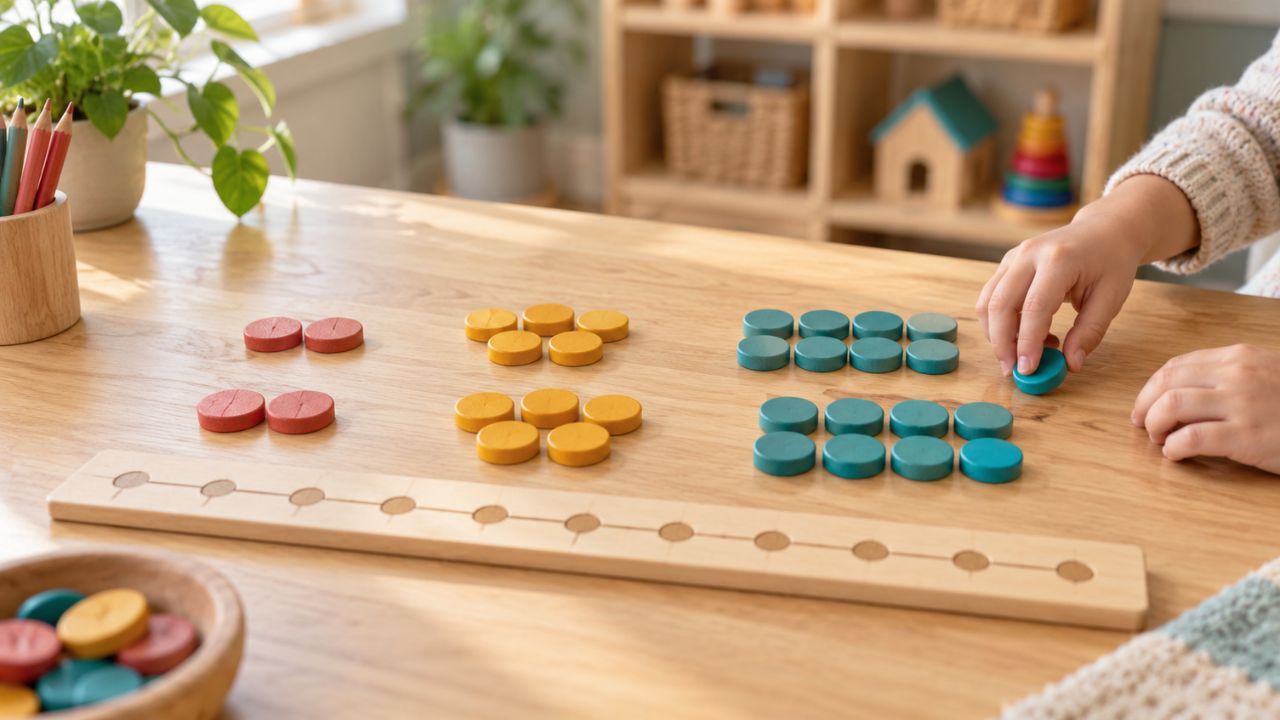
A short video may be harmless and sometimes useful. But the same few minutes could be spent building a tower, inventing a game, or handling real objects—all essential experiences for a young child.
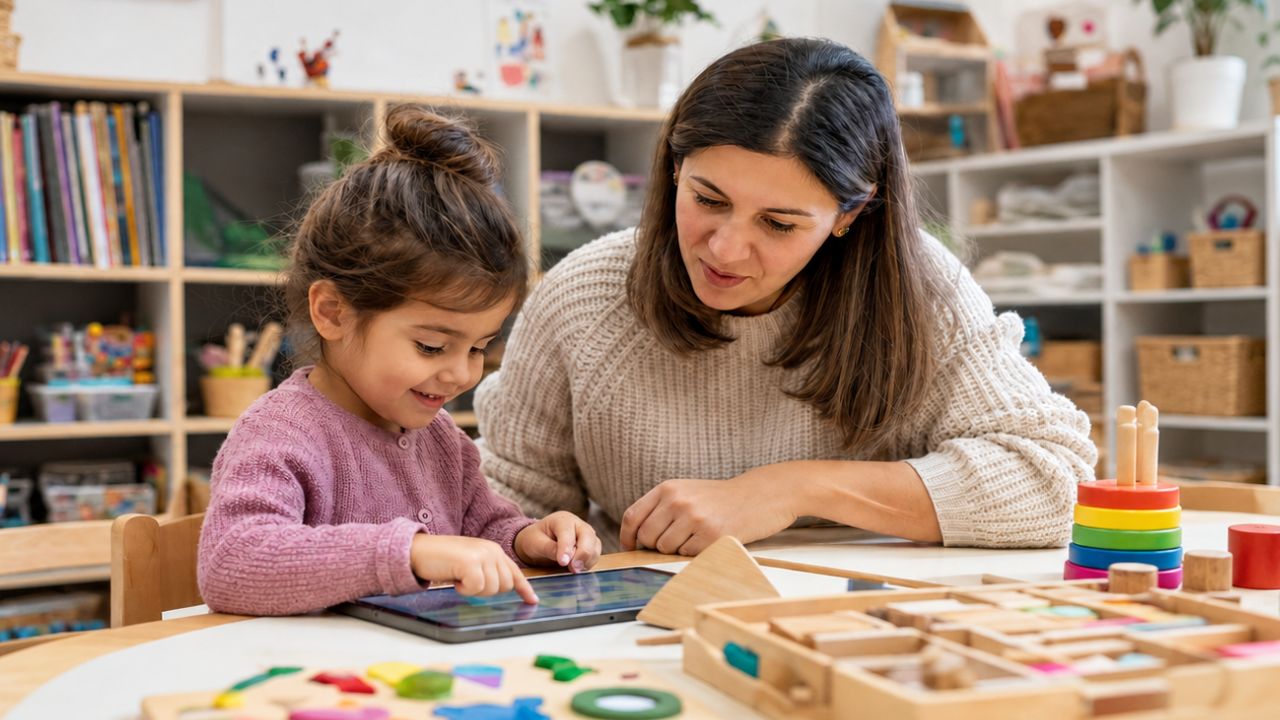
The main guidance is straightforward: limit routine, seated screen use to one hour or less each day. Choose high-quality content and, when possible, watch with the child. This matches common guidance for this age group. One hour is a ceiling, not a target to fill.
The number of minutes is only part of the picture. Timing and content matter, as do the child’s age and the support an adult provides. I also pay attention to what the screen may be pushing aside.
Research reviews link two to three hours of daily screen use with a higher chance of behavior problems, weak vocabulary, and delayed milestones. Children with added needs may face greater risk. One unusually busy week does not mean harm has been done, but regular heavy use is a reason for caution.
What counts toward the one-hour limit?
As a general rule, count the time a child spends sitting and looking at digital content—even when that content carries an “educational” label.
| Type of screen use | Count it? | Practical meaning |
|---|---|---|
| TV programs and online videos | Yes | Watching with an adult can improve the experience, but the minutes still count. |
| Tablet and phone games | Yes | Educational apps count, mainly when the child is seated. |
| Digital stories and e-books | Usually | Adult discussion helps, but a printed book often offers more interaction. |
| Classroom videos and whiteboards | Yes | School use adds to the child’s total daily exposure. |
| Family movies | Yes | Shared viewing can support talk and connection, but it still counts. |
| Video calls | Track separately | Calls are social and responsive. Still, they should not replace sleep, play, or in-person contact. |
| Background TV | Hard to measure | It can interrupt talk and play. Turn it off when no one is watching. |
| Movement videos | Partly | The screen should guide active movement, not hold the child’s gaze. |
| Teacher device use | Usually no | It counts only when children are also watching the screen. |
What happens at school forms part of the total. A child who watches 30 minutes at preschool and one hour at home has had 90 minutes altogether. Neither the teacher nor the parent has necessarily been careless; they may simply not know what happened during the other part of the day. That is why sharing information helps.
Age changes how much support a child needs. A two-year-old often struggles to connect an image on a screen with something in the physical world, while a five-year-old can use media more deliberately. Even then, passive viewing should never become the main way a preschool child learns.
A realistic day for a four-year-old might include:
- Preschool: A 10-minute video followed by discussion
- Home: A 20-minute program shared with an adult
- Video call: A short call with a relative, counted separately
- Family viewing: Up to 20 minutes, depending on the rest of the day
This is not a quota. On many days, the total may be lower or there may be no screen time at all.
Some parts of the day are best kept screen-free:
- Meals and snacks
- Outdoor play
- Rest and bedtime routines
- The hour before bed
- Small-group language activities
- Child-led play
Instead of asking only, “Is this educational?” ask: What is the screen helping the child do, and what is it replacing?
The Transfer Deficit: Why Screens Teach Less Than a Conversation
A young child can stare closely at a screen and still learn very little. Bright colors, music, and rapid changes attract the eye, but watching is not the same as understanding.
Children in this age group often struggle to carry screen-based learning into everyday life. This is sometimes called the “transfer deficit.” To learn, the child has to connect the image with an actual object, word, action, or person. Usually, an adult is the bridge.
A person can follow the child’s gaze, repeat a word at the right moment, or explain the same idea differently when the first explanation does not land. A recorded video cannot adjust in that way. Language grows through back-and-forth conversation, not through exposure to words alone.
Suppose a video introduces the word “enormous.” A teacher might point to the child’s enormous block tower, set a smaller tower beside it, and encourage the child to try the word. Now the word belongs to an experience rather than a passing image.
At age 2, screen sessions should be brief and shared. For many two-year-olds, Five to 10 minutes at a time may be enough.
After a short farm video, an adult might:
- Name the animals.
- Copy their sounds.
- Match toy animals with the pictures.
- Read a printed book about a farm.
- Carry the theme into pretend play.
At age 3, repetition and quick follow-up help. Stories should be short and simple, with direct questions such as, “Where did the rabbit hide?”
The follow-up can be ordinary and immediate. Mix paint after a clip about colors, or plant a seed after watching one grow. The screen introduces the idea; handling the materials makes it concrete.
At ages 4 and 5, children can use media with more purpose. They may predict what comes next, retell events, or follow several steps. Useful screen activities may include:
- Watching a caterpillar change into a butterfly
- Hearing an unfamiliar musical instrument
- Taking photos of a block structure
- Video-calling a community helper
- Following a short movement lesson
Media cannot provide every challenge a young child needs. Children must learn to share, wait, solve problems, and manage the frustration of a plan going wrong. Many apps smooth away those difficulties, even though the difficulties themselves are instructive.
Look at what happens once the screen goes off. Can the child talk about the idea, draw it, build something, act it out, sort objects, move, or explore?
Useful follow-up activities include:
For language and early reading:
- Retell a story with puppets.
- Find objects that rhyme.
- Make a class book.
- Act out words such as under and behind.
For early maths:
- Sort buttons, leaves, or blocks.
- Set a pretend table for five guests.
- Compare the height of towers.
- Make patterns with natural items.
For science:
- Test which objects sink or float.
- Plant seeds and draw their growth.
- Melt ice in different places.
- Build ramps and roll objects.
For social and emotional skills:
- Play stop-and-go games.
- Practise joining a game.
- Build one structure as a group.
- Solve pretend conflicts with puppets.
Real materials and real people answer back. Towers collapse, friends object, and paint colors blend into something unexpected. The child has to notice what happened and change course.
What Teachers See: Signs of Problematic Screen Habits
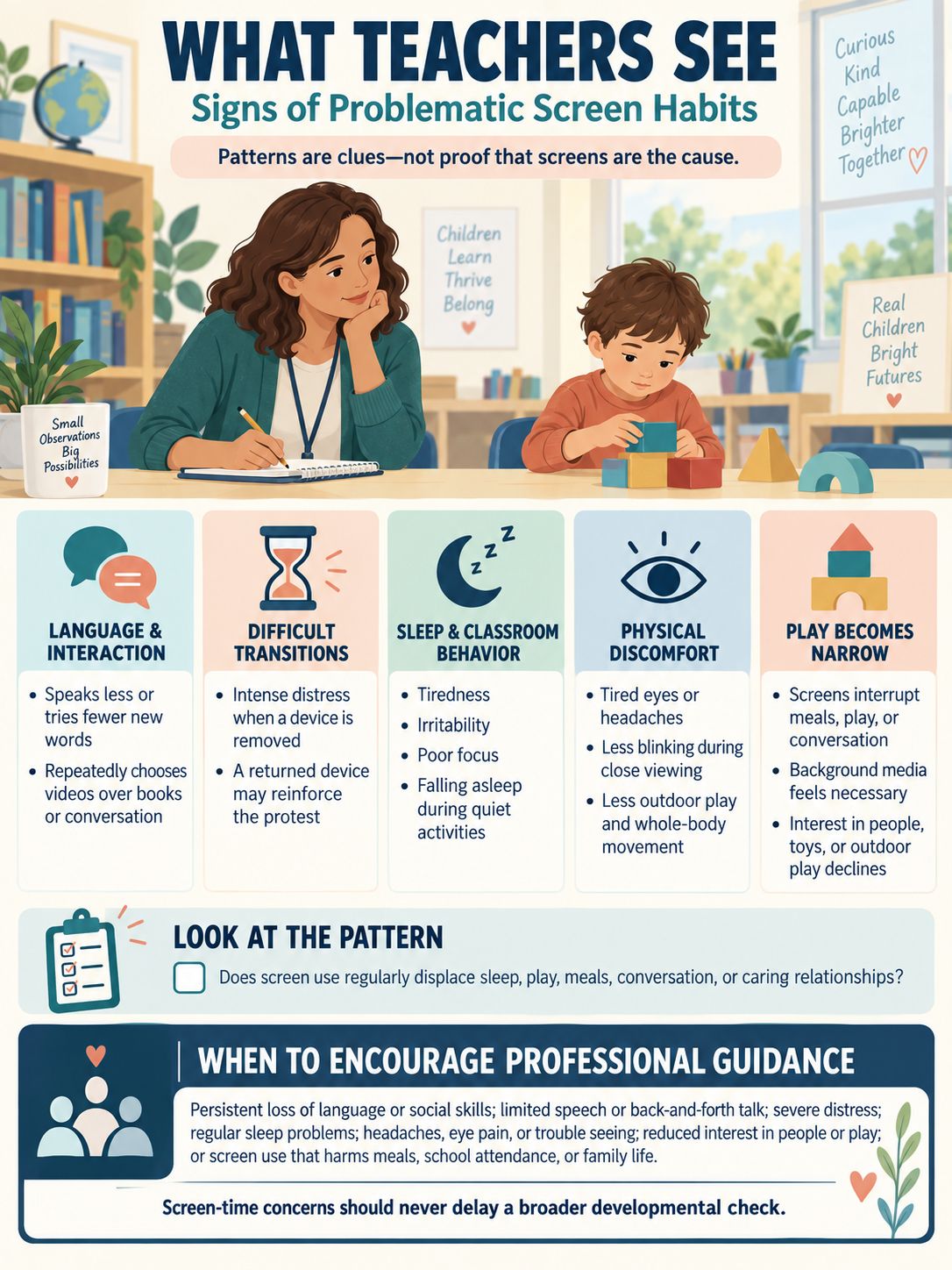
A teacher cannot see the whole home routine, and tiredness or difficult transitions do not prove that screens are responsible. Still, patterns may emerge: a child talks less, loses interest in play, struggles to stop an activity, or arrives tired. Screen use can be one part of that picture.
Language may become passive. Some children speak less, try fewer new words, or repeatedly choose videos over books and conversation. A program can introduce vocabulary. It takes interaction with people for that vocabulary to become part of the child’s own speech.
Transitions may become harder. Screens deliver rewards quickly, while putting on shoes or cleaning up unfolds at a much slower pace. For some children, removing a device triggers intense distress.
If an adult returns the device to end the protest, the child may learn that a big enough reaction brings it back. A familiar routine is usually more effective than trying to reason through a tantrum.
Sleep problems may appear as behavior problems. Evening media can delay sleep and may leave a child relying on a video to settle down.
Teachers may notice:
- Tiredness
- Irritability
- Poor focus
- Falling asleep during quiet activities
Physical discomfort may appear. Extended close viewing can cause tired eyes, headaches, and less blinking. Time on a screen may also crowd out outdoor play and whole-body movement.
Keep sessions brief, reduce glare, and follow viewing with movement or time spent looking into the distance. A jumping video is not the same experience as going outside and jumping.
Play may become narrow. When I am trying to understand the pattern, I ask:
- Does screen use interrupt meals, play, or conversation?
- Does the child need a program playing in the background?
- Has the child lost interest in people, toys, or outdoor play?
- Is quiet screen use hiding a developmental concern?
Direct contact with caring adults remains the strongest setting for early learning. Concern rises when screens regularly displace those relationships.
I encourage families to talk with a doctor or another qualified professional when concerns continue, including:
- Loss of language or social skills
- Limited speech or back-and-forth talk
- Severe distress when a device is removed
- Regular sleep problems
- Headaches, eye pain, or trouble seeing
- Less interest in people, toys, or play
- Screen use that harms meals, school attendance, or family life
Discussing screen time must not delay a broader developmental check.
Content Quality and Co-Viewing: More Than Minutes
Minutes still matter, but identical totals can contain very different experiences. Ten calm minutes watched with an adult are not equivalent to 10 minutes of autoplay, advertisements, and rapid tapping.
“Educational” is a marketing term, not a guarantee. I start with a simpler question: Can this child understand the content and do something useful with it afterward?
For example, a slow shape video may be worthwhile if the child can then find circles around the room. A fast app that rewards repeated tapping may hold attention without building the same understanding.
I use the following checks to work through that question:
- Age fit: Can the child follow the words and understand the task? If the child is copying taps without understanding the goal, the content is probably not a good fit.
- Pace: Is there enough time for the child to think? Young children often need a pause before they can answer, copy an action, or connect an image with a real object.
- Purpose: Does the activity have a clear learning goal? I should be able to name that goal simply, such as, “This clip will help us compare how different animals move.”
- Adult support: Can an adult explain the idea and carry it further? If the child looks puzzled, an adult should be able to pause, rephrase, or point to a familiar example.
- Offline use: Does the content lead into play, talk, art, or movement? This is where I check whether screen-based learning transfers into the child’s world.
- Advertising: Is the content free from ads? An unexpected advertisement can interrupt learning and expose the child to material that was not chosen for them.
- Autoplay: Can an adult prevent the next video from starting? A clear stopping point makes it easier to keep the session brief.
- Purchases: Are paid features blocked? A young child should not be able to make purchases while exploring an app.
- Privacy: Does the app avoid collecting data it does not need? Educational value does not cancel the need to protect a child’s information.
- Tone: Is the material calm and appropriate for the child? Loud, rapid content can make it harder to pause, think, and talk.
- Choice: Is the child making useful choices? Choosing how to solve a problem is different from tapping whichever button flashes.
- Access: Can children with different needs participate? I look for content children can see, hear, understand, and use with appropriate support.
The list may look long, but the idea is simple: I want content that a child can follow, an adult can support, and both can carry into an offline activity.
Clear content tied to something the child can experience tends to be more useful. A slow video that prompts a shape hunt may teach more than an app that awards coins each time the child taps a triangle.
Co-viewing is active, not simply sharing the sofa. I watch, explain, and connect the content with things the child already knows. That involvement helps children understand what they are seeing.
Helpful prompts include:
- “What do you notice?”
- “What may happen next?”
- “Can you show that movement?”
- “Where have we seen this before?”
- “What in our room matches that picture?”
There is no need to interrupt every few seconds. A stream of questions can quickly turn shared viewing into a test. One well-timed prompt, followed by time to think, is often enough.
Recorded shows and video calls are not the same. During a call, the other person responds, so tracking calls separately makes sense. Movement videos are also different from seated viewing when the child is genuinely active.
Perfect avoidance is not the aim. Screens can give children a view of people, places, and events they cannot experience in person, though even worthwhile content needs boundaries.
Talking to Families About Screen Time
I do not see a teacher’s role as policing what happens at home. My role is to share useful facts, listen carefully, and talk without blame.
I find that specific information works better than a general warning:
“Today we watched a six-minute video about bees. We then looked at flowers and made pollen models. It was our only planned screen activity.”
Now families know what the child watched and for how long, which makes it easier to decide what happens at home. It also reduces the chance that several small sessions will accumulate unnoticed.
For a family currently using two or three hours a day, a gradual change may be more manageable than removing every screen at once. Before making a plan, work out what problem the screen is solving.
Week 1: Track use without judgment.
Record when the screen comes on, how long it stays on, and what is happening at the time. Common reasons include cooking, early waking, car trips, work calls, and bedtime problems.
Week 2: Remove the easiest 15 to 30 minutes.
Background TV, autoplay, or an extra episode may be the simplest place to begin. Replace that time with something that serves the same practical need:
- Music or audiobooks
- Reusable stickers
- Play dough
- Water painting
- Matching games
- Simple kitchen tasks
Week 3: Set fixed viewing times.
Predictability can ease conflict. “One episode after snack” is clearer to a young child than access that changes from one day to the next.
Set a timer and give a warning before the end. Once time is up, stay calm:
“You wanted another episode. It is hard to stop. Screen time is over. You may choose blocks or play dough.”
During a tantrum, keep the explanation short. Too many words can make the limit sound open to negotiation.
Week 4: Move toward one hour or less.
Reduce the total by another 10 to 15 minutes every few days. Illness, travel, and other disruptions may mean more screen use on a particular day. What matters most is the regular pattern, not a flawless record.
I keep conversations with families grounded in what adults can observe: poor sleep, difficult transitions, bedtime struggles, tiredness, or declining interest in play. I also acknowledge the practical need a screen may be meeting.
The Teacher as a Model in the Classroom
As a teacher, I determine how a screen fits into a lesson. I choose why it is needed, how long it stays on, how children take part, and what happens afterward. Those decisions keep the screen in its proper place: one classroom tool, not the lesson itself.
I use four checks: purpose, duration, participation, and transfer. Each check answers a different question.
Purpose: Why am I using the screen?
I should be able to explain the reason in one sentence.
Strong purpose:
“We are watching a two-minute slow-motion clip because we cannot closely watch a hummingbird’s wings here.”
Weak purpose:
“The children like animal videos.”
The difference is easy to see. The first example gives the screen a specific job that another classroom resource cannot easily do. The second example gives children something appealing to watch but does not identify what they will learn.
If a book, object, song, or live demonstration can achieve the same goal, I will often choose that option because it creates more room for interaction.
Duration: How long does the screen need to stay on?
I decide where the clip will stop before I press play. That small step prevents a two-minute example from turning into several loosely connected videos.
To keep the boundary clear, I:
- Prepare the exact clip.
- Turn off autoplay.
- Avoid ads where possible.
- Use a timer.
- Explain what comes next.
- Stop at the planned time.
A clear transition may be:
“When the timer rings, the screen goes off. Then we will build nests with twigs and clay.”
The children now know both when viewing will end and what they will do next.
Participation: What are the children doing while they watch?
I invite children to notice, predict, compare, and copy. For example, I might pause once and ask, “Which bird is moving its wings faster?” Then I give the children time to look and answer.
I do not need to question them throughout the clip. If every moment becomes a quiz, children have little time to observe.
Transfer: What happens after the screen goes off?
Once viewing ends, I move into talk, movement, drawing, building, or direct exploration. A clip about nests might lead to building with twigs and clay. A movement demonstration might lead to children trying the action without the screen.
This final check tells me whether the screen supported learning or merely occupied attention. Can the children now explain, show, build, compare, or try the idea themselves? If they can, the content has begun to transfer.
My own device use does not automatically count as screen time for a child. Taking attendance on a tablet does not count when children cannot see the screen. A video or interactive whiteboard does count when they are watching.
I also model the boundaries around devices. A brief clip with a definite ending shows that the screen has a limited job. Playing videos whenever there is a spare moment teaches children that screens are the default.
I finish by asking three questions:
- Is routine screen use about one hour or less?
- Is an adult helping the child understand and use the content?
- Does the screen protect or replace sleep, movement, talk, and play?
These questions recap the whole approach: keep screen use limited, support the child while it is happening, and protect the experiences young children need most.
Used this way, technology stays where it belongs: as a small, purposeful tool.