The best SaaS boilerplates remove weeks of repetitive work. They provide a starting point for authentication, billing, account management, emails, and administration. But choosing one is still an architectural decision. A kit that does not match the product’s account or billing model can create more work later.
We approach that decision as SaaS builders, not only as reviewers. Our team built ImagineLab Art, a unified AI platform where seven creative labs share one workspace and one EDT wallet. We are also developing RankMath AI, a unified SEO platform. The products serve different users, but both have reinforced the same lesson: a polished dashboard is the easy part. Identity, entitlements, usage, payments, permissions, and data ownership shape the product underneath.
Our experience informed the criteria for this list, while every product-specific claim was checked against official documentation. We have not deployed all ten kits in production, so the recommendations are based on documented capabilities, architecture, maintenance, and fit, not invented hands-on testing.
1. MakerKit
Best for: B2B SaaS products built with Next.js
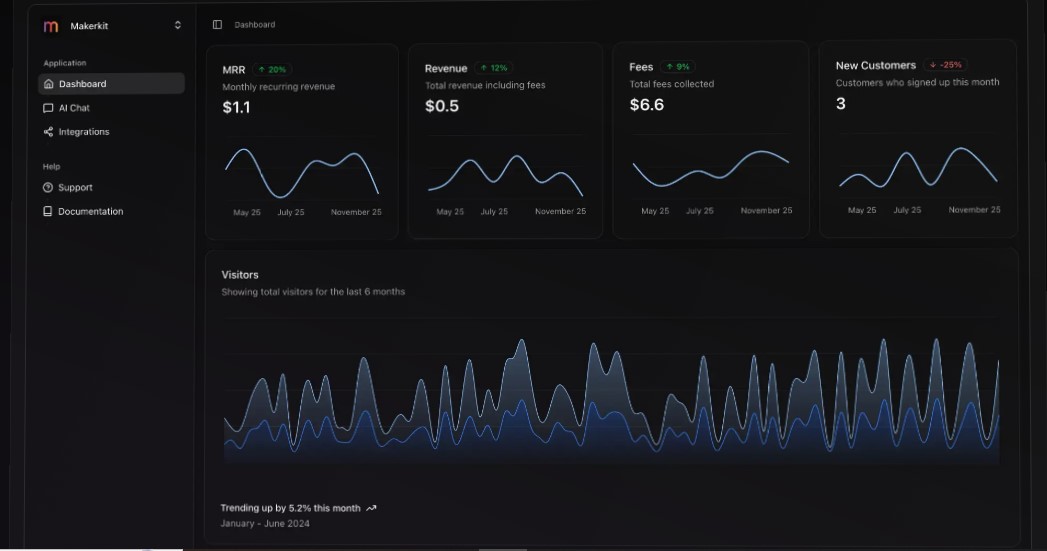
MakerKit is a strong choice when customers need organizations rather than simple individual accounts. It covers authentication, team invitations, roles, permissions, billing, and administration.
Its kits support Supabase and database setups using tools such as Drizzle or Prisma. Depending on the selected version, billing can include subscriptions, one-time purchases, per-seat pricing, and usage-based charges through Stripe, Paddle, or Lemon Squeezy.
MakerKit offers considerable depth, but it requires a commercial license. Different technology variants may also have separate licensing, so settle on the architecture before purchasing.
2. Supastarter
Best for: TypeScript developers who want framework flexibility
Supastarter is available for Next.js, Nuxt, and TanStack Start. It combines Better Auth with Prisma or Drizzle and supports common SQL databases.
Organizations, invitations, roles, file storage, transactional email, localization, API tooling, and an admin area are included. Its payment integrations cover subscriptions, one-time sales, seat-based plans, and usage billing.
This breadth makes Supastarter adaptable, but also more structured than a basic single-user application needs. It suits teams willing to learn its conventions in exchange for a foundation that can handle a growing product.
3. SaaS Pegasus
Best for: SaaS development with Django and Python
SaaS Pegasus gives Python teams a mature alternative to JavaScript-first boilerplates. Its foundation brings together Django, PostgreSQL, Tailwind CSS, HTMX, Alpine.js, Celery, Redis, Docker, and automated testing.
The open-source edition works as a general Django starting point. Commercial editions add teams, invitations, role-based access, Stripe billing, per-seat subscriptions, administration features, and patterns for AI-enabled products.
Pegasus makes the most sense when the team already values Django’s conventions. Developers should compare editions carefully because many advanced SaaS capabilities belong to the paid packages.
4. SaaSykit
Best for: Laravel developers building paid SaaS products
SaaSykit uses Laravel with Tailwind CSS, Alpine.js, Livewire, and Filament. It includes customer and admin dashboards, plan management, discounts, referrals, email workflows, blogging, and SaaS metrics such as recurring revenue and churn.
Its billing options include Stripe, Paddle, Lemon Squeezy, Polar, Creem, and offline payments. A separate tenancy edition adds organizations, team members, seat-based plans, and usage billing.
That edition difference is important. A developer building a multi-tenant B2B platform should not assume every SaaSykit package contains the same team and tenancy features.
5. Jumpstart Pro
Best for: Developers who prefer established Rails conventions
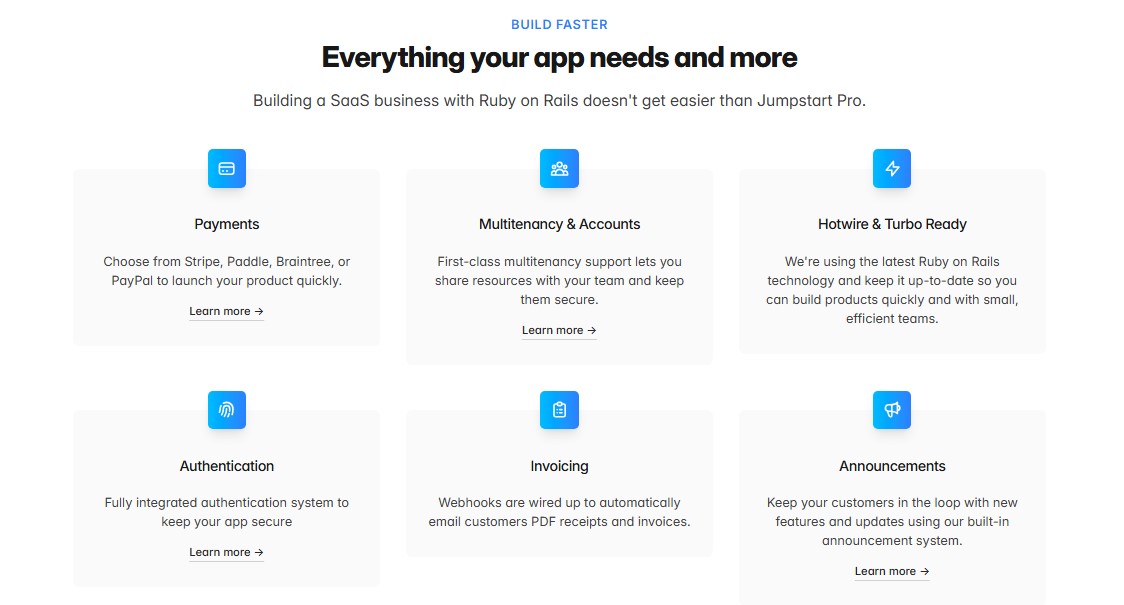
Jumpstart Pro combines Ruby on Rails, Hotwire, and Tailwind CSS with accounts, teams, invitations, roles, OAuth, notifications, localization, administration, and API support.
Billing integrations include Stripe, Paddle, Braintree, and PayPal, with support for subscriptions and one-time purchases. The code remains recognizably Rails, which helps experienced Rails teams start quickly.
Jumpstart Pro is intended for new applications rather than retrofitting an existing codebase. Its annual licensing model may also be less attractive to developers looking for a one-time purchase.
6. Open SaaS
Best for: A capable free and open-source starter
Open SaaS is built with Wasp, React, Node.js, Prisma, and PostgreSQL. It includes authentication, payments, background jobs, email, file uploads, analytics, administration, testing, and deployment tooling. An Astro setup is provided for blogs and documentation.
Payment options include Stripe, Lemon Squeezy, and Polar. The project is MIT-licensed, making it one of the strongest free choices on this list.
The tradeoff is Wasp, an additional framework that the team must understand. Organization-level tenancy and detailed role management are also less complete than in starters designed specifically for B2B SaaS.
7. SaaS Boilerplate by ixartz
Best for: A modern, free Next.js starting point
This boilerplate combines Next.js, Clerk, Drizzle ORM, Tailwind CSS, and shadcn/ui. It also includes localization, monitoring, unit testing, browser testing, Storybook, and continuous integration.
Clerk provides authentication, organizations, and role-based access, giving the free edition more than a basic login system. The project’s MIT license allows extensive customization.
Stripe billing, transactional email, and other extended capabilities are reserved for paid editions. Because identity and organization features depend on Clerk, developers should also account for its pricing and vendor dependence as usage grows.
8. Petal Pro
Best for: Phoenix and Elixir SaaS applications
Petal Pro uses Phoenix, LiveView, and PostgreSQL to build responsive applications without a large client-side JavaScript layer. It provides multiple authentication methods, organizations, invitations, roles, notifications, background jobs, administration, and Stripe billing.
Subscriptions can belong to users or organizations, and metered billing is supported. This makes Petal Pro suitable for both individual and team-based products.
However, organizations do not automatically guarantee tenant isolation. Developers must scope Ecto queries correctly and test authorization thoroughly to prevent data from crossing account boundaries.
9. Bullet Train
Best for: Teams wanting an open-source Rails SaaS framework
Bullet Train is an opinionated Rails framework rather than a minimal template. It includes authentication, teams, invitations, permissions, onboarding, API support, testing, and deployment workflows.
Its Super Scaffolding system generates application features that follow established interface and code patterns. Separate open-source packages add Stripe billing, usage limits, and seat-based pricing.
This structure can increase development speed when the team accepts Bullet Train’s conventions. Developers wanting a lightweight Rails base may find it too prescriptive, while billing requires more setup than with some commercial kits.
10. ASP.NET Zero
Best for: Complex enterprise and multi-tenant platforms
ASP.NET Zero combines modern .NET with Angular, React, or MVC frontends. Its multi-tenancy options include shared databases, separate tenant databases, and hybrid configurations.
It also provides tenant management, product editions, feature controls, subscriptions, roles, permissions, impersonation, two-factor authentication, localization, and enterprise identity integrations.
The platform is powerful, but its price and complexity place it in a different category from indie starter kits. It is most appropriate for established teams building large business systems with demanding access and tenancy requirements.
What Our SaaS Work Has Taught Us
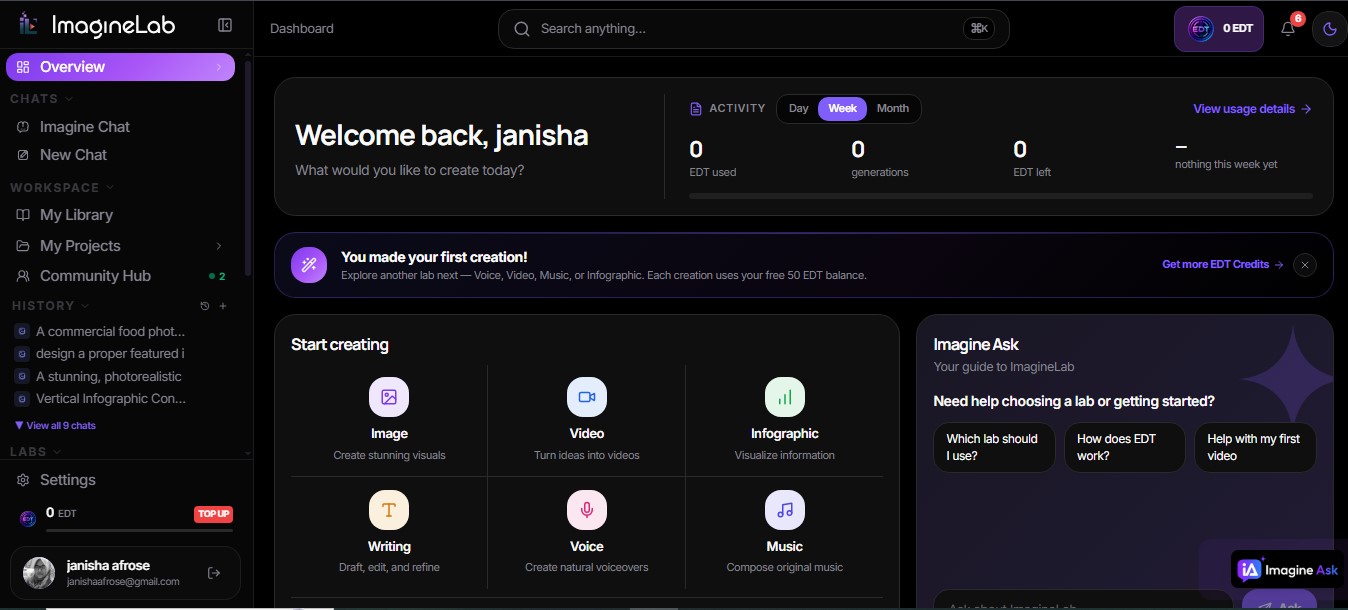
While building ImagineLab Art: a unified AI platform, we could not treat billing as a checkout button. One EDT wallet must govern access and usage across several creative labs. That makes entitlement logic, transaction records, and account state part of the product itself.
RankMath AI has a different purpose, but its development reinforces the broader point: choose a foundation around how the product works, not around an attractive demo. Before committing, define who owns the account, what a plan unlocks, how usage is measured, and how permissions are enforced. Then examine the starter kit against those answers.
Choose Code You Can Take Responsibility For
A boilerplate should shorten the journey without hiding the road. The best choice is not the kit with the most checkmarks. It is the one your team can understand, secure, update, and extend after the original author changes direction.
Our own SaaS work has made that standard more important than launch speed alone. Use a starter to remove repetition, but keep ownership of the architecture that customers will depend on.
Frequently Asked Questions on the Best SaaS Boilerplates
1. Is it better to build a SaaS foundation from scratch?
Build from scratch when the account, security, or billing model is genuinely unusual and your team can maintain it. For standard subscriptions and team accounts, a suitable starter can remove months of repetitive work.
2. Are SaaS boilerplates safe for production?
They can provide a solid base, but none is automatically secure. Review authorization, tenant scoping, payment webhooks, dependencies, secrets, backups, logging, and recovery procedures.
3. Should I choose a free or paid starter kit?
Choose by engineering cost, not purchase price alone. A paid kit is worthwhile if it correctly solves weeks of tenancy or billing work. A free kit is better when the team can confidently build the missing parts.
4. Can one license cover several SaaS products?
That depends on the vendor. Some licenses cover one project or developer; others allow unlimited products. Check client-work rights, update periods, redistribution restrictions, and project limits before purchasing.
5. What should I verify before choosing a boilerplate?
Confirm the framework, account model, billing lifecycle, authorization design, update process, external service costs, and license. Build a small proof of concept before placing core product logic inside the kit.