SaaS status page tools become valuable when a product stops working as expected. Customers need to know whether the problem is widespread, which services are affected, and when they can expect another update. Without a reliable status page, those questions quickly become support tickets, social media complaints, and unnecessary speculation.
A good platform should support clear incident updates, service components, maintenance notices, subscriber notifications, and accessible incident history. Some tools also include uptime monitoring and on-call management, while others focus entirely on communication.
Pricing and plan limits mentioned below were checked in September 2026 and may change.
1. Better Stack
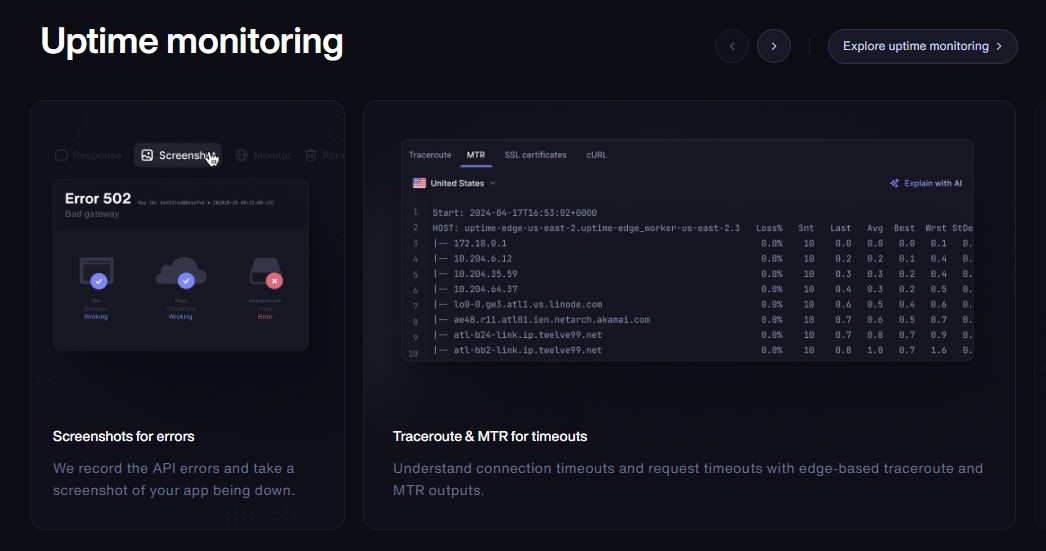
Better Stack is a strong all-in-one option for teams that want uptime monitoring, on-call scheduling, incident management, and a status page in the same platform.
Its free plan includes 10 monitors or heartbeats and one status page. Teams can publish incidents, maintenance notices, service announcements, response-time charts, and custom metrics. Customers can subscribe to the entire page or only the components they use.
Because monitoring and communication share the same platform, a confirmed outage can alert responders and update the appropriate service component without requiring several disconnected tools.
The basic page is generous, but advanced options can increase the cost. Additional pages, custom code, password protection, SSO, IP restrictions, custom email domains, and white-labeling may require separate charges.
Best for: SaaS teams consolidating monitoring, incident response, and customer communication.
2. Atlassian Statuspage
Atlassian Statuspage is primarily an incident-communication platform. It suits companies that already use external monitoring tools and need a dependable way to communicate with customers, employees, or selected accounts.
It supports incidents, service components, scheduled maintenance, reusable templates, historical uptime, system metrics, API automation, embedded notices, and customer subscriptions. It can connect with monitoring and alerting platforms such as Datadog, New Relic, PagerDuty, and Pingdom.
Companies can create public pages, private pages for authenticated users, or audience-specific pages that show different information to different customer groups.
The free public plan includes 100 subscribers, 25 components, two team members, and two metrics. Paid public plans start at $29 per month. Private and audience-specific pages have separate pricing.
Best for: Established SaaS companies that need structured or customer-specific communication.
3. Instatus
Instatus provides monitoring, incident response, and status pages without making the initial setup unnecessarily complicated.
Its free Starter plan includes 15 monitors, two-minute checks, five team members, a public status page, and 200 subscribers. Teams can organize components, publish maintenance notices, display metrics, track third-party dependencies, and manage incidents from the dashboard or connected collaboration tools.
Notifications can be sent through channels such as email, SMS, webhooks, Slack, Microsoft Teams, Discord, Google Chat, RSS, and Atom feeds.
The free plan does not include a custom domain. Custom domains begin on Pro, while private and audience-specific pages require a more advanced plan.
Best for: Startups that need a useful free page with a straightforward upgrade path.
4. Status.io
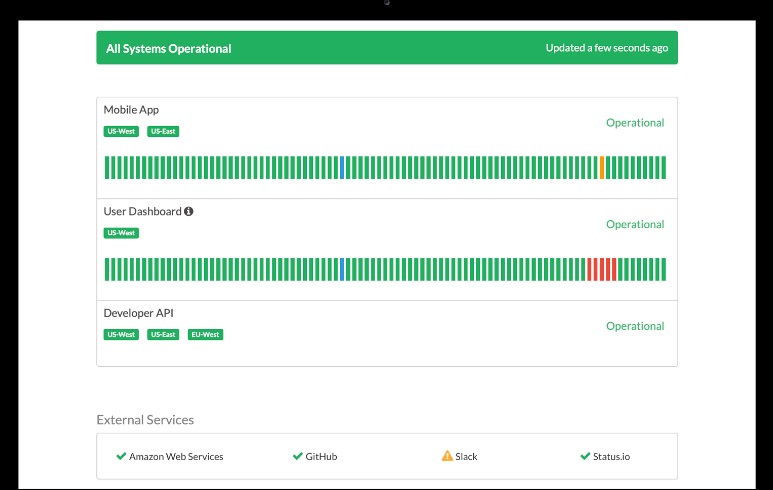
Status.io works particularly well for SaaS platforms with several regions, infrastructure layers, or external dependencies.
In addition to standard components, it uses containers to represent locations, service groups, or subcomponents. Teams can display geographic maps, external-service health, historical status charts, custom metrics, maintenance schedules, and reusable incident templates.
Its notification channels include email, SMS, webhooks, RSS, calendar feeds, Slack, Microsoft Teams, IRC, and X. Advanced controls include private pages, identity-provider authentication, IP restrictions, audit trails, and custom HTML, CSS, or JavaScript.
Plans start at $79 per month for one public page, 500 subscribers, and five team members. Additional pages are billed separately.
Best for: Infrastructure providers and multi-region SaaS products that need granular status reporting.
5. UptimeRobot
UptimeRobot makes sense when monitoring is the main requirement and a customer-facing status page is also needed.
The free plan includes 50 monitors, five-minute checks, and one basic status page. It can monitor websites, APIs, ports, keywords, cron jobs, SSL certificates, DNS records, and domain expiration.
Paid plans add faster checks, custom domains, more pages, subscriber notifications, password protection, white-labeling, analytics, and broader API access. Status pages can be presented in 11 languages, including English, German, French, Spanish, Hindi, Portuguese, Arabic, and Chinese.
Its status communication is less sophisticated than enterprise-focused products, but the combination of monitoring, affordability, and simple setup will be sufficient for many smaller teams.
Best for: Small SaaS businesses that need inexpensive monitoring and a straightforward public page.
6. Hyperping
Hyperping combines polished status pages with uptime monitoring, on-call scheduling, and incident management.
Its free plan includes 20 monitors and one basic public page on a Hyperping-hosted domain. Paid plans add custom domains, customer subscriptions, faster monitoring, multiple pages, private access, multilingual presentation, and white-labeling.
Monitoring covers HTTP endpoints, browser transactions, servers, cron jobs, and SSL certificates across 18 regions. Confirmed failures can automatically update connected components. Teams can also manage pages through an API or Terraform provider.
The Essentials plan costs $29 per month and includes one custom-domain page and 100 subscribers. Private and multilingual pages begin on higher plans.
Best for: SaaS companies that want strong monitoring and a status page that matches their brand.
7. incident.io
incident.io connects status communication directly to the incident-response process. It is especially useful for engineering teams that coordinate incidents through Slack or Microsoft Teams.
Responders can publish updates manually, automate selected steps, or work from pre-approved message templates. Depending on the plan, teams can create public, private, internal, or customer-facing pages with components, metrics, custom domains, and product or regional subpages.
Customers can receive updates through email, Slack, or RSS. Because communication is part of the active incident workflow, responders are less likely to forget public updates while concentrating on the technical problem.
A status page is included in the free Basic plan. More advanced response and on-call features use per-user pricing.
Best for: Engineering organizations building a formal incident-management process.
8. OpenStatus
OpenStatus is an open-source monitoring and status-page platform available as a managed service or a self-hosted deployment.
It supports custom domains, components, maintenance notices, subscribers, themes, multiple languages, private access, APIs, command-line tools, YAML configuration, Terraform, and software development kits. Teams can manage monitors and status pages as infrastructure code rather than configuring everything manually.
The free plan includes one monitor and one status page with three components. Paid plans start at $30 per month and add more monitors, components, subscribers, and customization.
Self-hosting provides greater control, but it also transfers responsibility for the database, analytics, probes, background services, upgrades, and security to the team.
Best for: Developer-led companies that value open-source software, automation, or infrastructure ownership.
Prepare the Page Before the Outage
Better Stack offers the most balanced all-in-one package, while Atlassian Statuspage remains a strong choice for structured enterprise communication. Instatus, UptimeRobot, and Hyperping are more approachable for smaller teams. Status.io, incident.io, and OpenStatus address more specialized operational needs.
Whichever platform you choose, configure it before the first serious outage. Define customer-facing components, assign publishing responsibility, prepare incident templates, and test notifications. During SaaS downtime, a short and accurate update builds more trust than an impressive status page that stays silent.
Frequently Asked Questions on SaaS Status Page Tools
1. What should a SaaS status page include?
It should show current service health, affected components, incident updates, planned maintenance, historical availability, and subscription options. Components should represent customer-facing functions such as login, payments, dashboard, and API access.
2. Should a status page be public or private?
A public page works best for customer-facing services. Private pages are useful for internal systems, enterprise clients, or incidents involving sensitive information. Some companies need both.
3. Should monitoring automatically update the status page?
Automation can reduce response time, but it needs safeguards. Multiple monitoring locations, confirmation rules, or human approval can prevent one failed check from creating a misleading public incident.
4. Where should a SaaS status page be hosted?
It should run outside the infrastructure hosting the main application. Otherwise, the product and its status page could become unavailable during the same outage.
5. Does a status page prove that an SLA was met?
Not automatically. Status history can support SLA reporting, but contractual calculations may use different downtime definitions, exclusions, and measurement periods.