The best flashcard apps for spaced repetition do not show every card equally. They track how well you remember each answer and schedule the next review before that memory is likely to fade.
This approach is useful for vocabulary, formulas, medical terminology, historical dates and other information that requires long-term recall. However, the apps differ considerably. Some prioritize scheduling control, while others combine flashcards with notes, courses, mind maps or AI tools.
The following apps were selected for their documented spaced-repetition features, card-creation options, platform support, pricing and practical limitations. Prices were checked in September 2026 but may change or vary by region.
1. Anki: Best Overall
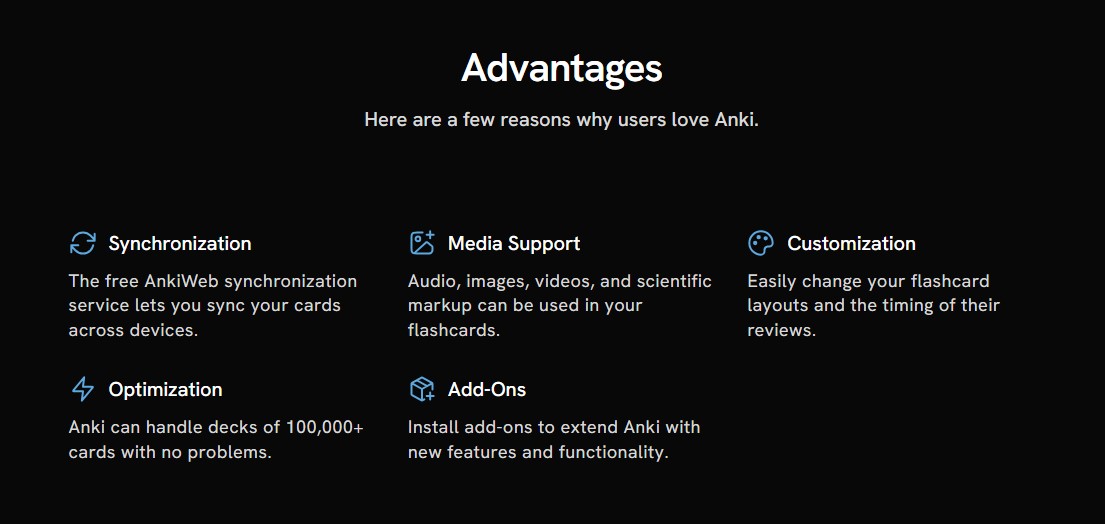
Anki remains the most capable option for learners who want control over how their cards are created and scheduled. It supports the modern FSRS scheduler alongside the older SM-2 system. Cards can include text, images, audio, formulas and customized templates.
Anki is available on Windows, macOS, Linux, Android and the web. The desktop software, AnkiWeb and AnkiDroid are free. The official AnkiMobile app for iPhone and iPad costs $24.99 as a one-time US purchase.
Its flexibility comes with a learning curve. The interface is less welcoming than those of simpler study apps, and some advanced editing still requires the desktop program.
2. RemNote: Best for Combining Notes and Flashcards
RemNote lets students turn information inside their notes into flashcards. This makes it easier to move from reading and organizing material to actively reviewing it without maintaining separate systems.
It supports FSRS and Anki-SM2 scheduling, PDF annotation, image occlusion and an exam scheduler that adjusts reviews around a deadline. The free plan includes unlimited notes and flashcards. RemNote Pro currently costs $8 per month when billed annually, while its AI plan costs more.
RemNote is particularly useful for university courses and research-heavy subjects. Someone who only wants basic question-and-answer cards may find its wider knowledge-management system unnecessarily complex.
3. Mochi: Best Minimalist and Offline-First Option
Mochi combines Markdown notes, linked cards and spaced repetition in a clean, focused interface. Users can study with Mochi’s default scheduler or enable FSRS and choose a target retention level.
The free version works offline, does not require an account and allows unlimited cards, decks, imports and exports. Mochi Pro costs $5 per month when billed annually and adds device syncing and cloud features.
Mochi suits learners who value privacy, local storage and distraction-free writing. Anki decks can be imported, although complex scripts and formatting may not transfer perfectly. The absence of free cross-device sync is its most important restriction.
4. Quizlet: Best for Ready-Made Study Sets
Quizlet offers an enormous collection of public study sets covering school, university and professional subjects. Learners can also create their own cards and use several practice formats.
Its spaced-repetition mode asks users to rate each card as Repeat, Hard, Okay or Easy. Quizlet then schedules future reviews and creates a queue of cards that are due.
The crucial limitation is that spaced repetition is currently available only on the Quizlet website, although its wider study tools work on iOS and Android. Public sets can also contain errors, so important material should be checked against a reliable source before studying.
5. Brainscape: Best for Simple Guided Reviews
Brainscape uses Confidence-Based Repetition. After seeing an answer, the learner rates their confidence from one to five. Difficult cards return more frequently, while familiar material is gradually shown less often.
Its free plan supports typed cards, imports, sharing, progress tracking and spaced repetition. Pro adds features such as images, audio, private content and access to additional premium material. Prices vary by platform and billing term.
Brainscape requires less setup than Anki and is easy to understand. However, confidence ratings are subjective, and the proprietary system offers less control over scheduling than FSRS-based apps.
6. SuperMemo: Best for Structured Language Learning
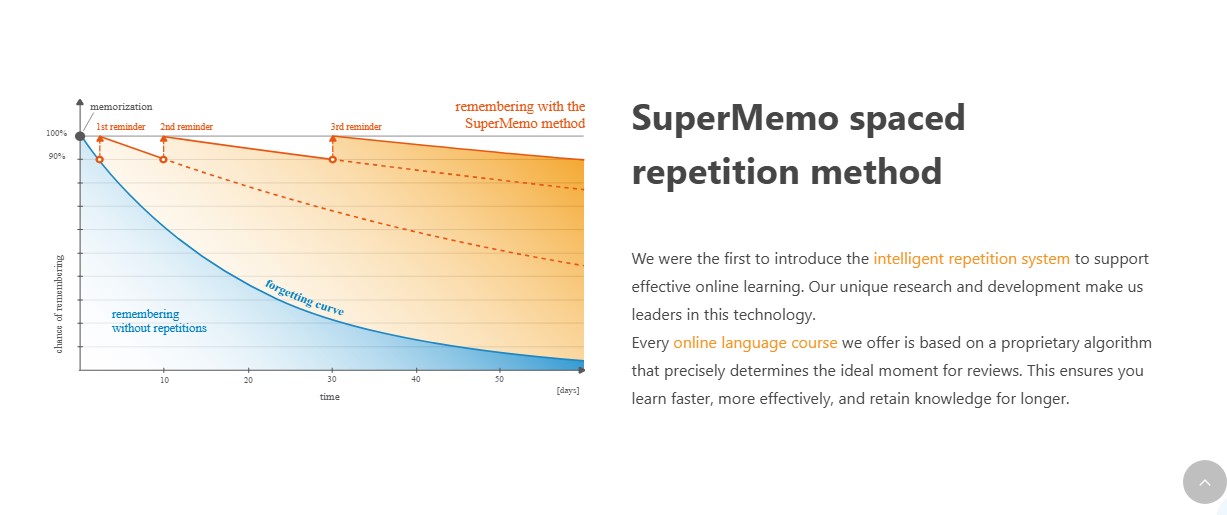
SuperMemo has one of the longest histories in computerized spaced repetition. Its current service combines a proprietary repetition algorithm with language courses, vocabulary cards, progress tracking and an AI tutor.
It is available through web and mobile apps, with online and offline study options. Course availability and Premium pricing vary by market.
SuperMemo is most suitable for language learners who want prepared lessons instead of building every deck themselves. It is less flexible for highly customized cards in subjects such as medicine, law or programming, and users receive limited visibility into how its proprietary scheduler calculates intervals.
7. Traverse: Best for Visual Learners
Traverse combines mind maps, connected notes and spaced-repetition cards. Learners can first see how ideas relate and then memorize the details, which can be valuable for subjects such as anatomy, history and science.
Its Anki importer can preserve scheduling history, images, audio, tags, subdecks and image-occlusion cards. This makes it more practical for existing Anki users than tools that import only card text.
Traverse works in desktop and mobile browsers rather than through native apps. A free plan is available, while its current Member plan costs about $15 per month. That price may be difficult to justify for someone who does not need its visual tools.
8. Knowt: Best Free Quizlet Alternative
Knowt offers manual and AI-generated flashcards, practice tests, games and a free spaced-repetition mode. It can also import Quizlet sets, reducing the effort required to move existing study material.
The Basic plan covers its central creation and study tools. Knowt Ultra currently costs $149.99 per year or $24.99 when purchased monthly.
Knowt is attractive to students who enjoy a more game-like study experience. Its repetition system is not explained as thoroughly as Anki’s or RemNote’s, however. AI-generated cards must also be compared with the original source because an automatically produced card can still misinterpret the material.
9. Mnemosyne: Best Open-Source Alternative
Mnemosyne is a free, open-source flashcard program and a long-running memory research project. Its adaptive scheduler shows difficult cards more frequently and gradually extends the interval for information that is consistently remembered.
It is available for Windows, macOS and Linux, with Android support and synchronization options. Plugins and scripts provide additional flexibility for technically confident users.
Mnemosyne is a solid choice for learners who value local control and open-source software. Its dated interface and more technical installation process make it less approachable than modern commercial apps. It also lacks a polished native iOS experience.
10. Flashcards Deluxe: Best One-Time-Purchase Mobile App
Flashcards Deluxe provides both a Leitner-style review system and an advanced spaced-repetition mode. Cards can contain up to five sides, images, audio and text-to-speech content. The app also supports spelling tests, multiple-choice questions and large decks.
The US Apple version currently costs $4.99 as a one-time purchase, while Android pricing varies by region. A restricted Lite version is available for free.
Its interface looks older than those of newer competitors, and it has no web or Windows version. Even so, it remains a strong option for mobile learners who want detailed card controls without another subscription.
Consistency Matters More Than Extra Features
A sophisticated algorithm cannot compensate for vague questions, overloaded cards or irregular study. Start with a small deck, test one clear idea per card and answer before revealing the back. The best flashcard app is not necessarily the one with the longest feature list. It is the one that makes regular, honest recall practice easy to maintain.
Frequently Asked Questions on the Best Flashcard Apps for Spaced Repetition
1. What is the best flashcard app for spaced repetition?
Anki is the best overall option for serious long-term study because it supports FSRS, extensive customization, offline access and large decks. Beginners may find Mochi or Brainscape easier to learn.
2. Is spaced repetition better than ordinary flashcards?
Spaced repetition is generally more efficient for long-term retention because it focuses attention on information that is becoming difficult to recall. Ordinary flashcards often repeat familiar and unfamiliar cards at similar rates.
3. Which spaced-repetition app is completely free?
Mnemosyne is fully free and open source. Anki is free on desktop, web and Android, although its official iOS app is paid. RemNote, Mochi, Knowt and Brainscape also have useful free plans with different restrictions.
4. Does Quizlet offer real spaced repetition?
Yes. Quizlet now has a study method that schedules cards according to recall ratings and shows reviews when they become due. This feature is currently limited to the Quizlet website.
5. How often should spaced-repetition cards be reviewed?
Review the cards that are due rather than repeatedly studying an entire deck. A short daily session is usually easier to sustain and helps prevent a large backlog from accumulating.