Using a phone as a timer creates a predictable problem: the same screen that starts a focus session also carries messages, social feeds, and open tabs. The best physical Pomodoro timers put the countdown on a separate device.
These products solve different problems. Some automate work-and-break cycles, one makes passing time visible, and others restrict phone access. The best physical Pomodoro timers were ranked by documented controls, 25-minute support, alerts, visibility, portability, phone dependence, and price—not unverified productivity claims or hands-on durability tests.
Direct-store prices are snapshots. Buyers outside the seller’s home market should confirm currency, shipping, import charges, warranty coverage, and local stock before ordering.
Best Physical Pomodoro Timers: Quick Comparison
| Product | Strongest Use | Main Limitation |
| Minimal Desk Setups Pomodoro Timer | Automatic work-and-break cycles | Price and shipping vary by region |
| Ticktime Cube | Fast flip-to-start sessions | Small display suits one person |
| Time Timer MOD | Seeing time disappear | Breaks must be started manually |
| Flow Timer | Premium permanent desk setup | Expensive beside basic timers |
| TFA Dostmann Mini Cube | Portable custom timing | No preset 25-minute side |
| TIMEFLIP2 | Timing and recording tasks | App required for setup and syncing |
| Brick | Blocking selected phone apps | Compatible phone and app required |
| kSafe | Complete physical separation | No normal early-unlock option |
The first three suit most readers. Flow Timer is the premium choice; the remaining products address portability, time records, app blocking, or physical phone separation.
What Buyers Often Miss
The Pomodoro Technique involves more than setting 25 minutes. Its official materials also cover planning, interruptions, effort estimation, and completed-session records. A timer supports that routine; it cannot organize the work.
When comparing the best physical Pomodoro timers, check whether breaks start automatically, the alarm can be muted, custom sessions are easy to enter, and the display is readable from a normal sitting position. Small annoyances multiply across a working day.
1. Minimal Desk Setups Pomodoro Timer
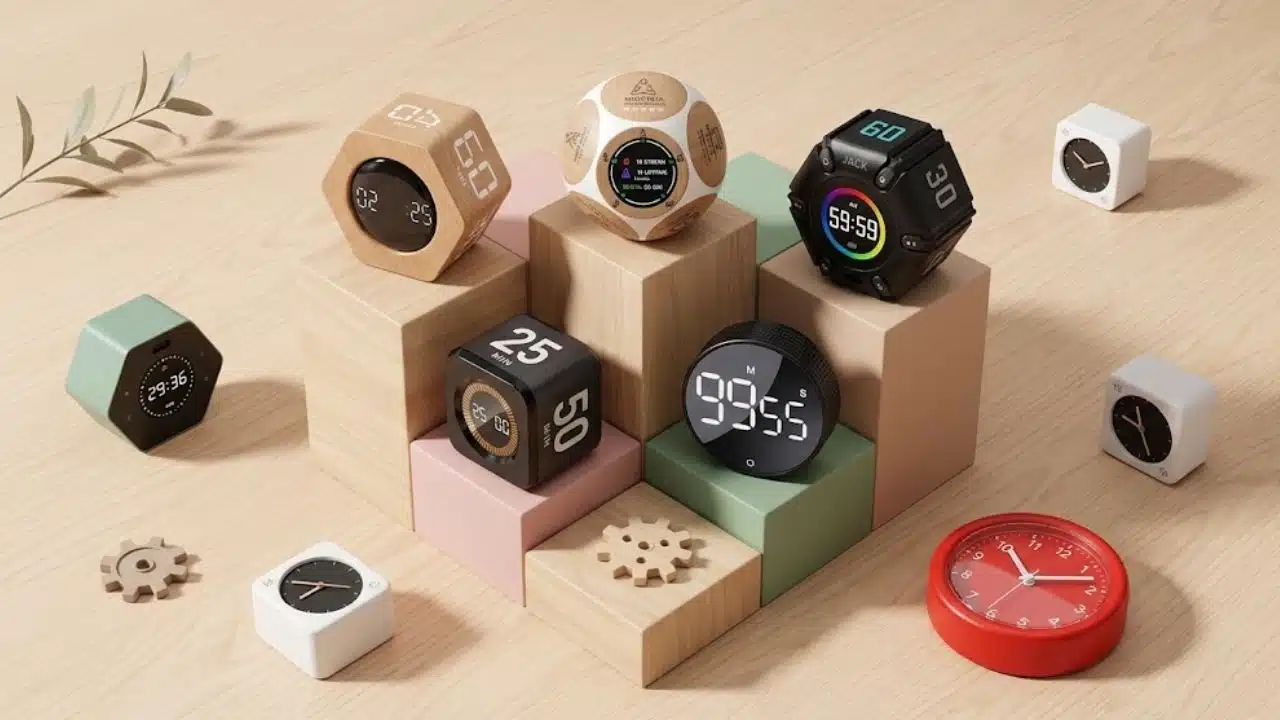
This earns first place because it handles the move from work to rest. Its two displays show both periods, and automatic switching reduces repeated button presses during a multi-session study or writing block.
A tactile dial adjusts custom sessions. There are three alert levels, two brightness settings, a magnetic mount, and countdowns of almost 200 minutes. Power comes from USB-C or three AAA batteries.
Among the best physical Pomodoro timers, it offers strong cycle control for the listed price. The Australian storefront showed A$19, reduced from A$37.99, when checked. International shipping may reduce that advantage, so compare the checkout total.
2. Ticktime Cube
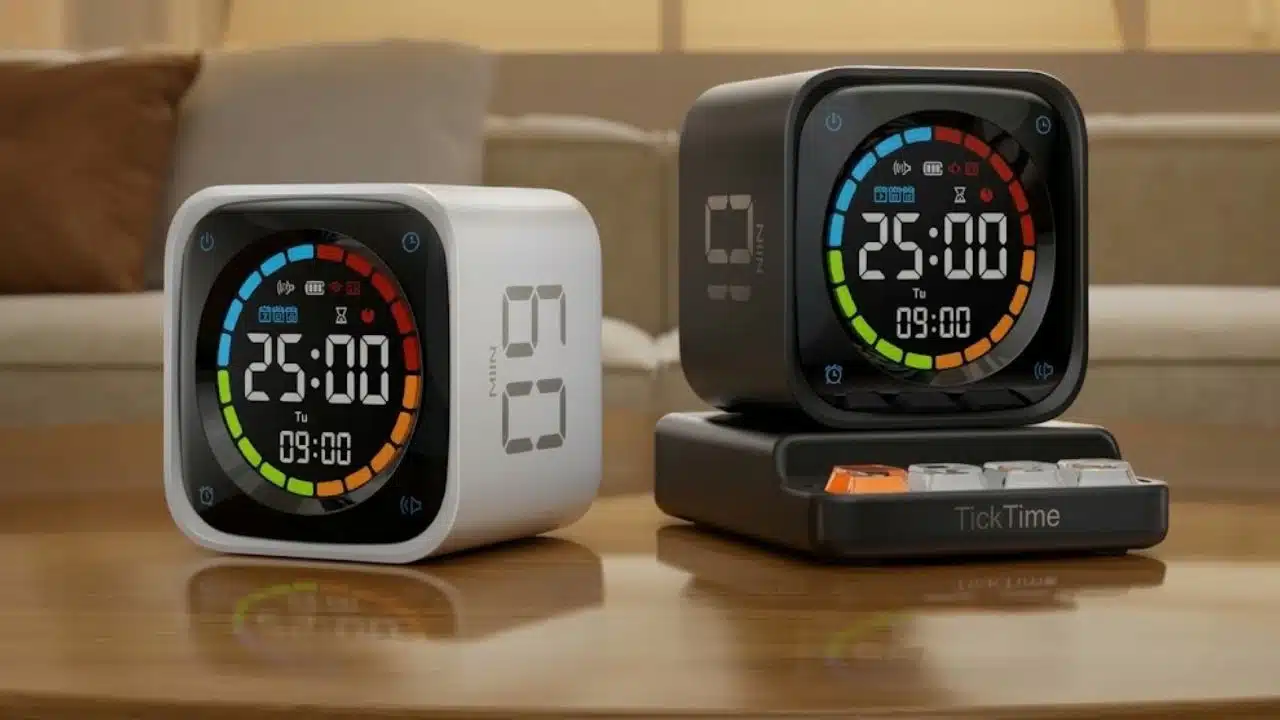
Ticktime Cube starts when the desired preset faces upward. Its sides cover 1, 3, 5, 10, 15, 25, 45, and 60 minutes, providing a classic focus block and several break lengths without menu navigation.
The cube is USB-C rechargeable and includes a stopwatch, touch controls, a magnetic back, and sound, vibration, or silent alerts. The official store displayed a US$34.99 sale price when checked.
Vibration helps it stand out among the best physical Pomodoro timers for libraries, shared offices, and late-night study. The small display makes it a personal tool, not a classroom or meeting-room timer.
3. Time Timer MOD
Time Timer MOD uses a colored disc that gradually disappears. A glance shows the proportion of time remaining without requiring the reader to process exact digits.
The 60-minute Home Edition is about 3.5 inches across, runs silently, offers an optional beep, and uses one AA battery. The U.S. store listed it at US$24.95 when checked. Its silicone case is sold separately.
There is no automatic cycle, stopwatch, or session record. It remains one of the best physical Pomodoro timers for readers who prefer a visual cue to digits. Anyone who forgets to start breaks should choose another model.
4. Flow Timer
Flow Timer is easy to admire and harder to justify. It has a metal-alloy frame with ABS plastic, weighs 360 grams without the dock, charges by USB-C or the dock, and carries a manufacturer claim of more than 16 hours of continuous use.
Users can save focus and break presets or run consecutive sessions in Flow Mode. Five tones, silent operation, a stopwatch, and countdowns up to 199 minutes and 55 seconds are included.
The Australian storefront displayed A$99 when checked. That is excessive for a first attempt at timed work. Consider it only if automatic cycles are already established, and its build, weight, and appearance justify the premium.
5. TFA Dostmann Mini Cube
The 48-gram Mini Cube offers 5-, 10-, 30-, and 60-minute flip presets. Buttons allow a custom countdown up to 99 minutes and 59 seconds. A stopwatch, two sound levels, vibration, and a rechargeable 500 mAh battery are included.
The missing 25-minute preset is the compromise: manual entry removes some flip-timer convenience. Choose it for varied everyday timing; strict Pomodoro users have better options above.
6. TIMEFLIP2
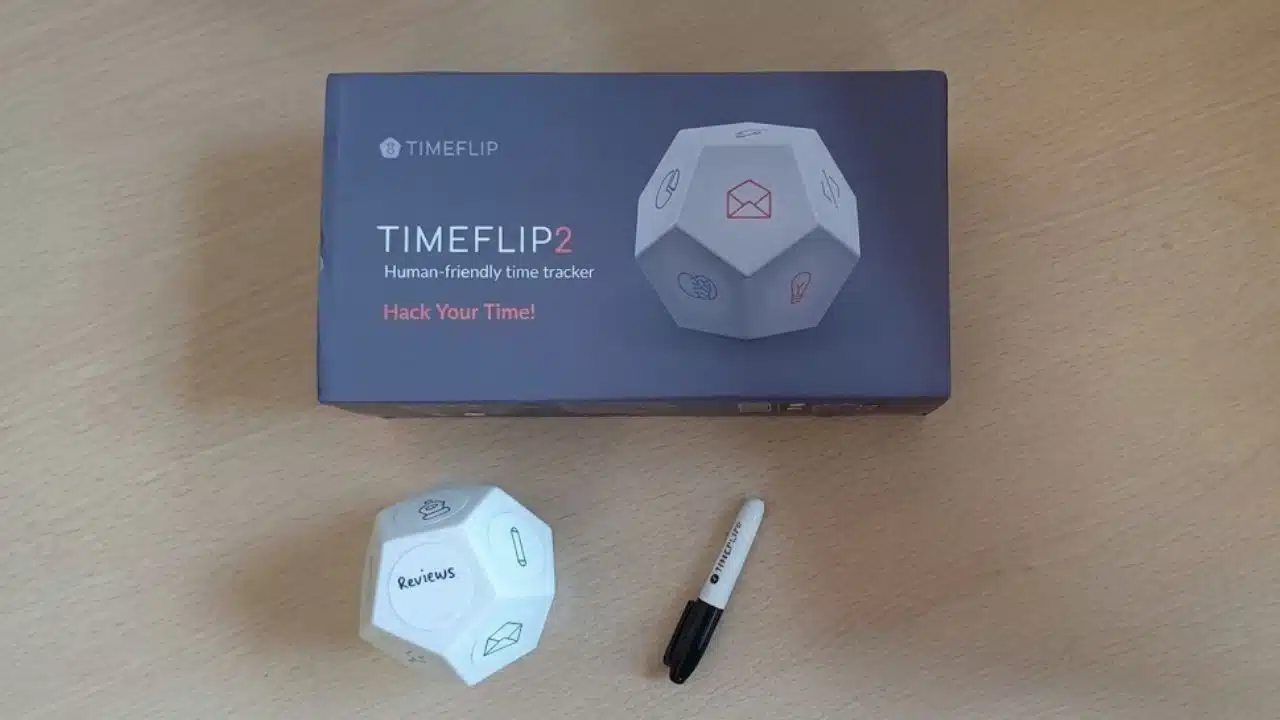
TIMEFLIP2 is a physical time tracker, not merely a countdown timer. Each face of the 12-sided device can represent research, writing, design, meetings, or another task. Turn that face upward to begin recording.
It supports direct tracking and Pomodoro mode, stores records offline, exports XLS or CSV files, and connects with calendars. Two AA batteries provide power. The mobile and web software is listed as free, but the app is required to assign activities and sync data.
At $59 when checked, it makes little sense for a basic alarm. Its value is giving freelancers and other professionals both a physical start action and a record of where the day went.
7. Brick
Brick belongs here because some focus problems are really app problems. Users choose distracting apps or websites, then tap a compatible phone against the device to activate blocking. Brick needs no battery, charging, or Wi-Fi.
Current compatibility starts at Android 12 and iOS 17. Strict Mode restricts common ways of ending a session, while five Emergency Unbricks provide limited recovery. One unit can also work with multiple phones.
Keep calling, maps, authentication apps, payment tools, and necessary work software available. Pairing Brick with an ordinary timer may be wiser than buying a premium timer while leaving every distracting app accessible. The store displayed $59 when checked.
8. kSafe
kSafe is the most forceful option. It locks a phone or another item for one minute to 10 days. After a five-second cancellation window, there is no built-in override; forced access can break the plastic base and void the warranty.
Start with a short session. Never place health-critical medicine, a security key, a shared phone, or the only means of emergency communication inside. Measure the phone with its case before choosing a Mini, Medium, or XL base. This is a last-resort barrier, not a routine recommendation.
Final Thoughts
Do not begin with the most expensive device. Identify the friction first. Choose automatic cycles if restarting breaks is the problem, Time Timer MOD if passing time feels abstract, or Brick or kSafe if the phone remains irresistible while the timer runs.
The best physical Pomodoro timers make it easier to begin and stop without creating another system to manage. Pick one task, run a 25-minute session, and take a genuine five-minute break. Repeat for a week before deciding whether more features would help.
FAQs
Are the best physical Pomodoro timers better than timer apps?
Not automatically. An app may be enough when notifications are controlled and the phone does not invite habitual checking. A physical timer helps when picking up the phone repeatedly leads to messages, browsing, or social media. Its advantage is separation, not guaranteed productivity.
Do automatic breaks matter?
They matter during consecutive sessions because automatic switching reduces repeated setup. If breaks vary around calls, classes, or household responsibilities, manual control may be less restrictive.
Must every Pomodoro session last 25 minutes?
The classic method uses a 25-minute focus period, but timers can support other lengths. Use one workable interval for several days before adjusting it to the task and the quality of attention.