Choosing among the best password managers goes beyond basic auto-fill, password generation, and cross-device sync. Real operational differences surface during critical moments—recovering an locked account, revoking access for departing employees, sharing vault credentials with family, or exporting passkeys without data lock-in.
The top password managers rely on zero-knowledge encryption while offering reliable account recovery, flexible cloud or local hosting, robust compliance controls, and seamless multi-platform support. This guide compares the leading tools based on security architecture, pricing transparency, and administrative capability to help you pick the right password manager for personal, family, or enterprise security.
How the Password Managers Were Ranked
The ranking is based on the overall experience a person or organization can reasonably expect, not simply the number of features advertised.
The main considerations were:
- Security architecture, independent assessment, and account-recovery options
- Support for passwords, passkeys, authentication codes, and secure sharing
- Compatibility across browsers, computers, and mobile devices
- Password and passkey portability
- Free-plan restrictions and paid-plan value
- Business controls such as provisioning, roles, reporting, and offboarding
- The amount of setup and ongoing maintenance required
A generous free plan helped, but it did not automatically outrank a paid service with better recovery or business administration.
Quick Comparison: Top Password Managers at a Glance
| Password Manager | Strongest Use Case | Main Limitation |
| 1Password | Best overall for mixed-device users | No permanent free plan |
| Bitwarden | Best value and open-source option | Interface has a modest learning curve |
| Keeper | Business policy and administration | Free plan is severely restricted |
| Proton Pass | Privacy-focused free password management | Enterprise offering is less established |
| Dashlane | Paid personal protection and risk monitoring | No ongoing free plan |
| NordPass | Straightforward everyday management | Free plan allows one active session |
| Enpass | Control over vault storage location | Requires more setup and backup planning |
| Zoho Vault | Cost-conscious business deployment | Plans require close comparison |
| Apple Passwords | Apple households | No native Android manager |
| Google Password Manager | Android and Chrome users | Limited business vault governance |
The top two are the clearest general recommendations. The middle of the list addresses more specific priorities, while Apple Passwords and Google Password Manager make the most sense when convenience inside one ecosystem matters more than advanced sharing or administration.
Most Password Manager Comparisons Miss
Passkey support is often presented as a checkbox: supported or unsupported. That is too simplistic. A password manager may be able to create and store passkeys without providing an easy way to move them. Transfers increasingly use the FIDO Alliance’s Credential Exchange Protocol, but availability still depends on the manager, operating system, app version, and receiving service.
Passwords are easier to migrate because most managers can export a CSV file. That convenience creates another problem: CSV exports are normally unencrypted. Anyone completing a migration should import the file promptly, verify the new vault, and then remove every copy from downloads, cloud folders, email attachments, and backups.
Recovery deserves the same attention. Before adopting a manager, check what happens if the main phone is lost, the account password is forgotten, or the employee controlling a shared vault leaves the company.
Passkeys also do not make an entire account immune to phishing. If a website continues to allow a password, SMS code, or weak recovery process, an attacker may simply target that fallback.
Why LastPass Is Not Ranked
Leaving LastPass out without explanation would be misleading because it remains one of the most recognizable password-manager brands.
The UK Information Commissioner’s Office fined LastPass £1.2 million in December 2025 over security failings connected with its 2022 breach. Backup data affecting as many as 1.6 million UK users was taken, although the regulator reported no evidence that encrypted passwords were decrypted.
LastPass has since made security changes. Even so, it is difficult to place it above services offering comparable features without the same recent breach and regulatory history.
10 Best Password Managers Compared
Selecting the best password managers requires balancing zero-knowledge encryption, intuitive passkey support, and seamless cross-platform synchronization. Whether you need open-source transparency, self-hosted vault control, or granular enterprise administration, modern password managers eliminate credential vulnerabilities while providing dependable account recovery and secure credential sharing across all your devices.
1. 1Password: Best Overall for Most Paying Users
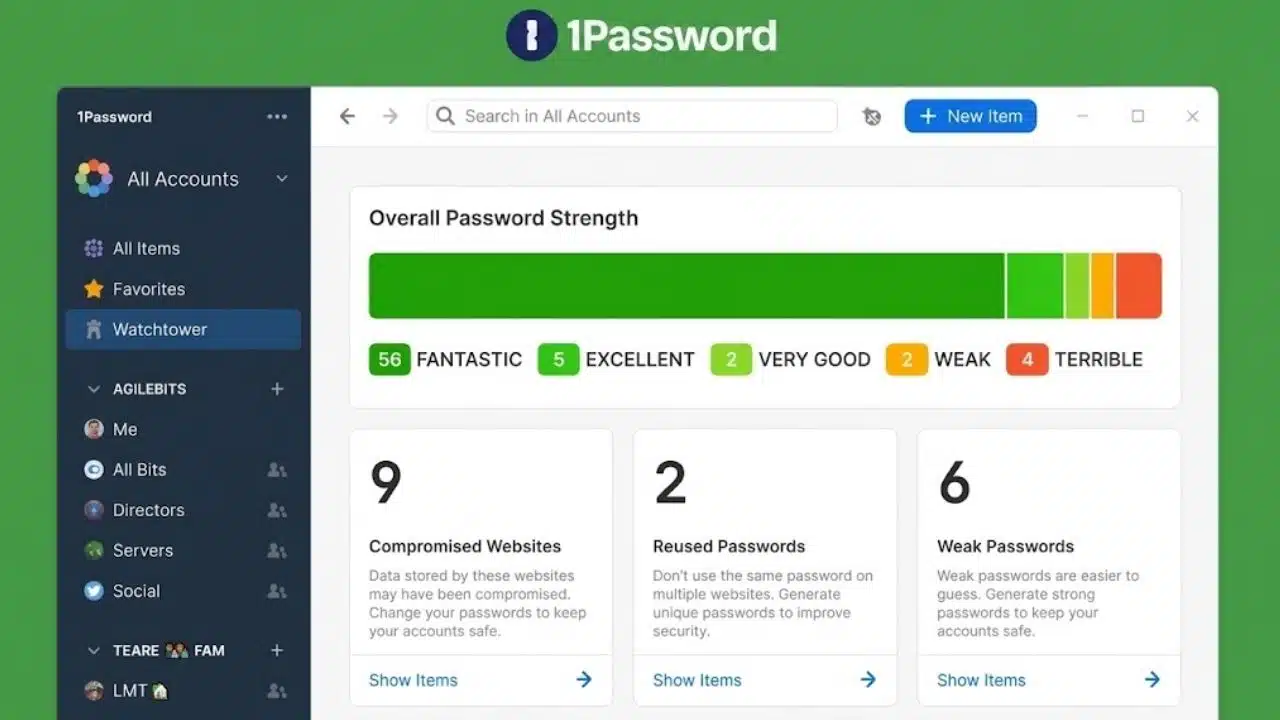
1Password takes the top position because it handles more than daily autofill. It works across the major desktop and mobile platforms, supports household and workplace sharing, and provides recovery options that do not rely entirely on one remembered password.
Its Secret Key adds account-specific data to the encryption process, making remotely stolen vault data harder to attack. Individual and family users can create a recovery code, while family organizers can help other members recover access. Business recovery follows an administrator-managed process.
The regular US individual price is $3.99 per month when billed annually, although introductory pricing may be lower. There is no permanent free plan, which is the clearest reason not to recommend it to everyone.
Passkey migration also needs qualification. Supported iOS and Android transfers can include passkeys through Credential Exchange. Desktop file exports currently do not, so a desktop-only migration may leave users recreating passkeys at individual websites.
For someone prepared to pay, especially in a household mixing Windows, macOS, Android, and iOS, 1Password is the most balanced option here.
2. Bitwarden: The Best Value
Bitwarden’s free plan includes unlimited vault items and access across unlimited devices. It does not force users to choose between keeping a vault on their computer and accessing it on their phone.
Premium costs $19.80 per year at the time of writing. The upgrade adds an integrated authenticator, emergency access, encrypted attachments, and additional security reports. Plenty of users can remain on the free plan without losing the basic functions that make a password manager useful.
Bitwarden also publishes its source code and information about independent security assessments. Open-source software is not automatically safer, but it gives security professionals more material to inspect.
Its migration options are another advantage. Compatible mobile devices can transfer credentials directly, while encrypted JSON exports can include stored passkeys. Bitwarden warns against treating exported passkey data as a permanent backup because an old copy may later be rejected by a website.
Self-hosting is available, but most individuals should leave it alone. Running the server also means taking responsibility for updates, backups, monitoring, and recovery. For general use, the hosted version offers a better balance of control and maintenance.
3. Keeper: Best for Policy-Heavy Organizations
Keeper is strongest when credentials must remain under organizational control. Business plans provide shared team folders, role-based policies, reporting, user provisioning, vault transfer, and SAML or SCIM integrations on applicable tiers.
Those features matter when an employee leaves. An administrator should be able to transfer ownership of business credentials without asking the former employee to unlock a personal vault.
The free version is much less useful than its position in this ranking might suggest. It is limited to one mobile device and 10 password or passkey records, without the backup, sharing, restoration, and export features expected from a full manager. Treat it as a way to inspect the product, not as a serious free alternative to Bitwarden or Proton Pass.
Keeper may be excessive for a small household. For an IT department with strict credential policies, that extra administrative weight is the point.
4. Proton Pass: The Strongest Privacy-Focused Free Plan
Proton Pass gives free users unlimited logins, notes, cards, devices, and passkeys. It also includes 10 hide-my-email aliases, which can reduce exposure of a primary address when registering for websites.
The service covers the main desktop, browser, and mobile platforms. Its applications are open source, and Proton has published information from independent security audits.
Paid plans add features such as integrated two-factor authentication, expanded sharing, dark-web monitoring, and emergency access. Those additions are useful, but the free tier already covers the needs of many individual users.
Proton has expanded its organizational offering, although companies with demanding reporting, provisioning, and offboarding requirements should compare its current controls directly with Keeper and 1Password. A strong consumer plan does not automatically make the service the strongest enterprise choice.
5. Dashlane: Useful When the Security Extras Earn Their Price
Dashlane ended its free plan on September 16, 2025. New personal customers now choose between paid Premium and Friends & Family subscriptions after the trial period.
Premium combines password management with dark-web monitoring, phishing and scam protection, secure sharing, and a VPN. The bundle can represent good value for someone who would otherwise pay separately for those services. It becomes less compelling when the VPN and monitoring features are unlikely to be used.
Dashlane supports Credential Exchange transfers with participating managers on compatible recent devices. Its professional offerings now use the Omnix Password Management and Omnix Enterprise names, with workplace functions such as SSO and SCIM available on relevant plans.
Dashlane remains a capable product. It ranks fifth because Bitwarden and Proton Pass offer stronger free value, while 1Password provides a cleaner general recommendation for paying households.
6. NordPass: Easy to Use, Harder to Leave With Passkeys
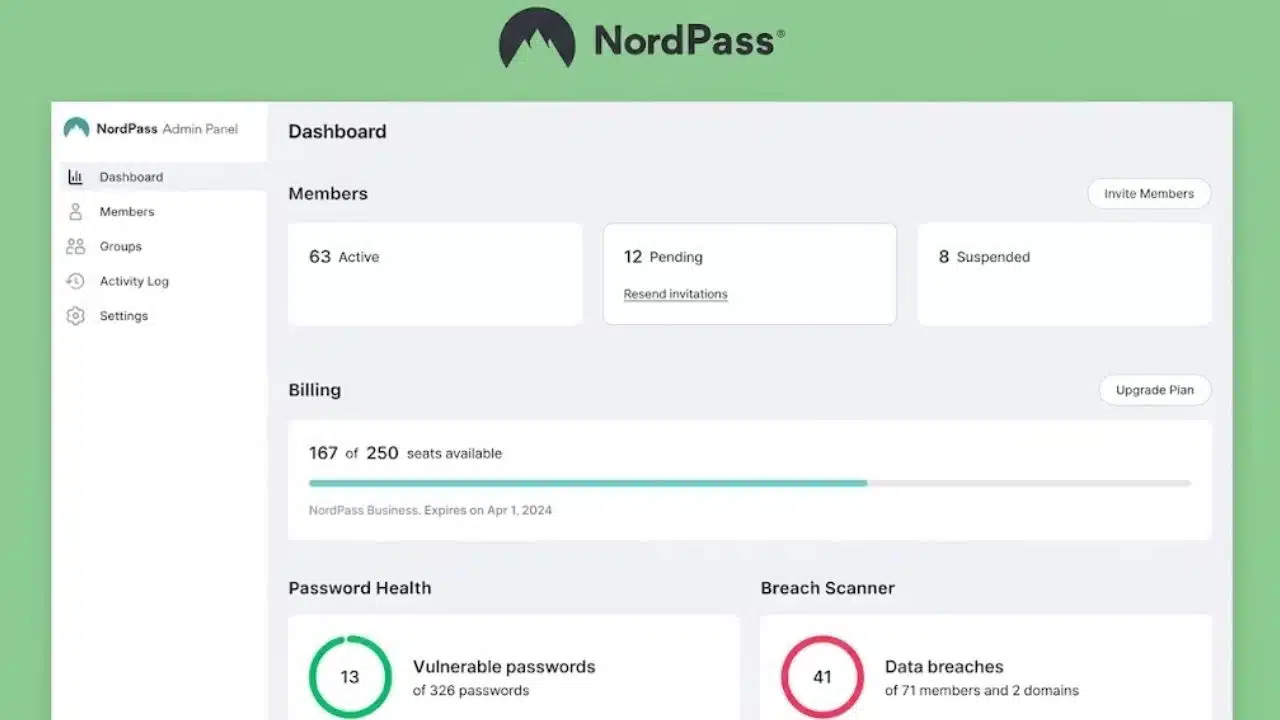
NordPass covers the everyday basics without an intimidating interface. It handles password generation, autofill, vault synchronization, and major desktop and mobile platforms.
The free plan permits synchronization, but only one active session can remain open at a time. Moving from a phone to a computer may require signing in again. Paid plans remove that restriction and add simultaneous access, password-health tools, breach monitoring, attachments, and additional sharing features.
The bigger issue is passkey portability. NordPass currently documents no option to import or export passkeys. People beginning a large passkey collection should consider that limitation before settling on the service.
7. Enpass: An Underrated Option for Storage Control
Enpass does not require customers to store their vaults on company-operated servers. Encrypted data can synchronize through iCloud, Google Drive, OneDrive, Dropbox, Box, Nextcloud, WebDAV, or a local Wi-Fi connection.
Businesses can keep vault data in their Microsoft 365 environment, using OneDrive and SharePoint for personal and shared storage. That arrangement may suit organizations with internal data-location requirements.
Basic desktop use is free, but free mobile use is limited to 25 items. A normal vault will outgrow that allowance quickly.
The added control brings additional responsibility. Someone must choose the storage provider, secure that account, manage backups, and understand how synchronization works. Enpass suits technically comfortable users better than households looking for the simplest possible setup.
8. Zoho Vault: Worth Considering for Budget-Conscious Teams
Zoho Vault’s free personal plan includes unlimited passwords and passkeys, unlimited devices, autofill, offline access, backup, security reporting, and built-in two-factor authentication. It is more generous than its relatively low profile suggests.
Paid tiers move toward business management, adding combinations of secure sharing, user provisioning, role controls, ownership transfer, emergency access, directory integration, SSO, and security-platform connections. Some higher plans require at least five users.
Zoho Vault is particularly relevant to companies already using Zoho products. Its plan structure and interface are less inviting for a casual household, and current regional pricing should be checked before budgeting.
9. Apple Passwords: Enough for Many Apple Households
Apple’s Passwords app is included with iOS 18, iPadOS 18, macOS Sequoia, and later compatible releases. It stores passwords, passkeys, verification codes, and Wi-Fi credentials while identifying weak, reused, or exposed passwords.
Households can use shared groups for common credentials. Windows access is available through iCloud for Windows and supported extensions for Chrome, Edge, and Firefox.
There is no full native Android password manager, and Apple Passwords lacks the policy controls, reporting, and formal ownership transfer required by larger organizations. A household using iPhones, iPads, and Macs may not need to buy anything else. Mixed Apple and Android households will usually find a cross-platform service less restrictive.
10. Google Password Manager: Convenient Inside Android and Chrome
Google Password Manager is built into Android and Chrome, storing passwords and passkeys in the user’s Google Account. It generates credentials, fills supported login forms, displays security alerts, and allows selected password sharing within a Google family group.
Compatible recent Android devices can transfer credentials directly between participating managers. Passwords can also be moved through CSV, provided the unencrypted export is handled carefully.
For someone who mainly uses Android and Chrome, the convenience is difficult to dismiss. The limitation appears when personal logins become company assets. Google Password Manager does not provide the dedicated team vaults, granular roles, audit reporting, and offboarding workflows found in business password-management platforms.
Final Thoughts
For most paying individuals and mixed-device households, 1Password is the strongest all-round choice. Bitwarden offers the best value, while Proton Pass is the most attractive free option for privacy-conscious users. Keeper deserves a closer look when organizational policy and credential ownership matter more than consumer simplicity.
Before choosing among the best password managers, take a short trial and import a small sample of real credentials. Test autofill on the websites and apps you use, sign in from a second device, inspect the recovery process, and check how passwords and passkeys can be exported.
Once the migration is complete, replace reused passwords, enable a passkey or phishing-resistant multifactor authentication on the vault itself, and store the recovery method separately. Delete any unencrypted CSV files created along the way. A password manager reduces credential risk only when the vault, recovery path, and migration files are handled with the same care as the passwords inside it.