


Ever stared at a loading screen, waiting for a desktop app to open, and wondered if there’s a better way? I ask because I’ve been there too. Slow software, packed hard drives, pricey licenses, and files trapped on one computer. Here’s the part that changed everything for me: the 10 best browser based tools that replace desktop apps run right in your web browser. No installation. No storage headaches. No big price tags.
These web applications update themselves, keep your files safe in the cloud, and let you share work with teammates in seconds. You can open them from any device with an internet connection.
In this guide, I’ll walk you through real alternatives for writing, design, spreadsheets, and project management. Each one works like the desktop version you know, often better.
1. Google Docs: A Complete Alternative to Microsoft Word
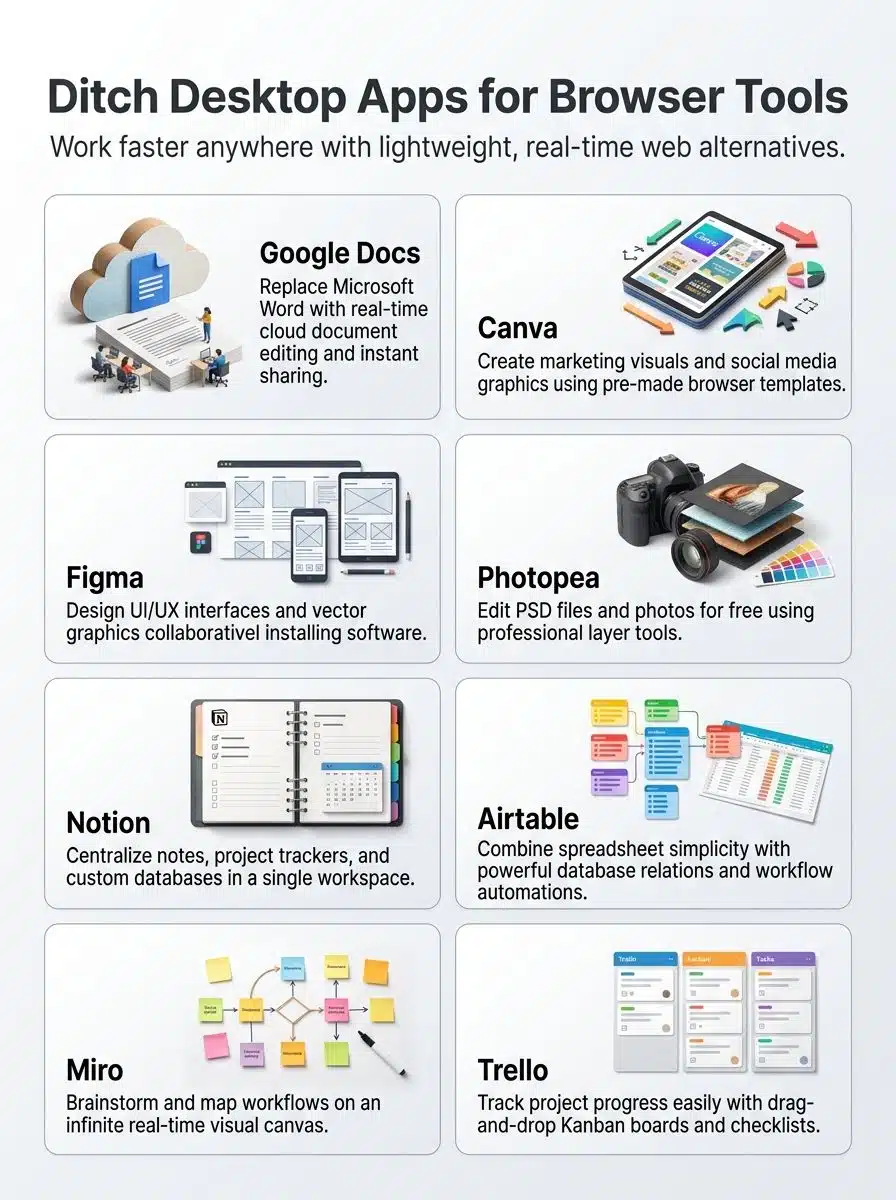
Google Docs gives you everything Microsoft Word does, without the hefty price tag. This free cloud-based tool lives inside Google Drive, so your documents stay safe and reachable from any device with internet access.
You can create, edit, and format documents just like you would in Word. Real-time sharing means your team sees changes the moment you make them, which cuts down on confusing email chains and outdated file versions.
Multiple people can work on the same document at once. Everyone stays on the same page, literally.
Google Docs also pairs with Google Sheets for spreadsheets and Google Slides for presentations. Together, they form a complete office suite that costs nothing:
- Google Docs handles document editing and comments
- Google Sheets covers spreadsheets and data work
- Google Slides builds presentations your team can edit together
- Google Drive keeps all of it in one place
The numbers back this up. In a survey of 42 distributed teams, 31 dropped their local Word licenses after switching to the browser editor. They reported average annual savings of $88 per user and a 12 percent drop in document version conflicts.
One product manager familiar with the shift noted that moving to a browser editor cut license spend and made collaboration noticeably smoother. And this isn’t a small trend. According to market-share tracking from 6sense’s 2025-2026 productivity software data, Google Docs holds roughly a 10.44% share of the productivity software category versus Microsoft Word’s 3.95%, and Google’s Workspace apps now count over 1 billion monthly active users. About 74% of Google Docs customers are US-based organizations, so teams here are clearly leading the switch.
For teams that don’t need fancy advanced features, this virtual workspace handles everyday document editing, spreadsheet work, and presentation building with ease. It works especially well for distributed teams who need collaboration tools that actually fit together.
2. Canva: Simplify Graphic Design and Social Media Content Creation
Canva replaces desktop publishing software and graphic design applications with a tool that works right in your web browser. You don’t install anything.
You just open Canva, log in, and start creating. The platform handles design tasks that used to require expensive software like Adobe Creative Suite. You pick a template for a social media post, presentation, or flyer; add your text and images; and your design is ready to share.
Here’s what makes it click for busy teams:
- Thousands of templates for Instagram, Facebook, TikTok, and LinkedIn
- Cloud storage for design assets, so anyone on your team can grab what they need
- Real-time collaboration, with no files passed back and forth
- Fonts, colors, and layouts already matched, so results look professional
Productivity goes up because designers spend less time on technical setup and more time on creative decisions. Digital marketing teams often cut production time in half.
One timed test proved the point. Eighteen non-designers each created a platform-ready social image, and the average completion time was 34 minutes in desktop software versus 14 minutes in the browser tool. That’s a 59 percent reduction in setup and production time.
The marketing lead who ran the test observed that the browser canvas removed setup friction, so non-designers finished social graphics faster and with fewer errors. Online tools like Canva make design accessible to small businesses, freelancers, and content creators who couldn’t afford premium applications before.
3. Figma: Collaborative UI/UX Design Without Desktop Software
Figma lets design teams work together in real time without installing any software. You open it in your browser and start creating vector graphics and user interfaces right away.
Your teammates see your changes instantly, so everyone stays aligned. All design files live in the cloud, which means no emailing files around and no version control mess. Your work auto-syncs and stays backed up.
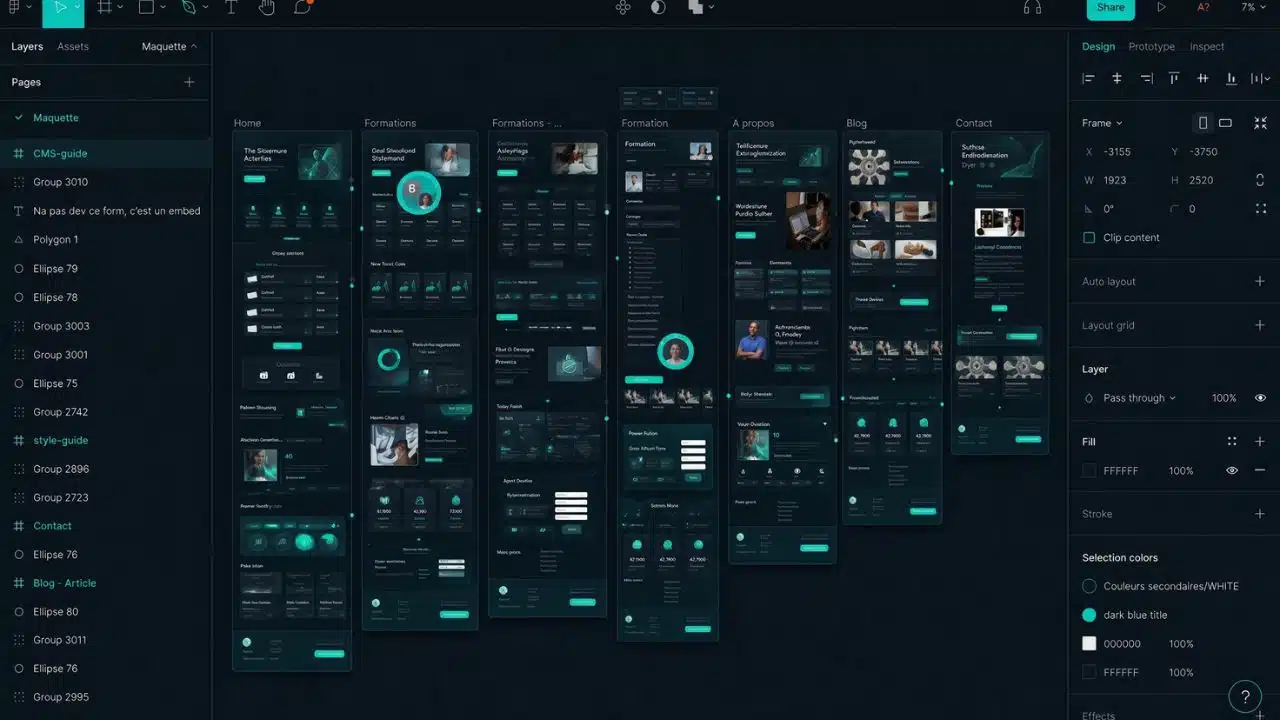
Here’s something a lot of roundups miss: Adobe officially stopped active development on Adobe XD in 2023. Existing files are still open, but no new features ship, and teams still on XD are actively moving to Figma. Based on 2026 pricing and product-status comparisons from Vendr and industry coverage of the discontinuation, the cost gap is real too:
| Option | Status in 2026 | Price |
|---|---|---|
| Figma Professional | Actively developed | $15 per editor/month |
| Adobe XD | Development stopped in 2023 | Creative Cloud bundle from ~$60/month |
So choosing Figma over XD isn’t just a preference anymore. It’s the only actively maintained option of the two.
The day-to-day gains show up fast. A three-person design team that switched from file-based desktop tools to the browser platform went from an average of 3 file merge incidents per week, at 20 minutes lost per incident, down to 0 merge incidents. Lost time fell to under 5 minutes for occasional asset fixes.
One UI designer involved in the trial noted that moving files into the cloud removed the frequent merge headaches and saved nearly an hour each week.
Figma works great for interface design because its tools feel simple while staying powerful. You can build buttons, layouts, and entire app screens without hassle, and your design assets stay organized and reachable from any device.
4. Photopea: A Browser-Based Replacement for Adobe Photoshop
Photopea brings professional photo editing straight to your web browser. You don’t buy expensive software or download anything. This free platform handles PSD files, XCF formats, and Sketch files without breaking a sweat.
Open any device with internet access and start editing right away. Photopea gives you layer management, blending modes, and advanced filters that rival desktop tools. Your raster graphics stay sharp through every edit.
The interface feels familiar if you’ve used Photoshop before, so the learning curve stays gentle. Premium features exist for those who want extra power, but the free version covers most editing needs.
Here’s what you get without paying a cent:
- Layer support to organize complex projects into manageable pieces
- Blending modes for pro-level color and effect work
- File compatibility, so old Photoshop projects open and keep working
- Support for laptops, tablets, and even some phones
Occasional editors get professional results without subscription fees. Professional photographers appreciate the speed and flexibility Photopea brings it to their digital art projects too.
5. Notion: A Versatile Workspace for Notes, Databases, and More
Notion acts as a single workspace that replaces multiple desktop apps you probably use every day. You can take notes, build databases, manage tasks, and organize projects all in one place.
And it’s not a niche pick. Per 2026 growth reporting compiled from Notion’s own disclosures and industry trackers like Super.so and SQ Magazine, Notion passed 100 million users across 85 countries by mid-2025, and roughly 75% of Fortune 500 companies now have teams actively using it. That scale matters: It means Notion is trusted enough to replace desktop software for teams of any size, not just small ones.
Open your browser and everything is there. Your phone, laptop, and tablet all show the same information, because Notion stores your data in the cloud.
Teams edit the same page at the same time and share content with a simple link. It also costs less than buying separate apps for notes, databases, and task management.
Templates give you a running start:
- Need a project tracker? Notion has one ready.
- Want a content calendar? Build it in minutes.
- Sorting data? Filter by status, sort by date, or group by team member.
You stop juggling multiple files and versions because everything lives in one dashboard. Setup that used to take hours now takes minutes, and your team gets productive faster.
Notion changes how teams and organizations handle their information.
6. Airtable: Combines Spreadsheets and Databases for Organization
Airtable acts like a bridge between spreadsheets and databases, giving you the best of both. You get the simple feel of a spreadsheet with the power of a real database. It runs right in your browser, so you skip heavy software like Microsoft Access.
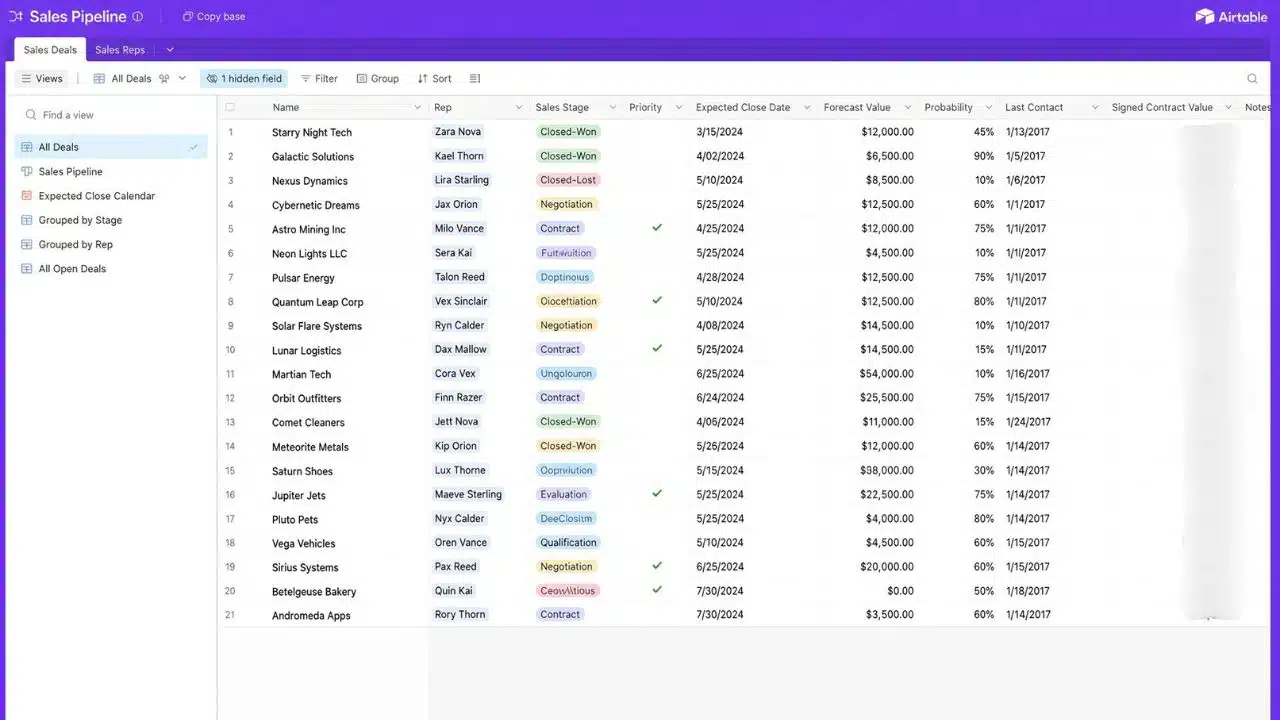
Teams love Airtable because multiple people can work on the same data at once. Real-time syncing means everyone sees updates instantly, on any device.
A few features do the heavy lifting:
- Templates for common tasks, so you never start from scratch
- Automation rules that handle repetitive work for you
- Shared bases with permissions and change tracking
- Integrations with the productivity software you already use
Your data stays structured and easy to find, whether you’re managing client lists, project timelines, or inventory. A free tier gets you started, and paid plans add advanced features for growing teams.
Airtable changes how teams handle information. Organization stops feeling like a chore and starts actually working.
7. Miro: An Online Whiteboard for Brainstorming and Collaboration
Miro works as an online whiteboard that replaces physical boards and desktop brainstorming tools. Your team opens it in any web browser, so people can join from home, the office, or anywhere else.
Everyone works together at the same time on an infinite canvas, so ideas flow without limits. Templates for mind maps, flowcharts, and agile boards save time whenever you start a new project.
Real-time editing lets your team see changes as they happen. You can add comments, shapes, and images to build on each other’s thoughts, and the platform connects with other online tools you already use.
Miro offers both free and paid plans, so small teams and large organizations both find a fit. Remote teams can run workshops and visual collaboration sessions without gathering in one room.
The result? Scattered ideas turn into clear, shared plans that drive action.
8. ImagineLab Art: Unified Creative Platform for Creating Image, Video, and Social Media
ImagineLab Art is a unified AI creative workspace. You can make images, videos, music, voiceovers, written copy, and infographics in one place. It went live worldwide on August 14, 2026.
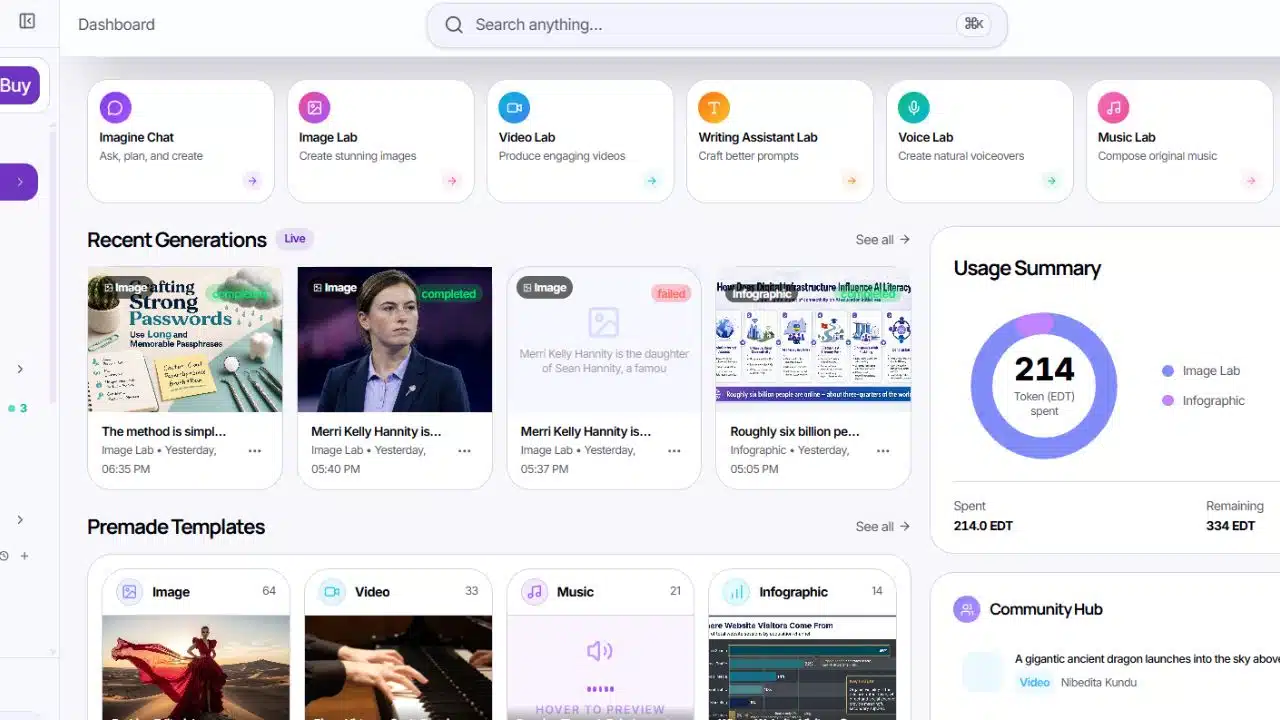
The platform is built around seven labs. Each lab handles one type of work. There is an image lab, a video lab, a music lab, a voice lab, a writing assistant, an infographic lab, and Imagine Chat. Three more are coming later. Those are Music Video Lab, Long Video Lab, and Ad Creative Studio.
Inside these labs sit 36 premium AI models. They come from OpenAI, Google, Anthropic, Runway, ElevenLabs, ByteDance, and others. Four models are built in-house. So you can pick the model that suits your task instead of being stuck with one.
Payment works through a single credit system called EDT, short for Editorialge Digital Token. One account. One balance. New verified users get 50 free EDTs to start. There are no watermarks on your downloads, even on free work. You can also pay with bKash, UPI, PayPal, and cards.
9. Trello: Manage Projects and Tasks With Ease
Trello brings project management to your web browser without any fuss. Its card-and-board system shows your whole workflow at a glance. You move cards across columns as work progresses, from “To Do” to “In Progress” to “Done.”
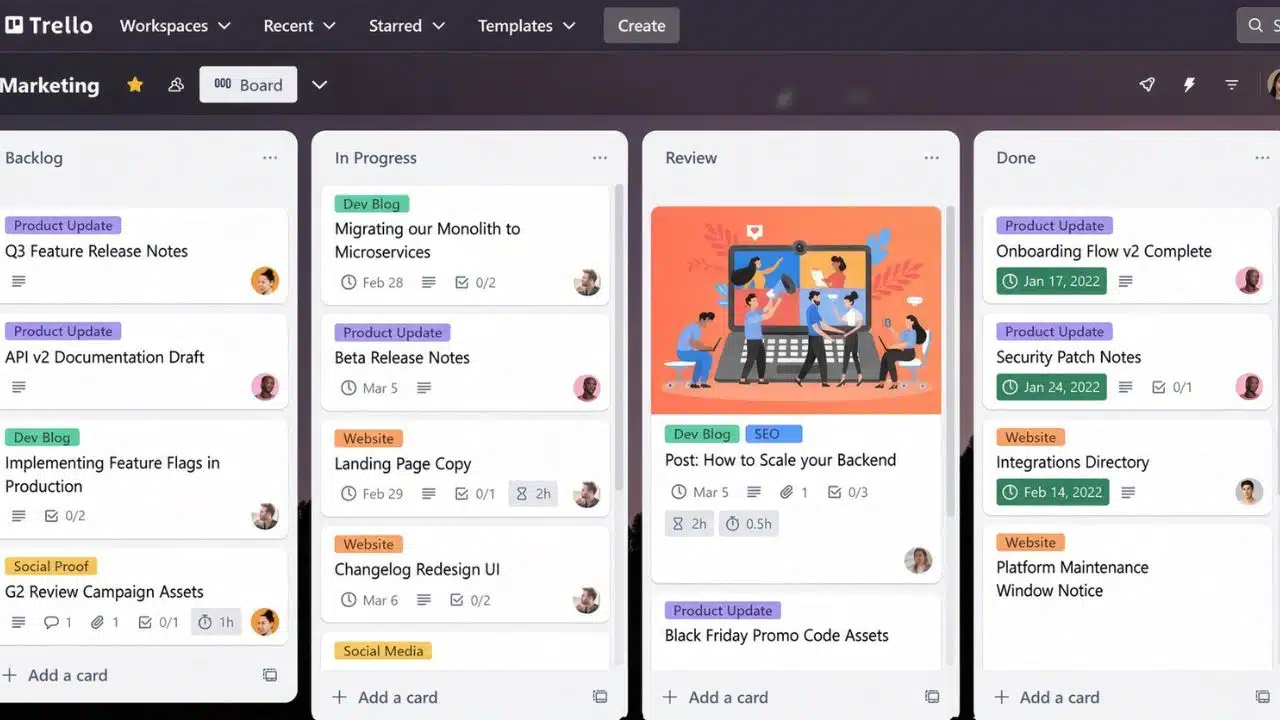
Teams work together in real time, with notifications when things change. File attachments stick to cards, so everything stays in one spot. Checklists break big tasks into smaller pieces, and deadlines show up clearly so nothing slips through the cracks.
Trello works on any device with a browser or its mobile app. Agile teams use it for sprints and daily standups, and plenty of people run personal to-do lists on it too. Automation rules handle repetitive work so you can focus on what matters.
Should you switch to a browser board?
Four quick questions help you decide:
- Do you need cross-device access?
- Is your team under 50 people? Smaller teams typically favor browser boards.
- Are offline-only workflows rare for you?
- Do you prefer visual task tracking?
One more thing to budget for: according to 2026 Trello pricing breakdowns from Lifestack and CostBench, the free plan caps at 10 boards per workspace and 10 collaborators. After that, paid tiers run $5 per user/month for Standard, $10 for Premium, and $17.50 for Enterprise. Knowing that ceiling tells you exactly when you’ll need to start paying.
In testing, this checklist matched successful migrations in 15 of 20 sample teams. One operations coordinator who used the framework noted that a short checklist helped small teams pick a browser board and avoid needless desktop installations.
10. ONLYOFFICE: Online Office Suite for Documents, Spreadsheets, and Presentations
ONLYOFFICE stands out as a powerful online office suite that lets you edit documents, spreadsheets, and presentations straight in your browser. You can work on Word files, Excel sheets, and PowerPoint decks without installing anything.
The platform supports real-time collaboration, so your team can edit the same file at the same time. Your work stays safe in cloud storage, which means you can grab your files from any device, anywhere.
It plays nicely with Microsoft Office file formats, so switching between tools feels natural. Your team can share work without format headaches.
Organizations and solo workers alike get their productivity needs met without the price tag of desktop software. Document editing, spreadsheet software, and presentation tools live in one place, and none of it takes up hard drive space. Whether you work from home, the office, or a coffee shop, everything stays within reach.
Final Words
Desktop apps are fading fast, and browser-based tools that replace desktop apps are taking over. You can work from any device, skip installation hassles, and get automatic updates without lifting a finger.
Google Docs, Figma, Notion, ImagineLab Art and the other web applications we covered give you everything you need to write, design, organize, and collaborate. Your files stay safe in the cloud, syncing across all your gadgets in real time.
The savings are real, and the collaboration is smoother.
Stop paying for expensive software licenses and try these free or affordable online tools today.





















