Breaking into game development once required writing low-level engine code, handling complex memory management, and building custom rendering pipelines from scratch. Today, modern software frameworks handle rendering, physics, input processing, and audio management out of the box. This shift allows aspiring creators to focus entirely on game design, logic, and art.
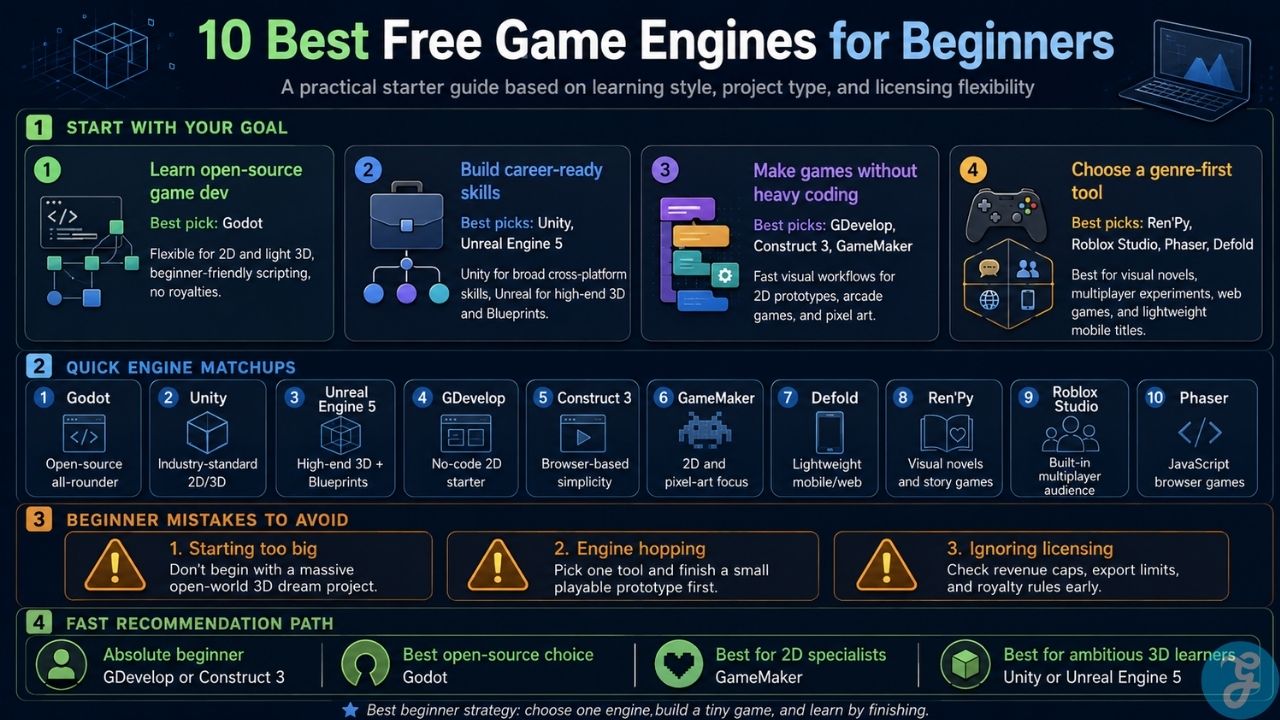
However, selecting the right platform from the dozens of free game engines for beginners can be overwhelming. A tool designed for high-end 3D graphics may frustrate someone making a simple 2D pixel platformer, while a visual no-code engine might limit someone trying to learn professional programming. This guide breaks down the premier free engines based on scripting requirements, workflow complexity, and long-term project flexibility.
Top Open-Source and Code-Based Game Engines
Code-based engines provide maximum flexibility, performance control, and transferable programming skills. These tools rely on lightweight scripting languages optimized for game logic.
1. Godot Engine: The All-Around Open-Source Powerhouse
Godot has established itself as a premier choice for indie developers seeking a lightweight, versatile development environment. The engine operates on an intuitive node-and-scene hierarchy where every game element, from a single player sprite to an entire level, is structured as a modular node.
-
Scripting Language: GDScript (a Python-like language designed specifically for Godot) alongside C# support.
-
Best For: 2D platformers, top-down RPGs, and lightweight 3D titles.
-
Licensing Terms: Fully open-source under the MIT license. Zero royalties, zero subscription fees, and no splash screen requirements regardless of commercial revenue.
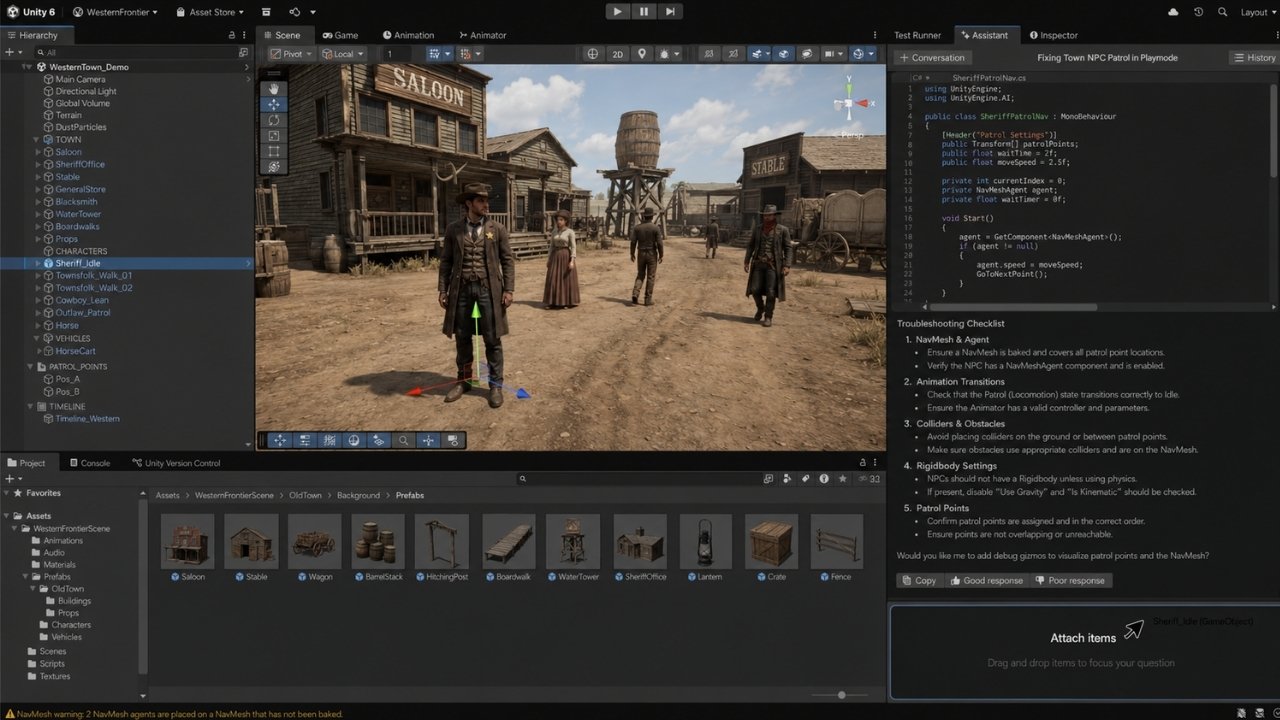
2. Unity: Industry-Standard Ecosystem and Scalability
Unity remains one of the most widely used engines in the commercial games industry. It powers thousands of mobile, PC, and console releases, making it an excellent choice for beginners who want to build career-relevant skills alongside personal projects.
-
Scripting Language: C# (object-oriented programming).
-
Best For: Cross-platform 2D and 3D games, VR/AR experiences, and developers planning to seek industry employment.
-
Licensing Terms: The Unity Personal tier is completely free for individual developers and small studios earning under the annual revenue threshold.
3. Unreal Engine 5: High-End 3D and Visual Scripting
Unreal Engine 5 (UE5) is the industry benchmark for photorealistic 3D visuals, real-time rendering, and AAA production. While its sheer size and depth can present a steep learning curve, its built-in visual scripting language makes core game logic accessible to non-programmers.
-
Scripting Language: Blueprints (visual node-based scripting) and C++.
-
Best For: First-person shooters, 3D action-adventures, and cinematic open-world environments.
-
Licensing Terms: Free to download and use. A 5% royalty fee applies only after a project crosses $1,000,000 in lifetime gross revenue.
No-Code and Visual Logic Engines
For creators who prefer to focus on game design, art, and storytelling without writing traditional lines of code, visual logic engines substitute text syntax with event sheets and block logic.
4. GDevelop: Open-Source Visual Event Engine
GDevelop is a fully open-source, cross-platform engine built around an intuitive “Events” system. Instead of writing scripts, creators define rules using simple Condition-and-Action pairings (for example: when the player touches a coin, the engine plays a sound effect, adds points to the score, and deletes the coin object).
-
Scripting Method: Drag-and-drop visual event sheets.
-
Best For: Mobile arcade games, 2D platformers, and rapid game jam prototypes.
-
Licensing Terms: Free and open-source for desktop and web export. Optional paid cloud services exist for automated mobile builds.
5. Construct 3: Accessible Browser-Based Development
Construct 3 runs directly inside any modern web browser without requiring local installation. It features a polished visual event sheet framework and robust physics behavior presets that allow beginners to construct playable mechanics within minutes.
-
Scripting Method: Visual event sheet logic (with optional JavaScript integration).
-
Best For: Absolute beginners wanting zero setup friction for 2D web and mobile projects.
-
Licensing Terms: Free tier includes full editor access with project event limits. Unlocking unrestricted project sizes and advanced export options requires a subscription.
6. GameMaker: Pixel Art and 2D Specialization
GameMaker has powered classic 2D indie hits like Undertale and Hotline Miami. It bridges the gap between visual logic and text coding by providing both a visual Drag-and-Drop (GML Visual) interface and its proprietary GameMaker Language (GML).
-
Scripting Language: GML Visual and GML Code.
-
Best For: 2D pixel-art platformers, top-down shooters, and retro arcade titles.
-
Licensing Terms: Free for non-commercial project development and publishing to Opera GX. Exporting commercial builds to desktop, mobile, or console requires a one-time fee or subscription.
Specialized and Lightweight Development Frameworks
Certain project types, such as visual novels, web-first games, or lightweight mobile titles, benefit from engines optimized for specific genres.
7. Defold: Ultra-Lightweight 2D Mobile Engine
Engineered by the Defold Foundation, Defold is built for high-performance 2D games with minimal file size overhead. Its small memory footprint and fast startup times make it an ideal engine for targeting web browsers and mobile devices.
-
Scripting Language: Lua.
-
Best For: Mobile 2D games, web titles, and low-spec hardware development.
-
Licensing Terms: Completely free and open-source with no royalties or revenue caps.
8. Ren’Py: Narrative and Visual Novel Framework
Ren’Py is the global standard for creating visual novels, interactive fiction, and life-simulation games. It simplifies branching dialogue trees, character sprite positioning, and audio management into a straightforward script format.
-
Scripting Language: Ren’Py Script (with native Python integration).
-
Best For: Story-driven narrative games, anime-style visual novels, and digital choose-your-own-adventure titles.
-
Licensing Terms: Free and open-source for both non-commercial and commercial releases.
9. Roblox Studio: Multiplayer Infrastructure and Built-In Audience
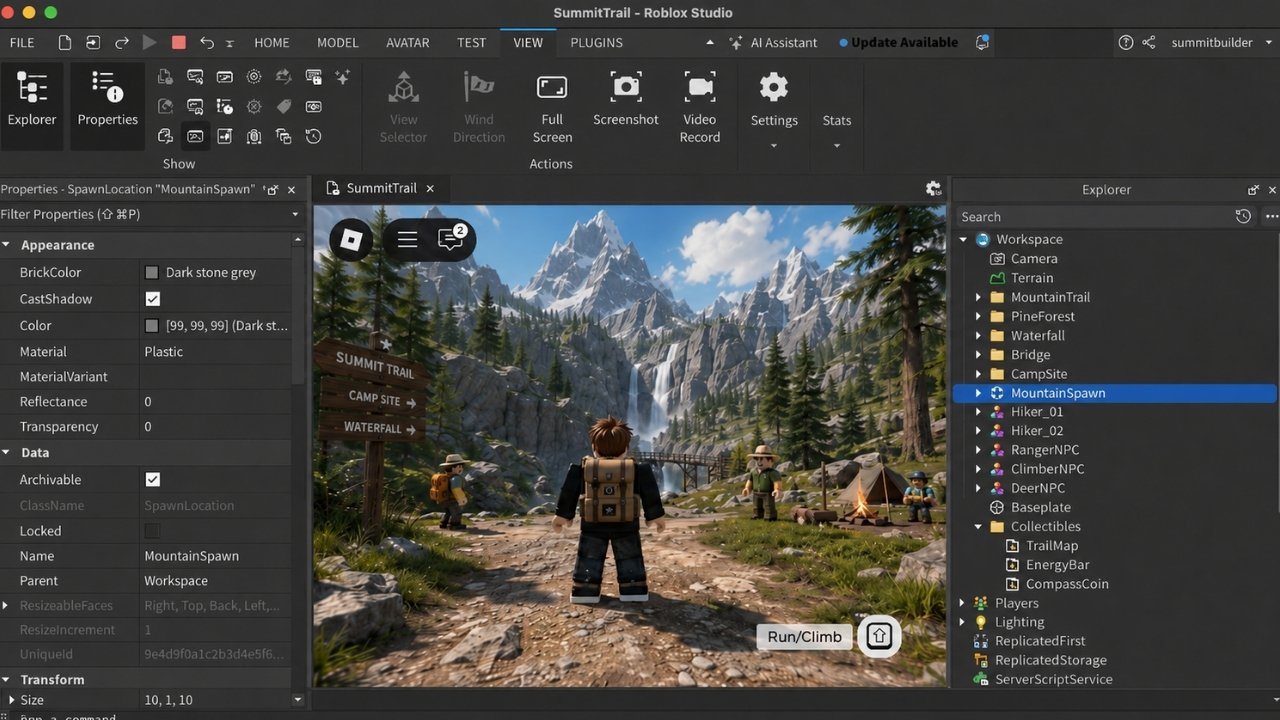
Roblox Studio offers a unique setup by combining an engine, cloud server infrastructure, and a global distribution marketplace into one package. Creators build games using Lua scripts and deploy them instantly to millions of active users without managing web hosts or dedicated servers.
-
Scripting Language: Luau (a derived version of Lua).
-
Best For: Multiplayer 3D minigames, social experiences, and young developers.
-
Licensing Terms: Free to build and publish. Revenue is earned through in-game Robux purchases under a developer revenue-share model.
10. Phaser: Web-First JavaScript Framework
Phaser is a lightweight, open-source HTML5 framework designed specifically for 2D browser games. Because it operates directly on web standards (Canvas and WebGL), games built in Phaser load instantly in web browsers and integrate seamlessly into mobile web views.
-
Scripting Language: JavaScript / TypeScript.
-
Best For: Web developers transitioning into game development and lightweight browser games.
-
Licensing Terms: Completely free and open-source under the MIT license.
Engine Feature Comparison Matrix
| Game Engine | Dimension Focus | Core Scripting | Best Use Case | Commercial Licensing Model |
| Godot Engine | 2D / 3D | GDScript, C# | All-round indie development | 100% Free (MIT Open Source) |
| Unity | 2D / 3D | C# | Industry skills & cross-platform | Free under revenue threshold |
| Unreal Engine 5 | High-End 3D | Blueprints, C++ | Photorealistic 3D titles | Free up to $1M gross revenue |
| GDevelop | 2D | Visual Events | No-code web & mobile games | Free & Open Source |
| GameMaker | 2D Specialization | GML / Drag & Drop | Pixel art & 2D action games | Free for non-commercial use |
| Construct 3 | 2D | Visual Event Sheets | Quick browser games | Limited free tier / Subscription |
| Defold | 2D / Light 3D | Lua | Low-footprint mobile games | 100% Free (Defold Foundation) |
| Ren’Py | Narrative 2D | Ren’Py Script / Python | Visual novels & storytelling | 100% Free (Open Source) |
| Roblox Studio | 3D Multiplayer | Luau | Social & multiplayer games | Free build / Revenue share |
| Phaser | 2D Web | JavaScript / TypeScript | HTML5 browser games | 100% Free (MIT Open Source) |
Strategic Limitations and Trade-Offs (What to Avoid)
When evaluating free game engines for beginners, new developers frequently fall into common technical and organizational traps.
The “Over-Scoping” Trap
The biggest failure point for beginner developers is selecting a high-end engine like Unreal Engine 5 and attempting to build a massive open-world RPG as a first project. Complex 3D graphics require extensive asset pipelines, lighting optimization, and performance tuning. Start with a simple 2D game, like a Pong clone, a single-screen platformer, or an endless runner, to master game loops and state management before scaling up.
Endless Engine Hopping
Spending weeks jumping between engines in search of the “perfect” platform delays actual learning. Core game development concepts, such as vectors, collision detection, Delta time frame calculation, and event state machines, transfer across almost all engines. Choose one engine that matches your current skill level and finish a small, playable project before considering a switch.
Misunderstanding “Free” Licensing Terms
“Free to download” does not always mean free for commercial export. Always verify revenue caps, mandatory splash screen requirements, and platform export fees before investing months into a commercial title. Open-source tools (like Godot or GDevelop) eliminate revenue licensing surprises down the road.
Choosing the Right Engine for Your First Game
Selecting the ideal platform from the available free game engines for beginners comes down to aligning the software with your immediate goals. If you want complete open-source freedom without royalties or hidden licensing caps, Godot is an exceptional starting point. If your objective is to build career-relevant skills for industry employment, learning Unity or Unreal Engine builds professional-grade experience.
For complete non-programmers seeking fast prototyping without code, GDevelop offers the smoothest entry point. Pick the tool that minimizes your initial setup friction, build a small prototype, and focus on finishing your first playable game.
Frequently Asked Questions(FAQs) on Free Game Engines for Beginners
What is the absolute easiest game engine for a complete non-programmer?
GDevelop and Construct 3 are widely considered the easiest engines for complete beginners. Both replace line-by-line coding syntax with visual logic events, allowing creators to build mechanics without prior programming experience.
Should I start with 2D or 3D game development?
Starting with 2D is strongly recommended for beginners. 2D development eliminates complex 3D math (quaternions, 3D space transforms), camera controls, 3D mesh modeling, and complex lighting setups, allowing you to master core gameplay programming much faster.
Can I publish and sell commercial games made with a free engine?
Yes. Most free game engines, including Godot, Unity, Unreal Engine, and Defold, allow you to publish and sell commercial games on storefronts like Steam, itch.io, and mobile app stores. Always review each engine’s revenue threshold rules to ensure compliance.