Want to teach ai literacy activities without handing every student a login, a privacy form, and a pile of tech problems? I get it. In Common Sense Media’s 2026 census, 86% of kids ages 9 to 17 said they use or interact with AI, and 85% of AI users said they use it for schoolwork or homework. That means students already meet AI in daily life, whether school plans for it or not.
What helped me most was keeping the work simple: one shared screen, paper-based tasks, strong discussion, and zero student accounts. In this guide, I walk through 20 account-free activities and show you how I use them to help students understand AI, question its output, and protect their privacy.
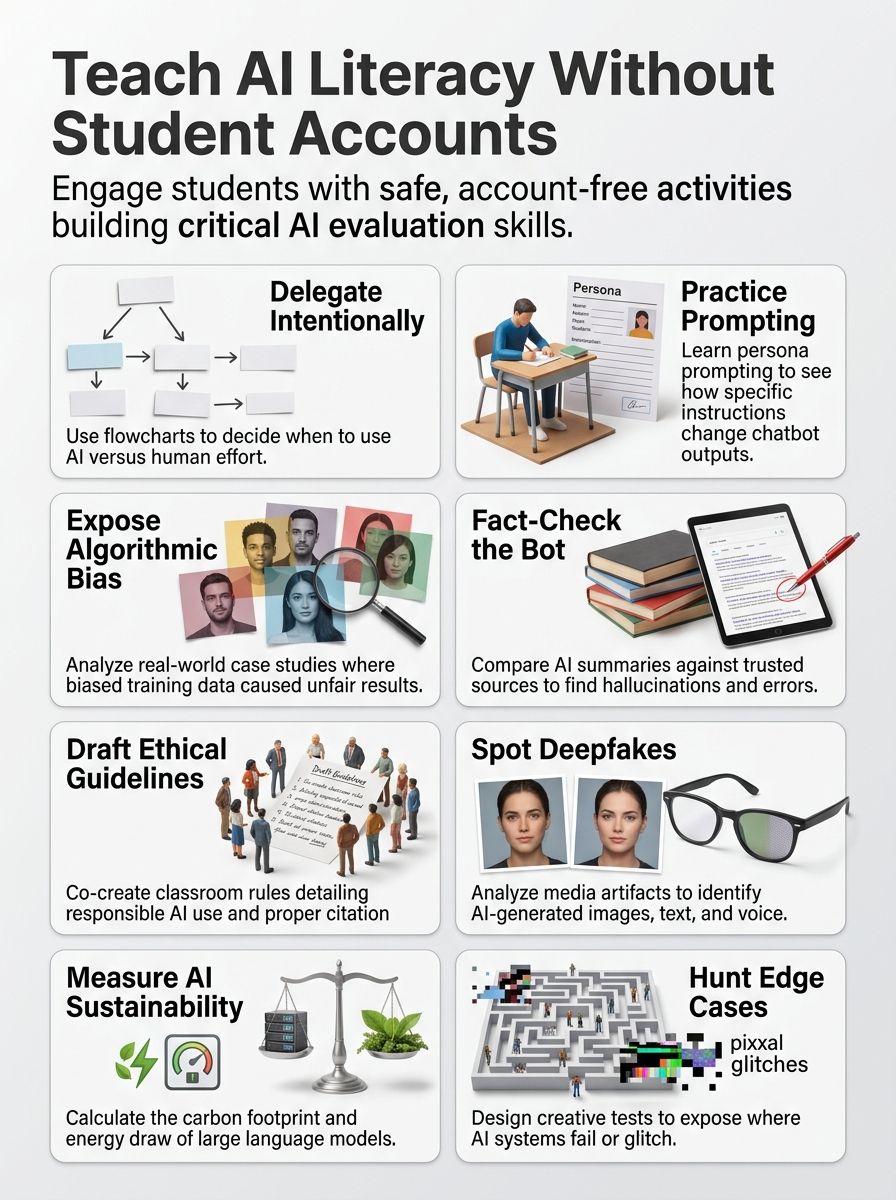
Understanding AI Literacy Activities
Before I pick tools or lesson plans, I get clear about the goal. I am not trying to turn every student into a programmer. I am trying to help students understand what AI can do, what it gets wrong, and where human judgment still matters most.
What is AI Literacy?
I think of AI literacy as practical understanding. Students should know, in simple terms, how artificial intelligence makes predictions, how training data shapes output, and why fluent answers can still be false or biased.
UNESCO’s 2024 student framework is useful here because it organizes AI learning into 12 competencies across four dimensions. That helps me avoid teaching random tricks and instead build a progression from basic understanding to judgment, ethics, and action.
- Explain the system: Students can name everyday AI tools such as recommendation engines, voice assistants, and facial recognition.
- Evaluate the output: Students can check accuracy, bias, missing context, and source quality.
- Act responsibly: Students know when to avoid sharing personal data, when to disclose AI help, and when a human should make the final call.
I also like the AI4K12 framework because it breaks school AI learning into five big ideas: perception, representation and reasoning, learning, natural interaction, and societal impact. That gives me a clean way to build ai lessons that make sense for elementary AI literacy, middle school discussion, and high school analysis.
Importance of AI Literacy Activities in Education
This work matters because student use is already widespread. College Board research released in October 2025 found that reported high school use of generative AI for schoolwork rose from 79% to 84% between January and May 2025, and 69% of high school students said they used ChatGPT for assignments or homework.
At the same time, guidance still lags. Common Sense Media’s 2026 census found that only 51% of kids said their school or a teacher had talked with them about how to tell whether AI information is accurate and trustworthy. That gap is exactly why teaching ai literacy for students cannot wait.
Students do not just need access to ai tools. They need routines for checking claims, spotting bias, protecting privacy, and deciding when to trust their own thinking first.
In my classroom, strong AI literacy supports better learning outcomes because it shifts students from passive acceptance to active evaluation. That is the difference between using AI as a shortcut and using AI as a thinking partner.
Categories of AI Literacy Activities
I sort classroom activities by purpose because that keeps the work balanced. If I only teach prompt writing, students may get faster at using AI but weaker at judging it. A good ai literacy framework needs practice with use, ethics, rhetoric, and pedagogy.
| Category | Main student move | Best classroom payoff |
| Functional AI literacy | Use AI for a clear task | Better prompts, better revision, better verification habits |
| Ethical AI literacy | Judge consequences and rules | Safer choices about privacy, bias, and disclosure |
| Rhetorical AI literacy | Analyze how prompts and wording shape output | Stronger critical thinking about style, framing, and persuasion |
| Pedagogical AI literacy | Connect AI concepts to subject learning | More meaningful classroom activities across grades and subjects |
Functional AI Literacy
Functional AI literacy is about getting useful work done without surrendering judgment. Students learn when AI can help with brainstorming, organizing ideas, summarizing, or generating examples, and when the real job still belongs to them.
One prompt routine I teach comes from educator training on Microsoft Learn: give the system a clear purpose, audience, constraints, and response format. That one shift usually improves output fast because students stop asking vague questions and start making testable requests.
- Purpose: What do I need this answer to do?
- Audience: Who is this for, a 5th grader, a debate team, or me?
- Constraints: What limits matter, such as length, reading level, or evidence type?
- Format: Do I want bullets, a chart, examples, or a paragraph?
Functional work gets stronger when students evaluate AI output line by line. I have them check for accuracy, relevance, consistency, and missing details before they reuse anything in their own work.
Ethical AI Literacy
Ethical AI literacy starts with accountability. If students use AI for ideas, wording, or revision, they should say so plainly. That keeps the conversation focused on learning, not just rule-breaking.
TeachAI’s school toolkit noted that, as of January 2025, 26 U.S. states had issued some form of AI guidance for schools. Yet RAND found that only 18% of principals reported receiving school or district guidance on AI use during the 2023-24 school year. In practice, that means many teachers still need classroom-level routines even when district policy is thin.
- Privacy: Never paste student names, grades, health details, or personal stories into a public chatbot.
- Bias: Ask who might be left out, misread, or stereotyped by the system.
- Disclosure: Mark where AI helped, even if the final work is student-owned.
- Responsibility: The person who turns in the work still owns the errors.
That kind of ethical use feels fair to students because it is specific. They know what counts as support, what crosses the line, and how to thoughtfully navigate AI in education.
Rhetorical AI Literacy
Rhetorical AI literacy helps students see that prompts are not neutral. A prompt with more context, a target audience, and a format request often produces a completely different answer than a one-line request.
I like to show students that large language models predict likely word sequences, they do not think or know in a human way. A 2026 classroom study with 116 students in grades 8 and 9 found that a short two-hour AI literacy workshop led students to ask more follow-up questions, reformulate weak prompts more often, and judge answer correctness more accurately. That is why I teach prompt revision as a reading skill as much as a tech skill.
Once students see that wording changes results, they begin to evaluate tone, omissions, confidence, and persuasion with a much sharper eye.
Pedagogical AI Literacy
Pedagogical AI literacy is where AI becomes part of real teaching instead of a side topic. I do not treat it as a separate unit that floats away from the curriculum. I fold it into reading, writing, science claims, media literacy, and class discussion.
Two resources show how doable this can be. Day of AI says it has reached more than 2,000,000 students and offers teacher workshops that run 60 or 90 minutes. Stanford’s CRAFT collection offers free classroom-ready resources that range from 15-minute activities to full lessons, which makes it easier to integrate ai without rebuilding a whole course.
That flexibility matters. It means teachers can start with one short activity, see how students respond, and build from there.
20 AI Literacy Activities That Do Not Require Student Accounts
These are the account-free activities I would actually use. Some are fully unplugged. Some use a teacher account on a projector or printed AI output. All of them help students build ai skills while keeping the focus on thinking, not sign-ins.
1. Delegation Decision Activity
I like starting here because students need a mental filter before they touch any AI-powered tool. I give them a simple flowchart and ask, “Should a human do this, should AI help, or should AI stay out of it?”
The strongest version includes high-stakes choices such as grading, medical advice, and discipline beside low-stakes tasks such as title ideas or practice questions. Students begin to see that the best question is not “Can AI do this?” but “What is the risk if it gets this wrong?”
2. Study Buddy & Persona Prompting
This activity works well when students need help students build better research habits. College Board found that about half of high school students use AI for brainstorming, editing, or research, so I would rather teach those moves openly than pretend they are not happening.
I show students how a study-buddy prompt changes when they add a persona, a reading level, and a task. Then I show the limit: a persona can change tone and detail, but it does not guarantee truth.
3. Algorithmic Bias Exploration
This is one of the most important ai literacy activities in the whole set. I bring in named cases so students can see that bias is not abstract.
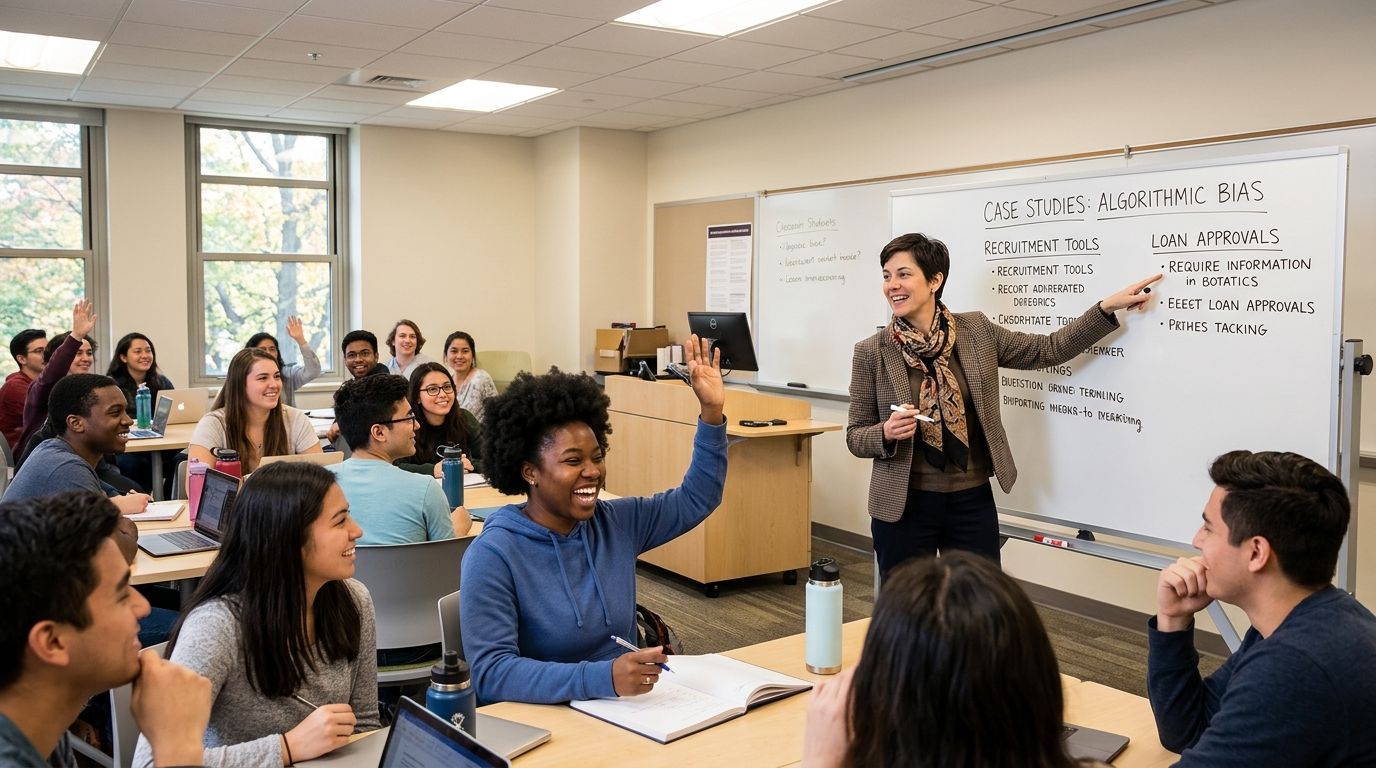
- Gender Shades (2018): Joy Buolamwini and Timnit Gebru showed large accuracy gaps in commercial gender classification systems.
- NIST follow-up testing: NIST later evaluated nearly 200 face recognition algorithms from nearly 100 developers using more than 18 million images and found demographic differences in the majority of systems tested.
- Amazon recruiting tool (2018): Amazon scrapped an internal hiring system after it showed bias against women, a sharp example of how training data can reproduce old patterns.
After that, students can write much stronger reflections because they have real cases to compare, not vague warnings.
4. Fact-Checking the Bot
I print an AI-generated summary and put it next to a textbook excerpt, a news report, or a teacher-approved article set. Students highlight what is correct, what is fuzzy, and what is flat-out wrong.
A simple classroom rule helps a lot: no important claim survives on one source alone. Students need at least two checks, and one should be a source with clear editorial or scholarly review. That habit matters more than any single tool.
5. Writing with AI Prompts
This is where prompt engineering becomes visible. I ask students to compare a weak prompt with a strong one, then revise the weak prompt until the output becomes usable.
- Weak: “Write about volcanoes.”
- Better: “Generate five research questions about volcanoes for a 5th grade essay.”
- Best: “Generate five research questions about volcanoes for a 5th grade essay, each answerable with two print sources and one class note.”
That last version gives students something they can actually evaluate. It turns prompt writing into a planning skill instead of a guessing game.
6. Exploring Training Data Bias
I like pairing this activity with side-by-side outputs. Students submit or review the same prompt with small changes in wording, then ask what the system seems to assume about age, race, gender, class, language, or geography.
The teaching move that matters most is this one: ask who is missing from the training data, not just who appears in it. That question often leads to sharper thinking than a generic fairness discussion.
7. Data Labeling Challenges
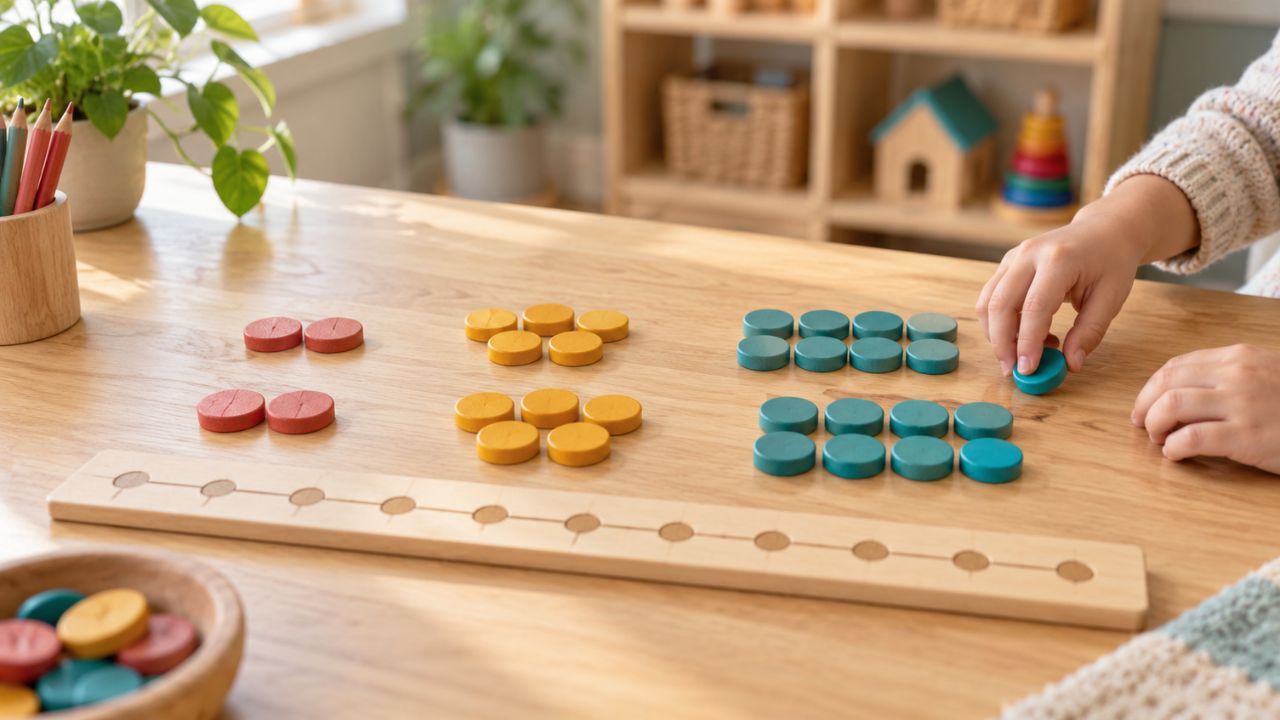
Data labeling sounds technical, but it becomes clear fast when students sort image cards or short text snippets into categories. Northwestern’s AI Unplugged project and a 2026 co-design study for K-2 classrooms both use low-tech sorting and labeling tasks because they make machine learning ideas visible with paper, glue, and discussion.
- Round 1: Students label items alone.
- Round 2: Groups compare labels and defend disagreements.
- Round 3: The class rewrites the category rules.
That last step is the real lesson. Students see that labels are human choices, and vague categories create messy training data.
8. Creating AI Ethics Guidelines
I have students draft classroom guidelines before we use any AI tool for real work. The conversation gets better when the rules come from actual cases, such as fake citations, privacy leaks, or biased outputs.
TeachAI makes a point I agree with: schools should review existing academic integrity, privacy, and responsible use policies, not just paste in a generic AI ban. Students usually write better rules once they see that AI policy touches fairness, authorship, and student trust at the same time.
9. Human vs AI Decision Scenarios
This role-play works because students quickly notice that fairness feels different when a machine makes the call. I give them cases about tutoring, school discipline, hiring, or loan approval and ask who should decide, what evidence counts, and how mistakes get corrected.

If students cannot explain how a decision could be challenged, they are probably looking at a system that deserves more human oversight.
That idea lines up with the NIST AI Risk Management Framework playbook, which calls for feedback and appeal processes for people affected by AI decisions.
10. Exploring Deepfake PSAs
This activity is more urgent than it used to be. As of May 2026, the FTC began enforcing the TAKE IT DOWN Act, which requires covered platforms to provide a way to request removal of nonconsensual intimate images and to remove valid reports, plus known identical copies, within 48 hours.
I teach students a basic spotting routine built from public deepfake guidance: check lip sync, lighting, shadows, image artifacts, background details, and whether the story itself makes sense. If the media is emotionally charged, that is the moment to slow down, not speed up.
11. Facial Recognition Analysis
Students already know facial recognition from phones and airports, so this lesson lands quickly. I ask them to compare low-risk convenience uses with high-risk uses such as policing or school security.
- Convenience question: What happens if your phone fails to unlock?
- Public systems question: What happens if a person is misidentified in a crowd?
- Fairness question: Who is more likely to absorb the cost of a false match?
NIST’s large-scale testing found wide variation and demographic differences across face recognition systems. That gives students a concrete reason to ask for limits, not just better marketing.
12. AI Sustainability Challenge
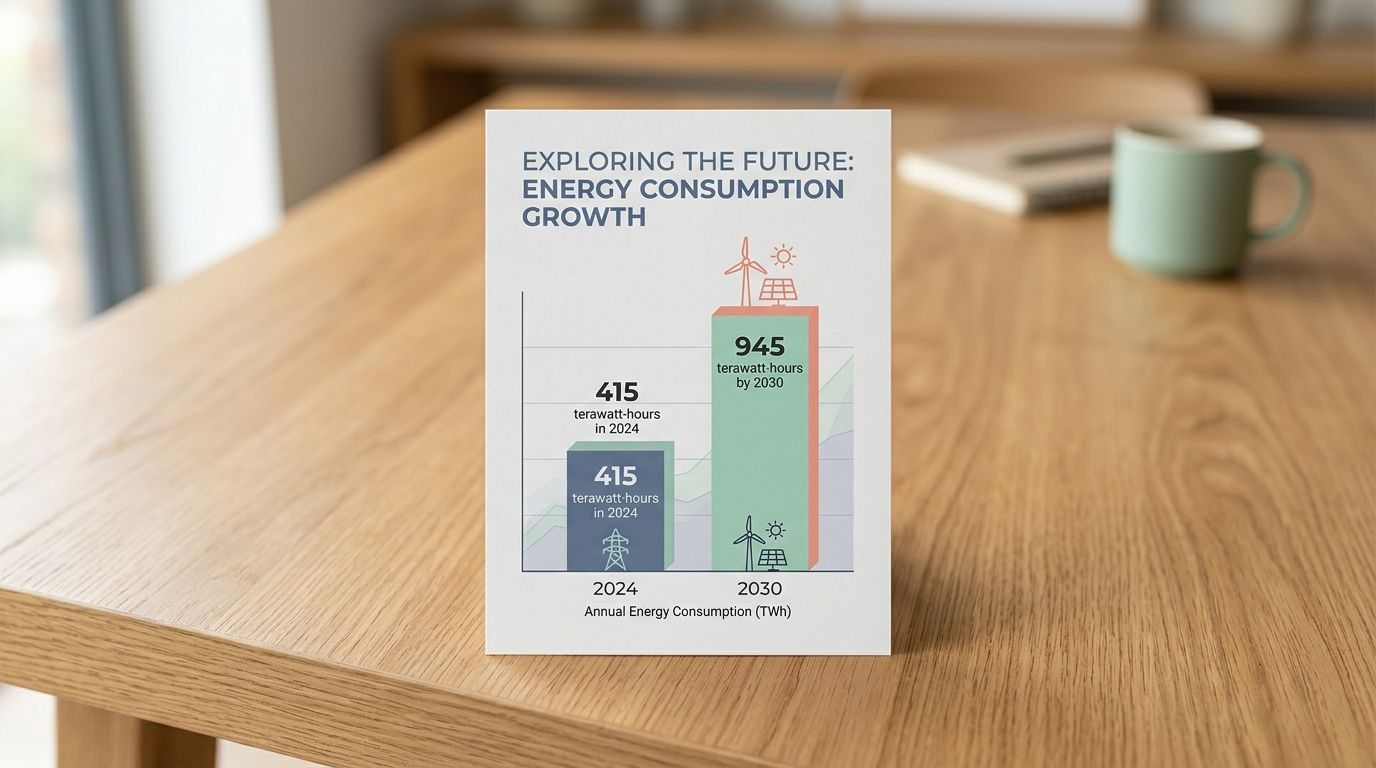
I like this lesson because it moves AI out of the screen and into the real world. In the IEA’s 2025 analysis, data centers used about 415 terawatt-hours of electricity in 2024, and the agency projects that figure could rise to about 945 terawatt-hours by 2030.
Students are often surprised by the nuance. The IEA also notes that simple text queries usually use less electricity than running a television for the same amount of time, while video generation, reasoning, and agentic tasks can use hundreds or thousands of times more energy per query. That helps students see why “AI” is too broad a label for meaningful sustainability discussion.
13. Designing AI for Social Good
This is where I let students create. They pick a local problem, attendance reminders, transit updates, translation help, food pantry matching, disaster alerts, and sketch an AI idea that would help real people.
- Name the user: Who benefits first?
- Name the data: What information would the system need?
- Name the risk: Who could be missed, exposed, or harmed?
- Name the human role: Who checks the output before action is taken?
The best projects are rarely the flashiest. They are the ones that show fairness, accessibility, and community need from the start.
14. Evaluating AI Risks and Rewards
I run this as a matrix instead of a free-form chat. Students compare benefits such as speed, accessibility, and pattern-finding against risks such as bias, opacity, misinformation, and overreliance.
The U.S. Department of Education’s Office for Civil Rights warned in 2024 that AI can contribute to discrimination in schools depending on how it is designed or used. That reminder helps students see why “efficient” is never enough on its own.
15. Real-World AI Applications Discussion
This discussion is a fast way to make abstract ideas concrete. Students usually spot recommendation engines, fraud detection, spam filters, navigation apps, voice assistants, and photo sorting before I do.
- Perception: What input does the system notice, voice, image, text, or movement?
- Learning: What pattern is it trying to improve over time?
- Societal impact: Who benefits, and who might get left out?
Using the AI4K12 big ideas as a sorting frame keeps the talk from turning into a random list of gadgets.
16. Prompt Engineering Practice
I keep this activity simple: same task, three different prompts, one comparison chart. Students quickly learn that clarity beats length and that examples often help more than extra adjectives.
A helpful frame for older students is CRAFT: context, role, audience, format, and tone. Once they use those five parts, prompt writing becomes something they can refine on purpose rather than by luck.
17. AI Authorship Debate
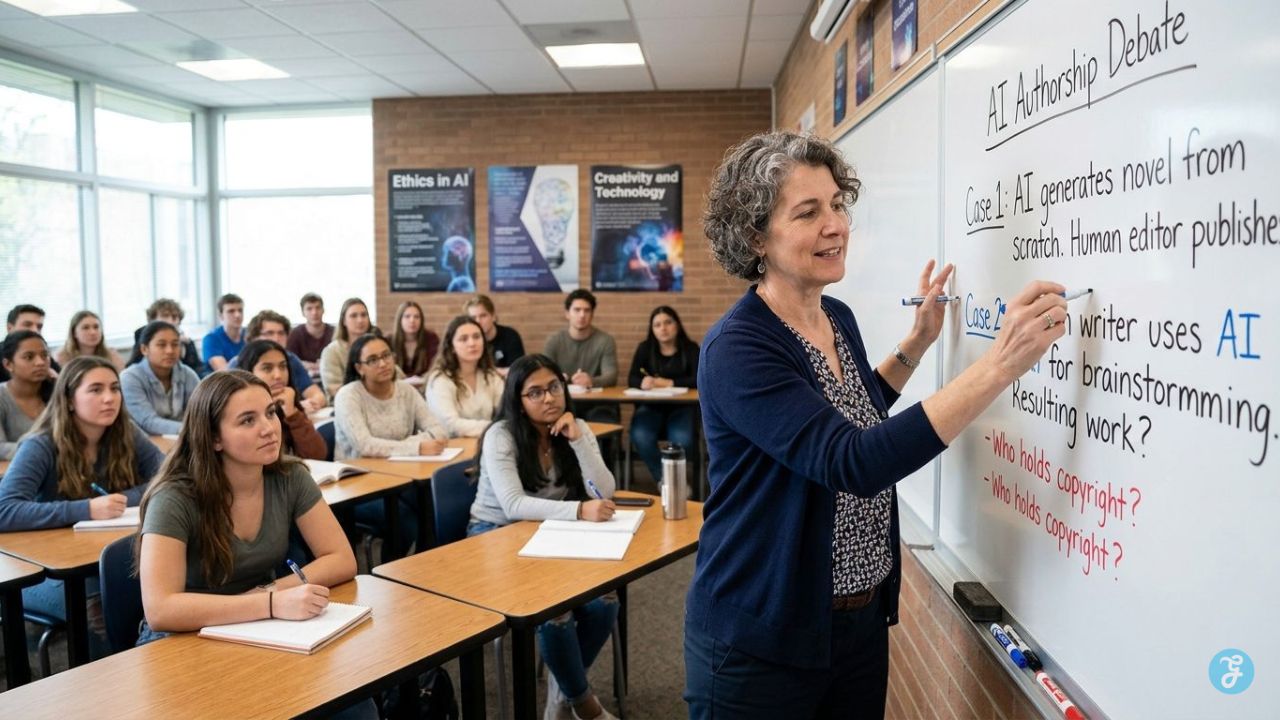
This debate gets lively fast because students care about fairness. I put four cases on the board: AI gave ideas only, AI rewrote sentences, AI drafted the full response, or AI gave feedback that the student used to revise.
- Credit question: Who did the intellectual work?
- Disclosure question: What help should be named?
- Policy question: Would your answer change in art, coding, science, or history?
College Board’s 2025 findings showed that about 1 in 5 schools or districts allowed student GenAI use without a policy in place. That is why authorship debates are worth doing before confusion turns into conflict.
18. Hallucination Investigation
This lesson teaches skepticism without turning students cynical. I give them a short AI response with a mix of real and fake references, then ask them to verify each one with a checklist.
That habit has real value. A 2025 randomized study on AI math tutoring found that more hallucinated feedback led to lower perceived accuracy, lower perceived usefulness, and higher confusion. Students do better when they learn to verify claims instead of treating confident wording as proof.
19. Appeal an Automated Decision
I run this as a paper simulation. A fictional student is denied access to a program, flagged by a detector, or assigned a risk score by an automated system. Students then write the appeal.
- Ask for the evidence: What inputs shaped the decision?
- Ask for the rule: What threshold or policy was used?
- Ask for review: Who can overturn the result?
- Ask for repair: What happens if the system was wrong?
NIST’s guidance is useful here because it treats end-user feedback and appeals as a real design requirement, not an optional extra.
20. Find the Edge Cases
This is one of my favorite closing activities because it rewards curiosity. Students invent the weird inputs that make a system stumble: blurry photos, slang, sarcasm, mixed languages, unusual accents, rare names, or missing context.
AI Unplugged has a great spirit for this kind of work because it treats AI understanding as something students can build with simple materials and careful questioning. Once students start hunting edge cases, they stop assuming that polished output means dependable reasoning.
AI Literacy Activities at A Glance by Grade
| Activity | Grades | Time | Materials | Privacy note |
| Delegation Decision Activity | 4-12 | 10-20 min | Flowchart, scenario cards | No student data needed |
| Study Buddy and Persona Prompting | 5-12 | 15-25 min | Teacher screen, prompt sheet | Use fictional topics or class text |
| Algorithmic Bias Exploration | 7-12 | 20-40 min | Case studies, notes | No personal examples required |
| Fact-Checking the Bot | 5-12 | 20-35 min | Printed AI response, trusted sources | Use teacher-selected texts |
| Writing with AI Prompts | 4-12 | 20-30 min | Prompt frames, draft paper | Keep topics non-sensitive |
| Exploring Training Data Bias | 6-12 | 20-35 min | Prompt sets, comparison chart | No names or personal images |
| Data Labeling Challenges | 3-12 | 15-30 min | Image cards, sticky notes | Use public or teacher-made images |
| Creating AI Ethics Guidelines | 4-12 | 20-30 min | Chart paper, markers | Build class rules before tool use |
| Human vs AI Decision Scenarios | 5-12 | 15-25 min | Role cards | Use invented scenarios |
| Exploring Deepfake PSAs | 6-12 | 20-35 min | Teacher-selected media, checklist | Avoid explicit student-created examples |
| Facial Recognition Analysis | 7-12 | 20-35 min | Case notes, debate sheet | No live scanning of students |
| AI Sustainability Challenge | 6-12 | 20-30 min | Energy data, calculator | No accounts or uploads |
| Designing AI for Social Good | 4-12 | 25-45 min | Planning template | Use community issues, not personal records |
| Evaluating AI Risks and Rewards | 6-12 | 20-30 min | T-chart or matrix | Keep examples age-appropriate |
| Real-World AI Applications Discussion | 3-12 | 10-20 min | Everyday examples list | No tool use required |
| Prompt Engineering Practice | 5-12 | 15-30 min | Prompt stems, sample outputs | Teacher submits prompts only |
| AI Authorship Debate | 7-12 | 20-35 min | Debate prompts, rubric | Discuss policy, not student confessions |
| Hallucination Investigation | 6-12 | 20-35 min | Fake and real citations, checklist | Use teacher-prepared samples |
| Appeal an Automated Decision | 7-12 | 20-35 min | Case file, appeal form | No real student records |
| Find the Edge Cases | 4-12 | 15-25 min | Test cards, examples | Use fictional or public data only |
Wrapping Up
These no-account activities work because they keep the hard part where it belongs, in student thinking. I have seen students use AI to explain a tough concept, suggest a better question, or organize an idea, then slow down and catch the bias, the missing fact, or the shaky citation before it spreads.
That is the heart of ai literacy. It helps students build judgment, protect privacy, and use artificial intelligence with more care than awe.
If I were choosing where to start, I would pick three activities first: Fact-Checking the Bot, Algorithmic Bias Exploration, and Hallucination Investigation. Those three alone can help students understand AI, evaluate ai output, and carry stronger habits into every other lesson that follows.
Frequently Asked Questions on AI Literacy Activities
1. What are 20 AI literacy activities that do not require student accounts?
These are simple lessons and games that teach AI basics, without logins or apps. The activities build AI literacy, data sense, and prompt skill, all in the classroom or offline.
2. How can teachers run these activities without student accounts?
Use group work, paper prompts, role play, or a teacher demo, so no login is needed. This keeps privacy strong, and lets learners try AI tools in a safe way.
3. Will these activities teach real AI skills?
Yes, they teach critical thinking, how to spot bias, and how to test prompts. Learners practice analyzing outputs, and they gain hands-on skill without any account.
4. What supplies and time do I need to run them?
Most need paper, a projector or one device for demos, and 15 to 45 minutes per activity. They work offline or with a single teacher device, so prep is light, and class flow stays smooth.