Ever looked at a digital badge, a certificate, and a microcredential and thought, “Aren’t these all doing the same job?” I had that exact reaction, and it gets more confusing the minute you try to update a resume or LinkedIn profile.
The difference matters. In Coursera’s 2026 Micro-Credentials Impact Report, 94% of employers said they would offer higher starting salaries to candidates with micro-credentials, and 86% said they already rely on skills-based hiring for entry-level roles. That tells me these credentials are no longer a side note, they are part of how people get noticed.
So I am going to explain digital badges vs. certificates vs. microcredentials easily. I will show you what each credential means, how verification works, and when a digital badge, certificate, or stackable microcredential makes the most sense for your next career move.
What Is a Digital Badge?
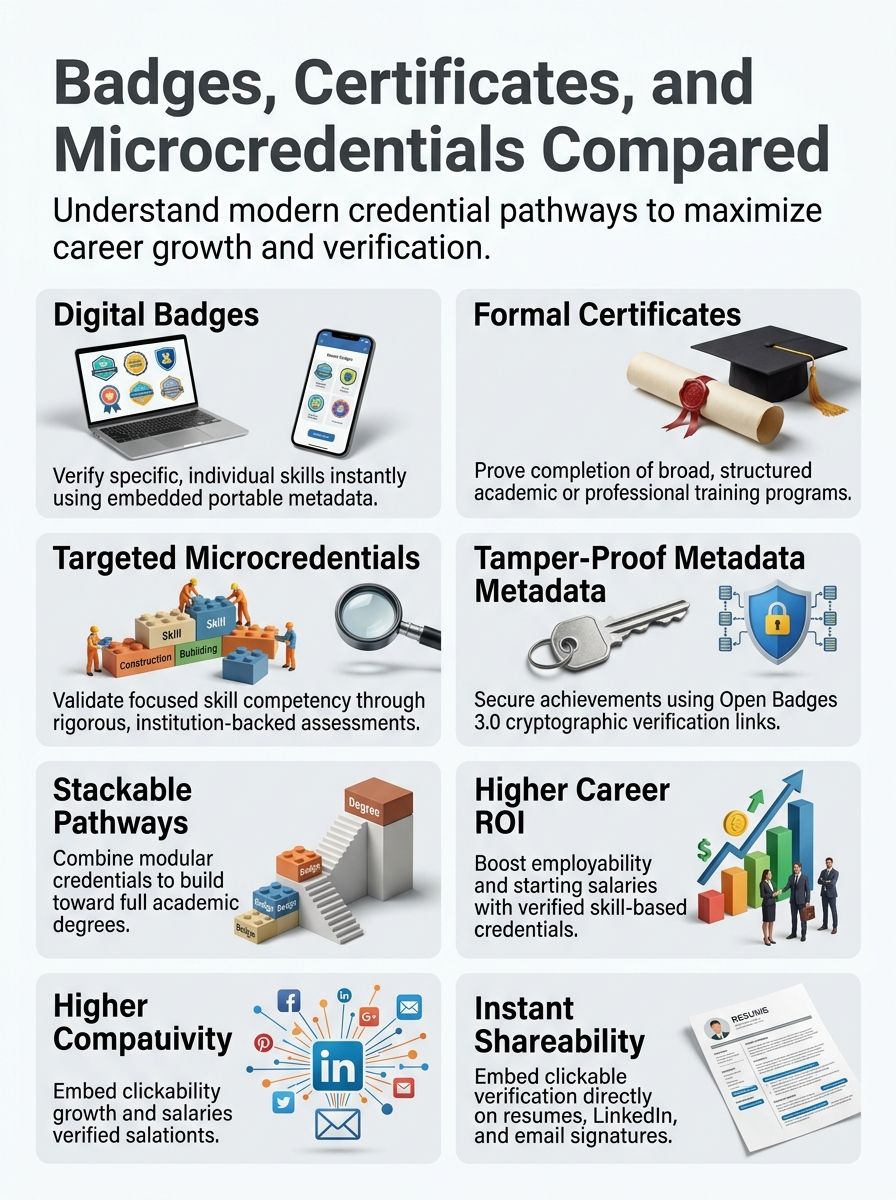
I think of a digital badge as the fast, shareable proof layer of learning. It is usually the easiest credential to post online because it is built to travel with evidence, issuer details, and verification data.
Definition and features
A digital badge is a visual credential that represents a specific skill, milestone, or achievement. The badge image matters, but the real value sits behind it in the metadata.
In the latest 1EdTech standard, Open Badges 3.0, issuers can include the criteria used to assess the badge, evidence of skill, issue date, and a verifiable reference to the earner. That is why a strong badge does more than say you finished something, it shows what you proved.
- Issuer name: Tells an employer who stands behind the claim.
- Criteria: Shows what you had to do, not just that you clicked through a course.
- Evidence: Can point to a project, portfolio, or assessment, which makes the skill easier to trust.
- Date and expiration: Helps recruiters judge whether the skill is current.
That is also why I treat a digital badge as a better fit for narrow, job-ready proof than a plain image saved to my desktop. If the badge cannot be verified, it loses most of what makes it useful.
A good badge does not just look official. It carries the details that make the achievement easy to verify.
In practice, universities and training providers often use platforms such as Accredible or Credly to issue badges. Rutgers, for example, uses Accredible for digital badges and digital certificates, which is a good reminder that the delivery system matters almost as much as the design.
I usually tell people to look at the earning rule before they look at the badge artwork. A badge earned through a graded assessment or project is far more valuable than one awarded for simple attendance.
AWS makes this pretty clear with its training badges. Many are free to earn and share, and some badge pathways require at least an 80% score on the related assessment. That kind of threshold gives the badge more weight because it signals actual performance.
- Earn it through a real task: Pick badges tied to a lab, project, rubric, or scored assessment.
- Claim it on the issuing platform: This is where the verification data stays attached.
- Share it with context: Add the badge to LinkedIn, your resume, or your email signature with one line about the skill you proved.
- Pair it with evidence: If the badge links to a project, keep that project polished and current.
I also like to add the exact skills behind the badge to my profile. LinkedIn’s 2025 Skills Signal report found that adding 10 skills to a profile is associated with a one-month shorter employment gap, so a badge works best when it is backed up by skill keywords recruiters actually search for.
What Are Certificates?
I see certificates as broader proof of completed learning. They usually cover more material than a badge and feel more formal to employers, schools, and licensing bodies.
Definition and scope
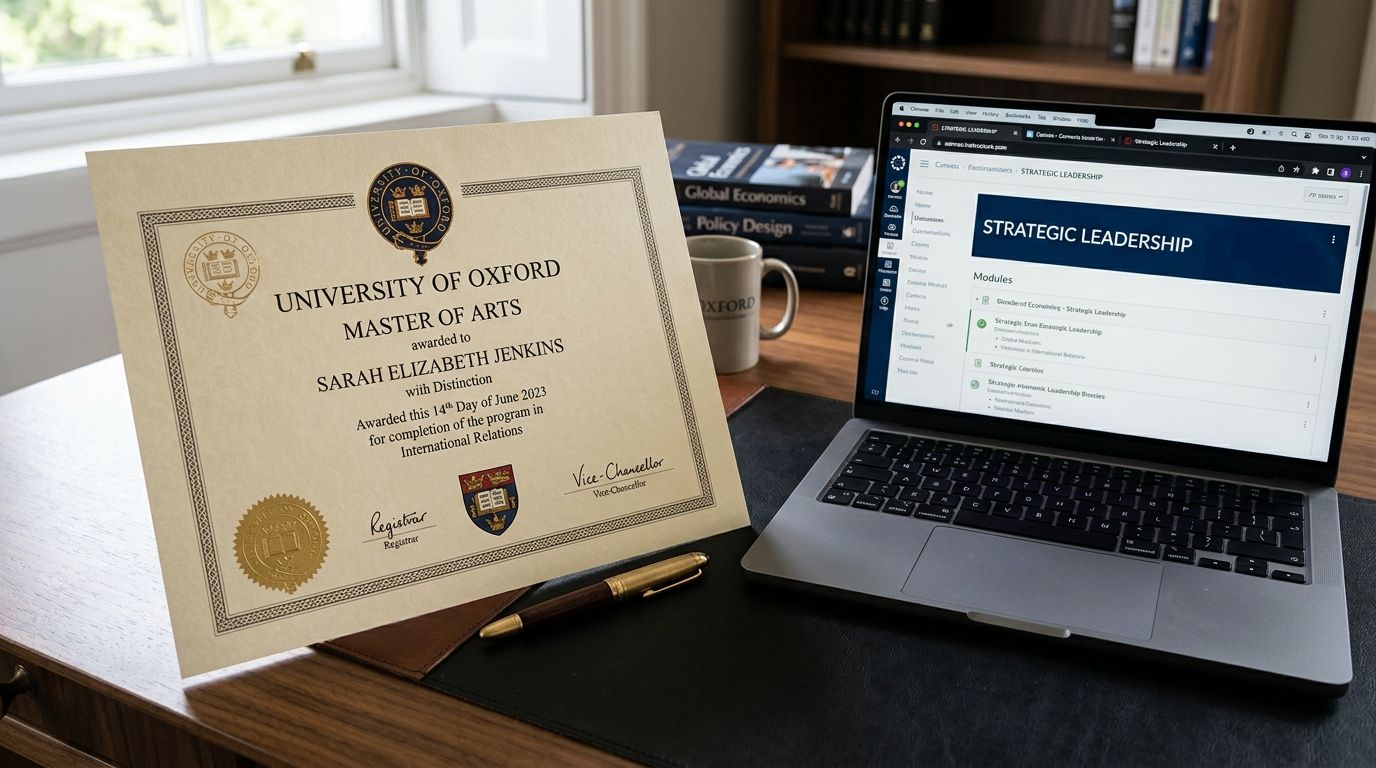
A certificate is a formal document showing that you completed a structured curriculum. In the University System of Georgia’s current microcredentials guidance, a certificate involves more coursework than a badge but less than a degree program.
That broader scope is why certificates are often the better choice when you need to show sustained study in a field instead of one isolated skill. I use them when I want to signal range, not just one competency.
Google’s Career Certificates are a good example. Google says most can be completed in three to six months with under 10 hours of study a week, which makes them practical for working adults. The same program also offers an ACE credit recommendation of up to 15 college credits, although each institution decides whether to accept that credit.
Certificates usually answer, “Did you complete the program?” Digital badges are better at answering, “What specific skill can you verify?“
Many certificates are now digital, but they still vary a lot in how easy they are to verify. Some come as a basic PDF. Others include metadata, transcript support, or a linked badge that makes the credential much easier to check.
Examples of use cases
I use certificates when the reader or employer needs a fuller picture of training. They are especially useful in continuing education, career change programs, and academic pathways where the learning spans several topics.
- Google Career Certificates: Best when you want a recognized career certificate plus career support. Google says graduates also gain access to a consortium of more than 150 U.S. employers, which gives the credential more hiring visibility than a certificate sitting in a folder.
- AWS Training Badges: Better when you need quick proof of a specific cloud skill. They are easier to share than a long certificate and work well on a resume or email signature.
- Oregon State microcredentials: A smart fit when you want short academic study with a digital badge attached. Oregon State says its online microcredentials generally range from 8 to 12 credits and can be finished in as little as six months.
- edX MicroMasters: Useful when you want graduate-level depth without jumping straight into a full degree. edX says some programs can count for up to 25% of a master’s degree and may save learners up to $10,000.
- Comprehensive Learner Record: Best when you need one place to organize courses, competencies, badges, and milestones. I like a CLR because it lets hiring managers see the whole story instead of disconnected files.
One small warning here: a certificate is not the same thing as a certification. A certificate usually means you completed training. A certification usually means a recognized body tested you against a formal standard.
What Are Microcredentials?
I look at microcredentials as the skill-focused middle ground. They are usually more structured and intentional than a simple badge, but shorter and more flexible than a traditional certificate or degree.
Definition and purpose
A microcredential is a short, focused credential built around a specific competency or small cluster of skills. Rutgers defines a microcredential as short, competency-based recognition, and that wording gets right to the point.
The best microcredentials ask you to demonstrate the skill, not just sit through content. Digital Promise, for example, builds its micro-credentials around competency-based assessment and evidence, and its platform uses human reviewers rather than simple completion checks. That is the kind of rigor I want to see before I take a microcredential seriously.
- Shorter timeline: Many can be finished in weeks or months instead of a long academic term.
- Narrower focus: They usually target a very specific skill set, such as data analysis, project management, or AI fundamentals.
- Evidence-based: Strong programs require portfolios, projects, rubrics, or scored assessments.
- Flexible path: They can stand alone or connect to larger credentials later.
I like microcredentials for fast-moving fields because they make it easier to prove new skills without waiting for a full diploma program to catch up. That matters in areas like cybersecurity, data, cloud, and artificial intelligence, where employers often care more about current capability than old course titles.
Their relationship with badges and certificates
This is where most people get tripped up. A microcredential is usually the learning experience and assessment, while a digital badge is often the visual proof used to display it.
Wright State explains it in a simple way: the badge is to the microcredential what a diploma is to a degree. I think that is one of the clearest ways to keep the terms straight.
A certificate can sit beside a microcredential, or a microcredential can roll up into a certificate. In the University System of Georgia’s guidance, credit-bearing microcredentials can be standalone or stackable, and stackable credentials are designed to be earned incrementally and contribute toward a degree.
| Question | Badge | Certificate | Microcredential |
| What are you proving? | A specific skill or milestone | Completion of a structured program | Demonstrated competence in a focused area |
| What is the display format? | Usually a shareable digital badge | Paper or digital certificate | Often a badge, transcript entry, or digital record |
| Can it stack? | Sometimes | Sometimes | Often yes, by design |
Key Differences: Digital Badge vs Certificates vs Microcredentials
When I compare these options, I focus on three things: scope, verification, and what the employer needs to see first. That usually clears up the decision fast.
Scope and depth
I have found that the easiest way to separate these credentials is to ask how much learning they cover and how specific the skill proof needs to be.
| Feature | Digital Badge | Certificate | Microcredential |
| Best for | Showing one clear skill, milestone, or assessment result | Showing completion of a broader program or course sequence | Showing focused, assessed competence in a job-relevant area |
| Typical scope | Narrow | Broader | Narrow to medium |
| Depth | Light to moderate, depending on assessment | Moderate to deep | Moderate, with emphasis on evidence of performance |
| Common duration | Hours to a few weeks | Weeks to months | Weeks to months, often shorter than a certificate |
| Academic credit | Rare on its own | Sometimes | Sometimes, especially when designed as stackable credentials |
| Good real-world example | AWS training badge | Google Career Certificate | Oregon State microcredential or an edX MicroMasters pathway |
If I need quick proof for a recruiter, I pick a badge or microcredential. If I need to show a bigger block of study, I lean toward a certificate.
Verification is where these credentials really split apart. A strong digital credential saves time because the evidence travels with it.
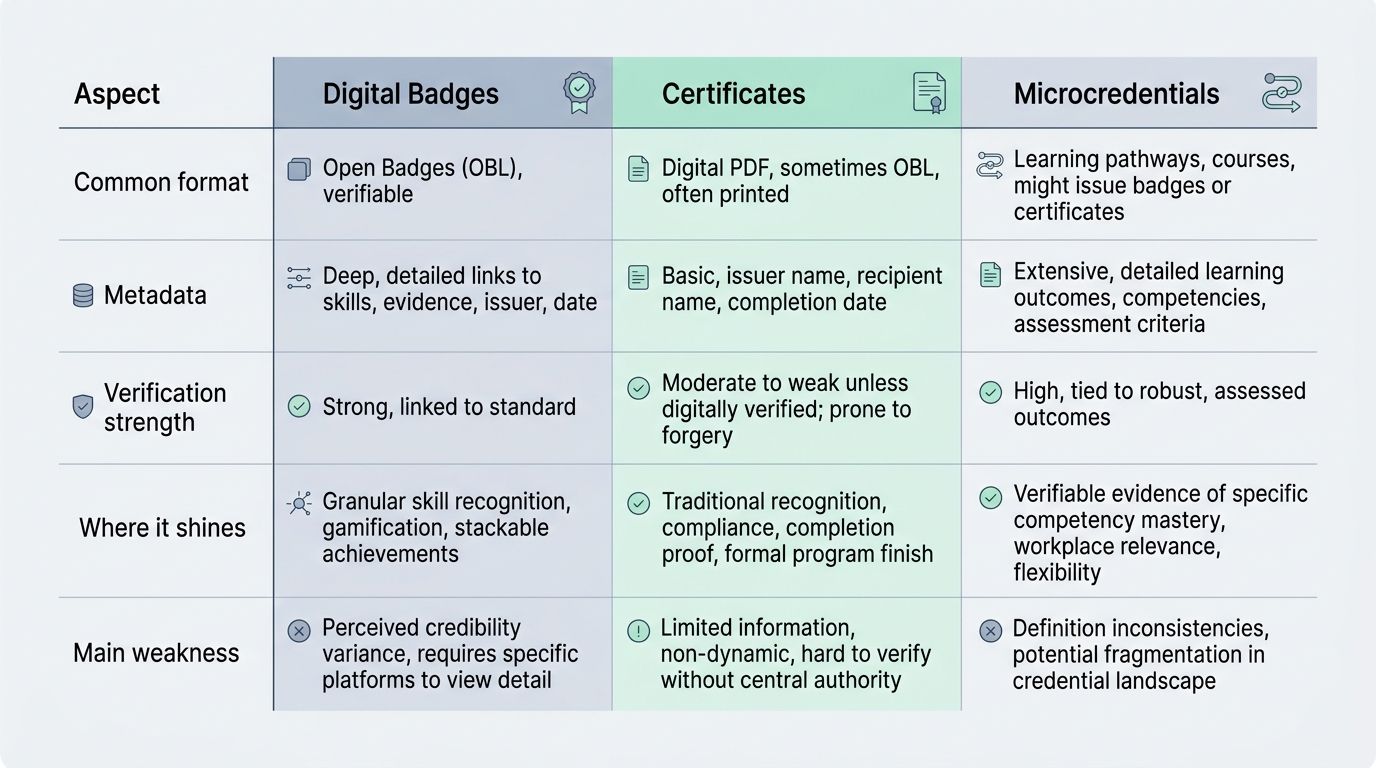
| Aspect | Digital Badges | Certificates | Microcredentials |
| Common format | Shareable badge with machine-readable data | PDF, print document, or digital certificate | Digital record, badge, transcript notation, or certificate |
| Metadata | Often includes issuer, criteria, evidence, dates, and status | May include only name, program, and completion date | Often includes competencies, assessment details, and issuer data |
| Verification strength | Usually strong when issued under Open Badges standards | Varies a lot by issuer | Strong when tied to a badge, transcript, or verifiable record |
| Where it shines | LinkedIn, digital resumes, email signatures, online portfolios | Applications that ask for formal program completion | Skills-first hiring, upskilling, and stackable education paths |
| Main weakness | Can look lightweight if no evidence is attached | Can be slow to verify if it is just a static file | Terminology still varies by institution |
Open Badges 3.0 improved this space because it supports more secure, portable, and interoperable digital credentials. On top of that, a Comprehensive Learner Record can bundle multiple achievements into one signed record, which is useful if you want to show a learning journey instead of one isolated win.
For me, the practical rule is simple: if someone needs to verify your learning quickly, a well-built digital badge or microcredential usually beats a static certificate.
Benefits of Using Digital Badges, Certificates, and Microcredentials
I like these credentials because they let people show progress in smaller, more believable pieces. That is helpful for career starters, working adults, and anyone trying to prove new skills without going back for a full degree right away.
Professional growth opportunities

These credentials can create real career momentum when they match a role and show evidence. In Coursera’s 2026 employer survey, 92% of employers said entry-level hires with micro-credentials perform better in their first year, and 73% said those candidates move through the hiring pipeline faster.
The best credential for career growth is the one that makes your skill obvious in seconds. I have also found that pairing credentials works better than relying on one format alone. A certificate shows range, while a badge or microcredential makes the skill easier to scan and verify.
- Use a certificate when you need to show broad training.
- Add a badge when you want recruiters to spot the skill quickly on LinkedIn or a digital resume.
- Choose a microcredential when you need proof tied to a specific job task, tool, or competency.
- Keep the issuer visible because employer trust rises when the source is recognizable.
Google reports that 75% of its certificate graduates see a positive career outcome within six months. That does not mean every certificate changes a life, but it does show why readers should care about issuers with employer recognition and clear outcomes.
Adaptability in a changing job market
This is where microcredentials and digital badges really shine for me. They let you respond to the market without waiting years to update your qualifications.
LinkedIn’s 2025 Skills Signal report found that workers who add 10 skills to their profiles tend to shorten their employment gap by about one month, and workers matched by skills instead of titles qualify for more than three times as many roles. That is a strong case for using verifiable credentials to make skills visible.
At the hiring side, the same report found companies using skills-based talent searches are 12% more likely to recruit high-quality hires. So if you are choosing between one broad certificate and a few tightly aligned microcredentials, I would usually start with the option that maps more directly to the job descriptions you want.
- Pick narrow credentials for fast-changing fields like AI, cloud, analytics, and cybersecurity.
- Stack them when the role needs several related tools or competencies.
- Favor transparent issuers that publish criteria, evidence expectations, and verification methods.
- Update your profile right away so the new skill signal shows up where recruiters search first.
Wrapping Up
If I had to simplify the whole debate, I would say this: a digital badge is usually the shareable proof, a certificate is the broader record of completion, and a microcredential is the focused learning unit that may sit behind either one. That simple distinction makes better decisions possible.
Before you choose any credential, I suggest asking three questions:
- What exact workforce outcome should this credential support?
- Will an employer be able to verify the issuer, criteria, and evidence quickly?
- Can this credential stand alone now and stack into something larger later?
If the answer is clear on all three, you are probably looking at a credential worth earning. If it is vague, hard to verify, or disconnected from next steps in education or work, I would keep looking.
Frequently Asked Questions on Digital Badges Vs Certificates Vs Microcredentials
1. What is the difference between digital badges, certificates, and microcredentials?
Digital badges are small, shareable proofs of skill that link to verified evidence. Certificates show you finished a course or program, they are more formal. Microcredentials show focused, job-ready skills, and they can stack into larger learning pathways.
2. Who looks at these credentials, and do they matter to employers?
Employers, schools, and online platforms all check them, but interest varies by field. Some hiring managers love a clear badge or microcredential, others still prefer full degrees.
3. Which should I put on my resume or LinkedIn?
Put the most relevant credential first, match it to the job you want. Use digital badges for quick proof, certificates for formal training, and short credentials for tight, job-ready skills.
4. Can I earn them online, and are they easy to verify?
Yes, many come from online issuers, and most include verification links or evidence. Check the issuer, look at the proof, and think of them as building blocks for your skill story, not magic badges that do the job for you.