

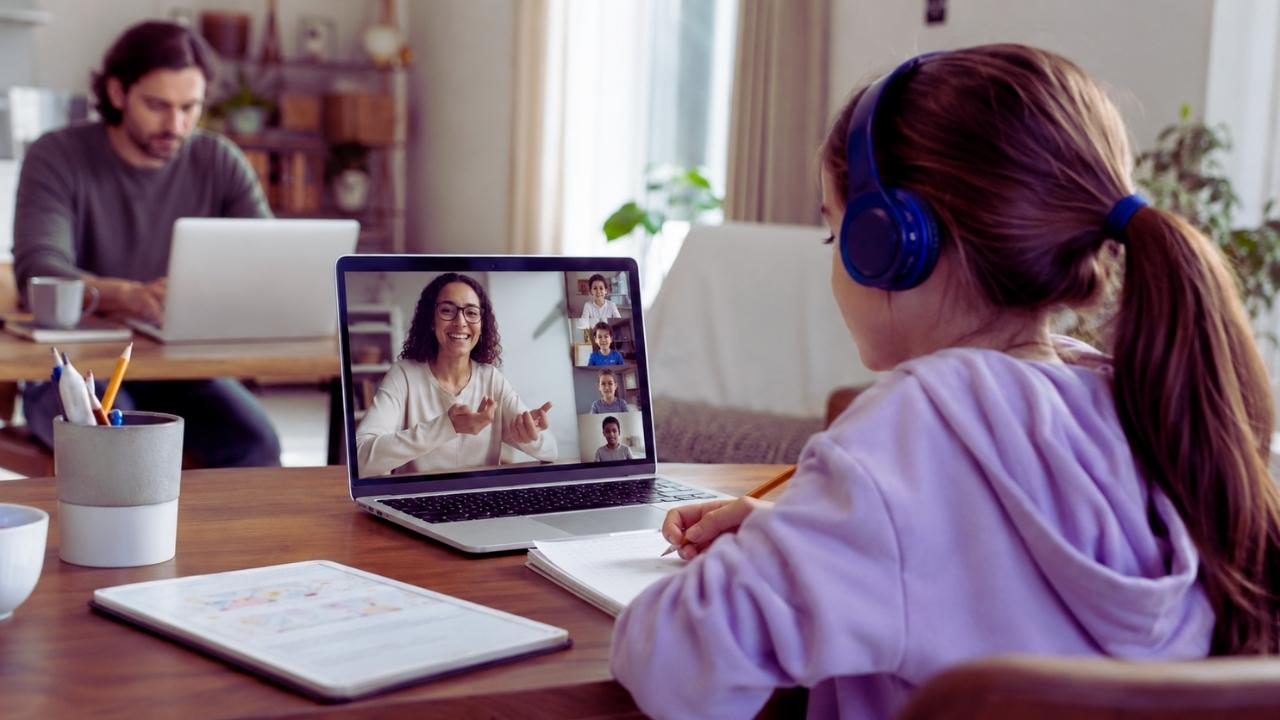
Live classes can relieve one of the biggest pressures in homeschooling: one parent cannot teach every subject, provide specialist feedback, supervise independent work, and remain available throughout the working day.
A scheduled class can bring structure, outside accountability, and access to a teacher who knows the subject well. It can also add screen fatigue, awkward time-zone problems, unexpected homework, and another subscription that the family barely uses.
Parents searching for live online classes and homeschool options will find several very different services presented as though they solve the same problem. A one-hour art class, weekly private tutoring, a semester-long algebra course, and a full-time virtual school are not interchangeable.
Before comparing platforms, decide what you want the class to replace. That decision matters more than the size of the course catalogue.
First, Work Out What You Are Buying
“Online class” is a loose label. It may describe any of the following.
A class marketplace
Families choose individual teachers and courses from a large catalog. Outschool is a well-known example. Its live classes currently run through Zoom and range from one-time sessions to short courses, semester courses, tutoring, camps, and recurring weekly classes.
A marketplace gives families plenty of choice, but it is not automatically a complete homeschool curriculum. The platform may process payments, host classes, screen educators, and provide communication tools without assuming responsibility for the child’s wider education.
Private tutoring
Tutoring usually focuses on a particular subject, skill gap, examination, or assignment. It costs more per learner than a group class, but the teacher can respond directly to the student’s pace and errors.
Varsity Tutors currently offers private tutoring alongside weekly live classes, test preparation, diagnostics, and other study resources. Its service combinations and membership details can vary by country and program, so families should ask for the total price and cancellation terms in writing before buying a package.
A structured online course
This normally includes a sequence of lessons, assignments, and feedback over several weeks or months. Some courses provide grades or completion records. Others do not.
A course may be academically strong without being accredited or legally recognized as a school. Those are separate questions.
A virtual school
A virtual school may enroll the child as a student, maintain records, set assessment requirements, and issue transcripts or diplomas. Publicly funded, private, international, and independently accredited virtual schools operate under different rules.
Do not assume that a provider is an accredited school because it uses words such as “academy,” “institute,” or “school” in its name. Check its legal status, accreditor, recognition in your country, and responsibility for official records.
An online co-op or community
These programs may offer parent-led lessons, clubs, shared projects, discussion groups, or occasional specialist teaching. They can provide valuable social contact without acting as a full educational provider.
The distinction matters because parents often pay for a collection of classes and later discover that no one is maintaining the records, covering required subjects, or checking local homeschool obligations.
Outsource the Subjects That Create Real Pressure

A live teacher is most valuable when real-time interaction improves the lesson.
Good candidates include:
- Mathematics when the learner needs errors explained immediately
- Writing workshops that include individual feedback
- Foreign-language conversation
- Debate and discussion-based history
- Music instruction
- Laboratory demonstrations with active questioning
- Coding sessions in which the teacher can troubleshoot a student’s work
- Advanced subjects outside the parent’s knowledge
- Weekly support for a subject that repeatedly gets postponed
Recorded lessons are often better for straightforward explanations. A learner can pause, replay, speed up, or return to a difficult section later. Paying for a live teacher to deliver a long lecture offers little extra value unless students can ask questions or receive feedback.
For most families, starting with one difficult subject is more sensible than building a timetable full of online meetings. A parent working from home, for example, may get more relief from a dependable twice-weekly algebra class than from five short enrichment sessions scattered across the week. The first replaces a demanding teaching task. The others may simply create more transitions to manage.
How to Compare Live Online Classes Homeschool Families Can Actually Use?
Course titles and promotional videos reveal very little about the daily experience. The useful details are usually buried in the class description or need to be requested from the teacher.
Find Out What Happens During the Meeting?
“Interactive” can mean several things.
In one class, every learner may solve problems, discuss ideas, or receive feedback. In another, the teacher may lecture while students remain muted and answer an occasional poll.
Neither format is automatically poor. A large demonstration class may work well for drawing, wildlife education, guest lectures, or science presentations. It is less convincing when the family is paying for speaking practice, writing feedback, or mathematics support.
Ask:
- How much of the class is teacher talk?
- How often does each learner participate?
- Are students expected to answer without preparation?
- Is there independent work during the meeting?
- Will the teacher review submitted assignments?
- Does the course include breakout rooms?
- What happens if a student is confused but does not ask for help?
A recorded sample lesson is useful when available, but it may show a carefully selected session rather than a typical week. A one-time class with the same teacher often provides a better test before committing to a long course.
Class Size Matters More Than Marketing Language
A live class with six learners and a live webinar with sixty learners are technically the same delivery format. Educationally, they are very different.
Small groups usually make more sense for the following:
- Conversation practice
- Socratic discussion
- Reading support
- Essay workshops
- Mathematics intervention
- Learners who need the teacher to notice hesitation or misunderstanding
Large classes may be perfectly adequate when students mainly watch a demonstration or presentation. Do not pay small-group prices without checking the enrollment limit. Also ask whether the class will still run when only one or two learners enroll. A group course can unexpectedly become almost private, which some children enjoy and others find uncomfortable.
Check the Teacher’s Relevant Experience
A teaching degree can be reassuring, but it does not guarantee a good match. A subject expert may know advanced mathematics and still struggle to explain fractions to a frustrated nine-year-old.
The reverse can also be true. An experienced homeschool educator without a conventional classroom license may be excellent at pacing, discussion, and flexible instruction.
Look for experience that matches the actual learner:
- The age group
- The subject level
- Dyslexia, ADHD, autism, anxiety, giftedness, or another stated learning need
- English-language learners
- Reluctant speakers
- Examination preparation
- Advanced or accelerated work
Outschool currently requires educators to complete identity verification, background screening, and platform policy training. It does not require every educator to hold formal teaching credentials. That distinction should be clear. A background check is a safety measure. It does not establish specialist training, subject mastery, or skill in supporting neurodivergent learners.
Reviews can help, but detailed comments are more useful than star averages. Look for repeated observations about pacing, feedback, reliability, communication, and classroom management.
A Live Class Takes More Time Than the Calendar Shows
A 45-minute class rarely consumes only 45 minutes.
The family may also need time to:
- Locate materials
- Print worksheets
- Complete assigned reading
- Set up the device
- Join early
- Recover from the session
- Finish homework
- Upload work
- Respond to teacher feedback
This matters when working parents build a schedule that appears manageable on paper. A workable live online classes homeschool schedule needs space between meetings. Ten or fifteen minutes gives a learner time to move, use the bathroom, eat, and switch materials. Children who need more time to regulate or change tasks may need a much longer gap.
Avoid placing a class at the exact time a parent usually joins a work meeting. Even an independent teenager may occasionally need help with a broken link, password problem, missing file, or teacher cancellation. A balanced week could include two live academic classes, one social or enrichment activity, and several open blocks for independent work. That often provides more stability than placing a scheduled session in every subject.
Time Zones Can Quietly Break a Good Schedule
Global platforms usually convert listed times to the user’s local time. That does not remove every problem. Daylight saving time starts and ends on different dates across countries. Some regions do not observe it. A teacher’s regular class may therefore move by an hour for an international learner during part of the year.
Outschool says its schedules update automatically for daylight saving changes, but families should still check future meetings. A convenient evening class can become too late when the teacher’s region changes clocks and the learner’s region does not.
Before joining a semester course:
- View the schedule several weeks ahead.
- Add it to a calendar using the family’s local time zone.
- Check whether the course crosses a daylight saving change.
- Confirm the final class date.
- Look for conflicts with religious holidays, examinations, travel, or local school activities.
The longer the commitment, the more important this check becomes.
Neurodivergent Learners Need Specific Information, Not an “Inclusive” Label
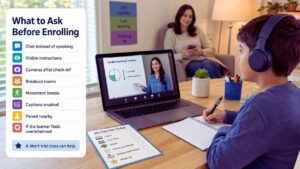
“Inclusive” is a positive description, but it does not explain how the class operates.
A learner may need written instructions because verbal directions disappear too quickly. Another may understand the material but freeze when called on without warning. Some students need movement breaks, predictable routines, reduced visual clutter, captions, or permission to answer through chat.
CAST’s Universal Design for Learning framework encourages educators to provide more than one way for students to engage with material, receive information, and demonstrate understanding. A class does not need to use UDL terminology to follow those principles.
Parents can ask practical questions without sharing a child’s full medical or diagnostic history:
- Can the learner answer in chat rather than speaking?
- Are students called on without volunteering?
- Is the lesson outline available beforehand?
- Can instructions remain visible while students work?
- Are cameras required after check-in?
- Does the teacher use breakout rooms?
- Can the learner take a short movement break?
- Are captions enabled?
- How much handwriting, copying, or rapid typing is expected?
- Can a parent remain nearby but off-camera?
- What happens if the learner becomes overwhelmed?
The teacher’s response is revealing. A thoughtful answer that explains the class mechanics is more useful than a broad promise that “all learners are welcome.” Start with a one-time class or short course when possible. A teacher may be skilled and kind but still use a pace or participation style that does not suit the child.
Test the Technology Before Class Day
Most first-day problems are ordinary rather than complicated. The wrong microphone is selected. The browser blocks the camera. The application needs an update. The learner joins through the parent’s account. The worksheet is still in an email attachment.
Run a test meeting before the first lesson. Check:
- Camera and microphone permissions
- Speaker or headphone output
- The learner’s display name
- The correct account or profile
- Application updates
- Battery and charging
- Any required browser extensions
- Access to the class page and uploaded files
A laptop or desktop is usually the better choice for coding, writing, presentations, or lessons that use several windows. A tablet may work well for conversation, read-alouds, music, or art. A phone is better kept as a backup. Its small screen makes it difficult to watch the teacher, read chat, and work from a document at the same time.
Zoom currently recommends roughly 1 Mbps upload and 600 Kbps download for high-quality group video. Its recommendation rises to about 2.6 Mbps upload and 1.8 Mbps download for 720p group video. These are connection requirements for the device, not the speed advertised by the internet provider.
A household connection can still struggle when another person is streaming television, uploading large files, gaming, or joining a video meeting. Moving closer to the router, using Ethernet, or temporarily turning off the learner’s outgoing video may improve a weak connection, provided the teacher and platform permit it.
Headphones can reduce distraction and feedback, but they need to be comfortable. Noise-cancelling models are not automatically better for every child. Some learners dislike the pressure, isolation, or altered sound.
Confirm Caption, Camera, and Participation Rules
Zoom supports automated captions, manual captioning, and third-party captioning tools. Whether captions appear in a particular class depends partly on the host’s settings and the account configuration. Parents who rely on captions should ask the teacher to confirm that they will be enabled. Do not treat automated captions as a perfect transcript, particularly in classes with unfamiliar names, technical vocabulary, accents, music, or several people speaking at once.
Camera rules also vary. On Outschool, learners normally need to appear briefly on camera for visual check-in during each live class. They can generally turn the camera off afterward unless the teacher has disclosed a continuing camera requirement. Outschool also offers an alternative learner-verification process for families who cannot use the standard check-in.
Some teachers may reasonably require cameras for particular activities, such as private dance instruction, debate, practical chemistry, or work involving kitchen tools. That requirement should be visible before enrollment. Do not wait until the lesson begins to raise a camera-related concern. Contact the teacher first, especially when camera use may trigger anxiety, sensory discomfort, privacy concerns, or connection problems.
Read the Recording and Privacy Policy
Live classes may involve a child’s image, voice, name, messages, submitted work, and account activity. Parents should understand where that information is stored and who may view it.
Outschool currently records its live classes for quality and safety purposes. Its parent guidance says recordings are deleted after three months. Teachers may choose to share a recording with enrolled families, but sharing is not guaranteed. Access is restricted, and learners generally need to have attended or completed the platform’s alternative verification process.
This makes recordings unreliable as the main plan for missed lessons. A family should ask what the teacher provides when a child is absent:
- A shared recording
- Lesson notes
- Slides
- Assigned reading
- A make-up meeting
- No replacement material
For younger learners, review the provider’s privacy notice and account setup. In the United States, the Children’s Online Privacy Protection Rule applies to covered online services directed to children under 13 and services that knowingly collect personal information from children under 13. The FTC amended the rule in April 2025.
COPPA compliance does not mean parents can ignore privacy choices. Families should still check recording access, data retention, advertising practices, account deletion, and whether children can contact other users. Privacy laws differ outside the United States. Families should use the rules that apply in their own country rather than assuming a U.S. policy provides the same rights everywhere.
Children should avoid sharing surnames, addresses, phone numbers, personal email addresses, precise locations, school details, or unrelated gaming and social-media usernames in class chat.
Compare the Total Cost, Not the Smallest Number on the Page
A weekly price can make a course appear cheaper than it is. Calculate the full commitment.
Include:
- Enrollment fees
- Membership or marketplace charges
- Books and supplies
- Required software
- Tutoring hours
- Currency conversion
- Taxes
- Missed-class rules
- Automatic renewals
- Cancellation deadlines
- Homework support the parent will still provide
Outschool currently allows families to pay per class or use a membership. Pay-per-class purchases include the listed price plus a marketplace fee. Memberships provide monthly credits that can be used for enrollment, and one credit currently represents US$0.50 toward a class. Membership details, bonuses, and discounts can change. Membership plans are currently purchased in U.S. dollars, which is worth noting for international families even though some direct class payments can be displayed in other supported currencies.
Recurring weekly Outschool classes are billed as ongoing enrollments until they are cancelled. Fixed-length courses may be paid upfront or through weekly installments, depending on the listing. Those installments contribute to the total course price and do not necessarily correspond to one lesson each. That is the kind of detail families miss when they focus only on the number beside the enrollment button.
For sales-led tutoring services, request a written breakdown showing:
- The number of private hours
- Any included group classes
- The billing period
- Minimum commitment
- Renewal terms
- Refund rules
- Credit expiry
- Whether unused hours roll over
- The process for changing tutors
A low-cost class is poor value when a parent must reteach every lesson. A more expensive class may be worthwhile when it replaces planning, grading, or specialist instruction that the family genuinely cannot provide.
Live Classes Do Not Automatically Meet Homeschool Laws
Using an online provider does not necessarily transfer legal responsibility from the parent.
In the United States, homeschool rules differ by state. Notification, required subjects, attendance records, assessments, instructor qualifications, and graduation requirements may all vary. The U.S. Department of Education maintains a state regulation directory, but parents should confirm current requirements with their state education department or the applicable statute because some summaries may not reflect the latest legislative change.
England has its own legal framework. Parents remain responsible for providing a suitable education, and the Children’s Wellbeing and Schools Act 2026 introduced new provisions concerning children who are not registered at school. Implementation details and local procedures may continue to develop, so families in England should check current Department for Education and local-authority guidance before withdrawing a child or changing arrangements.
Rules in Scotland, Wales, Northern Ireland, Canada, Australia, New Zealand, Europe, Asia, and elsewhere are different again.
Keep records even when local law appears light. Useful records include:
- Course descriptions
- Attendance dates
- Completed assignments
- Teacher feedback
- Reading lists
- Assessment results
- Project photographs
- Certificates
- Payment receipts
- Notes showing progress over time
Do not assume that a completion certificate is an accredited transcript or that an online marketplace will produce records acceptable to a school, university, regulator, or scholarship program.
Know When a Class Is Not Working
A child attending quietly is not proof that the class is effective.
Look at what happens around the session. Does the learner understand the work afterward? Can they explain what they learned? Is the homework close to the advertised amount? Does the teacher respond when the learner is confused?
Warning signs include:
- The teacher speaks for nearly the entire session
- The level differs sharply from the listing
- The learner spends long periods waiting
- Assignments receive no meaningful feedback
- The class repeatedly starts late
- Other students regularly disrupt instruction
- The parent must remain beside the learner for every minute
- Homework takes far longer than stated
- Agreed accommodations are not provided
- Technical problems consume a significant part of each meeting
- The course adds stress without improving learning or reducing parental workload
Before withdrawing, send a specific message. “My child is struggling” gives the teacher little to work with. “The instructions disappear when screen sharing begins, so my child cannot refer back to the steps” identifies a fixable problem.
Not every mismatch can be repaired. Families should not keep paying for a course solely because they have already completed several weeks.
Questions to Send Before Enrolling
A short message can prevent an expensive mismatch:
- What is the maximum class size?
- How much direct participation should each learner expect?
- Are cameras required after identity check-in?
- Is the course mainly lecture, discussion, demonstration, or guided practice?
- How much homework is typical each week?
- Does the teacher provide individual feedback?
- What happens when a learner misses a meeting?
- Are recordings shared?
- Which materials or paid software are required?
- Can the teacher support the learner’s specific participation needs?
- Is there a refund or transfer option after the first meeting?
- Will the listed time change during daylight saving transitions?
A teacher does not need to give a long answer. Clear, specific replies are enough. Vague promises are a reason to hesitate.
A Practical Starting Plan
Choose one subject that regularly creates pressure. Compare two or three teachers rather than browsing dozens of platforms. Read the complete listing, calculate the total cost, and ask any unresolved questions. When possible, begin with a one-time session or a short course. Test the device beforehand. Prepare the materials the previous day. Add the full course schedule to the calendar.
For younger learners, remain nearby during the first meeting without taking over the lesson. Outschool, for example, advises parents to stay off-screen where possible, while providing appropriate supervision and contacting the teacher beforehand when a child needs hands-on adult help. Review the arrangement after three or four sessions.
Keep the class when it improves understanding, creates useful accountability, or removes a substantial teaching burden. Cancel it when it merely fills time, creates repeated conflict, or requires so much parental support that it defeats the reason for outsourcing.
Final Thoughts
The goal is not to recreate a full school day on a laptop. It is to use live online classes so homeschool families can manage to fill specific gaps. A good class does more than occupy a timetable slot. It provides teaching, discussion, feedback, practice, or subject knowledge that would otherwise be difficult to access. It also fits the learner’s energy, communication style, schedule, and level of independence.
Start with one real need. Compare the teaching method rather than the marketing. Ask about workload, accessibility, privacy, recordings, and parent involvement. Then test the arrangement before building the rest of the week around it.
For a wider look at how devices, platforms, schedules, and digital resources can work together, see Homeschooling with Technology.
Frequently Asked Questions (FAQs) About Live Online Classes for Homeschool
Are Live Online Classes Considered Homeschooling?
Usually, yes, if the child remains legally registered as a homeschooler and the parent continues to meet local education requirements. Enrolling in individual online classes does not normally make the provider responsible for the child’s full education. The rules differ by country, state, province, or territory, so families should confirm who is responsible for attendance records, required subjects, assessments, and official documentation.
How Many Live Online Classes Should a Homeschooler Take?
There is no ideal number for every family. One or two weekly classes are often enough when a family is new to online learning. Count homework, preparation, travel to local activities, and recovery time as part of the workload. A child who handles one 45-minute class well may still struggle with three scheduled sessions on the same day.
What Happens If a Child Misses a Live Class?
The answer depends on the teacher and provider. Some offer recordings, lesson notes, slides, or make-up sessions. Others provide no replacement material. Recordings may also be restricted because other children appear in them. Check the missed-class policy before paying, especially for recurring or semester-length courses.
Are Live Online Classes Suitable for Shy or Anxious Learners?
They can be, but the class format matters. A small group with predictable routines, voluntary participation, chat responses, and advance notice before speaking may work well. A fast-paced class that calls on students without warning may increase anxiety. Parents should ask about camera rules, breakout rooms, participation expectations, and alternative ways to answer before enrolling.
Can Live Classes Provide Official Grades or Transcripts?
Some structured online schools and accredited programs can issue grades, records, or transcripts. Individual teachers and class marketplaces may provide feedback, certificates, or progress reports without offering official academic credit. Families who need records for school transfer, university admission, or legal compliance should confirm exactly what documentation the provider issues and whether it is recognized where they live.
























