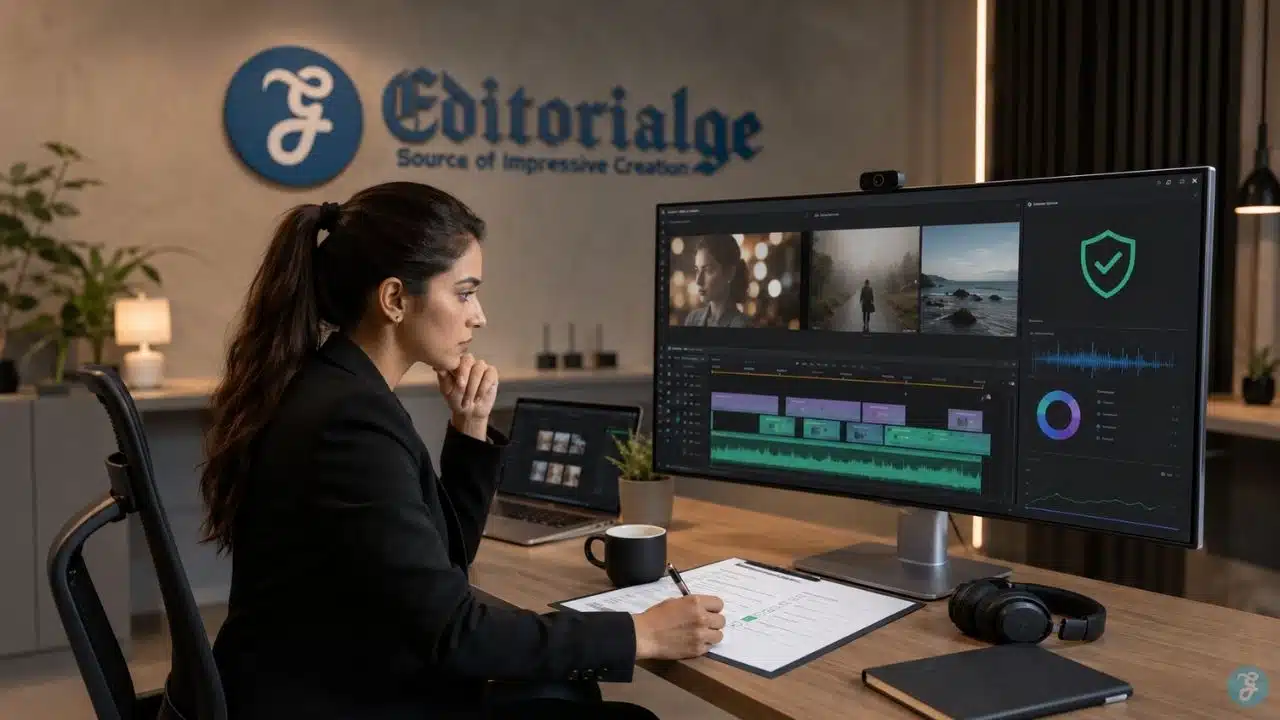
AI video copyright becomes a serious issue the moment an AI-generated clip moves from experiment to publication. I have seen this shift happen in real workflows. A video may look impressive inside the generator, but once it is used in a blog, social campaign, product demo, YouTube video, ad, or client project, the question changes from “Does this look good?” to “Can we actually use this safely?”
That is where many creators get careless. AI video is not just one asset. It can include generated visuals, prompts, reference images, voiceovers, music, stock clips, brand logos, subtitles, edited scenes, avatars, and sometimes real-person likenesses. Every layer can create a different rights question. So when I work with AI video content, I do not treat copyright as a final checkbox. I treat it as part of the production workflow from the beginning.
In my own workflow, I separate three questions before publishing any AI-generated video: who created the human-controlled parts, what assets were used to generate or edit the video, and what the tool’s license allows me to do with the output. That sounds less exciting than “generate a video in seconds,” but it is what keeps creative work usable after the first draft.
At Editorialge Media LLC, we work across media, SaaS, e-learning, and AI-powered creative tools, so AI video is not just a fun experiment for us. It is part of a real content system. If a video supports an article, a product, a social post, or an educational workflow, the copyright position has to be clear enough for publishing.
What AI Video Copyright Actually Means
AI video copyright refers to the legal and practical questions around ownership, protection, licensing, and reuse of videos created fully or partly with artificial intelligence.
A normal video usually has familiar copyright layers: footage, editing, music, script, narration, graphics, and final composition. AI video adds new layers because the creator may use a tool that generates moving visuals from text, animates a still image, extends a clip, creates a talking avatar, or builds scenes from reference material.
That means AI video copyright is not one simple question. It usually includes:
- Whether the final video is copyright-protectable
- Whether there is enough human authorship
- Whether the AI-generated parts can be owned
- Whether the input material was licensed
- Whether the tool allows commercial use
- Whether the output resembles protected work
- Whether music, voice, likeness, logos, or clips create separate rights issues
- Whether the platform requires disclosure
The U.S. Copyright Office has made clear that copyright protection requires human authorship, and purely AI-generated material without sufficient human creative control may not qualify for copyright protection. It also says works containing AI-generated material may be registrable when there is enough human-authored expression, such as creative selection, arrangement, modification, or other human contribution.
So, the safer way to think about AI-generated video copyright is this: AI can help produce the material, but copyright protection usually depends on what the human creator contributed. Which I discussed in my AI video creation guide.
Why AI Video Copyright Is Different From Normal Video Copyright
Traditional video production has copyright problems, too. You still need to care about music, stock footage, fonts, logos, scripts, clips, and permissions. But AI video adds uncertainty because the generator may create content from patterns learned during training, and the user may not know what material influenced the output. That creates two different copyright concerns.
The first concern is output ownership. Can you protect the final AI-generated video as your own work? The answer depends on human creativity, the terms, and the jurisdiction.
The second concern is infringement risk. Even if you have permission to use the tool, the output could still create problems if it is too similar to copyrighted work, uses an unlicensed reference, imitates protected characters, includes a brand asset, or copies a recognizable style in a legally risky way.
This is why I do not treat AI video tools like normal video cameras. A camera records what I choose to film. An AI video model generates frames based on training, prompt interpretation, reference inputs, and model behavior. That means the creator has to review the result more carefully.
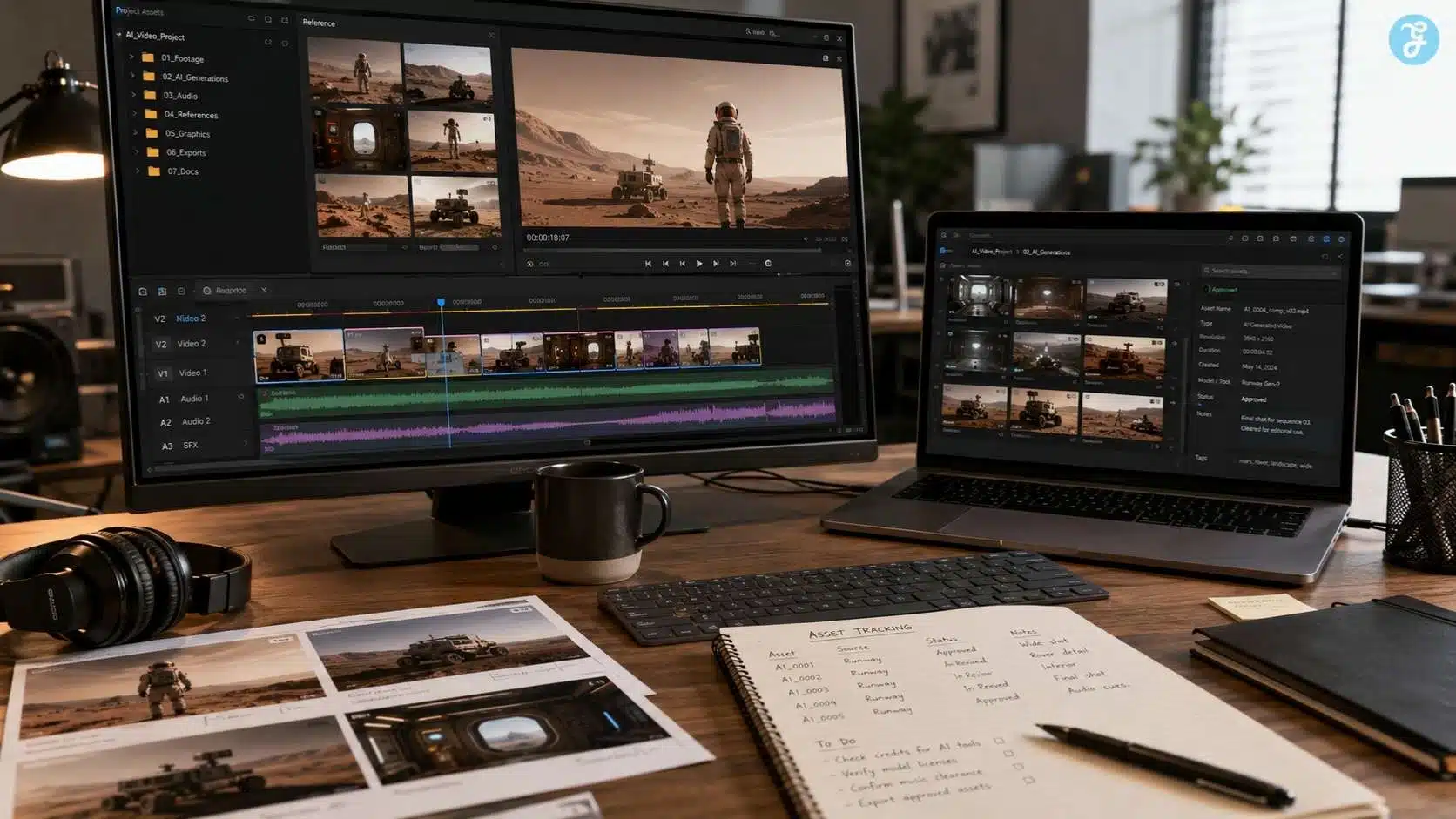
AI-Generated Video Copyright And Human Authorship
The most important legal idea is human authorship. If a creator only types a broad prompt like “make a cinematic product video” and accepts the output without meaningful human control, the copyright claim may be weak. The AI system is making many expressive decisions, including framing, lighting, movement, scene design, and visual details.
But if the human creator writes a script, builds a shot list, creates original reference images, directs the motion, edits the sequence, adds original narration, chooses timing, arranges scenes, adjusts pacing, adds graphics, and shapes the final work, the human contribution becomes much stronger.
For AI video, human authorship may appear in:
| Human Contribution | Why It Matters |
| Original script | Gives the video human-created message and structure |
| Storyboard or shot plan | Shows creative direction before generation |
| Original reference assets | Adds human-controlled visual material |
| Prompt direction | Helps, but may not be enough by itself |
| Scene selection | Shows human judgment in choosing outputs |
| Editing and pacing | Creates a human-authored final arrangement |
| Voiceover or narration | Adds original expression |
| Motion direction | Gives more control over generated movement |
| Graphics and captions | Adds human-created communication layers |
| Final composition | Turns outputs into a deliberate audiovisual work |
In practical terms, I try to make the human creative layer visible. That is good for quality, and it may also help if I ever need to explain how the video was made.
Who Owns AI Video Content?
AI video ownership is not automatic. It depends on at least four things: the law, the tool’s terms, the creator’s human contribution, and the assets used in the workflow.
Some AI platforms may give users broad commercial rights to outputs. Some may restrict certain uses. Some may treat outputs differently based on free vs paid plans. Some may limit use for sensitive content, ads, public figures, or trademarked material. That is why I check tool terms before building a serious workflow.
For example, if I create base visuals or video assets through ImagineLab, I still review the project context, commercial use, source assets, and final editing needs before publishing. ImagineLab positions itself as a multi-modal AI creative platform with image, video, infographic, audio, and text generation features, which makes it useful for production workflows, but creators still need to handle rights and review responsibly.
The ownership question becomes especially important for:
- Client videos
- Paid ads
- YouTube monetization
- Brand campaigns
- Product demos
- Course content
- SaaS explainers
- Sponsored social videos
- E-commerce creatives
- News-like visuals
My rule is simple: if the video will be used commercially, do not rely on assumptions. Check the tool’s license, document your human creative work, and avoid risky inputs.
The Biggest AI Video Legal Issues Creators Should Understand
AI video legal issues do not come only from the generated image. They can come from almost every production layer.
1. Copyrightability Of The Final Video
A fully AI-generated clip may not receive the same protection as a human-made video, especially if the human role is limited to a basic prompt. If the creator adds original scriptwriting, editing, selection, arrangement, narration, and creative direction, the protectable human-authored parts become stronger.
The U.S. Copyright Office’s guidance says applicants must disclose AI-generated material when seeking registration and identify the human-authored contributions.
For creators, that means documentation matters.
2. Training Data Uncertainty
A user usually does not know exactly what copyrighted materials were used to train a model. That does not automatically mean every output is infringing, but it does create a broader legal debate.
The U.S. Copyright Office’s Part 3 pre-publication report addresses generative AI training and copyright issues, including the use of copyrighted works in developing AI systems.
For everyday creators, the practical takeaway is to avoid prompts or references that intentionally push the model toward a copyrighted work, character, film scene, brand campaign, or artist-identifiable output.
3. Similarity To Existing Work
Even if an output is generated by AI, it can still create problems if it looks too much like protected content. A video that strongly resembles a famous movie scene, animation character, music video, commercial, or copyrighted visual asset may be risky.
This is why I never approve an AI video, only because it “looks original enough.” I check whether it resembles something recognizable.
4. Reference Image And Input Rights
Many AI video workflows start with an image. In image-to-video workflows, the input image may become the foundation of the animated output. If the base image is not yours, not licensed, or not cleared for commercial use, the final video may carry that problem forward.
This also applies to uploaded logos, product photos, portraits, background images, stock photos, screenshots, and still frames.
5. Music And Sound Effects
AI video creators often forget audio rights. A generated video with unlicensed music can still trigger copyright claims, takedowns, demonetization, or brand risk.
Even if the visuals are safe, the soundtrack may not be.
6. Voice And Likeness Rights
AI video can involve voices, avatars, talking heads, and synthetic people. If you use a real person’s voice or likeness without permission, the issue may go beyond copyright into publicity rights, privacy, impersonation, and platform policy.
This is why AI voice cloning ethics matters inside AI video production. A cloned voice can make a video more believable, but it also raises consent and disclosure questions.
7. Trademark And Brand Misuse
Logos, product packaging, app interfaces, and brand names can create trademark concerns. Using a real brand inside an AI video may be fine in some editorial or commentary contexts, but risky in ads, fake endorsements, misleading product demos, or commercial creatives.
8. Platform Disclosure Rules
Some platforms require disclosure when content is realistically altered or synthetically generated. YouTube requires creators to disclose realistic, altered or synthetic content when viewers could mistake it for a real person, place, scene, or event. It says disclosure is not required for clearly unrealistic content, animation, special effects, or ordinary production assistance.
For AI video for social media, disclosure is now part of the publishing workflow, not just a legal side note.
Safe Vs Risky AI Video Copyright Scenarios
The difference between safe and risky AI video is usually not the tool. It is the workflow.
| Scenario | Safer Approach | Risky Approach |
| Product explainer | Use original product visuals, licensed music, and human-edited scenes | Generate a fake brand demo using copied UI or competitor imagery |
| Blog support video | Use original script, AI-generated B-roll, and disclosed synthetic elements when needed | Use a famous movie-style scene or unlicensed reference image |
| Talking head video | Use a licensed avatar, approved voice, and reviewed script | Make a real person appear to say something they never said |
| Social media clip | Use platform-safe aspect ratio, owned visuals, and caption review | Use trending music without rights or imitate a viral creator’s exact video |
| Course video | Use original lessons, approved narration, and documented assets | Clone a teacher’s voice without permission |
| Brand campaign | Review tool’s commercial rights and trademark use | Generate “in the style of” another brand’s commercial |
| News-like visual | Add context and avoid misleading realism | Show synthetic events as if they really happened |
When I review an AI video, I ask: what parts did we create, what parts did we license, what parts were generated, and what parts could confuse the audience?
AI Video Ownership: What Creators Should Document
Ownership is easier to defend when the workflow is documented.
For AI video projects, I would save:
- Final prompt or prompt versions
- Original script
- Storyboard or shot list
- Reference images and their licenses
- Tool used and plan/license status
- Human edits made after generation
- Music and sound effect licenses
- Voiceover source and permission
- Brand assets used
- Final exported files
- Disclosure notes if needed
- Client approval or internal approval
This may sound like extra work, but it protects the production. It also helps if the same video is later reused for ads, a blog article, social media, email campaigns, or sales pages.
For text-to-video AI workflows, documentation is especially useful because the prompt and human editing process are often the only visible proof of creative direction.
How I Handle AI Video Copyright In A Real Workflow
Here is the workflow I would use before publishing AI-generated video content.
Step 1: Define The Purpose
I first decide whether the video is for a blog, social media, YouTube, e-learning, product marketing, internal training, or paid advertising. The use case affects the risk level.
A private internal mockup is lower risk than a public ad campaign. A fictional animated video is lower risk than a realistic clip showing a person, product, or event.
Step 2: Choose The Right Source Assets
If the video starts from an image, I check whether the image is original, licensed, AI-generated with commercial rights, or client-provided. I avoid using random Google images, screenshots, celebrity photos, movie stills, copyrighted artwork, or brand visuals without a clear reason and legal basis.
Bad inputs create bad rights problems.
Step 3: Write A Clean Prompt
I avoid prompts that request copyrighted characters, living artists’ exact styles, famous film scenes, specific brand campaigns, or imitation of a creator’s signature work.
Instead of writing:
“Make it look exactly like a Pixar movie.”
I would write:
“Create a warm 3D animated educational scene with soft lighting, rounded character design, and classroom-friendly visuals.”
That gives style direction without directly leaning on a protected brand identity.
Step 4: Generate Multiple Versions
I generate multiple options, so I am not forced to use a risky output. If one version looks too similar to existing media, I reject it.
This is also where AI animation styles become useful. Choosing a broad style direction is safer than imitating a specific protected property.
Step 5: Edit With Human Direction
I treat raw AI video as source material, not the final product. I edit pacing, remove weak scenes, add captions, insert original narration, adjust layout, and shape the final sequence.
This human editing layer is not only better for quality. It also strengthens the argument that the final video contains a meaningful human creative contribution.
Step 6: Review Audio Rights
If the video includes an AI voiceover video style narration, I check voice rights and tool terms. If it includes music, I confirm the license. If it includes lip sync, I review whether the audio and face are both authorized.
For AI lip sync workflows, the combination of face, voice, and mouth movement can create a strong impression of real speech. That makes consent and disclosure important.
Step 7: Check Disclosure Needs
If the AI video is realistic and viewers might mistake it for real footage, I consider disclosure. This is especially important for public figures, synthetic people, realistic events, news-like content, medical/financial/legal topics, testimonials, and voice cloning.
Step 8: Archive The Project Record
Finally, I saved the project record. If the video performs well and gets reused later, I do not want to guess where the assets came from.
Common AI Video Copyright Mistakes Beginners Make
Mistake 1: Thinking “AI-Generated” Means “Copyright-Free”
AI-generated does not automatically mean free from copyright concerns. The output may not be fully protectable, and it may still create risk if it resembles existing protected material or uses unlicensed inputs.
Mistake 2: Ignoring The Tool’s Terms
A creator may have access to a tool, but that does not always mean every output can be used for every commercial purpose. Free plans, trial plans, enterprise plans, and special models may have different terms.
Mistake 3: Uploading Unlicensed Reference Images
If the input image is not cleared, the output may not be safe either. This matters a lot in image-to-video workflows.
Mistake 4: Using Copyrighted Music Casually
Music is one of the fastest ways to trigger copyright claims. Even if the AI video itself is fine, the wrong soundtrack can create problems.
Mistake 5: Copying Famous Styles Too Closely
Broad style direction is normal. Directly imitating a specific film, studio, artist, commercial, or brand identity can be risky.
Mistake 6: Forgetting Voice And Likeness Rights
AI talking heads, cloned voices, avatars, and realistic faces need careful review. Copyright is not the only issue; consent and identity rights matter too.
Mistake 7: Assuming Social Platforms Will Protect You
Uploading to Instagram, TikTok, YouTube, or Facebook does not remove your responsibility. Platforms may label, restrict, demonetize, remove, or penalize content depending on policy and rights issues.
Mistake 8: Not Keeping Records
If a client, platform, or partner asks where a video came from, “we made it with AI” is not enough. Keep prompts, licenses, approvals, and source files.
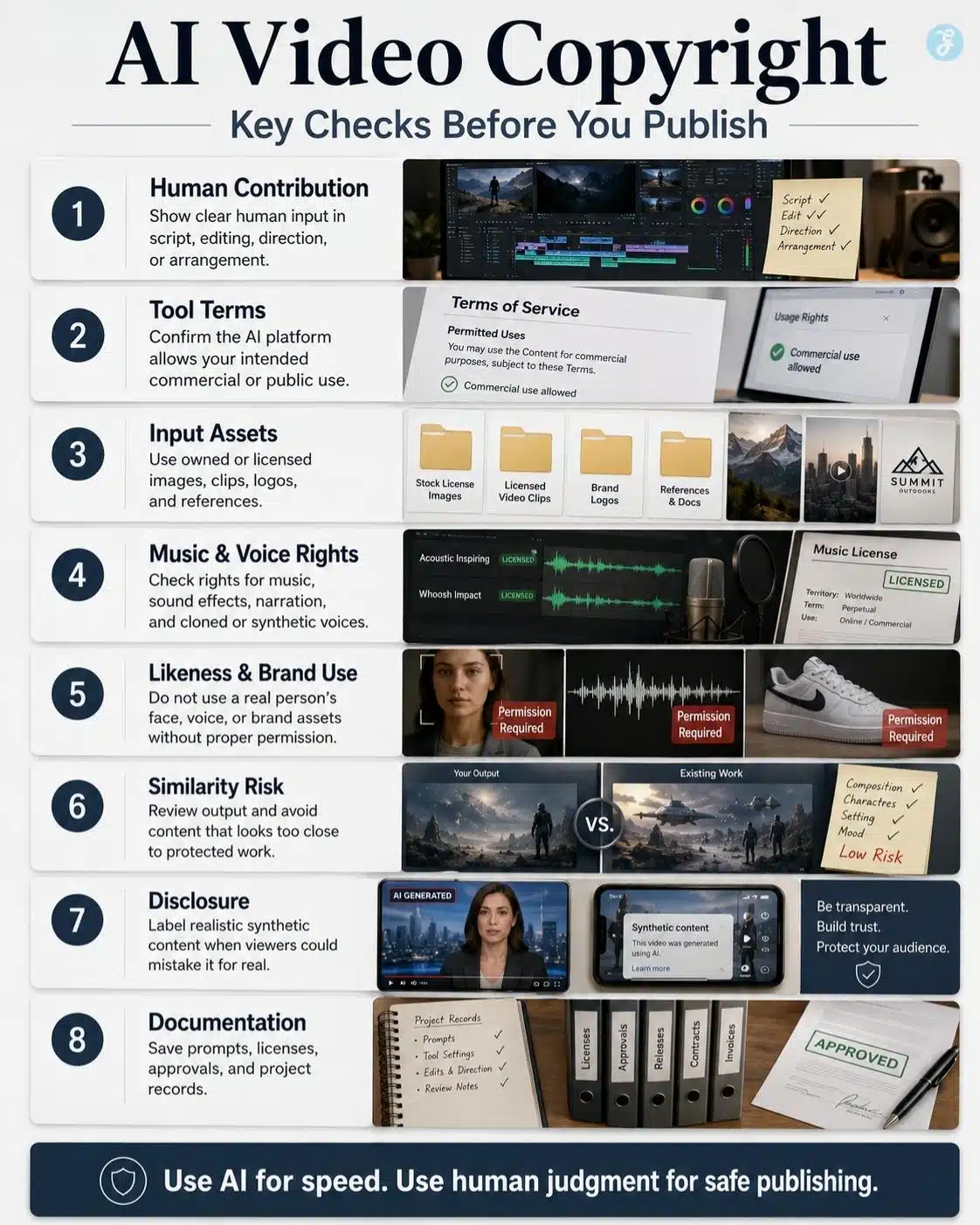
AI Video Copyright Checklist Before Publishing
Use this before publishing any serious AI-generated video:
| Checkpoint | What To Confirm |
| Human contribution | Script, editing, selection, arrangement, or direction is clear |
| Tool terms | Commercial use is allowed for the output |
| Input assets | Reference images, clips, logos, and product photos are owned or licensed |
| Music | Soundtrack and effects are licensed or original |
| Voice | Narration, cloning, or avatar speech has permission |
| Likeness | Realistic faces or real-person references are authorized |
| Brand assets | Logos and trademarks are used properly |
| Similarity | Output does not closely copy the protected work |
| Disclosure | Realistic synthetic content is labeled when needed |
| Documentation | Prompts, licenses, approvals, and exports are archived |
This checklist is not legal advice, but it is a practical publishing safeguard.
Practical Example: Turning A Blog Section Into An AI Video Safely
Let’s say I want to turn a blog section about “AI video safe zones” into a short social clip.
A risky workflow would look like this:
- Use a random screenshot from someone else’s YouTube video
- Generate a video in the style of a famous tech creator
- Add trending music without checking rights
- Use an AI voice that sounds like a known influencer
- Upload it everywhere with no disclosure or asset record
A safer workflow would look like this:
- Write an original 60-word script
- Create original vertical visuals through a licensed AI tool
- Use a clean prompt without copying a brand or creator
- Add licensed or platform-safe music
- Use a stock AI voice or approved narrator
- Edit the final video manually
- Export 9:16 and 4:5 versions
- Add disclosure if the visuals are realistic enough to confuse viewers
- Save prompts, tool terms, and asset licenses
The safer version is not slower because it is complicated. It is slower because it is professional. There is a difference.
How AI Video Copyright Affects Different Content Types
Blog And Editorial Videos
For editorial videos, the biggest concern is trust. If the video supports an article, it should not mislead readers or create fake evidence. AI-generated visuals should be clearly illustrative when they are not real footage.
Social Media Videos
For social platforms, speed often causes mistakes. Creators rush to publish AI clips without checking music, captions, likeness, or safe usage. For AI video for social media, I would build a copyright review into the export checklist.
E-Learning Videos
E-learning content may be reused for years. That makes ownership and licensing even more important. If the course uses AI visuals, voiceovers, or avatars, document everything before publishing.
Product Videos
Product videos must avoid misleading claims. If AI-generated footage shows a product doing something it cannot actually do, the issue may become advertising, consumer protection, or brand trust, not only copyright.
Client Videos
For client work, never assume the client understands AI rights. Spell out which assets are AI-generated, which assets are licensed, and what the client can do with the final video.
Final Thoughts: AI Video Copyright Is A Workflow Problem, Not Just A Legal Problem
The most important lesson from AI video copyright is that creators need to stop treating copyright as something to check after the video is finished. AI video is built in layers. Prompts, reference images, generated clips, voiceovers, music, captions, avatars, logos, and edits all matter. If one layer is risky, the whole video can become risky.
AI can speed up production. It can help creators build explainers, social clips, product visuals, tutorials, and animated stories faster than before. But speed does not remove responsibility.
Use AI to create faster. Use human judgment to protect ownership, rights, and trust. That is how AI-generated video becomes a usable publishing asset instead of a legal headache with nice lighting.
Frequently Asked Questions About AI Video Copyright
1. Is AI Video Copyright-Free?
No. AI-generated does not automatically mean copyright-free. A video can still create issues if it uses unlicensed inputs, copies protected material, includes copyrighted music, imitates a protected character, or resembles an existing work too closely.
2. Can I Use AI Video For Commercial Projects?
You may be able to use AI video commercially if the tool’s terms allow it and all input assets, music, voice, likeness, and brand materials are properly licensed or owned. Always check the platform’s commercial-use terms before using AI videos in ads, client work, or paid products.
3. What Are The Biggest AI Video Legal Issues?
The biggest AI video legal issues include unclear ownership, lack of human authorship, unlicensed reference assets, copyrighted music, output similarity, trademark misuse, voice or likeness rights, and disclosure requirements for realistic synthetic content.
4. Can I Use Copyrighted Images To Generate AI Videos?
Using copyrighted images as references can be risky if you do not have permission or a valid legal basis. If the image becomes part of the generated video or strongly influences the output, the final result may carry copyright risk.
5. Can I Use AI-Generated Music In AI Videos?
Yes, only if the music tool or music source gives you the right to use it for your intended purpose. Always check whether commercial use, monetization, ads, and redistribution are allowed.
6. How Can I Make AI Video Copyright Safer?
Use original or licensed inputs, avoid copying recognizable protected works, check tool terms, add meaningful human editing, use licensed music and voice assets, disclose realistic synthetic content when needed, and keep records of prompts, licenses, and approvals.