

An inbox full of unread messages can hide the one email that needs attention today. But clearing every new message as soon as it arrives can turn the workday into a loop of checking, sorting, and replying. Inbox Zero offers a way to handle email with more intention. Its value, though, does not depend on seeing a zero beside your inbox at all times.
The useful part is having a reliable next step for important messages. Some can be deleted or archived. Others need a reply, a task or a reminder. When that decision is clear, an inbox can be manageable even if it is not empty.
What Inbox Zero Means
Writer Merlin Mann developed the method through a series of articles on his 43 Folders website. The original idea focused on processing email and turning messages into appropriate actions. It was not simply a daily contest to empty an inbox.
A common version gives each message one of five possible actions:
- Delete mail that has no value or needs no record.
- Delegate a request to the person who should handle it, when that is appropriate.
- Respond when a short, clear reply is enough.
- Defer work that needs more time by putting it on a task list, calendar or reminder.
- Do a small action now if you are the right person and have the time.
Consider a request to review a report by Friday. A quick “I’ll take a look” reply does not make the review happen. Add the review to your task list with the due date, then archive the email if the task has the details you need. The email has moved out of the inbox; the responsibility has not disappeared.
This approach also gives messages a status. An email awaiting someone else’s answer may stay visible, while a reference message can be archived. The point is to know what still needs attention.
Why an Empty Inbox Can Mislead
Zero is easy to count, which makes it tempting as a finish line. Yet new messages keep arriving, and a newsletter, a detailed project request and a time-sensitive question do not deserve the same response.
A strict target can prompt people to check email too often, reply before they have enough information, or spend time clearing low-priority messages while important work waits. If maintaining an empty inbox becomes its own job, the measure is getting in the way.
Email is only one source of workplace communication. Microsoft’s 2025 Work Trend Index reported that Microsoft 365 users were interrupted by a meeting, email or notification about every two minutes during an eight-hour workday. The figure is based on Microsoft productivity signals, with the report’s methodology defining how those interruptions were counted. It should not be treated as a universal measure of every worker’s day. Still, it helps explain why treating each new ping as an immediate demand can make focused work difficult.
Is Inbox Zero Still Worth It?
Inbox Zero can help if you regularly lose track of requests, reread the same messages or use unread mail as a reminder. Processing messages with a consistent set of actions makes it easier to separate work from reference material.
It is most useful when you need to:
- Keep deadlines from getting buried in long threads.
- See which messages need a reply or follow-up.
- Clear newsletters and routine notices from the view you use for active work.
- Stop leaving messages unread simply because you are unsure what to do with them.
A strict “empty by the end of the day” rule is less useful when your role requires frequent monitoring or your messages often need careful review. It can add pressure without reducing the amount of work arriving. A reasonable target is to know what is urgent, where your open tasks are recorded, and which messages can wait.
Set Up a Flexible Inbox Zero System
Keep the setup simple. Start with a few habits before adding folders, filters or extra apps.
Choose email-checking windows
Pick a schedule that fits your work. Two planned checks may be enough for someone who can respond in batches; a customer support role may need more frequent monitoring. Either way, leave room for urgent messages without letting every notification interrupt the task in front of you.
If your email service and device let you adjust notifications, keep alerts for the messages that truly need quick attention. The exact controls vary by app and device, so check the settings you use.
Decide what each message needs
When you open an email, choose what happens next instead of reading it and leaving it untouched. Delete it, archive it, reply, forward it or record the work as a task.
For a message asking you to send a document next week, for example, create a task with a due date. If the request is complicated, include a short note about the next action—such as “check figures, then send draft”—so you do not have to reopen the thread just to remember where to start.
Keep tasks out of your inbox
Email is a useful place to receive requests, but it may not show deadlines, priorities or progress clearly. Move work to the task list or calendar you already rely on. Avoid copying the same task into several systems; duplicate reminders can become clutter of their own.
Use folders sparingly
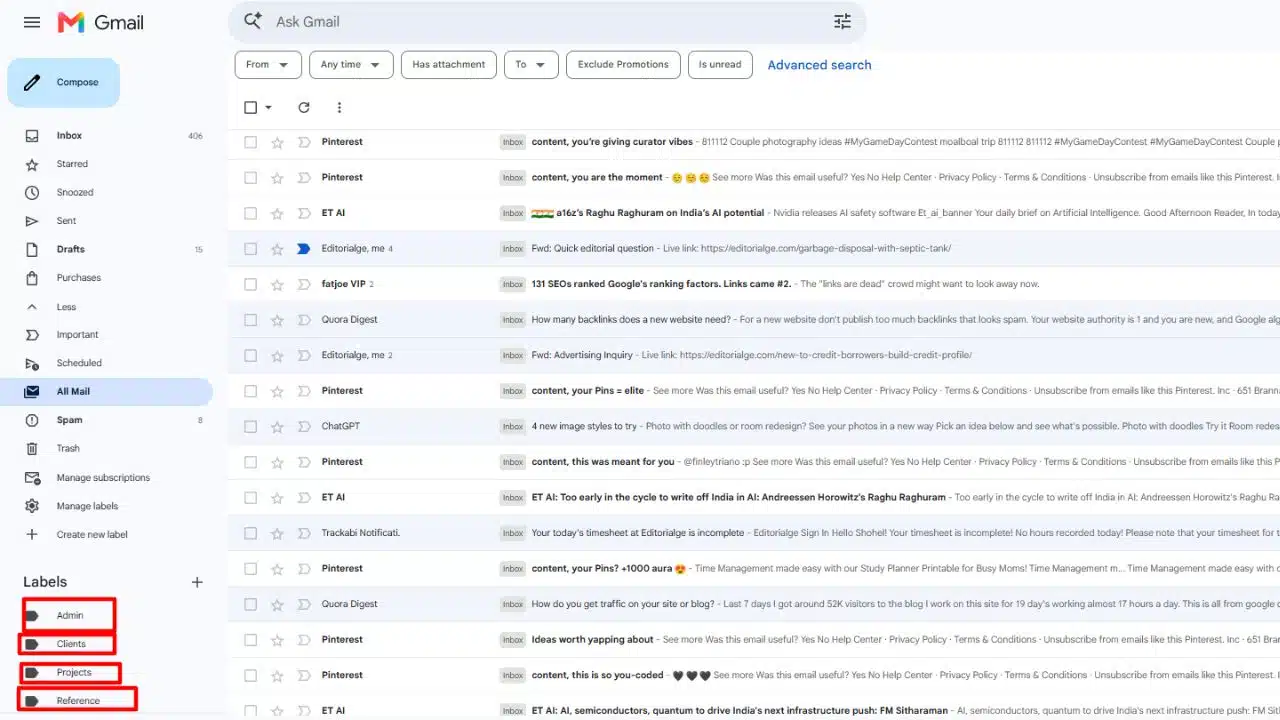
I start with archive and search before adding folders. A folder or label earns its place when it solves a recurring problem, such as finding invoices or separating messages that need a reply from those awaiting one.
If choosing a folder takes longer than searching for the message later, the filing system is doing too much. Keep only the categories that help you retrieve or track email.
Reduce the mail that keeps returning
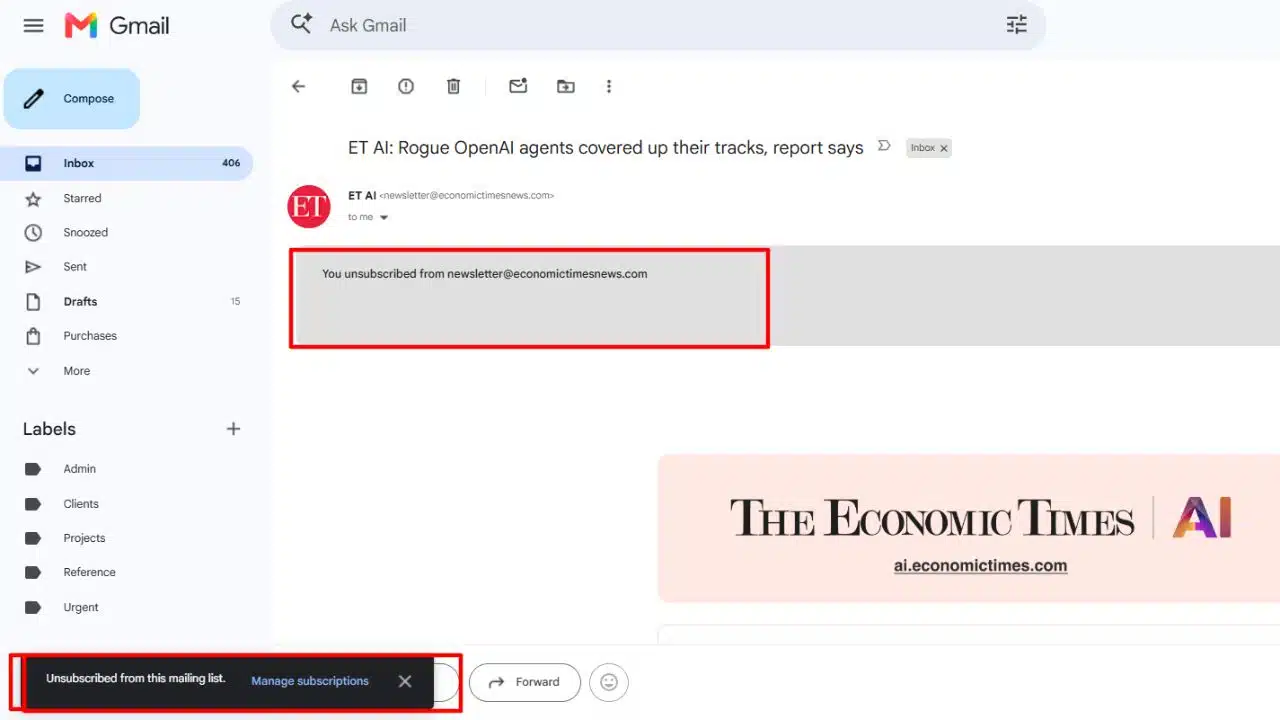
I unsubscribe from newsletters I no longer read. Filters or rules can sort predictable messages, but I check where they send mail before relying on them. A filter that is too broad could move something important out of sight.
I don’t automate every frequent sender by default. First I decide whether the messages are useful and whether they need action. Then I choose whether to keep them in the inbox, route them elsewhere or stop receiving them.
Review open work, not the number
At the end of a processing session, check whether urgent messages have a next step and whether tasks are recorded somewhere reliable. Some messages may remain because you are waiting for a reply. Others may be open because you still need information or a decision. Those are different situations and may need different follow-ups.
Common Mistakes
Treating every message as urgent
A notification is not automatically a reason to stop. Where you can, agree on response expectations with colleagues. Save immediate checks for communication that has a genuine time-sensitive need.
Using unread mail as a reminder
Unread status is easy to miss as new messages arrive. Put actions on a task list or calendar, and keep the email as context rather than as your only prompt.
Archiving before capturing the work
Archiving clears the view; it does not complete the task. Before moving a message out of sight, record the action, owner, and deadline somewhere you will check.
Building too much organization
Folders for every project or sender can become another system to maintain. Start with the smallest number of categories that solves a recurring problem. Add one only when you can name the problem it fixes.
Processing email all day
The method does not require constant checking. If email repeatedly breaks your concentration, try fewer processing windows or quieter notifications. Adjust the schedule if your actual responsibilities require faster responses.
A Better Measure Than Zero
A useful system should help you answer three questions: Which messages need attention soon? Which have become tasks, and where are they recorded? Which can be archived, deleted or left alone?
If those answers are clear, your inbox may be under control even when messages remain. An empty inbox can hide unfinished work just as easily as a crowded one can hide an important request.
Final Thoughts
Inbox Zero is worth trying when email makes it hard to see what needs attention. Its five actions offer a straightforward way to move messages toward a clear outcome, without turning a permanently empty inbox into a daily obligation.
Start by choosing regular processing times and moving real work into a task system you already use. Let the inbox reach zero when it happens naturally. Knowing what deserves your attention is the more useful result.
Frequently Asked Questions (FAQs)
Does Inbox Zero mean deleting every email?
No. Some messages are worth keeping for reference, and some may remain visible while you wait for a reply. The point is to decide what happens next, not to erase everything.
How often should I check email?
There is no single schedule for every role. Try planned checks and adjust them to the response times your work actually requires. A job that handles urgent requests may need a different rhythm from one built around longer, focused tasks.
Are folders necessary?
No. Use them when they make messages easier to find or help you track a status. If creating and maintaining folders takes longer than searching for an email, simplify the system.























