


Anthropic has launched a research preview of a browser-based AI agent called Claude for Chrome, extending its push into AI systems that move beyond text-only chat. The new tool is available to a select group of 1,000 subscribers on the company’s Max plan, which costs between $100 and $200 per month. Alongside this limited launch, Anthropic has opened a waitlist for other interested users, signaling plans for a gradual rollout.
With this step, Anthropic is aiming to test how a large language model (LLM) can integrate directly into the browsing experience, offering contextual assistance while also taking limited actions on behalf of the user.
What the Claude Agent Can Do Inside Chrome
The Claude extension installs directly into Chrome and operates through a side panel interface. This setup allows users to chat with the AI in real time while browsing. Unlike a standalone chatbot, Claude can maintain awareness of the user’s browsing context, enabling it to answer questions about the page, summarize long documents, or assist in filling out forms.
Importantly, users can grant Claude permission to take actions directly in their browser. These actions can include navigating pages, clicking buttons, filling out information, or handling repetitive tasks. Anthropic has limited these powers by design, requiring explicit user approval for more sensitive actions such as publishing content, completing purchases, or sharing personal data.
The Browser as the New AI Battleground
The launch highlights how the browser itself has become the next major frontier for AI labs. By integrating AI into browsers, companies can transform the everyday web into a more interactive environment, where tasks are not just performed manually but can be automated by intelligent agents.
Anthropic joins a competitive field:
-
Perplexity AI recently launched Comet, a browser with a built-in AI agent capable of offloading tasks.
-
OpenAI is reported to be close to unveiling its own AI-powered browser, which is expected to feature a sidecar agent similar to Comet.
-
Google has already begun adding Gemini integrations into Chrome, embedding AI tools into its dominant web platform.
The timing is notable, as the U.S. antitrust case against Google’s search and advertising practices looms. A federal judge has hinted that Google may even be forced to divest Chrome. This uncertainty has triggered speculation about potential buyers: Perplexity has submitted a $34.5 billion unsolicited bid, while OpenAI CEO Sam Altman has indicated interest in acquiring Chrome if it were put up for sale.
The result is a rapidly intensifying race in which browser-level AI integration may redefine user expectations for productivity, information access, and online security.
Safety Risks of Browser-Based Agents
Anthropic has been explicit that giving AI systems access to a user’s browser raises new safety risks. The most prominent concern is prompt injection, a type of attack where malicious instructions are hidden within a webpage and then processed by the AI. For example, hidden code embedded in a news article or blog post could trick the agent into carrying out harmful actions, such as revealing sensitive data or visiting unsafe links.
This problem was highlighted recently when Brave’s security team discovered that Perplexity’s Comet browser agent was vulnerable to such attacks. Although Perplexity has since patched the issue, it underscored how emerging AI-enabled browsers expand the attack surface for hackers.
Anthropic’s internal testing confirmed the danger: its evaluations showed that prompt injection attempts initially succeeded 23.6% of the time when Claude was operating without safeguards. This figure revealed that nearly one in four attempts could successfully bypass the system’s defenses.
Anthropic’s Mitigation Strategies
To address these vulnerabilities, Anthropic has introduced several defense mechanisms into Claude for Chrome:
-
Permissions and Restrictions: Users can customize which websites Claude is allowed to interact with. By default, access to high-risk categories such as financial services, adult sites, and piracy domains is blocked.
-
Action Confirmations: Claude must seek explicit user approval before completing high-risk operations, including publishing content, processing purchases, or sharing private data.
-
System-Level Safeguards: Claude is programmed with filters and monitoring layers to detect and resist malicious instructions embedded within content.
With these interventions, Anthropic reports that the rate of successful prompt injection attacks fell from 23.6% to 11.2%—a significant reduction, though not a complete solution.
Lessons from Earlier Experiments
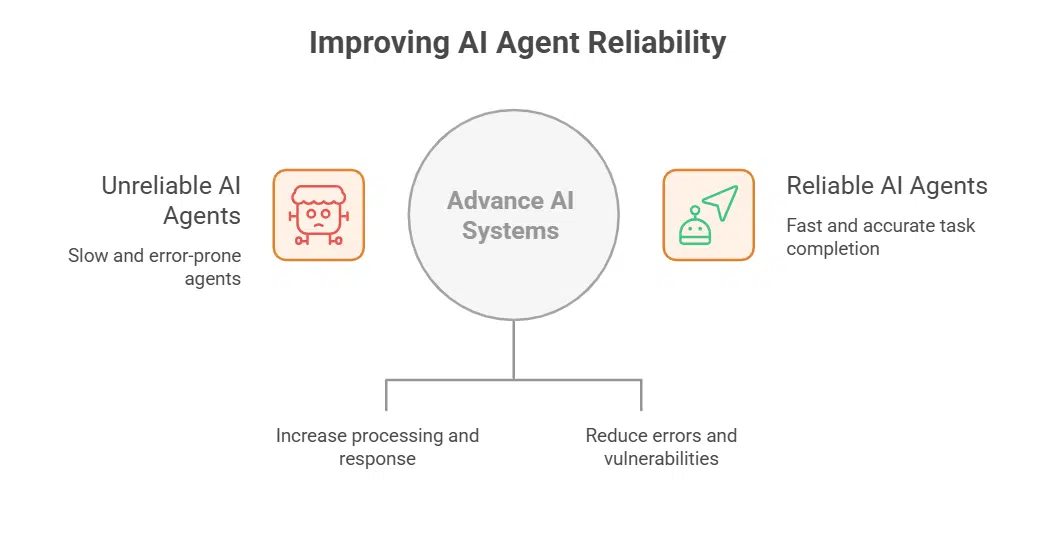
This is not Anthropic’s first experiment with AI agents that can control interfaces. In October 2024, the company introduced a system that could operate directly on a user’s computer screen. However, the early version proved slow and unreliable in real-world use. Since then, rapid advances in agentic AI systems have improved both speed and reliability.
Competitors such as Comet and ChatGPT’s browser agent have shown that today’s models can handle straightforward tasks with relative ease, such as form filling or summarizing data. But challenges remain when the agent faces complex, multi-step workflows or unfamiliar websites, where errors and vulnerabilities are still common.
Why This Rollout Matters
Anthropic describes the research preview as a critical step in testing real-world conditions. While lab testing is valuable, browsing environments are dynamic, and the company hopes that a limited group of trusted users can help identify novel risks that may not surface in controlled experiments.
At the same time, the rollout offers an opportunity to evaluate how much value users derive from an AI that can work inside the browser, and whether the productivity gains outweigh the safety concerns.
This approach reflects Anthropic’s broader strategy of measured deployment: launching powerful AI tools to small groups, gathering feedback, improving safety, and only then expanding access.
Key Features
| Aspect | Details |
|---|---|
| Product | Claude for Chrome (browser-based AI agent) |
| Availability | 1,000 Max plan subscribers ($100–$200/month); waitlist open |
| Functionality | Side panel chat, page-aware assistance, limited action-taking capability |
| Risks Identified | Prompt injection attacks, potential misuse of browsing actions |
| Mitigation Measures | Permissions, action confirmations, blocked site categories, system filters |
| Impact of Safeguards | Reduced attack success rate from 23.6% to 11.2% |
| Competitive Context | Perplexity Comet, OpenAI browser project, Google Chrome with Gemini |
| Next Steps | Collect real-world feedback, strengthen defenses, expand access later |
The Bigger Picture
The release of Claude for Chrome is more than a feature update—it is part of a larger shift in computing, where AI systems evolve from passive assistants into active agents capable of navigating digital environments on a user’s behalf.
The browser, as the gateway to almost all online activity, has become a natural starting point for this transformation. But with greater power comes greater responsibility, and the rise of AI-enabled browsers is forcing companies to rethink issues of trust, safety, and control.
Anthropic’s cautious, research-first approach reflects recognition of both the promise and the perils. If successful, Claude for Chrome could demonstrate a path toward safe, practical AI integration in everyday browsing—one that balances automation, security, and user control in the age of intelligent agents.
The information is collected from MSN and Yahoo.






















