

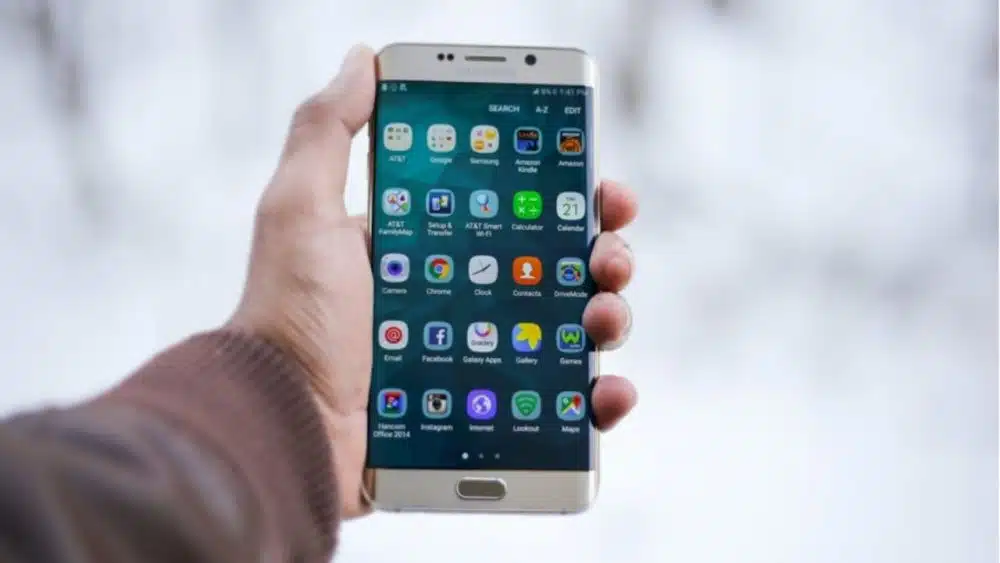
The moment we receive our new smartphone, we immediately begin downloading a variety of free applications. In no time, these applications will take up most of the storage space on your phone. Perhaps some of the loaded applications are valuable to you and you use them regularly. Over 2 million apps are available on the app store, with new ones being added regularly. We’re all aware of well-known alternatives, such as Facebook and Google Maps, but there is also a slew of meaningless applications available.
What about lesser-known applications that offer genuine value? The number of possibilities available is startling, and we’ve hand-picked some of the must-have apps for your consideration.
#1: Adobe Apps
Adobe provides some of the most helpful applications available on the market. Adobe’s apps mainly span from picture editing to utility and include programs such as Adobe Acrobat (PDF reader), Adobe Lightroom and Photo Express (photo editing), Illustrator Draw (drawing), Scan (document scanner), Premiere Clip (video editing), and many more. Many of these apps serve niches that other third-party apps simply do not fill, making them indispensable. They are all deserving of being included in our lists for each of the criteria listed above. All of them are available for free download.
#2: Mobile Security &Anti-Virus
Installing a Mobile Security & Antivirus on your Android device such as Avast is the first thing you’ll want to do after purchasing your device. Avast is one of the most popular antivirus programs available, and it is completely free. Additional features include tracking the activities of your programs and a web shield, which can help you avoid malicious websites. There’s also an anti-theft component, which allows you to locate, lock, or wipe your phone clean if it’s been lost or stolen.
#3: Mobile VPN Service Providers
The best mobile VPN service providers can do much more than just safeguard your data; they can also provide you with the ability to unblock regional Netflix libraries, avoid trackers, increase security, and access ISP-blocked websites. Many VPN companies provide beautifully designed mobile VPN apps for all of your devices, including iOS and Android, which are universally available. Take a step to be more secure and check this CyberGhost review and decide what you should do next.
#4: SwipePad
For those who find the procedure of going to the home screen, finding an app icon, and hitting it to be tedious, SwipePad might be their greatest friend. You may launch an application from within another application with a single swipe. Other possibilities include going directly to a website you’ve bookmarked or contacting someone on your contact list, among others.
#5: Tiny Scanner
Because smartphones are rapidly becoming capable of doing many of the duties previously performed by our computers and laptops, it makes perfect sense to download and install a scanner application on your phone. A portable scanner, such as Tiny Scanner, allows you to store documents such as receipts or invoices as PDF, JPEG, or PNG files by converting your smartphone into a portable scanner. With a plethora of functionality and configuration options, it’s a fantastic software for document scanning and sharing–and it works with all the main cloud-storage services, including Dropbox and Evernote.
#6: Plex
It is simple to stream music, movies, TV episodes, photographs, and other media from your computer to your Android smartphone using the Plex app. You must first install the app on your Windows or macOS computer, after which you can beam any content stored on your computer’s hard drive to your phone, regardless of where you are.
#7: VLC Media Player
Although Android smartphones can play movies and music straight out of the box, it is still worthwhile to augment your default apps with the VLC Media Player. Consider it an all-in-one media player that you can rely on for every media playback task.
VLC Player can play nearly every file type currently available. Aside from basic playback, it includes a slew of extra capabilities. Besides playing online streams and applying subtitles, you can also change sound settings using the built-in equalizer, and view movies in pop-up windows on top of other programs.
#8: Evernote
Evernote is a digital notebook that allows you to scrawl memos, schedules, odd musings, and just about anything else you’d want to jot down. It has been operating for more than a decade, yet despite its old age, it has remained relevant and kept up with more recent competitors. In terms of organization, Evernote outperforms the competition: it allows you to organize all of your documents into notebooks and identify them with categories and custom tags so that they are readily searchable and accessible later on. It syncs easily across various devices as well.
#9: LastPass Password Management
LastPass is a password manager software application. There is a plethora of them available on Google Play, and most of them are functional. LastPass is a favorite of ours since it is up to speed with Android upgrades and also includes a second authenticator app for further protection. Besides generating passwords, the software stores your passwords for a variety of websites and assists you in logging in fast when necessary.
Concluding Remarks
This collection of incredible Android and Apple applications will completely transform the way you interact with your smartphone. They make things easier to manage and let you find what you’re looking for more quickly. There are many more fantastic applications to discover, so be sure to look into them all in the future.
























