

These five picks come from app roundups published in 2026 and from professional software reviews. The bias runs toward tools one applicant can use without a lawyer.
A pending case, a phone in hand, and no obvious answer—that is the moment most downloads happen. What follows is a five-app list of the best US immigration guide and tracking apps in 2026. Cost is the first decision most applicants face, so the order runs free first. Two of the five cost nothing at all: the official USCIS case status tools and Mobile Passport Control.
Each entry says what the app is, why it earns a place, and where it stops short. Both software roundups state that paid placements sit alongside editorial rankings, so the ranking itself never settles the choice.
1. USCIS Case Status Tools
A case file only changes in one place, and checking it costs nothing. USCIS Case Status Online tracks an immigration application or petition. It also tracks other requests filed with the agency. Nowhere else does the file itself get updated.
What the official tools cover
USCIS keeps its online tools together. Case Status Online sits beside Explore My Options, which asks a few questions and shows immigration options a person may be eligible for. Change of address: lives in the same spot on the site.
Keep your address current, USCIS says, so correspondence arrives on time and delays are avoided. The agency’s own pitch is plainer than that: the tools “can deliver the information you need without having to call us or visit a field office.”
Account alerts and processing-time estimates
An online USCIS account can hold more than one receipt number. It also sends an email or text when a case moves. A household with two or three petitions running can usually track all of them from that one dashboard.
Processing-time estimates are posted by form type and by the office handling the case. Those pages give a range instead of a date, and the range shifts from month to month.
The catch: status without guidance
A status label is not advice, and it was never meant to be. It confirms that a file exists—nothing more. What comes after the status is not in the label.
Self-service case questions stay narrow. In general, the person asking should be the applicant or the petitioner. An attorney or accredited representative of record can ask for a client, and a parent or legal guardian can ask for a minor child. Anyone else has to go through the applicant.
Where the case goes next is the part the free tool leaves open. So check the processing-time range for your form type and the office handling your case.
2. Mobile Passport Control
4.9 stars from about 641,000 reviews, and it costs nothing. Mobile Passport Control carries no ads and no in-app purchases either, as the October 2026 app roundup notes. Travelers heading home face a different decision here than applicants with a case still open.
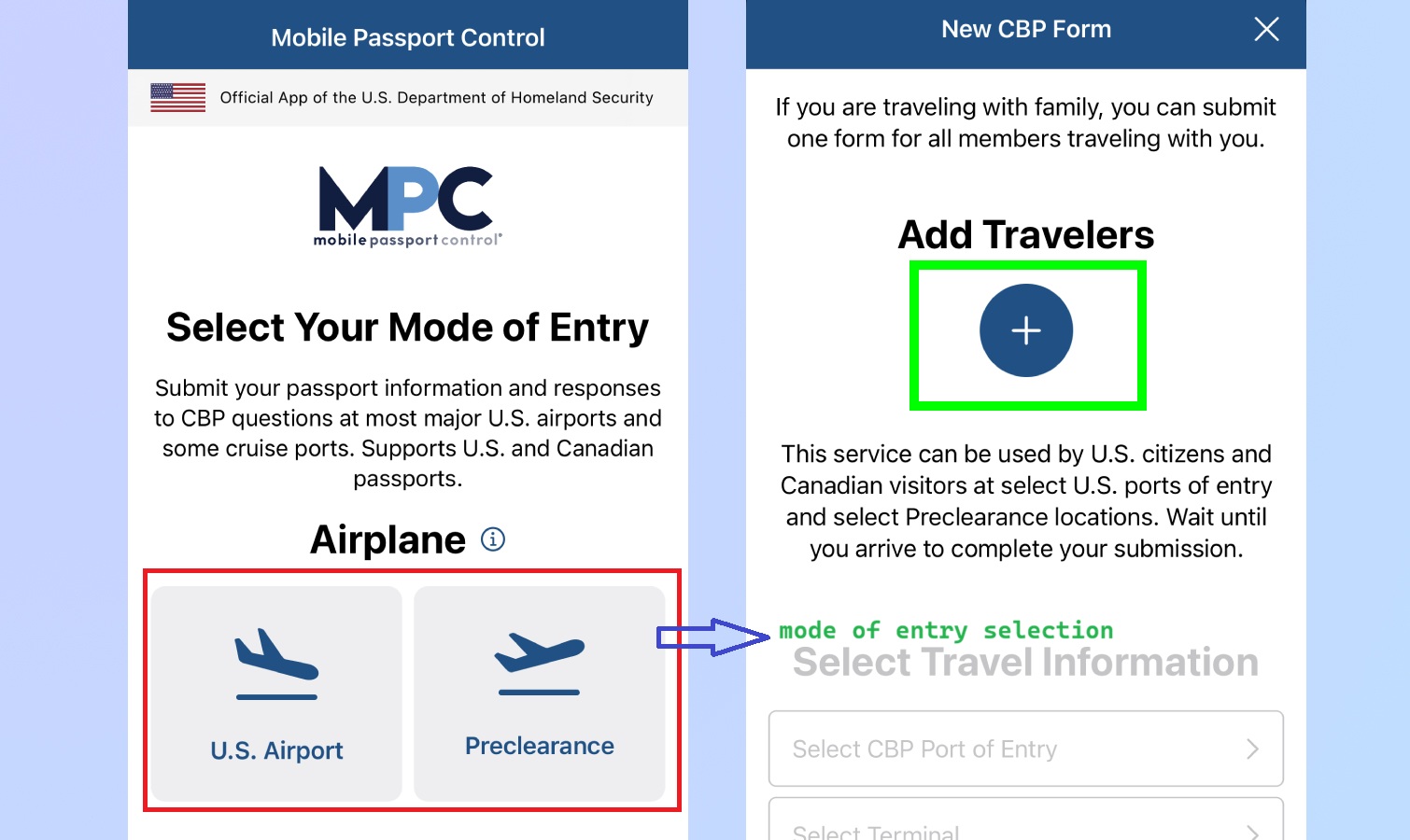
What it does at the airport or cruise port
The app belongs to a U.S. Customs and Border Protection program. Its information page sits on cbp.gov, an official government site. Before landing, a traveler keys in passport details and trip information. On arrival, the same traveler submits those details from the phone and shows the receipt that comes back.
Why it matters for entry wait times
A long trip ends with one more wait in the arrival hall. Answering the customs and immigration questions in the air takes that work out of the line. The listing calls it an official app that speeds up entry. The October 2026 roundup ranks it first among free apps in the category.
The catch: arrivals only, no case tracking
MPC covers entry into the United States and nothing else. A pending petition never shows up in it, and neither does a work permit or a green card interview.
Ports of entry have to accept the app. Arriving at one that does not take part gains you nothing, so check that yours is covered before you count on it. A passport and any required visa are still needed.
3. VisaJourney
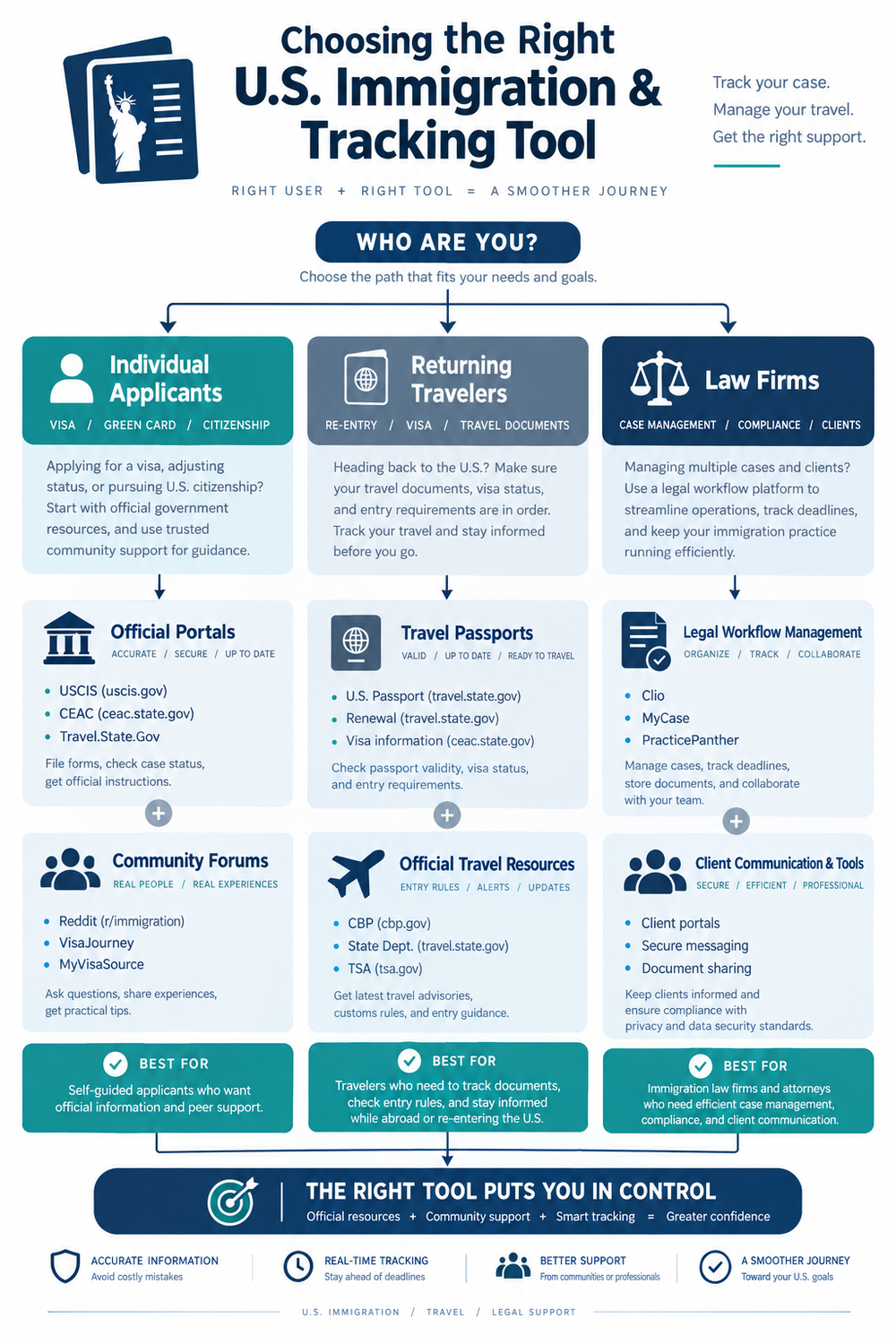
Between official updates, most of the waiting happens in forums—where nothing posted by a stranger gets checked. The entry itself takes a single day. The case behind it can run for years.
VisaJourney shows up in a 2026 side-by-side comparison of U.S. immigration tools. How much it helps depends on how many people filing the same form are posting there. Then there is the question of how much a stranger’s timeline is actually worth.
What the platform offers
Discussion boards sorted by visa type sit at the core, backed by a member timeline database. Filing and receipt dates go up first, and interview dates get added once members have them. Entries are grouped by form and by the office handling the case. A few paths get their own country-specific subforums, including consular processing—the route many spouses of U.S. citizens take.
Crowd-sourced timelines as a guide
Averages pulled from member posts can reveal a pattern that a single processing-time page hides. The usual gap between a receipt notice and a biometrics appointment is one example.
How much that pattern is worth comes down to the sample behind it. Applicants who get quick approvals post less often than applicants who are stuck. Even so, when a filer is deciding how often to check the mailbox, a few hundred recent community entries beat no information at all.
The catch: community data, not official estimates
Those numbers come from applicants, not from USCIS. A community timeline is one person’s report. It is not a figure the agency stands behind.
Forums also carry rumors and confident wrong answers, and moderators cannot check every post. If a community timeline and a USCIS processing-time page disagree, trust the USCIS page. That page is the agency’s own record of the case.
4. LawLogix Guardian
A firm buying a tracker is really deciding who reads a status change first. LawLogix Guardian answers with receipt-linked alerts. When a government system moves a case, the milestone updates and the tool record the change in a traceable activity history. The roundup carrying the full review was published on February 19, 2026, and updated on August 18, 2026.
What it tracks
Receipt numbers sit at the center of the design. A status change in a government system pushes Guardian to update the milestone and record it. The roundup names it the best overall among immigration tracking software. That activity history is what a firm can point to when it has to show what it knew and when.
Why receipt-linked alerts matter
A case can move before any letter arrives. One status change can start a clock for a response. Alerts tied to the receipt number push that change to whoever is watching the file. A team holding hundreds of cases needs to see it the day it posts. A change spotted weeks late is the difference between a filed response and a missed window.
The catch: built for legal teams and employers
If the lawyer on a case does not use Guardian, the applicant will likely never see the interface. The product is sold to organizations, and one person with one petition is not the customer. The roundup compares platforms side by side for law firms and employers. With a single case, the free USCIS tools stay the practical option.
5. LawRuler
LawRuler holds the number one spot on a 2026 list of ten immigration tracker platforms. Every reason it earns that spot is about teams. The ranking names it Best Overall for matter timeline tracking with case-linked tasks and recommends it for immigration teams that need to see where each case stands. For a single applicant, it does far more than the job needs.
Matter timelines and case-linked tasks
A matter timeline puts every event in a case in order. It runs from intake through filings and receipt notices and on to responses and decisions. Case-linked tasks attach the next action to that timeline.
A deadline then creates a to-do for a named person, not a note that sits in someone’s inbox. LawRuler also keeps a documented activity history. That history answers a client who asks what happened on a given date.
Who it suits
The list marks it best for immigration teams that need to track tasks and timelines. It fits a team that wants to see what everyone is working on. In practice, that means a firm with several staff touching one file or an employer running many sponsorship cases at once.
The same ranking names Clio best value and Airtable easiest to use. The pick among them comes down to how a team already works.
The catch: law-practice pricing
Practice-management software is usually priced per user per month. Vendors quote it instead of printing a figure. That model suits a firm that bills by the hour, and it does not suit an applicant paying filing fees. A family tracking one petition will find the cost hard to justify.
The list, published March 12, 2026, and updated May 22, 2026, reviews these platforms for buyers. The people whose cases those platforms hold were never the readers it had in mind.
Questions Applicants Ask Before Downloading Immigration Apps
Cost is one filter. The questions that fill app listings and forum threads are another, and they come up again and again. The answers are short. None of them needs a lawyer, though a lawyer will always give a more specific answer about one case.
Are these immigration apps free to use?
Many are. An October 2026 iOS roundup covers 248+ immigration apps and notes that 20 of them are free. Mobile Passport Control is listed as free there, with no ads and no in-app purchases. The USCIS tools cost nothing.
Is it safe to enter a USCIS receipt number in a third-party app?
Typing a receipt number into an app does not, by itself, open a case file. It is a case identifier, not a password. What matters is not the number itself but what the app does with it, and that comes down to its privacy terms.
USCIS keeps its own self-service case tools narrow. The applicant, the petitioner, a representative of record, or a parent or guardian of a minor child can use them.
Can any of these apps speed up an immigration case?
No. None of the five controls the queue at USCIS or at a consulate. What they change is how fast a person learns about a change, not how fast the change happens.
Final Thoughts
Two of the five apps cost nothing, while the other two are commercial platforms sold to legal teams, not to individuals. Not one of the five decides a thing, though. USCIS does — each app is just a window onto a file it does not own.
Cost sets the second limit: for an applicant with one pending case, the order that works starts with USCIS, then a community timeline. A paid platform only makes sense if a lawyer or employer already provides one.
A traveler gets the free entry app inside Mobile Passport Control, and it has no bearing on a pending case. A firm faces a choice between platforms that claim similar features. Before a demo, read a dated roundup with a stated method.
Three sources back this roundup of the best U.S. immigration guide and tracking apps, and all three were published or updated in 2026. Before you treat any ranking as current, check the dates on the sources behind it.