
Managing taxes can be one of the most challenging aspects of being self-employed. With the right strategies, self-employed professionals in New Zealand can save time, reduce stress, and potentially lower their tax liabilities.
This guide provides 12 actionable tax tips for self-employed professionals in New Zealand to help you navigate your obligations with confidence.
Understanding Tax Obligations in New Zealand
Key Tax Types for Self-Employed Individuals
As a self-employed professional in New Zealand, understanding the types of taxes you’re responsible for is essential.
These include:
- Income Tax: Payable on the income you earn from your self-employment activities.
- Goods and Services Tax (GST): Applicable if your annual turnover exceeds NZD 60,000.
To stay compliant, use Inland Revenue’s online tools to calculate and pay your taxes. Leverage educational resources available on their official website to deepen your understanding of tax obligations.
Registering as a Self-Employed Professional
Before you start earning as a self-employed individual, it’s crucial to register with Inland Revenue (IR).
This involves:
- Registering for an IRD number if you don’t already have one.
- Registering for GST if your annual income exceeds the threshold.
- Setting up a reliable system for recording your income and expenses.
Pro Tip: Utilize Inland Revenue’s myIR portal to streamline the registration process and manage your tax obligations online.
Essential Tax Tips for Self-Employed Professionals
Tip 1: Keep Detailed Records of Income and Expenses
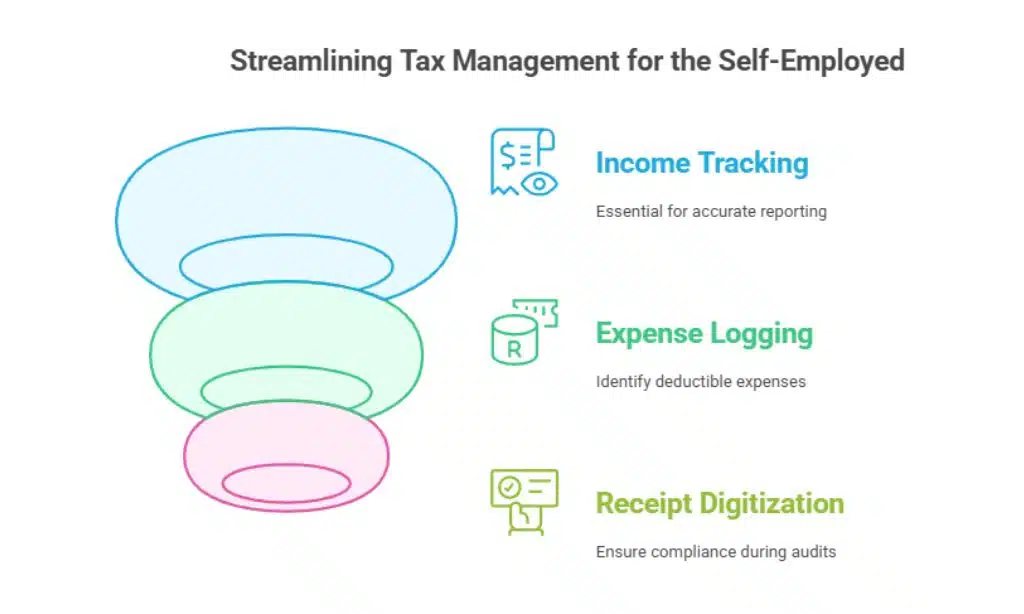
Maintaining accurate records is the cornerstone of effective tax management. Use tools like accounting software or spreadsheets to:
- Track your income.
- Log deductible expenses such as office supplies, utilities, and travel costs.
- Keep digital copies of receipts to ensure compliance during audits.
Real-Life Example: Sarah, a freelance graphic designer, uses Xero to manage her income and expenses. By categorizing expenses correctly, she reduced her taxable income by 15% last year.
Tip 2: Understand GST Requirements
If your annual turnover exceeds NZD 60,000, you must register for GST. Key steps include:
- Filing GST returns on time, typically every two months.
- Keeping detailed records of GST-related transactions to avoid discrepancies.
Common GST Mistakes and How to Avoid Them
| Mistake | Solution |
| Missing filing deadlines | Set reminders for due dates. |
| Incorrect GST calculations | Use accounting software. |
| Forgetting to issue GST invoices | Automate invoicing processes. |
Tip 3: Set Aside Money for Taxes
Avoid financial surprises by setting aside a portion of your income for taxes. Experts recommend allocating 20-30% of your earnings to cover:
- Income tax.
- Provisional tax payments.
Actionable Tip: Open a dedicated savings account labeled “Tax Fund” to ensure you don’t accidentally spend money earmarked for taxes.
Tip 4: Claim All Eligible Deductions
Claiming deductions reduces your taxable income. Common deductions for self-employed professionals in New Zealand include:
- Vehicle expenses if used for business purposes.
- Home office expenses such as rent and utilities.
- Professional development costs like courses or training materials.
Detailed Example: James, a software developer, claimed deductions for his high-speed internet and online coding courses, reducing his taxable income by NZD 4,000.
Tip 5: Maximize Home Office Deductions

If you work from home, you may be eligible to claim home office deductions. To calculate this:
- Determine the percentage of your home used for work purposes.
- Apply this percentage to shared costs like rent, electricity, and internet bills.
Calculation Example:
| Expense | Total Cost (Annual) | Business Use (%) | Deduction Amount |
| Rent | NZD 24,000 | 20% | NZD 4,800 |
| Electricity | NZD 2,400 | 20% | NZD 480 |
| Internet | NZD 1,200 | 50% | NZD 600 |
Tip 6: Invest in Professional Accounting Advice
Hiring a tax professional can save you time and ensure accuracy. A qualified accountant can:
- Identify deductions you might have overlooked.
- Help you navigate complex tax scenarios.
Tip: Look for accountants who specialize in working with self-employed professionals or small businesses.
Tip 7: Use Accounting Software to Simplify Your Work
Modern accounting tools streamline tax management. Popular options for self-employed professionals include:
| Software | Key Features | Pricing (Monthly) |
| Xero | GST tracking, invoicing, reports | From NZD 29 |
| MYOB | Payroll, expense tracking | From NZD 25 |
| QuickBooks | Mileage tracking, tax estimates | From NZD 20 |
Pro Tip: Start with free trials to determine which software aligns with your business needs.
Tip 8: File Tax Returns on Time to Avoid Penalties
Missing tax deadlines can result in penalties. Key deadlines include:
- 31 March: End of the financial year.
- 7 July: Due date for income tax returns (unless you use a tax agent).
Quick Tip: Mark these dates on your calendar and set reminders 30 days in advance.
Tip 9: Understand Provisional Tax Payments
Provisional tax helps spread your tax payments across the year. To calculate it:
- Estimate your annual income.
- Use Inland Revenue’s calculators for accuracy.
Insight: Provisional tax payments reduce the likelihood of a large tax bill at the end of the year, helping you manage cash flow.
Tip 10: Monitor and Adjust Your Tax Strategy Regularly
Reviewing your tax strategy ensures it aligns with your financial situation.Consider:
- Evaluating your income and expenses quarterly.
- Staying updated on tax law changes in New Zealand.
Resource: Subscribe to Inland Revenue’s updates to stay informed about changes that may impact your taxes.
Tip 11: Consider Retirement Contributions
Contributing to a KiwiSaver plan has dual benefits:
- It helps secure your financial future.
- Contributions may lower your taxable income.
Example: By contributing NZD 5,000 to KiwiSaver, Lisa reduced her taxable income while benefiting from government contributions.
Tip 12: Plan for Unexpected Tax Audits
Tax audits can happen, so it’s wise to stay prepared. Key steps include:
- Keeping thorough and organized records.
- Responding promptly to Inland Revenue’s inquiries.
Checklist:
- Maintain digital backups of receipts and invoices.
- Regularly reconcile bank statements with your records.
Interactive Tools and Resources
Tax Deduction Checklist for Self-Employed Professionals
Download our comprehensive checklist to ensure you’re claiming all eligible deductions.
Sample Budget Spreadsheet for Tax Planning
Use our customizable spreadsheet to allocate funds for taxes, expenses, and savings efficiently.
Takeaways
By following these 12 tax tips for self-employed professionals in New Zealand, you can minimize stress and maximize savings.
Stay proactive, seek professional advice, and use the tools available to streamline your tax management.
With the right approach, you can focus on growing your business while staying compliant with New Zealand’s tax laws.