
As your website grows, so do its needs. When you start out, shared hosting might seem like the perfect solution for your website. It’s affordable, easy to manage, and sufficient for small-scale projects. However, as your online presence expands, shared hosting may no longer be able to provide the performance and reliability you require.
In this case, upgrading to a Virtual Private Server (VPS) could be the key to optimizing your website’s functionality, scalability, and security.
In this comprehensive guide, we will explore 7 Signs It’s Time to Upgrade to VPS Hosting. Whether you’re running an e-commerce store, a business website, or a personal blog, identifying when your shared hosting plan is no longer enough can save you from potential performance issues down the road.
By the end of this article, you’ll have a clear understanding of the key indicators that signal it’s time to make the switch to VPS hosting.
What is VPS Hosting?
Before we dive into the signs that it’s time to upgrade, let’s define what VPS hosting actually is.
VPS hosting stands for Virtual Private Server hosting. It is a type of web hosting where a physical server is partitioned into multiple virtual servers, each with its own resources, such as CPU, RAM, and storage. Each virtual server acts as an independent server, giving you more control, better performance, and increased security compared to shared hosting.
In contrast to shared hosting, where your website shares resources with other sites on the same server, a VPS provides dedicated resources, improving the speed and reliability of your site. VPS hosting also offers more customization options, allowing you to install custom software and make configuration changes that are impossible with shared hosting.
Sign #1: Your Website’s Traffic Has Increased Significantly
One of the most obvious Signs It’s Time to Upgrade to VPS Hosting is when your website starts receiving more traffic than your current shared hosting plan can handle. Increased traffic can cause slow load times, downtime, or even crashes if your hosting environment isn’t robust enough.
When a website on shared hosting experiences a traffic spike, it competes for resources with other websites hosted on the same server. This can result in slower performance, leading to poor user experiences and a drop in SEO rankings.
How VPS Hosting Solves This
VPS hosting offers dedicated resources like CPU, RAM, and bandwidth. This means that your website won’t be impacted by the activity of other websites on the server, which is a common issue with shared hosting. With VPS hosting, your website can handle a surge in traffic without sacrificing performance, making it a great solution for growing websites.
Table Comparing Performance Between Shared Hosting and VPS Hosting for High-Traffic Websites
| Feature | Shared Hosting | VPS Hosting |
| Server Resources | Shared with other websites | Dedicated to your website |
| Performance Under Load | Slow, can cause downtime | Reliable and fast, handles spikes well |
| Scalability | Limited, requires migration to a new plan | Easy to scale resources (CPU, RAM) |
| Cost | Affordable but limited | Higher cost, but more efficient |
Sign #2: You’re Experiencing Slow Website Speed and Downtime

Website speed is critical for user experience and search engine optimization (SEO). Google has confirmed that site speed is a ranking factor. If your website is loading slowly or experiencing frequent downtime, it’s a clear indicator that your hosting plan might not be up to the task.
How Slow Speed and Downtime Affect You
Slow website speed is not only frustrating for users, but it also drives visitors away, increasing bounce rates. Downtime, on the other hand, means your website is unavailable for periods, which can result in lost revenue, decreased customer trust, and reduced SEO rankings.
Shared hosting environments are more prone to issues like resource contention, meaning when one website uses too many resources, all websites on that server can be affected. VPS hosting mitigates this risk by providing dedicated resources.
How VPS Hosting Improves Speed and Uptime
VPS hosting provides guaranteed resources, so your website can load faster and remain online even during traffic surges. Additionally, VPS hosting plans often include better network connectivity, offering more stability and speed.
Interactive Element: List of Common Factors Contributing to Slow Website Speed on Shared Hosting
- Limited bandwidth
- Shared CPU and RAM resources
- High traffic from other websites on the same server
- Poor server optimization
Sign #3: You Need More Control and Customization
If your website requires a high degree of customization or specialized software, shared hosting may not be able to meet your needs. Shared hosting environments restrict your ability to modify server settings or install custom software.
Why VPS Hosting Offers More Control
VPS hosting provides root access, meaning you have complete control over your server’s configuration. You can install custom applications, configure advanced server settings, and make changes to the server environment without any limitations.
With VPS hosting, you can install your preferred software, tweak server performance, and customize the server environment to match your specific requirements.
Example of Common Server Customizations in VPS Hosting
- Install custom control panels
- Configure firewalls and security protocols
- Install and run resource-intensive applications
- Modify server settings for optimal performance
Sign #4: You Require Better Security Measures
As your website grows, so does its exposure to potential threats. Security vulnerabilities are more common in shared hosting environments because multiple websites share the same server resources. This means a security breach on one website could compromise the entire server, including your site.
How VPS Hosting Enhances Security
VPS hosting provides a more secure environment because each virtual server is isolated from the others. If another website on the same physical server is compromised, your site remains unaffected. Additionally, you can implement custom security measures like firewalls, intrusion detection systems, and enhanced encryption protocols, ensuring your website’s security.
VPS hosting also allows for more frequent backups, disaster recovery options, and the ability to install security patches without waiting for your hosting provider to do it.
Interactive Element: List of Common Security Risks with Shared Hosting and How VPS Solves Them
- Risk: Shared resources may allow a single compromised site to affect others.
- VPS Solution: Isolated virtual servers prevent cross-site contamination.
- Risk: Limited security control.
- VPS Solution: Full root access to implement advanced security measures.
- Risk: Delayed security patches.
- VPS Solution: Immediate updates and patching options.
Sign #5: Your Website Is Running Multiple Applications or Databases
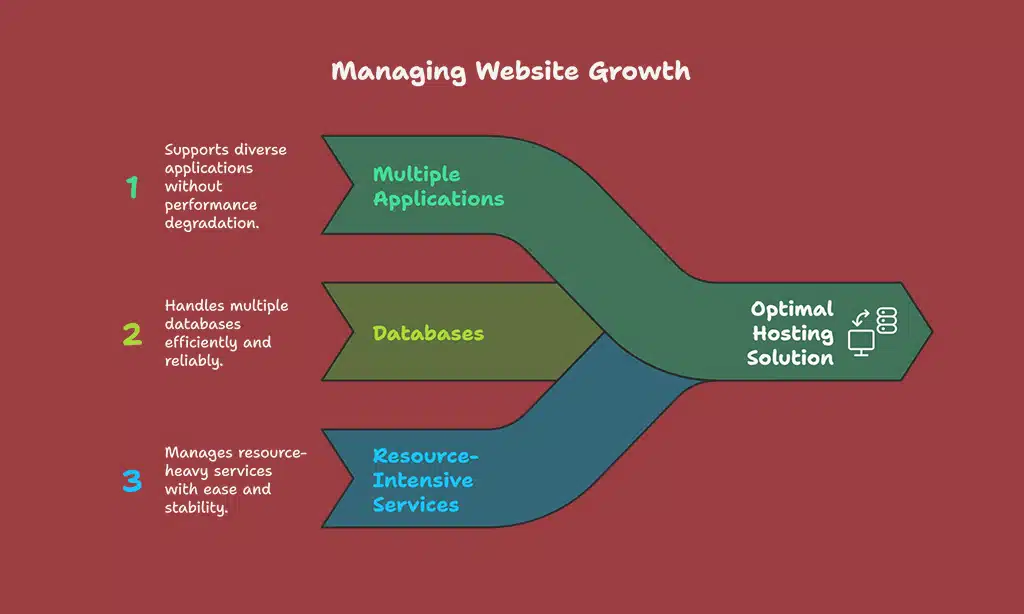
As your website grows, you may find yourself running multiple applications, databases, or other resource-intensive services. Shared hosting plans typically aren’t designed to handle this level of complexity, often leading to performance issues or outages.
VPS Hosting for Multiple Applications
VPS hosting provides dedicated resources, allowing you to run multiple applications or databases without affecting the performance of your website. This is especially important for businesses that rely on web-based applications, customer relationship management (CRM) tools, or other custom software.
Example of Businesses That Need VPS Hosting for Running Multiple Applications
- E-commerce sites running an online store, inventory system, and payment gateways
- SaaS providers running multiple client-facing applications
- Large blogs or media sites with multiple content management systems (CMS)
Interactive Element: Pointers on Optimizing Applications with VPS Hosting for Better Performance
- Monitor resource usage and scale up as needed.
- Use server-level caching to reduce database load.
- Optimize database queries to improve application speed.
- Ensure applications are running on isolated environments to prevent conflicts.
Sign #6: You Need More Scalability and Flexibility
Scalability is one of the most important factors for growing businesses. As your website attracts more visitors and your content expands, you’ll need more resources to accommodate this growth.
Scalability Features in VPS Hosting
With VPS hosting, you can easily scale your resources, including CPU, RAM, and storage, without any downtime. This flexibility allows you to adjust your hosting plan to match your website’s current needs, rather than upgrading to a new server entirely.
VPS hosting is ideal for websites that are expected to grow over time. Whether it’s more traffic, more applications, or additional content, VPS hosting can accommodate the changes without performance degradation.
Comparison of Scalability Options in Shared Hosting vs VPS Hosting
| Feature | Shared Hosting | VPS Hosting |
| Scalability | Limited, requires moving to a new plan | Flexible, resources can be increased easily |
| Downtime During Scaling | Possible downtime | No downtime when scaling resources |
| Resource Allocation | Shared, limited control | Dedicated resources, full control |
Sign #7: You Want Better Customer Support and Service Levels
When your website is critical to your business, you need reliable customer support. Shared hosting plans typically offer limited customer service, with long response times and generic solutions. This can be frustrating when you’re facing an urgent issue.
Personalized Support with VPS Hosting
VPS hosting plans often come with premium support. This includes faster response times, 24/7 monitoring, and assistance from experienced technicians who understand the complexities of virtual servers. With VPS hosting, you’re more likely to receive personalized support, which can make a significant difference when troubleshooting issues or optimizing server performance.
Table Comparing Support Options Between Shared Hosting and VPS Hosting
| Feature | Shared Hosting | VPS Hosting |
| Support Availability | Basic, limited support | 24/7 support with dedicated experts |
| Response Time | Slow, generic answers | Fast, tailored responses |
| Troubleshooting | General support for common issues | Expert-level support for custom setups |
Wrap Up
Signs It’s Time to Upgrade to VPS Hosting are clear when you start experiencing limitations in traffic handling, speed, customization, security, and scalability. VPS hosting provides the resources, control, and support necessary to take your website to the next level.
Whether you’re running a high-traffic site, complex applications, or need greater flexibility, upgrading to VPS hosting is a smart decision for any growing online presence.
If you’re facing any of the signs mentioned in this article, it’s time to consider making the switch. Start by assessing your website’s performance and determining which VPS hosting plan best suits your needs. Your website’s success depends on the resources it relies on — ensure you’re providing it with the best possible environment to thrive.