

Choosing the right storage for your VPS can feel tricky. Slow websites, long load times, or crashing apps might be driving you mad. These problems often connect to the type of data storage used in your server.
Not all storage types perform the same. SSDs are much faster than HDDs, while NVMe takes speed up a notch further! This guide breaks down each option simply. It helps you pick the best fit for your needs and budget.
Ready to boost your VPS performance? Keep reading!
Key Takeaways
- SSDs are faster than HDDs. They improve app load times and user experience. NVMe is even quicker, ideal for high-pressure tasks.
- HDDs offer more storage space at a lower cost but are slower. They work well for backups or secondary data needs.
- NVMe uses PCIe lanes for ultra-fast access. It handles heavy tasks like ecommerce platforms efficiently.
- SSDs are durable and resist shocks better than HDDs, making them reliable in VPS hosting.
- Choosing the right storage depends on budget, speed needs, and required capacity.
Understanding Storage Types for VPS
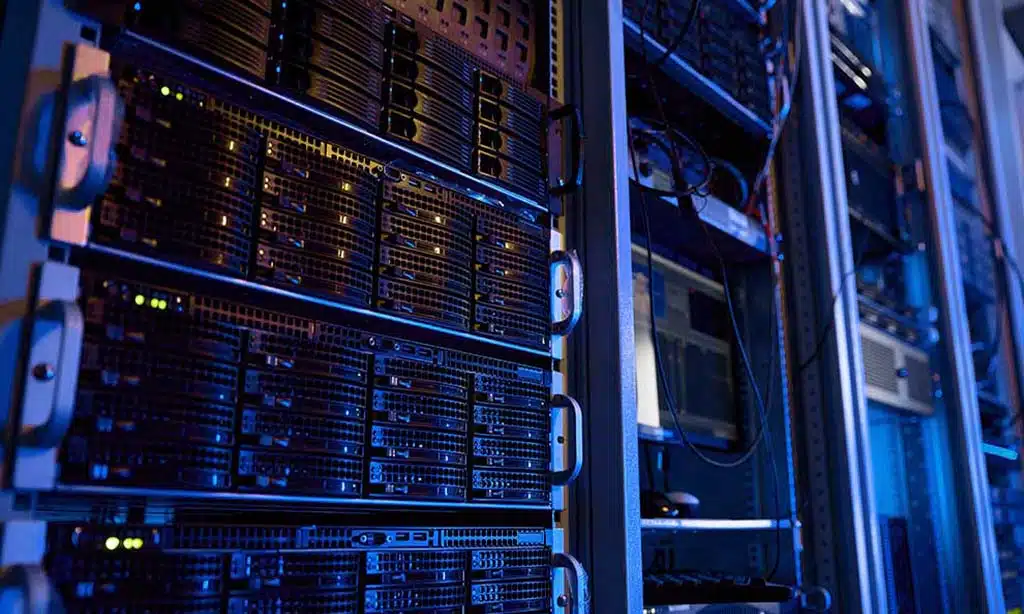
Storage affects how fast and smooth your VPS works. Different types offer their own pros and cons to fit specific needs.
SSD (Solid State Drives)
Solid-state drives use flash memory to store data. They have no moving parts, making them faster and more durable than hard disk drives. Websites load quicker on SSDs, which helps with user experience and search engine rankings.
These drives reduce loading times for apps and files. Compared to traditional magnetic disks, SSD storage offers better security since it resists damage from drops or bumps. Many VPS hosting services now rely on SSD technology for better performance and reliability.
HDD (Hard Disk Drives)
Hard drives use spinning metal disks to store data. A small head reads and writes information on these coated platters. They have been around for decades, staying reliable for high-capacity storage needs.
Most HDDs come in two sizes: 2.5 inches for laptops and 3.5 inches for desktops. Users can find models with up to 8-12 terabytes of disk space, making them great for tasks like backup storage or cloud infrastructure.
Smaller capacities under 500GB are rare today since the demand leans toward larger storage devices.
NVMe (Non-Volatile Memory Express)
NVMe is a fast storage type. It connects directly to a computer’s PCI Express (PCIe) slot, skipping the delays of older connections like SATA SSDs. This speeds up data access and reduces seek time greatly.
Designed for flash memory, NVMe works well with virtual servers. Its speed helps with tasks like handling ecommerce platforms or content delivery networks. It also boosts cloud storage performance by cutting down application load times significantly.
Key Differences Between SSD, HDD, and NVMe Storage
Speed sets them apart, with each offering a different pace for tasks. Their lifespans and storage capacities also show clear contrasts, shaping their strengths.
Speed and Performance
SSDs are much faster than HDDs. They load applications quicker and reduce boot times. An SSD can boot a VPS in 10-15 seconds, while an HDD takes 30-40 seconds. Data access is also up to 30% faster with SSD storage.
NVMe takes speed to another level. It handles multiple requests at once, unlike hard disks or even regular SSDs. This makes it great for high-pressure tasks like web servers or cloud storage systems.
Faster speed means better user experience and smoother operations.
Capacity and Scalability
HDDs can store up to 12 terabytes. They are great for high-capacity storage needs. Big data backups fit well on HDDs, thanks to their large memory capacity.
SSDs usually max out at 4 terabytes but come in smaller sizes like 128 GB or 256 GB too. For scaling up quickly in a virtualized environment, SSD storage works better due to its faster speed.
NVMe drives combine both speed and scalability, ideal for growing cloud storage demands.
Durability and Lifespan
SSDs use flash memory, which has limited read/write cycles. But for normal VPS hosting needs, they last long enough. They also resist shocks better than HDDs.
Hard disk drives have spinning parts that wear out faster with constant use. Physical damage or heavy loads can cause failure sooner than SSD storage.
The Impact of Storage Type on VPS Performance
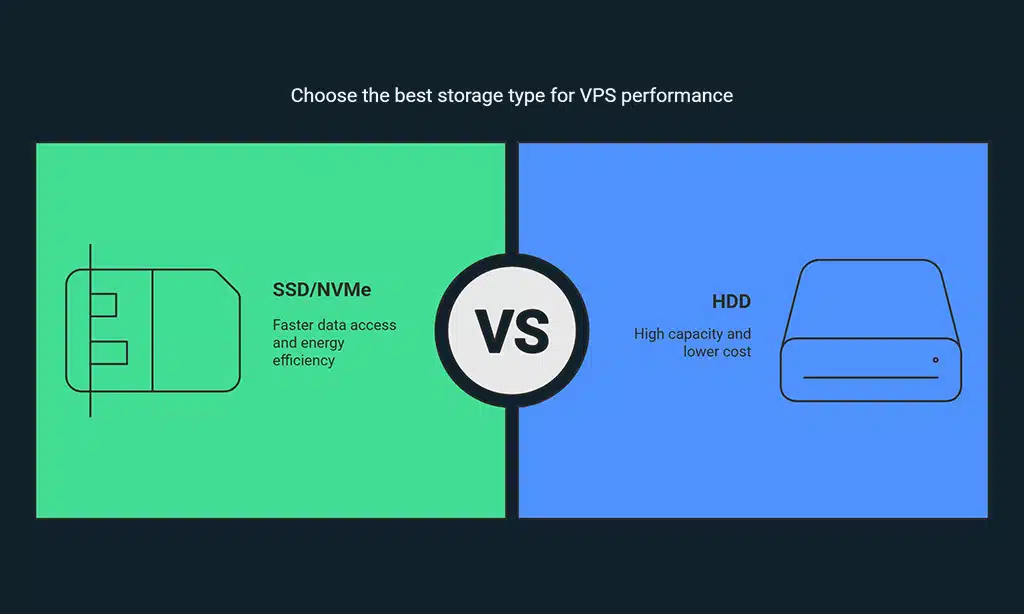
The type of storage can shift how your VPS handles tasks, so choosing wisely could save time and prevent headaches—stick around to learn why it matters.
Application Load Times
Fast storage makes apps load quicker. SSDs, with flash memory, cut wait times compared to HDDs. A major retail company proved this by slashing virtual machine boot times from minutes to seconds using solid-state drives (SSDs).
Faster application loading means better user experience.
NVMe storage takes speed even further. It uses PCIe lanes for ultra-fast data access, perfect for busy VPS hosting setups. Quick app access also saves resources and boosts energy efficiency in the cloud.
Data Access Speed
SSDs are much faster than HDDs for data access. An SSD can open files and run apps 30% quicker than an HDD. This speed makes tasks smoother in a virtualized environment. Boot times show this difference well: HDDs take 30-40 seconds, but SSDs only need 10-15 seconds.
NVMe storage takes speed even further. It uses flash memory and connects directly to the CPU, skipping long paths that slow down HDD or older SSD systems. Faster data means better VPS performance and less delay during heavy tasks like handling electronic health records or CDNs.
Resource Optimization
Storage type can impact resource allocation. SSD storage uses less power, making it great for energy efficiency in a virtualized environment. It speeds up data access, so apps and processes run faster without wasting resources.
HDDs offer high-capacity storage but are slower and demand more power. Combining an SSD with an HDD balances speed and capacity. This mix saves resources while keeping costs lower for VPS hosting setups.
Choosing the Right Storage Type for Your VPS
Picking storage affects speed, cost, and reliability. Think about your needs—speed, space, or durability?
Budget Considerations
SSDs cost more than HDDs. A 1 TB internal HDD is about $40 to $50. In contrast, a 1 TB SATA SSD can range from $160 to $180. For faster options like M.2 SSDs, the price doubles compared to regular SATA SSDs.
HDDs are better for those wanting high-capacity storage at a lower cost. Flash memory in SSD storage offers speed but at a higher price. Think carefully about your virtualized environment needs and budget before deciding on VPS hosting storage types.
Performance Requirements
Choosing storage affects performance a lot. SSD storage speeds up VPS hosting by reducing data access times. For example, booting with an HDD takes 30–40 seconds, while SSDs take only 10–15 seconds.
Faster application load times improve user experiences in virtualized environments.
High-capacity storage like NVMe boosts speed even more. It handles thousands of HTTP requests quickly, making it great for secure sockets layer (SSL)-based sites or payment card industry data security standards (PCI DSS) needs.
Flash memory also saves energy and increases resource allocation efficiency without causing delays.
Use Case Scenarios
High-end multimedia creators benefit from NVMe storage. They often need 1 TB to 4 TB for storing videos or large files. Faster data access improves their workflow and saves time. For websites with high traffic, SSD storage speeds up operations.
This enhances user experience and reduces bounce rates.
HDDs work well for backups or secondary data storage in VPS hosting. Businesses handling electronic health records (EHRs) use SSDs to boost confidentiality, integrity, and availability of data.
Flash memory in SSDs resists damage better than HDDs during disasters, aiding recovery objectives efficiently.
Takeaways
Choosing the right storage is key to better VPS performance. SSDs offer speed and stability, while HDDs focus on space and cost. NVMe pushes performance even further with faster access times.
Pick based on your budget, needs, and goals. The right choice means smoother apps, quicker sites, and a stronger hosting experience.
FAQs
1. How does storage type affect VPS performance?
Storage type directly impacts VPS performance by influencing speed, reliability, and data security. Solid state drives (SSDs) are faster than traditional hard drives and offer better energy efficiency in a virtualized environment.
2. What is SSD storage, and why is it important for VPS hosting?
SSD storage uses flash memory to store data quickly and securely. It improves user experience with faster load times, better resilience against data loss, and higher scalability compared to older storage types.
3. Can cloud storage improve resource allocation in VPS hosting?
Yes, cloud storage can help optimize resource allocation by offering scalable solutions that adapt to your needs while maintaining high availability of your data.
4. How does using SSDs impact disaster recovery plans?
SSDs reduce recovery time objectives because they access stored files faster during system failures or distributed denial-of-service attacks (DDoS). This helps minimize downtime in critical situations.
5. Is there a difference between NAND flash memory used in SSDs and other types of memories?
Yes, NAND flash memory stores larger amounts of data efficiently without moving parts like traditional drives. This makes it ideal as main storage for high-capacity systems needing fast response times.
6. Why should I consider security features like DDoS protection with my VPS hosting plan?
Security tools such as DDoS protection safeguard your server from attacks over the internet that could disrupt operations or cause data loss. Features like secure shell (SSH) access also enhance overall safety within dedicated servers or shared environments.





















