Gaming is fun, but it can be draining too. Long hours in front of screens can cause gaming burnout, wrist pain, or even mess up your sleep schedule. Have you ever felt tired or stressed after gaming instead of relaxed? You’re not alone.
Playing games the right way can improve mental health and reaction times. It’s also a great hobby when done in balance with other activities. In this post, you’ll learn how to set limits, stay active, eat better meals, and keep your body healthy while enjoying games.
Ready to create a healthier gaming lifestyle? Keep reading!
Key Takeaways
- Set daily or weekly gaming time limits. Use alarms to stop overplaying and avoid burnout.
- Take breaks often. Stretch, walk, or rest your eyes every hour to stay fresh and prevent pain.
- Stick to a steady sleep schedule. Avoid late-night gaming and turn off screens before bed.
- Stay hydrated with water and eat healthy meals like whole grains and veggies for better focus.
- Practice mindfulness or meditation for 5–10 minutes to relax and boost reaction times in games.
Set Boundaries for Gaming Time
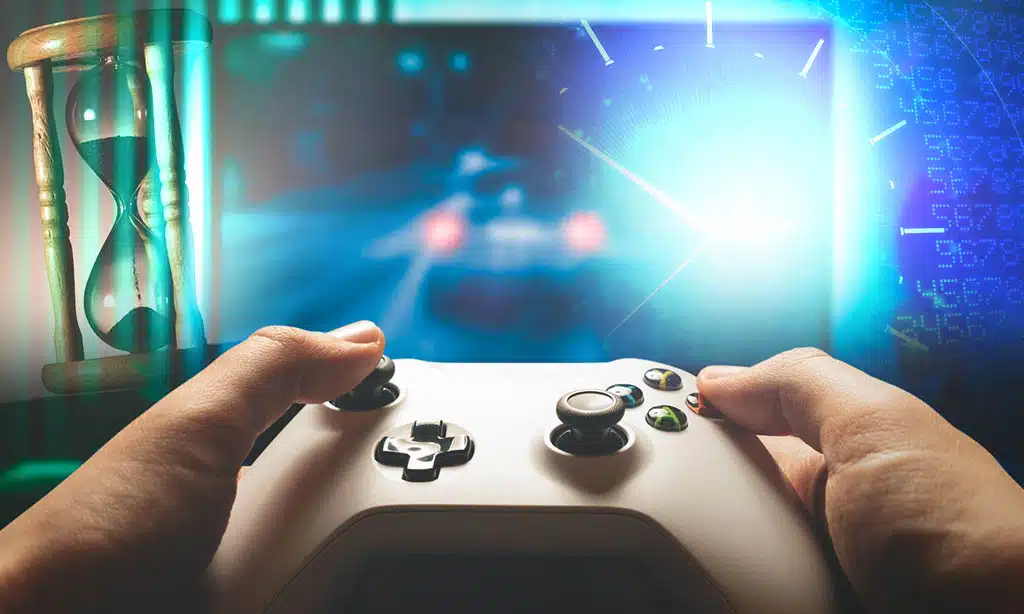
Gaming feels endless, but it shouldn’t be. Stick to limits, or you’ll risk burnout.
Create a daily or weekly schedule
Plan game times like you plan meals. Set daily or weekly gaming hours that fit your routine. For teens, experts suggest no more than two hours of gaming per day. Stick to these limits to avoid burnout and balance other activities.
Treat gaming as a reward after work or school tasks. If homework takes priority, play only after it’s done. Mark “game-free” hours too for rest or physical activity like stretching exercises.
Use timers to keep sessions short and focused, improving both enjoyment and mental health over time!
Use alarms or timers to limit playtime
Set a timer before starting gaming. Limit it to 1 or 2 hours at most. Alarms help stop endless play and reduce screen time. For example, you could use your phone or a kitchen timer.
It establishes clear limits for your gaming habits.
Monitor how much time you spend using apps or settings on devices. This helps prevent nerve impingement from extended sessions with the keyboard and mouse. Overplaying can lead to wrist injuries, so maintaining control is essential for healthy living!
Take Regular Breaks
Pause often to keep your body and mind fresh. Small breaks can stop your hands or wrists from feeling numb or sore.
Incorporate physical activities like stretching or walking
Stand up and stretch your arms, fingers, and thumbs every hour. It boosts blood flow and reduces stiffness in hands and wrists. Try static stretching for five minutes to ease muscular imbalance caused by long gaming sessions.
Walk around the room during breaks to keep your legs active.
Interactive games like Pokémon Go can combine movement with fun while improving reaction times. Stretching exercises also prevent wrist injuries or tingling from repetitive strain on palms or elbows during intense mouse-and-keyboard use.
These small actions protect against numbness and ulnar nerve pain.
Rest your eyes to prevent strain
Staring at screens too long can make eyes dry and red. Look away every 20 minutes. Focus on something far for about 20 seconds. This helps relax your eye muscles.
Take a break from gaming every hour. Walk around or close your eyes for five minutes. It reduces strain and keeps your vision sharp over time.
Prioritize Sleep and Rest
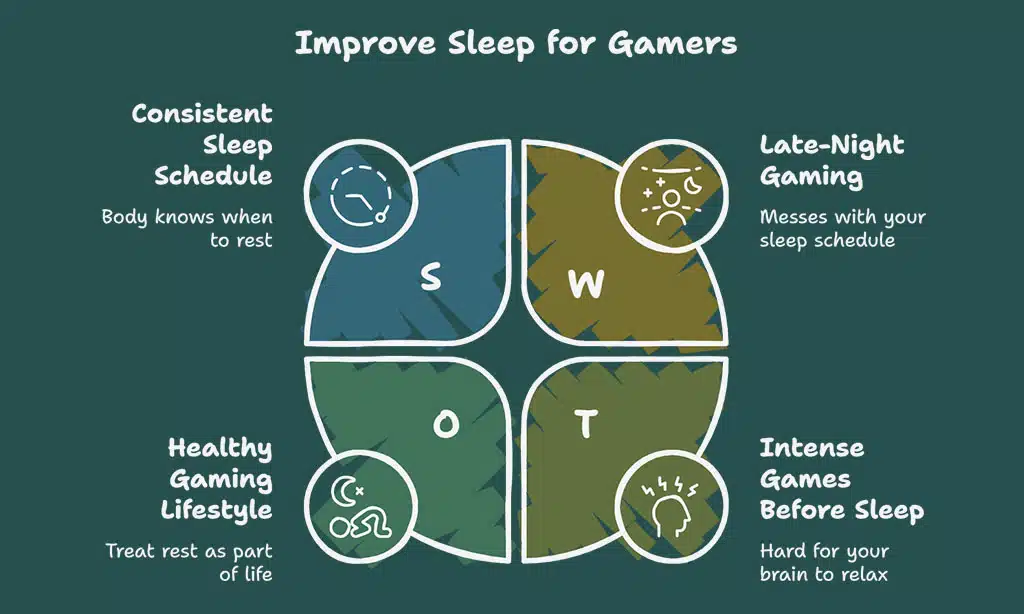
Gaming late can wreck your sleep pattern fast. Shut down early, so you stay sharp and avoid sluggish reaction times.
Establish a consistent sleep schedule
Go to bed and wake up at the same time daily. This helps your body know when it’s time to rest. Charge gaming devices outside the bedroom to avoid late-night temptations.
Avoid intense games like League of Legends right before sleep. They can make it hard for your brain to relax. A steady sleep schedule improves reaction times, focus, and mental health over time.
Avoid late-night gaming sessions
Late-night gaming can mess with your sleep schedule. Bright screens trick your brain into staying awake longer. Gaming too late makes it harder to relax and fall asleep, leaving you feeling tired the next day.
Skipping rest for gaming lowers reaction times and harms mental health.
Set a cut-off time for games, like an hour before bed. Use that time to unwind without screens—read or stretch instead. Sleep improves gaming performance, so treat rest as part of a healthy gaming lifestyle!
Practice Healthy Habits
Drink water instead of sugary soda to keep your energy steady. Swap chips for nuts or sunflower seeds to give your brain a boost while gaming.
Stay hydrated and eat balanced meals
Drink plenty of water during gaming sessions. Dehydration can lower focus and energy levels. Keep a water bottle near your setup for easy access. Avoid sugary drinks like soda or energy drinks.
They give quick boosts but lead to crashes later.
Eat healthy meals instead of snack foods or chips. Choose balanced options with protein, veggies, and whole grains. Junk foods may feel tempting but hurt long-term gaming performance.
Start your day with breakfast to fuel your brain and improve reaction times in games.
Incorporate mindfulness or meditation
Meditation helps ease stress and sharpens focus. Gaming can get intense, but taking just 5 to 10 minutes for mindfulness keeps your mind fresh. Close your eyes, breathe deeply, and clear your thoughts.
This simple reset boosts reaction times and mental health.
Mindfulness also trains you for a flow state in gaming. Staying calm under pressure improves gaming performance during tough matches. It’s like giving your brain a quick recharge before jumping back into competitive gaming or virtual reality adventures!
Takeaways
A healthy gaming routine keeps the fun alive. Balance your playtime with breaks, sleep, and movement. Listen to your body and stay hydrated. Build habits that nurture both mind and body.
Play smart, not nonstop!
FAQs
1. How can I avoid gaming burnout?
Take breaks often, stick to a healthy sleep schedule, and mix in other activities like exercising or stretching exercises. Balance is key to avoiding burnout.
2. What are some tips for improving my gaming performance without overdoing it?
Focus on reaction times by practicing regularly but not excessively. Stay hydrated with proper fluid intake, eat healthy foods, and try fitness games to stay active.
3. How do I prevent wrist injuries while gaming?
Avoid repetitive strain injuries by using proper posture with your mouse and keyboard. Try stretching exercises for your wrists and limit long periods of elbow flexion during play.
4. Can competitive gaming affect mental health?
Yes, intense focus on competitive gaming can lead to stress, loneliness, or even gaming addiction if unchecked. Practice self-discipline and connect with others offline too.
5. What physical issues should gamers watch out for?
Gamers may face cubital tunnel syndrome from poor arm positioning or ocular strain from extended screen time. Stretching and taking frequent breaks help reduce these risks.
6. Are there specific foods that support a healthy gaming lifestyle?
Yes! Avoid trans fats and unhealthy snacking habits while playing games. Instead, opt for balanced meals with lean proteins and vegetables to maintain energy levels during sessions.