Many QuickBooks Online users hit a wall when they find an error. They call support and wait, then explain over and over. They lose time they could spend on their books. They need a better way to get help.
Glance Intuit uses a browser extension and a small app to start a secure screen-sharing session. You download both from glance.intuit.com, install them, and then launch the program. This post will show you how to add the extension, install the software, and start a remote support session.
Key Takeaways
- Download the installer glanceguestsetup_4.17.1.exe from glance.intuit.com.
- Install on Windows or Mac using Chrome or Edge; grant admin rights and enable JavaScript.
- Add the Glance Intuit browser extension to link with QuickBooks Online or ProConnect Tax.
- Start a secure, real-time screen-sharing session with an Intuit support agent.
- Resolve payroll snags and tax e-filing errors faster and cut down on hold time.
How to Download and Install Glance Intuit for QuickBooks

Visit glance.intuit.com and click the glanceguestsetup_4.17.1.exe link to fetch the installer. Then open the file and follow prompts to add the browser extension in Google Chrome or Microsoft Edge for remote access.
Step-by-step guide to downloading Glance Intuit
Here is a quick guide for a smooth install. You will get your desktop computer ready for a real-time glance session.
- Open Google Chrome or Microsoft Edge on your desktop computer.
- Type glance.intuit.com in the address bar and press Enter.
- Click “Download Glance” on the official Glance Intuit website.
- Choose to add the Glance Intuit browser extension, tap Accept, or use the re-send link if you click Cancel.
- Pick the default downloads folder, then double-click glanceguestsetup_4.17.1.exe to launch the installer.
- Follow each prompt on screen, allow the app to make changes, and grant permission for remote access.
- Watch the progress bar as the program installs automatically.
- Launch QuickBooks support or ProConnect Tax, ask an Intuit agent to start a Glance session, and share your screen.
Next, explore the benefits of using Glance Intuit with QuickBooks.
Installation process for seamless integration
Now that you have the file, you can move on to installation. The install process links QuickBooks to Glance Intuit right away.
- Open the downloaded glanceguestsetup_4.17.1.exe from glance.intuit.com in your computer file list.
- Allow the installer to run with admin rights on Windows or grant permission on macOS for a clean setup.
- Choose the default location under Program Files on Windows or Applications on Mac to keep things neat.
- Enable JavaScript in Chrome or Safari so the extension can start without errors.
- Click Install to load the glance.intuit.com Chrome extension or Safari add-on for secure remote screen-sharing.
- Wait for the progress bar to reach 100% as files copy and the integration links QuickBooks.
- Confirm the Glance Intuit icon shows up in QuickBooks Online or ProConnect Tax under remote sessions.
- Test a session with an Intuit representative to verify a secure, real-time connection that collects no personal data.
Benefits of Using Glance Intuit with QuickBooks
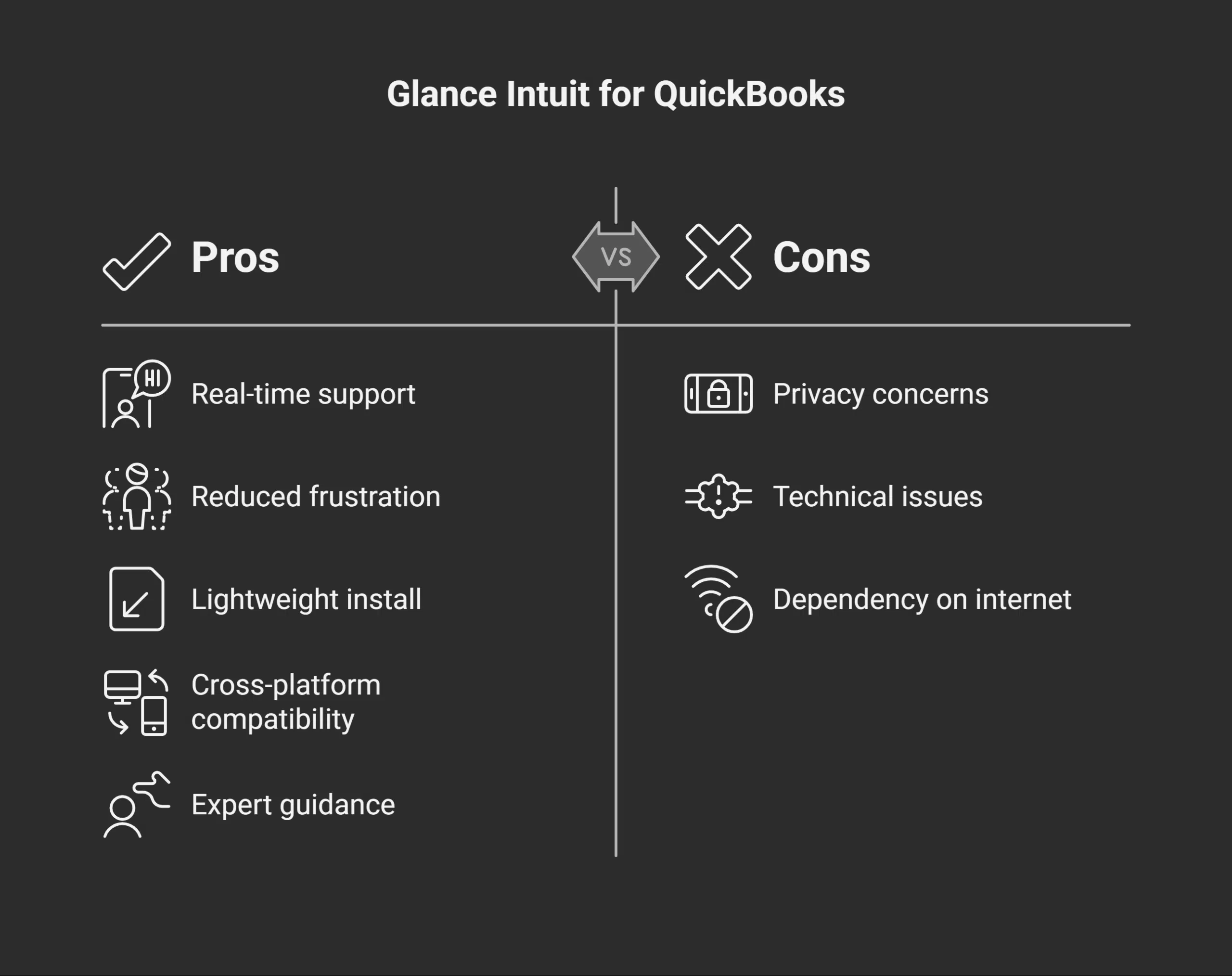
Glance Intuit lets you share a live, remote view with a QuickBooks specialist in a flash. It clears up tech fog so you fix payroll snags or tackle tax e-filing without breaking a sweat—and it has more neat tricks to explore.
Enhanced support through remote screen-sharing
QuickBooks Help agents start a remote screen-sharing session using Glance Intuit software from glance.intuit.com. You download Glance Intuit and set up the file named glanceguestsetup_4.17.1.exe to install the Glance module.
It runs on Windows, Mac, and mobile browsers like Mozilla Firefox or Apple Safari. The agent sees your QuickBooks Online and ProConnect Tax screens and points out the right options.
You get real-time support as they click or scroll for you.
That tool, Glance Intuit, allows the host to guide you through e-filing errors or data import trouble with TurboTax or Intuit Mint links. You stay in control, since nothing installs beyond that lightweight downloaded file.
This process cuts down on calls and lowers frustration. It feels like the expert sits right in front of you.
Tips for a Smooth Experience with Glance Intuit
Download the installer on Windows or Mac, run it, check your mic and camera, and then share your screen in QuickBooks for a smooth fix—keep reading!
Ensuring compatibility and proper setup
Check your OS version before you start using glance.intuit.com. Pick a chromium-based browser like Chrome or Edge to install glance.intuit.com and link it to QuickBooks. Use the official glanceguestsetup_4.17.1.exe file to start the installation, and set up Glance Intuit on your computer.
Verify your firewall or antivirus does not block the remote screen-sharing tool. This step helps agents provide fast assistance.
Open the Downloads folder if the installer does not launch. Select “Run” to begin. Refresh the page if the screen stalls. Try a different browser or disconnect from a VPN and then reconnect.
You can also use a direct link to download the Glance extension. These tips keep your accounting support smooth and secure.
Takeaways
The accounting software links with the remote support tool in minutes. Users share screens on a secure connection. The browser add-on adds an extra layer. The setup file installs in a flash.
You gain fast access to live help. The finish line feels like a victory lap.
FAQs on Glance Intuit
1. How do I download and set up Glance for QuickBooks?
Visit glance.intuit.com, click “Download,” set up Glance, and then run the installer. It is a breeze, like TurboTax, but faster.
2. What file do I need to install Glance?
Grab the file named glanceguestsetup_4.17.1.exe, double-click it, and click proceed. This file gets Glance installed on your computer securely.
3. How do I start Glance for secure screen sharing?
After it is installed, open QuickBooks, then hit Start Glance. Glance Intuit is a remote screen-sharing tool; it lets your agent view your screen with an Intuit expert.
4. Can I use Glance on a mobile app?
Yes, you can use the mobile app. Download it from your phone’s app store, join a session, and upload anything on your computer to share with your agent.
5. What if I run into an issue with Glance?
First, check your internet, then restart the app. If it still fails, go to glance.intuit.com and follow the troubleshooting steps or contact support to help you proceed.