

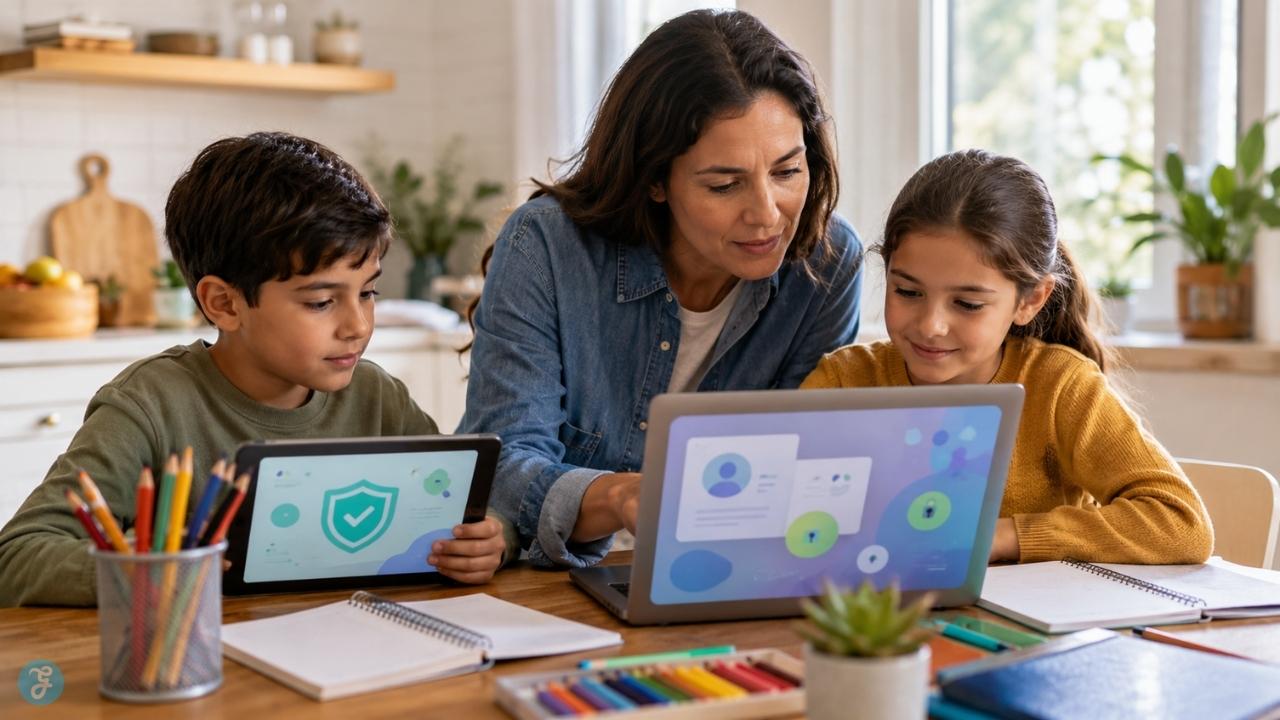
Children do not suddenly become responsible online because they get older. They learn it slowly. They learn it when a parent says, “Pause before you post that.” They learn it when a teacher explains why copying from AI is still copying. They learn it when someone in a group chat gets mocked and an adult helps them understand that “I only forwarded it” is still participation.
That is why digital citizenship for kids need today is much bigger than a one-time internet safety talk.
The internet is no longer a separate place children visit after school. It is where they watch videos, play games, search for homework help, message friends, join classes, create art, use AI tools, and sometimes make mistakes before they understand the consequences.
Good digital citizenship does not mean scaring kids away from technology. It means helping them use it safely, kindly, critically, privately, and responsibly. That takes more than parental controls. It takes habits, conversations, examples, and steady guidance.
What Is Digital Citizenship for Kids?
Digital citizenship for kids means teaching children how to behave, think, communicate, protect themselves, and make good choices online.
It includes online safety, but it does not stop there. A digitally responsible child should also learn how to treat people respectfully, protect private information, question what they see, understand ads and influencers, avoid harmful sharing, use AI responsibly, and ask for help when something feels wrong.
ISTE+ASCD’s digital citizenship framework is useful because it moves beyond a simple list of warnings. It describes digital citizenship through five competencies: Balanced, Informed, Inclusive, Engaged, and Alert. In parent language, that means children should learn healthy tech balance, source awareness, respectful participation, positive online action, and safety habits.
That is the right mindset. Digital citizenship is not just “don’t do bad things online.” It is learning how to be a thoughtful person in digital spaces.
Why Digital Citizenship Matters More Than Ever
Kids are entering digital spaces early. Common Sense Media’s 2025 census on children ages 0 to 8 found that 40% of children have a tablet by age 2, nearly one in four have a personal cellphone by age 8, and average screen time for this age group remains around 2.5 hours per day. The same report also found that gaming time increased 65% in four years, while short-form video platforms are becoming more common in young children’s media habits.
Pew Research Center’s 2025 survey of U.S. parents with children 12 and under found that 90% say their child watches TV, majorities say their child uses or interacts with tablets and smartphones, and about one in ten parents of children ages 5 to 12 say their child uses AI chatbots such as ChatGPT or Gemini. So this is not just a teen issue anymore.
A child may not have social media yet, but they may already be using YouTube, games, tablets, learning apps, chat features, voice assistants, search engines, and AI tools. They may already see ads, sponsored content, fake giveaways, manipulative game design, rude comments, or misleading videos.
That is why digital citizenship should start early, in simple language. A six-year-old does not need a lecture on algorithms. But they can learn, “Ask before clicking,” “Private information stays private,” and “Tell me if something online feels weird.”
Digital Citizenship vs Online Safety
Online safety is part of digital citizenship, but it is not the whole thing. Online safety kids need includes private information, passwords, suspicious links, unsafe messages, privacy settings, downloads, scams, and knowing when to tell an adult. UNICEF identifies major online risks for children, including sexual exploitation and abuse, cyberbullying, discrimination, personal data misuse, exploitative digital marketing, dark patterns, and AI-related risks.
But safety alone is not enough. A child can be “safe” online and still behave badly. They might not share their address, but they may forward an embarrassing screenshot. They might use strong passwords, but still copy someone else’s work. They might avoid strangers, but join a group chat where another child is being humiliated.
Digital citizenship includes safety, ethics, behavior, judgment, and empathy.
A simple way to explain it to kids is:
Being a good digital citizen means protecting yourself and respecting others online.
That sentence is easy to remember.
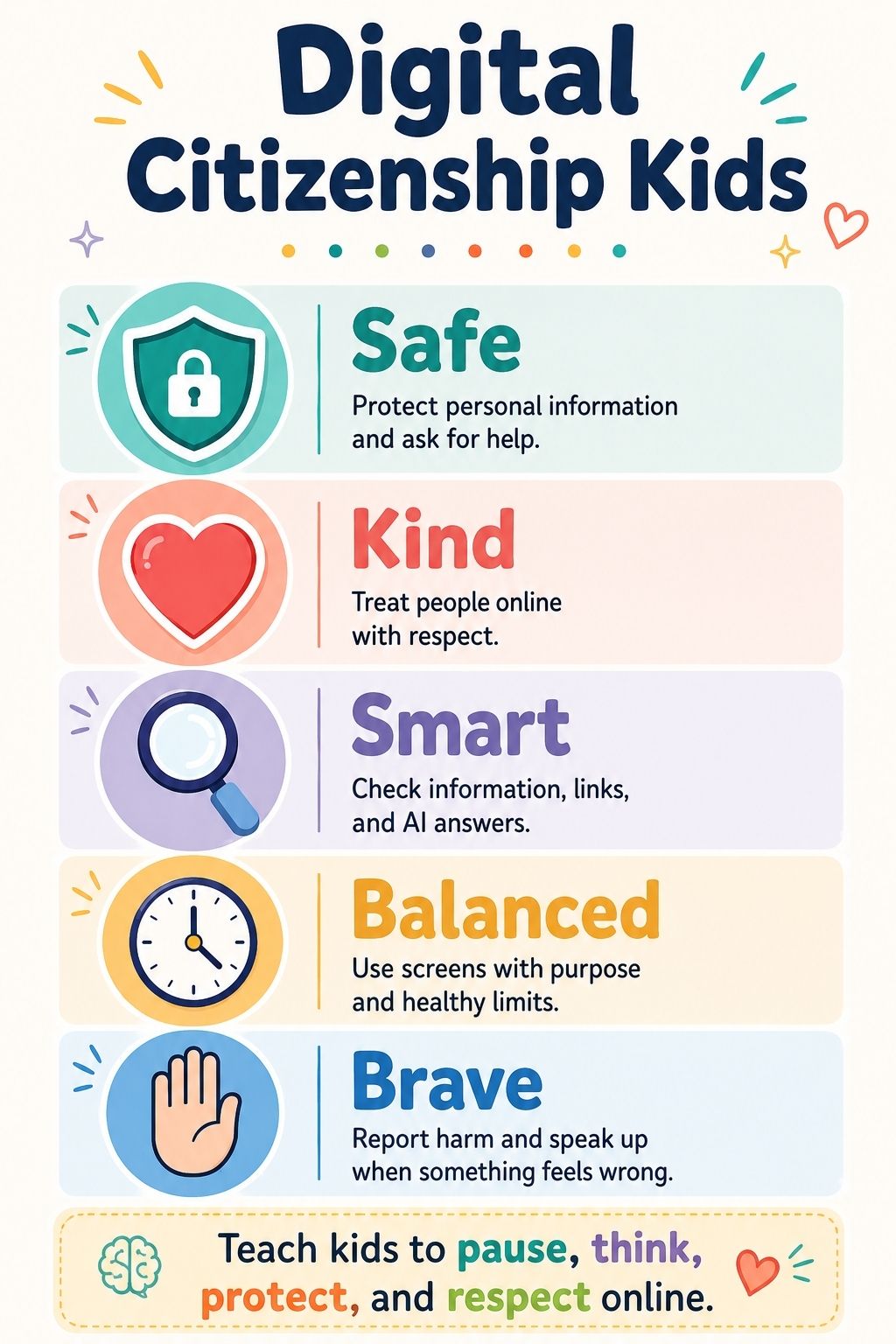
The Five Habits Kids Need Online
Children do better with memorable habits than long lectures.
A practical framework for digital citizenship is:
| Habit | What It Means for Kids |
| Safe | Protect private information and ask for help when something feels wrong. |
| Kind | Treat people online like real people, because they are. |
| Smart | Check information, ads, links, and AI answers before trusting them. |
| Balanced | Use screens with purpose and know when to stop. |
| Brave | Report harm, leave unsafe spaces, and talk to a trusted adult. |
Parents can come back to these five words often. Was that safe? Was it kind? Was it smart? Was it balanced? Were you brave enough to ask for help? That kind of repetition builds judgment without making every conversation feel like a lecture.
Online Safety Kids Should Learn Early
Online safety should be taught before children are fully independent online.
Start with private information. Kids should understand that some details are not meant for public sharing: full name, home address, school name, phone number, passwords, location, daily routines, family details, private photos, and usernames that reveal identity.
This does not need to sound scary. You can explain it simply:
“Some information belongs only to our family or trusted adults. We do not put it into games, chats, websites, or apps without asking.”
Children also need to learn that not everyone online is honest. A person in a game, message, or comment section may not be who they say they are. That does not mean every online interaction is dangerous. It means children should know when to pause and ask.
Good safety habits include asking before downloading apps, checking with an adult before clicking strange links, using strong passwords, not sharing verification codes, and telling a trusted adult if someone asks for secrets, photos, money, personal details, or private conversations.
The most important rule may be this:
If something online makes you feel scared, confused, pressured, embarrassed, or unsafe, you can tell an adult without getting in trouble.
Kids hide problems when they fear punishment. Make help easier than secrecy.
Digital Ethics Children Need to Understand
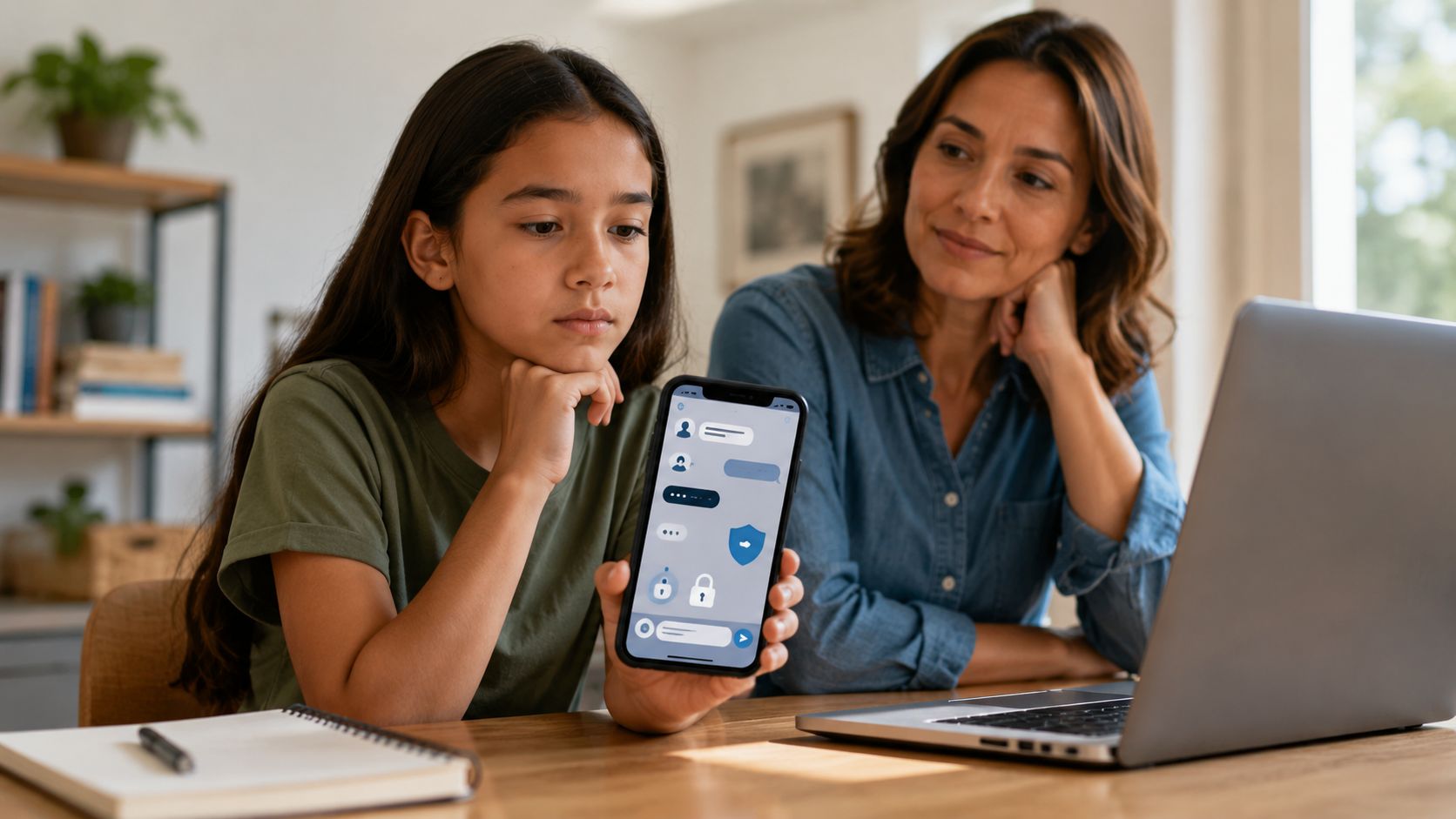
This is where many online safety articles fall short. They warn kids about danger but say less about responsibility. Digital ethics children need today includes asking permission before posting someone’s photo, not sharing embarrassing screenshots, giving credit for images or ideas, not using AI to fake someone’s voice or face, and not joining online pile-ons.
Ethics also means understanding that easy does not always mean okay. It may be easy to copy an answer from a website. That does not make it honest. It may be easy to screenshot a private message. That does not make it fair. It may be easy to use AI to create a funny fake image of a classmate. That does not make it harmless.
Children need adults to connect digital actions with real-world impact. A useful parent line is:
Before you share something, ask: Is it yours to share?
That one question covers photos, secrets, screenshots, jokes, group chats, and other people’s mistakes.
A Real-Life Example Parents Can Use
Imagine your child receives an embarrassing screenshot of a classmate in a group chat. Other kids are laughing and asking everyone to forward it.
A child with weak digital citizenship may think, “I did not take the screenshot, so it is not my fault.” A child with stronger digital citizenship can learn to think differently:
“This is not mine to share. It could hurt someone. I should not forward it. I can leave the chat, tell the person who sent it to stop, save evidence if needed, and talk to a trusted adult.”
That small moment teaches several digital citizenship skills at once: privacy, kindness, courage, consent, and online responsibility. This is why digital ethics should be taught with examples, not just rules.
Internet Behavior Kids Should Practice
Good internet behavior is not about sounding perfect. It is about learning to pause. Children need simple behavior rules they can use in real situations.
- Pause before posting: Would I say this face-to-face? Would I be okay if a parent, teacher, coach, or future friend saw it?
- Ask before sharing: Is this my photo, my story, or someone else’s private moment?
- Check before believing: Who made this? Why are they saying it? Is another trusted source saying the same thing?
- Leave before escalating: If someone is trying to provoke you, you do not have to win the comment fight.
- Tell before hiding: If something feels wrong, bring it to an adult early.
This is the kind of internet behavior kids can actually remember. It also gives parents language they can repeat without turning every conversation into a speech.
Privacy, Personal Data, and Digital Footprints
Children often think privacy means “secrets.” That is only part of it. Privacy is also about control. It means deciding what information is shared, who can see it, how long it stays online, and how it could be used later.
A child posting a school uniform photo may not realize the image can reveal location. A gamer using a real name as a username may not realize strangers can connect that identity across platforms. A child chatting with an AI tool may not realize they should avoid sharing private family, school, or health details.
In the U.S., COPPA is one of the major laws connected to children’s online privacy. The FTC explains that COPPA requires certain websites and online services to obtain verifiable parental consent before collecting, using, or disclosing personal information from children under 13. The FTC also finalized changes in 2025 that require separate opt-in consent before covered operators disclose children’s personal information to third parties for targeted advertising or similar purposes.
Parents do not need to turn a child’s life into a privacy seminar. But they should teach the basic idea early: Your information has value. Do not give it away casually.
That is a digital citizenship lesson children will need for the rest of their lives.
Media Literacy: Ads, Influencers, and Misinformation
Kids need to know that the internet is not neutral. Videos, games, apps, influencers, ads, search results, and recommendations are often designed to hold attention, shape choices, or sell something.
The American Academy of Pediatrics recommends family media habits such as setting screen-free zones, using a one-screen-at-a-time rule, turning off autoplay and notifications, choosing quality content, and checking privacy settings. That is a media literacy issue, not just a screen-time issue.
Children should learn to ask:
- Who made this?
- Are they trying to teach me, entertain me, sell me something, or get my attention?
- Is this a fact, opinion, joke, ad, or sponsored post?
- Could this image, video, or voice be AI-generated?
- Is there another reliable source?
A good digital citizen is not someone who believes everything. It is someone who knows how to slow down before trusting.
Digital Citizenship in the AI Age
AI has changed digital citizenship. Kids are no longer only searching the web. Some are asking chatbots for homework help, using AI image tools, seeing AI-generated videos, hearing synthetic voices, or encountering fake images online.
Pew’s 2025 parent survey found that AI chatbot use is already present among children ages 5 to 12, rising from 3% among children ages 5 to 7 to 15% among children ages 11 to 12, according to parents. UNICEF also notes that AI is becoming part of children’s everyday digital lives through smart toys, voice assistants, video games, chatbots, learning apps, recommendation systems, and other digital experiences. Children need basic AI literacy.
They should know that AI can sound confident and still be wrong. They should not share private information with chatbots. They should not use AI to impersonate someone, create fake embarrassing images, cheat on assignments, or spread false information. For parents, the goal is not to ban every AI tool forever. The goal is to teach careful use.
A simple rule works well: AI can help you think, but it should not replace your thinking. That applies to homework, creativity, research, and online behavior.
Cyberbullying, Group Chats, and Respectful Communication
Cyberbullying is not always one dramatic post. Sometimes it is a group chat that slowly turns cruel. Sometimes it is a joke that gets shared too widely. Sometimes it is a private screenshot posted without permission. Sometimes it is a child being excluded, mocked, or targeted in a game or class chat.
UNICEF identifies peer-to-peer violence, cyberbullying, online hate, and discrimination as online risks children can face. Kids need to understand the different roles in online harm.
There is the person targeted. There is the person posting. There is the person laughing. There is the person forwarding. There is the silent viewer. There is the person who reports, supports, or says, “This is not okay.”
Children should know that “I only shared it” is still participation. That line matters.
Respectful communication means children learn not only what not to do, but what to do when someone else is being hurt. They can leave the chat, refuse to forward, save evidence, block, report, or tell an adult. Kindness online is not weakness. Sometimes it takes courage.

Screen Balance and Healthy Digital Habits
Screen balance belongs inside digital citizenship because children need to learn self-management. A good digital citizen is not a child who never uses screens. It is a child who learns when screens help, when they distract, and when it is time to stop.
The AAP’s family media guidance recommends practical habits such as screen-free zones, one-screen-at-a-time use, turning off autoplay and notifications, choosing quality content, and checking privacy settings.
This is more realistic than simply saying, “No screens.” Children need help noticing how technology affects mood, sleep, attention, homework, play, and relationships.
Parents can ask: Did this screen time help you create, learn, rest, or connect? Or did it leave you angry, tired, distracted, or wanting more and more?
That kind of reflection builds self-awareness. And self-awareness is part of digital citizenship.
Age-Based Digital Citizenship Lessons
Digital citizenship should grow with the child.
Younger kids need simple rules and close guidance. Elementary kids need repeated practice. Middle schoolers need social judgment. Teens need independence, ethics, and long-term thinking.
| Age Group | What to Focus On |
| Younger kids | Ask before clicking, private information stays private, tell an adult if something feels wrong, be kind in games. |
| Elementary kids | Passwords, usernames, ads, fake prizes, respectful comments, asking before sharing photos or downloading apps. |
| Middle school kids | Group chats, screenshots, cyberbullying, misinformation, AI homework boundaries, privacy settings, blocking and reporting. |
| Teens | Digital footprint, consent, AI ethics, source checking, public posting, online reputation, emotional boundaries, platform manipulation. |
The mistake is waiting until a child is already independent online. Digital citizenship works better when the child has practiced smaller decisions before bigger risks appear.
How Parents Can Teach Digital Citizenship at Home
Children learn digital behavior partly by watching adults. If adults text during dinner, argue online, overshare family photos, believe every viral post, or keep scrolling while saying “screens are bad,” children notice.
Teaching digital citizenship at home does not need to be formal. It can happen in small moments.
- When an ad appears, ask, “What is this trying to make us do?”
- When a strange message appears, ask, “What would be the safe response?”
- When a child wants to post a photo, ask, “Do we have permission from everyone in it?”
- When AI gives an answer, ask, “How could we check if this is true?”
- When a group chat becomes mean, ask, “What would a brave and kind person do here?”
Use real situations. Kids learn better from examples than from speeches. Also, make the rules together when possible. Children are more likely to follow a family media plan when they understand the reason behind it.
Common Mistakes Parents Make
- Treating digital citizenship as one big “internet safety talk.” That is not enough. Kids need repeated conversations because digital life changes quickly.
- Relying only on parental controls. Controls are useful, but they cannot teach empathy, source checking, privacy judgment, or ethical choices.
- Making the internet sound only dangerous. Fear can make children hide mistakes. Calm guidance makes them more likely to ask for help.
- Ignoring ethics. A child may know not to share a password but still think forwarding a private screenshot is funny.
- Waiting too long to talk about AI. Children are already seeing AI content even when they are not using AI tools directly.
The best approach is steady and practical: protect children while gradually teaching them how to protect themselves.
Final Thoughts
Digital citizenship is not about raising children who never make mistakes online. They will make mistakes. Adults do too. The real goal is to raise children who know how to pause, think, protect themselves, respect others, question what they see, and ask for help when something feels wrong.
That is why digital citizenship for kids need today should include safety, kindness, privacy, ethics, media literacy, AI awareness, and healthy balance. The internet will keep changing. Apps will change. AI tools will change. Games, platforms, and trends will change.
But the core habits will still matter. Be safe, kind, smart, balanced, and brave enough to ask for help. That is digital citizenship children can actually use.
Frequently Asked Questions About Digital Citizenship for Kids
1. What is digital citizenship for kids?
Digital citizenship for kids means teaching children how to use technology safely, kindly, responsibly, and thoughtfully. It includes online safety, privacy, respectful behavior, media literacy, digital ethics, AI awareness, and healthy screen habits.
2. Why is digital citizenship important for children?
Digital citizenship is important because children use technology for learning, entertainment, communication, gaming, creativity, and research. They need guidance to protect private information, avoid online harm, treat others respectfully, and make smart choices online.
3. What online safety kids should learn first?
Kids should first learn to keep personal information private, ask before clicking or downloading, use strong passwords, avoid suspicious links, never share verification codes, and tell a trusted adult if something online feels scary, confusing, or unsafe.
4. What does digital ethics mean for children?
Digital ethics for children means understanding right and wrong online. It includes asking permission before posting photos, not sharing private screenshots, giving credit for other people’s work, not using AI to fake or harm others, and treating people respectfully.
5. How can parents teach good internet behavior kids will remember?
Parents can teach good internet behavior by using simple repeatable rules: pause before posting, ask before sharing, check before believing, leave before escalating, and tell before hiding. Real-life examples work better than long lectures.
6. How does AI affect digital citizenship for kids?
AI affects digital citizenship because children may use chatbots, AI image tools, voice tools, or AI-powered apps. Kids need to know that AI can be wrong, private information should not be shared with AI tools, and AI should not be used to cheat, bully, impersonate, or mislead others.

























