


SaaS companies rarely struggle because they lack data. The real problem is that billing, product, CRM, support, and marketing data live in separate systems, and often tell different stories.
The best data pipeline tools for SaaS analytics bring those records into a warehouse or another destination without constant manual work. A dependable platform should also handle schema changes, historical backfills, failed syncs, and growing data volumes.
However, these eight tools do not all solve the same problem. Some specialize in managed ELT, while others focus on real-time database changes, product events, or custom cloud processing. The right choice depends on the job your pipeline must perform.
Best Data Pipeline Tools
The best data pipeline tools do not all solve the same problem. Some simplify SaaS and database replication, while others specialize in real-time changes, product events, or custom processing. The eight options below show where each platform fits best and which trade-off deserves attention.
1. Fivetran
Best for: Reliable, low-maintenance ELT
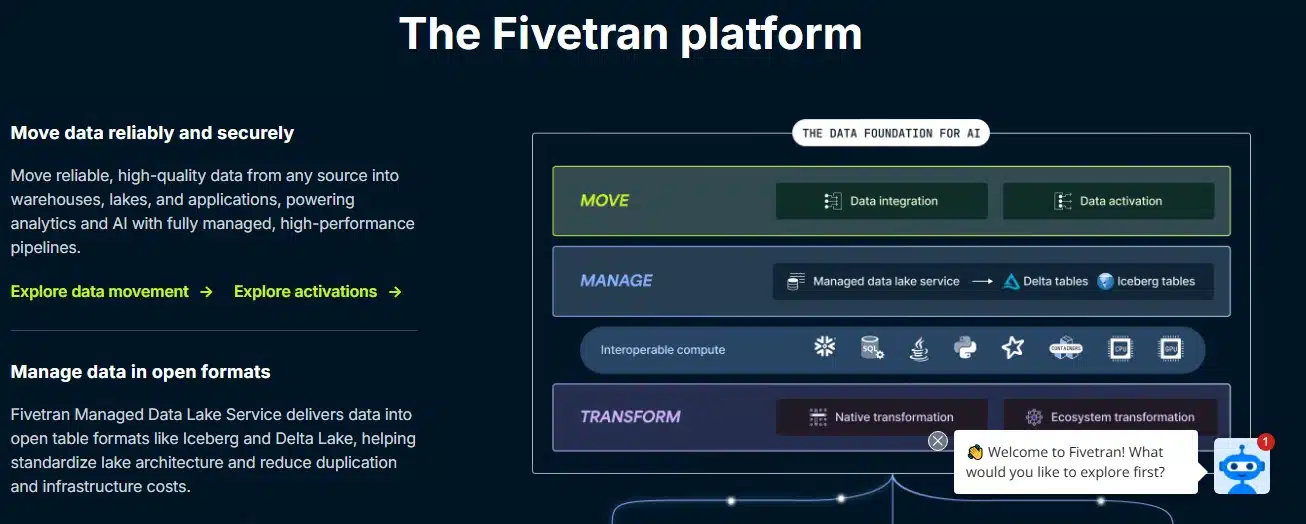
Fivetran moves data from SaaS applications and operational databases into cloud warehouses. Its managed connectors cover common sources such as billing platforms, CRMs, advertising services, support systems, and production databases.
The platform automates much of the routine work, including connector updates, monitoring, recovery, and many source schema changes. It also supports change data capture for compatible databases and integrates with dbt for warehouse transformations.
Fivetran charges primarily according to monthly active rows. This model can suit stable datasets, but frequently updated records and multiple connections may increase costs.
Choose Fivetran when: Your team wants dependable ingestion without operating the underlying infrastructure.
2. Airbyte
Best for: Connector flexibility and deployment control
Airbyte offers hundreds of connectors alongside managed cloud and self-hosted deployment options. Its Connector Builder and development kits allow teams to create integrations for internal APIs or less common SaaS products.
The platform supports incremental syncing, database CDC, schema propagation, APIs, Terraform, and Python-based workflows. These options make it adaptable to both analytics teams and engineering-led data platforms.
Connector maturity is the main consideration. Airbyte labels connectors according to their maintenance and support level, and community connectors may require additional testing. Self-hosting also makes your team responsible for upgrades, scaling, security, and monitoring.
Choose Airbyte when: Custom integrations or infrastructure control matter more than a completely hands-off experience.
3. Hevo Data
Best for: Small teams that want a no-code platform
Hevo Data provides a visual, managed environment for moving data from SaaS applications, databases, and files into analytical destinations. It supports automated schema handling, alerts, transformations, and CDC for compatible sources.
Its interface makes it accessible to teams without dedicated data platform engineers. SQL, dbt, and built-in transformation options still give more technical users room to shape the data.
Hevo generally meters usage by processed events. Inserts, updates, and deletions can contribute to that volume, so high-change databases require careful cost estimates. Faster syncs and advanced governance features may also depend on the plan.
Choose Hevo when: You need managed pipelines that a lean analytics team can operate easily.
4. Matillion
Best for: Transformation-heavy warehouse workflows
Matillion’s Maia Foundation, formerly Data Productivity Cloud, combines ingestion, orchestration, and transformation in one warehouse-focused platform.
Teams can build workflows visually or work with SQL and Python. The platform also supports Git collaboration, batch ingestion, log-based CDC, lineage, and transformations pushed into platforms such as Snowflake, Databricks, and Amazon Redshift.
That breadth can be valuable for mature data teams, but it may feel excessive if the requirement is simply copying a few SaaS sources into a warehouse. Some streaming, governance, and hybrid capabilities are also plan-dependent.
Choose Matillion when: Transformation and orchestration are as important as data ingestion.
5. Estuary
Best for: Real-time CDC and operational analytics
Estuary captures changes from databases, SaaS applications, and streaming sources, then delivers them to warehouses, lakehouses, and operational systems.
Its continuous pipelines suit use cases such as customer health alerts, fraud monitoring, product personalization, and usage-based billing. Estuary also supports batch sources, schema evolution, data replay, and streaming transformations with SQL or TypeScript.
Its catalog is smaller than those of the largest general-purpose ELT vendors. Pricing can also become less economical when a company operates many low-volume connector instances.
Choose Estuary when: Fresh database changes need to reach downstream systems quickly enough to drive operational actions.
6. Meltano
Best for: Engineering-led, Git-native DataOps
Meltano is an open-source platform for teams that want to manage data pipelines like software projects. Configurations, schedules, environments, and pipeline definitions can live in Git, making changes easier to review and reproduce.
It uses the Singer ecosystem of taps and targets and works with tools such as dbt, Airflow, and Dagster. Teams can also develop custom connectors for internal or specialized sources.
This flexibility comes with responsibility. A self-managed production deployment needs infrastructure, secrets management, monitoring, upgrades, and connector maintenance. Community-built connectors should be tested before they carry business-critical data.
Choose Meltano when: Your engineers value version control and composability and can own pipeline operations.
7. RudderStack
Best for: Product analytics and customer event data
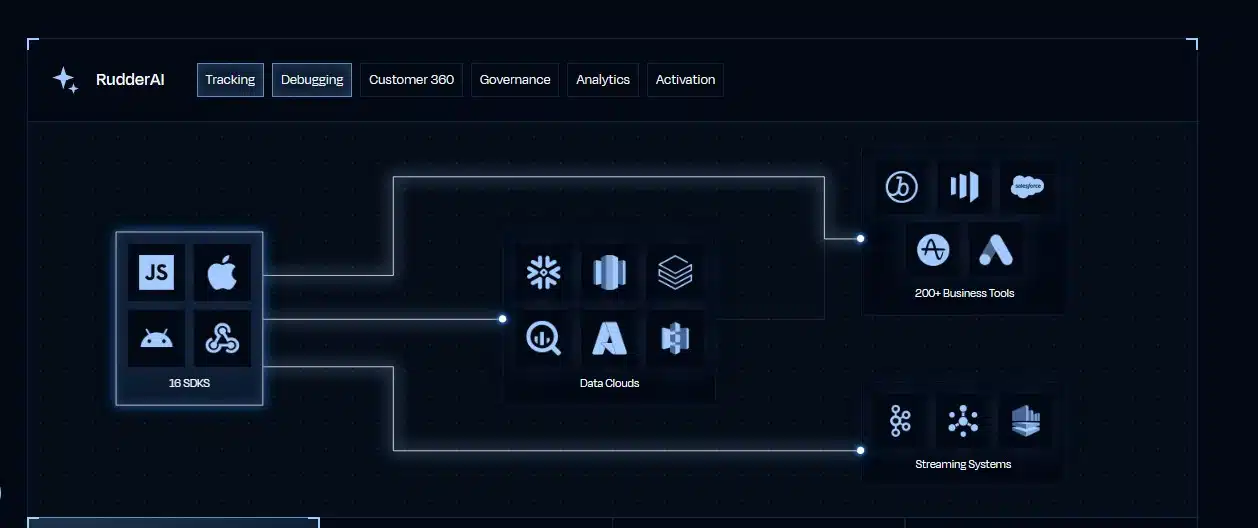
RudderStack collects behavioral events from websites, mobile apps, and servers, then routes them to warehouses and business tools. It is particularly useful for tracking sign-ups, feature adoption, trial behavior, conversions, and customer journeys.
Tracking plans help teams standardize event names and properties. RudderStack also offers transformations, reverse ETL, consent controls, and tools for handling sensitive customer data.
It does not replace a general connector platform for every CRM, finance system, or operational database. Many SaaS companies use RudderStack for product events and a separate ELT service for business application data. Because pricing depends partly on event volume, unnecessary tracking can increase both cost and data clutter.
Choose RudderStack when: Product behavior is central to your retention, activation, and growth analysis.
8. AWS Glue
Best for: Custom pipelines inside AWS
AWS Glue is a serverless data integration service for building batch and streaming ETL workflows. It can discover schemas, catalog datasets, run visual workflows, and execute transformations using technologies such as Apache Spark, Python, and Scala.
Glue integrates closely with Amazon S3, Redshift, Lake Formation, and other AWS services. This makes it suitable for large datasets, governed data lakes, and custom processing requirements.
It is a development platform rather than a turnkey SaaS connector service. Teams still need to design jobs, manage dependencies, monitor performance, and control processing costs. Less common SaaS sources may require custom work.
Choose AWS Glue when: Your data platform already runs on AWS and your engineers need extensive processing control.
Test Before You Commit
Run a proof of concept with your real production patterns. Include a database, billing source, CRM, product events, and intended destination.
Test schema changes, deleted records, expired credentials, interrupted syncs, late events, and historical backfills. Then calculate a real metric such as monthly recurring revenue, churn, or activation.
A technically successful pipeline can still produce misleading analytics if customer identities, timestamps, or metric definitions do not align.
Choose Reliability Over Feature Count
The best data pipeline is not the one with the longest feature list. It is the one that moves your critical data accurately, recovers when something fails, and remains affordable as usage grows.
Separate your needs into SaaS ingestion, database CDC, product events, and transformation. Once the actual workload is clear, choosing the right tool becomes far easier—and the resulting analytics become much more trustworthy.
Frequently Asked Questions on Data pipeline tools for SaaS analytics
1. What does a data pipeline tool do for a SaaS company?
It collects data from systems such as billing software, CRMs, product databases, support platforms, and marketing tools. It then moves that data to a destination where teams can analyze revenue, retention, customer behavior, and product usage.
2. Is ETL or ELT better for SaaS analytics?
ELT is often more flexible because it loads data into a scalable warehouse before transformation. ETL remains useful when information must be cleaned, masked, or filtered before entering the destination.
3. Does a small SaaS company need a data pipeline?
Not necessarily. Manual exports may work when reporting is occasional and only a few sources are involved. A pipeline becomes valuable when reports need frequent updates, spreadsheets stop scaling, or teams no longer trust their numbers.
4. Is Fivetran better than Airbyte?
Fivetran generally requires less operational work. Airbyte provides more control over connectors and deployment. The better choice depends on whether your team values managed reliability or customization more highly.
5. Does SaaS analytics require real-time data?
Most finance and executive reporting works well with hourly or daily updates. Real-time pipelines matter more for fraud detection, customer health alerts, personalization, usage monitoring, and other workflows that require an immediate response.


























