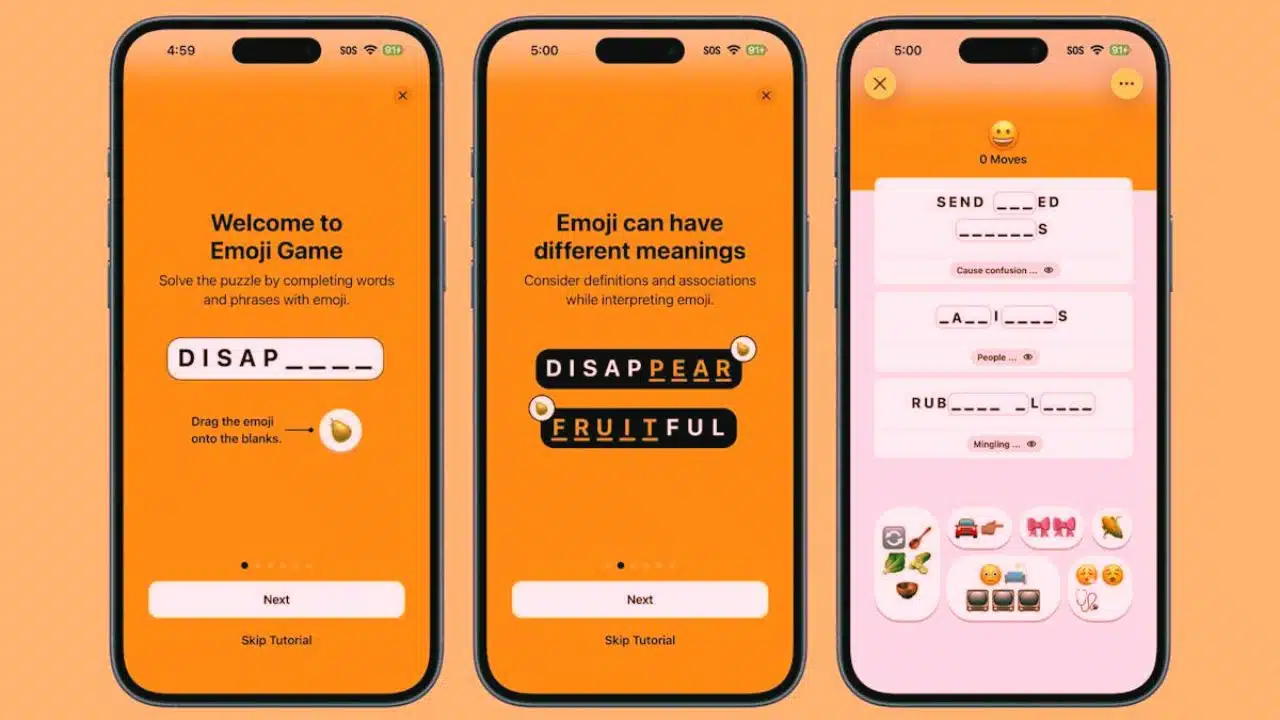
Apple has launched a new puzzle game called the Emoji Game, exclusively available to Apple News+ subscribers in the United States and Canada. The release of this engaging new game coincides with World Emoji Day, which is observed annually on July 17 to honor the widespread cultural impact of emojis in digital communication. The Emoji Game is the latest addition to Apple’s growing collection of puzzle-based content within its premium News+ subscription service.
A New Type of Puzzle for Apple Users
The Emoji Game introduces a unique daily challenge format that requires users to solve three emoji-based phrases. These aren’t random emoji combinations—each phrase is partially constructed and the goal is to complete the full phrase using the correct emoji from a given set. Users need to drag and drop the appropriate emoji into place with as few moves as possible, turning each round into a test of logic, pop culture knowledge, and intuition.
To help players solve more difficult puzzles, Apple has included a clue feature. If a player finds themselves stuck, they can tap to reveal a hint under each incomplete phrase. However, this comes with a cost: requesting a clue adds to the player’s move count. This mechanic encourages both strategic thinking and memory recall, making it ideal for casual gamers and puzzle enthusiasts alike.
How to Access the Emoji Game on Apple Devices
To play the Emoji Game, users must have an active Apple News+ subscription, which is available on a monthly basis. Apple News+ is accessible on multiple devices, including iPhones, iPads, and Macs.
Here’s how to start playing:
-
Open the Apple News app.
-
Tap on the Following tab located at the bottom of the screen.
-
Scroll to the Puzzles section and select Emoji Game.
-
Play the daily challenge and try to complete all three phrases.
This simple access process ensures the game is seamlessly integrated into Apple’s News ecosystem, much like how The New York Times embeds Wordle and other puzzles within its own app and website.
A Growing Library of Games on Apple News+
The Emoji Game is the fifth puzzle introduced under Apple News+. The current lineup of games available to subscribers includes:
-
Crossword – A traditional word puzzle game for vocabulary lovers.
-
Mini-Crossword – A shorter, quicker version for those who want a brief brain teaser.
-
Quartiles – A word-building game that challenges pattern recognition.
-
Sudoku – The classic number-placement puzzle that tests logical thinking.
These games are updated daily, making them an appealing part of the News+ experience for users who enjoy a mix of news content and light entertainment.
Competitive Features: Stats, Streaks, and Game Center
In addition to the daily challenge, Apple has built-in performance tracking tools for the Emoji Game. Users can view personal statistics, such as:
-
Number of puzzles completed
-
Best move count
-
Current streaks
This adds a motivational element, encouraging users to return every day to maintain their puzzle-solving streak.
Furthermore, Apple’s Game Center integration takes things one step further by enabling social engagement. Players can compare scores and challenge friends, making the Emoji Game not just a solo activity, but a fun and interactive competition. Leaderboards are updated in real time and can be viewed directly in the News app or within Game Center.
Will It Expand to Other Countries?
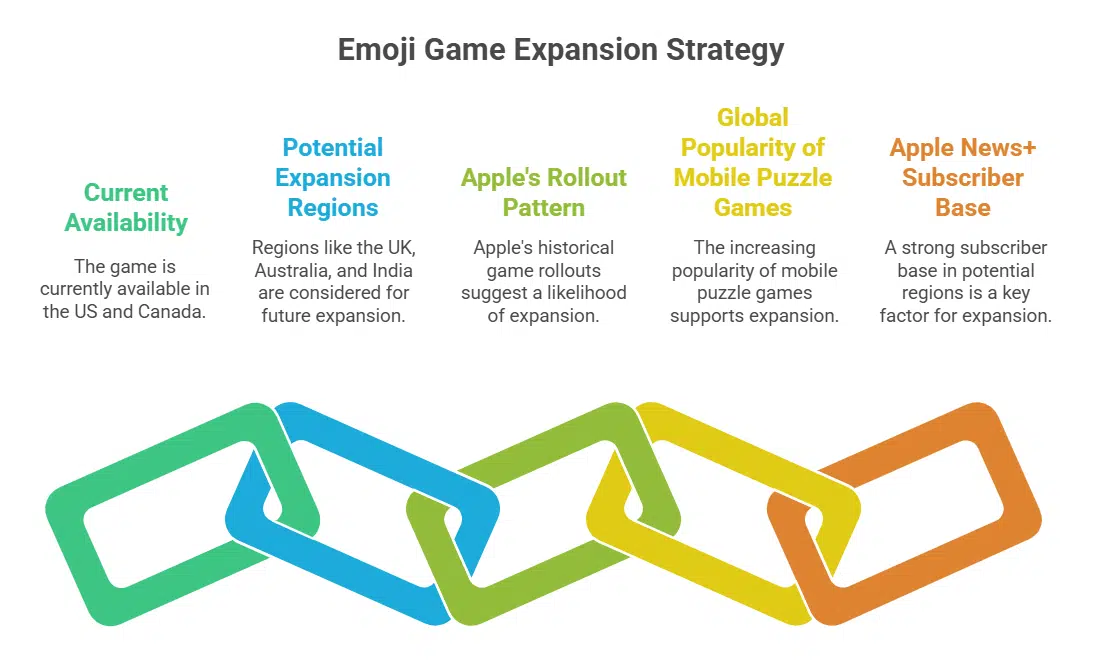
Currently, the Emoji Game is only available in the United States and Canada, with no official announcement yet regarding expansion to other regions like the United Kingdom, Australia, or India. However, based on Apple’s pattern with previous game rollouts and the growing popularity of mobile puzzle games worldwide, it is likely that the Emoji Game may reach more countries in the future—especially those with a strong base of Apple News+ subscribers.
Why This Move Matters: Apple Embracing Gamification
With the introduction of the Emoji Game, Apple is clearly following a trend established by leading digital publishers such as The New York Times, The Wall Street Journal, and The Telegraph. These platforms have added game features like crosswords, Wordle, Spelling Bee, and brain teasers to increase user engagement, subscription retention, and brand loyalty.
Apple, primarily known for its hardware and app ecosystem, is expanding its services portfolio by adding engaging features that go beyond passive content consumption. By combining the visual appeal of emojis with interactive puzzles, Apple is tapping into the growing popularity of casual, daily games that don’t require a long time commitment but offer consistent entertainment.
The Rise of Word Games and Puzzle Apps in Digital Media
Games like Wordle, now owned by The New York Times, have proven that there’s a large audience for lightweight, engaging daily games. These games also drive increased app usage, word-of-mouth sharing, and time spent within the app. Apple’s decision to launch the Emoji Game as a timed celebration of World Emoji Day adds a festive, culturally relevant twist to this release.
It’s also worth noting that Apple’s push into gamified experiences through News+ comes as part of a broader strategy. Apple has been growing its content offerings across services—like Apple Arcade for gaming, Apple TV+ for original content, and Apple Fitness+ for wellness. The addition of more engaging, interactive experiences within the News+ platform aligns with this ecosystem-wide vision.
Apple’s new Emoji Game isn’t just another puzzle—it’s part of a broader shift in how tech companies are blending entertainment, media, and user engagement. By offering a simple, visually fun, and mentally stimulating game, Apple has added extra value to its News+ subscription. With daily updates, social competition, and easy access, the Emoji Game is likely to attract both casual players and die-hard puzzle fans.
As the popularity of gamified media continues to grow, Apple’s move suggests that we can expect more interactive features like this within its app ecosystem. For now, if you’re an Apple News+ subscriber in the U.S. or Canada, this is a fresh way to start your day—with a smile and a puzzle.