
Amazon has introduced two new additions to its Kindle e-reader lineup, both featuring color E Ink displays at more affordable price points. The newly launched models—Kindle Colorsoft and Kindle Colorsoft Kids Edition—are designed to bring color-based reading experiences to a wider audience, including adult readers, students, and children.
The devices are priced at $249.99 for the Kindle Colorsoft (16GB) and $269.99 for the Kids Edition, positioning them as more accessible alternatives to the Kindle Colorsoft Signature Edition, which debuted last year at $279.99.
These new models carry forward several essential features while removing some of the more premium options to reduce cost. For now, both devices are limited to U.S. customers, but based on Amazon’s market strategy, global expansion could be on the horizon.
A Step Forward in Color E-Ink Evolution
Amazon’s announcement builds on its 2024 milestone release of the Kindle Colorsoft Signature Edition, the company’s first-ever e-reader featuring Kaleido 3 color E Ink technology. That device signaled Amazon’s entry into color e-paper reading—ideal for visual-heavy content like graphic novels, illustrated children’s books, and educational material.
Recognizing the growing demand for affordable devices with color displays, Amazon has now extended this technology into mid-range and youth-focused models. Both new e-readers retain the 7-inch glare-free color display, offer long battery life, and integrate tools that support immersive and personalized reading.
Kindle Colorsoft (16GB): Core Features and Capabilities
The new Kindle Colorsoft 16GB model is positioned as a mid-tier e-reader that allows users to enjoy color-rich content without paying a premium. It features a 7-inch color E Ink screen that reduces glare and enhances visibility under direct sunlight. The screen supports multi-color highlighting, allowing users to tag passages in yellow, pink, orange, or blue, making it especially useful for study materials or interactive reading.
Key Specifications and Features:
-
Display: 7-inch Kaleido 3 glare-free color E Ink display
-
Storage: 16GB internal memory, suitable for thousands of eBooks and hundreds of graphic novels
-
Battery Life: Lasts up to eight weeks on a single charge, based on average daily use
-
Lighting: Includes adjustable warm light and dark mode for night reading
-
Connectivity: USB-C charging port; no wireless charging
-
Subscription: Comes bundled with three months of Kindle Unlimited, allowing access to over 4 million eBooks and audiobooks
-
Audio Support: Bluetooth-enabled for audiobook listening via Audible
Unlike the Signature Edition, this standard version does not feature wireless charging or auto-brightness adjustment, making it more budget-friendly while still offering a modern reading experience.
The color functionality dramatically enhances how users interact with content such as children’s books, color-coded learning guides, travel books, and comic series. For casual readers and students alike, it delivers more value than traditional black-and-white Kindles.
Kindle Colorsoft Kids Edition: Built for Learning and Exploration
Amazon has tailored the Kindle Colorsoft Kids Edition to support young and developing readers, integrating both educational content and robust parental controls.
Like the standard model, it features a 7-inch color E Ink screen, but it comes with additional perks and safeguards suited for children between the ages of 6 and 12.
Key Inclusions and Learning Tools:
-
Protective Cover: Ships with a kid-friendly illustrated cover, designed to withstand accidental drops and spills
-
Guarantee: Comes with a two-year worry-free replacement warranty, meaning if it breaks, Amazon will replace it—no questions asked
-
Subscription: Includes one full year of Amazon Kids+, a service offering curated books, audiobooks, and educational apps
-
Reading Support Tools:
-
Word Wise for easier vocabulary comprehension
-
Vocabulary Builder, which stores challenging words and definitions for practice
-
OpenDyslexic font, optimized for readers with dyslexia
-
Progress tracking and reading achievement badges to encourage daily reading
-
Additionally, Bluetooth audio support allows children to listen to audiobooks, which helps build language and pronunciation skills, especially for reluctant or struggling readers.
The interface is ad-free and distraction-free, offering a reading-focused environment. Parents can set time limits, monitor reading activity, and choose content suited to their child’s age and reading level using the Amazon Parent Dashboard.
Why Color Matters in Kindle Devices
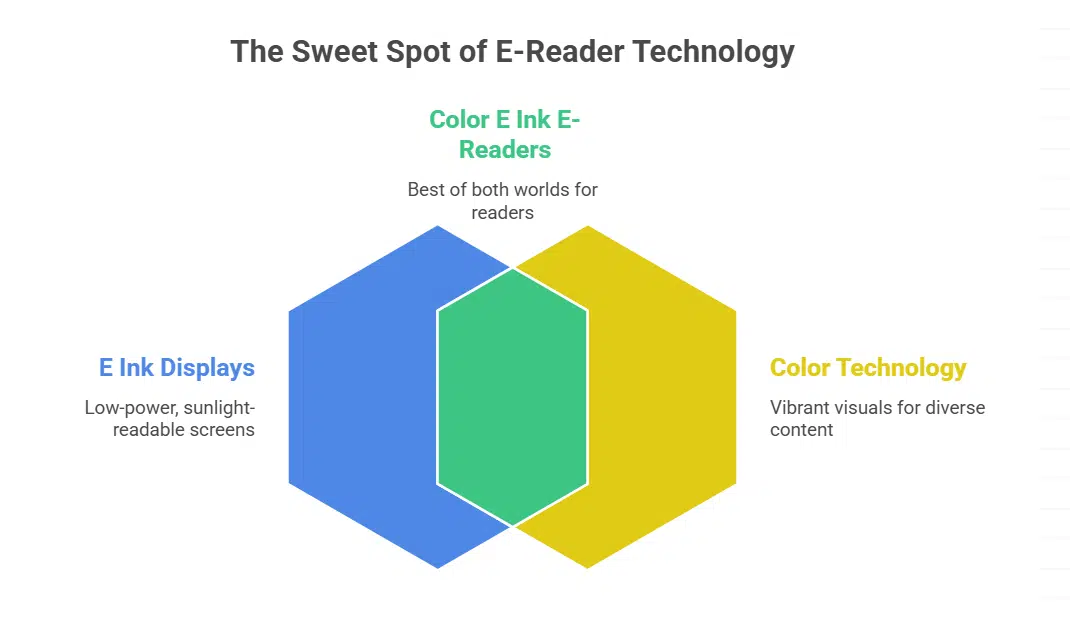
Color is an essential upgrade for e-readers. For years, Amazon Kindles have offered black-and-white E Ink displays, which are excellent for novels and text-heavy documents but fall short when it comes to comics, educational books, cookbooks, and children’s stories.
The Kaleido 3 color E Ink display, developed by E Ink Corporation, blends color pixels with traditional E Ink layers to offer low-power, full-color visuals without sacrificing readability or battery life. Unlike tablets, these displays are easy on the eyes, can be viewed in direct sunlight, and use a fraction of the power.
Color capabilities make Kindle a more compelling choice for readers looking to engage with diverse content formats—from art books and manuals to color-coded academic notes.
Comparison Table: Kindle Colorsoft vs. Signature and Kids Edition
| Feature | Kindle Colorsoft (16GB) | Kindle Colorsoft Kids Edition | Colorsoft Signature Edition |
|---|---|---|---|
| Price | $249.99 | $269.99 | $279.99 |
| Display | 7″ Kaleido 3 color E Ink | 7″ Kaleido 3 color E Ink | 7″ Kaleido 3 color E Ink |
| Storage | 16GB | 16GB | 32GB |
| Wireless Charging | No | No | Yes |
| Auto Brightness Adjustment | No | No | Yes |
| Warm Light | Yes | Yes | Yes |
| Dark Mode | Yes | Yes | Yes |
| Battery Life | Up to 8 weeks | Up to 8 weeks | Up to 10 weeks |
| Kids+ Subscription | No | 1 Year | No |
| Warranty | 1 Year | 2 Years | 1 Year |
Market Availability and Future Rollout
At launch, both new Kindle Colorsoft models are available only in the United States through Amazon.com. As of now, the company has not confirmed a release date for other markets, including India, UK, or Europe.
However, given the strong interest in digital reading tools globally—especially in education-focused households—a broader international rollout is likely. In past years, Amazon has expanded Kindle launches to countries like India within 6–12 months following the U.S. debut.
As e-learning adoption increases and digital libraries become more common in schools, these kid-focused and color-enabled Kindles may find a solid customer base beyond the U.S., especially in markets with growing demand for affordable edtech devices.
Amazon’s Strategy to Democratize Color Reading
The launch of the Kindle Colorsoft and Colorsoft Kids Edition signals Amazon’s intent to make color reading accessible, educational, and enjoyable for all age groups. These devices are not just e-readers—they are portable libraries, learning hubs, and gateways to digital literacy.
By removing some high-end features and optimizing for affordability, Amazon has struck a balance between performance and price. Whether you’re a student highlighting notes, a child discovering stories, or a comic book enthusiast, the new Kindles cater to a wide spectrum of readers.
As reading habits evolve in the digital age, Amazon continues to lead the charge in redefining the e-reader experience, combining hardware innovation with a content-rich ecosystem.