

Ever feel like your price looks smart in a spreadsheet, then falls apart the minute real buyers see it? That is why I care so much about saas pricing experiments.
I spent years running pricing at my SaaS product without outside funding, and I learned that a pricing plan can lift revenue, hurt expansion, or create billing pain long before the damage shows up in a dashboard.
In this guide, I will walk you through the 12 tests I would run first for an AI product, what to measure, and how to keep risk low.
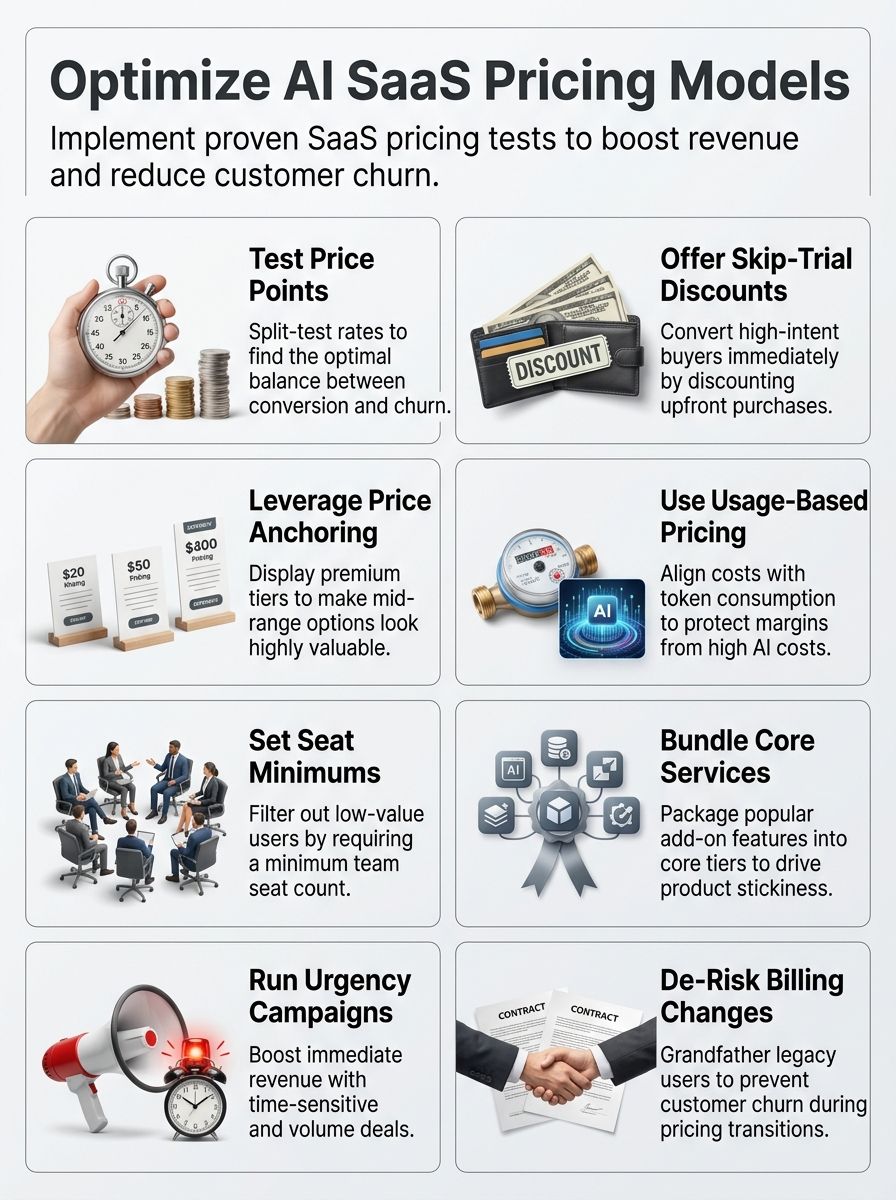
The Importance of Pricing Experiments in AI SaaS
I run pricing experiments because AI changes the math faster than classic SaaS ever did. In a 2026 Deloitte overview, based on Maxio survey data, 83% of AI-native SaaS companies were already offering usage-based pricing, which tells me fixed subscriptions alone are no longer enough for many products.
That shift matches what I see in the market. Stripe’s 2026 AI SaaS pricing guide makes the same point in plain English: per-seat pricing starts to break when customer value and your cost both rise with outputs, token calls, or agent runs instead of headcount.
I learned more from a failed price test than from three safe months of no changes.
So I treat pricing as part of product design, not a finance chore. I test small changes on new customers, gather direct feedback, and judge every win against ARPA, retention, support load, and lifetime value.
- Test the value metric, not just the sticker price, because AI costs often hide behind heavy usage.
- Protect existing customer billing, because surprise invoices create churn faster than almost any copy mistake.
- Watch margin and adoption together, because a higher price is useless if the right customers stop expanding.
Key Strategies for Running Effective Pricing Experiments
I run pricing experiments with a tight aim so I get clear signals. The best tests change one important variable, keep the audience narrow, and measure whether the result helps me increase revenue without hurting customer retention.
Define measurable goals
I start every pricing experiment with one primary goal and a few guardrails. If I try to lift paid conversion, ARPU, churn, and expansion all at once, the readout gets muddy fast.
GitHub handled this well before moving Copilot to usage-based billing on June 1, 2026. It gave customers a preview bill and admin budget controls first, which is exactly the kind of safety layer I want before any AI credit model goes live.
- Primary metric: paid conversion rate, trial-to-paid rate, or average revenue per account.
- Margin guardrail: gross margin after AI cost, especially for heavy users.
- Retention guardrail: day-30 churn, downgrade rate, and refund requests.
- Friction guardrail: billing tickets, pricing-page exits, and upgrade hesitation.
Small tests build confidence for bigger price changes. I also run cohort analysis because a price test that wins at checkout can still lose by month two.
Identify pricing variables to test
I list the pricing variables customers actually notice: entry price, included AI credits, overage rate, seat minimum, annual discount, feature gating, and invoice timing. Those are the levers that change willingness to pay without forcing a full pricing reset.
Two current examples show why this matters. Notion lists its Business plan at $20 per member a month, while Custom Agents are priced separately at $10 per 1,000 monthly credits. Slack uses a different lever, 50% off for three months, but only when a new team upgrades within its first seven days.
| Pricing variable | What it helps you learn | Best use case |
| Different price points | How sensitive buyers are at signup | Pricing page tests for new customers |
| Included credits | Whether customers want predictable spend | AI features with variable cost |
| Seat minimum | Which team sizes you really want to serve | Products flooded with very small accounts |
| Feature bundles | How buyers value convenience versus choice | AI features used weekly or daily |
Segment your customer base
I segment customers by team size, usage intensity, and buying intent before I ever touch the pricing page. Solo users, five-person teams, and 200-seat accounts react to the same price in completely different ways.
Segment by domain and seat count, and watch your average rise.
A minimum user threshold of five users filtered out freelancers for me, and a free plan for small teams helped me identify where support cost was rising faster than revenue. That kind of segmentation turns pricing from guesswork into positioning.
Small free users can still matter because they spread the product, invite coworkers, and expose onboarding friction. I just do not let that segment define the pricing structure for larger teams with real expansion potential.
12 AI SaaS Pricing Experiments Worth Running
These are the AI SaaS pricing experiments I would put on the shortlist first. Some aim for faster conversion, some protect margin, and a few exist mainly to reveal what customers are actually willing to pay.
1. A/B testing different price points
I ran A/B testing on different price points to find the right price and the right step between tiers. The hardest lesson was simple: a price can look logical to me and still feel punitive to the customer.
I split traffic between a $39 plan that allowed 15 users and a $119 plan that kicked in at 16 users. I tracked conversion rates, churn, upgrade reluctance, and revenue growth, and I watched ARPA changes when I tested minimum user thresholds versus no minimum.
The sharp jump from $39 to $119 caused clear customer dissatisfaction. Lower price anchors lifted conversion, but steep per-user jumps cut long-term loyalty and deterred expansion.
One 14-day SaaS product test made that tradeoff obvious. The $39 variant converted at 3.6%, while the $119 variant converted at 1.1%, and churn was 18% higher by day 30 for the customers who came through the higher jump.
2. Offering a “Skip Trial” discount
After testing price points, I like a skip-trial discount for buyers who already show strong intent. This works best when the customer does not need more education, they just need a clean reason to buy now.
Slack uses that logic on its pricing page today. A new team can get 50% off for three months, but only if it upgrades online within the first seven days, which is a smart way to separate high-intent buyers from people who still need a long evaluation cycle.
- Show the offer only to new customers, never to your full installed base.
- Cap the time window so the deal feels decisive, not permanent.
- Track refund requests and day-30 retention, not just fast revenue.
The risk is customer resentment if loyal accounts paid full price last week. That is why I keep this test narrow, temporary, and easy to explain.
3. Introductory discount strategies
I run introductory discount tests when I want to reduce first-purchase friction without cheapening the long-term price. The key is to make the discount short enough that the customer still meets the real product value early.
A good example is segment-specific onboarding. Notion currently offers eligible startups up to six months on its Business plan, which tells me longer introductory pricing can work when the segment has strong growth potential and high future expansion value.
For general self-serve buyers, I keep the discount shorter, usually one to three months, and require a credit card. That gives me better signal on trial quality, willingness to pay, and whether the lower entry price actually creates paying customers who stay.
4. Testing price anchoring techniques
After introductory discounts, I move to price anchoring. A strong anchor helps buyers make sense of value faster, especially when AI features make the product feel harder to compare.
Slack gives a clean example of this today with a ladder from Free to Pro, Business+, and Enterprise+. Business+ is framed as the best-value plan, while Enterprise+ sits farther right with contact-sales positioning, which makes the middle plan feel like the safe professional choice.
A good anchor makes the middle plan feel sensible, not cheap. I use that lesson by placing a premium tier where it clarifies the value of the core tier. If the anchor feels fake or overloaded with filler features, buyers see right through it.
5. Experimenting with usage-based pricing
I tested metered sync and API calls to stop abuse by smaller teams and to match price to actual usage. In AI SaaS, this matters even more because heavy users can create real model cost in a hurry.
GitHub made that same move in 2026 when Copilot shifted to usage-based billing with included AI Credits. The seat price for Copilot Business stayed at $19 per user a month and Copilot Enterprise stayed at $39, but usage beyond the included credit balance now has its own budget controls, which is the hybrid structure I usually prefer.
I keep usage pricing separate from core subscription revenue at first. That helps me see whether metering is protecting margin, or just scaring good customers with unpredictable bills.

For AI features, I model the cost floor before I touch the pricing page. In one token-based billing exercise, infrastructure cost came to $0.75 per 1,000 token calls. A heavy user averaged about 120,000 token calls per month, which meant roughly $90 in monthly cost before margin.
Adding a $40 monthly usage allowance plus a $0.05 per 1,000 overage rate changed the math fast. It reduced uncovered cost exposure to 12% of heavy users instead of 48%.
- Meter the expensive action, not every tiny event.
- Include a healthy usage allowance so the invoice stays predictable.
- Give admins a spend cap or alert before overages stack up.
6. Creating tiered pricing plans
After testing usage-based pricing, I tried tiered pricing next. My first model used sharp breaks, $39 for 15 users and $119 for 16 users, and customers reacted with anger and churn.
Years of saas pricing experiments taught me that hard cliffs create a feeling of punishment. A customer should feel invited to grow inside a tier, not trapped by a line on a chart.
I also saw the operational side of that mistake during a legacy tier migration. Within 60 days of introducing a minimum user threshold with an abrupt price cliff, billing-related support tickets rose 210%, downgrade requests increased 9% among mid-market accounts, and upgrade velocity fell 7% month over month.
- Smooth the jump between tiers with included seats, credits, or a softer overage band.
- Gate meaningful outcomes, not random feature scraps.
- Check whether the tier boundary creates support tickets before you call it a win.
I eventually phased out the harsh tiers, added a free plan, and moved toward a more inclusive structure. That lowered friction and made the product easier to explain.
7. Offering bundled services at a discount
I test bundles when buyers use several connected features together and hate add-on sprawl. Bundles work best when they simplify the purchase, not when they hide the real cost.
Current pricing pages show two useful patterns. Slack now includes a broad set of AI features inside paid plans, while Notion puts Notion Agent, AI Meeting Notes, and Enterprise Search Beta inside Business, then prices Custom Agents separately because that usage can scale much harder.
| Bundle style | What it does well | Best fit |
| Core bundle | Makes the buying decision easy | Features used daily by most customers |
| Bundle plus credit allowance | Keeps spend predictable while protecting margin | AI features with variable cost |
| Separate premium add-on | Stops power users from being subsidized forever | Heavy automation and agent workflows |
I watch bundle adoption, ARPA, and product stickiness closely. If the bundle lifts activation but kills expansion paths, it needs another round.
8. Testing dynamic pricing models
I use dynamic pricing very carefully. In SaaS, public price swings can damage trust fast, so I usually test dynamic offers, credit packs, or usage bands before I ever test dynamic list prices.
That approach fits the current AI market. Stripe notes that mature AI SaaS businesses tend to converge on hybrid pricing, and I think that is the safer path for most teams because customers still want predictable spend even when usage varies.
- Change the included allowance before you change the public base price.
- Limit experiments to new traffic or high-usage segments.
- Aggregate small charges daily or weekly so the bank statement stays clean.
I also log the frequency of adjustments. If buyers feel like the rules change every week, the pricing experiment stops being a learning tool and starts becoming a trust problem.
9. Adding a freemium plan
I added a freemium plan after years of testing, and signups jumped fast. Free can be a powerful distribution tool, but I never confuse distribution with monetization.
Trello shows why free can spread well. Its current free plan supports up to 10 collaborators per workspace, which is large enough for small-team adoption and sharing, but still leaves obvious reasons to upgrade when work gets more serious.
In my own signup funnel, the freemium tradeoff was clear after 90 days. Total signups increased 220% versus the prior quarter, but paid conversion from those new freemium users was only 2.4% over the same window.
- Give away the habit-forming part of the product.
- Put the hard ceiling on team scale, usage, or admin control.
- Treat free as a segmentation and marketing channel first.
Trial-to-paid still improved, but only by 0.6 percentage points. Free widened the top of funnel, yet the revenue payoff took longer.
10. Testing per-user pricing structures
Per-user billing let revenue scale with customer growth, but it also attracted many solo users and very small teams. I ran this early, and the downside showed up in support volume, invoice clutter, and micro-payments that were annoying for both sides.
I still think per-user pricing works when collaboration itself creates the value. Slack is a strong example of clean seat-based pricing, while GitHub’s current Copilot model shows the hybrid version, a seat price plus included AI credits, which is often better for AI features with real variable cost.
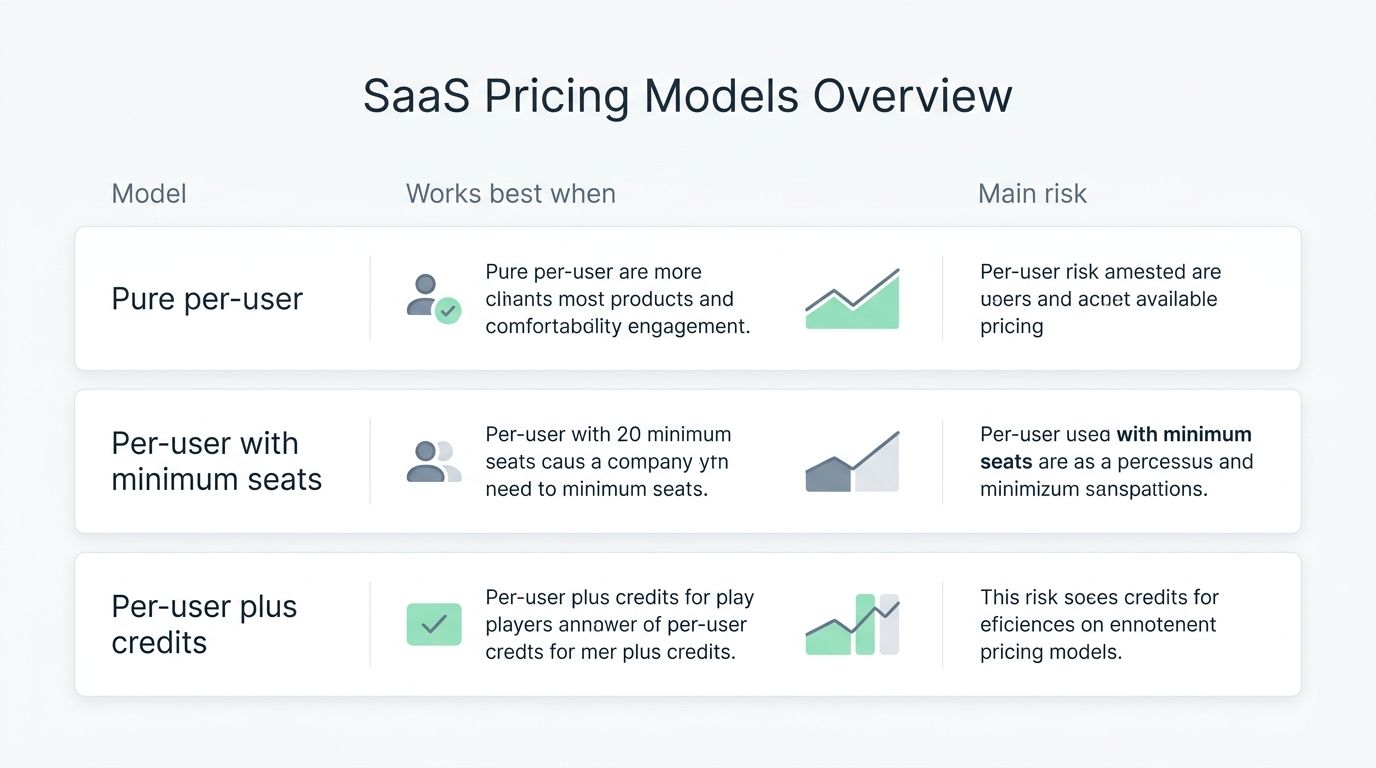
| Model | Works best when | Main risk |
| Pure per-user | Value rises as more teammates join | Small accounts flood support |
| Per-user with minimum seats | You want to filter out tiny accounts | Expansion feels blocked if the threshold is harsh |
| Per-user plus credits | AI cost varies by usage inside a team | Billing gets harder to explain if credits are unclear |
The minimum user rule lifted average revenue per customer for me because it filtered out freelancers and focused the product on larger teams. I just learned to apply that rule gently, not with a surprise bill jump.
11. Implementing flat-rate pricing for specific features
After testing per-user pricing, I implemented flat-rate pricing for a specific feature. The flat fee for a Trello power-up cost $10 per month for unlimited users and projects, and it looked beautifully simple on paper.
Only about 500 of 30,000 users converted to paying subscriptions. The simplicity killed upsells, heavy users were underpriced, and the feature never built enough momentum to justify further investment.
That result matters even more in AI. Notion’s decision to price Custom Agents by credits instead of folding them into a simple flat add-on is a good reminder that some features are too variable to sell at one universal price forever.
12. Seasonal or limited-time pricing offers
I test seasonal and limited-time offers when I want a fast read on urgency. They can spike conversion, but they need boundaries or customers start waiting for the next sale.
Slack’s current self-serve offer is a good template: 50% off for three months, limited to the first seven days for new teams, and excluded from annual and enterprise purchases. That is tight enough to create action without training the whole market to expect discounts forever.
- Use limited-time pricing for new customers, launches, or migrations.
- Keep the discount window short and the eligibility rules clear.
- Send 30-day, 7-day, and 1-day reminders if a pricing change is coming.
I also like loyalty credits during migrations because they soften the move to new pricing without turning the new pricing plan into a permanent negotiation.
De-Risking Pricing Experiments
I run small, controlled tests and limit exposure to a slice of the user base so I can spot problems fast. A clean rollback plan, clear messaging, and tight billing monitoring keep experiments from turning into customer support fires.
Collect customer feedback directly
I track feedback in real time because the first sign of a bad pricing move is usually confusion, not churn. Direct comments tell me whether the price is wrong, the packaging is wrong, or the explanation is wrong.
- Use a Reddit monitoring tool such as Pulse for Reddit to catch honest reactions, pain points, and wording that keeps showing up in public threads.
- Launch in-app banners with one specific pricing question so replies stay easy to sort.
- Tag support tickets by billing issue, such as upgrade confusion, overage shock, or seat mismatch.
- Host live Q&A sessions during major price changes and keep a running list of the objections that repeat.
- Turn common complaints into test ideas, then validate them with small cohort experiments.
- Update help docs and in-app copy the same week you spot confusion, not a month later.
Avoid disrupting existing customer billing
I keep risky billing changes behind a gate for new signups first. Existing customers either stay grandfathered, get a long transition window, or receive a clear credit that makes the move feel fair.
That approach lines up with what strong operators do now. Canva’s current terms say price increases do not apply until renewal or 30 days after notice, whichever is later, and added team seats are called out before the billing date. Slack also spells out that annual customers can still see charges at month-end when new members are added, which is exactly the kind of detail you should explain before you launch a seat-based test.
I also stop unnecessary prorated complexity whenever I can. If billing logic feels clever but forces customers to calculate the invoice by hand, I know I made the pricing structure too hard.
Measuring the Success of Pricing Experiments
I track each pricing experiment with revenue, behavior, and margin metrics. The point is not to find a clever price, it is to find a pricing model that keeps paying customers growing without creating support chaos or AI cost surprises.
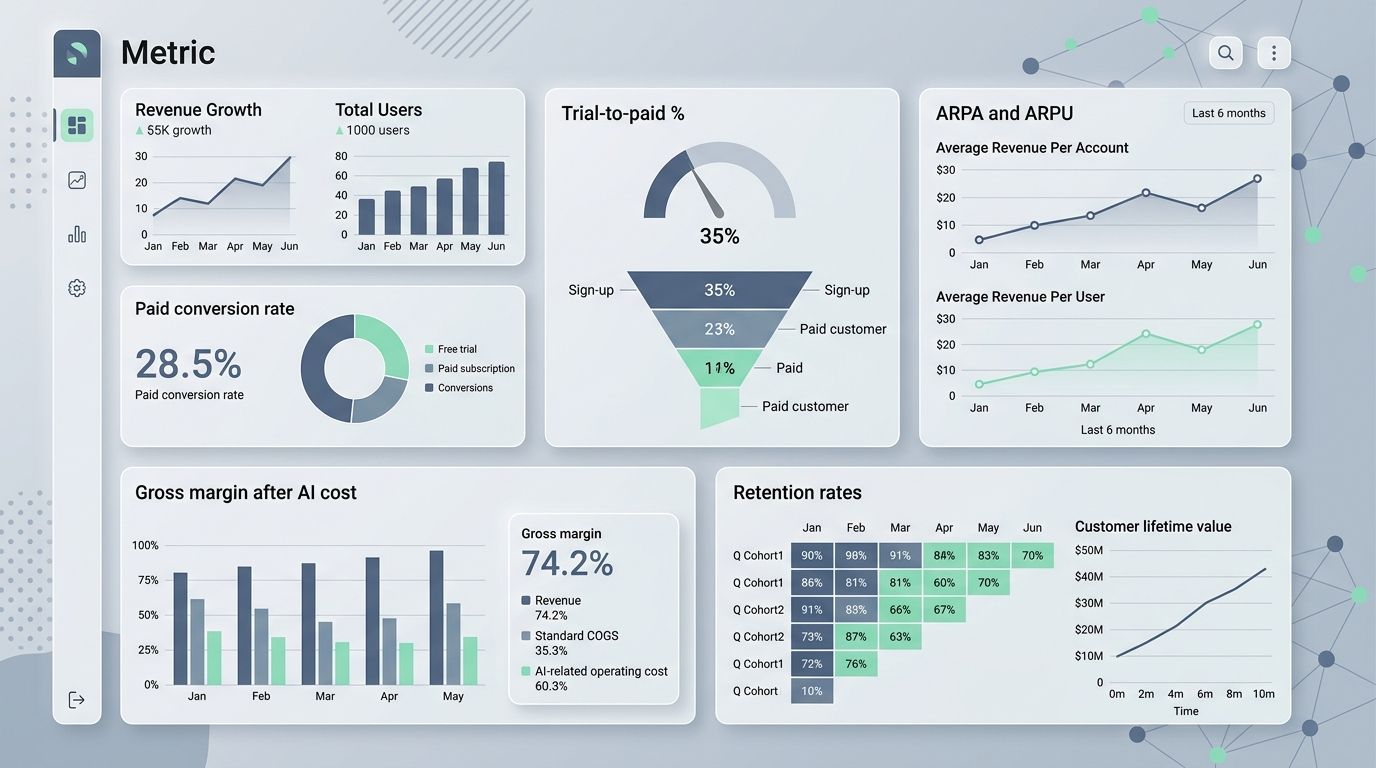
| Metric | How I measure it | Why it matters | Example action |
| Paid conversion rate | Compare trial cohorts, A/B price groups, and daily signup counts. | Shows which price points actually get buyers to commit. | Scale the winning price only after checking retention. |
| Trial-to-paid % | Track trial cohorts and compare discount versus non-discount paths. | Reveals trial quality, not just top-of-funnel volume. | Keep the intro offer only if the lift survives past the first month. |
| ARPA and ARPU | Segment customers by plan, team size, and usage pattern. | Measures whether average account value is rising in the right segment. | Use segment data to decide whether a seat minimum helps or hurts. |
| Gross margin after AI cost | Subtract model, infra, and support cost from each cohort. | Prevents a shiny AI plan from quietly losing money. | Add credits, caps, or overages if heavy users erase margin. |
| Retention rates | Review monthly cohorts, churn, downgrades, and reactivation. | Signals long-term pricing fit and value perception. | Rollback a pricing cliff if new cohorts leave faster. |
| Customer movement between tiers | Track upgrades, downgrades, and stalled expansions weekly. | Shows whether tier boundaries feel natural or punitive. | Smooth a harsh jump if customers stop at the edge of a tier. |
| Bundled service adoption rate | Compare bundle purchases with single-feature adoption. | Tells you whether convenience beats menu-style choice. | Keep the bundle if adoption rises without blocking future upsells. |
| Usage-based revenue | Monitor meters, overages, included credits, and capped accounts. | Shows whether usage pricing matches value or creates bill shock. | Raise the included allowance if overage complaints jump. |
| Support ticket volume | Compare billing and pricing tickets before and after each test. | Flags confusion faster than churn data usually can. | Rewrite pricing-page copy or invoice wording when one issue repeats. |
| Customer feedback and sentiment | Collect NPS, surveys, call notes, support tags, and public comments. | Adds context to the numbers so you know why they moved. | Pause a rollout if confusion grows even while conversion looks good. |
| Conversion spikes from urgency offers | Use time-boxed tracking, hour-by-hour where possible. | Measures short-term lift from limited-time pricing. | Repeat only if the customers stick after the promo ends. |
| Revenue by cohort over time | Track MRR, ARR, expansion, and contraction by start month. | Shows whether the gain lasts longer than the launch week. | Add upsell paths if intro discounts convert but lag in account value. |
Final Thoughts
The best saas pricing experiments are small, measurable, and easy to reverse. The real goal is not to find a magic number, it is to build a pricing strategy that fits your product, your buyers, and your AI cost structure.
If I were starting this week, I would run one clean price test, one packaging test, and one billing-clarity check. That is usually enough to learn something useful fast, without putting your existing customer base at risk.
Frequently Asked Questions About SaaS Pricing Experiments
1. What are the best AI SaaS pricing experiments to run?
Try split tests on price points, pricing levels, trial period length, and feature bundles. Use AI to spot customer segments, pick offers, and predict price sensitivity.
2. How do I measure success for these pricing experiments?
Watch conversion rate, churn, LTV, and ARR, those numbers tell the tale. Run split tests, then analyze customer data to pick the winner.
3. Which experiment is safest to start with?
Start small, with a split test on trial length or a low tier price change. It costs little, and you learn fast.
4. How often should we run pricing experiments?
Run one to three short tests a month, stop when results are clear. Then iterate, scale what works, and keep your subscription metrics in view.