

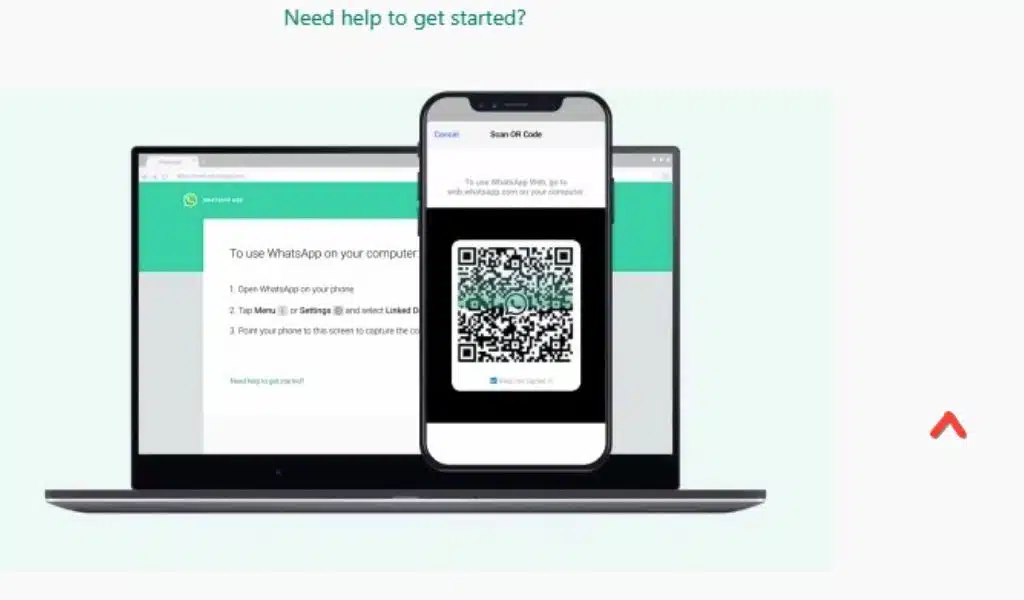
How to Fix WhatsApp Web QR Code Problem? [Step-by-Step Images Guide]

How to Fix the QR Code Error on WhatsApp Web

Listen to the Podcast:

WhatsApp recently added a new function called “Keep in Chat” that allows you to save messages that disappear to keep important data. That is, now temporary WhatsApp messages can be saved, yes, on condition that the sender of the message approves to stay in the chat.

And although WhatsApp has more and more functions, it is not exempt from having some errors, which fortunately can be easily solved. One of the most common errors happens when trying to log in to WhatsApp Web, so today we are going to show you how to fix the QR code error on WhatsApp Web.

What to do if you Cannot Scan the QR code When Entering WhatsApp Web?

The first thing you should know is that on certain occasions when trying to log in to WhatsApp Web, you will encounter an error that says that the QR code is invalid. If your device is unable to recognize the QR code, then we can do the following:

  • Update WhatsApp: We can check both the Android Play Store and the Apple App Store to see if we have pending updates for WhatsApp; if so, we must update the application. Updates usually have bug fixes. For that, just go to the “manage apps and devices” option in the app store.
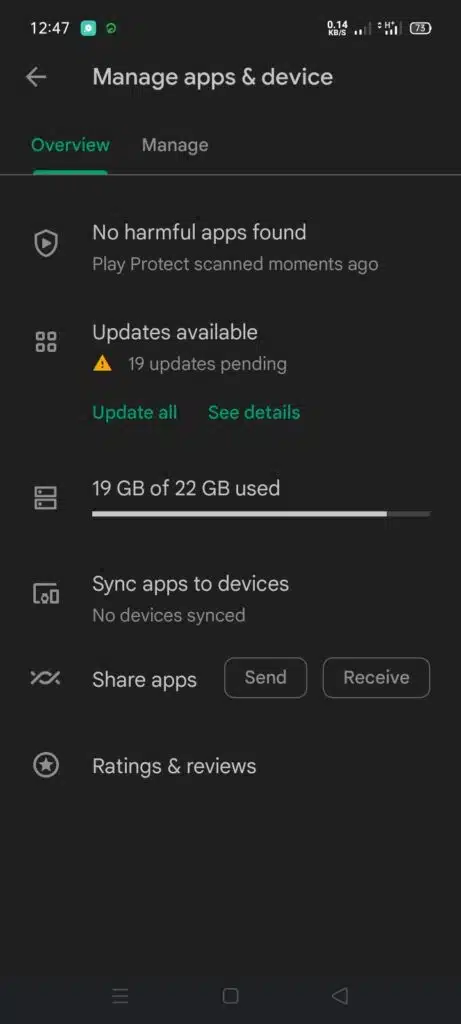
Update WhatsApp

  • Clear Cache: If the app is up-to-date and you are still getting the same error, you can do the following to clear the cache: We enter the administration of applications from the settings of our smartphone, we look for WhatsApp, we press on the option “Clear data” , and then we choose “Clear cache“.
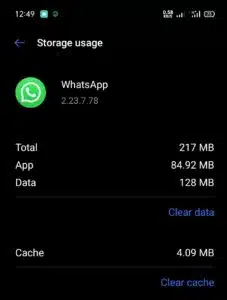
Clear Cache

  • Change your web browser: The problem may not be with your smartphone; try to log in to WhatsApp Web with another browser. You can also close the sessions that you have linked; for that, go to WhatsApp, press the three points, choose the “Linked Devices” option, select each device, and log out. Then try to enter WhatsApp Web again.
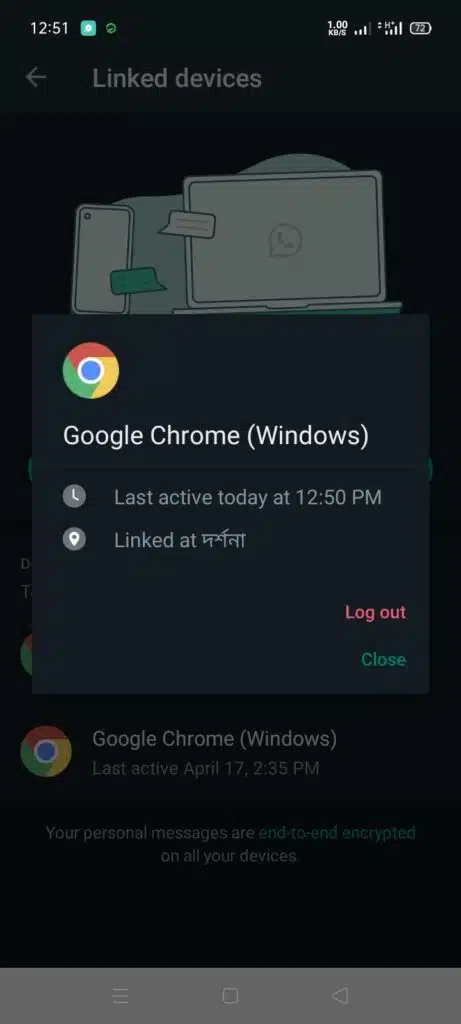
Change your web browser

  • Check the connection: it doesn’t hurt to confirm that both your computer where you use WhatsApp Web and your smartphone are connected to an Internet network. If both are connected, you shouldn’t have any problems.
  • Clean the camera: it is also possible that the camera of your device is dirty and therefore cannot recognize the QR code. Cleaning the camera with a soft cloth can solve the problem.

And that’s it. After these tips, you will be able to log in to WhatsApp Web, and if the problems still persist, maybe WhatsApp is not working. You can check if the application works well with websites like Downdetector, which will inform you of the problems with the app if they exist.



Subscribe to Our Newsletter

Related Articles

Top Trending

How Influencer Marketing Pricing Really Works
Landing Page Mistakes That Kill Conversions
7 Landing Page Mistakes That Kill Conversions (And How to Fix Them)
Why EdTech Pilots Fail
Why EdTech Pilots Fail: Lessons From Real School Rollouts
Best Public Datasets for Practicing Machine Learning
10 Best Public Datasets for Practicing Machine Learning
Ethical Dilemmas of AI: illustration showing AI ethics, algorithmic bias, data privacy, automation, human judgment, values, deepfakes, and the challenges AI creates for technology and humanity
9 Ethical Dilemmas AI Forces Us to Confront

Technology & AI

Best Public Datasets for Practicing Machine Learning
10 Best Public Datasets for Practicing Machine Learning
Ethical Dilemmas of AI: illustration showing AI ethics, algorithmic bias, data privacy, automation, human judgment, values, deepfakes, and the challenges AI creates for technology and humanity
9 Ethical Dilemmas AI Forces Us to Confront
Why Canva Became the Default Design Tool
Why Canva Became the Default Design Tool for Marketers
An infographic showing a computer and phone with security icons illustrating the process of two-factor authentication
What Is Two-Factor Authentication and Which Type Is Safest?
How data breaches happen through stolen credentials, compromised systems, network infiltration, and the theft of sensitive business information.
How Data Breaches Happen: The Anatomy of a Modern Attack

GAMING

Online Color Game Philippines
Online Color Game Philippines: What Every Beginner Should Know Before Playing
Ways to Reduce Game Development Costs
12 Ways Studios Cut Game Development Costs
NFT game development cost
How Much Does NFT Game Development Cost? A Realistic Budget Breakdown
Reasons Why You No Longer Need the Best Roblox AI Scripter
Forget Best Roblox AI Scripter: 10 Reasons Why You No Longer Need It
Blockchain Platforms for Game Development
The 9 Best Blockchain Platforms for Game Development

Business & Marketing

Raising Seed Capital for SaaS
Raising Seed Capital for SaaS: A Practical Founder’s Blueprint
marketing funnel
What Is a Marketing Funnel and How to Map Yours Step-by-Step
Mobile app for your business planning shown with app wireframes, performance analytics, budgeting notes, and multiple devices used to evaluate development decisions.
10 Questions to Ask Before Deciding on a Mobile App for Your Business
CAC Payback
Why CAC Payback Matters Far More Than Cheap Customer Acquisition
LTV to CAC ratio
The LTV to CAC Ratio: What It Is and Why Everyone Quotes It

EdTech & E-Learning

Why EdTech Pilots Fail
Why EdTech Pilots Fail: Lessons From Real School Rollouts
calendar activities for early learners
7 Calendar Activities for Early Learners to Build Time Sense
Global Disparities in AI Learning
Global Disparities in AI Learning: Why Some Students Are Left Behind
How Long Does It Take a Child to Learn the Alphabet
How Long Does It Take a Child to Learn the Alphabet? A Real Timeline
Games to Encourage Early Language Skills
I Tried 8 Games to Encourage Early Language Skills [One Flopped]

Software & Apps

Why Canva Became the Default Design Tool
Why Canva Became the Default Design Tool for Marketers
TikTok Story Viewer
TikTok Story Viewer: 10 Best Tools To View TikTok Stories Privately
Best Browser Based Tools that Replace Desktop Apps
10 Best Browser-Based Tools that Replace Desktop Apps
How to Convert OST to PST Free Online
How to Convert OST to PST Free Online?
Mobile app for your business planning shown with app wireframes, performance analytics, budgeting notes, and multiple devices used to evaluate development decisions.
10 Questions to Ask Before Deciding on a Mobile App for Your Business


















