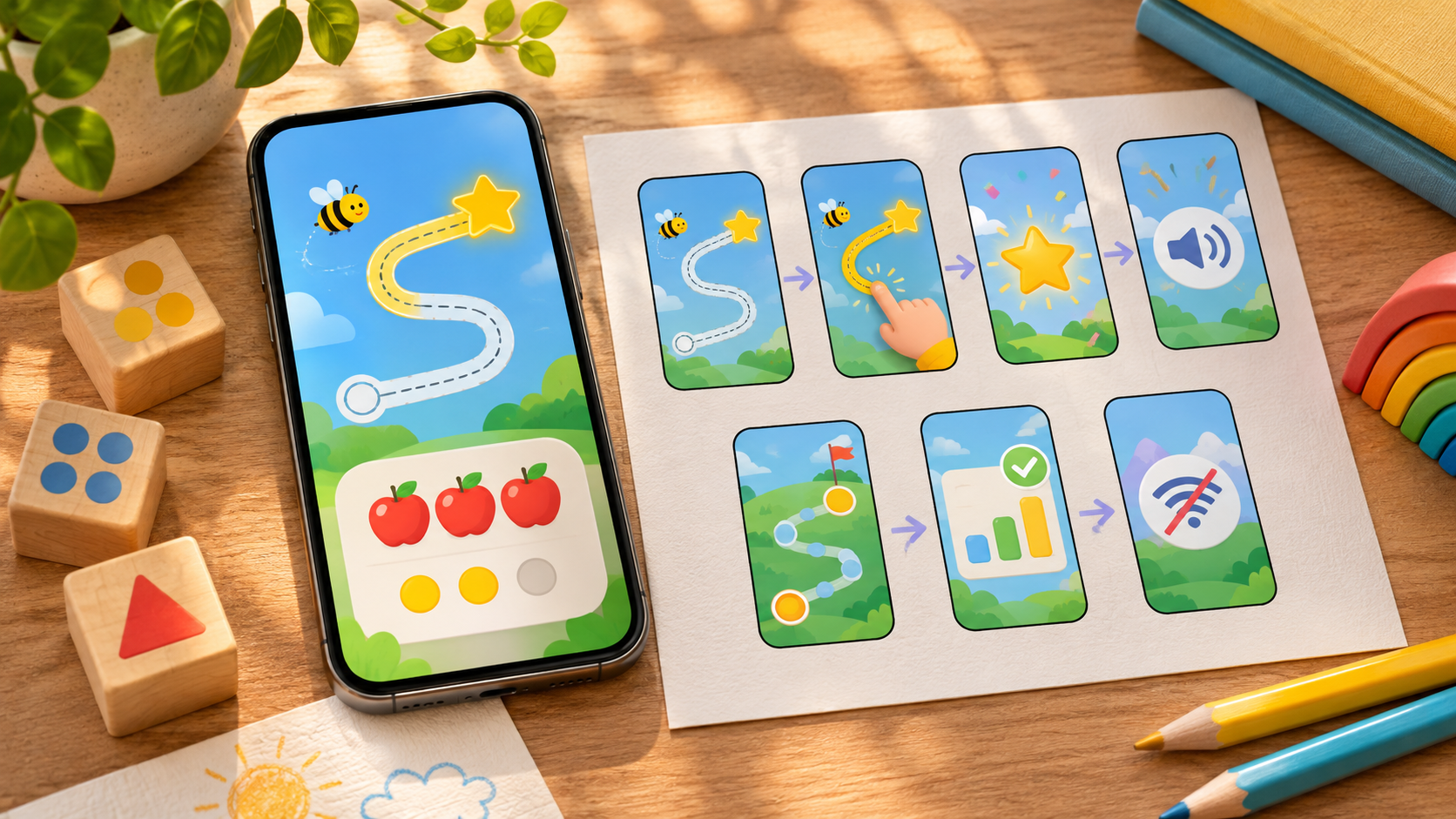
A numeral to object activity connects a written number on a screen with a collection you can touch. Show the numeral 3, invite your child to move three large blocks into a clear space, and check the total together. The useful observation is how the child builds the collection—not whether a game awards a star.
This guide gives you a repeatable setup, a worked example, and ways to respond when the numeral and the objects do not match. Start with a small quantity your child can comfortably explore. You can use an ordinary slide or drawing screen; a paid app is unnecessary.
What the activity connects
A numeral is a written symbol, such as 3. A number word is its spoken name, such as “three.” A collection of three blocks represents that quantity with objects. Naming the symbol and producing a matching collection are related tasks, but one successful response does not establish the other.
Meaningful counting involves more than reciting a sequence. The Institute of Education Sciences describes stable number-word order, matching one count to each object, and understanding that the final count tells how many objects there are. This last idea is called cardinality.
The What Works Clearinghouse early mathematics practice guide recommends teaching number and operations through a developmental progression. That guidance supports choosing an appropriately small starting task; it is not an endorsement or evaluation of this particular activity.
For a broader overview, see the number representations to look for in an early math activity. Here, you will concentrate on one connection: a displayed numeral and a real collection.
Prepare your numeral to object activity
Set up the materials before inviting the child to participate. A simple arrangement makes it easier to see which part of the task needs support.
- A device displaying one large, clear numeral on a plain background.
- Five large, age-appropriate blocks for the worked example using 3.
- A starting area for unused blocks and a separate empty area for the collection.
- A stable surface where the device and objects are both visible.
- A short note sheet for recording the prompt and assistance provided.
Use objects suitable for the child’s age and behavior, and supervise their handling. Avoid coins, beads, and other small loose counters when they present a choking risk. The US Consumer Product Safety Commission’s toy guidance advises following age labels and keeping small parts away from children younger than three. Supervision does not make an unsuitable small object appropriate.
For this proposed setup, choose similar blocks and leave decorative objects elsewhere. Put the screen close enough to read comfortably without requiring the child to hold it while moving blocks. Turn off distracting notifications if you can. Do not begin with a countdown, competing answer choices, or an animation you cannot stop.
Check the task yourself: can you see the numeral, move blocks without covering it, and keep the unused blocks separate? These are setup acceptance criteria, not a developmental test for the child.
Work through the example: show 3 and build three
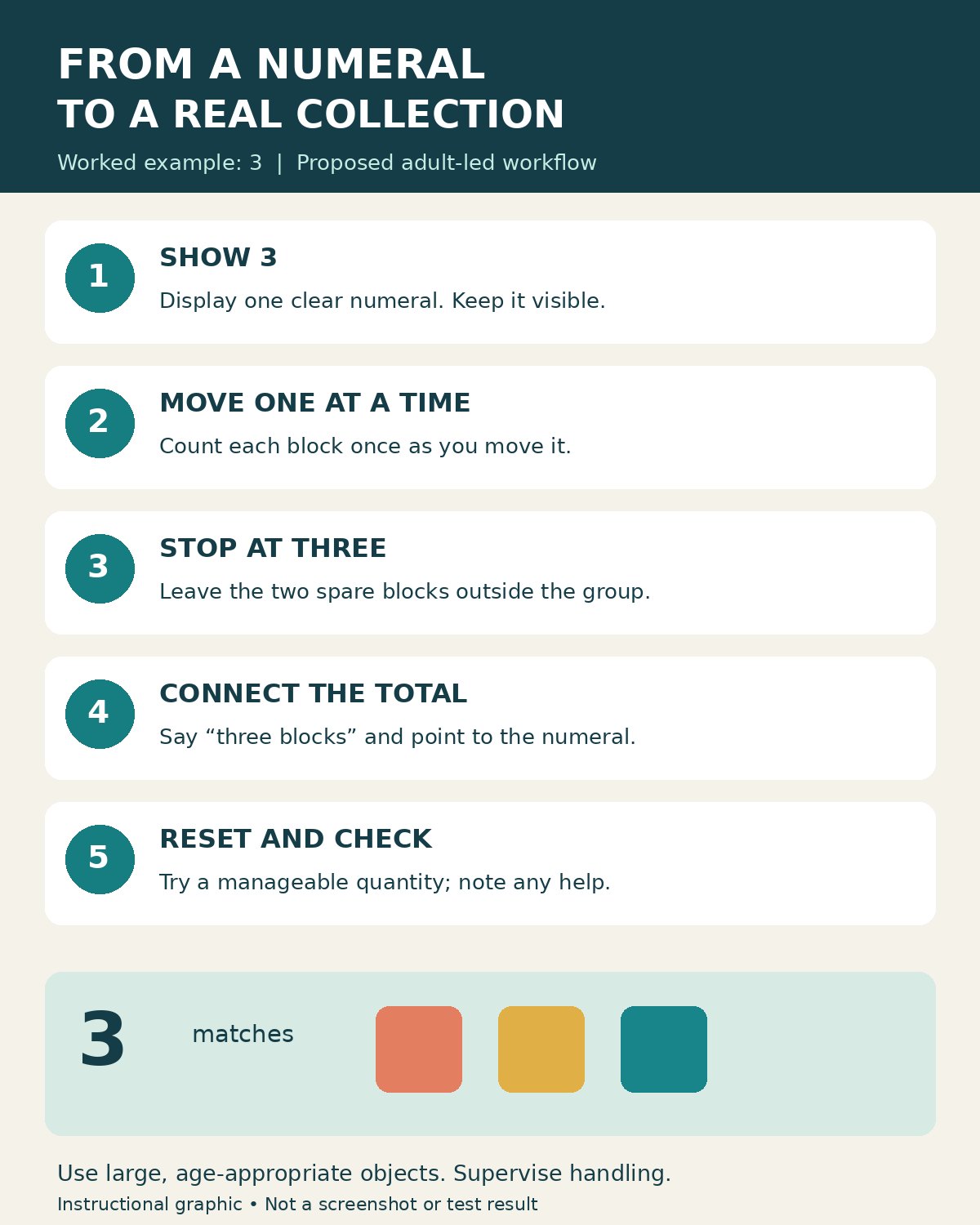
1. Establish what the screen is asking
Display 3 by itself. Say, “This numeral is three. Let’s make a group of three blocks.” Naming it is appropriate when your purpose is connecting the symbol with a quantity. If you instead ask the child to name it first, record whether you supplied the name afterward.
Keep the instruction consistent. “Make three” and “Count all the blocks” ask for different actions when five blocks are available. The first asks for a selected collection; the second asks for the total supply.
2. Demonstrate once if the routine is unfamiliar
Move one block into the empty collection area for each word: “One, two, three.” Stop after the third block. Indicate the whole group and say, “Three blocks. That matches the three on the screen.” Leave the two unused blocks in the starting area.
If the child needs a smaller example, model one or two instead. Avoid treating the example numeral as a required starting level for every child.
3. Reset before the child’s turn
Return all five blocks to the starting area and leave the collection area empty. Keep 3 visible. Say, “Can you put three blocks here?” Then allow time for a response.
Observe the action before correcting it. Does the child move one block with each count, gather a handful, or move all five? Each response gives you a different next step. If you immediately arrange the correct answer, you lose the opportunity to see what the child was trying to do.
4. Connect the stopping point to the total
When the child stops, ask, “How many blocks are in your group?” You can invite a point, gesture, familiar communication aid, or spoken answer. If another count is needed, count the selected group together.
Keep attention on that group rather than including the unused supply. Repeat the total naturally: “Three blocks.” Then indicate the displayed numeral. The intention is to connect the symbol with the collection, not to insist on a memorized sentence.
5. Make one small change
For another turn, reset the materials and display 2. Use the same wording and collection area. Changing only the numeral makes your notes easier to interpret than simultaneously changing the app, object type, and instructions.
If the child appears tired or frustrated, stop. There is no required number of rounds or pass rate in this guide. A brief supported attempt can be a sensible stopping point.
6. Finish with a simple check away from the device
If the child is willing, replace the screen with a paper numeral and repeat one familiar quantity. This is an optional way to observe the activity in a different format. Record the change rather than treating it as proof of lasting learning or transfer.
For additional help with matching one count to each item, use the explanation of one-to-one correspondence in counting.
Choose the next action from what you observe
The following decision table is a troubleshooting aid for this proposed workflow. Its suggestions are not diagnostic cutoffs or tested intervention results.
| What you observe | Try next | What to record |
|---|---|---|
| The child names 3 but moves all five blocks. | Clarify the empty collection area and model stopping after three. | Numeral named; building a selected group needed a model. |
| A block is counted twice. | Move each counted block into the separate area before counting another. | Whether separating counted objects changed the response. |
| The child skips a block. | Space the blocks clearly and count the selected group together. | Which prompt or layout helped. |
| The child builds three but cannot name 3. | Supply the numeral’s name and explicitly connect it to the group. | Quantity task completed with the numeral named by the adult. |
| The screen advances before the group is ready. | Use a static numeral on a slide or paper. | The display limitation and replacement used. |
| Moving objects is difficult. | Offer pointing or another established response; move objects as directed. | The child’s selections and the adult’s physical assistance. |
Change one feature at a time where practical. For example, if you both reduce the quantity and demonstrate every move, note both changes. Avoid describing the next successful attempt as independent.
Adapt the activity to your situation
When the numeral is unfamiliar
Say its name and use the activity as an introduction. You can temporarily show a matching dot pattern beside it, but record that additional cue. A child matching visible dots has a different task from a child building a collection from the numeral alone.
When counting needs more support
Reduce the quantity and demonstrate slowly. Keep the selected group physically distinct from the supply. Counting guidance for families from IES emphasizes one count per object and using the final number to identify the total; those are useful observation points here.
When access or language changes the response
Use familiar number words and an accessible way to respond. A child may direct an adult to move blocks rather than move them personally. Record the adaptation so you do not confuse help with handling materials with help choosing the quantity. For a child with an established communication or access plan, follow that plan with the relevant educator.
When a group is sharing materials
Give each participating child a clearly identifiable collection space, or take turns with one set. If several people add blocks at once, you cannot tell whose choices produced the final group. Keep individual observations separate from a shared demonstration.
Should you use a number app?
An app is optional. The screen’s job in this activity is to show a stable, readable numeral while the real-object work happens beside it. A plain slide may be easier to control than a game designed to move quickly between questions.
Editorialge Media LLC is the developer listed for 123 Magic Number Fun: Math Kid and owns Editorialge. This ownership relationship should be considered when reading this example. The Google Play listing checked on November 22, 2026 describes number-learning and object-counting activities and identifies ads and in-app purchases. Its listed update date is October 27, 2026.
No installed version or in-app screen was tested for this guide. Before using it, an adult should check whether a suitable numeral remains visible long enough and whether interruptions can be avoided. If not, use a static display. The same checks apply to an unrelated app. Neither store descriptions nor completion badges establish learning improvement.
The broader guide to making screen time educational offers context for choosing a specific purpose before starting.
Verify the setup and record the response
Before considering the workflow ready to reuse, verify that the displayed numeral is clear, the supply contains enough objects, the collection area starts empty, and your instruction asks for a matching quantity. Make sure the adult can identify which objects belong to the final group.
After a turn, write a factual note using this template: “Displayed numeral: __. Objects available: __. Prompt: __. Objects selected: __. Assistance: __. Child’s response about the total: __. Next adjustment: __.” Leave unknown fields blank rather than reconstructing them later.
If you share the activity with an educator, include the date, device, display or app version, exact screen state, and any changes to these steps. Ask whether your instructions match the intended number-representation goal. Reviewing that alignment is different from establishing the activity’s effectiveness.
Authentic evidence could include the numeral display and the resulting counter arrangement, with personal information excluded. An illustration or workflow graphic explains the instructions; it cannot document that the activity occurred.
What this activity cannot tell you
A correct collection on one turn does not show lasting understanding, explain why the answer was correct, or establish readiness for larger numbers. An incorrect collection does not by itself identify a learning difficulty. The wording, display, materials, attention, and assistance all affect what you can reasonably infer.
Use your notes to choose the next manageable attempt and to discuss repeated concerns with an educator who knows the child. Do not turn this informal activity into a timed assessment or compare children using its results.
Bring the symbol and the collection together
A useful numeral to object activity has a clear numeral, a manageable quantity, and a visible connection between the two. Show the symbol, invite a matching collection, discuss the total, and record the support needed. Keep the next step small enough that you can see what changed.
You can explore related topics through Editorialge’s EdTech and e-learning hub.
Frequently asked questions
Which number should you start with?
Choose a small quantity that makes the task manageable for the child. Three is the worked example, not a minimum expectation. Start with one or two if that makes the connection clearer.
Do you need a tablet or a learning app?
No. A phone or computer can show a plain numeral, and paper can replace the screen entirely. Choose the format that lets you control the display and focus on the objects.
Should you show exactly three available blocks for 3?
That can support an introductory demonstration. Offering five and asking for three adds the requirement to stop before using everything. Record which setup you used because they are different tasks.
Does a correct answer mean the activity worked?
It documents one response under particular conditions. Note whether the adult named the numeral, modeled the action, or helped count. A correct response alone does not establish independent understanding or measured improvement.