Tools for building branching customer support training scenarios let agents practice decisions before they face a real customer. The useful difference is what happens after a choice: the next response should reflect the agent’s action, not merely reveal a correct answer.
This documentation-led comparison covers six products rather than the eight originally planned. Each offers a way to construct decision paths; features, licenses and reporting need confirmation for your environment. No paid product workflow was tested for this comparison.
Tools for building branching customer support training scenarios compared
| Tool | Scenario approach | Consider before buying |
|---|---|---|
| H5P | Branching scenario content type | Hosting and LMS reporting depend on integration |
| Rise 360 | Scenario blocks with dialogue and feedback | Check current scenario-block license |
| Storyline 360 | Slides, triggers and custom decision paths | More design and maintenance work |
| iSpring Suite | Branching dialogue simulations | Check desktop and PowerPoint requirements |
| Adobe Captivate | Scenario slides and conditional navigation | Confirm instructions match product version |
| Genially | Interactive linked decision paths | Verify reporting and LMS export on your plan |
1. H5P: embed a decision tree in learning content
H5P’s Branching Scenario content type supports choices, feedback and different paths through an activity. A support trainer can build a conversation around a late delivery and let an agent choose whether to check the order, offer a remedy or escalate.
Choose where the activity will live before building it. The open-source content type and the managed H5P.com service have different hosting arrangements, and the information your LMS records depends on its integration. Check accessibility and learner tracking with your actual deployment.
2. Rise 360: add dialogue to an existing lesson
Rise 360 scenario blocks combine characters, dialogue, choices and feedback. They can put a short customer interaction inside a broader onboarding lesson without making the learner leave the course.
Its current documentation identifies a license requirement for scenario blocks. Confirm the edition and available branching depth, and compare the block with a more customizable authoring tool when an interaction needs many conditional states.
3. Storyline 360: control detailed routes and feedback
Storyline 360 uses slides and triggers to create branches. That flexibility helps when a practice call needs several choices, a policy check and a later consequence based on the learner’s earlier decision.
The trade-off is authoring effort: someone must keep the flow, policy text and scoring rules coherent as support procedures change. Test every path and verify how completion is reported to your LMS.
4. iSpring Suite: build a conversation simulation
iSpring Suite describes branching dialogue simulations with characters, locations and scoring. A trainer can use a conversation tree to show how an impatient customer responds to different attempts at clarification.
Check the current desktop and PowerPoint requirements and whether your team needs a separate LMS for assignment and reporting. A convincing simulation still depends on accurate policies and realistic feedback written by the training team.
5. Adobe Captivate: design a scenario within a course
Adobe’s learning materials describe scenario slides and navigation for branching activities. This can suit a team that wants customer-service practice alongside other multimedia course material.
Captivate Classic and newer Captivate releases have different interfaces. Match instructions to the version you actually use, and test navigation and completion in the intended learning environment before distributing a course.
6. Genially: make a visual decision path
Genially offers interactive scenario-based learning where choices route a learner through different content. It can work for a visual support exercise, such as choosing how to respond when a customer’s issue spans billing and technical teams.
Confirm the available export, branding and learner-reporting features for your plan. A visually rich scenario needs clear navigation and readable text; animation is useful only when it makes the decision easier to understand.
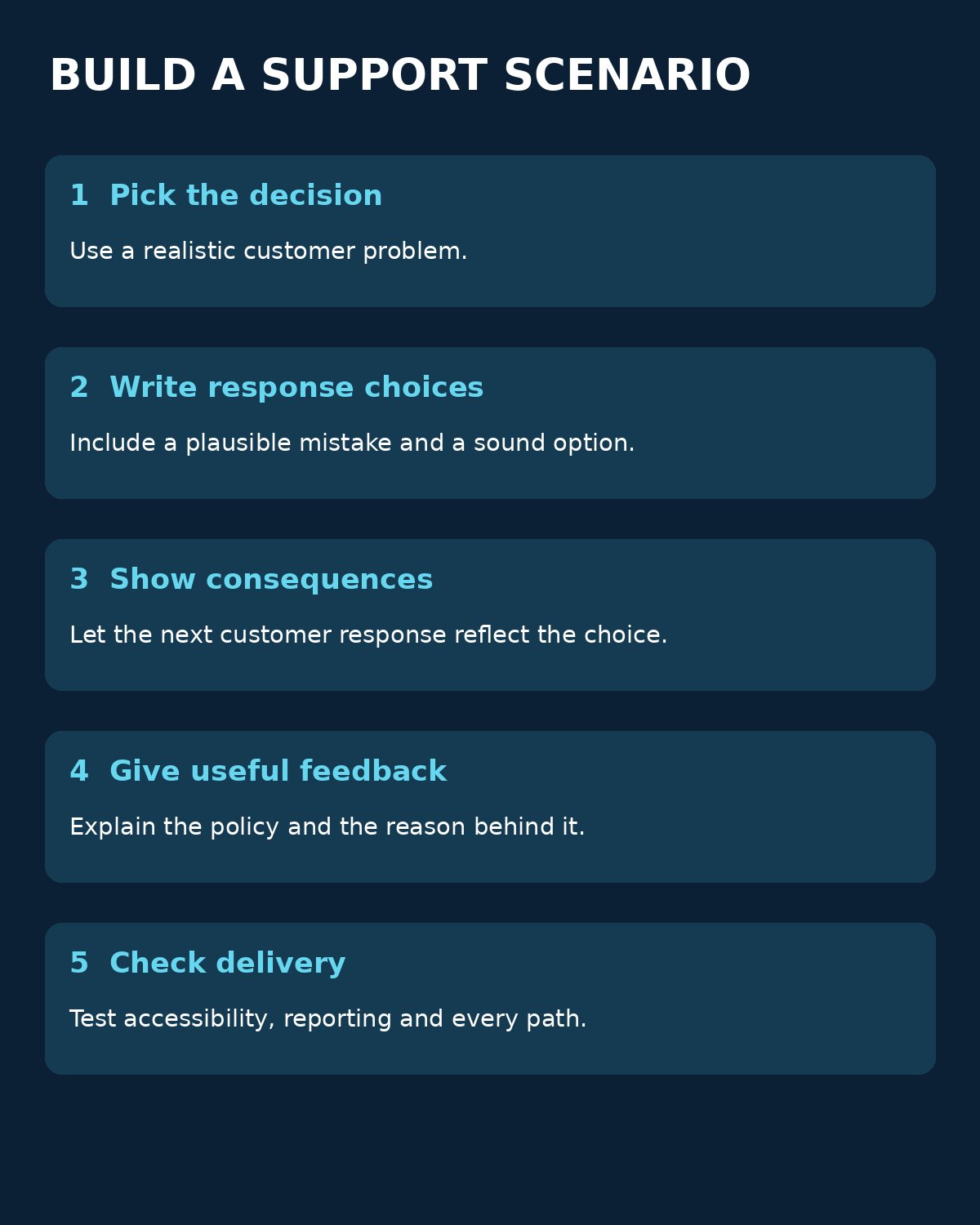
Choose by the workflow, not the number of branches
Start with one customer problem and a decision that changes the next step. A practical pilot could ask an agent to handle an unrecognized charge: verify identity, check account context, explain the next action and route a suspected fraud case. Use synthetic data and keep the approved policy close at hand.
Map at least one plausible mistake to a consequence, then give feedback that explains why it matters. Before rollout, test keyboard navigation, mobile readability, completion reporting and the path back after an incorrect choice. Ask a support lead to review the dialogue whenever policy changes.
For related context, Editorialge’s guide to interactive lesson tools explains broader authoring formats. A university H5P branching guide illustrates the content structure behind an example activity.
Choosing tools for building branching customer support training scenarios
Choose tools for building branching customer support training scenarios according to the decisions learners must practice, the systems that deliver training and the team that will maintain it. A short, well-reviewed interaction can be more useful than a complicated tree that no one can update.