
LMS tools for keeping different customer companies separate need to control more than the logo on a login screen. Your customers should receive the right courses, their managers should see only the records they are allowed to manage, and shared training should not accidentally expose another company’s learners. TalentLMS, LearnUpon, Docebo, Moodle Workplace, Thought Industries, Totara Learn, and Absorb LMS approach that job differently.
The useful starting question is what each customer must control independently: branding, enrollments, reports, identity settings, or the underlying data environment. A branded portal can solve the first problem without satisfying the last. This comparison focuses on those boundaries, rather than ranking platforms by their overall feature count.
Research-Based Review Overview
Official product pages and administrator documentation were reviewed on November 16, 2026. Inclusion required documented customer portals, branches, tenants, or department controls that can separate training audiences. These are research-based fit assessments, not results from logged-in product tests or a security audit. The seven entries are unranked.
The clearest distinction is between managing separate customer experiences and operating completely independent systems. TalentLMS and LearnUpon put portals at the center of the workflow. Thought Industries adds client licensing controls. Moodle Workplace and Totara offer explicit tenant concepts. Docebo connects customer experiences to organizational branches, while Absorb requires careful department and administrator configuration within a shared portal.
Compare LMS Tools for Keeping Different Customer Companies Separate
| Tool | Separation mechanism | Strongest fit | Boundary to examine |
|---|---|---|---|
| TalentLMS | Branches with distinct URLs and training settings | A training team launching customer sub-portals | Branch entitlement and overlapping memberships |
| LearnUpon | Portals with course sharing and licensing | Central course owners serving multiple clients | Users invited into more than one portal |
| Docebo | Extended Enterprise clients linked to branches | Complex customer identity and learning experiences | Parent branches and superadministrator access |
| Moodle Workplace | Tenant-aware roles, reports, and learning entities | Organizations needing configurable tenant administration | Shared database and deliberately shared visibility |
| Thought Industries | Panorama client portals and sublicenses | Training businesses licensing content to companies | Premium custom domains and portal scope |
| Totara Learn | Tenants with optional isolation | Programs requiring explicit tenant membership rules | Isolation setting and system-level users |
| Absorb LMS | Departments, locked controls, and scoped admin roles | Teams comfortable with shared portal governance | Global settings and content visibility during publishing |
If you are still defining the broader requirements, this guide to choosing a learning management system covers the underlying delivery and reporting questions. Customer separation adds another layer to that evaluation.
1. TalentLMS: Branches for Distinct Customer Training Spaces
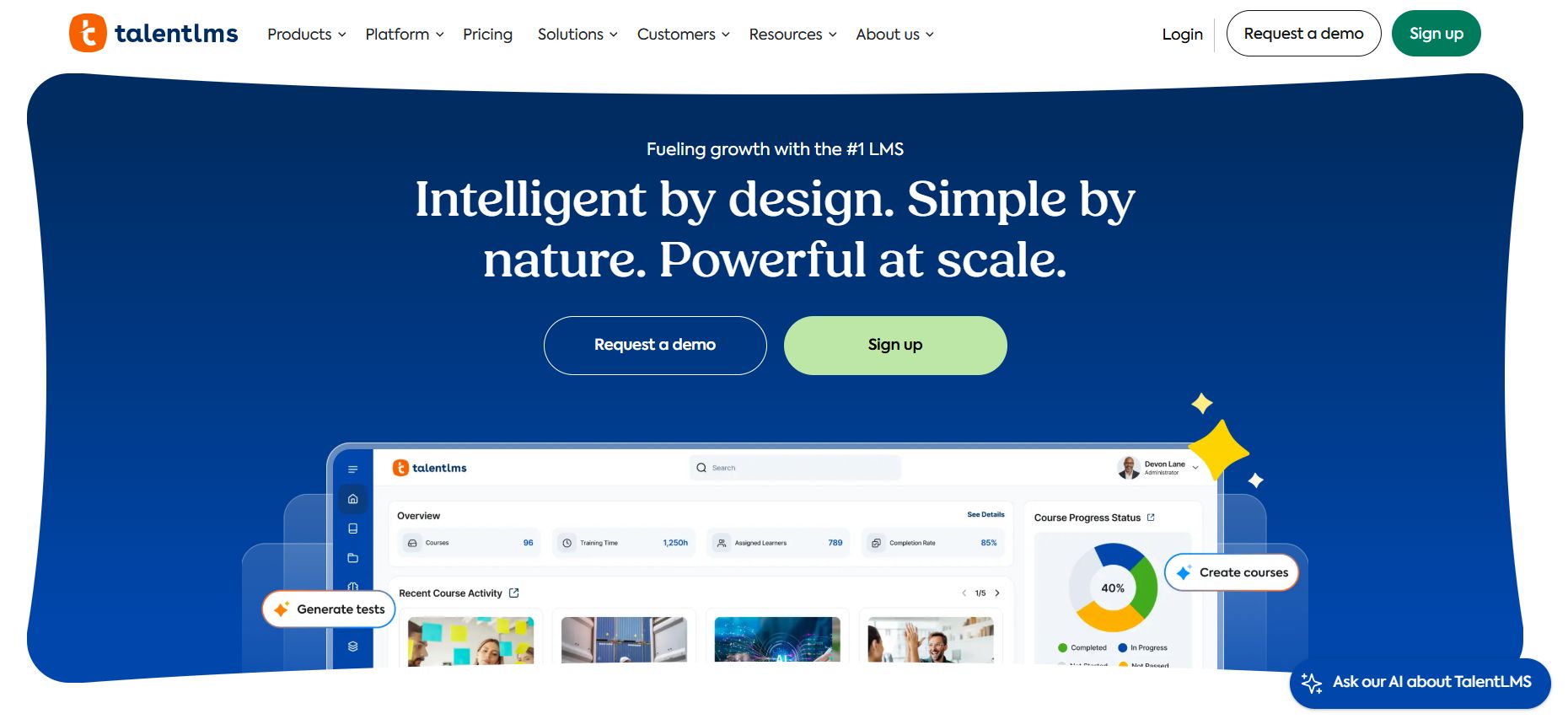
TalentLMS branches provide separate sub-portals with their own URL, appearance, language, users, and courses. That makes the product a sensible first candidate when the immediate requirement is recognizable customer spaces managed from one LMS.
For an illustrative setup, a training provider could place a manufacturer’s learners in one branch and a retail client’s learners in another, then allocate the relevant courses to each. Groups can organize cohorts within those spaces, but groups and branches are not interchangeable: a group is not automatically a separate portal.
The documented Restricted branch setting limits members to their branch login route, but overlapping membership matters. TalentLMS notes that a user who belongs to both restricted and non-restricted branches can still access the main domain. Build your membership rules before inviting customers.
Branches are unavailable on the Free plan, and the permitted count depends on the subscription. Also, separate storefront appearances do not imply separate payment accounts: branches using Stripe share the same Stripe account. This is a practical option for customer training segmentation, provided its branch and commercial boundaries match your operating model.
2. LearnUpon: Customer Portals With Central Course Management
LearnUpon’s portal model is useful when your team owns a common curriculum but delivers it to different companies. Its portal documentation describes copying, sharing, and licensing courses across portals, including enrollment limits and timeframes for licensed access.
That changes the maintenance question. You need to decide which lessons should remain centrally controlled and which a customer can adapt. A shared product-onboarding course may need one authoritative version; a customer’s internal procedures may need their own content lifecycle. Ask a demonstration to show both paths and what happens to existing learner records after an update.
LearnUpon also supports adding the same person to multiple portals within a realm. That is helpful for an instructor serving several clients, but it means portal membership is a deliberate access decision. A familiar email address should not become an excuse to grant broader access than the person needs.
Shortlist it when distributed delivery and reusable content are the main administrative challenge. Make the contracted portal allowance, cross-portal permissions, and customer-manager reporting part of the evaluation rather than judging separation by branding alone.
3. Docebo: Extended Enterprise Experiences Tied to Branches
Docebo’s Extended Enterprise app associates a customized client experience with an organizational branch and a distinct URL. That URL can use a subfolder or a configured secondary domain. Client settings can customize elements such as branding, catalogs, language, and single sign-on.
This structure suits a business with several customer programs whose identity and learning requirements differ. It also makes the organizational chart consequential. Docebo documents that members of a child branch can access the client associated with its parent branch as well as their own.
For unrelated customers, a careless parent-child arrangement can therefore create an access path your commercial team never intended. Draw the proposed branch tree before approving the implementation, and include shared instructors and customer administrators in that diagram.
Superadmins are not restricted by Extended Enterprise boundaries. That is necessary central administration, but it should be understood when customers ask who can access their environment. Docebo merits consideration for sophisticated audience experiences; it requires a thoughtful permissions design, not just additional domains.
4. Moodle Workplace: Explicit Tenants With Configurable Administration
Moodle Workplace provides tenant-aware users, roles, reports, learning entities, and branding within one installation. Its documentation distinguishes global features from settings managed for each tenant. This is relevant when the customer company needs a meaningful administrative boundary, rather than only a different homepage.
The important qualification is architectural. Moodle’s documentation says tenant user information is stored in the same database and table. It describes virtual partitioning, not a promise of physically separate storage. Administrators can also enable sharing that affects visibility in areas such as participant lists, forums, reports, and gradebooks.
If a customer’s requirements call for physical separation, the documentation points toward separate Workplace sites rather than relying on tenants alone. Put that decision ahead of theme design or course migration.
Workplace is available through Moodle Certified Partners and Service Providers; do not assume these capabilities are included in an ordinary Moodle LMS deployment. It is a strong candidate for configurable customer environments when the implementation partner can demonstrate the exact tenant and sharing rules your project requires.
5. Thought Industries: Panorama for Licensed Customer Learning
Thought Industries’ Panorama feature is particularly relevant to businesses selling or granting learning access to other companies. A Panorama provides a client-specific experience with content provisioning, client reports, branding, and manager roles.
Sublicenses add a useful commercial layer. The documented controls include content allocation, seat limits, and expiration dates. A training provider can therefore structure a customer’s entitlement rather than treating every learner as an unrelated individual enrollment.
The distinction matters when a buyer purchases a defined course package for a team. Your acceptance demonstration should show the customer manager’s reporting view and what happens when that entitlement expires. Those checks are more revealing than a tour of the public course storefront.
Custom Panorama domains are a premium feature that must be enabled, and Thought Industries recommends considering a separate instance when a client needs an entire independent public site or outgrows Panorama’s structure. Choose it for client licensing and branded delivery; establish whether the customer wants a portal or a separately operated learning business before signing.
6. Totara Learn: Tenant Membership and Isolation Controls
Totara Learn makes tenant isolation an explicit configuration choice. With isolation enabled, tenant members are restricted to their tenant’s learning content and users. Without it, access to shared site-level content can allow people from different tenants to interact, such as through a shared course forum.
That distinction offers flexibility, but it also creates an implementation responsibility. A program intended to bring partners together has different requirements from one serving competing customer companies. The same shared course may be useful in the first case and unsuitable in the second.
Totara distinguishes tenant members from participants such as trainers working across customer environments. System-level access and site administrators also require separate attention; an isolation switch is not a replacement for reviewing every role.
The platform is worth examining when explicit membership rules and tenant-aware learning delivery are central to your design. Before purchase, agree the supported version, permitted commercial use, configuration ownership, and content-sharing approach with the provider. Test with ordinary learner and customer-manager accounts rather than accepting a demonstration performed entirely as a site administrator.
Absorb documents a shared-portal approach using Departments, Locked Department controls, and granular administrator roles. Those controls can organize customer learners, content, and administrative visibility while maintaining central oversight.
The consequential limitation is that some configurations remain global. Absorb’s multi-tenancy guidance identifies shared settings and integrations that can affect all participating brands. A customer requirement for an independently configured external system needs explicit examination rather than an assumption that a department provides it.
Its documentation also highlights a specific publishing concern: content published from Absorb Create may be briefly visible to administrators before Department visibility and locked rules are applied. Proprietary customer material therefore needs a controlled publishing procedure.
Absorb belongs on the shortlist when shared governance is acceptable and a central team can manage it consistently. It is a less straightforward fit when every customer expects independent integration settings or strict content separation throughout every publishing step. Ask for those workflows to be demonstrated, including what the least-privileged customer administrator can actually see.
A Two-Customer Acceptance Test Before You Commit
Use the following proposed evaluation with synthetic data. It is a test plan, not a report that these seven products have passed it. Create fictional Customer A and Customer B, each with two learners and one manager, plus a central instructor who legitimately serves both.
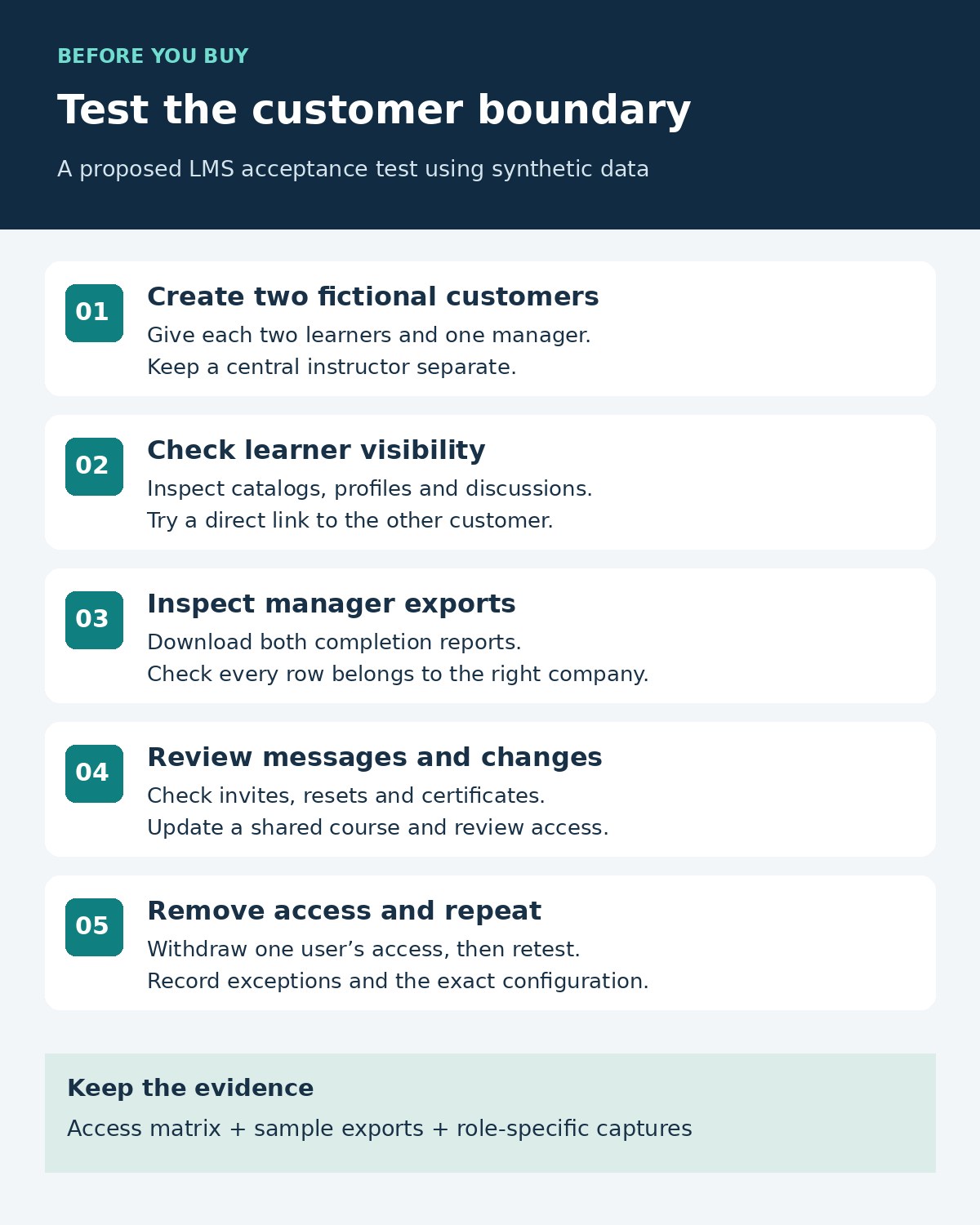
- Create one shared course and one private course for each customer. Document who may edit, enroll, and report on each.
- Sign in as an ordinary learner. Search the catalog, participant lists, discussion areas, and profiles. Try a copied URL from the other customer.
- Sign in as each customer manager. Export the completion report and inspect every row, not just the dashboard totals.
- Check invitation, password-reset, reminder, and certificate messages for the correct customer identity and destination.
- Change an enrollment and update a shared course. Confirm the intended audience receives the change without gaining new access.
- Remove a customer user’s access and repeat the direct-link checks. Record the result, configuration, and any exception.
A successful demonstration should produce an access matrix, sample exports, and screenshots from the relevant roles. Record any necessary administrator exception. The FTC’s business data-protection guidance provides useful background on tracing information and limiting unnecessary access; it does not certify any LMS in this list.
What to Put in the Buying Brief
Ask every supplier to price the same scenario: the number of customer environments, active learners, customer administrators, branded domains, identity connections, and required support. Include implementation, data migration, additional environments, and export needs. A low starting subscription tells you little if the separation feature is outside that configuration.
Also decide what happens when a customer leaves. Specify which completion records can be exported, who performs the export, when access ends, and which retained records remain necessary. Reporting convenience should not silently become indefinite access.
Choose the Boundary Before the Brand
The right LMS tools for keeping different customer companies separate depend on the independence each customer needs. Start with TalentLMS or LearnUpon for portal-led delivery; examine Thought Industries for client licensing; consider Docebo for complex branch-based experiences. Moodle Workplace and Totara deserve attention when tenant configuration is central, while Absorb fits teams prepared to govern a shared portal carefully.
Narrow the shortlist to two platforms and run the same two-customer acceptance test. Buy the configuration that demonstrates your required boundaries, with its exceptions documented, rather than the demonstration with the most attractive login page.