One missed line on a spreadsheet bid can wipe out a project’s profit. Modern construction estimating software eliminates this risk by automating digital takeoffs, accurate pricing, and professional proposals. The right platform depends entirely on your specific trade and team size.
Clear Estimates is ideal for residential remodelers, Buildxact suits small builders, STACK excels at plan takeoffs, and platforms like Procore handle heavy commercial jobs. Below, we break down the top tools by pricing, free trials, and core strengths so you can bid accurately, win more profitable jobs, and stop leaving money on the table.
Construction Estimating Software Compared: Prices, Plans and Free Trials
A $59 tool and a $299 tool aren’t priced the same way, so the sticker price can fool you. Some tools charge per user, and others charge one flat price for the whole team.
The table puts all nine picks side by side, with an estimated cost for a five-person team. Where a tool bills by the year, you’ll see the up-front amount too.
| Tool | Best for | Starting price | Billing basis and terms | Est. cost, 5 users | Free trial or free version |
| Estimator360 | All-in-one estimating for contractors | Not published in our sources; request a quote | Not verified; ask if per user or flat | Team cost unverified | Not verified; ask the vendor |
| STACK | Digital takeoff | $299/user/month for Takeoff & Estimate | Per user; one third-party review lists this price as billed annually, so confirm terms | About $1,495/month, or about $17,940 a year | Free version of Takeoff & Estimate; two-week trial of Build & Operate |
| Procore | Commercial projects | Not published in our sources; request a quote | Not verified; ask if per user or flat | Team cost unverified | Not verified; ask the vendor |
| Clear Estimates | Residential contractors and remodelers | $59/month billed annually; $79 month to month | Plan price; annual Standard is $708 up front; no contract | Team cost unverified; ask how many users each plan includes | 30-day free trial |
| Buildxact | Small builders and trades | $199/month (third-party reported) | Flat, unlimited users (third-party reported; confirm with vendor) | $199/month if the flat rate holds | Not verified; ask the vendor |
| PlanSwift | Point-and-click takeoff for GCs | $2,000/year per seat (Essential); $3,000/year (Core) | Per seat, paid annually; volume pricing at 10+ licenses | $10,000 a year on Essential (about $833/month); $15,000 on Core | 14 days, no credit card |
| ProEst | Fast bids | Not published in our sources; request a quote | Not verified; ask if per user or flat | Team cost unverified | Not verified; ask the vendor |
| Sage Estimating | High-volume projects | About $300/user/month (third-party estimate) | Per user | About $1,500/month | Not verified; ask the vendor |
| Togal.AI | AI-powered takeoff | Not published in our sources; request a quote | Not verified; ask if per user or flat | Team cost unverified | Not verified; ask the vendor |
For a flat-rate comparison, Buildertrend is not one of our nine picks, but it includes unlimited users and projects on every plan. It sells by quote, and third-party estimates put it at about $339 to $1,099 a month.
Prices change, so check each vendor’s pricing page before you sign. Where a price isn’t published, ask for a written quote for your full team. Ask if the quote is per user or flat, and if you pay monthly or a year up front.
What a Bad Estimate Really Costs
Projul puts it bluntly: “Bad estimates kill construction businesses. You underbid a job by 8%, and suddenly you’re working for free.” Projul also cites an AGC figure that puts estimating error at 5% to 15% of project value.
Here’s the math as an example. Say your job costs $92,000 to build, and you plan to bid $100,000 for $8,000 in profit. If a missed line drops your bid to $92,000, that $8,000 is gone, and you build the whole job for nothing.
Software won’t promise you’ll never miss a line. But a tool that links your takeoff to your prices gives you fewer places to slip. As Software Connect notes, “Even a small error in an estimate can result in missing out on projected profit or, even worse, losing an entire project.”
Team Math: Per-User vs. Flat Pricing
One line from Projul sums up the trap: “Per-user pricing sounds reasonable at $80/month until you need 10 people in the system.” Per-user prices grow with every estimator, project manager, and office person you add.
Take STACK’s Takeoff & Estimate plan at $299 per user. Five users come to about $1,495 a month, and ten users come to about $2,990 a month. Sage Estimating at about $300 per user lands in the same range, near $1,500 for five and $3,000 for ten.
Flat pricing works the other way. If Buildxact’s reported $199 rate with unlimited users holds, your tenth user costs the same as your first. Confirm that rate with the vendor before you build a budget on it.
PlanSwift sits in between. Each seat costs $2,000 or $3,000 a year, paid up front, and volume pricing starts at 10 or more licenses. At list price, five Essential seats cost $10,000 a year, so ask for the volume rate before you buy ten.
Not everyone on your crew may need a full estimator seat. Ask each vendor which roles need a paid license and which can view for less. That one question can cut your team cost a lot.
Watch the add-ons too. As Jobber puts it, “A less expensive plan may cost more in the long run if you need several add-ons to support your workflow.”
Monthly vs Annual Billing
Paying for a year up front often cuts the monthly price. Clear Estimates Standard is $79 month-to-month but $59 a month billed annually. Pro drops from $119 to $99, and Franchise drops from $249 to $199.
On Standard, you save $20 a month, or $240 a year. The catch is that you pay $708 at once instead of $79 at a time. Start monthly during your first few bids, and switch to annual once you know the tool fits.
STACK’s $299 per-user price is quoted as billed annually by one third-party review, so confirm the billing terms before you compare.
What Features Should Construction Estimating Software Have?
A spreadsheet only knows what you type into it. Estimating software ties your takeoff to your prices, so a change in one place flows through the whole bid. As Jobber notes, “Construction estimating software can simplify complex calculations, reduce errors, and improve project forecasting.”
Use this checklist when you run a free trial:
- Digital takeoff. Measure areas, lengths, and counts on a PDF plan instead of using a scale ruler. “Digital takeoff tools modernize this process and enable estimators to perform precise measurements and counts from digital plans.” If you bid from BIM models, check for 3D as well as 2D plans.
- A cost database for labor and material. Built-in prices save you from calling suppliers for every line. The best ones adjust for your region, so a bid in California doesn’t use Texas labor rates.
- Linked assemblies. Tie a base measurement, like wall area, to studs, drywall, paint, and labor hours. Change the wall, and the whole assembly updates.
- Integrations. “Your estimate needs to flow into your accounting system without someone retyping everything.” Jobber adds that connecting these steps “can reduce duplicate data entry and make it easier to carry estimate information into the job.” Look for QuickBooks or a link to your project management software.
- Proposals and reports. The tool should turn your numbers into a branded, client-ready proposal. Win-loss reports show which bids land and where your costs run high.
- Cloud access and user roles. Your crew can open the same estimate from the office or the job site. Role-based access lets each person see only what they need.
How Deep Should a Cost Database Be?
Use RSMeans Data as your yardstick. It lists over 85,000 unit prices, 25,000 building assemblies, and 42,000 facilities repair and remodeling costs.
It can be adjusted to any location in the U.S. and Canada. The online database is updated year-round as costs change.
Most contractor tools are smaller, and that can be fine. Clear Estimates has a 13,000+ line item pricing database, which covers a lot of residential and remodeling work. For the other picks, our sources don’t give an item count, so treat database depth as unverified until the vendor answers.
Before you buy, ask each vendor four things. How many line items are there, and can you adjust prices for your area? How often are prices updated, and does database access cost extra?
1. Estimator360: Best All-in-One Estimating Software for Contractors
- Best for: General contractors, small builders, and trade pros who want takeoff, estimating, project management, and billing in one cloud system.
- Price: Not published in our sources. Ask for a quote for your whole team, and ask if it is per user or flat.
- Free option: Not verified. Ask whether they offer a trial or only a demo.
- Skip it if: You only need a takeoff tool, or you want a price you can see before you talk to sales.
Estimator360 is a cloud-based tool, founded in 2016, built to take you from takeoff to final bid in one place. You can take project photos, review measurements, and edit takeoffs right on the platform.
It pairs digital takeoff with a cost database for labor and materials, so you build each estimate on stored prices instead of rough guesses. You can create custom reports and proposals straight from the software.
What sets it apart is the full workflow. It runs from takeoff to project management to billing, so fewer numbers get retyped along the way. Before you compare it with the tools in the table, get a written team quote.
2. STACK: Best Construction Estimating Software for Digital Takeoff
- Best for: Growing general contractors with one or two estimators who spend most of their bid time measuring plans.
- Price: Takeoff & Estimate starts at $299 per user per month. Build & Operate starts at $49 per user per month, and the Full STACK Platform starts at $348 per user per month.
- Free option: STACK has a free version of Takeoff & Estimate and a two-week free trial of Build & Operate. Our sources don’t list the free version’s limits, so ask what it leaves out before you plan a full live bid on it.
- Skip it if: Five or more people need to estimate and your budget can’t handle about $1,495 a month.
STACK is built around digital takeoff. You upload your plans, then measure areas, lengths, and counts right on the screen, on residential or commercial work.
The free version is the big draw for a contractor still using paper plans. You can learn the takeoff side before you pay anything. Software Connect gives STACK an editor’s rating of 9.0 out of 10.
Because it’s cloud-based, several people can work on one takeoff from the office or the field. STACK also connects with other construction management tools you may already use.
The catch is per-user pricing. One user is $299 a month, but ten come to about $2,990 a month. If the whole office needs access, compare it with a flat-rate tool first.
3. Procore: Best Construction Estimating Software for Commercial Projects
- Best for: Large commercial teams that want estimating tied to project management and accounting across many job sites.
- Price: Not published in our sources. Get a written quote for your team size.
- Free option: Not verified. Ask for a demo, and ask if a trial is offered.
- Skip it if: You’re a small remodeler or trade shop that mainly needs fast takeoffs and clean proposals.
Procore is a project management platform first, with estimating modules built for large commercial work. Office, field, and accounting staff all work from one central hub.
Data syncs in real time, so team members see updates as soon as they happen. That matters on big jobs with many people touching the budget. It also helps you track spending and manage purchasing across the project.
The link to accounting is the main reason to choose it. As Projul says, “Your estimate needs to flow into your accounting system without someone retyping everything.” When you ask for a quote, ask how estimating is priced next to the rest of the platform.
4. Clear Estimates: Best Construction Estimating Software for Residential Contractors and Remodelers
- Best for: Remodelers and residential contractors who want fast, clear proposals with built-in pricing for under $100 a month.
- Price: Standard is $79 per month, Pro is $119, and Franchise is $249 when billed monthly. Billed annually, they drop to $59, $99, and $199 per month.
- Free trial: 30 days, with no contract and no setup fees.
- Skip it if: You bid large commercial jobs.
Clear Estimates links your measurements straight to material and labor costs. Its pricing database has over 13,000 line items. That’s far smaller than RSMeans, but it covers a lot of everyday remodeling work.
Every plan includes unlimited estimates and customers, so you won’t hit a cap in a busy bid season. Our sources don’t say how many users each plan includes, so ask before you budget for a team.
If you use Buildertrend, the Pro plan adds integrations with BuilderTrend and with CRMs through Zapier. That saves you from retyping a sold estimate into your project tool.
Start with the 30-day trial and bid a few real jobs. Then decide whether $708 up front for a year of Standard beats $79 a month.
5. Buildxact: Best Construction Estimating Software for Small Builders and Trades
- Best for: Small builders and trade shops with three or more people who need access but want one flat price.
- Price: Starts at $199 per month with unlimited users, as reported by a third-party review. Confirm this with the vendor.
- Free option: Not verified. Ask the vendor.
- Skip it if: You’re a one-person remodeling shop and a $59 to $79 tool covers what you need.
Buildxact’s biggest edge is its reported pricing model. At $199 a month for unlimited users, a five-person team pays $199, and so does a ten-person team. Compare that with about $1,495 a month for five STACK Takeoff & Estimate users.
The tool is built for small builders and specialty trades. You do digital takeoffs on screen, and the software turns plans into material lists and purchase orders.
It’s cloud-based, so your team can work from the office or the job site. If you want your office manager, lead carpenter, and project manager all in the system, a confirmed flat price makes it easy to budget.
6. PlanSwift: Best Point-and-Click Takeoff Software for General Contractors
- Best for: General contractors who want a visual takeoff tool that feels like working on paper plans, and who can pay for a year at once.
- Price: Essential is $2,000 a year for one seat, and Core is $3,000 a year for one seat. Volume pricing is offered for 10 or more licenses.
- Free trial: 14 days, no credit card required.
- Skip it if: You’d rather pay month to month than a year up front.
PlanSwift is a point-and-click takeoff and estimating tool for jobs of all sizes. You bring in residential or commercial plans, mark up walls, flooring, and roofing, and get the measurements right away.
Many estimators find it easy to learn because it follows how they already do takeoffs by hand. PlanSwift says it serves over 43,000 construction pros.
One Essential seat works out to about $167 a month, but you pay $2,000 at once. The 14-day trial is long enough to run one real bid side by side with your current method.
7. ProEst: Best Construction Estimating Software for Fast Bids
- Best for: Contractors who bid a lot of work and need to turn estimates around quickly.
- Price: Not published in our sources. Request a team quote.
- Free option: Not verified. Ask the vendor.
- Skip it if: You bid a few jobs a month and don’t need win-loss reports.
ProEst is built for speed. It runs in the cloud, and its built-in cost database includes labor, material, and equipment rates, so you skip some research and get to pricing sooner.
It connects with project management and accounting software, so a winning bid can move into the job without retyping. Its reports track which estimates win and which lose, which shows where your pricing runs high or low.
Our sources don’t give the database size or update schedule. When you ask for a quote, get both, and compare them with the RSMeans yardstick above.
8. Sage Estimating: Best Construction Estimating Software for High-Volume Projects
- Best for: Larger contractors with a full estimating team who run many multi-phase projects and can budget about $300 per user per month.
- Price: About $300 per user per month, based on a third-party estimate.
- Free option: Not verified. Ask the vendor.
- Skip it if: You’re a small team watching costs. Five users can run about $1,500 a month.
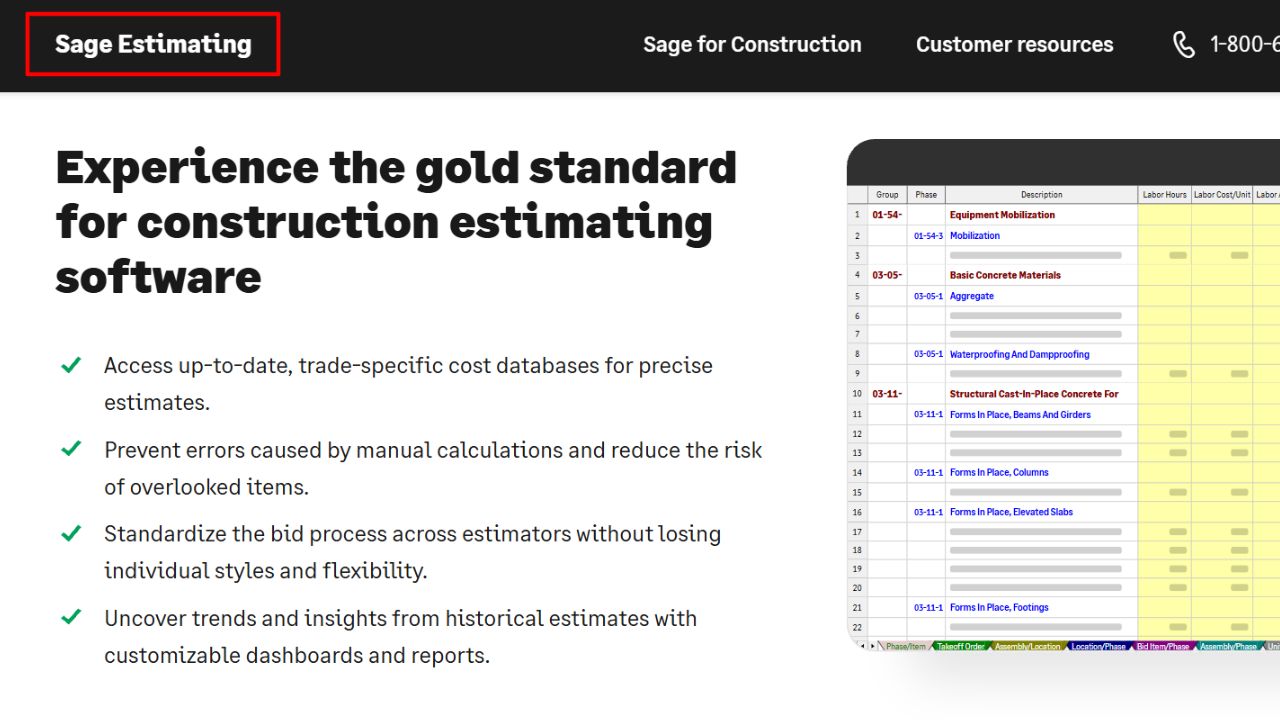
Sage Estimating is made for high-volume work. It handles complex, multi-phase projects and keeps estimates consistent across many jobs at once.
What sets it apart is its tie to project accounting and management platforms, so your numbers match from bid to books. Its cost databases cover labor and material, and automation cuts down on manual data entry.
At about $300 per user, ten users come to roughly $3,000 a month. For a large firm, that can make sense, but a remodeler or small builder will likely do fine for far less.
9. Togal.AI: Best AI-Powered Construction Takeoff Software
- Best for: Estimators who bid from digital plans and want AI to handle the repetitive part of takeoff.
- Price: Not published in our sources. Ask for a quote and a demo on one of your own plans.
- Free option: Not verified. Ask the vendor.
- Skip it if: You want to see a public price or start a trial before you talk to sales.
Togal.AI uses artificial intelligence to speed up takeoff. Instead of clicking every room and wall, you let the software find and measure them, then you check its work. Its AI tools can make takeoff up to 50 percent faster than old methods.
That frees your estimator to focus on pricing, scope, and risk, which is where bids are won or lost. It can suit residential contractors, general contractors, and commercial builders.
Treat AI output like a new hire’s takeoff. Ask for a test run on a plan set you’ve already priced by hand, and check the numbers before you trust it on a bid that matters.
Which Construction Estimating Software Should You Choose?
Pick by the work you bid and the size of your team:
- Remodeler or residential contractor: Start the Clear Estimates 30-day trial. Go annual at $59 a month once it fits.
- Small builder or trade shop with several users: Ask Buildxact to confirm its reported $199 a month with unlimited users. For a bigger flat-rate platform, get a Buildertrend quote.
- Estimator who mostly does plan takeoff: Start with STACK’s free version of Takeoff & Estimate. If you’d rather pay for a year, try PlanSwift free for 14 days.
- General contractor who wants everything in one cloud tool: Ask Estimator360 for a team quote and a demo.
- Commercial firm with many projects: Demo Procore. Look at Sage Estimating if you can budget about $300 per user.
- High-volume bidder who needs speed: Ask ProEst for a quote and a look at its cost database.
- Estimator who wants AI takeoff: Test Togal.AI on a plan set you’ve already priced by hand.
Before you sign, count who needs a paid seat and multiply by the per-user price. Then add the add-ons you’ll actually use, and note whether you pay monthly or a year up front.
Next, run one real bid through your top one or two picks during the free trial. Compare the result with your spreadsheet number.
That test is worth the time. As Jobber puts it, “Accurate estimating is the foundation of every successful construction project. Price too low and risk cutting into your profits.”
Final Thoughts
Selecting the right construction estimating software is a critical decision for contractors aiming to streamline their bidding processes and protect project profitability. By transitioning from manual spreadsheets to automated, cloud-based platforms, construction firms can reduce costly calculation errors, accelerate bid turnaround times, and secure more lucrative contracts.
Ultimately, the best estimating software is one that seamlessly integrates with existing project management workflows, scales with business growth, and meets the specific demands of the trade. Carefully evaluating core features, user accessibility, and customer support will ensure the chosen platform becomes a long-term asset for operational efficiency and sustained business growth.
Frequently Asked Questions About Construction Estimating Software
1. Which construction estimating software works best for small contractors?
SimplyWise Cost Estimator is a strong pick for small jobs; you snap a photo or describe the work, and it builds a quick estimate in under two minutes. Houzz Pro suits remodelers who want estimates, proposals, and client tools in one place.
2. Where can I find reliable cost data for my bids?
RSMeans Data Online gives you local prices for materials, labor, and equipment across over 970 North American cities, so you can price each job with less guesswork.
3. Can AI tools speed up takeoffs?
Yes, AI tools like Kreo and BuildVision AI can reduce takeoff time by up to 80% compared to manual methods. You spend less time on math and more time winning bids.
4. Does any software help me find new projects to bid on?
ConstructConnect does, with over 90,000 active construction projects in its U.S. database at any given time. Some contractors also pair their estimating tool with construction lead generation services to keep new jobs coming in.
5. How should I compare these tools before I buy?
Read user reviews first, and look for contractors who share real time and cost savings. Start a free trial, if the tool has one, and test it on a real job.