AI screenshot analysis makes it easy to ask questions about a dashboard, error message, chat, spreadsheet, or webpage. A model can often read visible text, summarize the layout, spot patterns, and suggest what to check next. Problems begin when that useful description is treated as proof.
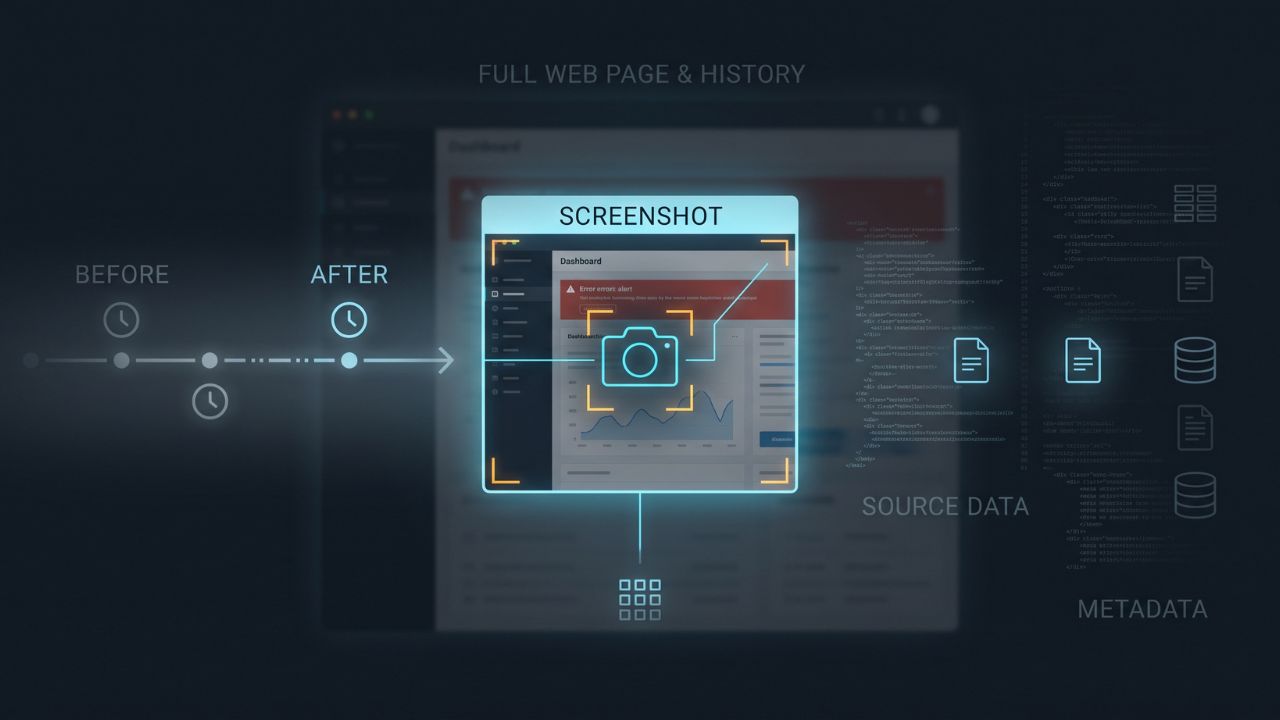
A screenshot captures one rendered moment. It usually leaves out the original file, what happened before and after, hidden data, page structure, metadata, and the person behind the screen. AI providers also warn that vision models may misread small text, estimate counts, struggle with precise spatial relationships, and produce inaccurate descriptions.
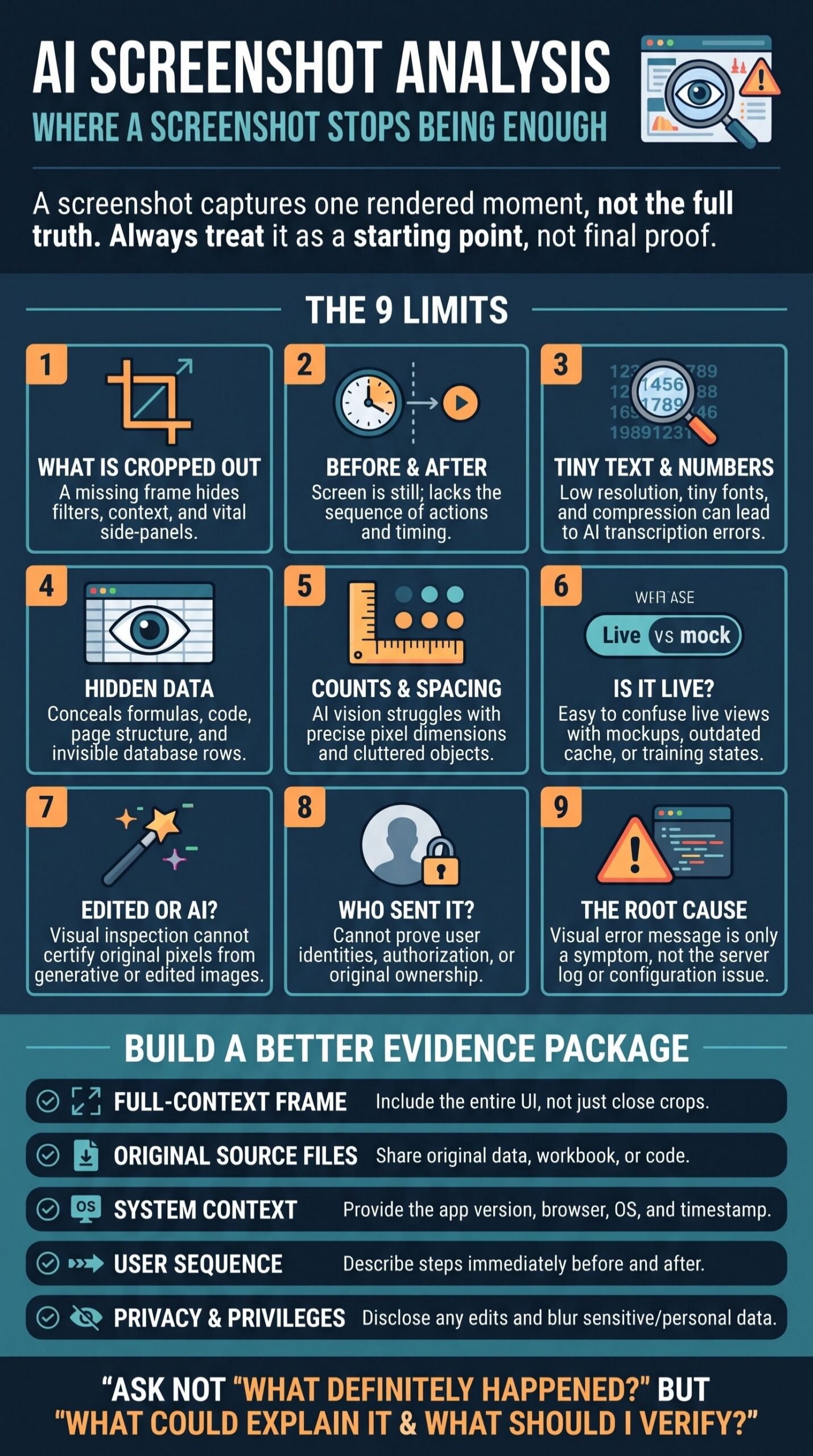
That does not make the feature unreliable for every task. It means the question should match the evidence. Instead of asking, “What definitely happened here?” ask: “What is visible, what could explain it, and what else should I verify?” These nine limits show where a screenshot stops being enough.
1. What the Crop Leaves Out
A cropped screenshot cannot reveal what sits above, below, or beside the frame. A missing message may change the meaning of a conversation. A dashboard card may look alarming because its date range or filter is hidden. A payment screen may omit the currency, fees, or final transaction status.
AI may recognize the interface and guess what normally appears around it. It still cannot know what this particular capture excluded. Ask for the full screen, the source URL when appropriate, and overlapping images for long conversations or pages.
If the screenshot may become evidence, keep an untouched copy and record who captured it, when, and how. The process for preserving social media content as digital evidence also requires source details and surrounding context because the visible image rarely tells the whole story.
2. What Happened Before or After the Capture
A still image does not show a sequence. The same error screen could appear after one failed click, twenty repeated attempts, or an unrelated setting change. A “payment complete” message does not show whether the transaction was later reversed. A chat capture cannot establish whether somebody edited or deleted a message afterward.
This is why screenshot-only troubleshooting often produces several possible answers. Share the steps that led to the screen, what you expected, what happened instead, and whether you can reproduce the result. A short screen recording is more useful when timing, navigation, animation, or several connected screens matter.
3. Exact Small Text, Numbers, and Symbols
Vision models can often transcribe clear text, but they are not dependable enough for every character. Small fonts, compression, blur, rotation, low contrast, unfamiliar scripts, and overlapping interface elements can create errors. A decimal point may disappear. A minus sign may be misread. A zero can become the letter O, while one unit or date may be substituted for another.
OpenAI’s vision documentation warns about small text, rotated content, variable chart styles, and incorrect descriptions. It also notes that images may be resized before analysis.
Always check bank balances, invoice totals, dosages, account numbers, dates, formulas, and configuration values against the source. A close crop may improve readability, but include the full image as well so the label and surrounding context remain visible. Paste the original text or upload the source document when accuracy matters.
4. Hidden Formulas, Rows, Links, and Page Structure
A screenshot records what an application displayed, not everything it contains. A spreadsheet cell may show a calculated result while hiding the formula behind it. Rows, columns, filters, comments, named ranges, external connections, and revision history may also remain out of view.
Microsoft explains that Excel can switch between displayed results and formulas, and protected sheets can hide formulas completely. AI cannot reconstruct the exact calculation behind a visible result such as “$12,450” from the number alone.
Webpages have the same problem. Their screenshots do not reveal link destinations, canonical tags, structured data, ARIA attributes, DOM order, loaded resources, or JavaScript errors. The URL Inspection Tool workflow shows why rendered HTML and resource information must be checked alongside the visual preview.
Provide the workbook, exported data, HTML, accessibility report, or other underlying source when the answer depends on information behind the pixels.
5. Precise Counts, Positions, and Dimensions
AI vision can describe a layout in broad terms, but exact measurement is a different task. Both OpenAI and Anthropic warn that object counts and spatial locations may be approximate. Accuracy can fall when an image contains many small objects, dense rows, repeated shapes, or overlapping labels.
Do not rely on a model to count every marker in a chart, identify exact pixel coordinates, measure spacing, or recover the original dimensions of a resized screenshot. Use the source data for counts, a design file for spacing, browser inspection tools for element dimensions, and image software for pixel measurements.
6. Whether the Screen Is Live, Interactive, or Current
A polished interface may belong to a live product, static prototype, marketing mockup, cached page, training environment, or edited composite. The pixels do not reveal which one it is. Even a genuine screenshot may show an older version, a limited experiment, a feature available only on one plan, or a screen that no longer exists.
Recognizing a brand or familiar control does not prove that the button works or that the feature is currently available. Verify the live URL or authorized application when possible. Record the product, plan, version, device, operating system, region, and capture date. If interaction is central to the claim, use a permitted walkthrough or screen recording instead of a still image.
7. Whether It Is Original, Edited, or AI-Generated
Visual clues can raise suspicion, but they rarely settle where an image came from. Compression, filters, annotations, upscaling, and repeated sharing can make a real image look synthetic. A carefully generated or edited image may contain none of the strange hands, broken text, or inconsistent shadows people expect.
Anthropic states that Claude cannot reliably determine whether an image is AI-generated and should not be used as a final detector. Its documentation also says the model does not receive image metadata. OpenAI similarly notes that its vision models do not process original filenames or metadata.
Content Credentials can carry tamper-evident information about an asset’s origin and edits. However, the C2PA explainer says that provenance may be incomplete or removed and cannot establish whether the depicted content is true. Taking a screenshot often separates the visible pixels from the original file’s embedded history.
Check the original asset, available Content Credentials, earlier versions, reverse-image results, and the source together. A layered approach to digital provenance technologies is more useful than trusting one detector score. The same principle applies when checking whether a photo may be AI-generated.
8. Who Created, Owned, or Authorized the Content
A visible name, profile photo, logo, or account handle does not authenticate the person behind it. Accounts can be shared, spoofed, compromised, or filled with demo data. A screenshot of a design does not prove copyright ownership. A private dashboard does not prove that the sender had permission to access or distribute its contents.
AI may read the username or recognize the logo, but verifying the person and their rights requires evidence outside the image. That may include an original post on an official account, direct confirmation, access records, contracts, licenses, or a documented chain of custody.
Remove passwords, API keys, recovery codes, customer records, financial information, health data, and unrelated personal details before uploading a working copy. Keep the unchanged original separately when preservation is necessary.
9. The Root Cause of an Error or the Correct Fix
An error screenshot shows a symptom. It usually does not show the logs, network requests, permissions, configuration, file state, system resources, software version, or steps that caused it. Different problems can lead to the same visible message.
AI can suggest a sensible troubleshooting order, but it cannot confirm the root cause from the image alone. Google’s Android Studio bug-reporting guidance asks for diagnostic data, system and version information, exact reproduction steps, expected and actual results, and relevant code or a sample project. Screenshots and recordings support that evidence rather than replace it.
When asking AI for help, include:
- The exact error text copied from the application
- The app, browser, operating system, and version
- The steps immediately before the problem
- The expected and actual results
- Whether the problem repeats consistently
- Relevant logs with sensitive information removed
Ask the model to rank possible causes and explain what evidence would confirm or rule out each one. That is safer than requesting one confident fix from a single image.
What to Provide With a Screenshot
A better evidence package does not need to be complicated. Include these five things when they are relevant:
- A full-context capture: Show the relevant screen before adding a close crop.
- The original source: Supply the workbook, document, log, image, export, or webpage when the question depends on hidden information.
- Basic context: Add the URL, app version, device, region, date, and time zone where needed.
- A short sequence: Explain what happened immediately before and after the captured moment.
- Known changes and privacy limits: Disclose cropping, annotation, redaction, recompression, or enhancement, and remove information the AI does not need.
Also state what you want the model to do. Transcribing visible text, comparing two layouts, and identifying questions to investigate are realistic tasks. Proving identity, certifying authenticity, or diagnosing a system without its logs are not.
AI Screenshot Analysis: Treat the Screenshot as a Starting Point
AI screenshot analysis works best when it stays close to what the image actually shows. It becomes less reliable when asked to recover hidden data, reconstruct a sequence, verify ownership, certify authenticity, or identify a technical cause without supporting evidence.
Let AI describe what it sees and suggest what might explain it. Use the original source, surrounding context, metadata, logs, and independent checks to decide what is true.