

Tracking payouts from three brokers in one spreadsheet falls apart the moment a fund pays a surprise distribution. Of all the dividend tracking apps for income investors, Snowball Analytics is the best pick for most people, at $79.99 a year.
Below is a price chart pulled from October 2026 plan pages, plus the fix for double-counted payouts.
Quick Comparison: 10 Dividend Tracking Apps at a Glance
Here’s the short version. Every price in this chart of dividend tracking apps for income investors comes from the company’s own pricing page, checked in October 2026, not from an old review.
| App | Free plan limit | Paid plans from | Standout feature | Best for |
|---|---|---|---|---|
| Snowball Analytics | 10 holdings, 1 portfolio | $79.99/year | Custom withholding tax, yield on cost | Best overall |
| Simply Safe Dividends | Free trial, no card | $468/year | Dividend Safety Scores | Avoiding dividend cuts |
| Sharesight | 10 holdings (sold ones count) | $7/month, billed yearly | Taxable Income Report | Tax time, global stocks |
| Track Your Dividends | 1 linked account | $99.99/year | Unlimited manual portfolios for free | Free broker link |
| Stock Events | 15 stocks | $49.99/year | Event and payout calendar | Phone first investors |
| DivTracker | 5 holdings | $29.99/year | Clean iPhone and iPad app | iPhone users |
| Seeking Alpha Premium | Limited articles | $299/year (list) | Dividend Grades | Dividend research |
| Dividend Watch | 10 holdings | $72/year | DRIP support, custom tax rates | Budget DRIP investors |
| Digrin | 30 trades a month | about €50/year | Interactive Brokers sync | IBKR and Trading 212 users |
| Plainzer | 10 holdings | about $8/month | 20+ broker connections | Newer pick with sync |
What Most “Best Dividend Tracker” Lists Get Wrong
Most roundups of dividend tracking apps for income investors copy each other. So the same old mistakes spread. Here are four that can cost you real money:
- Stale prices: Some 2026 lists still show Simply Safe Dividends at $199 a year. The current price is $468, billed yearly only.
- Hidden add-ons: Stock Events Pro is $49.99 a year, but automatic broker sync is a separate Connect add on at $0.99 a week. That’s roughly $51 more per year.
- Tricky holding caps: Sharesight’s free plan allows 10 holdings, and sold positions still count toward that number.
- No tax view: An app that only shows gross payouts overstates your spending money.
That brings us to the biggest mistake people make: ignoring how dividends are taxed. Qualified dividends, ordinary dividends and foreign withholding all hit your income differently. REITs and closed-end funds may also pay return of capital, which shows up in Box 3 of Form 1099 DIV and lowers your cost basis instead of counting as income.
Bottom line: pick an app that lets you set custom tax rates or export clean records. Your CPA will thank you.
The 10 Best Dividend Tracking Apps for Income Investors
1. Snowball Analytics: Best Overall
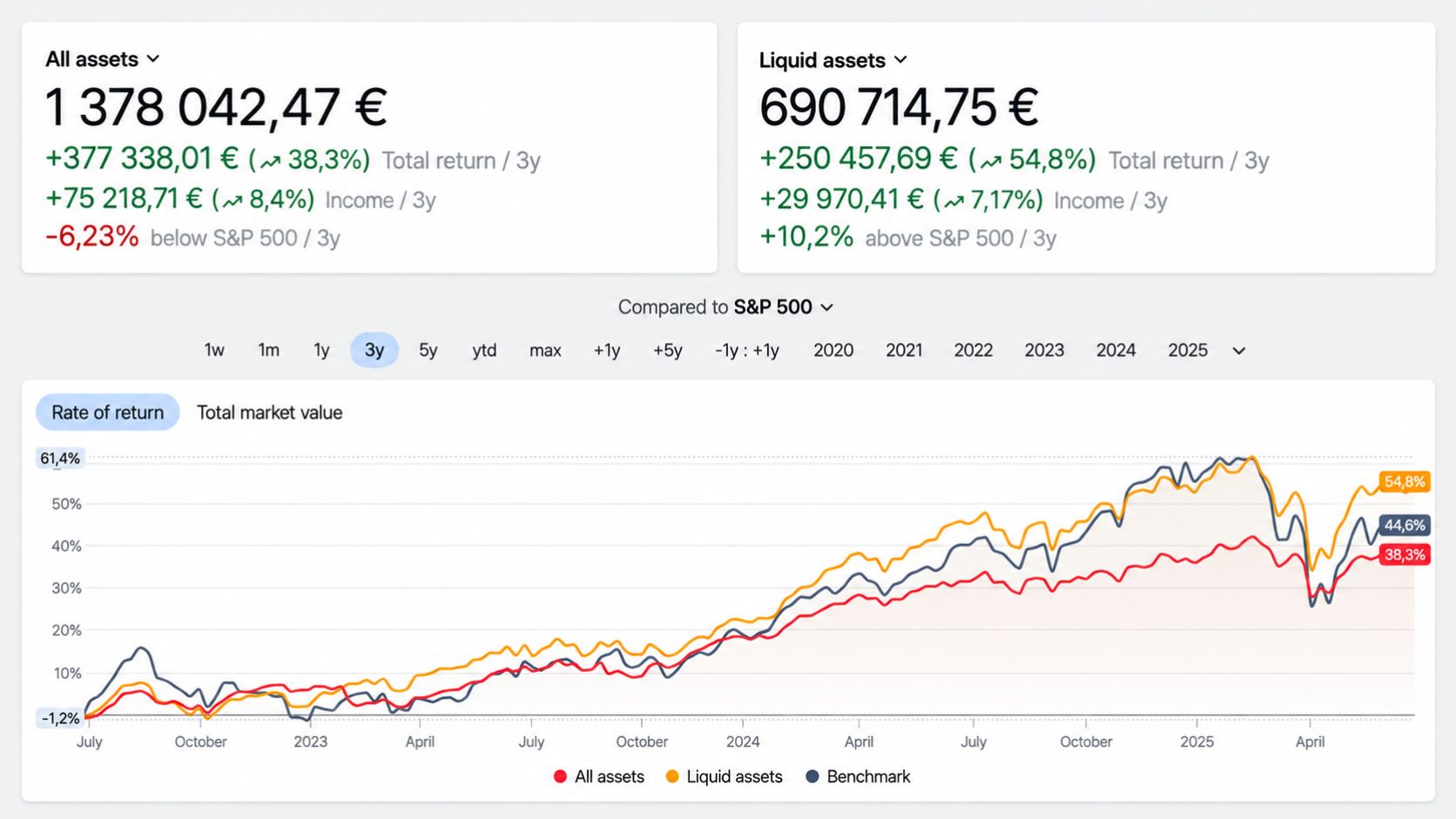
Snowball wins because it does the dull math most dividend tracking apps for income investors skip. Even the free plan tracks received payouts, yield on cost and a custom withholding tax per holding. It holds 4.8 stars on the App Store (about 4,600 ratings) and Google Play (about 2,500).
Picture this: dividend ETFs in a Roth IRA at one broker, REITs at another, plus one European fund. Snowball covers 70+ exchanges in 30+ currencies, and the $79.99 Starter plan adds broker linking, unlimited holdings and dividend push alerts. If you also hold private stakes, like those in our guide to angel investors explained, custom holdings let you log them too.
The flaws:
- No broker linking on the free plan, so you type trades or upload broker reports.
- Starter allows one portfolio. Separate IRA and taxable views need the $149.99 Investor plan.
- Snowball’s own help docs admit benchmarks and portfolio planning take getting used to.
Who Should Skip This: Investors with under 10 holdings who only want a payout calendar.
2. Simply Safe Dividends: Best for Avoiding Dividend Cuts
Here’s the catch: it costs $468 a year ($39 a month, billed yearly). You get the 0 to 100 Dividend Safety Score built to flag cut risk early, plus S&P credit ratings, closed end fund screeners and 10 years of financial charts. CPA Brian Bollinger runs it, and it launched in 2015.
Among dividend tracking apps for income investors with large portfolios, one avoided cut can cover the bill. Small portfolios are another story. A $50,000 portfolio yielding 4% pays $2,000 a year, and this fee eats 23% of it.
The flaws:
- Yearly billing only, and no discounts or sales.
- The 60 day money back guarantee covers first time subscribers only.
Who Should Skip This: Anyone collecting under about $5,000 a year in dividends.
Sharesight is the tax nerd’s choice among dividend tracking apps for income investors. Every plan records dividends and corporate actions automatically, and paid plans add a Taxable Income report your accountant can use. Over 200,000 investors use it, and it’s SOC 2 certified.
Plans run $7 a month (Starter, 30 holdings), $18 (Standard, 4 portfolios) and $23.25 (Premium, 10 portfolios), billed yearly. Monthly billing costs about 25% more.
The flaws:
- Sold positions count toward the free 10 holding cap.
- The Future Income report starts at the $18 Standard plan.
- The free plan has no tax reports.
Who Should Skip This: US investors who just want a monthly payout chart.
4. Track Your Dividends: Best Free Option With a Broker Link
The free plan is generous: one linked brokerage account, unlimited manual portfolios, future value projections and diversification analysis. That’s rare for free dividend tracking apps for income investors.
Premium costs $9.99 a month or $99.99 a year. It adds unlimited linked accounts that update daily, alerts for declare and pay dates, a TYD Dividend Safety Score and a screener, with a 7 day trial and 14 day money back guarantee.
The flaws:
- The free tier shows ads.
- Linked accounts refresh once a day, not live.
Who Should Skip This: Investors with several brokers who won’t pay. Only one account links free.
5. Stock Events: Best Phone App for the Payout Calendar
Picture this: you’re in line for coffee and your phone pings because a holding just raised its dividend. That’s Stock Events at its best, with dividends, earnings and economic events in one calendar. It holds 4.8 stars on both app stores, which makes it the most polished phone pick among dividend tracking apps for income investors.
The free plan tracks 15 stocks, plus 5 per referral. Pro is $49.99 a year with a 7 day trial and adds advanced dividend data plus Excel and Google Sheets links.
The flaws:
- Free plan updates are manual.
- Broker sync costs extra through Connect, at $0.99 a week.
- 15 symbols fill up fast with ETFs plus single stocks.
Who Should Skip This: Anyone needing tax or cost basis reports. It’s a calendar first.
6. DivTracker: Best Budget App for iPhone Users
For dividend tracking apps for income investors on a tight budget, DivTracker is hard to beat. Pro costs $29.99 a year ($4.99 monthly) and covers unlimited portfolios, an ex dividend calendar and CSV export. Ultimate, at $49.99 a year, adds US brokerage linking.
It runs on iPhone, iPad and the web, with a 4.7 star App Store rating. Reviewers mostly praise accurate ETF payouts and fast replies from the developer.
The flaws:
- The free plan caps you at 5 holdings, the tightest limit on this list.
- No Android app, and push alerts work on iOS only.
- Broker linking covers US accounts only.
Who Should Skip This: Android users. Full stop.
7. Seeking Alpha Premium: Best for Dividend Research
Now, you might be wondering why a research site made a list of dividend tracking apps for income investors. Its Dividend Grades rate each stock on Safety, Growth, Yield and Consistency against sector peers, and portfolio alerts cover rating changes. That’s an early warning system for your holdings.
List price is $299 a year, though first year deals and a 7 day trial are common.
The flaws:
- Research comes first. Payout calendars and income forecasts are less detailed than dedicated trackers.
- The price climbed from $239 in 2023 to $299 in 2026.
Who Should Skip This: Investors who simply want to count their monthly income.
8. Dividend Watch: Best Budget Pick for DRIP Investors
Dividend Watch is a lean option among dividend tracking apps for income investors who reinvest everything. Premium costs $72 a year (3 portfolios), Pro costs $99 (unlimited portfolios), and both come with a 7 day trial. The feature list covers a safety score, DRIP support, custom tax rates, multi-currency tracking and broker sync, with no ads and no data selling.
The flaws:
- It’s web based, so phone use means a mobile browser.
- No lifetime plan, and paid plans are for personal use only.
- The free plan stops at 10 holdings.
Who Should Skip This: Investors who live on their phones.
9. Digrin: Best for Interactive Brokers and Trading 212 Users
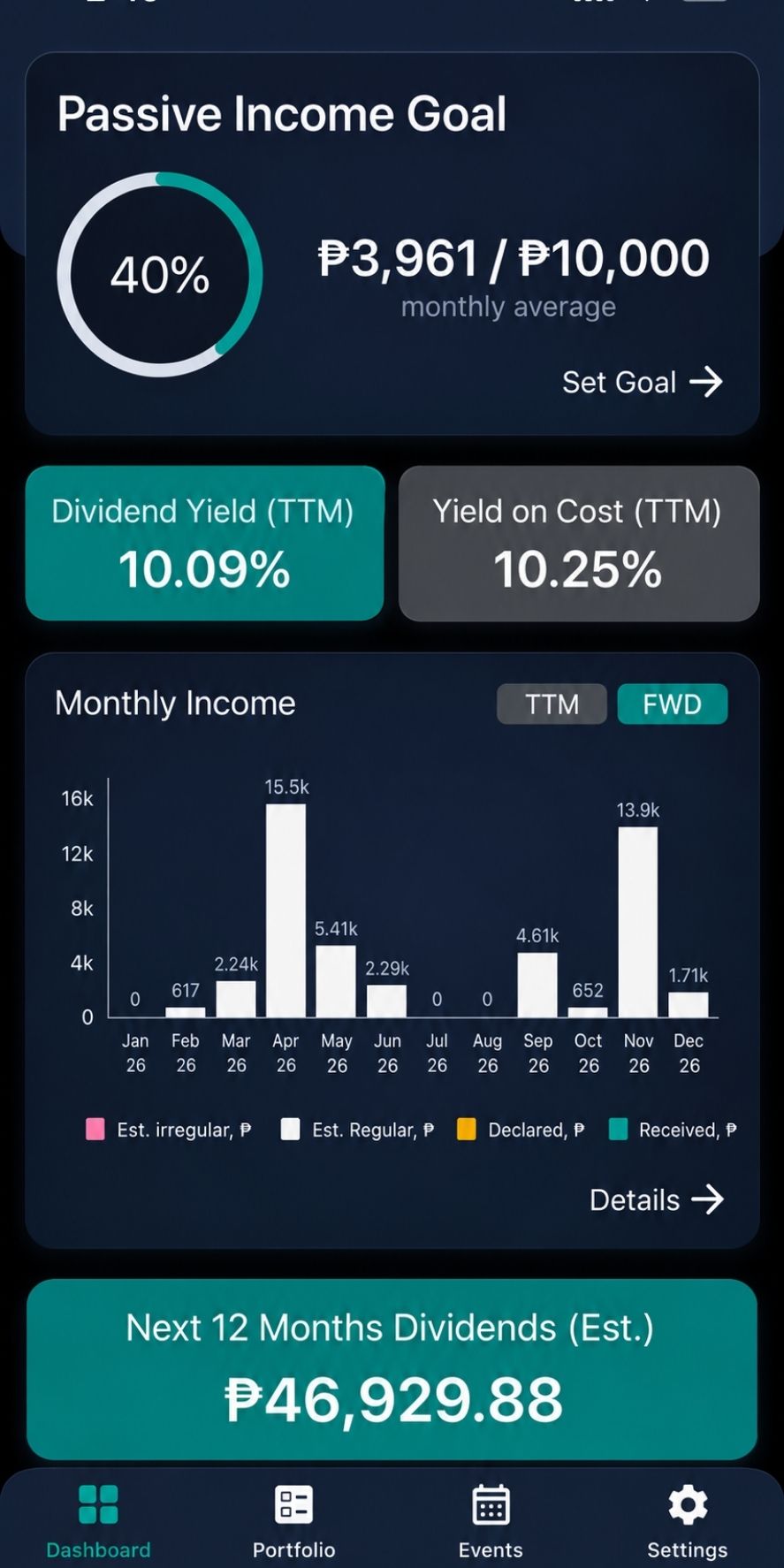
Few dividend tracking apps for income investors offer free broker sync. Digrin does, syncing daily with Interactive Brokers and Trading 212 even on its free plan. One dividend investor has built and run it since 2014.
Plus costs €4.17 a month billed yearly (about €50) and adds on demand sync every 5 minutes, a 2 year dividend calendar and tax estimates. Pro (€8.99 a month, yearly) stretches the calendar to 10 years.
The flaws:
- Direct sync covers only those two brokers. Everyone else imports CSV files.
- The free plan allows 30 transactions a month per portfolio, which heavy DRIP users can hit.
Who Should Skip This: US investors at Schwab or Fidelity.
10. Plainzer: Best Newcomer With Broker Sync
Plainzer is the youngest app here and shows up often in Reddit threads about dividend tracking apps for income investors. It offers iOS and Android apps, 20+ brokerage connections and about 3,000 users. Investor starts around $8 a month (3 portfolios, DRIP, custom tax settings, payout alerts), Professional around $12, and yearly billing saves 30%.
The flaws:
- A small user base means a short track record.
- The free plan has no broker linking and stops at 50 transactions.
Who Should Skip This: Anyone who wants years of proven reliability.
How to Pick the Right App in Five Minutes
The best of these dividend tracking apps for income investors is the one that fits your setup. Run four quick checks:
- Count every holding, sold ones included. That rules out tight free tiers.
- List your brokers. Confirm each one syncs, or plan on CSV uploads.
- Decide if you need tax reports. If yes, start with Sharesight or Snowball.
- Cap the cost. Keep fees under about 5% of your yearly dividends. Small subscriptions stack up fast, as our SaaS metrics explained guide shows.
Still building the portfolio itself? Start with these dividend growth stocks for retirement.
The Setup Mistake That Doubles Your Income (On Paper)
The truth is, most wrong numbers in dividend tracking apps for income investors come from setup, not bad data. Link a broker and also upload its CSV, and every payout shows up twice. Big mistake.
- One source per account. Either sync it or import it, never both.
- Log DRIP buys. Reinvested dividends are new shares. Skip them and your share count drifts.
- Check one month by hand. Match the app to your broker statement before you trust it.
Frequently Asked Questions (FAQs)
Quick answers to what people search most about dividend tracking apps for income investors.
What is the best free dividend tracker app?
Track Your Dividends gives the most for free: one linked broker account plus unlimited manual portfolios. For 10 holdings or fewer, Snowball’s free plan is the stronger tracker.
Is it safe to link my brokerage account?
Most apps connect through aggregators such as SnapTrade or Yodlee. Snowball says it never stores your broker login, and Sharesight can’t hold, move or trade your money.
Do dividend tracking apps handle taxes?
Some do. Sharesight has a Taxable Income report, while Snowball, Dividend Watch and Plainzer let you set custom tax rates. None replaces your Form 1099 DIV.
What’s the difference between the ex dividend date and the pay date?
You must own the shares before the ex dividend date to get the payout. The pay date is when cash actually lands, often weeks later.
Can I just use a spreadsheet?
Yes, but you’ll enter payouts, DRIP buys and splits by hand. That gets tedious past a couple dozen holdings.
Final Thoughts
No single tool wins for everyone. For most people, the smartest of the dividend tracking apps for income investors is Snowball Analytics, with Simply Safe Dividends worth its price once your payouts pass about $5,000 a year.
The best part? Nearly every app here has a free plan or trial. Load one month of real payouts this week, check it against your broker statement, and keep the app that matches to the penny.