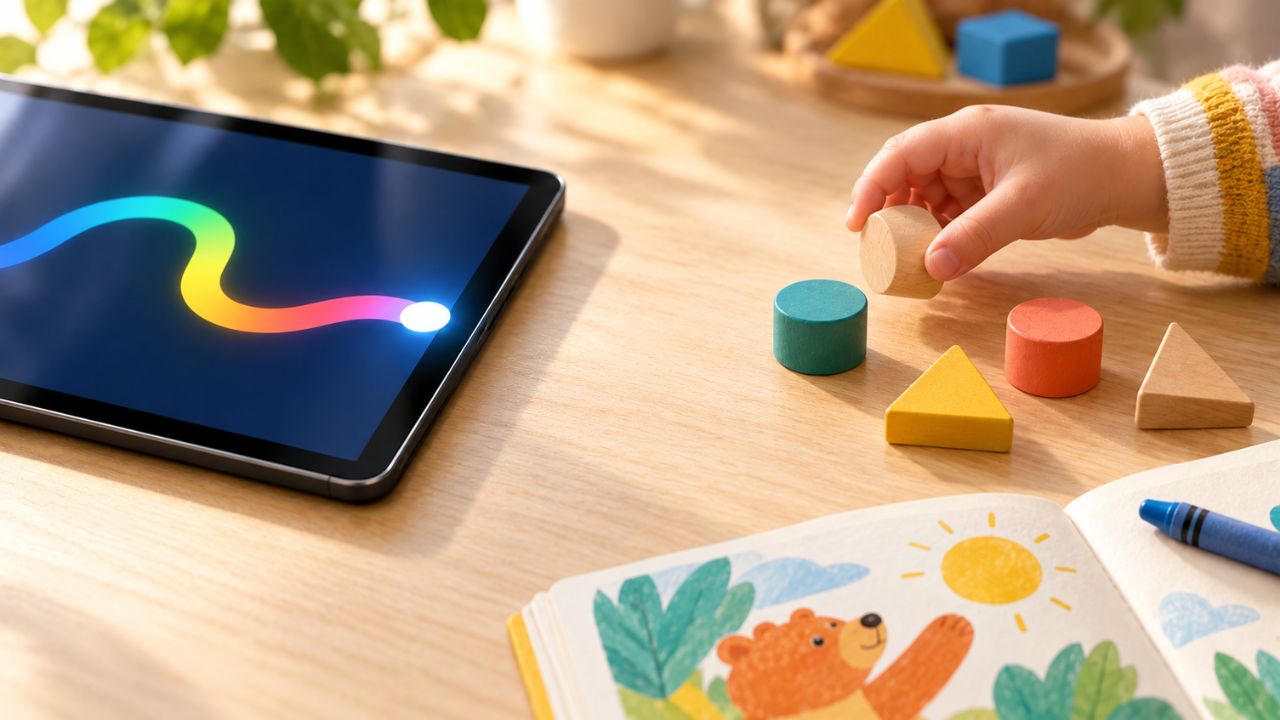
Usability is not efficacy. A successful play session cannot prove that a child has learned a skill simply because an app accepts the answer and celebrates it. I know how tempting that conclusion can be. I have tested our learning apps on Android and watched children use them. A completed activity is satisfying to see. It is also a very specific piece of evidence.
During my tests, I deliberately chose wrong answers in activities that asked for a choice. I stopped letter and number traces before finishing them. In the activities I checked, those attempts did not count as complete. The app waited for an accepted answer or a finished trace.
That told me the completion rules were working in those tests. It did not tell me what a child understood, what they would remember next week, or what they could do with a book or a handful of toys.
I am part of the team behind EduTorial.org and our two learning apps, Alphabet Magic Trace & Phonics and 123 Magic Number Fun: Math Kid. I have used both apps myself and observed children in my family and circle of friends using them over time. That experience helps me explain the products closely. It also makes it important to say exactly what I saw and where the evidence stops.
What does a completed activity show?
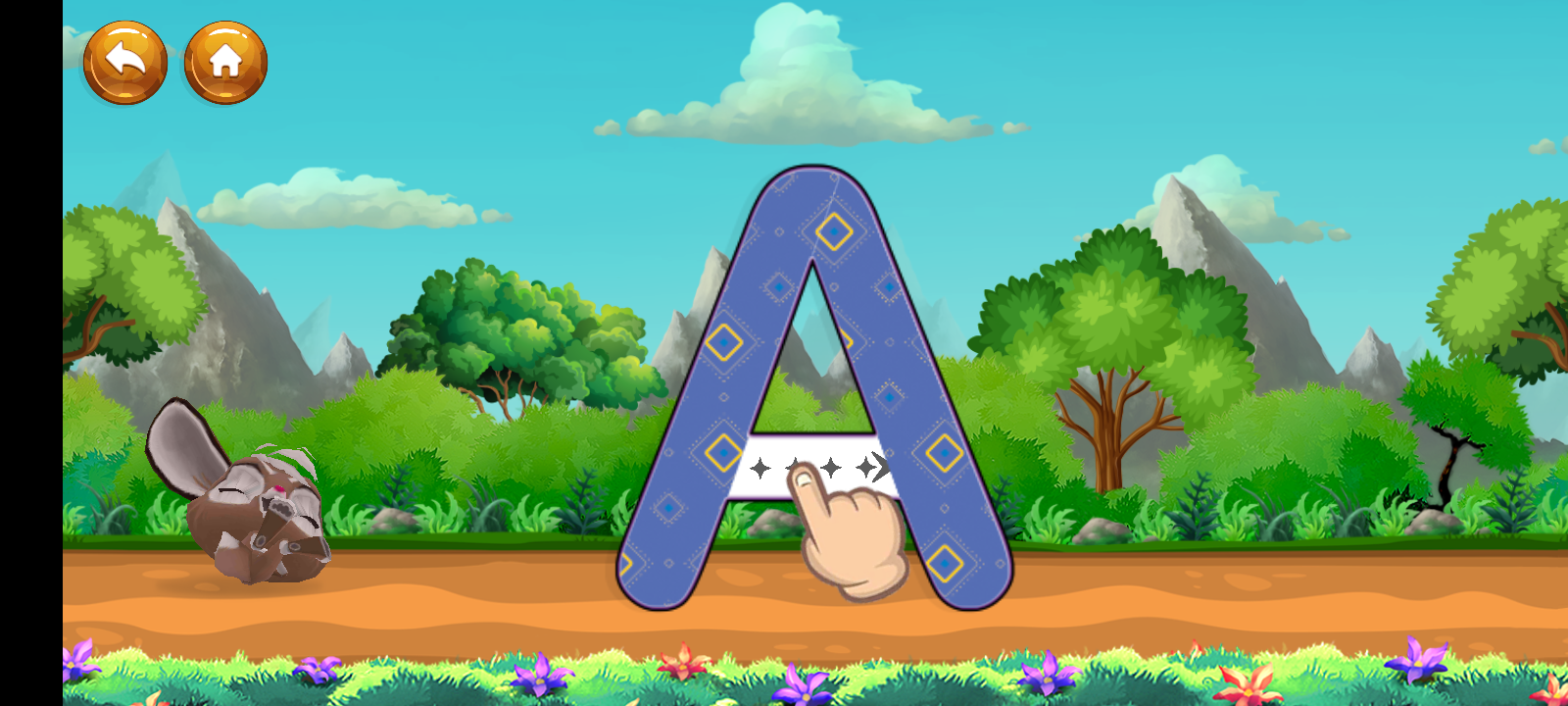
If a child finishes tracing a letter, I can observe the immediate task. Did the finger follow the path? Did the app accept the trace? Did the child finish without help, or did an adult guide them?
Across several sessions, I may notice the child finding the controls more easily or needing fewer reminders. Those are useful usability observations. A fuller picture would also include where the child hesitates, repeats a mistake, asks for help, or leaves an activity unfinished.
An educational claim asks a further question. Can the child recognize that letter in an unfamiliar book? Can they recall its sound another day? Can they form it on paper without the tracing path?
The app cannot answer those questions with a completion screen. A correct response might come from understanding, but it might also follow a hint, repeated exposure to the same item, an adult’s help, or a lucky choice. I need to observe what happens beyond that one task.
The route from EduTorial.org to play
A family’s experience starts before the app opens. On EduTorial.org, selecting New Arrival in the main navigation takes a visitor to the New Arrivals section, where the learning apps appear as cards.
The number-game card read 123 Numbers: Count and tracing game, while the Google Play listing used 123 Magic Number Fun: Math Kid. The cards did not provide a direct store route in that check, and the store badges in the footer led to Alphabet Magic. Someone looking for the number app could search its current title in Google Play, but our site should make that route clearer.
That is a product issue I can identify without making a learning claim. A caregiver should be able to find the intended app and understand which product they are about to install. Clear navigation makes the experience easier to use; it does not establish what the child will learn.
In Alphabet Magic on Android, I tried uppercase and lowercase tracing and moved through letter activities. In 123 Magic, I tested number tracing and most of its modes, including Pop Balloons, Tile Match, Joint Numbers, Count Objects, Numbers Adventure, Number Art Creator, Math Puzzle, and Math Car Race.
I entered an activity, tried an intentionally wrong answer where a choice was required, or left a tracing path unfinished. I then tried a complete response. The wrong or unfinished attempts did not trigger completion in the activities I checked. These were my deliberate tests of the app’s behavior. They were not a record of children making those errors, and they were not a test of every activity on every device.
What I noticed with Alphabet Magic
My nephew Fariz began using Alphabet Magic when he was around three. Uppercase letters were more familiar to him at first, and he needed guidance. Over roughly a year and a half, I saw him become more comfortable with lowercase letters, letter sounds, tracing, and simple spelling. He also began identifying letters in books away from the app. As he became familiar with the activities, he needed less help navigating them.
I watched roughly a dozen other children I know, mostly around three or four years old, across repeated sessions over several months. I noticed growing familiarity with letter sounds and uppercase and lowercase forms among some of them. These experiences helped me see what held their attention and where adults still had to help.
They were observations in ordinary family settings. The children also had books, toys, conversations, preschool, and other media in their lives. I did not give them a common assessment before and after app use. I did not compare their progress with that of children following another routine. Their changes matter to me, but I cannot assign a share of those changes to Alphabet Magic.
Fariz gave me a particularly clear reminder that success in one setting does not settle every related skill. At six, he sometimes mixed up b and d when writing from memory. I did not see the same difficulty when he was reading or tracing. At seven, it happens less often, though I still notice it sometimes.
I do not treat that as a diagnosis or as an effect of the app. It is a firsthand example of how tracing a letter, recognizing it while reading, and writing it from memory can look different for the same child. When Fariz identifies a letter in a book, I can report that moment. I cannot say which combination of app play, books, adult help, and preschool brought him there.
The number app raises its own questions
The activities in 123 Magic do not all ask for the same skill. Tracing a number, selecting a balloon, counting pictured objects, and solving an arithmetic puzzle make different demands on a child. Finishing one does not establish competence in all the others.
My Android tests let me check whether the activities accepted my answers and traces. Watching children use the app let me see whether they stayed with an activity and how much guidance they needed. I did not collect a before-and-after counting assessment that could connect an offscreen result to 123 Magic.
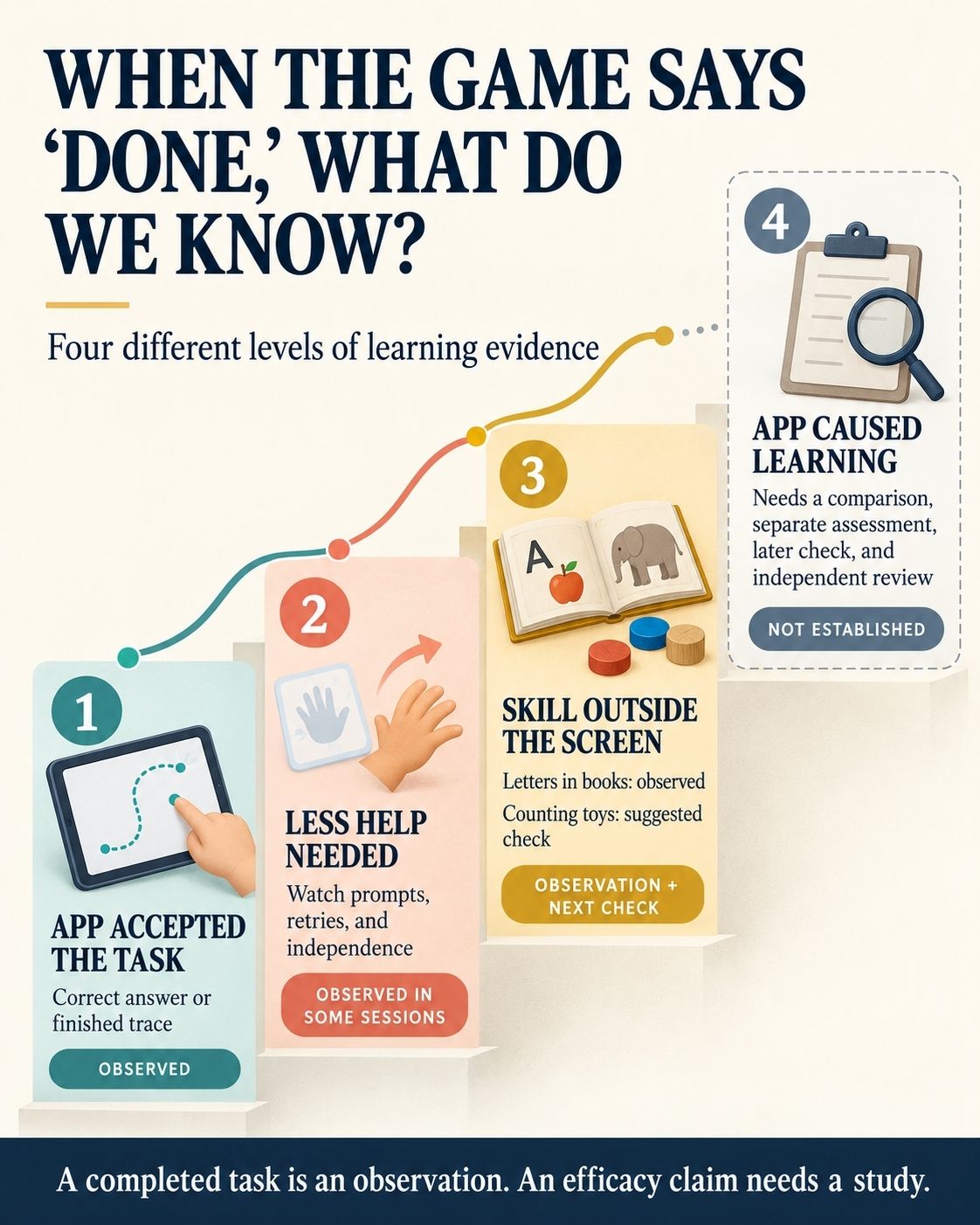
The wording matters. “A child completed Count Objects” describes what happened in the app. “The child can count an unfamiliar group of objects without prompts” requires an observation in another setting. “The app improved the child’s counting” requires a study designed to separate the app’s possible contribution from other learning.
| What I observed | What it supports | What it leaves open |
| My wrong answer or partial trace did not complete a tested activity | The completion rule rejected that attempt | Whether a child would understand the correction |
| A child needed less help with a familiar activity | The child became more comfortable with that activity | Whether the underlying skill improved elsewhere |
| Fariz identified letters in a book | He used letter knowledge away from the app screen | Which experiences contributed to it |
| A child completed several number activities | The child finished those in-app tasks | Lasting numeracy gains or an effect caused by the app |
The useful follow-up happens away from the screen
Fariz noticing letters in books caught my attention because the setting had changed. The book used a different typeface, and there was no tracing path to follow. It was a useful observation, though one moment cannot establish how he learned the letters.
A parent can make a gentle follow-up part of ordinary play. After a letter activity, look for the letter in a new book. Ask what sound it makes without playing the app’s audio cue. On another day, offer paper and a pencil. Notice whether the child remembers independently and how much help they need.
After Count Objects, put a small group of toys on a table and invite the child to count them. Change the arrangement or use different objects later. This is a suggested activity for families, not a 123 Magic session I am claiming to have documented. The point is to see what the child does when the pictures and answer choices on the screen are gone.
There is good reason to check in a new setting. Research on children’s touchscreen learning has examined whether skills carry into different tasks or activities with physical objects. The results vary. A completed app activity gives me a question to investigate; it cannot supply the answer on its own.
What stronger learning evidence would require
A 2020 systematic review in Pediatrics examined 35 controlled studies of interactive apps with samples whose average age was under six. It found evidence of benefits for some early academic skills, particularly early mathematics. The studies also differed substantially in their apps, methods, and outcomes, and the risk of bias was unclear in many of them.
That research supports taking learning apps seriously enough to evaluate them. It does not provide an efficacy result for either of ours.
An efficacy evaluation would define the skill it intends to measure, check where children start, and compare outcomes under a suitable study design. The assessment should reach beyond the app’s familiar screens. If children are tested mainly on the same pictures, words, or answer formats they practiced, a high score may say more about familiarity with the activity than about a skill they can use elsewhere.
For our apps, I would begin with qualified early literacy and numeracy specialists reviewing the content. They could examine letter formation, sound cues, number representations, feedback after mistakes, and whether particular activities fit the children they are intended for.
I would then want an independent evaluator to shape a fair study: define the outcomes in advance, record how much children actually use the apps and what help adults provide, choose an appropriate comparison, assess skills beyond the practiced screens, and return after a delay to see what lasts. Independent review matters especially when the people describing a product, like me, are also involved with it.
That work could support a stronger claim if the results warrant one. Mixed results would be useful too. They could show us where an activity needs better instructions, different feedback, or a more suitable goal. My own tests and observations are valuable for asking those questions. They are not clinical or developmental assessments of any child.
Usability is not efficacy: What I can say to families now
I want children to enjoy using our apps and carry useful skills into the rest of their day. I can describe how the activities responded during my tests. I can describe the guidance children needed and the moments I observed away from the screen, such as Fariz finding letters in books.
I cannot turn a cheerful completion screen, an easier second session, or an encouraging family observation into proof that our apps caused a learning gain. After a successful play session, I can watch what the child does with the skill elsewhere and pay attention to the help they need. The larger efficacy question deserves a designed evaluation and qualified review.