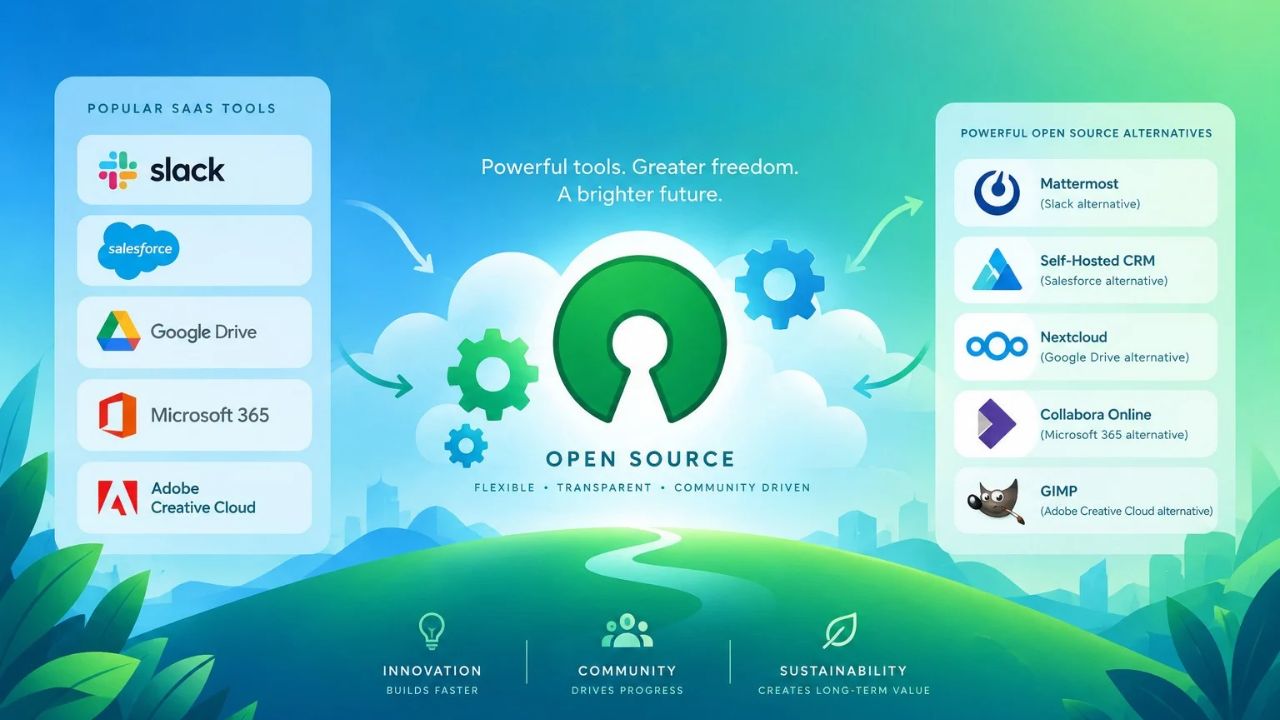
Most of my workday runs through software. As acting editor at Editorialge, I write and edit SEO content, audit websites, research keywords, manage the writing team, run AEO and GEO work, and read a lot of SEO data. I’m also the chief technical advisor at ImagineLab Art, an AI creative platform. Over time, I moved several of these jobs to open-source alternatives to popular SaaS tools. Some replaced a paid app completely. Others only cover part of the job.
Here is the short answer. I use SerpBear for rank tracking, Harper for grammar, LibreTranslate for translation, Penpot for social graphics, Mixpost for scheduling posts, Plane for project management, and Perplexica for AI search. I have also tried Open WebUI with Qwen models for AI writing.
My Quick List of Open-Source Alternatives to Popular SaaS Tools
| Job | Paid tool it replaces | Open-source pick |
|---|---|---|
| Rank tracking and keyword ideas | Semrush, Ahrefs | SerpBear |
| Grammar check | Grammarly | Harper |
| Translation | Google Translate, DeepL | LibreTranslate |
| Social media graphics | Canva | Penpot |
| Social post scheduling | Buffer, Hootsuite | Mixpost |
| Project management | Jira | Plane |
| AI search | Perplexity | Perplexica |
| AI writing (tested) | ChatGPT | Open WebUI with Qwen |
None of these fully replaces Semrush. SEO data is the hardest thing to get for free.
Why I Switched to Open-Source Alternatives to Popular SaaS Tools
Three things pushed me.
- The first was cost per seat. SaaS bills grow every time a new writer or editor joins. Most self-hosted tools cost the same whether five people use them or twenty.
- The second was control over our data. Drafts, keyword lists, and internal plans sit on servers we choose.
- The third came from my work at ImagineLab Art. I have seen SaaS pricing from the inside. As we added more AI models, we reorganized our plans, retired some old ones, and added new ones. That was right for the product. But it showed me that any SaaS price can change under you. Open-source tools can change too, but you can usually keep running the version you already have.
Before I keep a tool, it has to pass a simple test. It must be actively maintained. It must cover most of the job, not all of it. And a writer with no technical background must be able to use it after setup.
Some gaps were not covered well. For those, we built our own. Previously I have explained why we built 15 micro-SaaS tools for jobs like these.
The Open-Source Alternatives to Popular SaaS Tools in My Daily Stack
1. SerpBear: The Rank Tracker in My Open-Source Alternatives to Popular SaaS Tools Stack
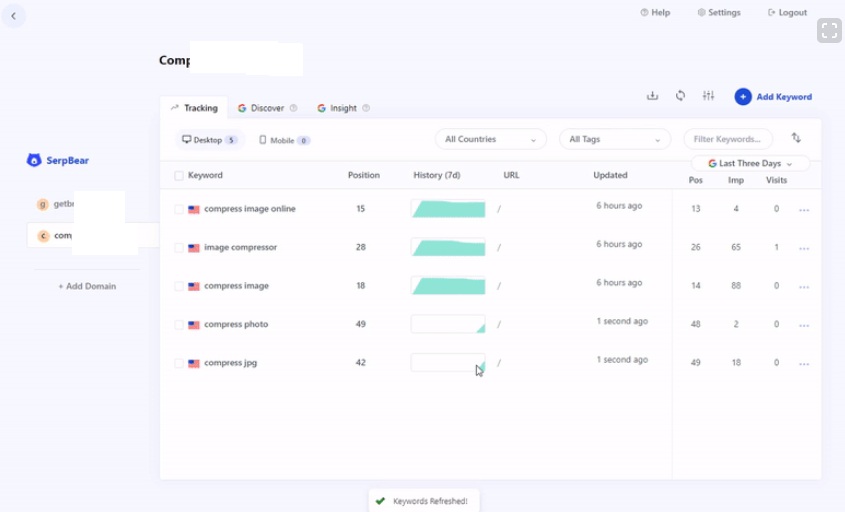
I track keyword rankings in SerpBear. Before that, I used OpenSEO. Generally we use Ahrefs, Ubersuggest and the Semrush paid version for this.
SerpBear is a self-hosted rank tracker. It checks your Google positions through a scraping service or your own proxies. ScrapingRobot offers a free API key to start. Paid services like SerpApi work too.
Two integrations make it more than a position checker. Connect Google Search Console, and each tracked keyword shows real visits and impressions next to its rank. Connect a Google Ads test account, and SerpBear can suggest keyword ideas and show monthly search volume. It can also email ranking reports.
Plan for one cost. Every refresh uses scraper API calls. With a few hundred keywords checked daily, a free scraper plan runs out fast.
OpenSEO works differently. It is closer to a full SEO suite, with keyword research, backlinks, site audits, and AI visibility tracking. But it needs a DataForSEO API key, and you pay DataForSEO for each request. The hosted version is $10 a month. The big SEO suites charge $100 or more a month. Good SEO data costs money either way.
My honest opinion: no open-source tool matches the size of the backlink index in Ahrefs or Semrush. If link audits or competitor backlink research are a big part of your work, keep a budget for one paid tool.
2. Plane: My Favorite of the Open-Source Alternatives to Popular SaaS Tools
Plane is the best open-source alternative to Jira, in my view, and I like working in it.
It has work items, cycles for sprints, modules for grouping related work, and pages for notes and docs. You can see tasks in five layouts: list, board, spreadsheet, Gantt, and calendar. For an editorial team, a cycle can hold a week of publishing, and a module can hold one content cluster.
The self-hosted Community Edition is free under the AGPL-3.0 license. It matches the features of Plane’s free cloud tier. Paid cloud plans start at $7 per seat each month.
Two things to know before rollout. New features reach Plane Cloud first, then the paid self-hosted edition, then the Community Edition. And Plane’s own pages have described the Community Edition’s user limit in different ways. Check the current docs before you move a large team over.
3. Harper Replaces Grammarly in My Open-Source Alternatives to Popular SaaS Tools
I use Harper instead of Grammarly.
Harper is a grammar checker from Automattic, the company behind WordPress.com. It is free under the Apache-2.0 license. It runs on your own device, so your text never goes to a server. That matters when you edit unpublished work.
It is also light and fast. Its creator says it uses less than 1/50th of LanguageTool’s memory. You can add it to Chrome, Firefox, Obsidian, VS Code, and other editors. A WordPress plugin exists, but it only works in the block editor, and the Harper team now recommends the Chrome extension instead.
Harper has two limits. It only supports English, including American, British, and Indian English. So it does nothing for our Bengali articles. And it catches errors rather than rewriting sentences. If you want tone suggestions or full rewrites, Harper is not built for that.
4. LibreTranslate for Multilingual Open-Source Alternatives to Popular SaaS Tools
For translation, I use LibreTranslate. It is a machine translation API you can host yourself, and it can run offline. The code is under the AGPL-3.0 license. We publish in English and Bengali, so language support was my first check. Bengali is on LibreTranslate’s list of supported languages.
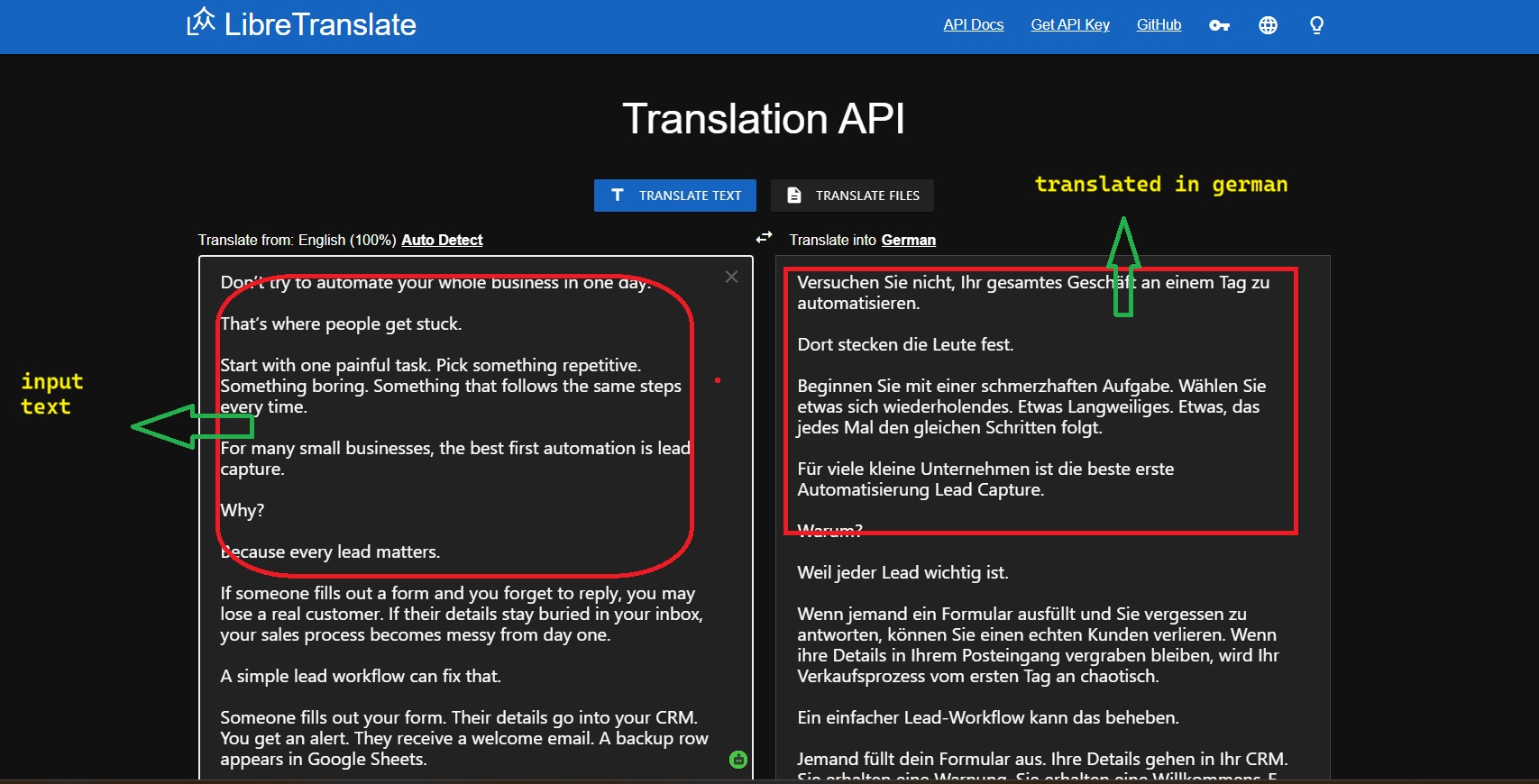
Treat the output as a first draft. Machine translation misses idioms, tone, and local terms. A native speaker should edit anything before it goes live.
5. Penpot and the Canva Gap in Open-Source Alternatives to Popular SaaS Tools
Penpot is the best Canva alternative in the open-source world. But it lacks a built-in stock media library and AI image generation.
What it does well is design work that needs to stay consistent. You can build reusable components and shared libraries, so brand templates for social posts stay the same across the team. It runs in the browser on Windows, Mac, or Linux. You can use the cloud version or host it yourself.
Canva users will miss the templates and stock photos at first. You will need a separate source for photos and AI images.
6. Mixpost: Scheduling Posts With Open-Source Alternatives to Popular SaaS Tools
For social media post automation, Mixpost is good. It schedules posts, queues them, and publishes through each network’s official API.
Know the edition split before you start. Mixpost Lite is free and open source under the MIT license, but it only supports Facebook Pages, X, and Mastodon. Instagram, LinkedIn, TikTok, YouTube, Pinterest, Threads, and Bluesky need Mixpost Pro or Enterprise. Those are one-time payments with a year of updates. After a year, the software keeps working, but updates need a renewal.
If you want more networks without paying, Postiz is another open-source scheduler to compare. For the wider picture, see how to automate small business tasks with free SaaS tools.
7. Perplexica: AI Search in Open-Source Alternatives to Popular SaaS Tools
Perplexica is an AI-powered search engine and an open-source alternative to Perplexity AI. In March 2026, the project was renamed Vane, so you may see both names.
It searches the live web through SearxNG, a private metasearch engine, then writes an answer with sources. Because each answer links to its sources, checking a claim before it goes into a draft is easy. It works with local models through Ollama or with API keys from OpenAI, Anthropic, or Gemini. It is MIT licensed.

One warning for teams: it has no built-in login. If you host it on a shared server, put it behind a password or a private network.
8. Open WebUI and Qwen: Testing Open-Source Alternatives to Popular SaaS Tools for AI Writing
For AI writing, I have tried Open WebUI with Qwen models. I have only tested this setup, so I keep it separate from my daily tools.
Open WebUI gives you a ChatGPT-style chat screen, and Ollama runs the model on your own machine. Qwen3 is released under Apache 2.0 and handles many languages.
Check the license if you plan to rebrand it. Since version 0.6.6 in April 2025, Open WebUI’s license is not an approved open-source license. You must keep its branding visible unless your deployment serves 50 or fewer users. And the answers you get depend on your hardware. Bigger models need more memory.
Where Open-Source Alternatives to Popular SaaS Tools Still Fall Short
Open source did not replace everything in my work. These are the gaps I would plan for:
- Backlink data. No open-source tool comes close to the big paid indexes.
- Stock media and AI images. Penpot has neither built-in.
- Language support. Harper is English only, which matters for bilingual teams.
- Paid tiers. Mixpost Lite covers only three networks. Plane’s newest features reached the free edition last.
- Upkeep. Self-hosted tools need updates, backups, and security. Somebody on the team has to own that job.
- License changes. Open WebUI changed its license in 2025. Read the license page before you build on a tool.
A Simple Order to Try Open-Source Alternatives to Popular SaaS Tools
Start with tools that need no server. Harper installs as a browser extension in a minute. Next, try one self-hosted team tool. Plane is a good first pick because the whole team feels the difference quickly.
Add data tools last. SerpBear and OpenSEO both need paid API access to be useful at scale, so work out those costs first.
If you would rather not run servers at all, start with these free SaaS alternatives instead. Free and open source are not the same thing, and a free hosted tool may suit a small team better.
FAQs About Open-Source Alternatives to Popular SaaS Tools
1. Are Open-Source Alternatives to Popular SaaS Tools Really Free?
The code is free, but running it is not always free. You may pay for a server, a scraping API, or a data provider like DataForSEO. Some tools are also open core. Mixpost Pro and Plane’s Commercial Edition are paid products built on a free edition.
2. Do You Need Coding Skills to Run Open-Source Alternatives to Popular SaaS Tools?
Not for all of them. Harper needs no technical setup. Plane, Mixpost, SerpBear, and Perplexica usually run with Docker, so basic server skills help. Most of these projects also offer a hosted version if you want to skip setup.
Final Thoughts
Open-source alternatives to popular SaaS tools now cover most of my daily work. Plane runs our tasks, Harper checks my English, SerpBear tracks rankings, and Mixpost handles scheduled posts. The gaps are real, though. Backlink data and stock media still come from paid tools.
Pick one job that costs you the most each month and replace only that first. Run both tools side by side for a few weeks. If the open-source tool covers what you actually use, cancel the subscription.