Could I do multilingual narration from the same script without making it sound as though a different person had taken over each time? That was the question behind my ImagineLab Voice Lab vs Murf AI test.
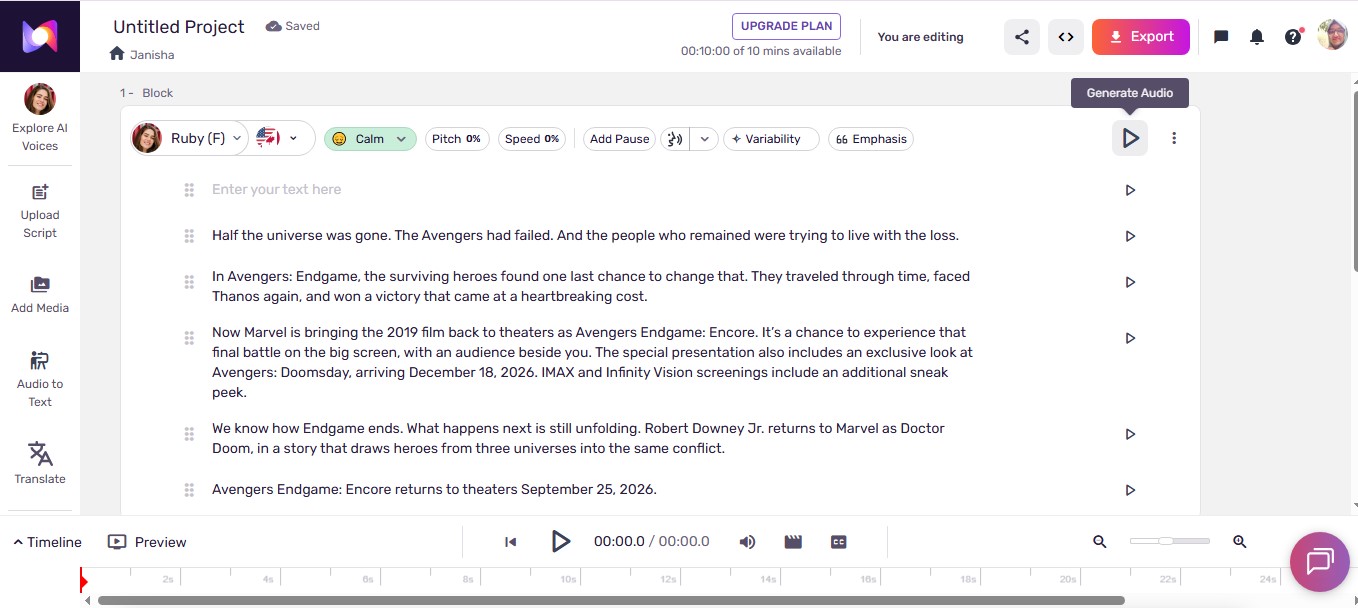
My script was about Avengers Endgame: Encore. It begins, “Half the universe was gone. The Avengers had failed,” and gradually moves toward the excitement of returning to the theater. I generated three language versions (for testing purposes) in each product and listened to them carefully. ImagineLab gave me one continuous clip per language. In the Murf workflow I used, the script became smaller paragraph clips. That was the first difference I noticed, and the one that most affected how I worked.
Disclosure: ImagineLab.art is our in-house software. I’m a copy editor and writer, and I tested both products for this article.
What I tested
I prepared and reviewed English, Hindi, and French versions of the same story. I supplied a script to the voice tools, generated the narration, and checked the results.
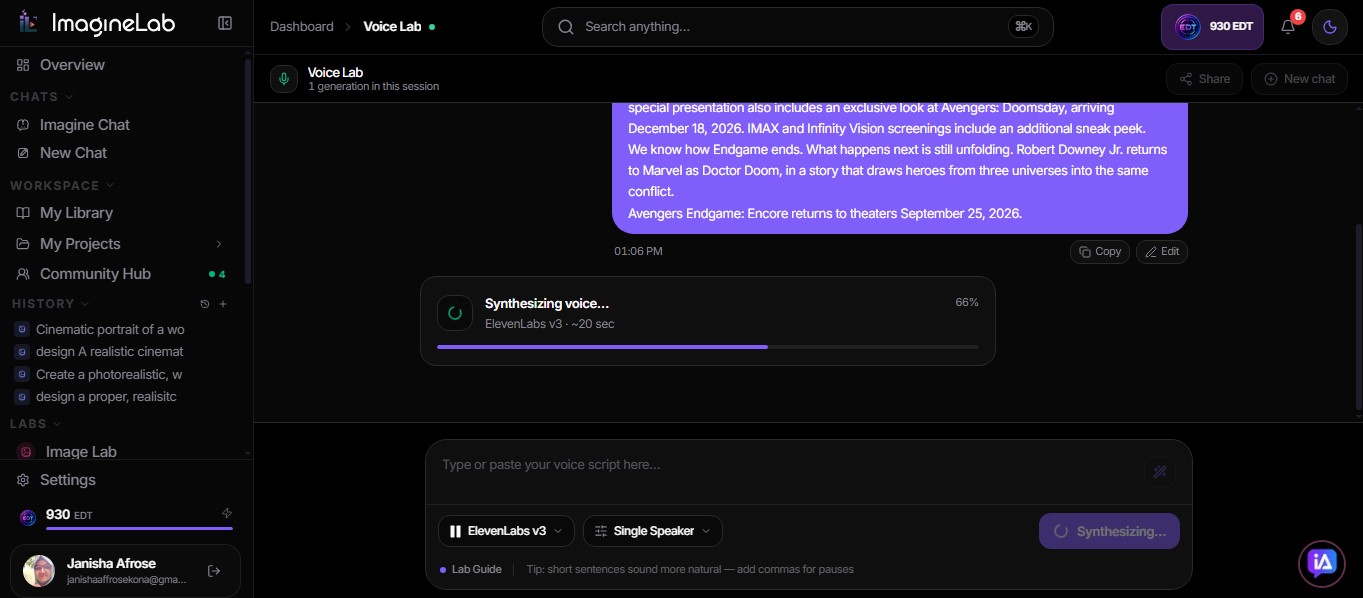
In ImagineLab Voice Lab, I used ElevenLabs v3 with a single female speaker. In Murf Studio, I generated the three language versions on its free plan. Each finished narration was about one minute long. That describes the audio length; it also took 1 minute for each product to generate the narration.
| My test | ImagineLab Voice Lab | Murf AI |
| Account | Paid | Free |
| Language versions | English, Hindi, French | English, Hindi, French |
| Script workflow I experienced | One continuous clip for each version | Paragraphs appeared as separate voice blocks and clips within the project |
| Voice across languages | Recognizable to me | Sounded like different narrators to me |
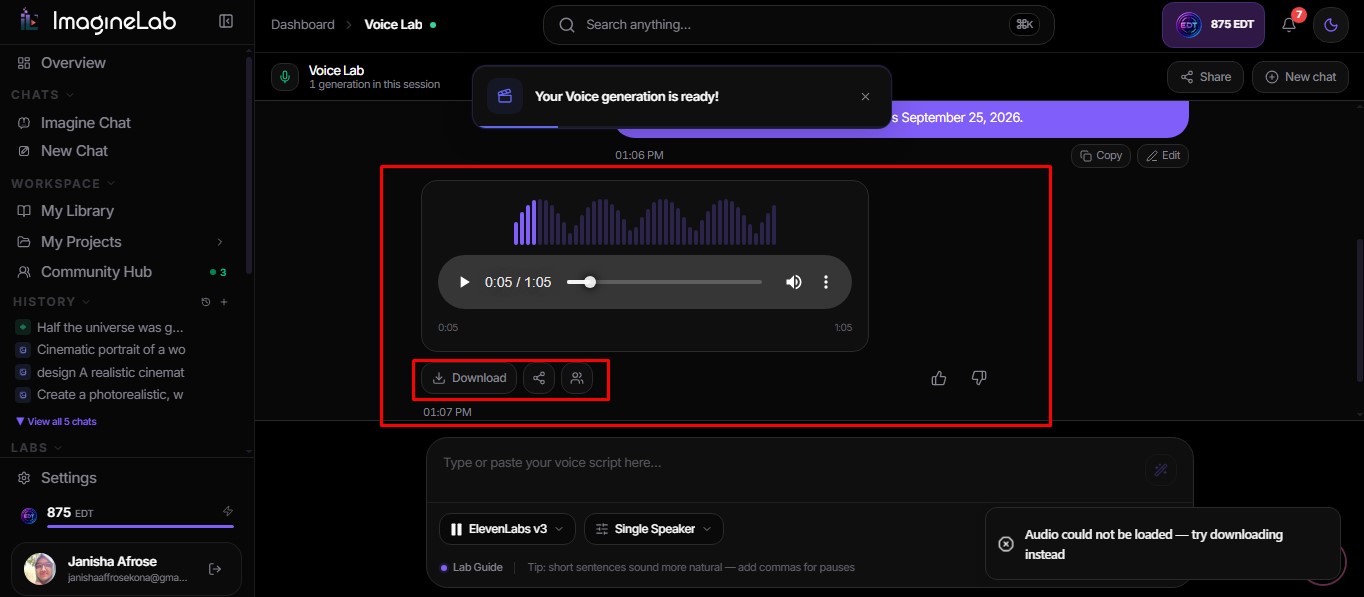
| Export I assessed | MP3 and WAV downloads | Inspected the export menu; did not download a file |
| Cost observed | 55 EDT per version; 165 EDT total | Used free-plan previews |
I spent more time in ImagineLab because it is our own product, though I spent a fair amount of time testing Murf for this comparison. That difference in time is not a measure of either product’s speed or ease of use.
One continuous read, or a script in pieces?
ImagineLab suited the way I wanted to make this particular voiceover. I entered the script and generated one audio clip for the full narration in each language. I could listen to the story from its quiet opening through to its final line as one piece.
With Murf, the paragraphs of my script became separate voice blocks, with audio generated in smaller segments. I could see the value of that arrangement. If I were working on a long lesson or a script with several speakers, editing one section at a time could be useful. For my short, single-narrator piece, I preferred ImagineLab’s continuous result. The segmented workflow made my one-minute script feel more divided than I wanted.
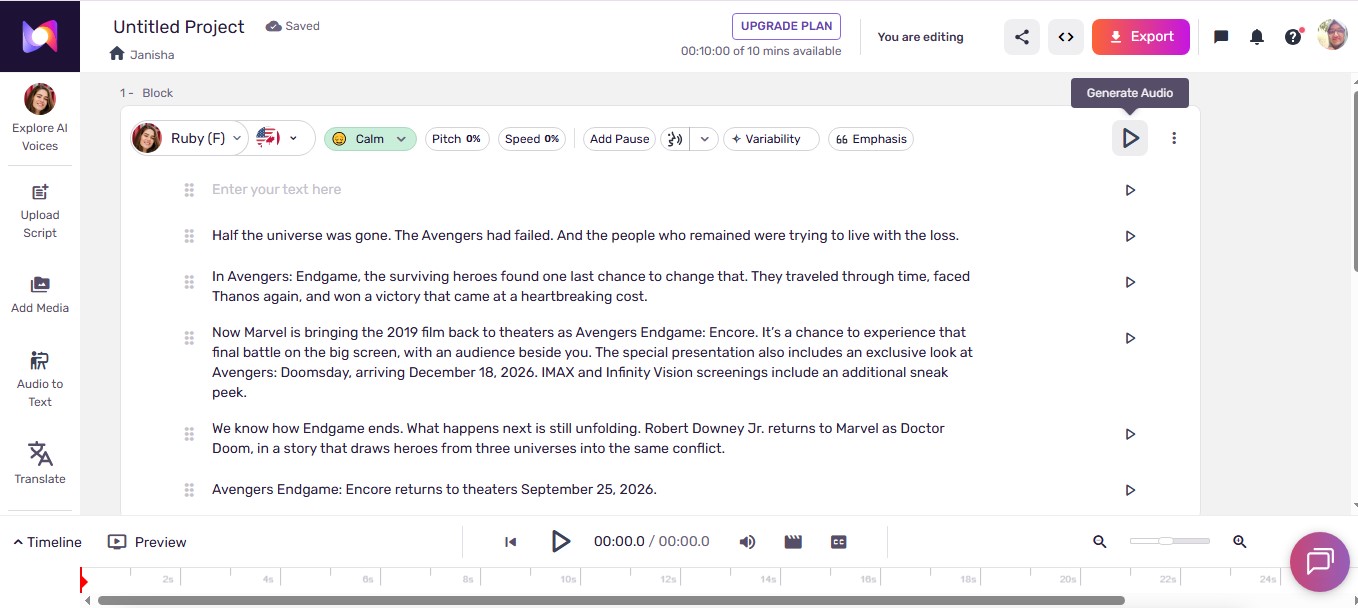
There is a useful detail I found while checking Murf’s documentation: its script editor has a “Don’t Split” option when adding text. Murf also says a project containing multiple blocks can be exported as one combined audio file on a paid plan. I did not use either route in this test. My preference is therefore about the Murf workflow I actually followed, not a claim that Murf cannot produce a single-block project or a single final file.
Did the narrator sound like the same person?
In my ImagineLab versions, the female narrator remained recognizable to me in English, Hindi, and French. I liked hearing that continuity in a script that changes mood. The opening looks back at loss; the ending looks ahead. To me, the three recordings still felt connected by one voice.
My Murf previews gave me a different impression. Across the three languages, the voices sounded more like separate narrators. They delivered the script, but I missed the sense of one speaker carrying it across versions.
I cannot turn that observation into a blanket claim about Murf’s multilingual voices. Murf offers MultiNative voices designed to speak more than one language, and I have not established a separate, controlled result using the same MultiNative voice for all three versions. Readers who need a consistent narrator should audition their chosen voice in every target language before committing to a full project.
How much could I shape the delivery?
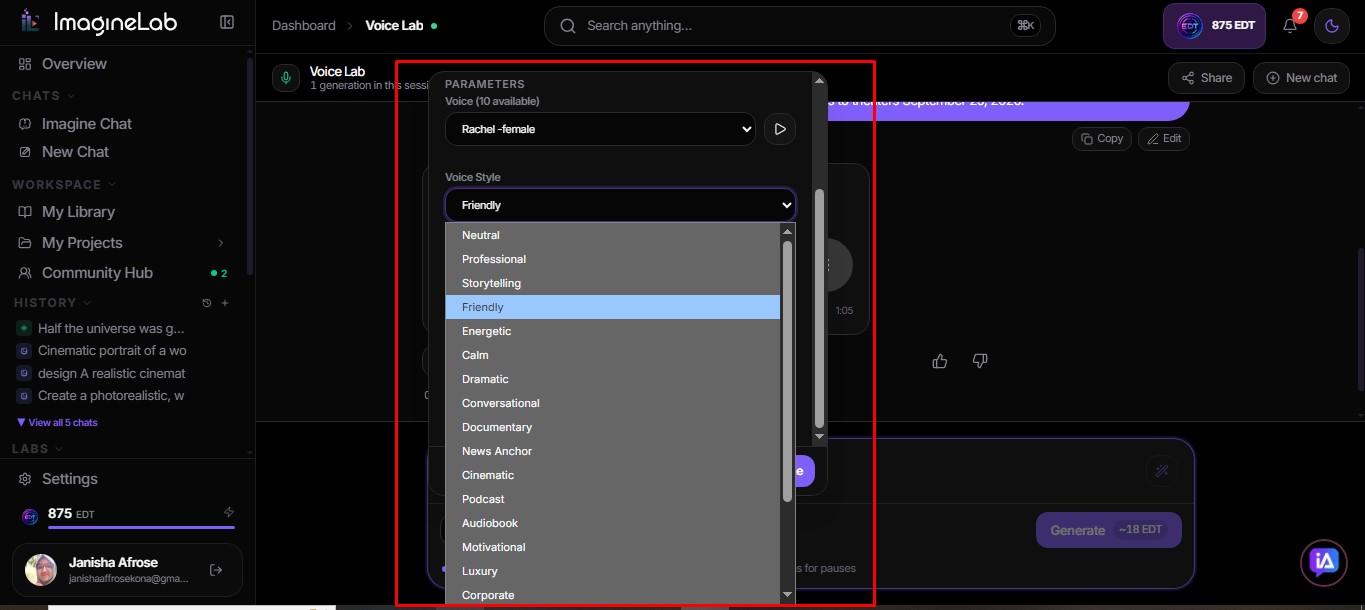
I preferred ImagineLab’s voice choices for this script. Its selection of tone and accent, along with style and emotion settings, helped me get closer to the reading I wanted. Pauses mattered, too. A line about the Avengers’ loss should not have the same energy as a line inviting people back to the theater.
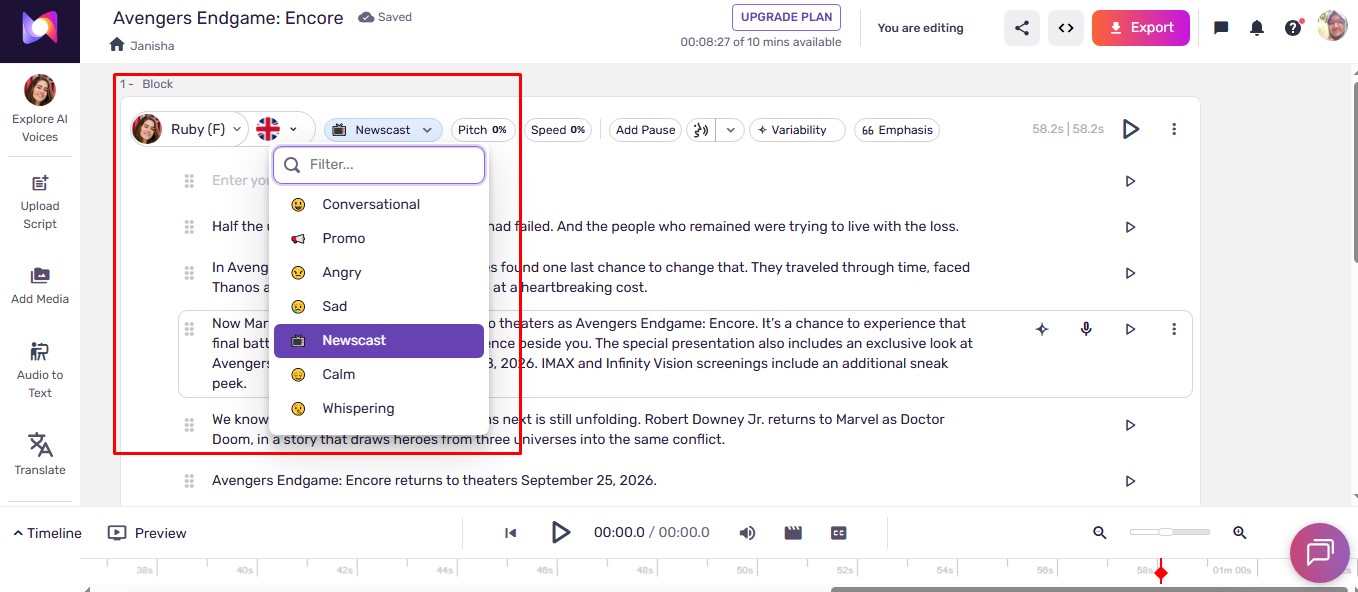
Murf has delivery tools of its own. Its Studio offers settings for speed, pitch, pauses, pronunciation, and emphasis, and narration styles are available for select voices. I found fewer voice-style choices that appealed to me for this piece in my free-plan test. That is a personal judgment about the voices I tried, not a claim that Murf lacks these controls.
Both products let me move from script entry to preview and correction. The difference for me was how the choices came together in the finished narration. ImagineLab’s voice and continuous clip matched my idea of this short story more closely.
Where Murf impressed me: export choices
Murf’s export menu was the part of its workflow I liked most. ImagineLab offered me MP3 and WAV. Murf presented more choices for file format, quality, and audio channels. Its paid export options include MP3, WAV, FLAC, and formats used for telephone audio.
Those settings matter when a voiceover has to meet a specific production requirement. I would like to see ImagineLab offer more export control.
I need to be precise about what I tested here: I generated and reviewed Murf’s audio, then inspected its export menu. I did not download a Murf file. Murf says downloads require a paid plan, so I cannot compare the exported audio quality of the two products from this test.
Cost and the limits of my comparison
ImagineLab charged 55 EDT for each generation, or 165 EDT for the three language versions with my chosen settings (ImagineLab also offers free usage for first-time users; as I have already used that free plan, I had to do this test on the paid version). I used Murf’s free plan to make and preview its versions. That gives me no sound basis for saying which product costs less on comparable paid plans.
This was also one short script, not a test of every voice or language either platform supports. My strongest finding is narrower and more useful: with the setups I used, ImagineLab gave me a recognizable narrator and one continuous clip per language, while Murf’s paragraph-based workflow felt less suited to this piece. Murf gave me export choices I would welcome in ImagineLab.
Which one would I choose?
For a short, expressive voiceover that I want to hear as one complete story in several languages, I would use ImagineLab Voice Lab again. It gave me the voice continuity and workflow I preferred in this test.
I would revisit Murf for a project where editing individual sections or choosing detailed export settings mattered more. I would start by trying its “Don’t Split” option and auditioning one MultiNative voice across all the required languages. That would give me a better basis for judging how Murf handles the continuous, consistent narration I wanted here.
Frequently Asked Questions on ImagineLab Voice Lab vs Murf AI
1. Does Murf always split a pasted script into paragraphs?
No. My script appeared in separate paragraph blocks in the workflow I used, but Murf documents a “Don’t Split” option that places a suitable script in one block.
2. Can Murf export several voice blocks as one audio file?
Yes. Murf documents a Single File export for a combined project. Exporting requires a paid plan, and I did not download a Murf file in this test.
3. Which product kept the narrator recognizable across languages?
ImagineLab did in the versions I heard. My Murf versions sounded like different narrators to me. I did not run a separate controlled test of the same Murf MultiNative voice across all three languages.