Finding the Best AI Writing Assistants for Work Documents requires balancing polish with factual accuracy. While smooth phrasing matters, preventing hallucinations, catching outdated clauses, and protecting company data matter far more. The best platforms seamlessly integrate into your workspace, enforce brand compliance, and maintain human editorial control.
Leading native environments like Microsoft 365 Copilot and Google Gemini streamline daily business documentation, while Grammarly and Writer excel at brand governance and language control. For complex source analysis, Claude and ChatGPT offer the deepest analytical capabilities. Matching your team’s document platform and data standards remains the fastest path to choosing the right assistant.
What Was Considered
Each tool was assessed against common workplace writing tasks:
- Drafting reports, proposals, product briefs, policies, and executive updates
- Editing for clarity, grammar, tone, and consistency
- Referencing company files and internal knowledge
- Working inside Word, Google Docs, Notion, and other established platforms
- Applying approved terminology and organizational writing standards
- Providing suitable administrative and data controls
- Reducing work without creating another poorly managed document repository
Fluent output was not treated as evidence of accuracy. Names, figures, quotations, contractual language, project status, and policy requirements still need human verification.
9 Best AI Writing Assistants for Work Documents at a Glance
| Tool | Most Useful For | Check Before Choosing |
| Microsoft 365 Copilot | Word and Microsoft 365 documents | License, permissions, and file location |
| Gemini for Google Workspace | Collaborative Google Docs work | Workspace edition and source access |
| Grammarly | Editing across multiple apps | Deployment method and plan features |
| WRITER | Governed enterprise language | Setup ownership and language limits |
| Claude for Work | Reviewing substantial documents | Add-in and connector approval |
| ChatGPT Business or Enterprise | Developing drafts from mixed material | Version control and workspace settings |
| Notion AI | Internal documentation | Whether Notion holds the approved copy |
| DeepL Write | Multilingual editing | Language and business-plan support |
| Jasper | Branded marketing documents | Whether content volume justifies it |
The table is a shortcut, not a universal ranking. A company built around Google Workspace has little reason to choose Copilot simply because it appears first.
The Detail Buyers Often Miss
Many teams compare AI output before checking where their approved documents actually live. That is backwards. If policies, reports, and templates are stored in SharePoint, Microsoft integration has an immediate advantage. If project plans and meeting records live in Google Drive or Notion, moving that information into another AI workspace can create duplicate files and uncertain versions.
Account type matters too. Consumer and business subscriptions may have different training defaults, retention options, connectors, contractual terms, and administrative controls. Employees should not upload confidential contracts, customer information, unreleased financial results, or sensitive personnel records simply because a tool accepts the file.
Choosing among the best AI writing assistants for work documents should begin with the existing workflow, not the most impressive product demonstration.
1. Microsoft 365 Copilot
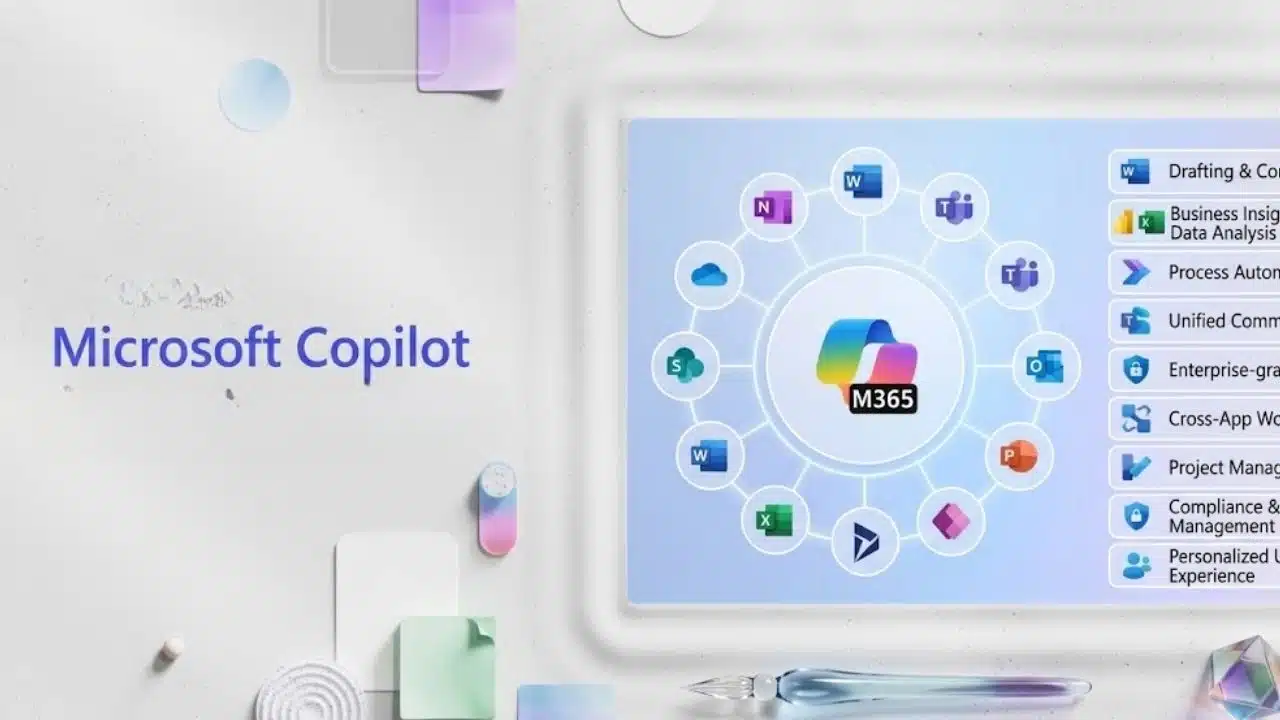
For a Word-heavy organization, Microsoft 365 Copilot is the most logical place to start. Copilot in Word can create drafts, rewrite selected passages, summarize documents, answer questions about their contents, and turn appropriate text into tables.
Its real advantage is access to nearby work. A product manager can reference an approved requirements document when preparing a launch brief. An operations manager can summarize a stored procedure without manually moving it into another service. Information from Outlook, Teams, OneDrive, and SharePoint can also support the wider workflow when the account and permissions are configured correctly.
Buying Copilot is less straightforward than using it. Copilot Chat, Microsoft 365 Copilot, and the available business bundles do not provide identical access to company information. Some Word features also depend on the assigned license, administrator settings, and whether the file is stored in OneDrive or SharePoint.
For most Microsoft-based companies, those complications are worth resolving before paying for another standalone assistant. The integration is the reason to buy it.
2. Gemini for Google Workspace
Gemini is not a lesser version of Copilot. It is the more sensible first choice for a company whose documents, email, meetings, and shared files already live in Google Workspace.
Inside Google Docs, Gemini can create drafts, rephrase passages, adjust tone, shorten or expand text, generate summaries, and reorganize material into bullets. More importantly, it can use selected Drive files as sources. A project lead could ask it to revise a delivery timeline using the latest meeting notes instead of copying several pages into a prompt.
Plan boundaries require attention. Google currently lists Gemini in Docs for Business Standard, Business Plus, and Enterprise. Business Starter does not include the same Docs capability, although it provides access to other AI features. Availability may also vary by language, account, rollout, and administrator configuration.
Gemini becomes much less distinctive when the organization’s authoritative files are stored outside Google Workspace. Its strength is contextual access, not an automatic guarantee of better prose.
3. Grammarly
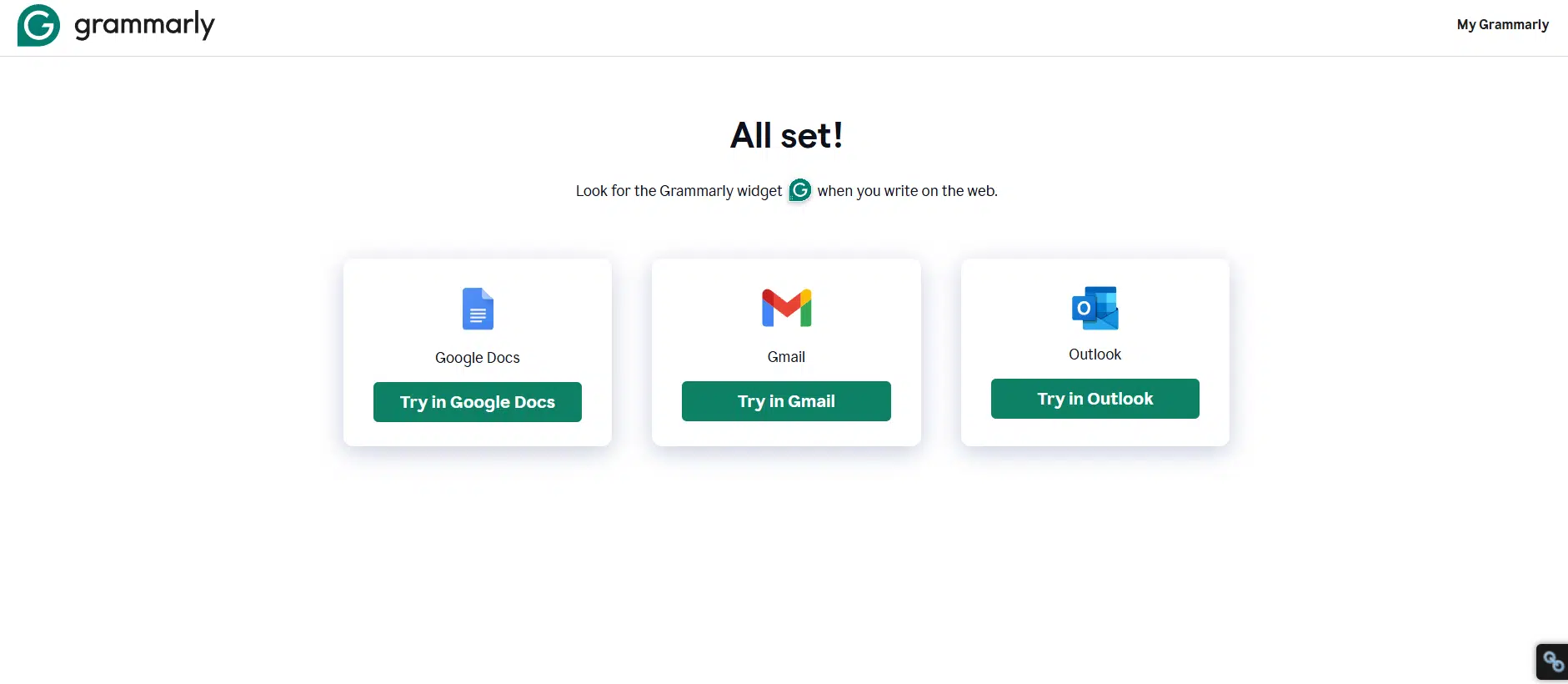
Grammarly remains the broadest finishing tool on this list. Its desktop software and browser extensions can provide suggestions in Word, Google Docs, Outlook, Gmail, Slack, and other workplace applications.
It is most useful once the writer knows what the document needs to say. Grammarly can correct grammar, tighten awkward sentences, adjust tone, and help teams follow shared terminology, brand tones, and style guidance. Knowledge Share can also surface relevant organizational information while an employee writes.
What it cannot do is confirm that the substance is right. Grammarly may improve a project update without recognizing that the launch date is outdated or that a performance claim lacks support. Treat it as an editing and communication layer, not a factual authority.
Deployment is also changing. Grammarly is retiring its older Microsoft Office add-in and directing Windows users toward its newer desktop software. Its enterprise experience is increasingly delivered through Superhuman Go. IT teams should review the current setup before planning a large rollout around documentation written for the old add-in.
4. WRITER
WRITER solves a different problem: keeping language consistent across a large organization. Administrators can manage approved product terms, discouraged wording, spelling conventions, style guidance, voice profiles, and company knowledge. That matters when several departments repeatedly produce material that must follow the same legal, brand, or compliance rules.
The value is easy to underestimate. A personal assistant may suggest cleaner wording, but it will not reliably stop hundreds of employees from using an outdated product name. WRITER can apply centrally managed guidance, provided the organization sets it up properly.
That setup requires ownership. Style guides and terminology must be connected to the appropriate voice profile before they affect WRITER Agent output. Someone must also maintain the rules, examples, source material, permissions, and exceptions.
WRITER’s conventional proofreading suggestions currently support English-language documents, with American, British, Australian, and Canadian spelling settings. Its agent can perform broader multilingual work, but that is not equivalent to complete multilingual proofreading.
Small teams with no formal editorial standards may find WRITER excessive. Large organizations repeatedly correcting the same terminology or compliance problems have a much stronger case for it.
5. Claude for Work
Claude is particularly useful when a document begins as a large, untidy collection of source material. Projects can hold supporting files and instructions, giving the team a focused knowledge base instead of forcing users to rebuild the same context in every prompt.
It supports common professional formats, including PDF, DOCX, CSV, TXT, HTML, RTF, and ODT. Spreadsheet support can depend on code-execution settings. Claude can also create downloadable Word documents and PDFs.
Its Microsoft integration has become more important. Claude for Word can draft, review, redline, and edit documents inside Word. Anthropic also offers a Microsoft 365 connector that can work with SharePoint, OneDrive, Outlook, and Teams after the necessary organizational and Microsoft Entra approvals.
That combination makes Claude worth considering for policy comparisons, research synthesis, long reports, and contract review. It does not make automatic acceptance of its edits sensible. Tracked changes still need review, particularly when a small wording change could alter a legal or technical meaning.
Anthropic states that commercial inputs and outputs are not used for model training by default. Organizations should still confirm plan access, connector permissions, regional availability, retention, and billing arrangements.
6. ChatGPT Business or Enterprise
ChatGPT is strongest when the difficult part is turning scattered material into a coherent structure. Projects can hold reference files and instructions, while company knowledge can draw from approved connected applications and return links to supporting information.
This suits work such as creating an executive brief from research files, comparing policy drafts, developing a product requirements document, or reorganizing a dense report for a different audience. Current Enterprise capabilities can also create documents, spreadsheets, presentations, and other work products using approved tools and files.
Its main weakness is document ownership. If the approved copy ultimately belongs in Word, Google Docs, or a records system, employees may move content between platforms several times. Without a clear publishing step, nearly identical drafts can circulate and nobody is quite sure which one is final.
OpenAI states that Business and Enterprise content is excluded from model training by default. Companies still need to configure retention, connectors, access, and internal rules for sensitive information.
7. Notion AI
Notion AI is a strong choice when Notion already holds the company wiki, project plans, procedures, meeting notes, and operational databases. It can edit text inline, create summaries, draft from referenced pages, search connected sources, and turn meeting information into follow-up material.
Weekly reporting is a practical example. Notion can assemble an initial update from current project pages, leaving each owner to verify progress, risks, and dates rather than reconstructing the week from memory.
The product becomes less attractive when Notion is only an occasional notes app. Drafting there and rebuilding the document in Word can erase much of the time saved while creating another competing version.
Notion AI is currently included with Business and Enterprise plans. Free and Plus workspaces receive limited trial access, so a short test on a lower plan does not represent the complete business offering.
8. DeepL Write
DeepL Write has a narrower job: improving language. It corrects grammar and punctuation, suggests alternative wording, and adjusts style or tone across a growing range of supported languages.
That focus makes it useful for international teams whose employees regularly write professional documents in a second language. A regional manager may understand the subject perfectly but need help making an English report clearer and more natural.
DeepL Write does not assemble a report from several company files or replace a knowledge platform. Businesses handling sensitive material should examine Write Pro or an enterprise arrangement rather than assuming the free service provides suitable controls.
9. Jasper
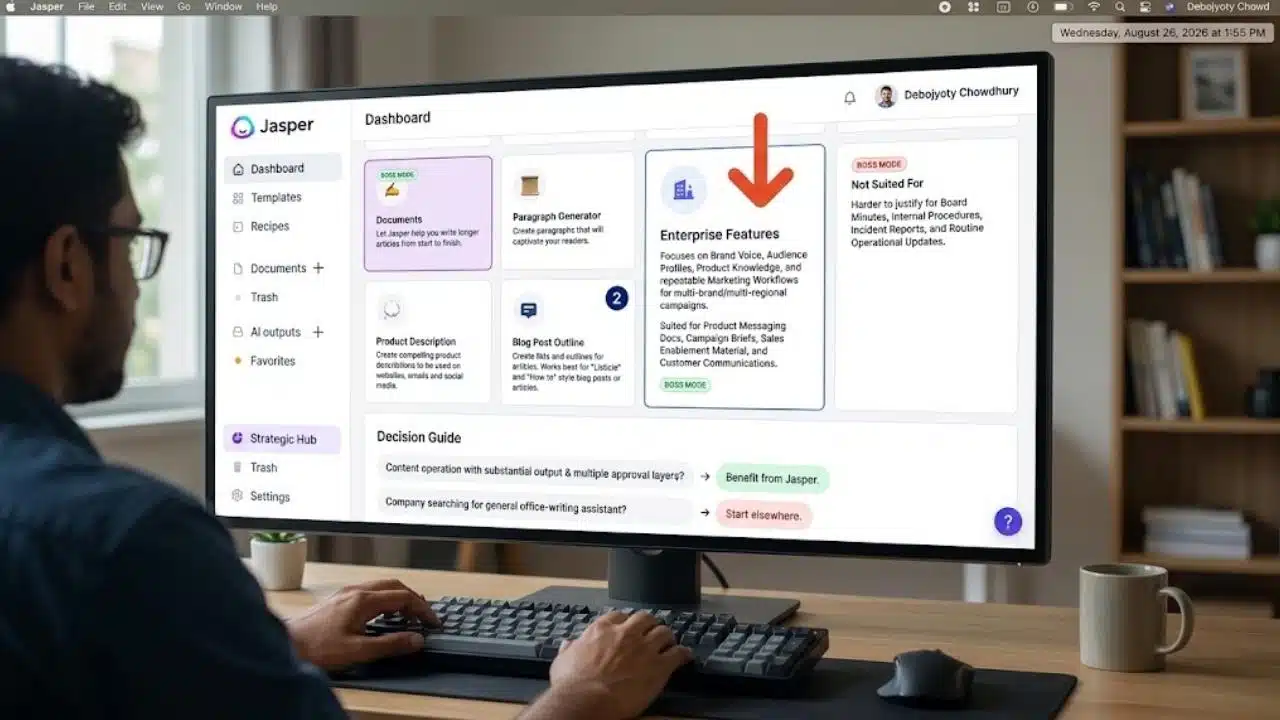
Jasper is the specialist on this list. Its platform concentrates on brand voice, audience profiles, product knowledge, style rules, campaigns, and repeatable marketing workflows.
It can suit product messaging documents, campaign briefs, sales enablement material, and customer communications produced across several brands or regions. It is harder to justify for board minutes, internal procedures, incident reports, or routine operational updates.
A content operation with substantial output and several approval layers may benefit from Jasper’s focus. A company searching for a general office-writing assistant should start elsewhere.
What to Check Before Paying
Do not test these products with a tidy sample document and a perfect prompt. Choose one real, time-consuming workflow, using material that the organization has approved for the pilot.
A useful test might cover weekly project updates, proposal drafts, product briefs, policy revisions, or executive summaries. Over several weeks, record:
- How many factual and contextual corrections are required
- Whether the tool can use approved sources without excessive copying
- How much formatting cleanup remains
- Whether access follows existing permissions
- Where the final approved document is stored
- Whether employees continue using the product after the first week
- Which existing subscriptions it duplicates
- Which important features require a more expensive plan
When comparing the best AI writing assistants for work documents, the strongest choice is usually the one closest to the company’s existing files. Microsoft 365 Copilot leads for Word-centred organizations, while Gemini is the practical equivalent for Google Workspace. Grammarly suits mixed application environments, WRITER addresses centrally governed language, and Claude or ChatGPT can help when analysis and document development consume more time than proofreading.
Run a controlled pilot before buying seats for an entire department. Faster drafting is useful only when the organization can still identify the approved source, the responsible reviewer, and the final version.
Final Thoughts
The best AI writing assistants for work documents are usually the ones that fit the systems a team already relies on. Native access to approved files, permissions, templates, and terminology matters more than an impressive standalone demo.
Before buying seats, test one tool on a recurring task such as a weekly update, project brief, or policy revision. Track factual corrections, formatting cleanup, time saved, and where the approved version ends up. If the tool creates more copying, duplicate drafts, or uncertainty about ownership, it is adding friction rather than removing it.
AI can speed up drafting and editing, but responsibility for accuracy, context, and approval must remain with the people producing the document.