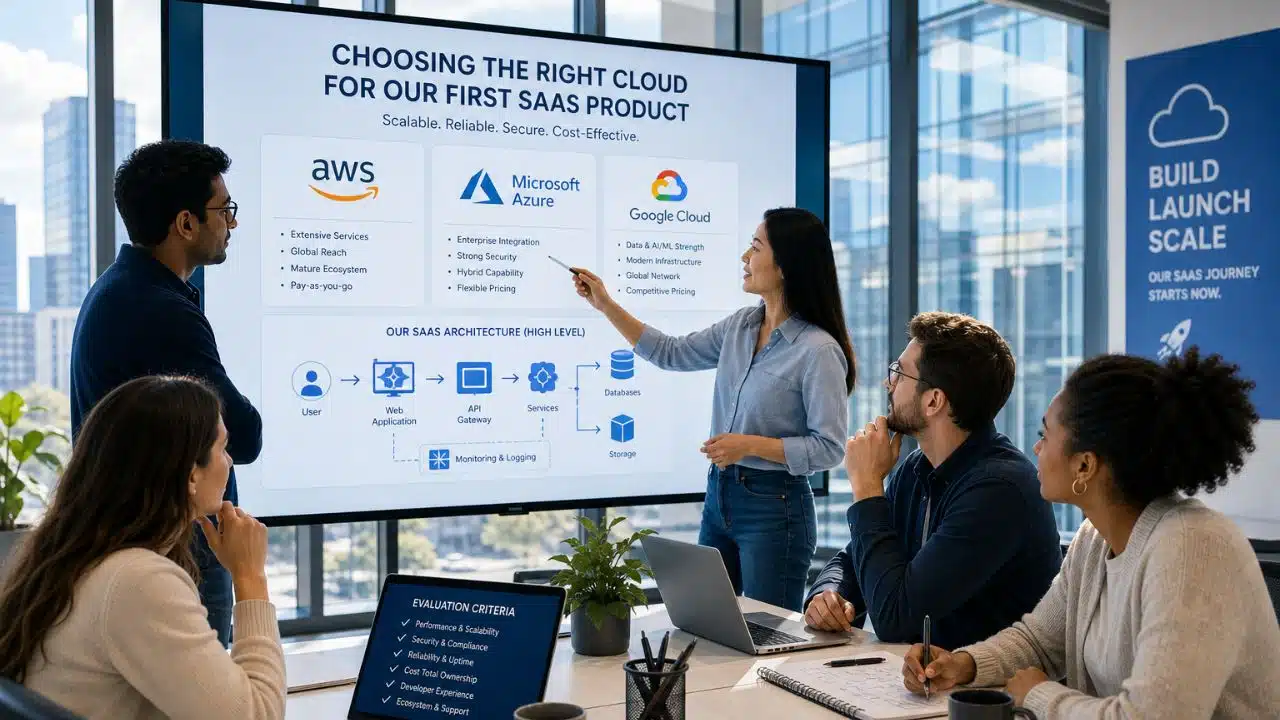
You have a working product and a signup page. Now you need somewhere to put it. The account takes four minutes to create, and that is the problem. Choosing a cloud provider for SaaS product feels like a small setup task on day one, and then it quietly shapes your margins, your page speed, and how much freedom you have two years later.
Nobody warns you about that part. Most guides compare feature lists. Feature lists are not where founders get hurt. Bills are.
What Choosing a Cloud Provider for SaaS Product Actually Locks in
You are not just picking a place to run code. You are picking four things at once.
The first is your monthly cost, which is the obvious one. The second is your speed for the users you actually have, which depends on where the servers sit. The third is your exposure when something breaks, because your uptime is borrowed from someone else. The fourth is your exit cost. That last one is the sneaky one. Moving data out of a big cloud is priced per gigabyte, so the longer you stay and the more you store, the more it costs to leave.
There is some relief coming on that front. The EU Data Act bans switching-related egress charges for customers in the EU from 12 January 2027. That covers leaving. It does not cover the traffic your app serves every day.
The Big Three Are Real But They Are Not Three Equal Options
Synergy Research Group put the global cloud infrastructure market at AWS 28 percent, Microsoft Azure 21 percent, and Google Cloud 14 percent in the first quarter of 2026. Together they hold about 63 percent. Spending is growing at a pace that would look like a typo in any other industry: enterprise cloud infrastructure spending reached $143 billion in the second quarter of 2026, up roughly 43 percent year over year.
Those numbers describe enterprises buying GPU capacity. They do not describe you. When you are choosing a cloud provider for your SaaS product, market share tells you who is winning an argument you are not part of.
For a first SaaS product, the practical shortlist is wider than three names. AWS gives you the deepest service catalog and the most hiring options, and it is the safest answer if you plan to sell to banks or hospitals. Azure makes sense if your customers already live inside Microsoft. Google Cloud is strong if your product leans on data and AI services. Below them sit DigitalOcean, Hetzner, Render, Railway, and Fly.io, which are cheaper and simpler and run a very large number of profitable small products.
Pick based on your workload and your users, not on which logo has the biggest quarter.
What ImagineLab Art Taught Me About Where the Money Goes
ImagineLab.art runs on model providers rather than on raw servers. Generation calls go out to Google Vertex AI and Fal.ai, with models like Flux and Kling behind different labs on the platform. When I first sketched the budget, I thought about instances and databases. That was the wrong mental model.
For an AI product, the compute bill and the model bill are two different animals, and the model bill is the one that eats the margin. A single 4K video render costs real money the second a user clicks generate. That is the whole reason ImagineLab uses a token system instead of unlimited plans. If you cannot state your cost per request, you cannot price a subscription. You are guessing.
The second lesson was about the parts that are not servers at all. Our users pay through bKash and UPI as well as cards, because a creator in Dhaka or Kolkata often does not hold an international card. Your provider choice interacts with your billing stack, your storage for generated files, and your delivery network. Founders compare instance prices and forget that the surrounding pieces cost money too.
The third lesson was humbling. We target 99.9 percent uptime, but our platform depends on third-party model providers. Your real availability is everyone’s availability multiplied together. Say that out loud before you promise a number on your pricing page.
Egress: The Line Nobody Puts in the Spreadsheet
Uploading data is free almost everywhere. Sending it out is not. This single line item decides the winner for any product that serves images, video, audio, large API responses, or file downloads.
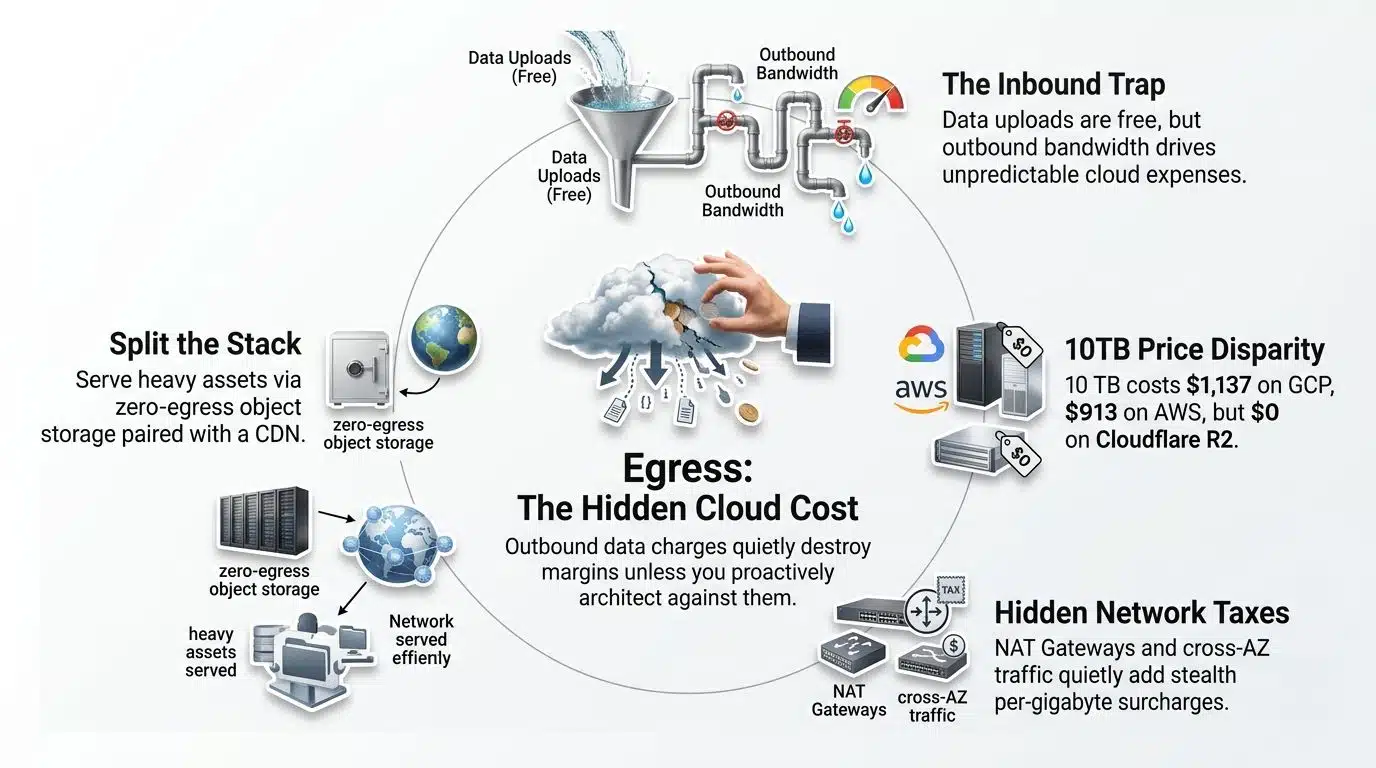
AWS gives you 100 GB free each month, then charges $0.09 per GB for the first 10 TB, dropping to $0.085, then $0.07, then $0.05 at higher volumes. Azure starts at $0.087 per GB. Google Cloud’s Premium tier starts at $0.12 per GB, though its Standard tier is cheaper for traffic that can tolerate a slower path.
Here is what that means in real money for 10 TB of outbound traffic in one month:
| Provider | Roughly what 10 TB costs |
|---|---|
| AWS | about $913 |
| Azure | about $882 |
| Google Cloud (Premium tier) | about $1,137 |
| Cloudflare R2 | $0 |
| Hetzner | included, 20 TB per server |
Same data, same month, wildly different invoice. Ten terabytes is not an enterprise number. A modest video or image product passes it without anyone noticing.
There are smaller charges hiding underneath too. On AWS, a NAT Gateway adds $0.045 per GB for every byte it processes, and traffic between availability zones costs $0.01 per GB in each direction, even on private addresses. None of these appear in the headline price.
A common fix is to split the stack. Serve heavy files from zero-egress object storage such as Cloudflare R2 or Backblaze B2, keep the application wherever it makes sense, and put a CDN in front of everything. That one change has saved more small products than any instance-size tuning.
Credits Feel Like Free Money
Every provider runs a startup program, and the headline numbers are large.
If you are bootstrapped, the real numbers are smaller. AWS Activate Founders gives up to $1,000 in credits valid for two years, plus $350 in developer support. Google’s pre-funded tier sits around $2,000. Microsoft for Startups Founders Hub is the most generous entry point at roughly $5,000 with no investor required, after Microsoft tightened the self-serve tier in July 2025.
The big numbers need someone to vouch for you. AWS Activate Portfolio reaches $100,000 through a partner VC or accelerator. Microsoft’s investor path reaches $150,000, drip-fed at about $25,000 every six months. Google’s program can reach $200,000 over two years and up to $350,000 for AI-focused startups.
Two warnings, both learned the expensive way by other people, are as follows:
Credits expire, and most providers start charging your card automatically the moment they run out. Set a billing alarm on day one, not on the day you get nervous. And do not let free credits pick your architecture. If you build deeply on one provider’s proprietary services because the first year is free, year two is not a renewal decision. It is a migration project.
Pick the Region Before You Pick the Brand
This is the part founders outside North America and Europe get wrong most often.
Distance is physics. If your users are in South Asia and your servers are in Virginia, every request crosses the planet twice, and no amount of code optimization fixes it. Bangladesh has no hyperscaler region of its own. The realistic options are Mumbai or Singapore, and the difference between those two and a US region is something users feel immediately on a dashboard that makes several calls per page.
Two practical notes. Newer regions do not always have every service, so check that the specific database or AI service you need exists in the region you want before you commit. And if your customers include European companies, data residency may not be optional for them, which narrows your list faster than pricing does.
Run a latency test from your own connection before deciding. It takes two minutes and it is more useful than any comparison article, including this one.
One Region is One Point of Failure
On 19 and 20 October 2025, AWS’s us-east-1 region broke for about fifteen hours. The trigger was a race condition in DynamoDB’s automated DNS management. More than seventy AWS services were affected, and the damage spread outward to Snapchat, Fortnite, Roblox, Venmo, Signal, Canva, and around a thousand other services. Downdetector logged roughly 6.5 million reports. The region went down again on 7 May 2026 after a thermal event in a data center.
Two things are worth taking from that.
First, spreading across availability zones inside one region did not save anyone, because the failure was regional. Real protection means a second region, which costs money and adds complexity that a pre-revenue product usually cannot justify. That is a fair trade to make deliberately, not by accident.
Second, read what an SLA actually promises. AWS guarantees 99.99 percent for most services, which allows about 52.6 minutes of downtime per year. Fifteen hours blew through that seventeen times over. Compensation arrives as service credits, not cash. Your refunds to your own customers are still yours to pay.
How I am Approaching RankPilot AI
RankPilot.ai is still in development, and I am making deliberately different choices there.
ImagineLab is media-heavy and model-heavy, so it needed serious infrastructure from the start. RankPilot is not that. It is a smaller SEO product with a normal database, background jobs, and API calls out to third parties. That workload runs comfortably on a managed platform for the price of a couple of lunches.
The current plan is boring on purpose: Postgres for data, S3-compatible object storage that any provider can read, and no provider-specific glue until traffic actually demands it. If the product finds users, moving is a weekend of work rather than a rewrite. If it does not, I have not spent a year of runway on infrastructure for an audience that never showed up.
That is the honest answer for most first products. Start smaller than you think you need.
Before You Create the Account
A short list, in the order I would actually check them:
- Where are your first hundred users, and which region is nearest to them?
- What is your expected outbound traffic per month, and what does that cost on your shortlist?
- Does the provider support the payment methods your customers use?
- Can you name your cost per user or per request? If not, you cannot price the product.
- Is there a billing alert set before you deploy anything?
- If you had to leave in twelve months, what would break?
If a provider looks good on five of these and terrible on one, that one is usually the one that will hurt.
Final Thoughts
Choosing a cloud provider for your SaaS product is a reversible decision that gets less reversible every month you delay thinking about it. The founders who struggle are rarely the ones who picked the wrong provider. They are the ones who never looked at the bill closely enough to know what they were buying.
Flexera’s 2026 State of the Cloud Report, based on 753 respondents, found that an estimated 29 percent of cloud spend is wasted, the first increase in five years, and that 17 percent of organizations went over budget. Those are companies with finance teams. A solo founder without a billing alarm is not in a better position.
So start with your users and your traffic, not with a brand. Pick the smallest thing that works, keep your data portable, and set the alarm before you deploy. Then go find customers, which is the part that actually decides whether any of this matters.
FAQs
1. Can I move to a different provider later, or am I stuck?
You can move, and plenty of teams do. The difficulty depends entirely on what you built with. A containerized app with Postgres and S3-compatible storage moves in days. An app wired deeply into one provider’s serverless functions, proprietary database, and queue system can take months because you are not migrating servers; you are rewriting how the parts talk to each other. Cost is the other half: moving stored data out is billed per gigabyte, which is why the exit gets more expensive as you grow.
2. Do I need Kubernetes for a SaaS product?
Almost certainly not at the start. Kubernetes solves problems that appear when you have many services, many engineers, and real scale. Before that it is mostly overhead, and it is overhead you maintain instead of shipping features. A managed platform or a couple of virtual machines behind a load balancer will carry a product much further than most founders expect.
3. Is a cheap VPS actually enough for a real SaaS?
For a lot of products, yes. A small server with two virtual CPUs and 4 GB of memory costs under $10 a month at providers like Hetzner, where a comparable on-demand hyperscaler instance runs roughly three times that before bandwidth. The trade is that you handle more yourself: backups, updates, monitoring, and recovery when something fails at 3am. If you value your weekends more than the price difference, pay for managed services. If you enjoy the control, the savings are real.
4. What is a reasonable infrastructure budget before launch?
Smaller than most people assume. Managed platform pricing starts around $7 a month for an always-on service, with managed Postgres in a similar range, so a real production setup with a web service, a database, and a worker often lands between $20 and $50 a month. If you are paying hundreds before you have paying users, something in the architecture is bigger than the product.