Ever look at your stack and wonder how so many tools showed up so fast? That is usually the moment SaaS inventory management stops feeling optional. I have seen teams pay twice for the same job, miss renewals, and leave risky OAuth apps connected long after the buyer moved on.
Zylo’s January 2026 index puts the average organization at about 305 SaaS applications, and it found many companies still underestimate app count by 1.7 times and spend by 3 times.
I am going to walk you through the setup I use to find every SaaS application, build a central record, and turn scattered visibility into clear action.
Exploring SaaS Application Inventory Management
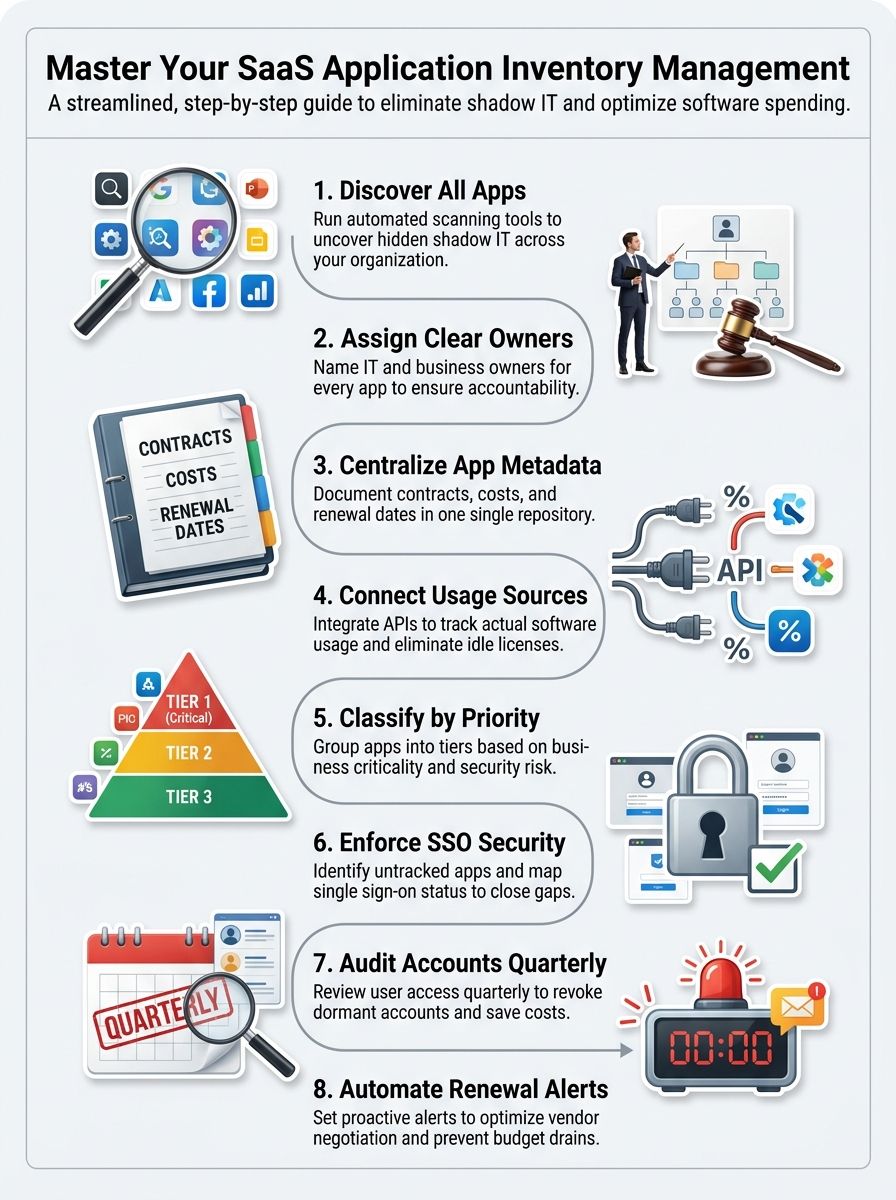
A SaaS application inventory is a living record of every cloud tool your company uses, who owns it, what data it touches, how people sign in, what it costs, and when it renews.
Without that record, shadow IT stays hidden and every other function, from procurement to security and compliance, works from partial data.
In Zylo’s 2026 benchmark, business units controlled 81% of SaaS spend while IT directly managed 15%. That split explains why decentralized purchasing creates blind spots so quickly.
NIST CSF 2.0 gives a simple test I like: inventory all external services the organization uses, including SaaS offerings and APIs. If a tool handles company data or connects to another system, it belongs in the app inventory.
- Identity: SSO status, MFA, admin roles, and provisioning method.
- Ownership: IT owner, business owner, finance contact, and vendor contact.
- Commercials: contract term, renewal date, pricing model, seat count, and cost center.
- Risk: sanctioned status, data sensitivity, integrations, and compliance notes.
Advantages of Effective SaaS Inventory Management
When I manage SaaS from one central inventory, I get something every team wants but rarely has: complete visibility. That makes cost control, software asset management, and faster security decisions much easier.
Gaining Visibility into SaaS Usage
A good SaaS management platform pulls data from SSO, expense tools, contract systems, and browser or CASB signals. Productiv, for example, says teams can start with a simple 5-minute SSO connection, which is a fast way to create baseline visibility before deeper integrations go live.
Microsoft’s current Defender for Cloud Apps guidance lists more than 31,000 discoverable cloud apps scored across 90-plus risk factors. That gives me a quicker way to separate a harmless long-tail tool from an app that deserves immediate review.
- SSO and identity data show who actually uses each SaaS app.
- Expense and AP data catch tools bought outside formal procurement.
- Contract records tie spend to renewal timing and terms.
- Network or CASB data surfaces unmanaged and shadow SaaS activity.
SaaS visibility gets real the moment I can answer three questions fast: who owns the app, what it costs, and what data it can reach.
Optimizing SaaS Licensing and Costs
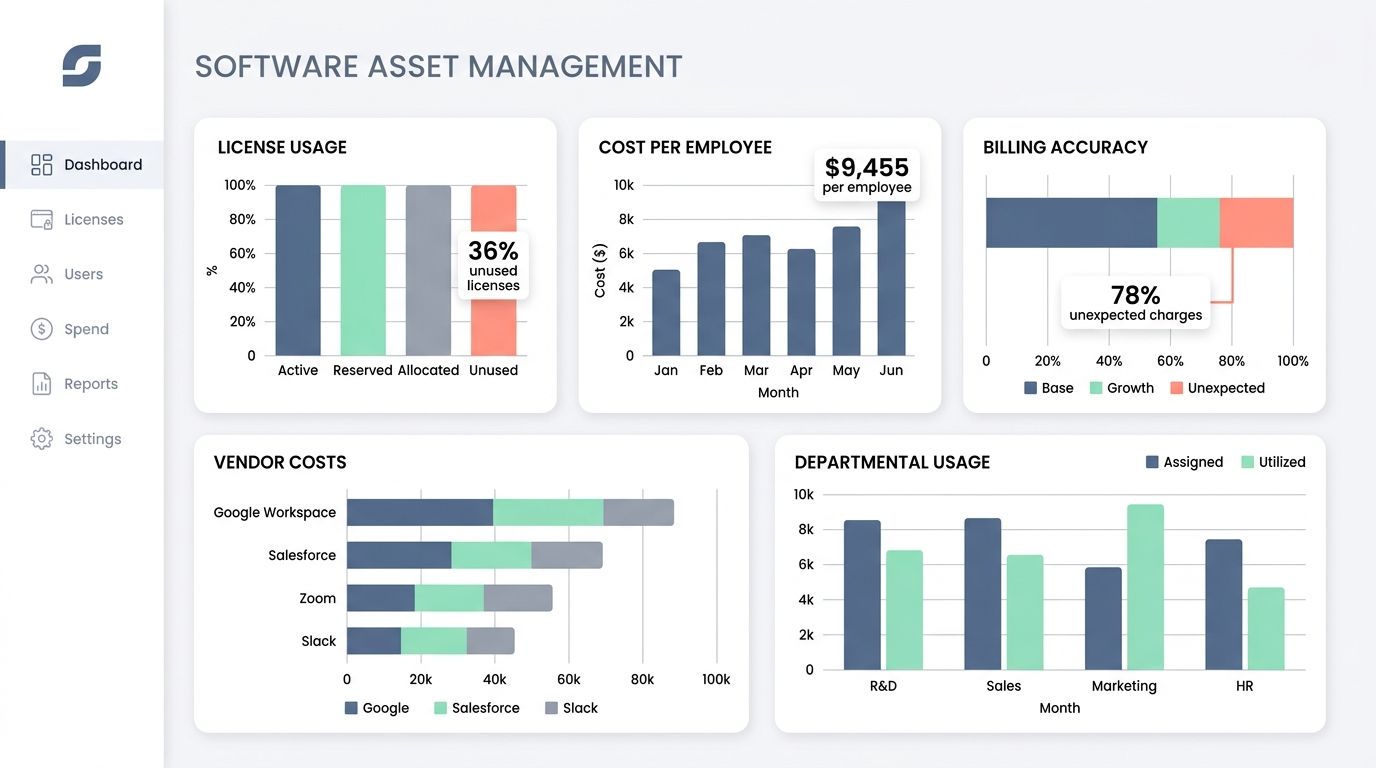
The cost case is stronger than most teams expect. Zylo’s 2026 index says organizations leave 36% of SaaS licenses unused, median SaaS spend per employee sits at $9,455, and 78% of IT leaders saw unexpected charges tied to consumption-based or AI pricing in the last year.
That is why I do not wait for renewal week. I review low-use seats monthly, match license tier to actual behavior, and push duplicate tools into application rationalization before they hit procurement again.
A portfolio with 211 renewals a year, roughly one per business day, needs a calendar and an owner or savings disappear into noise.
- Reclaim inactive seats before buying new ones.
- Downgrade users who do not need premium tiers.
- Group overlapping apps by category and function.
- Start renewal review 60 to 90 days early, with usage data in hand.
Enhancing Security and Compliance Measures
Netskope’s 2025 cloud report found that 26% of users send data to personal apps each month, and its generative AI research showed 94% of organizations now use genAI apps. That is a strong reason to track sanctioned, unsanctioned, and unmanaged apps in the same inventory.
IBM’s 2025 breach report put the average U.S. breach cost at $10.22 million. When an app bypasses review, the security risk is no longer theoretical.
For OAuth apps, I want more than a name and a publisher. I want permission type, privilege level, consent type, data usage, and last-used date so I can shut down stale access before it becomes an audit problem.
- Permission scope: delegated, application, or mixed access.
- Privilege level: high, medium, or low.
- Usage signals: last used, unused permissions, and data movement.
- Compliance notes: standards mapped to the app and any open remediation work.
Developing a Robust SaaS Application Inventory
I build a strong SaaS application inventory by treating discovery, documentation, and maintenance as one connected process. The goal is a centralized inventory you can trust during renewals, audits, incidents, and budgeting.
Identifying All SaaS Applications, Including Shadow IT
Discovery works best when I combine identity, finance, browser or CASB, and direct app data. If I rely on only one feed, I miss employee-paid tools, shared logins, or apps that never hit single sign-on.
NIST CSF 2.0 uses a clean rule here: inventory all external services, including SaaS and APIs. I treat every app, connector, and OAuth grant as part of the same application inventory because attackers and renewals do not care which bucket I used.
- Start with SSO, expense, AP, and browser or CASB discovery methods to uncover every SaaS application in use.
- Pull OAuth app data from Microsoft Entra ID, Google Workspace, and Salesforce so connected apps are not missed.
- Tag each record as sanctioned, unsanctioned, under review, or unmanaged so the next action is obvious.
- Assign an IT owner and a business owner within 48 hours of discovery, or block the tool from moving forward.
- Attach contracts, order forms, pricing details, and renewal terms to the same record during onboarding.
- Route unknown, high-privilege, or high-spend apps to security and procurement review right away.
In large enterprises, Zylo says teams add an average of 21 applications a month. That is why SaaS discovery has to run continuously, not once a year.
Centralizing and Documenting SaaS Data
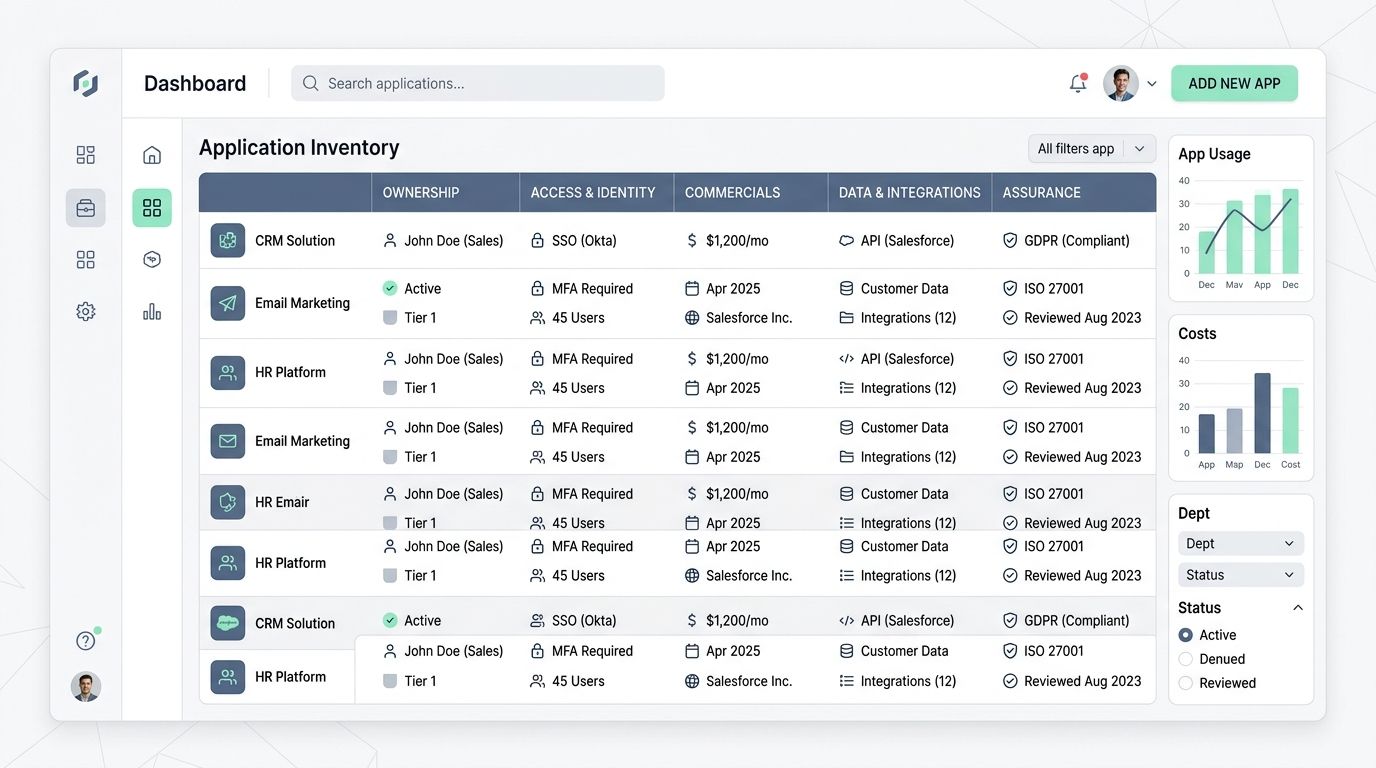
A centralized inventory becomes useful when it acts like a source of truth, not a dumping ground. I want each record tied to ownership, access, contracts, usage, and risk in one place.
The fastest way to keep quality high is to standardize the fields every app must have before it is considered onboarded.
| Field Group | What I Store | Why It Matters |
| Ownership | IT owner, business owner, backup contact, vendor contact | Speeds incident response, approvals, and renewal decisions. |
| Access and Identity | SSO status, MFA, admin roles, provisioning method, access tier | Shows where access management is weak and where offboarding can fail. |
| Commercials | Vendor, seat count, pricing model, start date, end date, auto-renewal, cost center | Supports budgeting, forecasting, and negotiation. |
| Data and Integrations | API connections, OAuth scopes, connected systems, data sensitivity, sanctioned status | Maps the blast radius if the app is compromised or misconfigured. |
| Assurance | Risk score, compliance mapping, review date, evidence notes, remediation status | Makes audits and security reviews much easier to defend. |
Regular Monitoring and Updating of the Inventory
A live SaaS inventory stays healthy because the review cadence is predictable. I do not leave updates to memory.
- Daily: ingest new apps from SSO, network, or CASB feeds and tag unknown services for review.
- Weekly: compare active users to license counts, then reclaim or downgrade idle access.
- Monthly: review high-risk apps, personal app use, and genAI tools, then open remediation work where needed.
- 60 to 90 days before renewal: confirm owner, usage, alternatives, and negotiation leverage.
- Quarterly: certify app owners, permissions, data sensitivity, and integration points.
- After hires, exits, or M&A activity: update records within 48 hours so the inventory matches reality.
Microsoft’s Applications view is especially useful for this rhythm because it surfaces new apps from the last 30 days, unused OAuth apps with no sign-in in 90 days, and overprivileged apps with unused permissions.
Best Practices for SaaS Inventory Management
I have found that effective SaaS inventory management gets easier once the rules are simple and visible. Teams move faster when the process feels clear instead of heavy.
- Create one central catalog for every SaaS app, OAuth app, contract, and renewal.
- Require a named IT owner and business owner before any new SaaS application is approved.
- Set 60-day and 90-day renewal alerts so usage data is ready before the vendor call starts.
- Tag apps by business unit, data sensitivity, SSO and MFA status, risk score, and sanctioned status.
- Standardize app categories and functions so application rationalization becomes possible across teams.
- Publish an approved app catalog and intake workflow so employees have an easy path that reduces shadow IT.
If a record cannot tell me who owns the app, what it costs, what data it touches, and when it renews, the inventory entry is still incomplete.
Essential Tools for Managing SaaS Inventories
I use different tools for different jobs because no single platform is best at everything. The right management tool depends on whether your biggest pain is visibility, workflow automation, security, or procurement. This is the shortlist I would use to manage SaaS in a modern SaaS ecosystem.
Leading SaaS Inventory Management Platforms
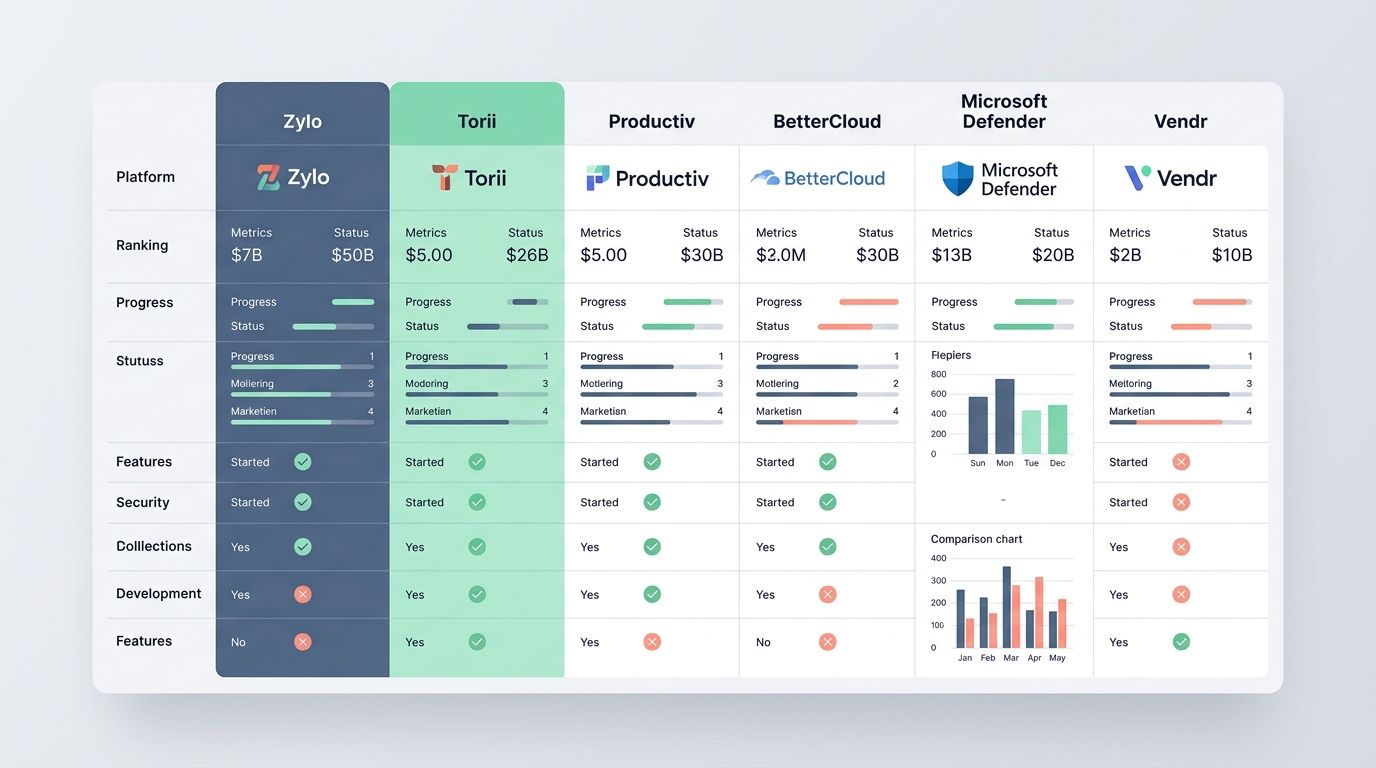
I prefer tools that turn discovery and inventory into action, not just dashboards. The table below shows where each platform is strongest.
| Platform | Best Fit | Decision-Driving Proof | Why I Would Use It |
| Zylo | Enterprise SaaS spend, renewal, and license optimization | Built on 40 million licenses and $75 billion in spend under management, with Usage Connect for no-code usage data collection | Best when finance, SAM, and procurement need deep spend management and a stronger renewal calendar. |
| Torii | SaaS lifecycle automation and shadow SaaS workflows | Offers 100-plus out-of-the-box no-code workflows for discovery, offboarding, license reclaim, and renewal plays | Great when you want automation to drive onboarding, offboarding, and application intake instead of manual chasing. |
| Productiv | Fast visibility across SSO, contract, and expense data | Can start with a 5-minute SSO connection and then layer in expense and contract signals | Useful when you need a quick source of truth and do not want a long implementation before seeing value. |
| BetterCloud | Access automation, audit trails, and operational control | Includes SaaS license inventory, spend insights, contract insights, and workflow-based user automation | Strong choice for IT teams that care as much about access management as they do about inventory data. |
| Microsoft Defender for Cloud Apps | Security-led SaaS discovery and OAuth governance | Catalogs 31,000-plus discoverable apps, scores them on 90-plus risk factors, and exports up to 1,000 SaaS or OAuth apps per CSV | Ideal when the security team leads SaaS discovery and wants risk, privilege, and policy context in one place. |
| Vendr | Procurement, price benchmarking, and contract intelligence | Used by 5,000-plus companies, benchmarked across 2,600-plus suppliers, with 17.1% average savings per deal | Best when the biggest goal is better negotiations, cleaner renewals, and less software overspend. |
Practical Applications of SaaS Inventory Management
A good SaaS inventory is not just for audits. I use it every week to cut waste, tighten access, and make software decisions faster across IT, finance, and procurement.
Managing IT and Software Assets
From an IT and software asset management angle, the inventory becomes the operating system for your software estate. It tells me what exists, who uses it, and where risk is building.
- I use continuous discovery to find shadow SaaS before it becomes permanent spend.
- I match each app to an approved catalog entry so employees can see safer alternatives.
- I tie offboarding to deprovisioning so dormant accounts do not sit open after departures.
- I record SSO and MFA gaps so access management work gets prioritized by risk.
- I keep the inventory ready for audits, mergers, and leadership reviews without rebuilding reports from scratch.
Strategies for Procurement and Cost Optimization
Procurement gets much stronger once spend, owners, and usage sit in one place. Vendr says its platform is used by more than 5,000 companies and benchmarks more than 2,600 suppliers, which tells you how much price variance still exists in SaaS deals.
I use the inventory to identify duplicate tools, group departments under one contract, and walk into renewal with actual seat counts instead of guesses. That is how you optimize SaaS without slowing the business down.
- Check the owner, term, auto-renewal clause, and current user count before every renewal.
- Pull the last 90 days of usage so unused and lightly used licenses are obvious.
- Compare overlapping apps by category, function, and integration fit before signing another contract.
- Choose one action for every renewal: renew, right-size, consolidate, or replace.
Addressing Challenges in SaaS Inventory
The hardest part of SaaS inventory is not starting. It is keeping up with shadow SaaS, OAuth grants, and fast-moving AI tools after the first cleanup is done.
I like the Applications view in Microsoft Defender for Cloud Apps for this job because it separates SaaS apps from OAuth apps. On the SaaS side, I can sort by protected or unprotected status, sanctioned or unsanctioned tag, publisher, risk score, and privilege level.
The same view also flags untagged high-risk apps, untagged high-traffic apps above 1 GB, and untagged genAI apps. On the OAuth side, I can filter for new apps, highly privileged apps, unused apps, overprivileged apps, and apps from external unverified publishers.
I also change the columns and export the current list for offline review, keeping in mind that the CSV tops out at 1,000 SaaS or OAuth apps per export. Filters for HIPAA, ISO 27001, SOC 2, PCI DSS, encryption at rest, and multifactor authentication make triage much faster.
- Review new apps added in the last 30 days.
- Review OAuth apps that have been unused for 90 days.
- Tag sanctioned and unsanctioned apps right away, so policy actions follow the label.
- Escalate high-privilege and externally published apps to the security owner first.
- Write every decision back into the central inventory, so discovery and governance stay connected.
Wrapping Up
SaaS inventory management works best when the inventory stays live, owned, and tied to renewal and access decisions. I focus first on discovery, then ownership, then a steady review cadence.
Do that, and your SaaS app inventory stops being a report and starts protecting budget, security, and growth.
Frequently Asked Questions on Saas Application Inventory Management
1. What is SaaS application inventory management?
SaaS application inventory management is a centralized inventory of all SaaS applications your team uses, with license tracking, vendor management, renewal management, and software usage data.
2. Why does my company need a SaaS inventory?
It cuts SaaS spending, spots shadow IT, and helps with compliance and audits, so you stop paying for apps you do not use. Think of it as a flashlight in a dark attic, it finds what you forgot.
3. How do I start building a SaaS inventory?
Scan billing records, single sign-on logs, and network data to find apps, then tag each item with owner, cost, contract dates, and usage. Add integrations or an API to sync data, link procurement records, and set a cadence for audits. Make one person the keeper of the list, it keeps things tidy.
4. How do I keep the inventory accurate and useful?
Automate discovery and run regular audits, so software usage and license tracking stay up to date. Use reports to analyze data, act on cost optimization, and tighten vendor management.