Ever publish a great page, then realize later that nothing on your site links to it? That is usually how orphan pages start, and it is exactly why the 7 Best Internal Linking Tools deserve a serious look.
I checked the current field with one goal in mind: find the tools that actually help readers improve SEO, clean up site structure, and save time on content management. I also looked at options like LinkBoss, especially for silo building, but the seven below give the clearest value for most readers.
So if you want faster link building, better user experience, and a cleaner path to stronger search rankings, I will walk you through the tools that are worth your attention in 2026.
Why the 7 Best Internal Linking Tools Matter for SEO
Internal linking tools matter because they turn site structure into something you can actually manage. Google Search Central recommends linking to your important pages from other relevant pages and using concise, relevant anchor text, while Semrush advises keeping important pages within three clicks so people and crawlers can reach them fast.
That sounds easy on a 20-page site. It gets messy fast once you have hundreds of posts, product pages, service pages, or old articles that still deserve traffic.
Good tools help you find orphan pages, weak anchor text, broken chains, thin link coverage, and pages buried too deep in your navigation. That makes them useful for SEO, traffic generation, and user experience at the same time.
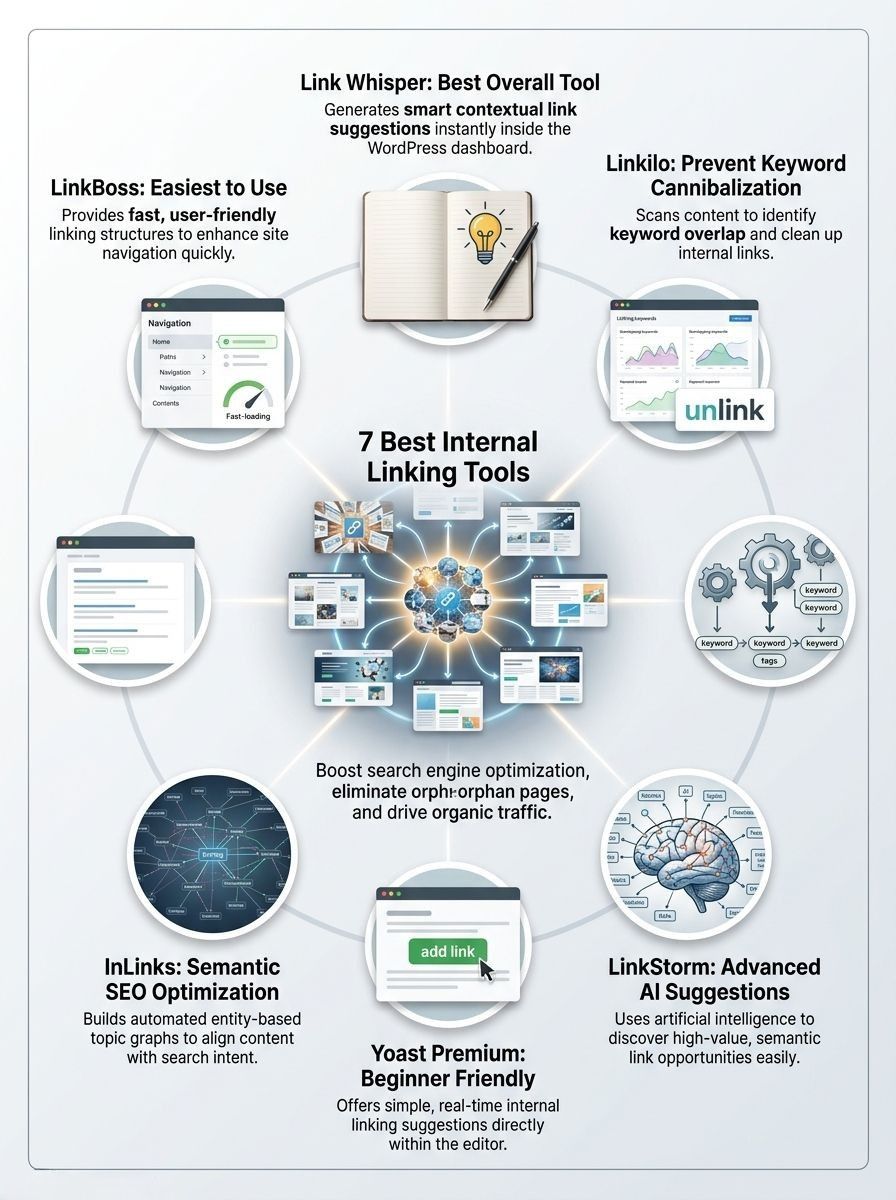
Quick comparison of the best internal linking tools for 2026:
| Tool | Best for | Platform | Entry price | What stands out |
|---|---|---|---|---|
| Link Whisper | Dedicated WordPress internal linking | WordPress | $97 per year | Orphan-page detection, Google Search Console integration, dynamic visual sitemaps |
| Linkilo | Avoiding cannibalization and building clusters | WordPress | $59 per year | Keyword conflict analysis, topic clusters, crawl logs, click analytics |
| Internal Link Juicer | Rule-based automation | WordPress | Free, or $69.99 per year for Pro | Keyword-driven auto-linking, whitelist and blacklist controls, import from Yoast or Rank Math |
| LinkStorm | Large sites and AI-first workflows | SaaS | $30 per month | AI included, URL-based plans, unlimited projects and websites |
| Yoast SEO Premium | Beginners already using Yoast | WordPress | $118.80 per year | Internal linking suggestions plus redirects in one familiar plugin |
| InLinks | Semantic SEO linking | SaaS | Free try, then page-based paid tiers | Entity mapping, schema help, topic planning, internal link automation |
| AIOSEO | Readers who want a full WordPress SEO suite | WordPress | $199.50 per year | Link Assistant, orphaned post reports, domain reports, 1-click inserts |
As of July 2026, these entry prices come from the vendors’ own pricing pages. That matters because tool pricing changes often, and a small price gap can turn into a big budget difference if you manage several sites.
- Choose a WordPress plugin if you want to work inside the editor and fix links as you publish.
- Choose a SaaS tool if you run a custom CMS, a very large site, or several domains from one dashboard.
- Choose a semantic tool if your bigger problem is topic overlap and weak content hubs, not just missing links.
- Choose an all-in-one suite if you would rather pay for one SEO stack than combine several plugins.
Link Whisper: Best Dedicated Internal Linking Tool
If you run a self-hosted WordPress site and want a tool built mainly for internal linking, Link Whisper is the easiest place to start. It is focused, fast to learn, and strong at finding pages that need more internal support.
Its current pricing starts at $97 per year for one site, with higher tiers for 3, 10, and 50 sites. That makes it a good fit for bloggers, affiliate sites, and agencies that want a specialized tool instead of a full SEO suite.
Key Features of Link Whisper
- AI-powered link suggestions: You get contextual suggestions inside WordPress, which speeds up link building during content refreshes.
- Orphan-page and 404 tracking: The tool highlights content that is isolated or pointing at outdated URLs, so you can recover wasted authority quickly.
- Google Search Console integration: This is useful when you want internal links to support pages that already show search demand.
- Domains report and CSV exports: Agencies can audit link coverage and share work with writers or clients without extra spreadsheet cleanup.
- Dynamic visual sitemaps: This helps you see content hubs and weak branches, which is especially helpful on large blogs.
A practical way to use Link Whisper is during content updates, not just at publish time. Open an older post that still gets impressions, add two or three strong internal links to your priority page, and you can improve site structure without rewriting the whole article.
Pros & Cons of Link Whisper
| Pros | Cons |
|---|---|
|
|
Linkilo: Best for Avoiding Cannibalization
Linkilo stands out when your site has plenty of content, but too many pages are competing for the same keyword theme. That makes it a smart pick for readers who care about keyword strategy as much as link placement.
On its current pricing page, Linkilo lists a single-site plan at $59 per year and says every plan includes the full platform, including AI link suggestions, topic clusters, crawl logs, broken links, redirects, click analytics, and its keyword conflict tools.
Key Features of Linkilo
- Keyword conflict analysis: It flags pages that are fighting for the same term, then helps you decide which page should own the topic.
- AI link suggestions with reason text: You do not just see a suggestion, you see why it was made, which makes review much faster.
- Topic cluster views: Treemaps, pillar suggestions, and cluster health views help you turn loose articles into stronger content hubs.
- Crawl log analyzer: This is unusual in a WordPress plugin. It helps you see whether bots are actually reaching the content you care about.
- Orphan page finder and click analytics: These features connect SEO work to real user behavior, which is useful when you want better performance analytics, not just more links.
Linkilo is strongest when your real problem is topic overlap. If two pages target the same search intent, better internal links alone will not fix the confusion.
The tool also says typical AI processing cost for a 500-post site is about $1 to $2 if you turn on AI. That is a small number, but it matters because it makes large-scale audits much cheaper than many teams expect.
Pros & Cons of Linkilo
- Pros: Excellent for cannibalization cleanup, smart cluster building, rich feature set, and strong value for the price.
- Cons: More features than a small site may need, requires a little setup time, and the AI layer works best when your taxonomy and post categories are already tidy.
Internal Link Juicer: Best for Automated Internal Linking
Internal Link Juicer is a strong choice if you want rule-based automation more than AI. It is simple in concept: you assign keywords to pages, and the plugin turns matching mentions into internal links across your site.
That setup works especially well on blogs, resource centers, and stores with lots of repeated terms. It is also one of the few tools here with a real free version, which makes testing much easier.
Key Features of Internal Link Juicer
- Keyword-based automatic internal linking: This is the core feature, and it is great for scaling link building across a large archive.
- Statistics dashboard: You can sort incoming and outgoing links, then spot pages that need more support.
- Whitelist and blacklist controls: This keeps the plugin from linking pages that should stay out of the automation loop.
- Paragraph and link limits: These settings help prevent overlinking, which is one of the biggest mistakes with rule-based tools.
- Keyword import from Yoast or Rank Math: That is a useful time-saver if your target terms already live in another plugin.
If you publish lots of glossary-style or evergreen content, Internal Link Juicer can save hours. The catch is that you need to think carefully about keyword rules, because a bad rule can create repetitive anchors all across the site.
Pros & Cons of Internal Link Juicer
| Pros | Cons |
|---|---|
|
|
LinkStorm: Best for Advanced AI-Based Link Suggestions
LinkStorm is the tool I would look at first for large sites, multi-site teams, and custom CMS workflows. Because it is a SaaS product, it is not tied to WordPress, and that alone makes it more flexible than many plugin-based alternatives.
Its pricing is refreshingly clear. LinkStorm starts at $30 per month for 1,000 URLs and 1,000 credits, then scales to $60 for 5,000 URLs, $120 for 20,000, and $200 for 50,000.
Key Features of LinkStorm
- AI link recommendations: The platform focuses on finding relevant internal links at scale, which is useful when manual review is your bottleneck.
- Unlimited projects and websites: That is great for agencies or in-house teams with several properties.
- No separate AI fee: The pricing page says AI is covered in the subscription, which makes budgeting simpler.
- URL-based planning: You can choose a plan based on site size instead of guessing how many editors or sites you will need later.
| Plan | Monthly price | URL limit | Credit limit |
|---|---|---|---|
| Small | $30 | 1,000 URLs | 1,000 credits |
| Medium | $60 | 5,000 URLs | 5,000 credits |
| Large | $120 | 20,000 URLs | 20,000 credits |
| XL | $200 | 50,000 URLs | 50,000 credits |
The best use case is a big content library where you need the tool to surface priority opportunities first. For smaller sites, LinkStorm can still work, but it makes the most sense when you need AI-driven scale more than a simple WordPress editor plugin.
Pros & Cons of LinkStorm
- Pros: Strong for large sites, works beyond WordPress, clear URL-based pricing, AI included.
- Cons: Monthly billing adds up faster than one-time plugin renewals, and smaller sites may not use enough of its depth to justify the spend.
Yoast SEO Premium: Best for WordPress Beginners
If you already use Yoast and want internal linking help without changing your whole workflow, Yoast SEO Premium is the safest beginner-friendly option. You keep everything in one plugin, which lowers the learning curve right away.
Yoast SEO Premium is currently listed at $118.80 per year, and the product page highlights internal linking suggestions, redirect management, AI-assisted writing features, and bundled local SEO, news SEO, and video SEO plugins.
Key Features of Yoast SEO Premium
- Internal linking suggestions: Yoast analyzes your content and suggests related posts, pages, categories, and tags while you edit.
- Redirect manager: This helps you protect user experience when you rename or delete URLs.
- Multiple keyword optimization: You can optimize for up to five keywords, which helps when you plan content around close variations.
- Google Docs workflow: Premium includes one seat for the Google Docs add-on, which can shorten review cycles for teams.
The reason beginners like Yoast is simple: you do not need a separate interface for daily work. The trade-off is that its internal linking features are helpful but not as deep or specialized as Link Whisper, Linkilo, or LinkStorm.
Pros & Cons of Yoast SEO Premium
- Pros: Easy for beginners, familiar interface, includes redirects, useful if you already trust Yoast for on-page SEO.
- Cons: Internal linking is only one part of the package, so power users may outgrow it faster than a dedicated tool.
InLinks: Best for Semantic SEO Linking
InLinks is the right choice when you want your internal linking strategy to follow topics and entities, not just matching keywords. That makes it especially useful for large editorial sites, expert content libraries, and brands building topical authority.
Its official help and launch pages show a free starting option and ongoing development around topic planning, internal link optimization, schema, and AI-driven analysis. For readers who care about semantic SEO, that mix is hard to ignore.
Key Features of InLinks
- Entity and topic mapping: InLinks helps you connect pages around concepts, which is valuable when synonyms and close variants make simple keyword matching unreliable.
- Internal link automation: It can suggest and inject internal links based on semantic relationships, not just exact terms.
- Schema support: This is helpful if you want content management and structured data to work together instead of living in separate tools.
- Content briefs and topic planning: Teams can use it to plan clusters before publishing, which reduces cannibalization later.
InLinks is best when your content strategy is already moving toward entities, pillar pages, and topic clusters. It is more than a simple link suggester, which is exactly why some readers will love it and others will find it heavier than they need.
A smart way to use InLinks is on high-value clusters first, not your entire site at once. That gives you enough data to see whether the semantic model improves search rankings and user experience before you scale up.
Pros & Cons of InLinks
| Pros | Cons |
|---|---|
|
|
AIOSEO: Best for an All-in-One WordPress SEO Suite
AIOSEO deserves a spot on this list because its Link Assistant turns internal linking into part of a larger SEO workflow. If you already want redirects, sitemaps, audits, and link suggestions in one place, it can replace several smaller tools.
As of July 2026, AIOSEO’s pricing table shows that Link Assistant starts on the Pro plan at $199.50 per year. That is more expensive than a single-purpose plugin, but the value is much better if you also need the rest of the suite.
Key Features of AIOSEO
- Actionable link suggestions: Link Assistant crawls your content and gives you relevant suggestions that you can add with one click.
- Orphaned Posts reports: This is one of the fastest ways to find pages with zero internal support.
- Top Domain reports: You can review where your site links out most often, which is useful when cleaning up both internal and outbound linking habits.
- Affiliate Links reports: This is handy for publishers who want better content management around monetized links.
- Broader SEO stack: Redirects, audits, and other optimization features help you fix more than just internal links.
The big advantage here is convenience. You can manage SEO, website optimization, and internal linking in one dashboard, which is often a better business decision than stacking four separate plugins that do not share data.
Pros & Cons of AIOSEO
- Pros: Strong all-in-one value, helpful orphan content reports, 1-click link insertion, good fit for small businesses and teams that want fewer tools.
- Cons: Link Assistant does not start on the cheaper plans, and dedicated internal linking tools still go deeper on link-specific workflows.
Final Thoughts
The right pick from these 7 Best Internal Linking Tools depends on how you work. If you want a focused WordPress solution, start with Link Whisper or Linkilo. If you want rules and automation, Internal Link Juicer is still a smart budget choice.
If your site is large or spread across several platforms, LinkStorm and InLinks make more sense. If you want internal linking wrapped into a broader SEO toolkit, Yoast SEO Premium and AIOSEO are the more practical buys.
Pick one tool, fix your orphan pages, improve your anchor text, and strengthen your most important content hub first. That one cleanup pass can do more for SEO, traffic generation, and user experience than publishing another article with weak internal links.
FAQs about Best Internal Linking Tools
1. What are internal linking tools, and why use them?
Internal linking tools scan your site, and find good places to add links. They help internal linking, shape site structure, boost SEO, and pass link equity to pages that matter.
2. How do internal linking tools help SEO?
They check crawlability, flag broken links, and spot weak anchor text. Then they give link suggestions that improve site architecture, and help search engines index your pages.
3. What features mark the best internal linking tools?
Look for link suggestions, anchor text analysis, and site audit reports. Also pick tools that map content hubs, and work with content management plugins. Fast scans, clear reports, and export options save time.
4. Can these tools automate internal linking, do I still check manually?
Yes, many tools automate link suggestions and bulk edits. Still, review anchor text and user flow yourself to keep quality and avoid awkward or spammy links.