An AI voiceover video guide should not begin with the voice tool. That is one of the first things I learned while working through AI video workflows. The voice may sound realistic, polished, and impressive, but if the script is weak, the pacing is wrong, the visuals do not match, or the audio is not reviewed properly, the final video still feels unfinished.
A good AI voiceover is not only about sound quality. It needs the right script, proper tone, clean timing, matching visuals, captions, ethical review, and human editing before publishing.
In my own workflow, I never add AI narration after the video is already finished. I plan the script, visuals, pacing, captions, and voice together because a mismatched voiceover can make even a good AI video feel unfinished.
At Editorialge Media LLC, we now think beyond traditional publishing. We work across media, SaaS, e-learning, AI visuals, and creative production. So I do not treat AI narration as a shortcut. I treat it as one layer inside a complete AI video creation workflow.
What Is An AI Voiceover For Video?
An AI voiceover is a computer-generated narration used in a video. Instead of recording a human speaker, you write or upload a script, choose a voice, generate the audio, review the result, and place it into the video edit.
AI voiceovers are commonly used for:
| Use Case | Why It Works |
| Explainer videos | Clear narration helps viewers follow the topic |
| AI animation | Voice gives animated scenes structure |
| Talking head videos | Avatar speech depends on voice quality |
| Product demos | Narration can guide users through features |
| Social media clips | Short voice-overs help deliver fast hooks |
| E-learning lessons | Consistent narration supports learning |
| Blog summaries | Articles can become narrated video clips |
| SaaS walkthroughs | Voice helps explain interface steps |
| Multilingual videos | AI voices can support localization workflows |
ElevenLabs describes its platform as creating lifelike speech and offering thousands of voices in many languages, which shows how AI voice generation has become a practical content production tool rather than only an experimental feature. So, a video AI voiceover is not just “text read aloud.” In a good workflow, it becomes the audio backbone of the video.
Why AI Voiceovers Matter In AI Video Creation
AI-generated visuals often need narration to become clear. A silent AI video may look interesting, but viewers may not understand:
- What is happening
- Why it matters
- What step are they seeing
- What they should learn
- What action should they take
That is where AI narration helps. For example, if I create a 30-second AI video about aspect ratios, the visuals can show 16:9, 9:16, 4:5, and 2:3 frames. But the voiceover explains why those shapes matter. Without the voice, the video may feel like a moving graphic. With the voice, it becomes a lesson.
My Personal Rule: Script First, Voice Second
Beginners often choose a voice first because it sounds exciting. I do the opposite. I start with the script. The voice should serve the message, not hide a weak message.
| Step | Why It Comes First |
| Message | Defines what the viewer should understand |
| Script | Turns the message into spoken language |
| Voice | Delivers the script with the right tone |
| Visuals | Support what the voice is saying |
| Editing | Makes everything feel timed and polished |
A strong voice cannot fix a confusing script. But a clear script can make even a simple voiceover feel useful.
How AI Voiceovers Work
Most AI voiceover workflows follow this process:
| Step | What Happens |
| 1. Write the script | Prepare spoken lines for narration |
| 2. Choose voice style | Select tone, gender, accent, language, or emotion |
| 3. Generate voiceover | AI converts text into speech |
| 4. Review pronunciation | Check names, brand words, technical terms, and pacing |
| 5. Edit audio | Remove awkward pauses, adjust levels, and clean sound |
| 6. Sync with visuals | Match narration to scenes, captions, and timing |
| 7. Export video | Publish in the right format and platform ratio |
This is not a one-click process if you care about quality. Even strong AI voices can need script changes, pronunciation tweaks, pacing adjustments, and final audio balancing.
AI Voiceover Video Guide: The Beginner Workflow I Recommend
Here is the workflow I would use for a beginner creating an AI narration video.
Step 1: Decide The Type Of Video
Before writing the voiceover, decide what kind of video you are making.
| Video Type | Voice Direction |
| Beginner explainer | Calm, clear, friendly |
| Product demo | Confident, practical, professional |
| Social clip | Fast, energetic, hook-driven |
| E-learning lesson | Patient, steady, instructional |
| Brand story | Warm, polished, emotional |
| Tech tutorial | Clear, precise, not too dramatic |
| Ethical topic | Serious, neutral, trustworthy |
A voice for AI video should match the viewer’s expectations. A playful voice can ruin a serious topic. A stiff corporate voice can make a social video feel lifeless.
Step 2: Write For The Ear, Not The Page
A video script should sound natural when spoken.
Bad line:
AI voiceover generation enables scalable synthetic narration across multimedia communication systems.
Better line:
AI voiceovers help you add narration to videos without recording your own voice every time.
The second line is easier to hear, easier to understand, and better for beginners.
My practical script rules:
| Rule | Why It Helps |
| Use short sentences | Easier to speak and follow |
| One idea per line | Cleaner pacing |
| Read aloud before generating | Catches awkward wording |
| Avoid heavy jargon | Keeps viewers engaged |
| Add pauses intentionally | Makes narration feel natural |
| Keep the hook short | Helps social retention |
| Match words to visuals | Prevents timing problems |
For a 60-second video, I usually aim for around 120–150 spoken words, depending on pace.
Step 3: Choose The Right AI Voice
The right voice depends on the video’s purpose.
| Voice Type | Best For |
| Calm narrator | Education and tutorials |
| Friendly presenter | Product explainers and beginner videos |
| Energetic voice | Reels, Shorts, TikTok clips |
| Professional voice | B2B, SaaS, corporate content |
| Warm storytelling voice | Brand stories and emotional content |
| Neutral news-style voice | Editorial explainers |
| Multilingual voice | Localization and international audiences |
I would not choose a voice only because it sounds realistic. I chose it because it fits the video.
Step 4: Generate A Test Voiceover First
Do not generate the full video voiceover immediately. Generate a short test first.
Test:
- First paragraph
- Hook section
- Difficult names
- Brand terms
- Technical words
- Emotional lines
- Call-to-action
This saves time because you can catch problems before producing the full narration.
Step 5: Check Pronunciation And Pacing
AI voices can mispronounce names, brands, locations, acronyms, and technical words.
Check:
| Problem Area | Example |
| Brand names | Editorialge, ImagineLab, Edutorial |
| Technical terms | Lip sync, aspect ratio, voice cloning |
| Acronyms | SaaS, SEO, API, UI |
| Names | Debojyoty Chowdhury, Janisha Afrose |
| Locations | Bangladesh, Dhaka |
| Numbers | Dates, percentages, ratios |
| Tone | Serious vs playful delivery |
If a word sounds wrong, rewrite it phonetically, add punctuation, or adjust the line.
Step 6: Sync The Voiceover With The Visuals
This is where many beginner videos fail. The voice says one thing. The screen shows something else. The viewer gets confused. A good AI narration video should match voice and visuals closely.
| Voice Says | Visual Should Show |
| “Start with the script.” | Script panel, document, or writing scene |
| “Choose the right voice.” | Voice selection or waveform |
| “Check lip sync.” | Mouth animation preview |
| “Export for Reels” | 9:16 vertical video preview |
| “Review disclosure” | Checklist or compliance card |
Good timing makes the video feel planned.
Step 7: Clean The Audio
AI voice audio may still need editing.
Audio cleanup includes:
- Removing awkward gaps
- Adjusting volume
- Reducing harshness
- Balancing music
- Adding fades
- Matching loudness
- Removing noise from the recorded voice
- Making speech clearer
Adobe says its AI-powered Enhance Speech feature in Premiere Pro is designed to improve voice recordings with a single click. Even when using AI-generated narration, I still check the final audio mix manually.
Step 8: Add Captions
Captions are essential.
They help:
- Mobile viewers
- Silent viewing
- Accessibility
- Social media retention
- Clarity for technical terms
- Non-native speakers
But AI captions need proofreading. Brand names and technical terms can still be wrong.
Step 9: Review Ethics And Disclosure
AI voiceovers are generally less risky when they use licensed stock AI voices. The risk grows when the voice sounds like a real person, imitates a public figure, or clones someone’s voice.
YouTube requires creators to disclose content that is meaningfully altered or synthetically generated when it seems realistic, and YouTube’s own announcement says disclosure is not required for clearly unrealistic content, animation, special effects, or ordinary production assistance.
My practical rule:
If the voice could make viewers believe a real person said something they did not say, treat it as sensitive and disclose when required.
AI Voiceover Vs Human Voiceover
AI voiceovers are useful, but they are not always better than human narration.
| Area | AI Voiceover | Human Voiceover |
| Speed | Very fast | Slower |
| Cost | Often cheaper | Can cost more |
| Consistency | Very consistent | Depends on the speaker |
| Emotion | Improving but limited | More natural nuance |
| Pronunciation | Needs checking | Better with a skilled speaker |
| Brand personality | Can work with direction | Stronger when the voice is authentic |
| Sensitive topics | Needs caution | Humans may feel more trustworthy |
| Updates | Easy to regenerate | Requires rerecording |
For simple explainers, AI voiceover works well. For emotional brand stories or personal opinion content, a real human voice may still feel stronger.
AI Voiceover And Talking Head Videos
For AI talking head videos, the voiceover becomes the speaker’s identity.
- If the voice feels flat, the avatar feels flat.
- If the voice is too fast, the lip sync may feel rushed.
- If the voice is too dramatic, the talking head may feel fake.
That is why I match voice, avatar, and message before generating.
A good talking head workflow should check:
- Voice tone
- Mouth movement
- Facial expression
- Caption timing
- Script pacing
- Disclosure needs
AI Voiceover And Lip Sync
The voice track directly affects AI lip sync explained workflows. Better voiceover creates better mouth animation.
| Voice Problem | Lip Sync Problem |
| Too fast | Mouth movement may look rushed |
| Unclear words | Mouth shapes may feel less accurate |
| Long pauses | Avatar may feel frozen |
| Overdramatic delivery | Face may not match emotion |
| Noisy audio | Sync may be less accurate |
| Poor timing | Scene pacing becomes awkward |
For lip sync, I prefer clear speech, moderate speed, and natural pauses.
AI Voiceover And Animation Styles
Voice should match the visual style.
| AI Animation Style | Better Voice Direction |
| 2D animation | Friendly and clear |
| Motion graphics | Confident and concise |
| Whiteboard | Teacher-like and patient |
| Cinematic animation | Deeper and slower |
| Cartoon | Energetic and expressive |
| Minimal line | Calm and professional |
| Isometric SaaS | Polished and instructional |
| Mixed media | Natural and editorial |
This connects directly with AI animation styles. The wrong voice can make the right animation feel strange.
AI Voiceover And Text-To-Video Clips
For text-to-video AI, voiceover can bring generated scenes together. AI-generated scenes may look visually strong but feel disconnected without narration. A voiceover can explain the sequence and create continuity.
| Scene | Voiceover Purpose |
| Creator at desk | Introduce the problem |
| AI video interface | Explain the workflow |
| Timeline preview | Show the editing step |
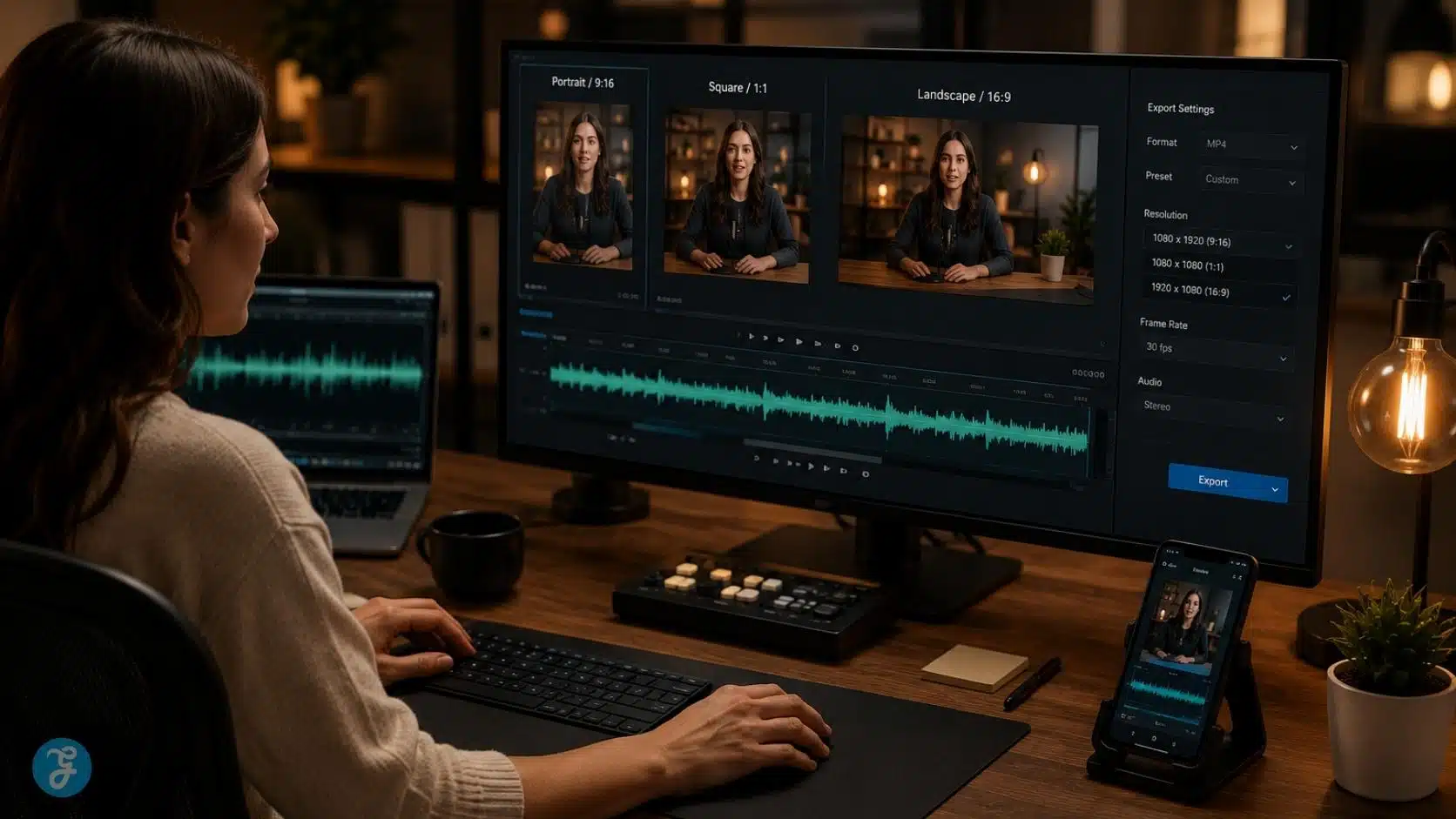
| Social export screen | Explain the platform output |
| Final checklist | Summarize what matters |
Voiceover turns random visuals into a structured explainer.
AI Voiceover And Image-To-Video Workflows
For image-to-video workflows, voiceover helps guide the viewer through animated still images. If I turn a static image into a motion clip, I still need narration or captions to explain the point.
Before I create the visual, I often start with ImagineLab to build a cleaner base image. Then I animate the image, add the voiceover, and edit the final clip for the platform.
AI Voiceover And Social Media Videos
For AI video for social media, the voiceover must be short and direct.
Social voiceovers should:
- Start with a hook
- Avoid long intros
- Use simple language
- Match fast visuals
- Leave room for captions
- End with a clear takeaway
- Stay platform-native
For a 30-second Reel, I would usually use around 65–80 spoken words.
AI Voiceover And Copyright Issues
Before publishing AI voiceover content, check:
| Item | What To Review |
| Voice license | Can you use it commercially? |
| Voice clone consent | Did the real speaker approve it? |
| Music | Is it licensed? |
| Script | Is it original or properly sourced? |
| Visuals | Are they owned, licensed, or generated responsibly? |
| Disclosure | Could viewers misunderstand the voice as real? |
| Platform rules | Does the platform require labeling? |
Descript states that AI voice cloning should be done with proper consent and within legal boundaries, and that it requires explicit authorization from the speaker whose voice is cloned. That is the responsible standard beginners should follow.
Common Mistakes Beginners Make With AI Voiceovers
Mistake 1: Using A Blog Paragraph As A Script
A blog paragraph is not a voiceover script. Spoken content needs shorter lines and cleaner pacing.
Mistake 2: Choosing The Most Realistic Voice Instead Of The Right Voice
Realistic does not always mean suitable. Tone matters more than novelty.
Mistake 3: Ignoring Pronunciation
Names, brands, and acronyms need checking.
Mistake 4: Making The Voice Too Fast
Fast narration can make the video feel rushed and harder to follow.
Mistake 5: Not Matching Voice To Visuals
If the voice explains one thing while the screen shows another, the viewer loses focus.
Mistake 6: Skipping Audio Mixing
Voiceover must sit clearly above music and sound effects.
Mistake 7: Forgetting Captions
Captions should support the voice, especially on social platforms.
Mistake 8: Using Cloned Voices Without Consent
This is a serious ethical problem. Voice cloning should require permission.
My Practical AI Voiceover Checklist
Before approving an AI voiceover video, I check:
| Checkpoint | Done? |
| Script sounds natural when spoken | ☐ |
| Voice tone matches the topic | ☐ |
| Pronunciation is correct | ☐ |
| Pacing feels natural | ☐ |
| Visuals match the narration | ☐ |
| Audio level is balanced | ☐ |
| Captions are proofread | ☐ |
| Music does not overpower speech | ☐ |
| Voice rights are clear | ☐ |
| Disclosure needs are reviewed | ☐ |
| The final video is manually checked | ☐ |
This checklist prevents most beginner-level AI narration mistakes.

A Practical Example: 45-Second AI Narration Video
Let’s say I want to create a 45-second video about “why AI animation style matters.”
My workflow would be:
| Step | Action |
| 1 | Choose the viewer: beginner creator |
| 2 | Write a 95–110-word script |
| 3 | Choose a calm, clear voice |
| 4 | Create 3–4 visual scenes |
| 5 | Generate voiceover |
| 6 | Match each line to the right scene |
| 7 | Add captions |
| 8 | Balance music under the voice |
| 9 | Export 16:9 and 9:16 versions |
| 10 | Review rights and disclosure |
Sample script:
AI animation style is not just decoration. It changes how viewers understand your video. A serious topic needs a clean and trustworthy style. A kid-friendly lesson needs warmth and simplicity. A product demo needs polish and clarity. Before you generate, choose the style that matches your audience, platform, and message. That one decision can make your AI video feel professional instead of random.
This script is short, direct, and easy to sync with visuals.
Best Beginner Tool Stack For AI Voiceover Videos
A simple beginner stack could be:
| Need | Tool Category |
| Visual base assets | ImagineLab |
| AI voiceover | Text-to-speech or voiceover tool |
| Video generation | Text-to-video or image-to-video tool |
| Editing | AI-assisted or traditional video editor |
| Audio cleanup | Speech enhancement tool |
| Captions | Auto captions plus manual proofreading |
| Export | Platform-specific video editor |
| Review | Human checklist |
The goal is not to use too many tools. The goal is to build a clean workflow.
Final Thoughts: AI Voiceovers Need Direction, Not Just A Voice
The most important lesson from this AI voiceover video guide is simple: do not let the voice tool carry the whole video. A strong AI narration video needs a spoken script, a suitable voice, clean pacing, matched visuals, balanced audio, captions, rights review, and human approval.
AI voiceover can save time. It can help creators produce explainers, social clips, product videos, e-learning lessons, and multilingual content faster. But it still needs editorial direction. Use AI for speed. Use human judgment for clarity, trust, and final quality.
That is how AI voiceover becomes a useful part of the video production workflow instead of just a synthetic voice reading words.
Frequently Asked Questions About AI Voiceover Video Guide
1. What Is An AI Voiceover For Video?
An AI voiceover is a computer-generated narration created from text or a script. It can be used in explainers, tutorials, social clips, e-learning videos, product demos, and AI-generated videos.
2. Are AI Voice-overs Good For Videos?
Yes, AI voiceovers can work well for clear, structured videos such as tutorials, explainers, and social clips. They still need script editing, pronunciation checks, audio balancing, and human review.
3. How Do I Add AI Narration To A Video?
Write a spoken script, choose an AI voice, generate the voiceover, review pronunciation, sync the narration with visuals, add captions, balance the audio, and export for the target platform.
4. Can I Use AI Voiceovers Commercially?
It depends on the tool’s license and the voice you use. Always check commercial terms, avoid unauthorized voice cloning, and get consent if using a real person’s voice.
5. Do AI Voiceover Videos Need Disclosure?
Disclosure may be needed if the voice is realistic synthetic media that could mislead viewers, especially if it imitates a real person. Platform rules, such as YouTube’s altered or synthetic content policy, should be checked before publishing.