
Publishing a high-quality article only to see it underperform is a common frustration. Often, the missing piece is a robust Internal Linking Strategy for SEO. Exceptional content can easily remain buried if orphan pages, weak anchor text, and a disorganized site structure block both readers and search engine bots from navigating effectively.
To unlock content potential, leverage internal links strategically. This approach improves overall site crawlability, fortifies topic clusters, and efficiently funnels link equity toward priority pages. By conducting technical audits using standard tools like Google Search Console and Screaming Frog, structural gaps can be identified and resolved fast. Implement these practical adjustments today to optimize user experience, maximize search visibility, and ensure valuable content finally ranks.
What Are Internal Links?
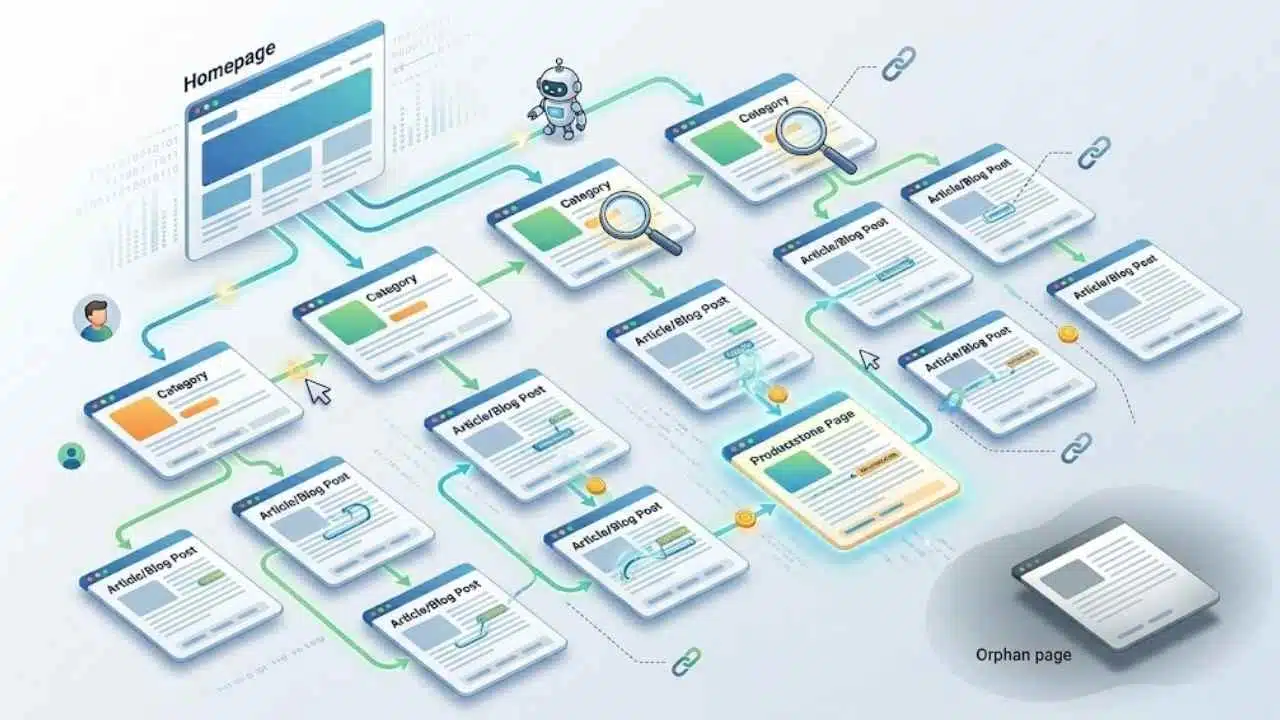
Internal links connect one page on your website to another page on the same website. They shape your site architecture, support website navigation, and help search engines understand which pages matter most.
Internal links are the roads inside your site. They guide readers, Googlebot, and PageRank from one useful page to the next.
Google’s own link guidance is clear: every page you care about should have a link from at least one other page on your site. If a page has no clear path from the rest of your content, it can turn into one of those hard-to-find orphan pages that miss out on crawlability, indexability, and site traffic.
- Crawlable code matters: Google can reliably crawl standard links with an href attribute. Links that rely only on script events or empty anchors are weaker signals.
- Descriptive anchor text matters: Good anchor text is concise, relevant, and easy to understand out of context.
- Context matters: Contextual links inside the main copy usually carry more meaning than a giant block of footer links.
- Coverage matters: The goal is not to stuff pages with internal links. The goal is to make important content reachable and useful.
That is why internal linking helps both technical SEO and user experience. It improves how search engines crawl the site, and it gives readers a natural next step instead of a dead end.
Internal Links vs. External Links
Both internal links and external links matter, but they do different jobs. Internal links help you control content structure and link equity, while external links help add context and credibility.
| Topic | Internal Links | External Links |
| Definition | Links that point to other pages on the same site. | Links that point to pages on another site. |
| Main SEO role | Improves crawl paths, site structure, and link equity flow. | Adds source context and can support trust when you cite useful material. |
| Control | You control the source page, target page, and anchor text. | You control the outgoing link, but not the other site or its future changes. |
| Best use | Guide readers to related blog posts, cornerstone content, category pages, and landing pages. | Support claims, quote research, or send readers to an outside resource that adds value. |
| Authority flow | Passes internal PageRank, also called link juice, across your own pages. | Does not move your internal authority around your site. |
| User experience | Keeps visitors moving deeper into your content. | Can be helpful, but it may also send users away from your site. |
| Anchor text | Use descriptive anchor text that explains the destination clearly. | Use natural attribution-style anchors that fit the source you are citing. |
| Common mistake | Using generic anchors like “click here” or hiding key pages too deep in the site. | Linking to weak sources or adding links that do not help the reader. |
A simple rule works well here: use internal links to build your own paths, and use external links only when they make the page more helpful.
Why Internal Linking Is Important for SEO
Internal linking supports rankings because it helps search engines discover pages, understand relationships, and prioritize the parts of your site that deserve more attention. It also improves the path a real visitor takes through your content.
Strong navigational links, breadcrumb links, sidebar links, footer links, and in-content call-to-action (CTA) links make your website easier to use. They reduce friction and help readers move from a general topic to the exact page they need.
That change shows up in user engagement. In GA4, a session counts as engaged if it lasts longer than 10 seconds, triggers a key event, or includes at least two page views, so one well-placed internal link can directly help engagement rate and bounce rate.
Enhances page indexing and crawlability
Good internal links help crawlers find your best pages faster. Googlebot follows internal links to discover new pages and revisit older ones. Sitemaps help, but they work best as backup signals, not as the only path to important pages.
Google’s sitemap documentation sets a hard limit of 50,000 URLs or 50MB per sitemap file, and it recommends placing the sitemap at the site root so it can cover the whole site. That matters on larger sites, because splitting sitemaps before you hit the limit keeps indexing cleaner.
Distributes link equity effectively
Internal links move link equity from stronger pages to weaker ones. This is how you use popular blog posts, resource pages, and pages with solid backlinks to support newer articles, service pages, and priority landing pages.
There is no magic number of internal links a page should contain. Google says if the page feels overloaded, it probably is, which is a good reminder to favor relevance over volume.
Internal linking also builds topical authority. When related articles point back to a main guide or cornerstone content page, search engines get a cleaner picture of your content structure and topic clusters.
Google’s latest guidance for AI features says the same SEO fundamentals still apply, including making content easy to find through internal links. So a strong internal linking strategy helps standard search visibility and generative AI optimization at the same time.
Benefits of Internal Linking
The best benefits are easy to see once you know where to look. Strong internal links improve user experience for readers, and they give you cleaner signals in your analytics and SEO reports.
| Benefit | What to watch | Why it matters |
| Better user engagement | Engagement rate, bounce rates, pages per session, and average engagement time | Shows whether readers actually follow your contextual links to the next useful page. |
| Stronger crawlability | Indexed pages, orphan pages, crawl paths, and broken links | Shows whether search engines can reach important content without wasted steps. |
| Clearer site structure | Top internally linked pages, breadcrumb paths, and click depth | Shows whether your content hierarchy matches your business priorities. |
| More support for key pages | Internal link count to priority landing pages and cornerstone content | Shows whether your strongest pages are actually passing link equity where you want it. |
Search Console’s Links report is helpful for spotting top internally linked pages, but it shows a sample of your links and its tables are capped at 1,000 rows. On larger sites, that means you should pair it with a crawler so weak pages do not slip past your content audit.
- It can increase dwell time: related links give readers a clear next step inside the article.
- It can reduce bounce rate: a second page view is often the difference between a short exit and a useful visit.
- It can revive older blog posts: linking archived content back into active topic clusters helps it earn impressions again.
- It can improve conversions: educational posts can funnel readers into service pages, product pages, or lead forms.
If you want better site traffic without creating dozens of new pages, internal links are one of the easiest levers you can control.
How to Create an Effective Internal Linking Strategy
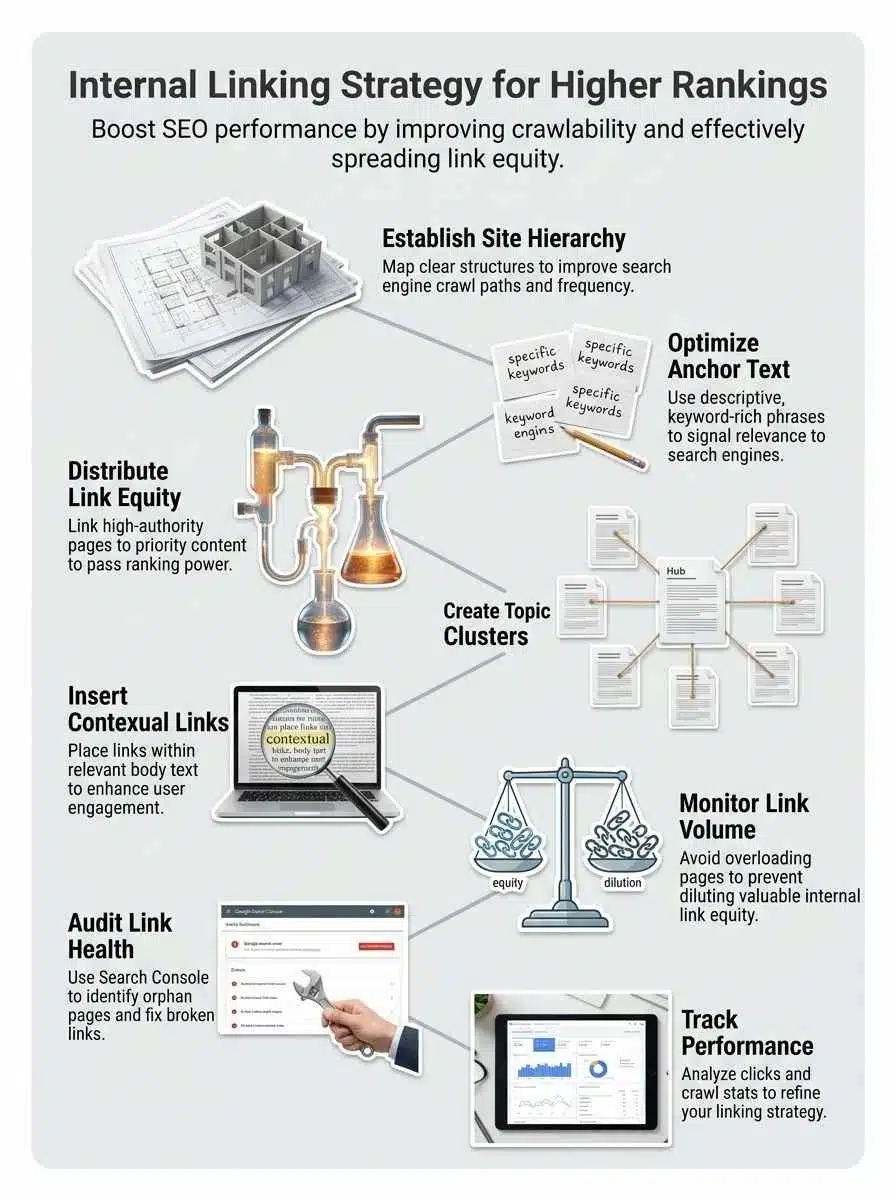
A smart internal linking strategy starts with planning, not random link drops. You want a clear site structure, helpful anchor text, and a repeatable way to support priority pages.
Start with a clear site structure
Build a simple hierarchy first. Your homepage should lead to major categories, categories should lead to subtopics, and those subtopics should lead to detailed pages and blog posts.
Breadcrumb links help here because they reinforce page relationships for readers and clarify where a page sits in the hierarchy. If your structure is messy, internal links become patchwork instead of strategy.
Use keyword-focused and descriptive anchor text
Anchor text should tell the reader exactly what they will get after the click. Google recommends anchor text that is descriptive, concise, and relevant, which is why phrases like “internal linking checklist” or “technical SEO audit template” work better than “read more.”
If your CMS inserts links with JavaScript, check the rendered page in the URL Inspection tool to confirm the anchor text appears in HTML. That one check can save you from links that users can click but search engines do not interpret well.
Find the pages on your site that already attract backlinks, impressions, or steady traffic. Then use those pages to support the pages you most want to rank, such as product collections, service pages, and cornerstone content.
This is where link equity becomes practical. You are taking existing authority and routing it toward pages with stronger business value, which is often much faster than waiting for new backlinks to arrive.
Create topic clusters with contextual links
Topic clusters work best when each cluster page links back to a main pillar page and also points sideways to closely related content. That creates stronger topical authority and makes keyword research more useful, because every supporting article reinforces the main topic.
Yoast SEO Premium can speed this up inside WordPress. Its internal linking suggestions feature surfaces related content while you write, and its current setup shows five suggestions in the editor, which is just enough to prompt action without overwhelming you.
Add contextual links, then audit them with the right tools
Contextual links inside the body copy usually do the most work because they appear right where the topic is being discussed. They are clearer for readers, stronger for relevance, and easier to connect to search intent than sitewide links in templates.
Ahrefs handles this differently from a crawler. Its internal link opportunities report checks the top 10 keywords by traffic for each crawled page, then looks for mentions on other pages, and it caps total opportunities at 10,000 across a website. That makes it useful for prioritizing quick wins, especially on content-heavy sites.
| Tool | Best use | Useful detail |
| Google Search Console | Spot top internally linked pages and indexing patterns | Shows a sample of links, and table views cap at 1,000 rows |
| Screaming Frog | Find broken links, orphan pages, redirects, and crawl depth issues | Free crawl covers up to 500 URLs |
| Ahrefs Site Audit | Find contextual internal link opportunities at scale | Uses each page’s top 10 keywords and caps suggestions at 10,000 sitewide |
| Yoast SEO Premium | Add related links while writing in WordPress | Shows five suggestions in the editor |
Common Internal Linking Mistakes to Avoid
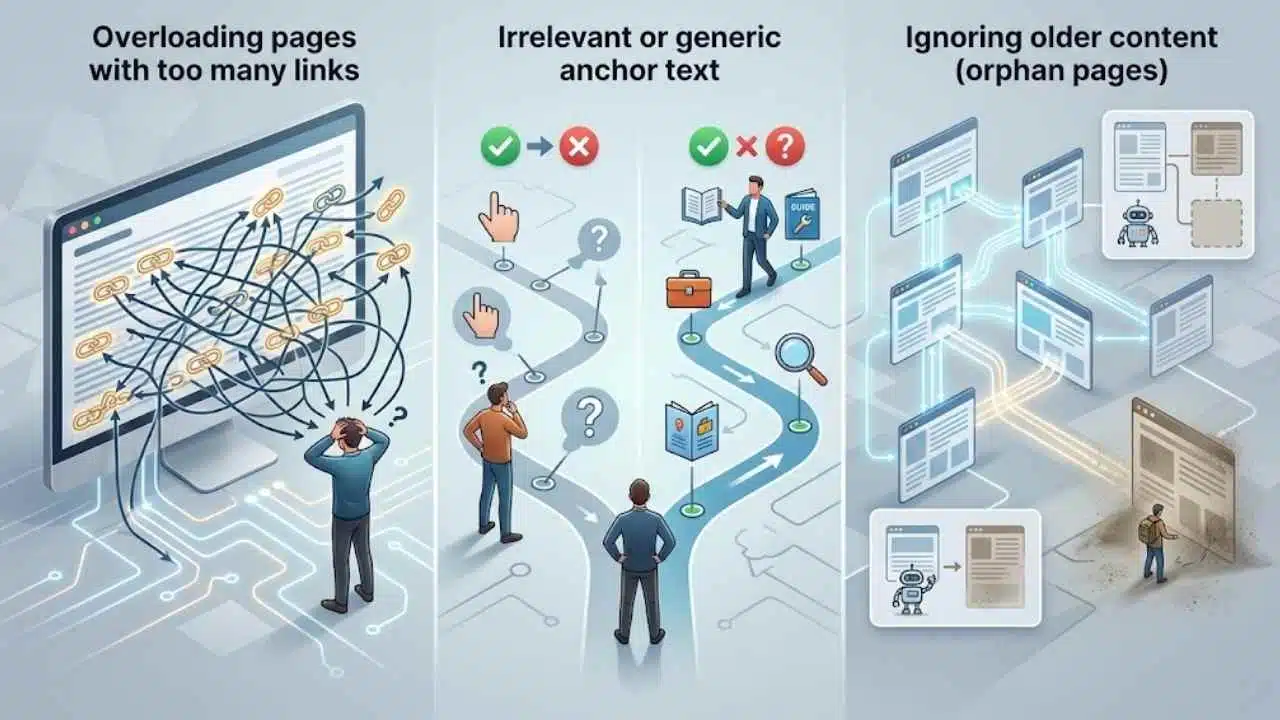
Most internal linking problems come from doing too much, too little, or doing it without a plan. These are the mistakes that hurt rankings, user experience, and crawlability the fastest.
Overloading pages with too many links
A crowded page splits attention and weakens the path you want readers to follow. It can also blur which pages are truly important in your site structure.
You do not need to obsess over a fixed number. Google’s advice is simpler: if the page feels stuffed with links, it probably is, so cut the list down to the links that truly help.
Using irrelevant or generic anchor text
Generic anchors like “click here,” “learn more,” or “this article” waste context. They tell search engines very little, and they do not help readers scan the page.
A quick test works well here: read the anchor text by itself. If it would not make sense out of context, rewrite it with clearer descriptive anchor text.
Ignoring older content
Older content often has hidden value, especially if it once earned backlinks or steady impressions. If you stop linking to it, that content can drift out of your active content structure even though it is still useful.
Screaming Frog defines orphan pages as URLs with no observed linking path from the start of a crawl, usually the homepage. It can also flag sitemap-only orphan URLs, which are pages listed in your XML sitemap but not found through internal links. If a page should rank, link to it. If it should not rank, clean it out of your sitemap and handle it properly.
- Bad sign: old blog posts still get impressions but no longer receive internal links.
- Bad sign: key landing pages rely only on footer links or sitemap discovery.
- Bad sign: broken links send users to dead ends instead of updated pages.
- Fix: refresh old posts, add two or three contextual links, and redirect dead URLs where needed.
Measuring and Refining Your Internal Linking Strategy
Internal linking works best as an ongoing process. You make changes, watch the data, and keep improving the pages that matter most.
Conduct regular internal link audits
Start with Google Search Console for a quick view of your top internally linked pages. Then use a site crawler to map broken links, redirect chains, crawl depth, and pages with weak inlinks.
The Crawl Stats report is useful too, but Google says it is aimed at advanced users and usually is not necessary for sites with fewer than 1,000 pages. That is helpful because it tells smaller teams where not to waste time.
Track performance metrics and adjust as needed
Look at clicks, impressions, page views, engagement rate, and internal link counts on the pages you are trying to grow. If a page gains more internal links but still gets weak results, the problem may be search intent, content quality, or conversion friction rather than link flow.
As of May 2026, Screaming Frog still offers a free crawl up to 500 URLs, and its U.S. license is listed at $279 per year for unlimited crawls and advanced features. That makes it a practical step up once your site grows past a small blog and you need deeper internal link reporting.
- Monthly: crawl the site and export broken links, redirect issues, and orphan pages.
- Monthly: review top internally linked pages in Search Console and confirm they match your priorities.
- Quarterly: refresh older blog posts and add contextual links to newer guides and landing pages.
- Quarterly: review anchor text patterns so your strongest pages are supported with clear, natural language.
The key is consistency. A small recurring audit usually beats a giant cleanup you only do once a year.
Final Thoughts
Internal linking is one of the fastest SEO improvements you fully control. Clean site structure, descriptive anchor text, topic clusters, and regular audits help search engines crawl the right pages and help readers find the next useful step. That is how hidden blog posts turn into active assets.
Start with one simple task today: find an orphan page, add two contextual links, and check the results in Search Console and Analytics. A strong internal linking strategy gets better every time you publish.
Frequently Asked Questions (FAQs) About Internal Linking Strategy
1. What is an internal linking strategy and why does it boost rankings?
An internal linking strategy is a plan to connect your site pages with internal links, to pass link equity and guide search engines. Good internal links help crawl, improve SEO, and boost rankings by making important pages easy to find.
2. How do I pick anchor text for internal links?
Pick short, clear anchor text that matches the target page topic, keep it natural and useful for readers.
3. How many internal links should each page have?
Add only links that help users, don’t clutter the page. A few clear internal links per page, based on your site structure and content depth, will spread authority and help crawl.
4. Will internal linking replace external links or other SEO work?
No, internal linking is one tool, it works with external links, keyword research, and quality content. Internal links act like a road map, they help bots crawl and users find value. You still need backlinks, good keywords, and solid content to reach top rankings.