In the digital age, finding the right platform for Classroom Communication is no longer just about sending simple messages. For schools looking to build genuine partnerships between educators and families, identifying the best independent developers in the United States is essential. By moving away from massive social media giants and focusing on specialized SMEs, districts can ensure that their data remains secure while providing every parent with an equitable voice in their child’s education.
Establishing a rigorous selection process ensures that the chosen software can handle the complexities of modern training environments.
How We Selected Our 15 Best Classroom Communication Platforms
To identify the top performers in this sector, we utilized a multi layered filtering process designed to highlight independent American innovation. We specifically avoided massive tech conglomerates to focus on developers that offer direct support and prioritize school specific privacy needs.
-
Geographic Baseline. Headquarters must be located within the United States.
-
Independent Status. Verified as an SME that is not a subsidiary of a massive legacy tech monopoly.
-
Multilingual Capability. Proven ability to translate messages into multiple languages to support diverse family backgrounds.
-
Compliance Standards. Strict adherence to federal privacy laws such as COPPA and FERPA.
Understanding these criteria is essential for administrators who need to justify their software choices to institutional stakeholders.
Whom This is for
This guide serves school district administrators, K 12 principals, and classroom teachers seeking to centralize their outreach efforts. It is also an invaluable resource for parent teacher organizations that want to increase involvement through professional and secure digital channels.
With the audience defined, we can examine the specific developers leading the industry.
Evaluating the 15 Best Classroom Communication Platforms
The following independent developers are currently leading the market with innovative approaches to digital connection. This list represents the most stable and forward thinking studios building educational infrastructure today.
Starting with platforms that emphasize district wide centralization allows for a more cohesive experience for families with multiple children.
1. ParentSquare
Based in Santa Barbara, California, ParentSquare provides a comprehensive platform that handles everything from daily classroom updates to emergency district notifications. The software is designed to replace fragmented tools, bringing newsletters, permission slips, and parent teacher conference signups into a single secure hub. It is widely recognized for its deep integration with existing student information systems.
Best for:
-
Large school districts that want to centralize all school to home interactions in one unified application.
Why We Chose It:
-
It offers a massive suite of features that covers every possible communication need a school might have.
-
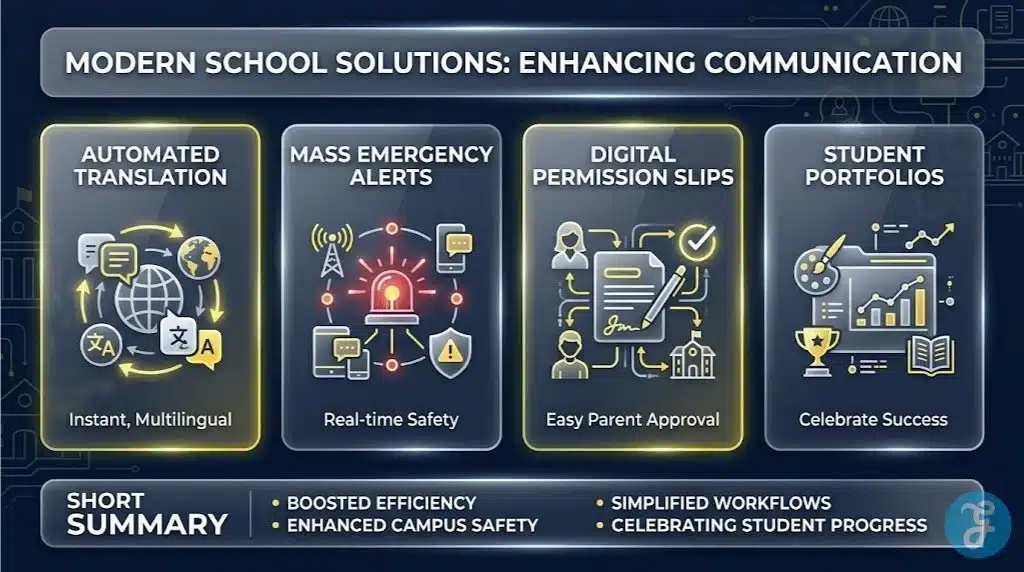
The platform includes robust two way translation that allows parents to respond in their native languages.
Things to consider:
-
The vast array of features requires a dedicated implementation plan to ensure full teacher adoption.
The 2026 Edge:
-
Predictive engagement analytics that identify which families might be missing important updates based on app usage patterns.
When reaching families who speak diverse languages is the primary goal, specialized translation engines are required.
2. TalkingPoints
Headquartered in San Francisco, California, TalkingPoints is a non profit SME that focuses entirely on breaking down language barriers in education. Their platform utilizes a unique combination of artificial intelligence and human translators to ensure that messages sent by teachers are accurately understood by families who do not speak English. It is a vital tool for equity and inclusion in urban and rural districts alike.
Best for:
-
Schools with high populations of non English speaking families who require high quality translation.
Why We Chose It:
-
The translation quality is significantly higher than standard generic algorithms because it understands educational context.
-
It allows parents to receive and send messages via standard SMS texting, which removes the need for a smartphone or data plan.
Things to consider:
-
It focuses primarily on text based messaging rather than complex file sharing or event management.
The 2026 Edge:
-
New dialect detection that automatically adjusts translation based on regional variations in Spanish and Arabic.
Fostering a sense of community within a digital environment is a major challenge for modern educators.
3. Bloomz
Operating from Redmond, Washington, Bloomz provides a social media inspired interface that encourages parents to share in the daily wins of the classroom. The platform combines communication with behavior management and portfolio tracking, making it a favorite for elementary school teachers. It provides a visual and engaging way for families to see exactly what their children are learning in real time.
Best for:
-
Elementary schools that want to combine parent communication with student behavior rewards and portfolios.
Why We Chose It:
-
The interface feels familiar to parents who use social media, which naturally leads to higher daily engagement.
-
It includes a built in calendar system that handles volunteer signups and item requests seamlessly.
Things to consider:
-
The social nature of the app requires clear guidelines to ensure all posts remain focused on student learning.
The 2026 Edge:
-
Automated behavior reports that use AI to suggest positive reinforcement strategies for parents to use at home.
Managing the complex data needs of a modern district requires a platform that bridges the gap between communication and analytics.
4. SchoolStatus
Based in Ridgeland, Mississippi, SchoolStatus focuses on data driven communication. The platform pulls in attendance records, test scores, and behavioral data, allowing teachers to have informed conversations with parents. It automatically logs every call, text, and email, providing a complete historical record of how a school is supporting an individual student.
Best for:
-
Administrators who need to prove the correlation between parent engagement and improved student outcomes.
Why We Chose It:
-
It provides teachers with an incredible amount of student context directly within the communication window.
-
The automatic logging of all communications ensures high levels of accountability and legal compliance.
Things to consider:
-
The data heavy interface may require more initial training for teachers who are not comfortable with analytics.
The 2026 Edge:
-
Early warning systems that flag declining parent engagement before it impacts a student’s grades.
Providing schools with professional marketing tools allows them to tell their own stories effectively.
5. Apptegy
Operating out of Little Rock, Arkansas, Apptegy provides the Thrillshare platform, which is designed to help schools manage their brand across all digital channels. It allows an administrator to post a single update that simultaneously updates the school website, the mobile app, and all social media profiles. It is a powerful tool for schools that want to improve their public image while keeping parents informed.
Best for:
-
Districts that want to professionalize their public presence while simplifying the communication workflow for staff.
Why We Chose It:
-
The “publish once” feature saves an incredible amount of time for busy school secretaries and principals.
-
It produces highly professional mobile apps and websites that reflect the unique identity of each district.
Things to consider:
-
The platform is more focused on public facing communication than on private teacher to parent messaging.
The 2026 Edge:
-
Integrated video production tools that allow students to create and broadcast high quality school news segments.
Building a sense of community requires platforms that understand the specific needs of families in different environments.
6. Livingtree
Headquartered in Austin, Texas, Livingtree focuses on creating a “private social network” for schools. The platform emphasizes tiered communication, allowing districts to send broad announcements while teachers manage small, private classroom groups. It also includes a specialized module for school fundraising that allows parents to support specific classroom projects easily.
Best for:
-
Schools that want a private, secure alternative to Facebook for sharing photos and managing classroom funds.
Why We Chose It:
-
The fundraising integration is incredibly smooth and keeps all financial transactions within the school ecosystem.
-
It provides a high level of security by ensuring that only verified family members can view classroom content.
Things to consider:
-
Smaller districts may find some of the tiered administrative features more complex than they require.
The 2026 Edge:
-
Blockchain based verification for school fundraising to ensure 100% transparency for every dollar donated.
Rapid notification is critical when managing campus safety and emergency situations.
7. BrightArrow
Located in Bellevue, Washington, BrightArrow specializes in high speed mass notification systems. Their software is built for reliability, ensuring that thousands of parents can be reached via voice, text, and email within minutes of an emergency. While they handle daily updates, their core strength lies in their robust technical infrastructure designed for critical alerts.
Best for:
-
Districts that prioritize emergency preparedness and need a rock solid mass notification system.
Why We Chose It:
-
It features one of the fastest delivery speeds in the industry for voice and text alerts.
-
The system is designed to work even when local school servers are offline or under heavy load.
Things to consider:
-
The interface is more utilitarian and lacks the social features found in apps like Bloomz or Seesaw.
The 2026 Edge:
-
Geofencing capabilities that allow schools to send specific alerts only to parents currently in a certain area.
Tracking early childhood development requires a platform that can handle specialized assessment rubrics.
8. ParentGauge
Based in Nashville, Tennessee, ParentGauge is a specialized tool built specifically for Head Start and early childhood programs. It focuses on the “parent interview” model, helping educators track how families are supporting learning at home. It is a vital tool for programs that receive federal funding and must prove high levels of family engagement.
Best for:
-
Early childhood educators and Head Start programs that need to track detailed family engagement metrics.
Why We Chose It:
-
The platform is built strictly around the federal requirements for early childhood education reporting.
-
It provides structured interview guides that help teachers have more meaningful conversations with parents.
Things to consider:
-
It is a highly specialized tool that is not suitable for general K 12 classroom messaging.
The 2026 Edge:
-
Integrated developmental milestones that automatically suggest age appropriate home activities based on teacher input.
Visual storytelling is often the most effective way to engage busy parents who are overwhelmed by text.
9. S’more
Headquartered in New York City, S’more allows educators to create beautiful, professional digital newsletters in minutes. The platform emphasizes design, providing teachers with templates that look like high end magazines. It is a powerful way to ensure that school news actually gets read, as the visual format is much more engaging than a standard email.
Best for:
-
Teachers and principals who want to send high quality, visual newsletters that parents actually look forward to reading.
Why We Chose It:
-
The design templates are incredibly easy to use and require zero graphic design skills.
-
It provides detailed analytics showing how many parents opened the newsletter and which links they clicked.
Things to consider:
-
The platform is a one way communication tool and does not support two way messaging or chat.
The 2026 Edge:
-
Dynamic newsletter content that automatically updates based on the specific interests of the individual parent reading it.
Holistic student support requires a platform that brings all student data into a single view.
10. Otus
Operating out of Chicago, Illinois, Otus combines a learning management system with a robust communication engine. It allows teachers to share grades, attendance, and behavioral data with parents in real time. Because all the data lives in one place, the platform can provide parents with a truly holistic view of their child’s academic journey.
Best for:
-
Schools that want to combine their gradebook, assessments, and parent communication in a single platform.
Why We Chose It:
-
It eliminates the “app fatigue” caused by requiring parents to check multiple different websites for information.
-
The platform provides a unified “student profile” that tracks growth over several years.
Things to consider:
-
Implementing Otus is a major institutional change that requires significant time and staff training.
The 2026 Edge:
-
AI driven learning suggestions that provide parents with specific resources based on a student’s latest test scores.
Simplifying the administrative burden on teachers is the primary goal of many modern communication apps.
11. Classtree
Located in Newark, New Jersey, Classtree focuses entirely on the headache of permission slips and form collection. The platform allows teachers to send out digital forms that parents can sign with a finger on their smartphone. It tracks exactly who has signed and sends automated reminders to those who have not, which significantly reduces paperwork for teachers.
Best for:
-
Teachers who are tired of chasing down paper permission slips and managing cash payments for field trips.
Why We Chose It:
-
The platform is incredibly focused and does one thing better than almost any other tool on the market.
-
It provides a clear audit trail for all signatures and payments, which is essential for school liability.
Things to consider:
-
It is a specialized tool and should be used as a supplement to a broader communication platform.
The 2026 Edge:
-
Biometric signature verification that ensures permission slips are actually signed by the verified guardian.
Small, private communities often prefer platforms that feel more personal and less institutional.
12. SimplyCircle
Based in San Francisco, California, SimplyCircle provides a streamlined environment for managing classroom and parent groups. The platform emphasizes “circles,” which are private groups where parents can share photos, chat, and coordinate events. It is a very effective tool for room parents and PTO leaders who need to manage a high volume of local coordination.
Best for:
-
Room parents and parent teacher organizations that need a simple way to manage local classroom events.
Why We Chose It:
-
The “daily digest” feature bundles all updates into a single email, which prevents parents from feeling overwhelmed.
-
It includes a robust task management system for coordinating volunteers for school events.
Things to consider:
-
The platform lacks some of the deeper SIS integrations found in enterprise grade tools like ParentSquare.
The 2026 Edge:
-
Smart scheduling that suggests event times based on the collective availability of the parents in the group.
Establishing a reliable baseline for messaging is the foundation of any successful school district strategy.
13. Remind
Headquartered in San Francisco, California, Remind remains one of the most popular tools for Classroom Communication due to its incredible simplicity. The platform allows teachers to send messages directly to parents’ phones without sharing personal phone numbers. It is a lightweight, mobile first tool that focuses on high speed messaging and file sharing.
Best for:
-
High school teachers and coaches who need a fast, reliable way to send short updates to large groups of students and parents.
Why We Chose It:
-
The user interface is so simple that teachers can begin sending messages within seconds of creating an account.
-
It provides a high level of privacy by masking the phone numbers of both the teacher and the recipient.
Things to consider:
-
The free version has significant limitations, which often requires districts to purchase the enterprise tier.
The 2026 Edge:
-
Integrated tutoring marketplaces that allow parents to book professional support directly through the messaging app.
Empowering students to take ownership of their own communication is a major trend in modern education.
14. Seesaw
Operating out of San Francisco, California, Seesaw is a digital portfolio platform that includes a powerful communication engine. It allows students to upload their work, which parents can then view and comment on instantly. This creates a three way conversation between the teacher, the student, and the parent centered entirely on the work being produced in the classroom.
Best for:
-
Schools that want to shift the focus of communication away from logistics and toward student work and portfolios.
Why We Chose It:
-
It provides parents with a “window into the classroom” that standard messaging apps simply cannot match.
-
The platform encourages students to reflect on their own learning by explaining their work to their parents.
Things to consider:
-
Teachers must dedicate time during the school day for students to document and upload their work.
The 2026 Edge:
-
Audio portfolios that allow students to record their voices explaining their thought process for every assignment.
Reimagining the classroom as a collaborative digital game can lead to incredible levels of student and parent engagement.
15. Classcraft
Based in New York City, Classcraft uses the mechanics of role playing games to manage classroom behavior and communication. Parents are invited to join the game, where they can see their child’s character progress based on their academic and behavioral performance. It turns the traditional “behavior report” into a fun, collaborative experience for the entire family.
Best for:
-
Middle school teachers looking for a highly innovative, gamified way to engage students and parents in behavior management.
Why We Chose It:
-
It provides a completely unique way to communicate student progress that is incredibly motivating for students.
-
The platform creates a common language between home and school centered on positive character traits.
Things to consider:
-
The game based interface is a significant departure from traditional school apps and requires full teacher buy in.
The 2026 Edge:
-
Augmented reality rewards that allow students to “see” their game achievements in the physical classroom.
Reviewing these varied digital environments side by side provides a clear perspective on the different philosophies driving the modern educational market.
An Overview Of Classroom Communication in USA
Reviewing these metrics side by side provides a clear snapshot of the diverse digital infrastructure available to modern enrollment managers. The following data points highlight the primary functional differences between these independent providers.
Reviewing these metrics provides a clear snapshot of the digital options available to independent educators.
Overview Comparison Table
Examining the core strengths of these independent developers allows for a more informed decision making process.
| SME Developer | Headquarter Location | Core Focus Area | Primary Function |
| ParentSquare | Santa Barbara, CA | District-Wide Centralization | Unified Communication Hub |
| TalkingPoints | San Francisco, CA | Language Equity | AI-Powered Translation |
| Bloomz | Redmond, WA | Social Community | Visual Classroom Engagement |
| SchoolStatus | Ridgeland, MS | Data-Driven Outreach | Student Data Integration |
| Apptegy | Little Rock, AR | School Branding | Cross-Platform Publishing |
| Livingtree | Austin, TX | Private Social Network | Fundraising & Groups |
| BrightArrow | Bellevue, WA | Emergency Alerts | High-Speed Mass Notification |
| ParentGauge | Nashville, TN | Early Childhood | Head Start Reporting |
| S’more | New York, NY | Visual Storytelling | Digital Newsletter Creation |
| Otus | Chicago, IL | Holistic Support | Integrated LMS & Gradebook |
| Classtree | Newark, NJ | Administrative Tasks | Digital Permission Slips |
| SimplyCircle | San Francisco, CA | Local Coordination | Private Group Management |
| Remind | San Francisco, CA | Rapid Messaging | Mobile-First SMS Chat |
| Seesaw | San Francisco, CA | Student Portfolios | Work-Centered Communication |
| Classcraft | New York, NY | Gamified Behavior | Role-Playing Engagement |
Evaluating these diverse administrative tools naturally leads to our primary recommendations for specific institutional use cases.
Our Top 3 Picks and Why?
Narrowing down this competitive field highlights three developers that are currently defining the future of digital education. ParentSquare remains our top pick for districts that need a powerful, centralized hub to replace a fragmented collection of smaller apps. For schools that prioritize language equity above all else, TalkingPoints provides a life changing service by ensuring every parent can participate in their child’s education regardless of the language they speak. Finally, Seesaw is the ideal choice for elementary schools that want to shift the focus of communication away from simple logistics and toward a deep, meaningful celebration of student work and intellectual growth.
Selecting the right digital infrastructure requires a deep understanding of your own organizational bottlenecks and long term goals.
How to Choose the Right Classroom Communication by Yourself?
Implementing a new educational platform is a significant investment that will impact your organization for years to come. Following a structured framework will help you avoid the common pitfalls of software adoption.
-
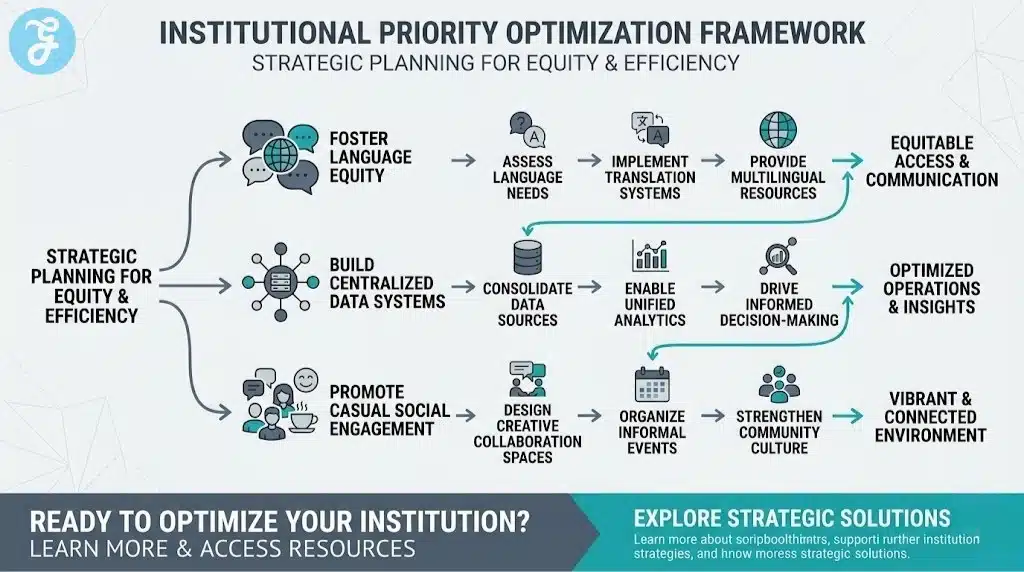
Define the Primary Goal. Determine if you are trying to solve an equity problem with translation, an administrative problem with permission slips, or a safety problem with alerts.
-
Verify SIS Integration. Ensure the platform can pull accurate contact information directly from your student information system to prevent manual data entry.
-
Evaluate Accessibility. Confirm that the platform works for parents who do not have smartphones or high speed internet by offering robust SMS text options.
-
Check Teacher Workload. Choose a tool that simplifies a teacher’s life by automating reminders rather than adding another task to their daily list.
Applying this framework directly to your specific needs allows you to identify which developer can truly partner with your organization.
Decision Matrix
Matching your specific institutional priorities with the right developer ensures a seamless digital transformation.
| Choose This SME… | If You Prioritize… |
| ParentSquare or Otus | Centralizing all school data and communication in a single institutional platform. |
| TalkingPoints or Remind | Reaching every family instantly through simple SMS text messaging and high-quality translation. |
| Seesaw or Bloomz | Engaging elementary parents through visual stories and digital portfolios of student work. |
| BrightArrow or Apptegy | Managing public branding and ensuring high-speed delivery of critical emergency alerts. |
Before signing a long term institutional contract, running through a rapid technical verification process is vital to ensure long term success.
The Final Checklist
Running through this quick verification process guarantees you are adopting a secure and scalable platform.
-
Verify the platform is fully compliant with federal privacy standards like FERPA and COPPA.
-
Ensure the software allows for easy data export if you ever decide to change providers in the future.
-
Test the mobile application to ensure it provides a full experience rather than just a stripped down version of the web portal.
-
Confirm that the pricing model is scalable and does not include hidden fees for additional administrators or storage.
-
Check that the platform includes accessibility features to ensure all parents can interact with the material regardless of physical ability.
Implementing these systems successfully requires a deep understanding of what digital education actually represents in a modern workplace.
The Paradox of Persistent Connectivity
The rapid expansion of educational technology has led many to believe that more messages always equal more engagement. However, the uncomfortable truth is that many tools for Classroom Communication are contributing to a culture of digital fatigue for both teachers and parents. As districts scramble to implement the latest messaging apps, they often fail to set the boundaries required to prevent burnout. The future of Classroom Communication does not lie in building more intrusive notification features. It lies in using technology to filter out the noise, ensuring that when a parent receives a message, it is meaningful, actionable, and focused on the growth of their child.
True educational success happens when an institution uses a platform to build trust rather than just to deliver data. We must be careful not to mistake the quantity of our digital pings for the quality of our human connections.
To further clarify the implementation of these digital systems, addressing common technical concerns is essential for a successful rollout.
Frequently Asked Questions (FAQs) About Classroom Communication
How do schools protect parent privacy on these platforms?
Reputable independent SMEs use enterprise grade encryption and strictly adhere to federal laws like FERPA. Unlike standard social media apps, these platforms do not sell user data to advertisers and ensure that all communication remains within a secure, invite only school environment.
Can parents who don’t have a smartphone still get updates?
Yes, most high quality platforms offer a “text only” mode that delivers school updates as standard SMS messages. This ensures that every family can stay informed regardless of their access to a smartphone or a reliable home data plan.
Will these apps translate messages from the parent back to the teacher?
The best tools in this category provide two way translation. This means a teacher can send a message in English, the parent receives it in their native language, and the parent’s reply is automatically translated back to English for the teacher.
How do these platforms handle parents with multiple children?
Modern district wide systems automatically link all children to a single parent account. This allows a parent to see updates from multiple different teachers and schools within a single unified dashboard, which significantly reduces app fatigue.
What happens if a parent changes their phone number?
Most platforms sync daily with the school district’s central student information system. If a parent updates their contact information with the school office, the communication app will automatically update the next time it syncs with the central database.